This walkthrough suits beginners who already know basic prediction-market mechanics and need checklist steps instead of prize-pool theory. The event runs from October 14, 2026, 08:00 to November 15, 2026, 08:00 (UTC). The full rule map belongs with the Gate Rift Summit Prediction Challenge; task-priority trade-offs belong with activity strategies. Path details follow the Gate Rift Summit Prediction Challenge announcement and the event page.
Key Takeaways
- Register first, then trade designated Worlds event markets; pre-registration fills generally do not count.
- Gate Prediction Markets are App-only; Worlds markets require Gate App v8.39.0 or above.
- Valid volume needs four conditions: after registration + eligible markets + relevant stats period + actual fills.
- Unfilled or canceled-unfilled orders, non-eligible markets, and abnormal trades are excluded from tasks and rankings.
What do you need before you start?
Before starting, confirm five items: a Gate account you can sign in to, access to the event page, Gate App updated to v8.39.0 or above, sufficient balance for prediction-market fills, and regional availability of Gate Prediction Markets (subject to Gate’s actual service scope).
Also keep the risk frame clear: prediction outcomes are uncertain and trading may result in losses; the event is not investment advice or a return guarantee. A Prediction Markets Voucher’s face value is not directly withdrawable cash; usage rules follow the voucher details and voucher page. Product entry points are described on the Gate Prediction Markets product page.
| Prep item |
Pass criteria |
| Account and registration |
Can sign in and complete event-page registration |
| App version |
Gate App ≥ v8.39.0 |
| Trading terminal |
App only; desktop web generally cannot complete event-market fills that count for this event |
| Funds |
Balance available for prediction-market fills |
| Region and compliance |
Jurisdiction allows Prediction Markets and event participation |
The table is a minimum pre-flight checklist. If any row fails, later registration UI may still appear, but countable fills may still be impossible.
How do you register and open eligible Worlds event markets?
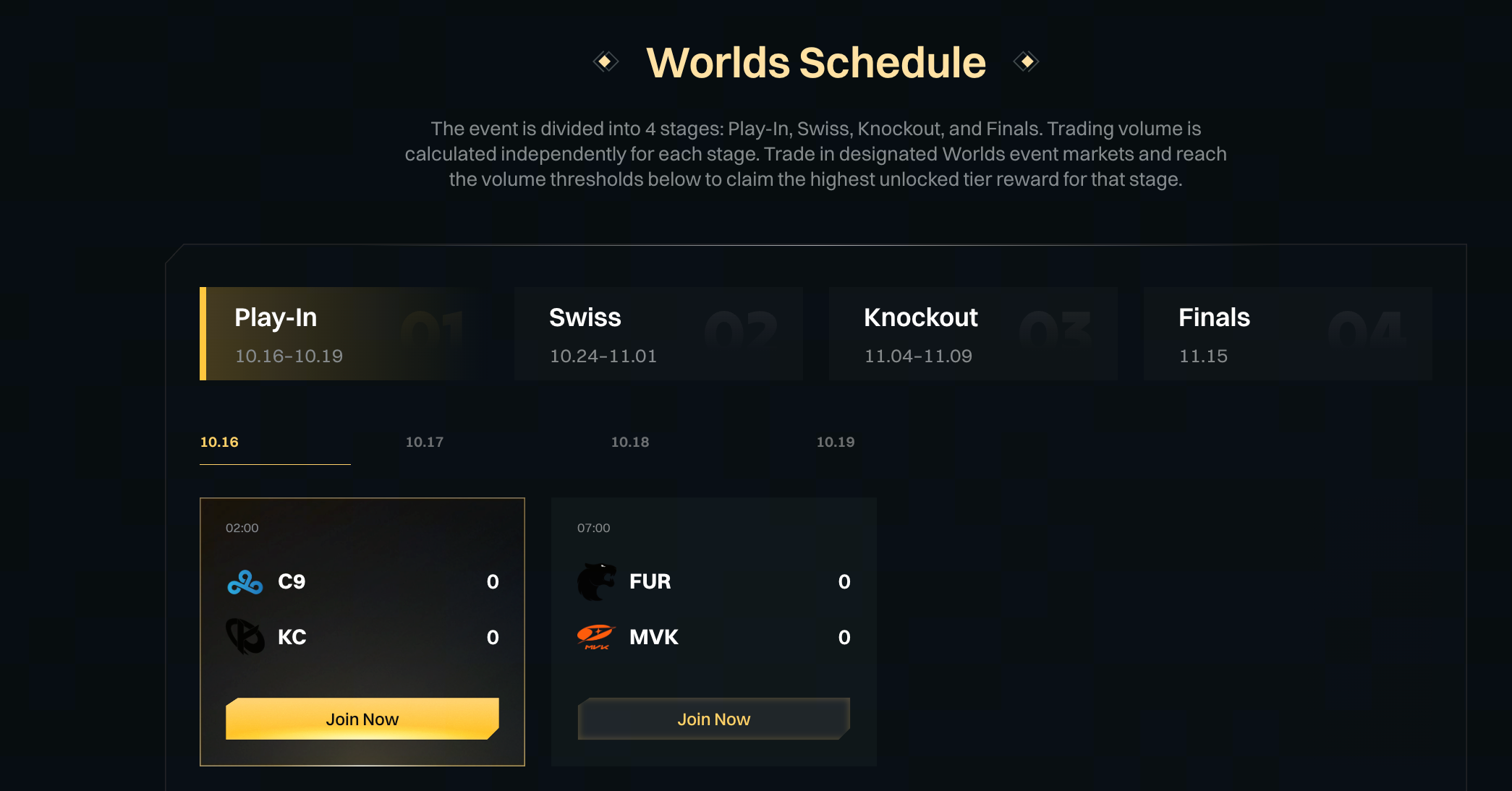
The participation path is: sign in to Gate → complete registration on the event page → open designated League of Legends Worlds event markets in the Gate App → place orders and wait for actual fills. Only valid trades executed after successful registration count.
Eligible markets typically include individual game and series winners, BO3 and BO5 series scores, map handicaps and total maps played, qualification for the Swiss Stage, quarterfinals, semifinals, and final, the best-performing region, the overall champion, the finals matchup, and other Worlds event markets designated on the event page; eligibility follows what is actually live on the event page. Each market’s trading deadline and settlement follow its market page—an ongoing event does not mean every market remains open.
What hard requirements apply to App version and trading environment?
Gate Prediction Markets are currently available for trading only on the Gate App; Worlds event markets require v8.39.0 or above. Desktop web generally cannot complete event-market fills that count toward this event.
App-only checklist:
- Confirm the installed version is ≥ v8.39.0 via the app store or official install channel.
- Verify that Gate Prediction Markets and the designated Worlds market list open inside the App.
- Place, cancel, and receive fill confirmations in the App—not only view prices on desktop.
- If the version is below the threshold, upgrade before trading to avoid “ordered but non-compliant terminal” misses.
Version and terminal are hard eligibility gates, not preferences. Even after registration, a non-compliant terminal may still prevent fills that the event backend will count.
How can you confirm a trade will count toward the event?
For a trade to count in the Gate Rift Summit Prediction Challenge, four conditions must hold together: it occurs after registration, it is in a designated Worlds event market, it falls inside the relevant stats period, and it is actual executed volume. Missing any one usually excludes the trade from that task or Rift Power Points stats. Relevant stats period means stage windows for Tournament Stage Rewards, and the overall event period for full-event modules such as First Prediction and Rift Power.
| Condition |
Pass signal |
Common fail signal |
| After registration |
Order time is later than successful registration |
Fills completed before registration |
| Eligible market |
Market appears on the event page’s designated Worlds list |
Other event markets or non-Worlds themes |
| Relevant stats period |
Stage tasks: order placement time in the stage window; full-event tasks: inside the campaign period |
Stage volume miscounted across windows, or fills outside the event period |
| Actual fill |
Order filled with executed notional |
Unfilled, canceled-unfilled, or non-trading transfers |
Valid Worlds Trading Volume equals Yes Buy Volume + No Buy Volume + Secondary-Market Sell Volume. For Trade to Unlock Tournament Stage Rewards, volume is allocated by order placement time; for example, Grand Finals orders submitted on October 23, 2026 count toward the Swiss Stage window. When checking progress, compare order timestamps to stage windows—not only words like “Grand Final” in the market title.
What are common errors and how do you fix them?
Most “I traded but progress is zero” cases come from registration, terminal, market scope, or fill-status mismatches; work the table row by row.
| Error |
Cause |
Fix |
| Fills exist but progress stays 0 |
Not registered, or traded before registration |
Complete event-page registration, then place and fill new orders after signup |
| Markets visible but volume ignored |
Desktop trading or App below v8.39.0 |
Upgrade to v8.39.0+, complete event-market fills only in the App |
| Volume does not rise |
Traded non-designated Worlds event markets |
Recheck the event-page eligible list, then trade only listed markets |
| Long-open orders, no progress |
Order unfilled or canceled without a fill |
Wait for a fill or adjust for executability; unfilled size does not count |
| Stage tier looks wrong |
Counting by market-title tournament stage |
Re-map by order placement time against the stage stats window |
| Tasks or power look abnormally low |
Abnormal trades removed by the platform |
Follow the User Agreement and Prediction Markets terms; avoid wash trading and volume gaming |
The rule behind the table is simple: the event counts “real fills in designated markets after registration,” not “any order shown on any screen.” Fix registration and market eligibility first, then App version and fill status, and only then stage-window timing.
What risks and boundaries apply to the join flow?
Process boundaries include: only designated Worlds event markets count; other event markets are excluded; unfilled orders, canceled unfilled orders, asset transfers, and other non-trading movements are excluded from volume; abnormal trades are excluded from tasks and leaderboards. Some regions may be unable to use Prediction Markets or join the event.
On risk, keep prize-pool caps, voucher face value, and withdrawable cash conceptually separate. Prediction outcomes are uncertain and trading may result in losses; Finals Night Prediction Compensation only provides partial Vouchers for eligible users—it is not principal protection or full loss reimbursement. Markets may be canceled, postponed, closed early, or settled abnormally under market settlement rules and event-page notices. Bulk registration, linked accounts, self-trading, wash trading, fabricated trades, manipulation, or exploiting vulnerabilities can void eligibility and rewards. Rule interpretation follows the Gate Rift Summit Prediction Challenge announcement and the event page.
Summary
Joining the Gate Rift Summit Prediction Challenge compresses to: register → open designated Worlds markets on App v8.39.0+ → complete actual fills → verify the four counting conditions. Terminal and version are hard gates; eligible markets and registration timing define the stats scope; stage attribution follows order placement time, not market-title stages. Before participating, read each market page’s deadline and settlement rules and decide according to personal risk tolerance.
FAQ
How do you register for the Gate Rift Summit Prediction Challenge?
Sign in to Gate, complete registration on the event page, then trade designated League of Legends Worlds event markets during the event. Only valid trades executed after successful registration count; unregistered or pre-registration fills generally do not.
Can you trade Worlds markets on Gate Prediction Markets via desktop web?
Gate Prediction Markets are currently available for trading only on the Gate App; Worlds event markets require App v8.39.0 or above. Desktop web generally cannot complete event-market fills that count for this event.
How can you tell whether a trade counts toward the event?
All four must hold: after registration, in a designated Worlds event market, inside the relevant stats window, and actually filled. Unfilled or canceled-unfilled size, non-eligible markets, and abnormal trades usually do not count.
How is Worlds valid trading volume calculated?
Valid Worlds Trading Volume = Yes Buy Volume + No Buy Volume + Secondary-Market Sell Volume. Only valid fills in designated League of Legends event markets after registration count; the same base also converts to Rift Power Points (1 point per 20 USDT of valid volume).
Can Prediction Markets Vouchers be withdrawn as cash?
A voucher’s face value is not directly withdrawable cash. Eligible markets, usage rules, and validity follow the voucher details and voucher page; the full event prize pool should not be read as cash rewards.