Square
Following
Hot
News
Profile

runesleo

vip
Active for: 8.7y
Peak Tier 6
No content yet
0
Following
15
Followers
102
Liked
Today, ChatGPT’s “task continuity” problem hit me hard.
It wasn’t that the quality of a particular response declined, but something more troublesome:
Some conversations that had been running for a long time suddenly stopped responding;
Tools / MCP that had been working normally suddenly failed to connect in some sessions;
Although switching to a new conversation let me chat again, the task context, execution state, and progress were all very likely to be lost together.
I spent a large part of today not “getting things done,” but restoring “what AI had originally been helping me do.”
This sudde
post-image
Lately, I’ve been feeling this more and more strongly:
As the natural-language interfaces of AI Agents like Codex and Grok gradually mature, and connect to your own local workstation, browser, various tools, and the most powerful models in the cloud—
ordinary people are actually getting their own “AI operating system” for the first time.
You no longer need to open a dozen different apps, remember a bunch of commands, or manually string together workflows.
You only need to say:
“Take care of this.”
Then the Agent calls on your computer, code, browser, APIs, and models to complete the task step
post-image
Recently, I keep running into this when ChatGPT runs long tasks.
The most frustrating part is that the frontend says “streaming has been interrupted,” while the backend task is sometimes still running.
The more heavily I use agents, the more I realize that how smart the model is is only part of the equation.
Connections, reconnections, state recovery, and observability for long-running tasks are what truly affect the day-to-day user experience.
post-image
I’ve actually been using ChatGPT’s Remote Control for quite a while.
I used to think of it simply as a very convenient feature:
When I’m out, I can open my phone and continue taking control of Codex running on my Mac at home.
Send tasks from my phone → execute them locally on my Mac → check progress at any time → continue adding instructions.
But recently, as I’ve brought more and more work into AI, I’ve truly realized what this means.
Once AI can connect to computers, files, terminals, browsers, and various workflows, your phone is no longer really a “device for running AI.”
It’s more like a
post-image
  • 3
I’ve been playing @projectmars_rh seriously for the past week and ended up building a Chinese player hub for it.
It now has a Start Here guide, FAQ, P&L / Rig / Ore / Plot / Epoch tools, plus a read-only wallet helper. No wallet connection, no signing.
I also applied to the Project Mars creator program but haven’t heard back yet, and I can’t reach the team through X DMs.
I’d love to help with Chinese guides, tooling, localization feedback and community onboarding. We already have an active Chinese-speaking community playing and discussing the game.
Would love for the team to take a look 🙏
I only discovered today that ChatGPT Pro actually comes with 100GB of file storage.
I’ve been using it for so long, yet I’ve only used 315MB.
This made me realize that I’ve always treated ChatGPT as “compute” and a “chat box,” but never truly as a long-term workspace.
So I reorganized my AI storage architecture:
Mac: execution
Local large drive: raw data / cold archives
Google Drive: official documents editable by humans
ChatGPT Library: a knowledge layer that AI can read, search, and reuse over the long term
The point isn’t to fill up the 100GB.
It’s to put the things that are truly worth hav
post-image
I’ve been working with AI and vibe coding for so long, but today was the first time I seriously looked at my Codex usage statistics:
Total tokens: 103.82 billion
Daily peak: 4.59 billion
Longest consecutive usage: 119 days
The numbers are much more staggering than I imagined.
But what’s really worth taking stock of isn’t how many tokens were burned, but what those tokens ultimately became.
Recently, I’m preparing to go through the AI automation systems I currently have up and running in full:
Research, monitoring, trading assistance, content production, remote execution across multiple devices
post-image
  • 2
A few days before the Arc mainnet went live, I bought three coins:
$ARGUS , $TOLLY , $COOL .
My logic at the time was simple:
ARGUS = Launchpad / growth leader
TOLLY = platform value capture
COOL = Arc-native cultural Meme
Now, two days after the mainnet launch, all three coins have retraced sharply from their highs.
But after pulling the data again, I have not changed this view for now.
Instead, an interesting divergence has emerged:
Prices have fallen, but the fundamental data is clearer than when I bought.
Arc Mainnet Day 1 was indeed crazy.
There were approximately 7.76 million transactions
ARC+1.38%
ARGUS+9.01%
TOLLY+20.04%
UNI+9.83%
USDC0.00%
There’s a new model called Jev in the AI space these past few days, and I think it deserves a closer look.
The most counterintuitive thing about it isn’t how much higher its benchmark scores are, but that it doesn’t want to be an LLM that is simply “better at chatting.”
@typesafeai’s approach is:
Many software tasks don’t need the model to “generate a piece of text” at all.
A large number of AI workflows today actually look like this:
state → LLM → generate text / JSON → parse → validate → retry → the program decides what to do next
But what software really needs AI to answer is often just:
Is
post-image
Podcast recommendation: Web3 101 E83, “What We Need to Know About the Quantum Threat Facing Bitcoin”
Simply put: Quantum computers may one day use public key information you have exposed to derive private keys and transfer your coins away. Mining is not the key issue; the type of wallet address is.
This is especially relevant for people who have used Inscriptions or Runes, or have a particularly large number of addresses. Addresses beginning with bc1p already have their key information on-chain; reusing an address can also expose that information. Relatively safer are unused bc1q addresses, an
BTC-0.68%
I’ve finally figured out that what I want to build is not an “on-chain new token monitor,” but a personal operating system for opportunities.
At first, I thought the problem was simply: why didn’t my monitoring catch a certain token in time when it later surged and entered the trending rankings?
But after taking apart the entire process, I realized that what really needs optimizing is not a particular token, a particular ranking, or even simply adding a few more data sources, but the entire system from discovery to outcome.
The process I want is:
Multi-chain activity, Launchpad activity, proje
September had just seen a rate hike, and the median dot still said “one more hike this year.”
October is the nearest window, with Polymarket pricing a 25bp hike at roughly 44–45%.
My read: slightly low; fair value is probably around 48–55%.
Thin edge, not a heavy-position signal.
So I only bought a very small position:
Yes / 25bp hike / @0.45 / approx. $40
What I didn’t do: 50bp hike, annual-line another-hike, or adding to the position without data.
Exit: close it when there’s no edge; admit I’m wrong if the data turns cold.
Learn in public, not investment advice.
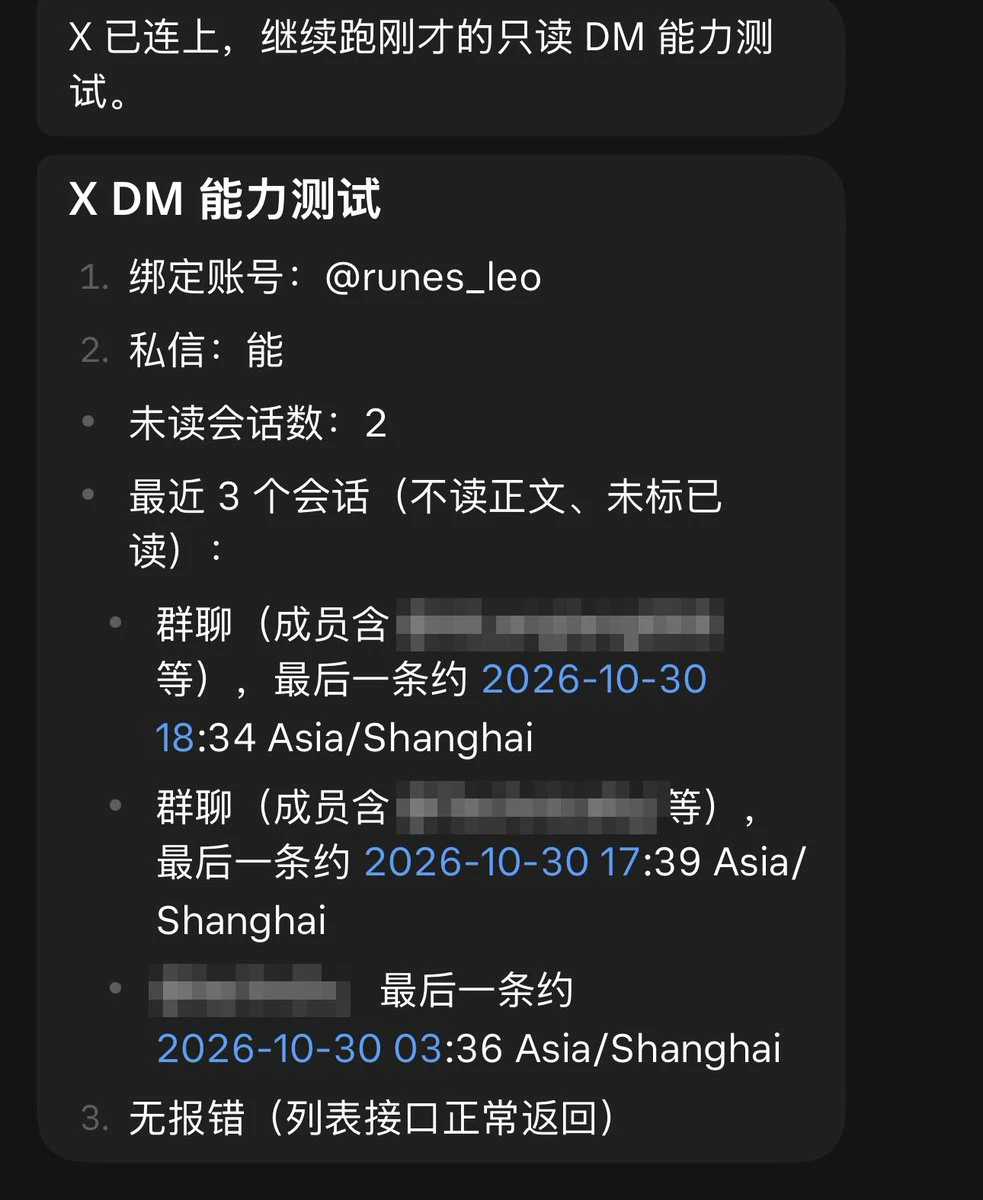
Did you claim those $100 from the Grok bot?
I originally just wanted to connect the X paid API to Grok Bot for searches / timelines / mentions.
I added $25 to try it, but total showed approximately $123.
Only after breaking it down did I understand:
• prepaid ≈ $23.7 → the remainder of what I added
• free ≈ $99 → the starting credits granted when connecting (expires in about 1 year
Official statement on 8/29: Paid Grok Bot users get free X API credits to start
The official amount wasn’t fixed; the image above shows my actual test. Check free before connecting, and don’t be tricked by total int
post-image
  • 1
Ever since I got MCPX, I’ve genuinely had this feeling lately:
It’s like I’ve unlocked “unlimited usage” for ChatGPT.
Of course, it isn’t actually unlimited.
The Chat mode itself already has a pretty generous quota, and after installing and configuring MCPX, many things that originally required me to switch software, find tools, or run commands myself can now be done directly in Chat.
And I think the best thing about MCPX isn’t that it “adds another new tool.”
It’s precisely that once it’s installed, you can even forget MCPX exists.
You can keep talking to ChatGPT normally, just like before:
H
post-image