Web3 Agent Invitation Tutorial Guide

Beginner
Tutorial
Last Updated 2026-03-28 15:06:45
Reading Time: 1m
Gate Web3 Agent Invitation Guide — including step-by-step instructions for both mobile and **desktop** platforms.

Affiliate Operation

Mobile Process Instructions

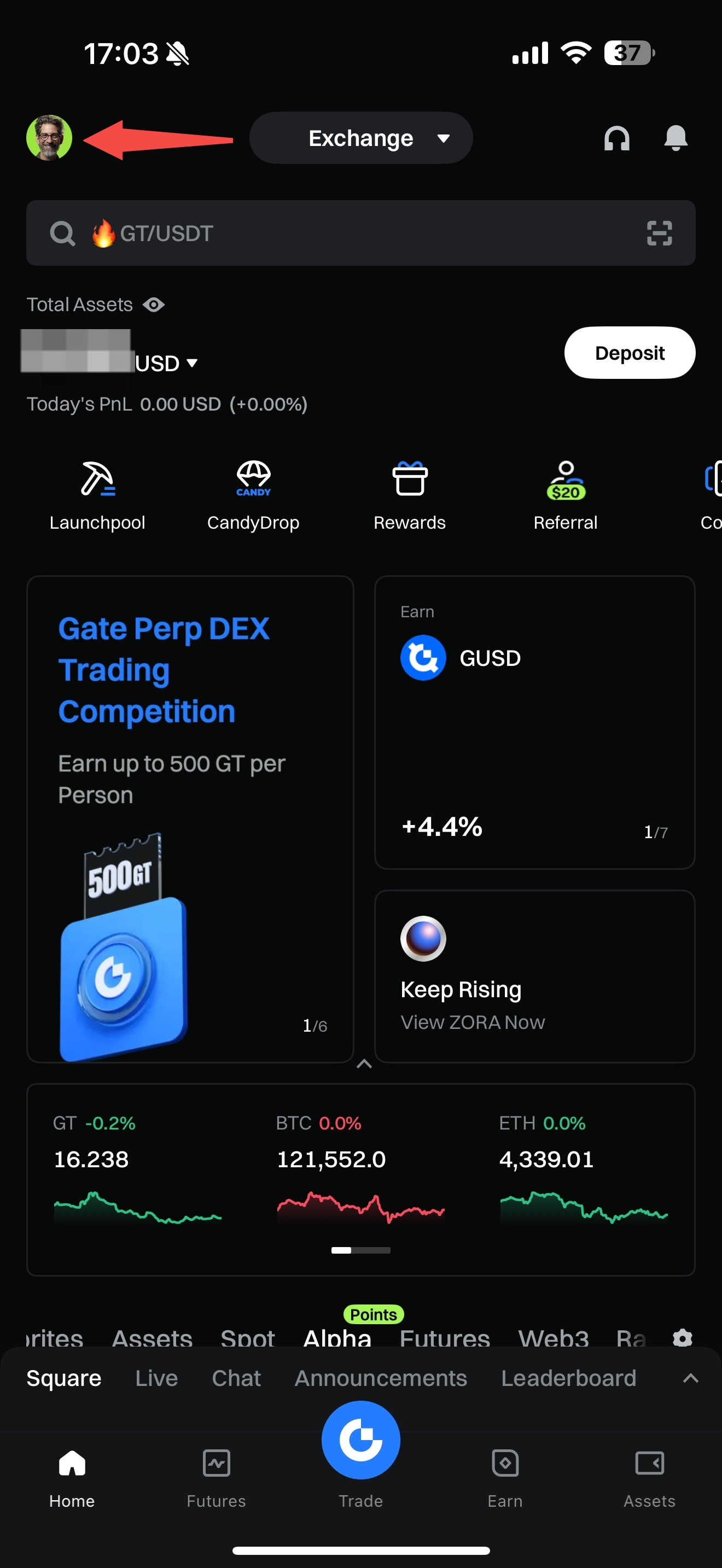
1. Enter the App homepage and click the avatar in the upper left corner.

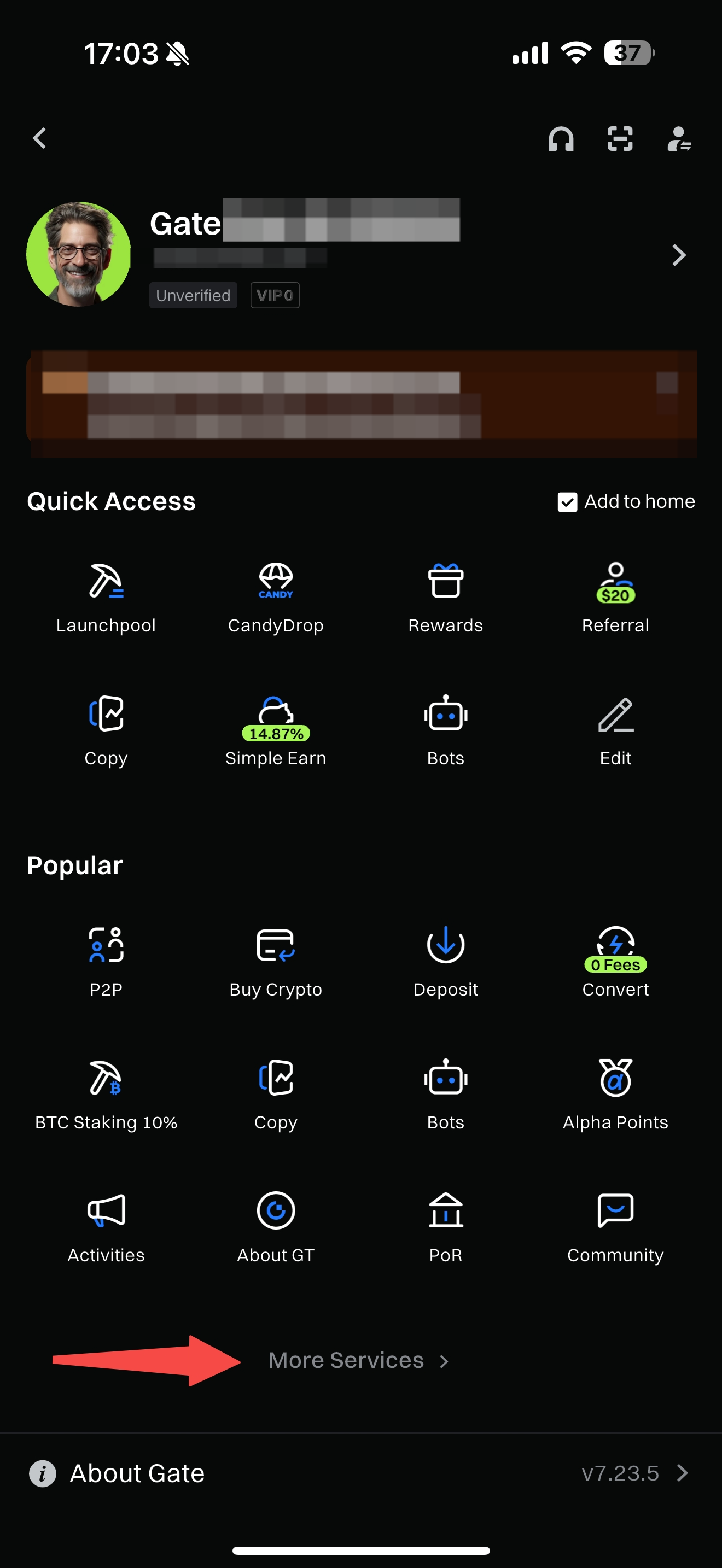
2. Click “More Services. ”

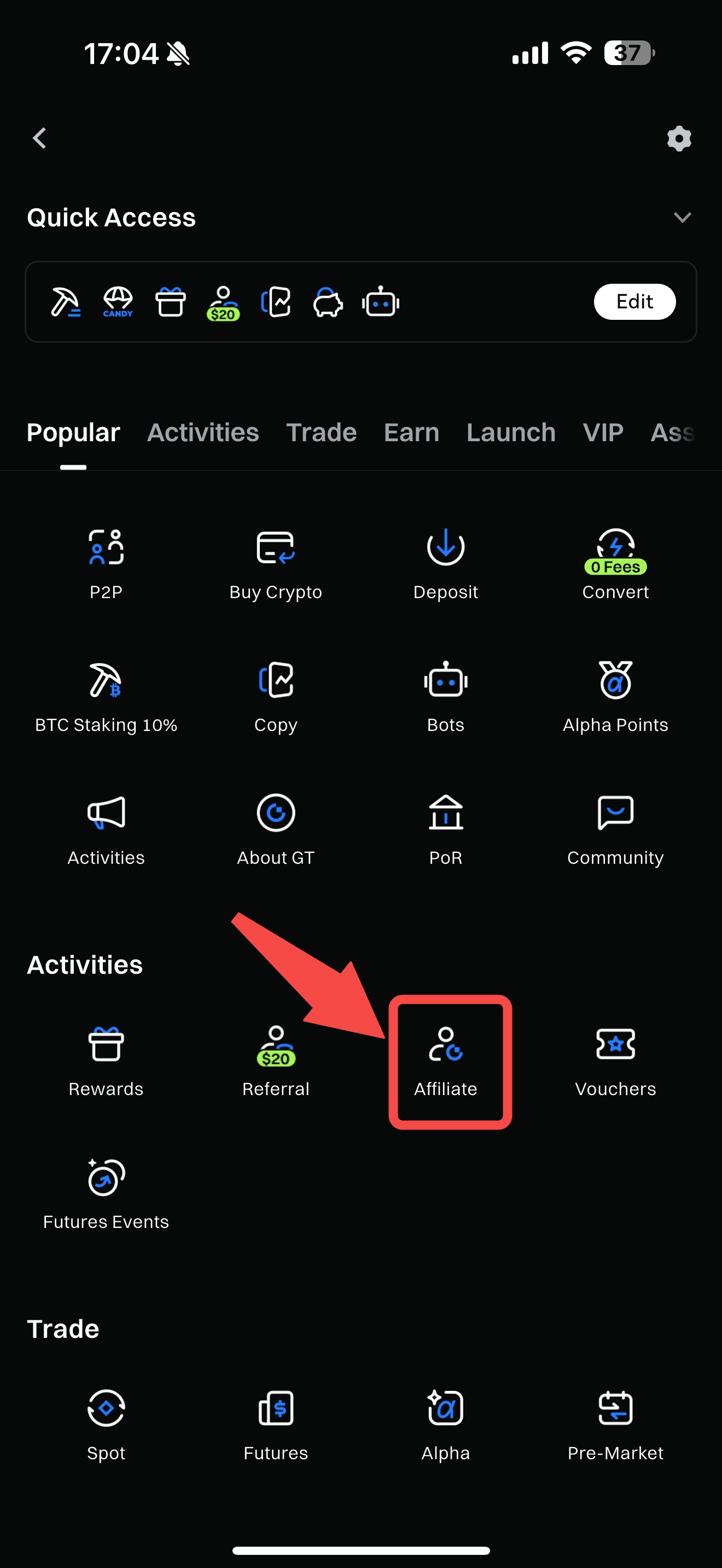
3. Enter the Agent Backend: Affiliate

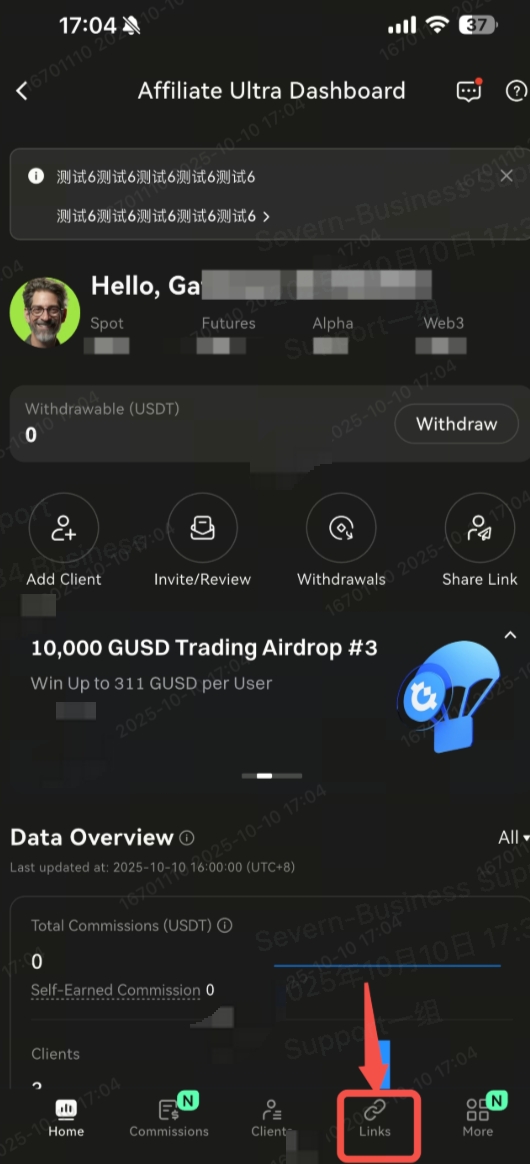
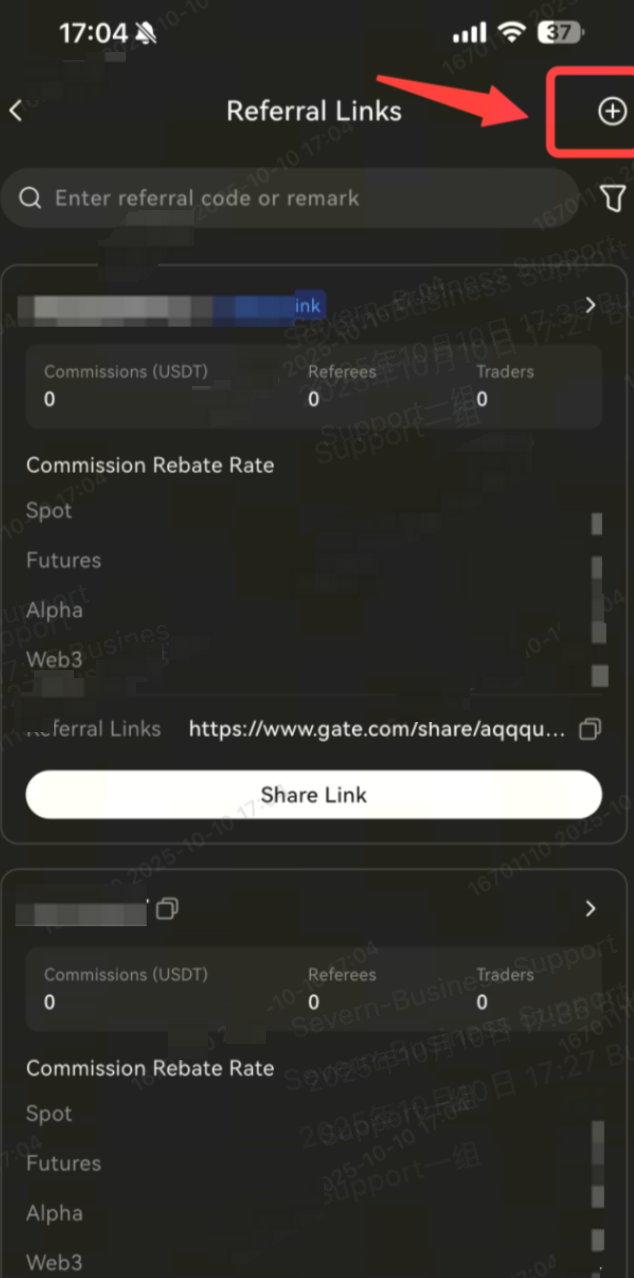
4. Go to the Links page.

5. Click “Create New Link. ”

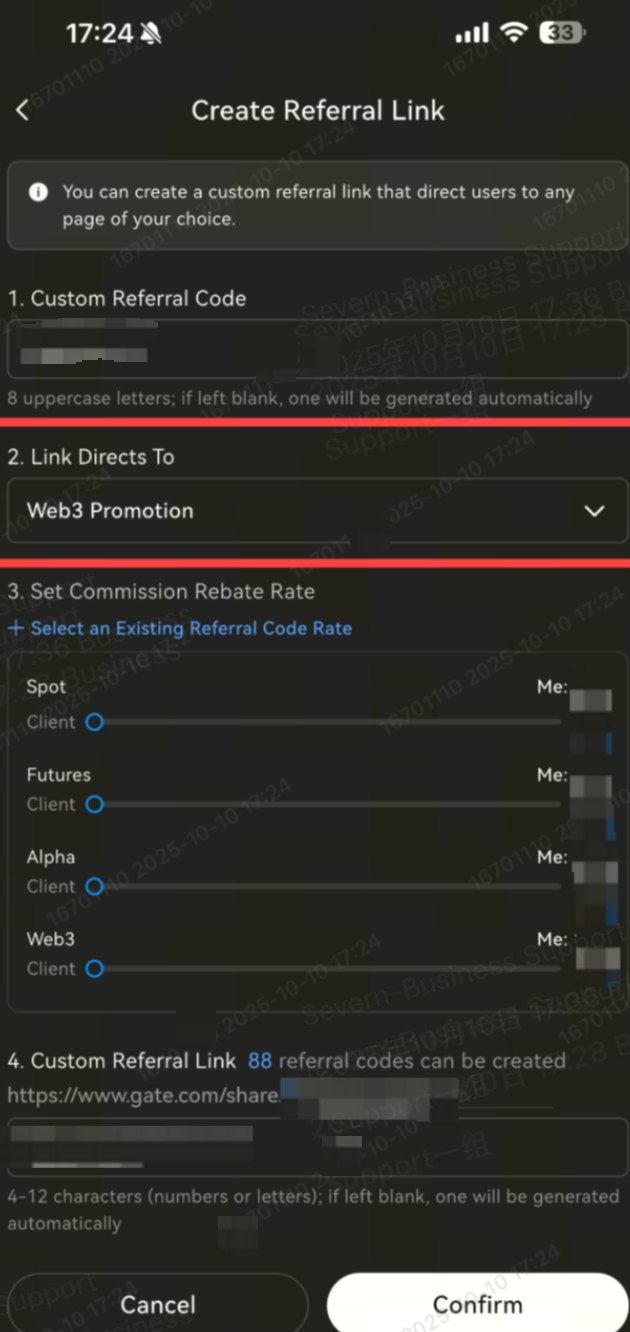
6. Select “Web3 Promotion,” set the ratio, and create a new link.

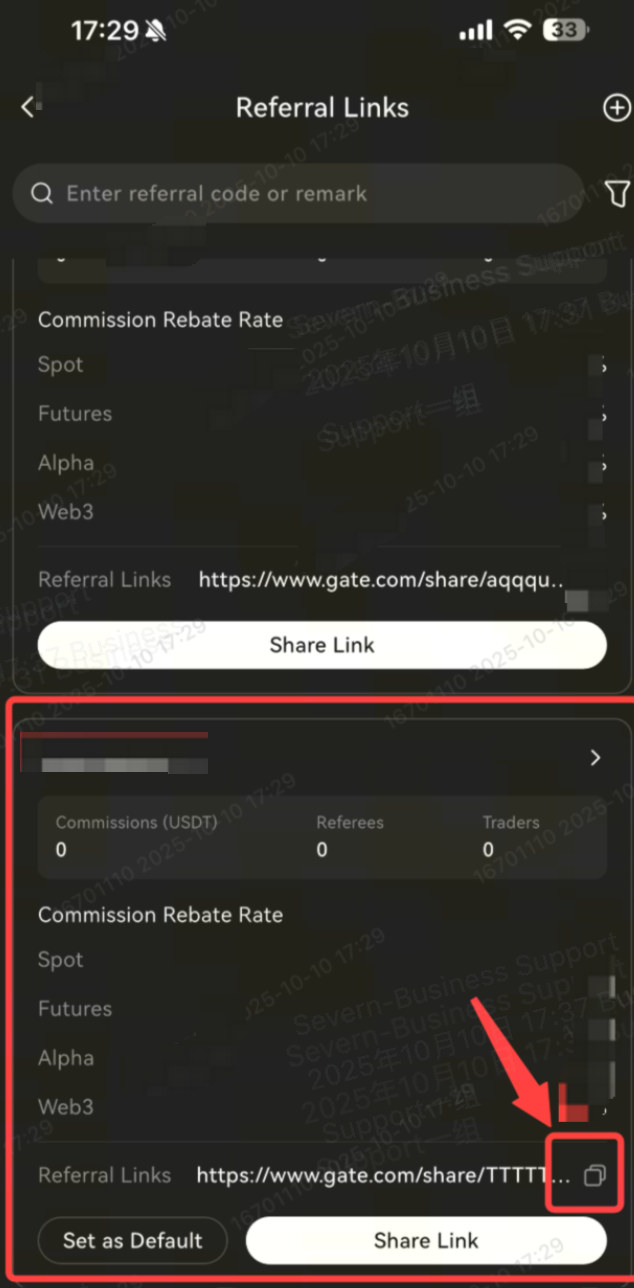
7. Share the created link.

PC Process Instructions

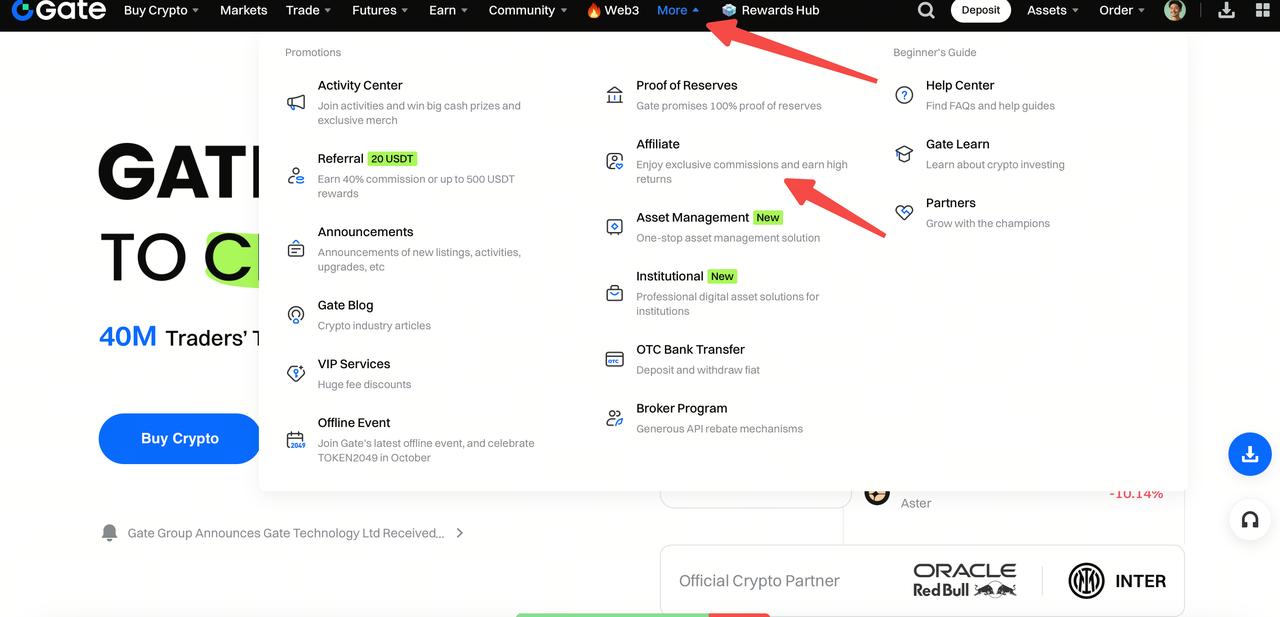
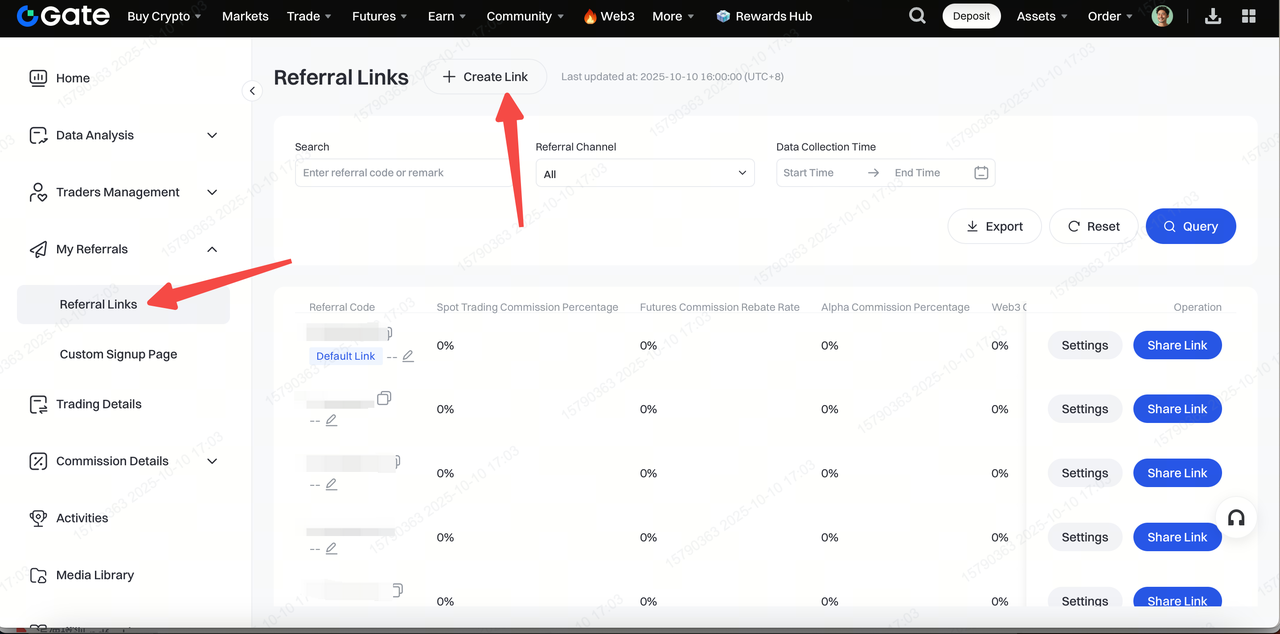
1. Go to the Gate official website, click “More” at the top, and enter the Agent Backend.

2. Log in to the Agent Backend, click “Invitation Links,” and create a new link.

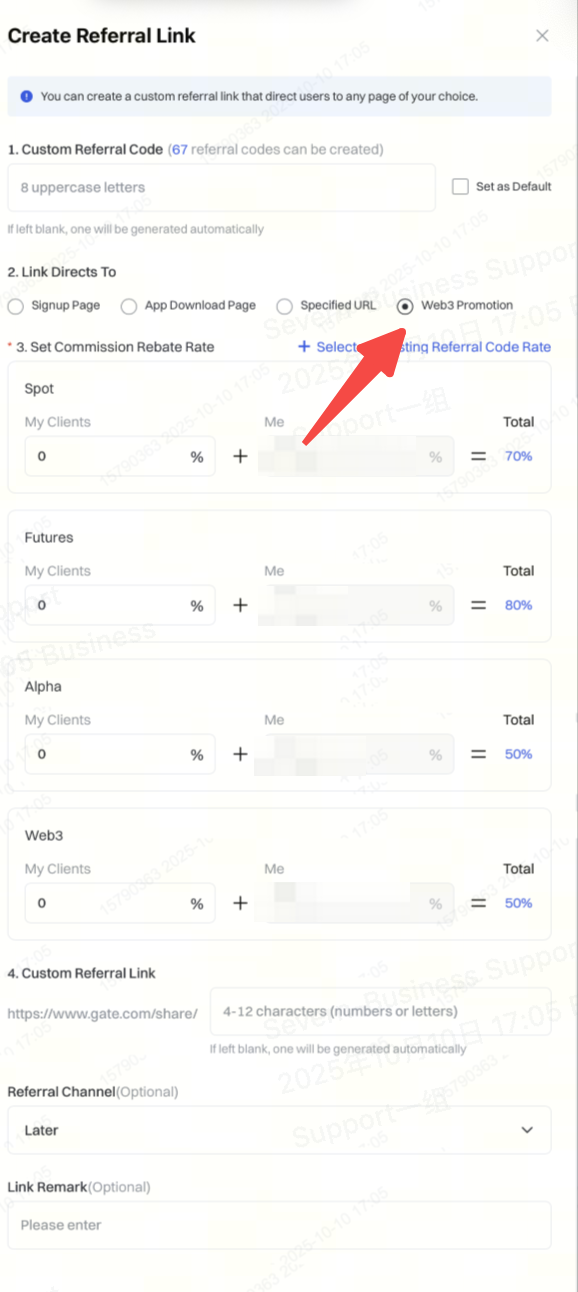
3. Select “Web3 Promotion,” set the ratio, and create a new link.

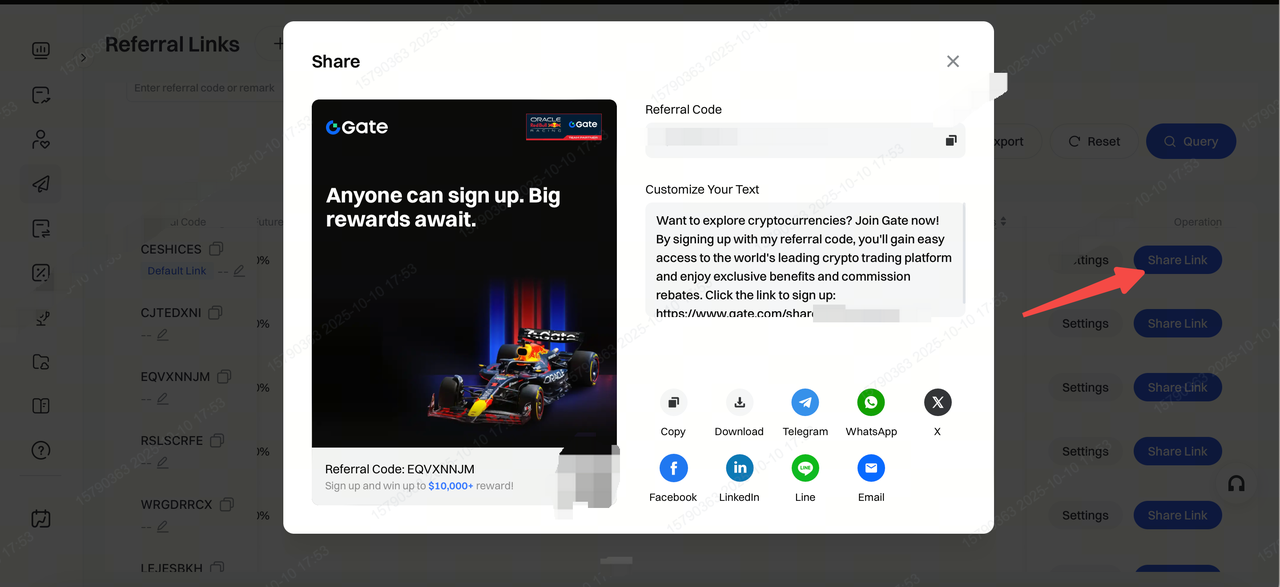
4. Share the newly created link with the user.

User Operation

Mobile Process (For Users with Existing Wallets)

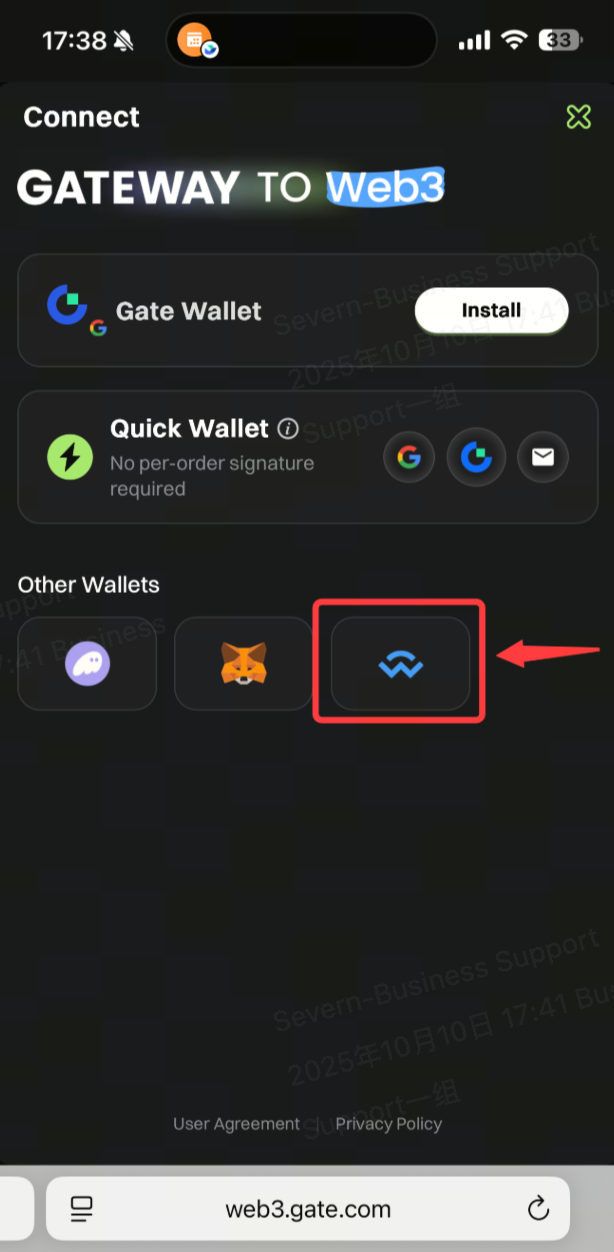
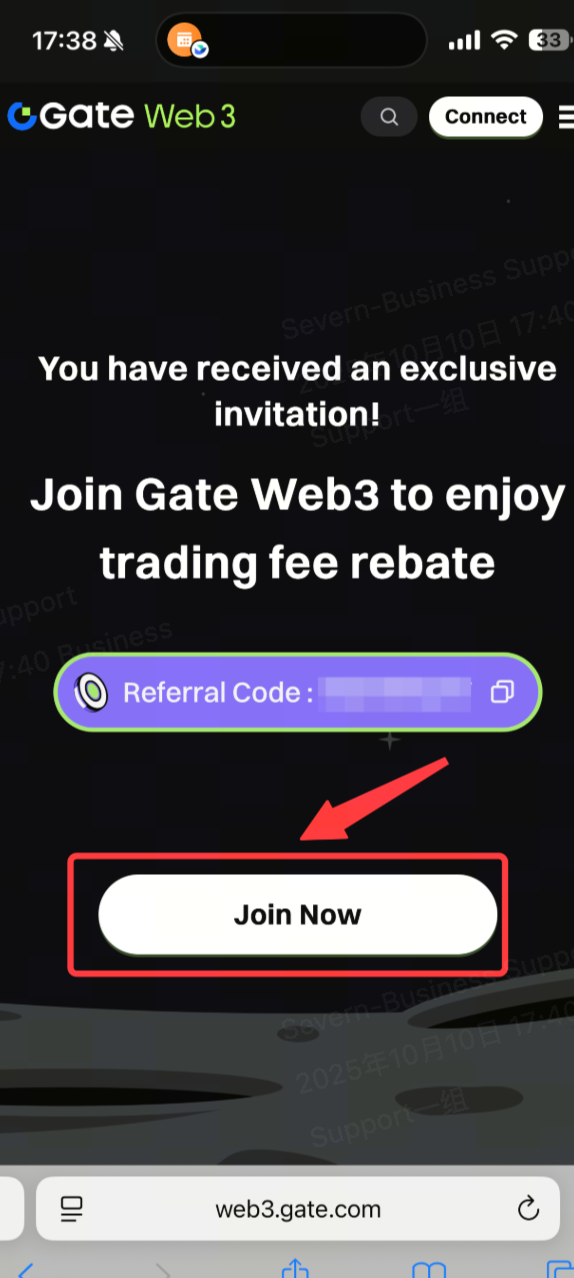
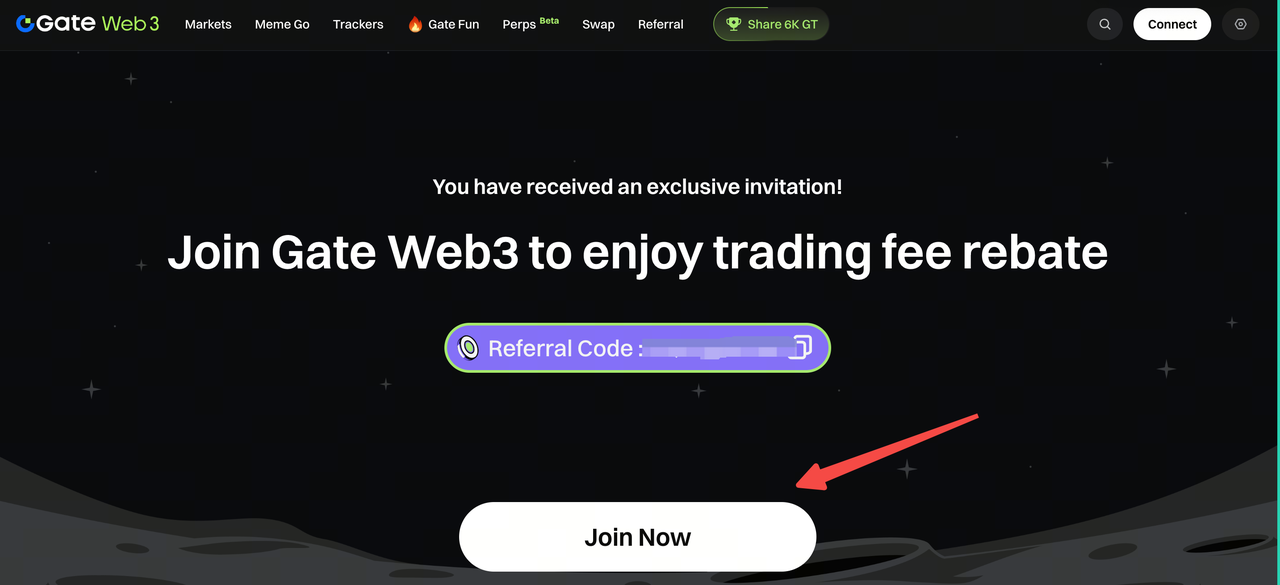
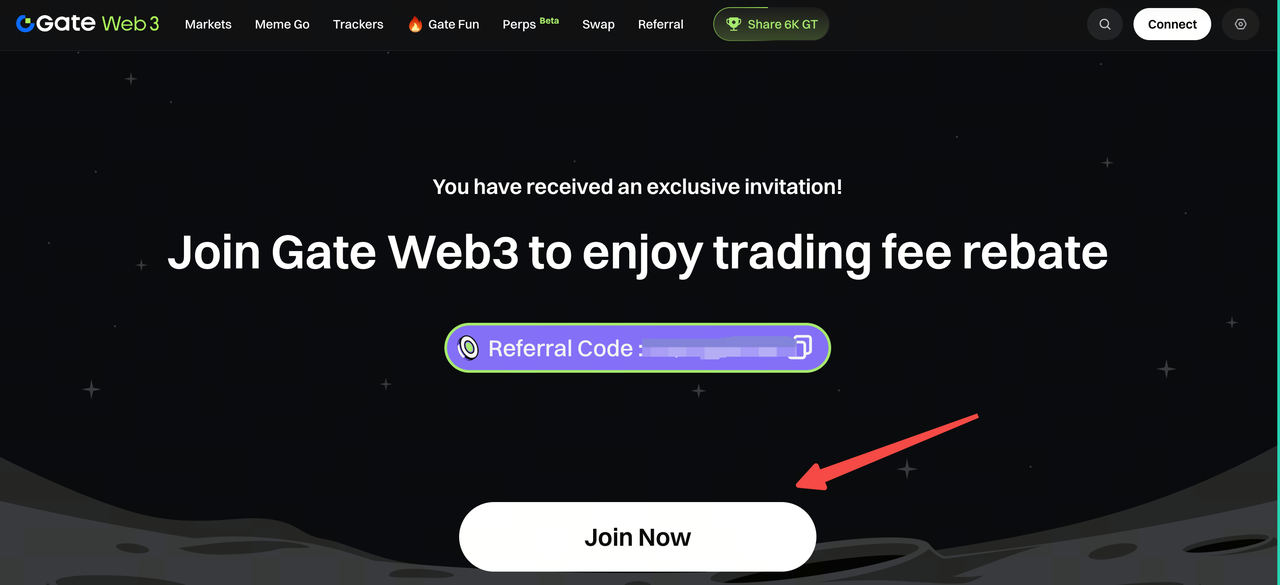
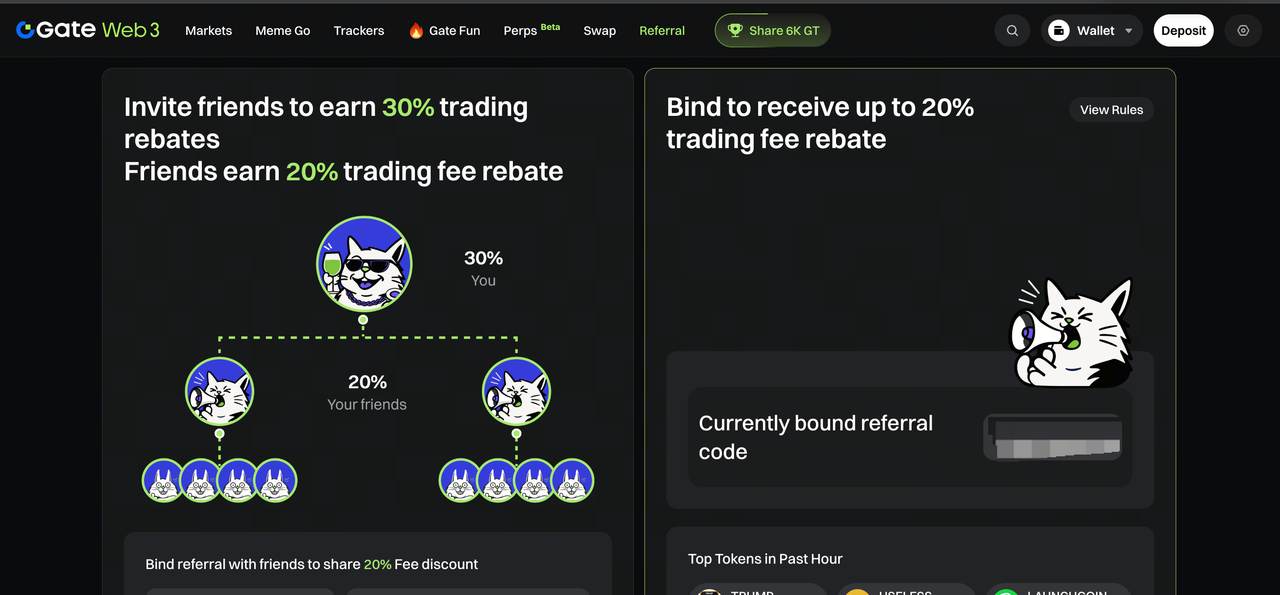
1. Open the link shared by the agent and click “Join Now. ”

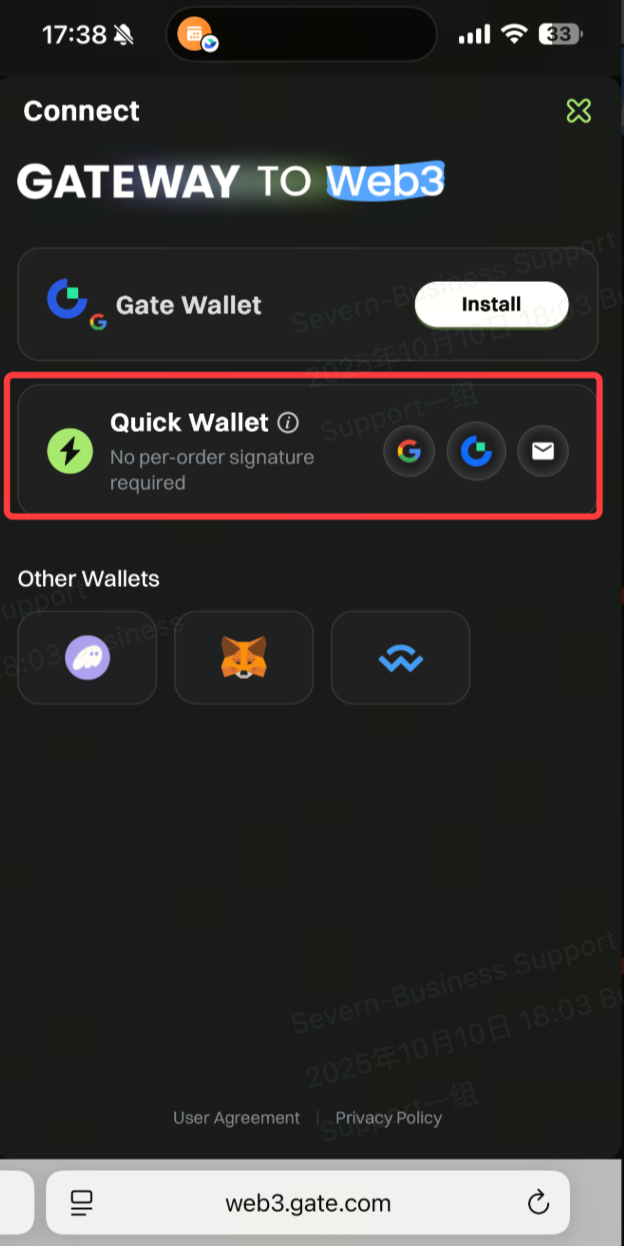
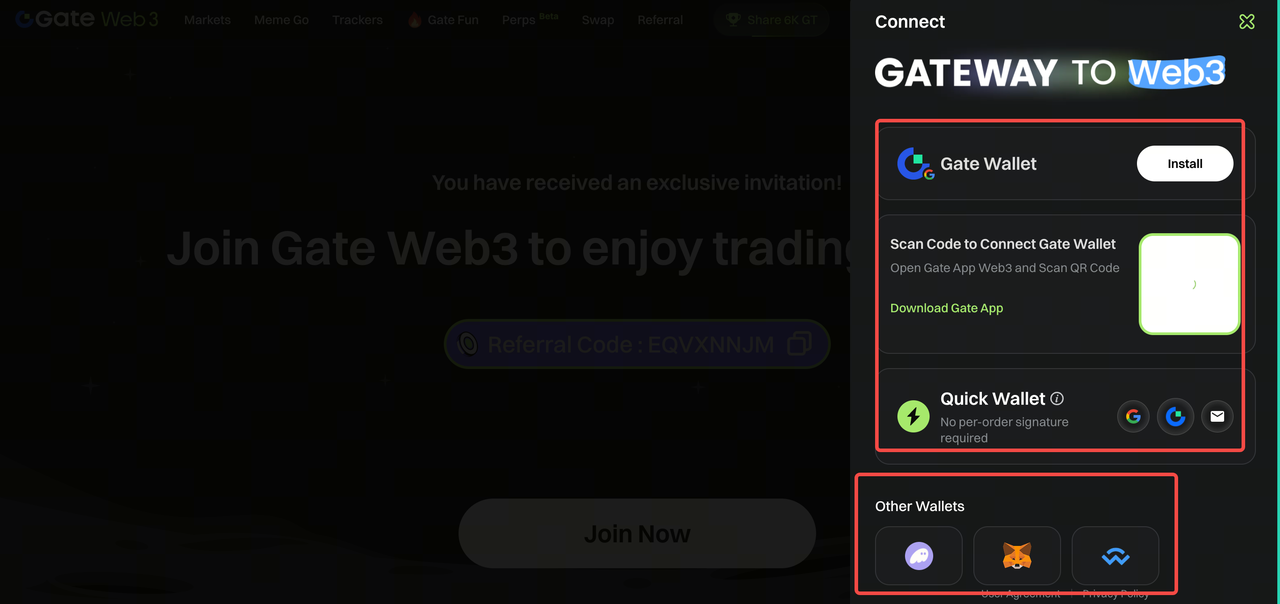
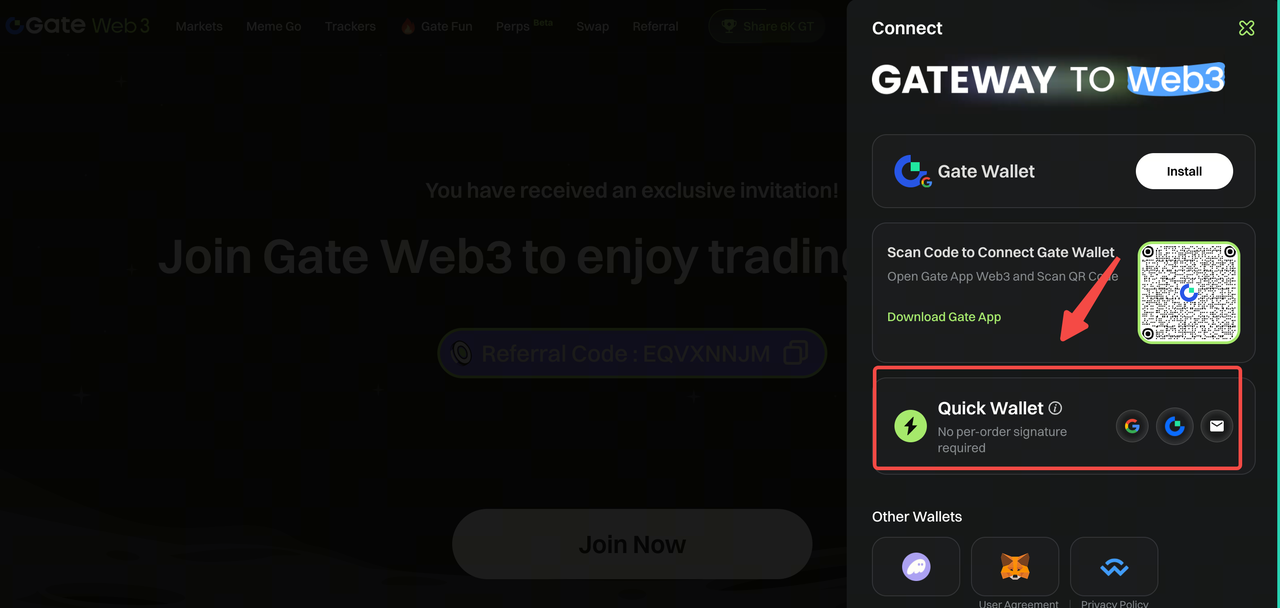
2. On this page, select the wallet you want to connect.

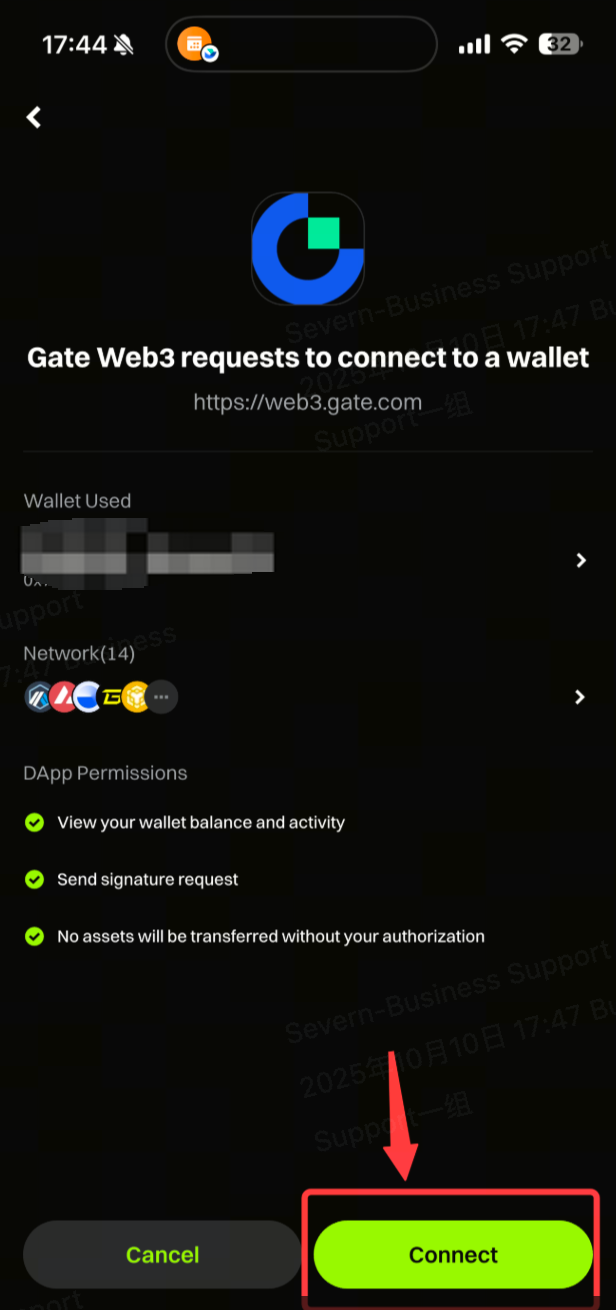
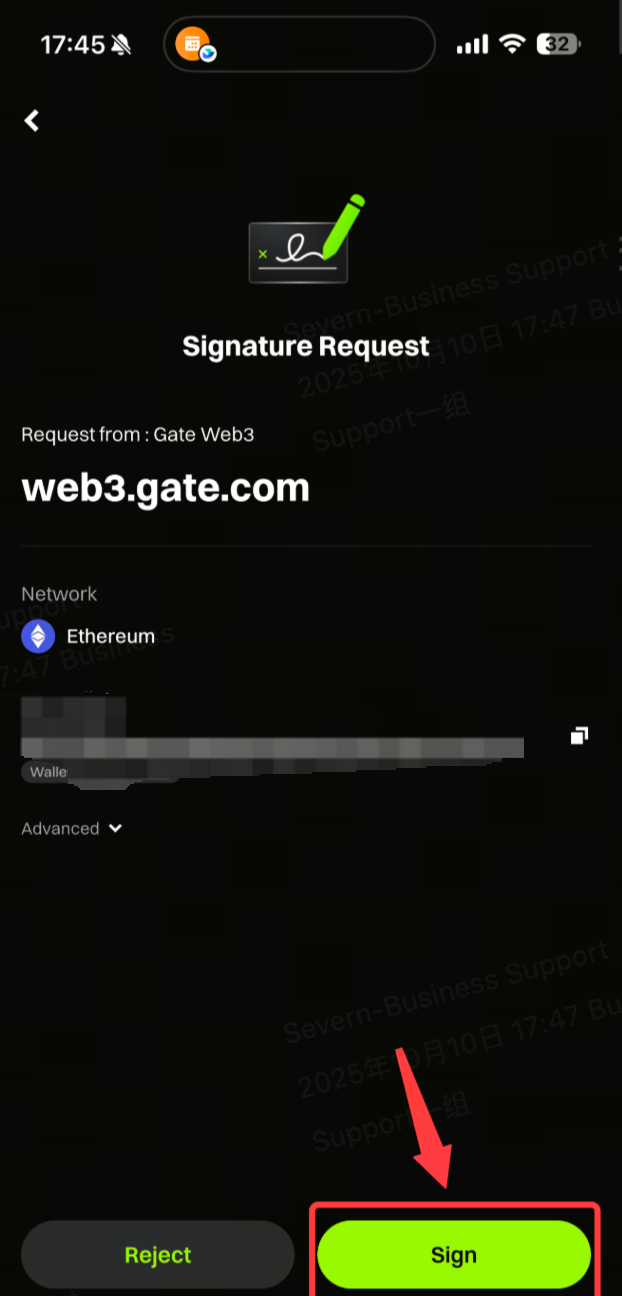
3. Perform authorization and signature.


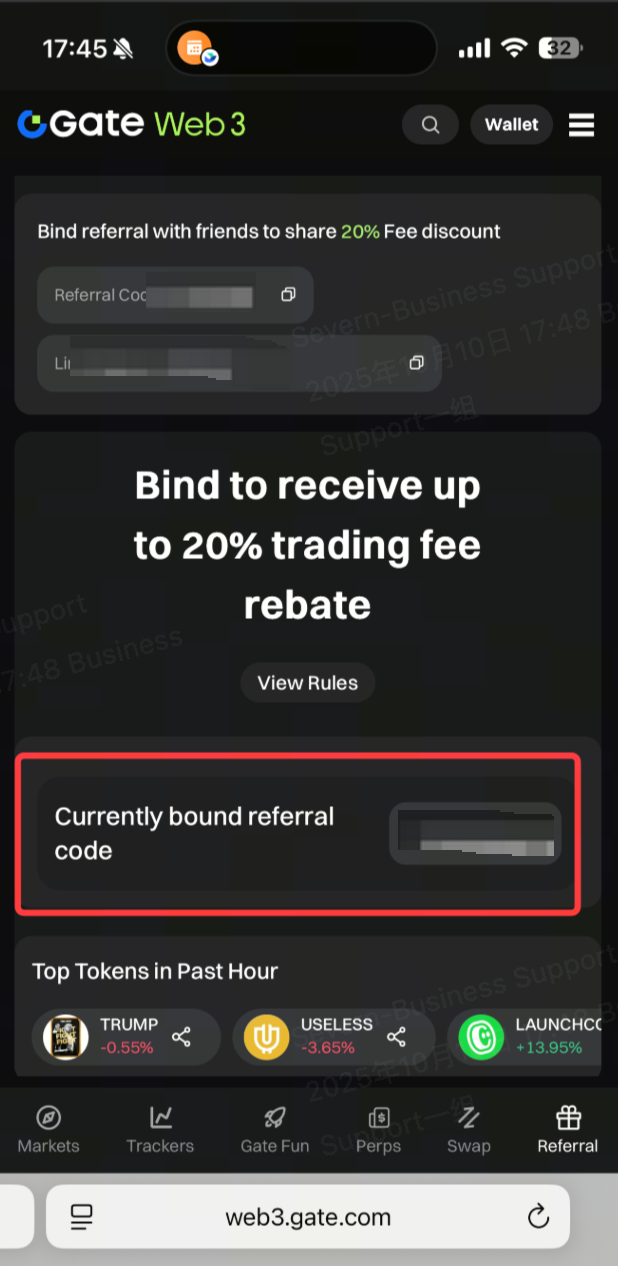
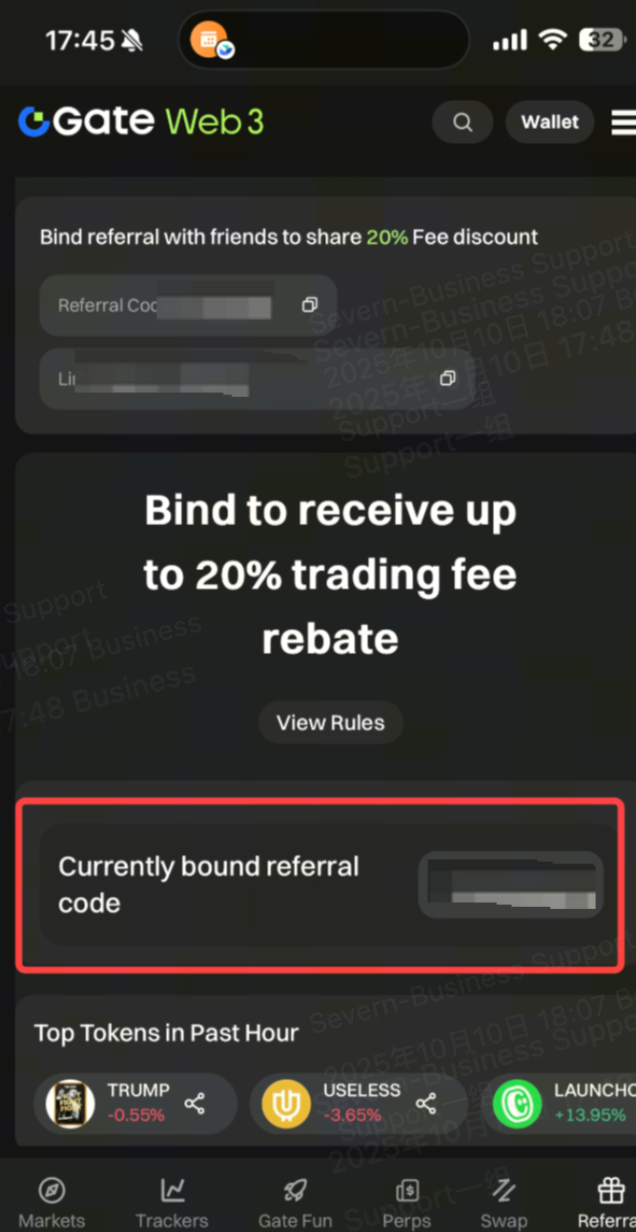
4. After the wallet is connected, the binding is successful.

Mobile Process (For Users without Wallets)

1. Open the link shared by the agent and click “Join Now. ”

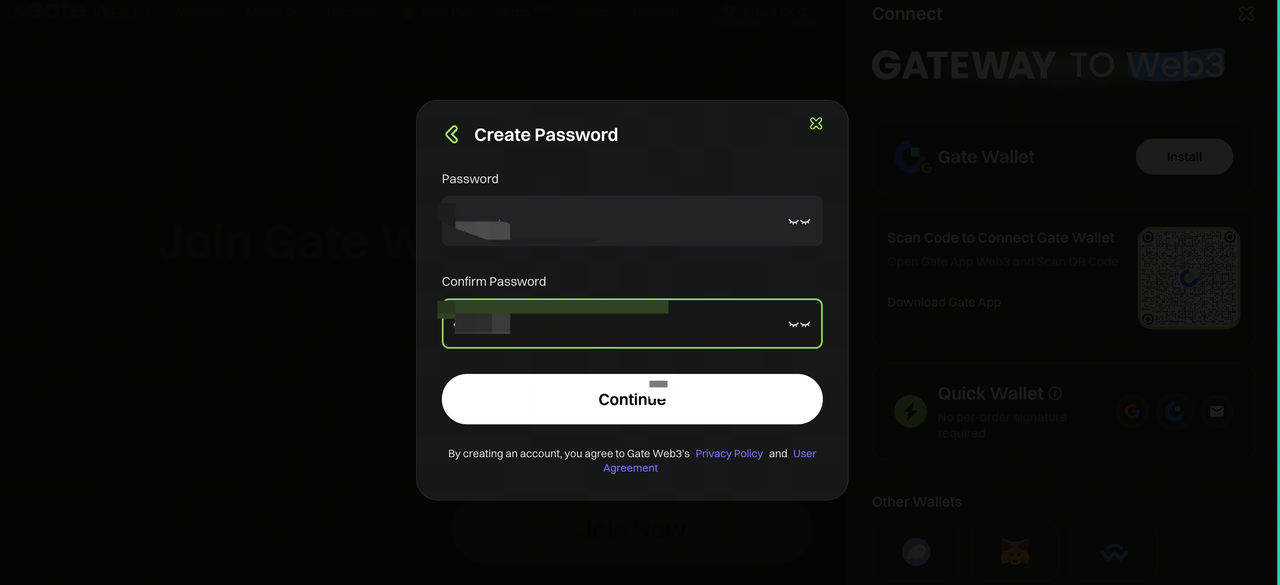
2. After clicking “Join Now,” you will be redirected to the wallet connection page to create a new wallet.

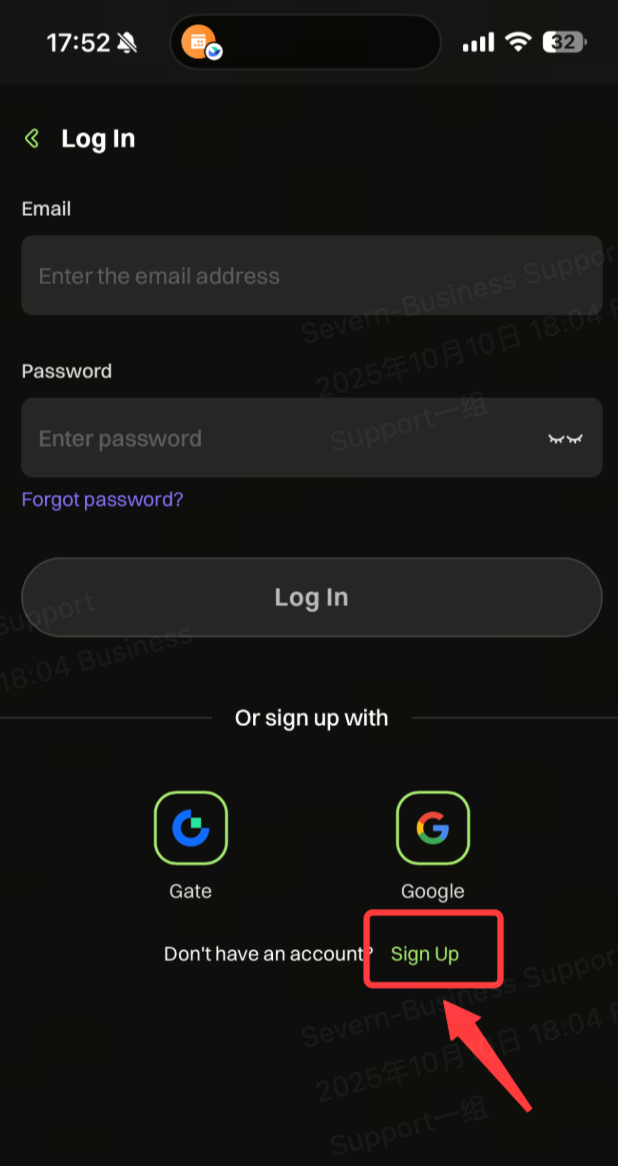
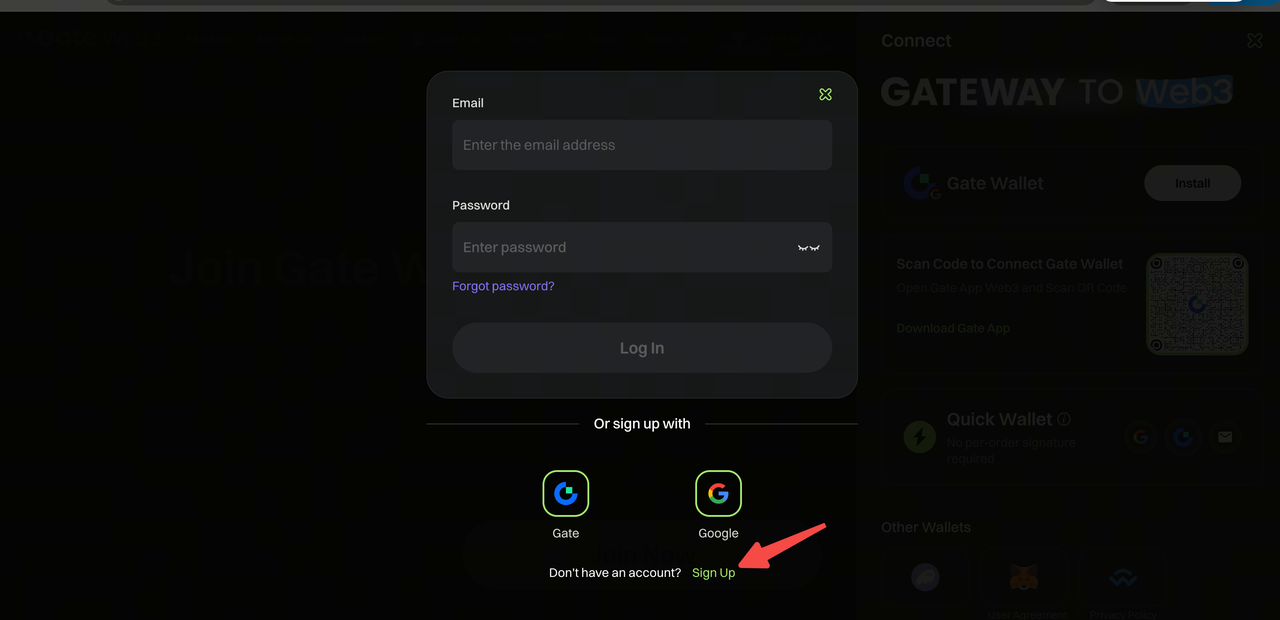
3. Click “Sign Up. ”

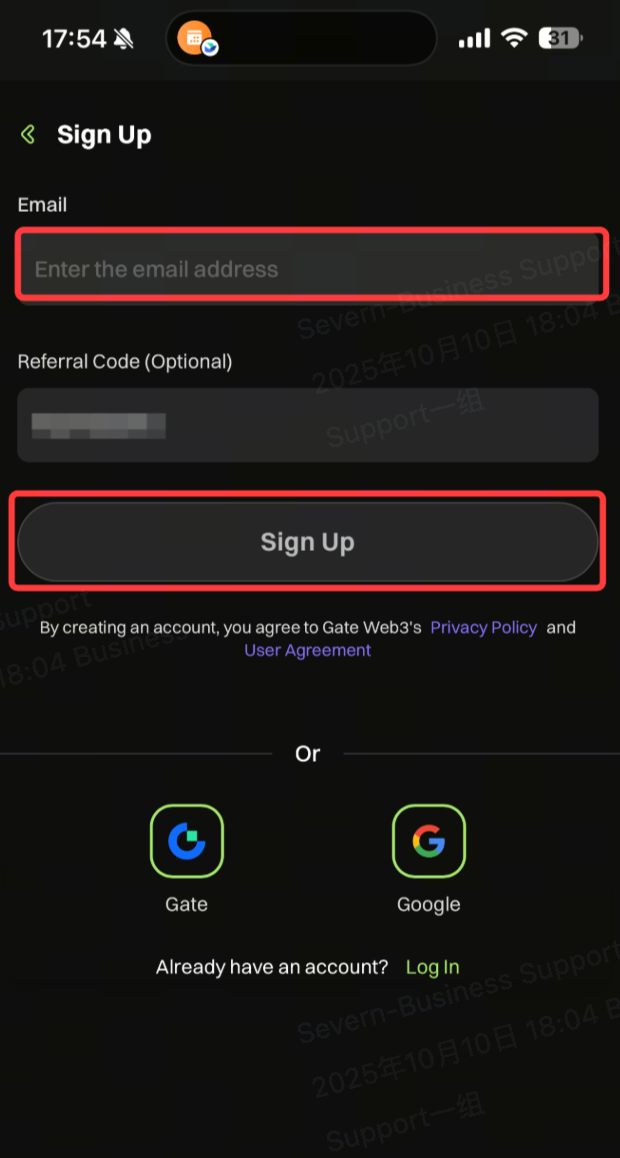
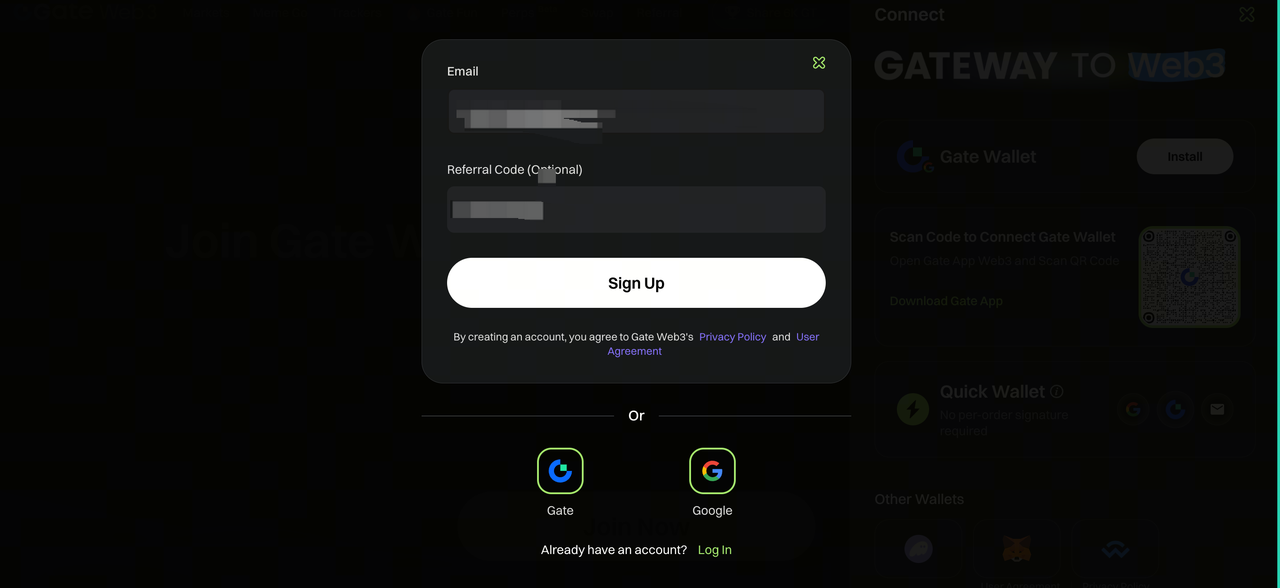
4. The registration page pops up. Enter your account information and click to confirm.

5. After the wallet is created, the binding is successful.
PC Process (For Users with Existing Wallets)

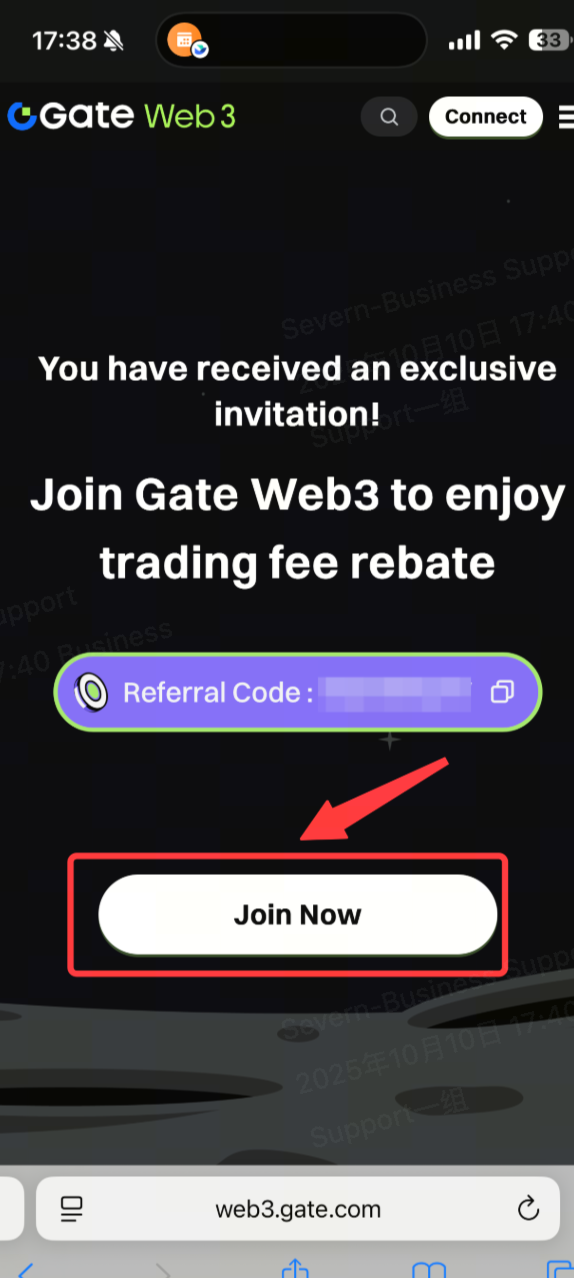
1. Open the link shared by the agent and click “Join Now. ”

2. On this page, select the wallet you want to connect.

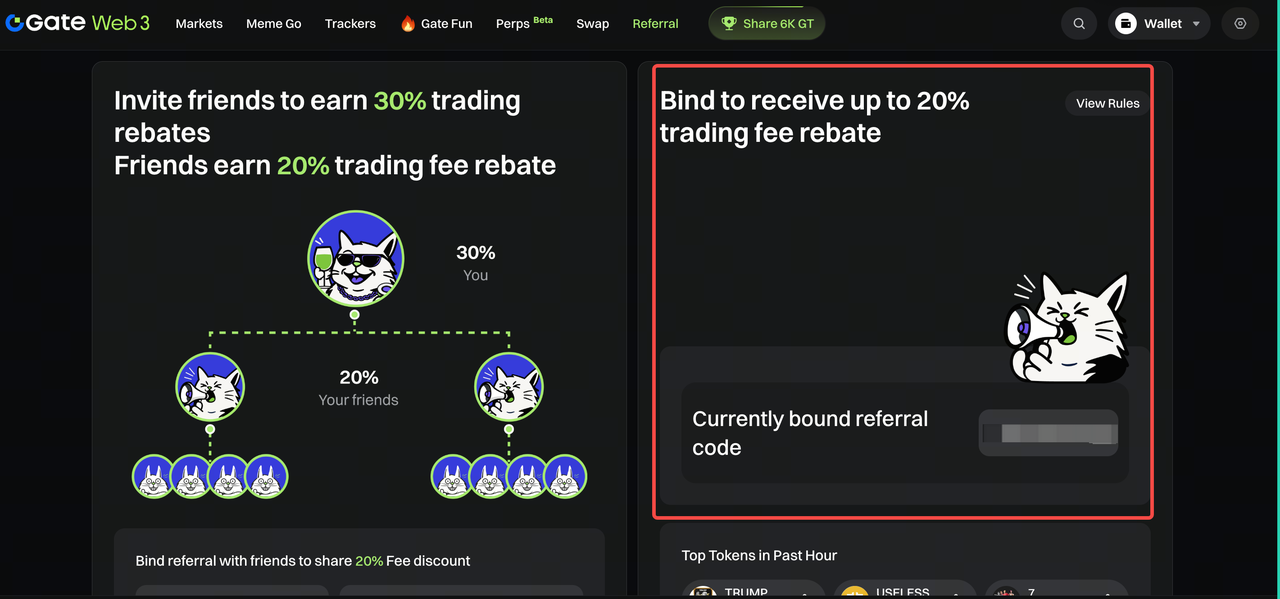
3. After the wallet is connected, the binding is successful.
PC Process (For Users without Wallets)

1. Open the link shared by the agent and click “Join Now. ”
2. After clicking “Join Now,” you will be redirected to the wallet connection page to create a new wallet.

3. Click “Sign Up. ”

4. The registration page pops up, click to confirm.

5. Enter your account information and click to confirm.

6. After the wallet is created, the binding is successful.

Disclaimer

* The information is not intended to be and does not constitute financial advice or any other recommendation of any sort offered or endorsed by Gate.

* This article may not be reproduced, transmitted or copied without referencing Gate. Contravention is an infringement of Copyright Act and may be subject to legal action.

Related Articles

Top 10 NFT Data & Analytics Platforms in 2026: An Overview
Intermediate

Top 10 NFT Data & Analytics Platforms in 2026: An Overview

In the Web3 ecosystem of 2026, Non-Fungible Tokens (NFTs) have evolved far beyond basic digital art into multi-chain dynamic assets, tokenized Real-World Assets (RWAs), cross-chain gaming items, and Bitcoin Ordinals. Navigating today’s hyper-connected market requires real-time data precision, algorithmic anti-wash trading filtering, and sophisticated cross-chain intelligence.
2026-08-19 05:55:23
7 Analysis Tools for Understanding NFTs
Intermediate

7 Analysis Tools for Understanding NFTs

The NFT industry can look opaque, but there are tools that can help you understand the underlying data.
2026-04-09 06:12:50
What Is Technical Analysis?
Beginner

What Is Technical Analysis?

Learn from the past - To explore the law of price movements and the wealth code in the ever-changing market.
2026-08-03 08:48:40
Best Crypto Airdrops in 2026: Upcoming and Potential Airdrops
Beginner

Best Crypto Airdrops in 2026: Upcoming and Potential Airdrops

The top crypto airdrops to watch in 2026 include confirmed token launches such as OpenSea’s SEA, active rewards ecosystems such as MetaMask, and potential future distributions from projects including Base, Hyperliquid and Abstract.
2026-08-14 08:50:34
What Is TronScan Explained: Latest Developments in 2026
Beginner

What Is TronScan Explained: Latest Developments in 2026

TronScan is the primary blockchain explorer for the TRON network. It allows users to check TRX and TRC-20 transactions, inspect wallet balances, analyze smart contracts, monitor tokens, and view network activity without logging in. By connecting a compatible wallet such as TronLink, users can also transfer assets, stake TRX, vote for Super Representatives, and interact with TRON ecosystem applications.
2026-08-24 08:45:06
Top 10 Meme Trading Bots in 2026: Features, Fees & Security Comparison
Beginner

Top 10 Meme Trading Bots in 2026: Features, Fees & Security Comparison

In the fast-paced Web3 landscape, Meme coins have transformed from speculative internet culture into one of the highest-yield narrative pillars of crypto trading. Driven by explosive token launches on launchpads like Pump.fun and SunPump, as well as the rise of AI-driven Meme agents across Solana, Base, and Ethereum, manual DEX trading is no longer viable. Network congestion, slippage errors, and front-running bots often turn profitable trades into failed transactions or costly losses.
2026-08-19 04:05:59