译者勿动,此为文章唯一标识|Translator please do not change, this is the only identifier of the article|69514b29e1aeaWhat should I know when transferring funds with the Gate Web3 Wallet? Can I recover funds if I send them to the wrong address?Sending and receiving funds are among the most commonly used wallet functions. So, what should you keep in mind when transferring funds with the Gate Web3 Wallet? When making a transfer, it is important to check whether the sending address, number of tokens sent, token network...What should I know when transferring funds with the Gate Web3 Wallet? Can I recover funds if I send them to the wrong address?Sending and receiving funds are among the most commonly used wallet functions. So, what should you keep in mind when transferring funds with the Gate Web3 Wallet?When transferring funds, always double-check the recipient address, token amount, and network, and make sure you have sufficient token balance to complete the transfer. Also, ensure that your password is entered correctly. Due to the decentralized nature of blockchain, transactions sent to the wrong address cannot be recovered. Please carefully review all transfer details before confirming. Below are step-by-step guides for transferring funds with the Gate Web3 Wallet across different platforms:## AppClick
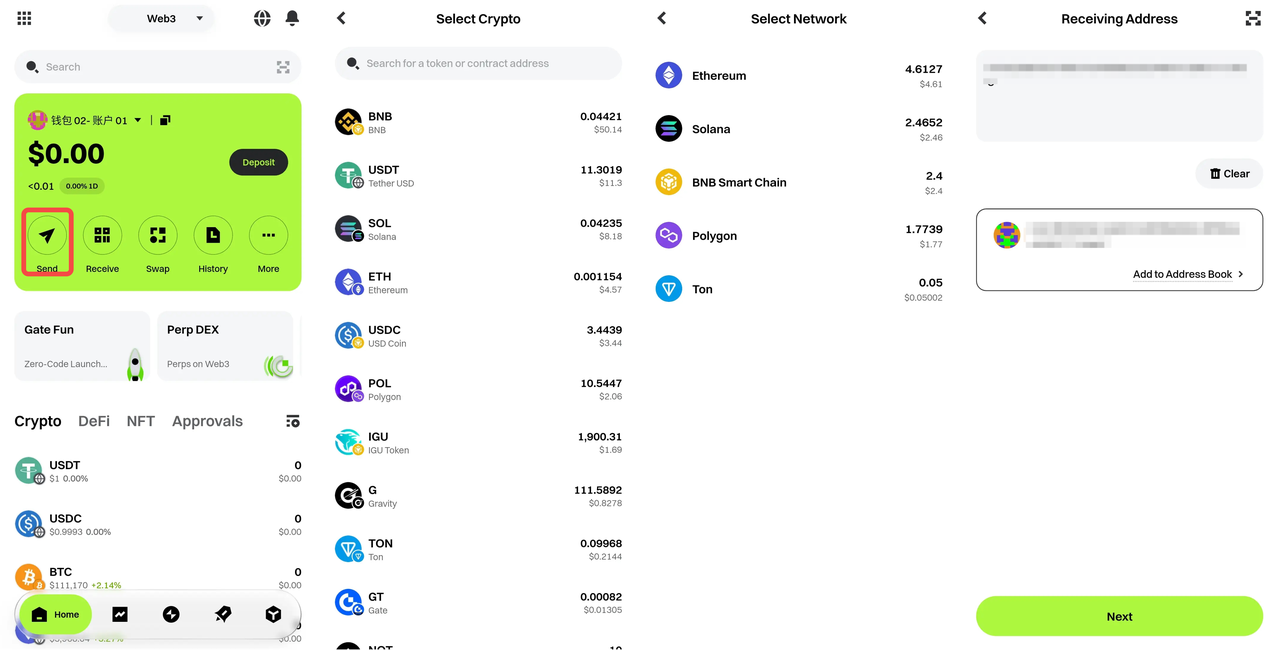
https://www.gate.com/appdownload to download the Gate App. After registering, tap [Web3] at the top of the home page to enter the Web3 interface.① Tap the [Send] button on the page. The app will automatically display all your token assets. Select the token you want to send and the recipient address to proceed to the token amount entry page.
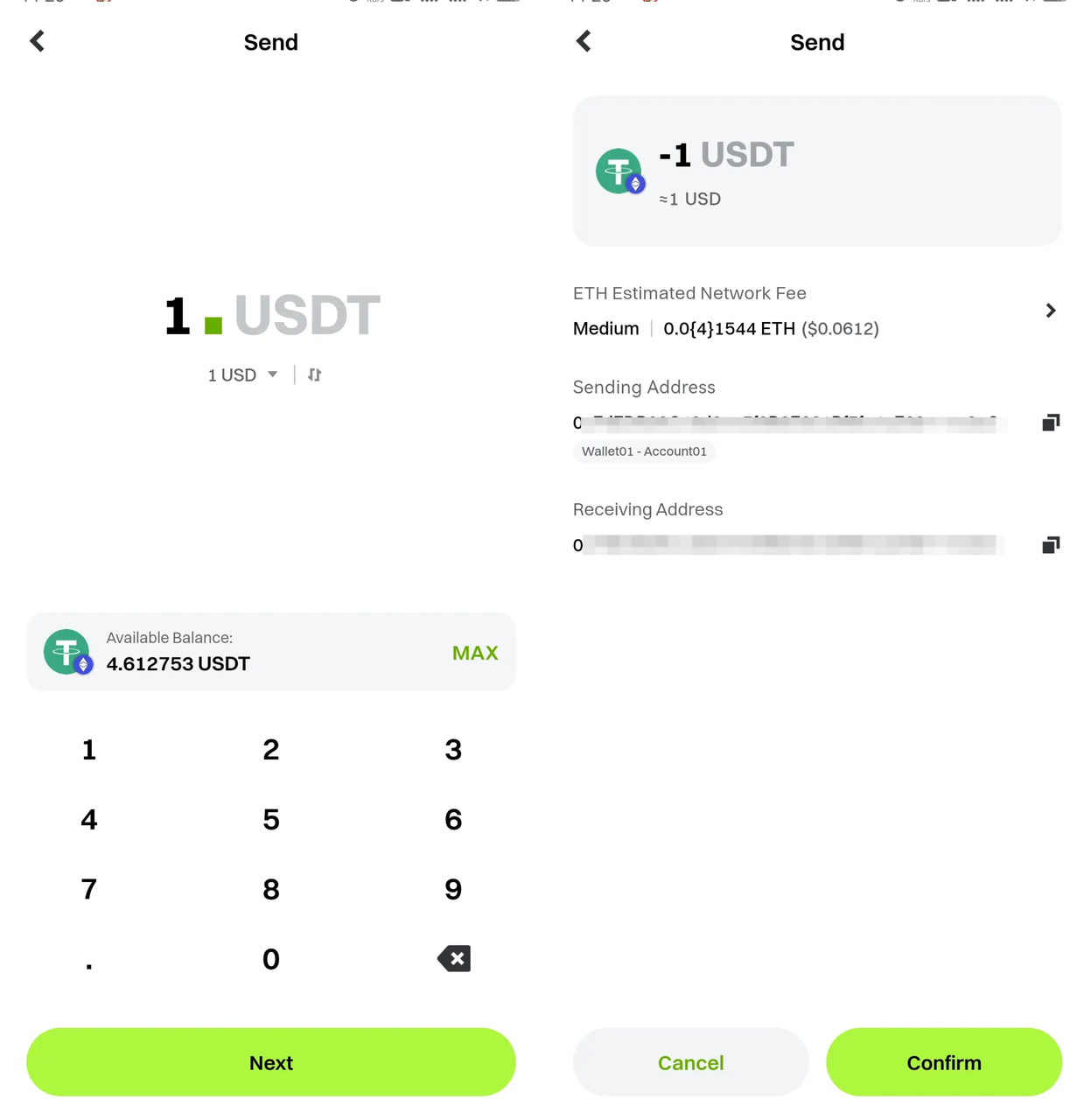
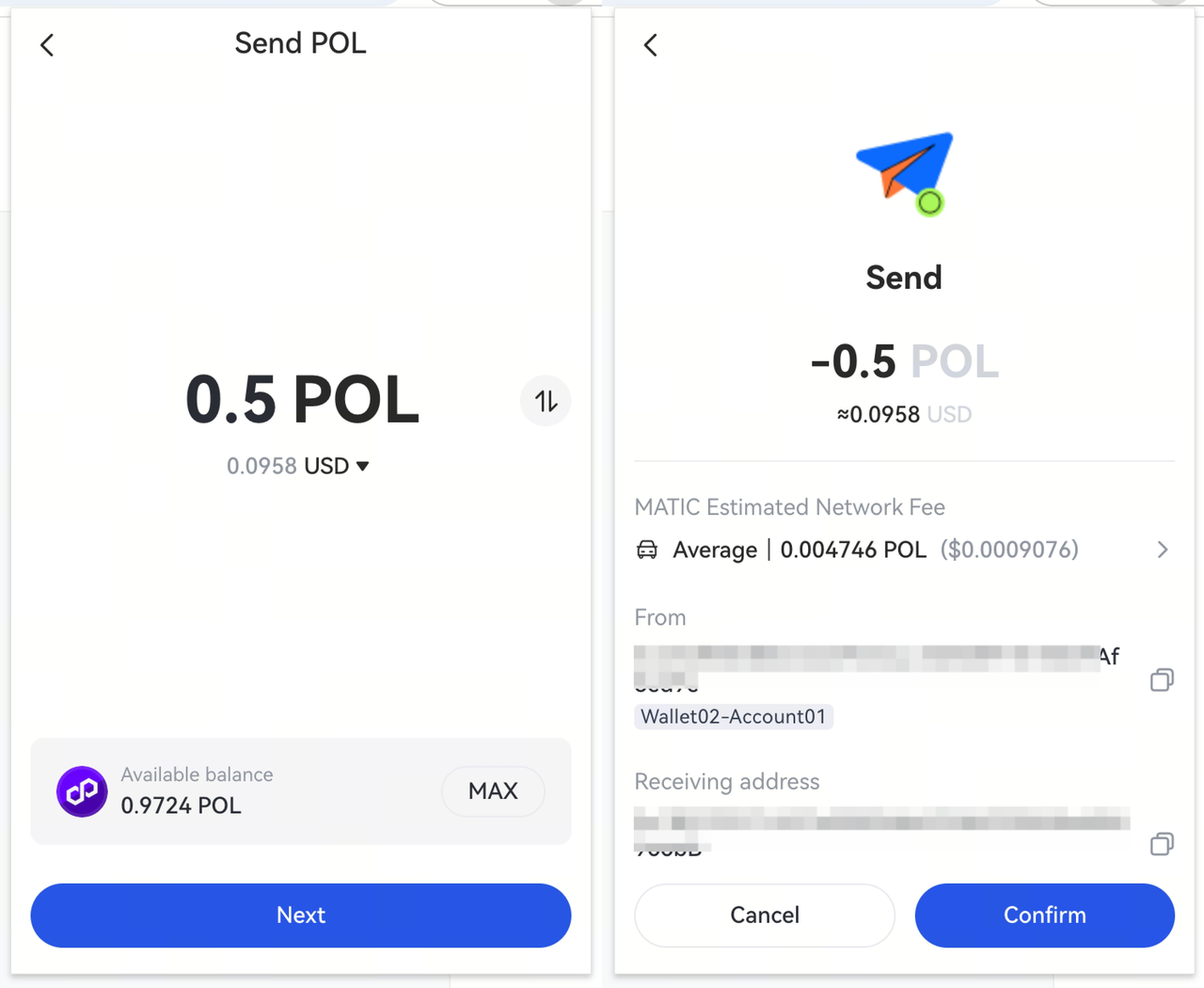
② On this page, enter the amount of tokens you wish to send in the [Amount] field. Tap [Next] to go to the confirmation page, where you can review the transaction details and adjust the gas fee if needed.
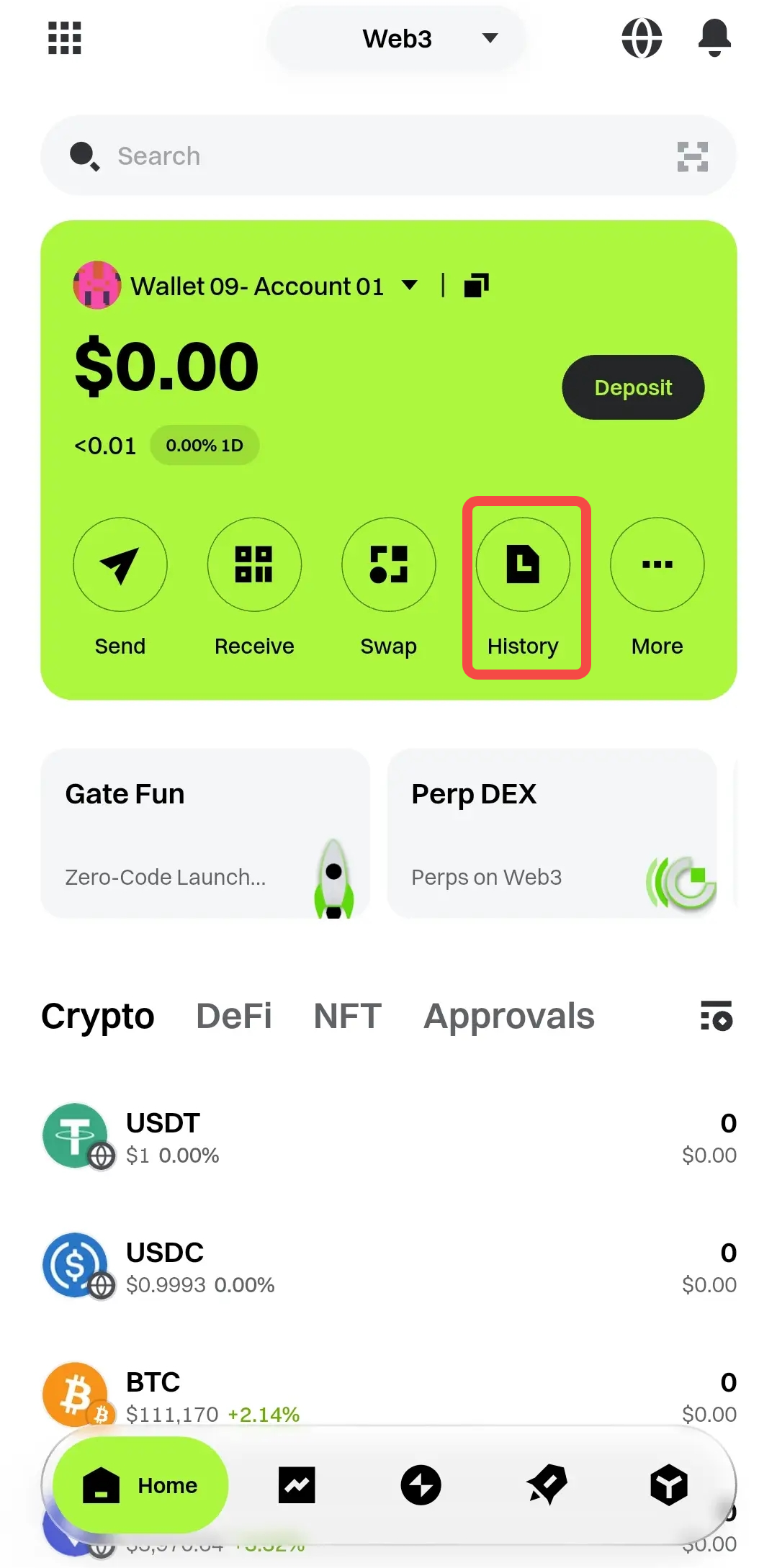
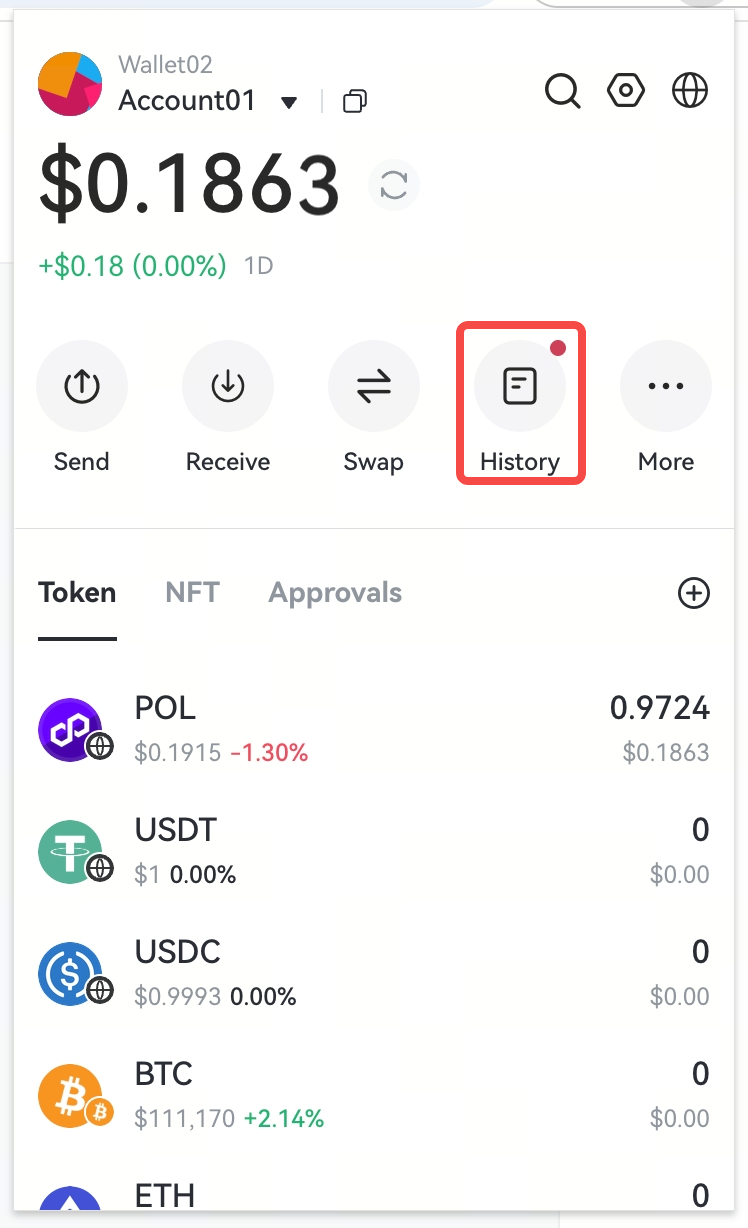
If you have enough tokens and your password is correct, the next page will show the transaction as [Pending Confirmation]. Under normal network conditions, the transaction will be confirmed in about 3 minutes. You can tap [History] on the Web3 home page to enter the [Transaction History] page and check if your order is complete.
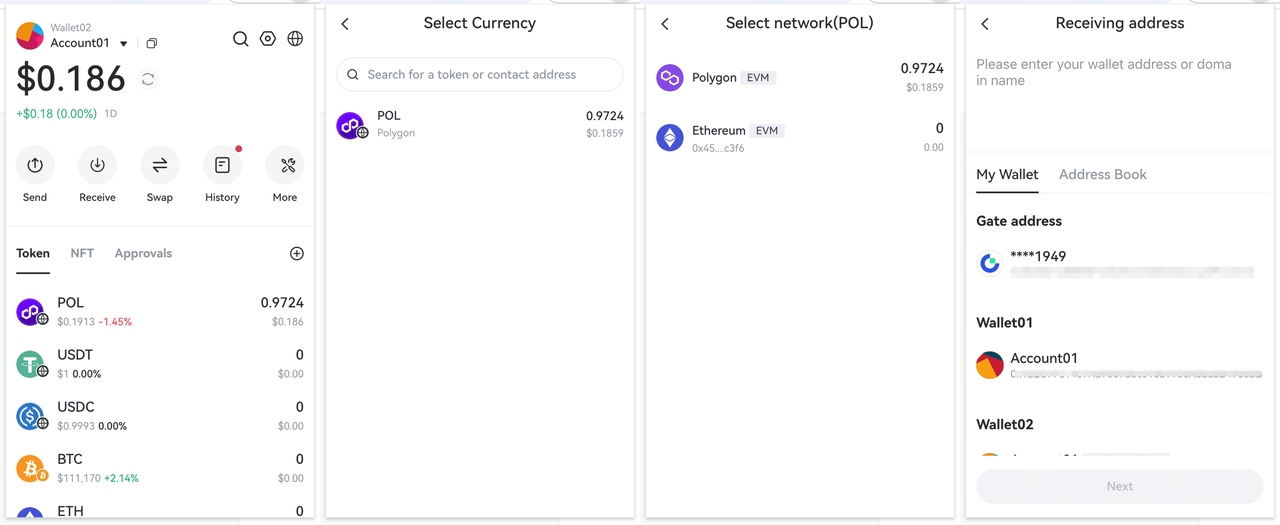
## **Extension**① On the wallet extension home page, click [Send]. Select the token, network, and recipient address for your transfer.
② On the send page, enter the amount of tokens you want to send and click [Next]. After confirming the amount, address, and miner fee are correct, click [Confirm].
If you have enough tokens and the password is correct, the transaction will move to a pending confirmation state. You can click [History] on the Web3 home page to go to the [Transaction History] page and check if your order is complete.
Disclaimer
The content provided herein is for reference and educational purposes only and does not constitute any financial, investment, trading, or legal advice, nor does it constitute an offer or solicitation to buy or sell any digital assets. Gate makes no express or implied representations or warranties regarding the accuracy, completeness, or timeliness of the information contained herein. Product features, interfaces, rules, and fee structures may be updated or adjusted at any time. Please refer to the latest announcements and the actual information displayed on the Gate platform for the most accurate details.
Digital asset investments involve significant risk, and prices may fluctuate substantially. You may lose the entire amount of your investment. Please make decisions cautiously based on your own financial situation and risk tolerance after fully understanding the associated risks. If necessary, you are advised to consult an independent professional financial or legal advisor.
For more information about potential risks, please refer to Gate's Risk Disclosure and User Agreement.