


Remember This in One Sentence
Do not install unfamiliar PC clients, download unfamiliar software plug-ins, or click search ads or chat links. Open a trusted browser yourself, manually enter gate.com, and verify it before scanning a QR code.
I. Open the Official Website Only Through a Trusted Browser
Close any “Gate PC client” or dedicated browser downloaded through group chats, cloud drives, search ads, or similar channels.
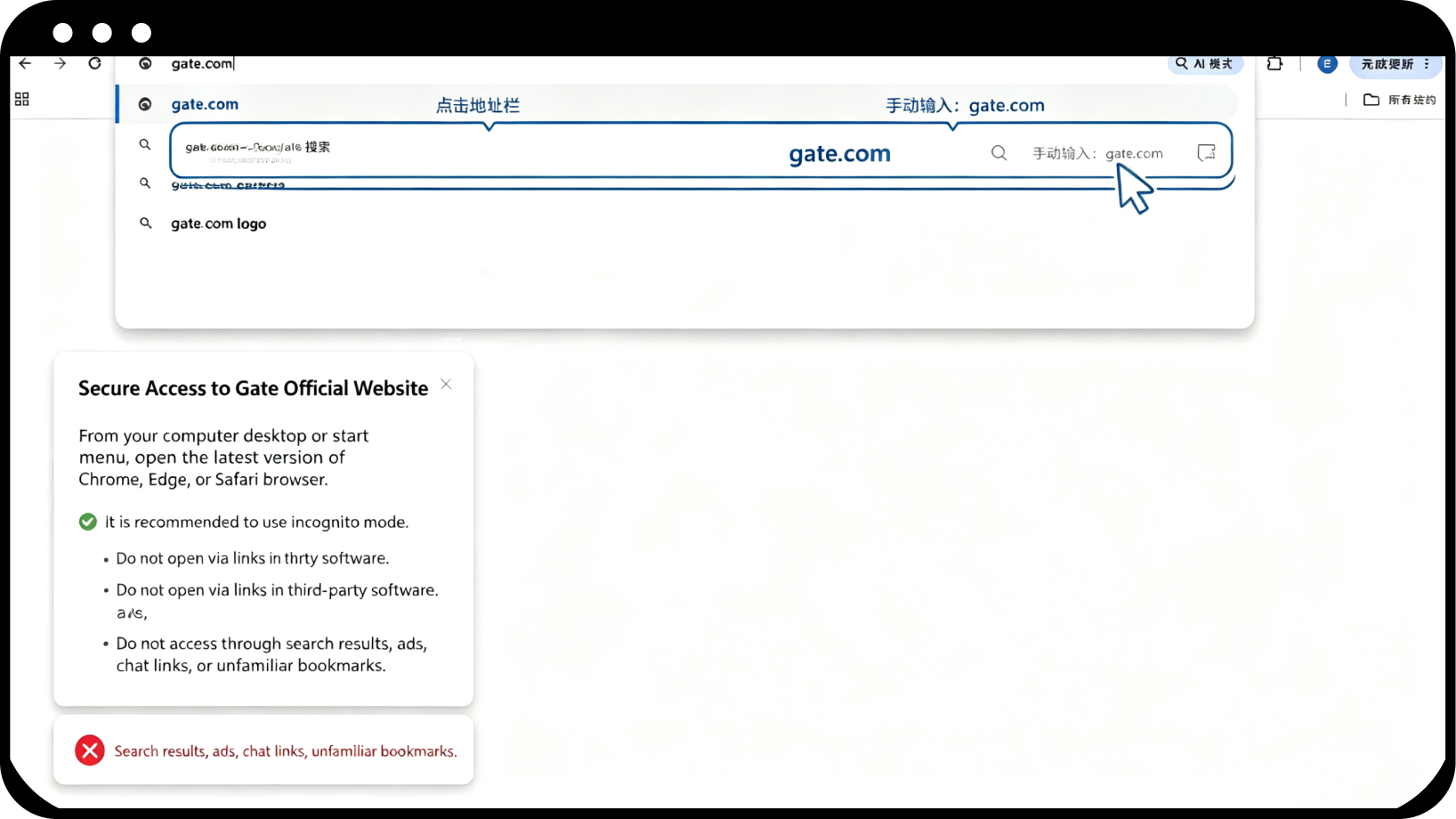
From your computer desktop or Start menu, open the latest version of a browser yourself, such as Chrome, Edge, or Safari. We recommend using Guest mode. Do not open the website through links in third-party software.
Click the address bar and manually enter: gate.com (if you cannot access gate.com, you can try the backup domain www.gateport.business)
⚠⚠⚠Do not access the site through search results, ads, chat links, or unfamiliar bookmarks.
II. Expand the Address Bar and Verify the Actual Domain
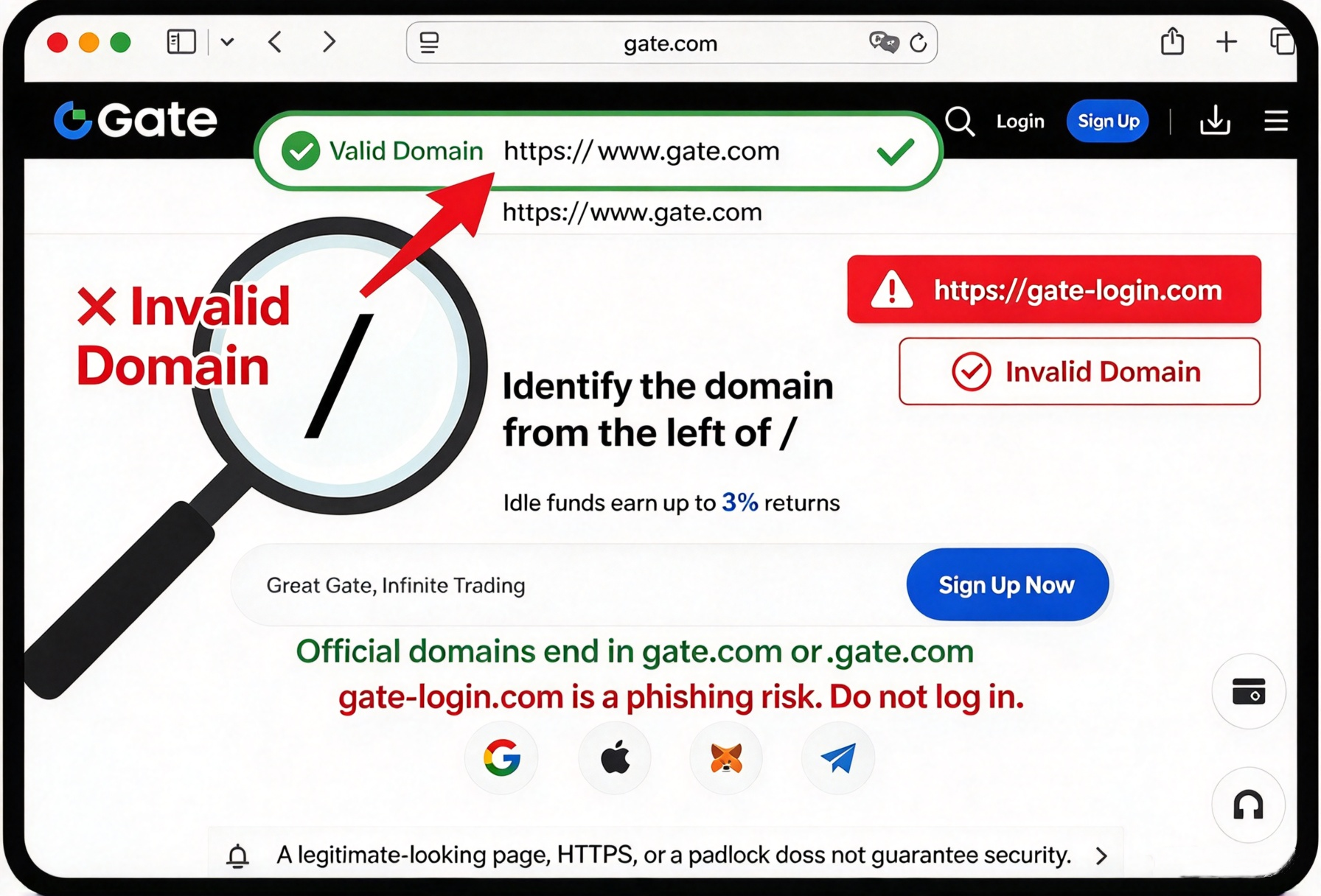
Press Ctrl+L to display the full URL and confirm that the domain is:
gate.com or an official subdomain ending in .gate.com
For example: www.gate.com ✅
Do not log in under any of the following circumstances:
gate-login.com❌gate.com.xxx.com❌URLs with similar spelling, extra characters, or missing characters ❌
The page does not have a normal address bar, or the address bar cannot be copied ❌
Note: A webpage that looks like the official website or displays HTTPS or a padlock icon is not necessarily safe.
III. Independently Verify Redirected Domains
If the webpage redirects to another domain:
Do not scan a QR code or enter your password;
Copy the full URL and close the current page;
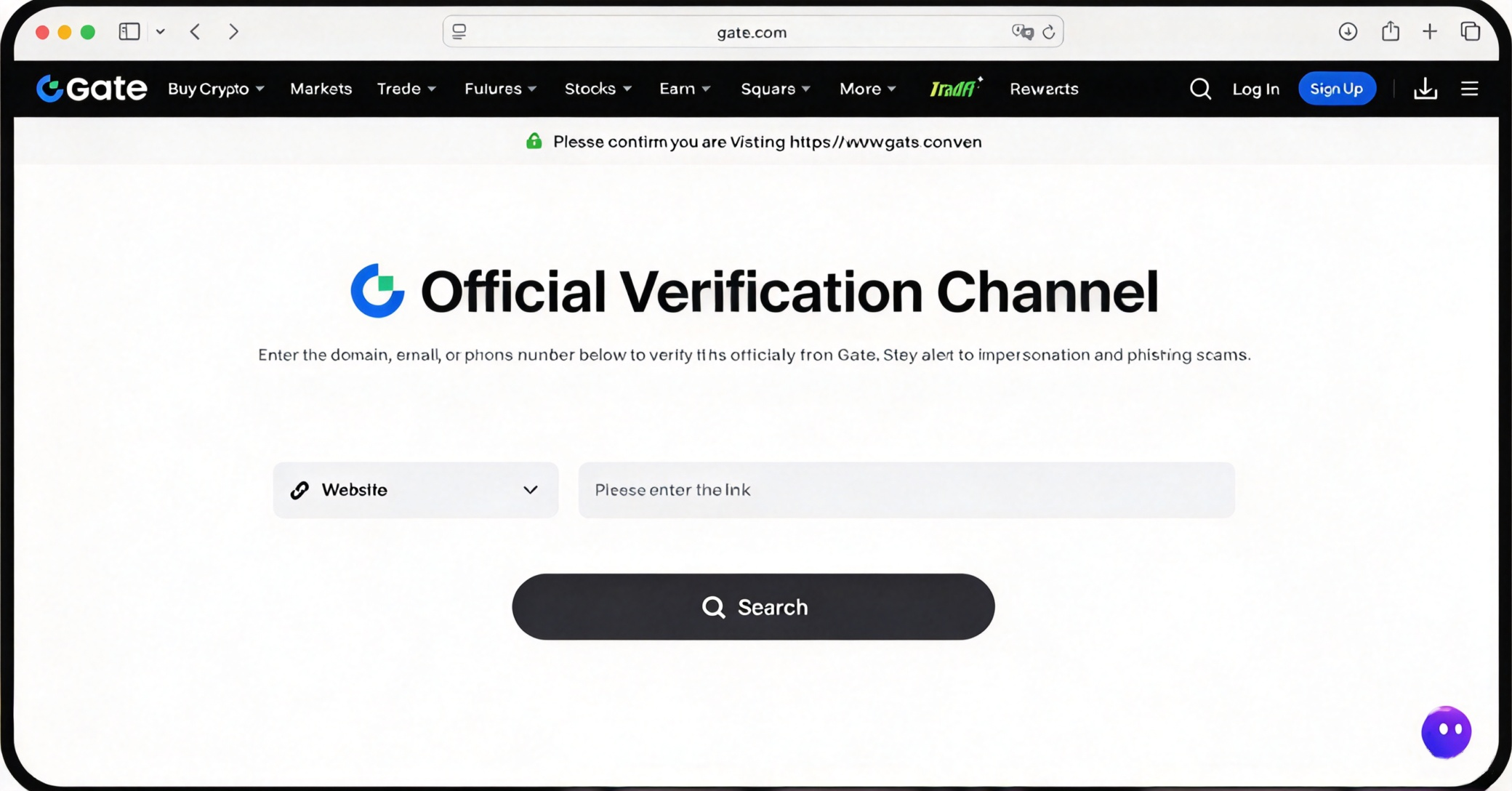
Manually re-enter gate.com in a trusted browser, then find “Official Channel Verification” in the official website menu;
Paste the URL for verification, and continue only if it displays “Gate Official Channel.”
⚠ Do not use the “official website verification” portal provided by a suspicious page, as the verification page may also be spoofed.
IV. Perform a Final Check Before Scanning a QR Code
Scan a QR code only when all of the following conditions are met:
The webpage is opened in a trusted browser on your computer, such as Chrome, Edge, or Safari;
The address bar can be expanded and copied normally;
The domain has been verified or independently verified through an official channel;
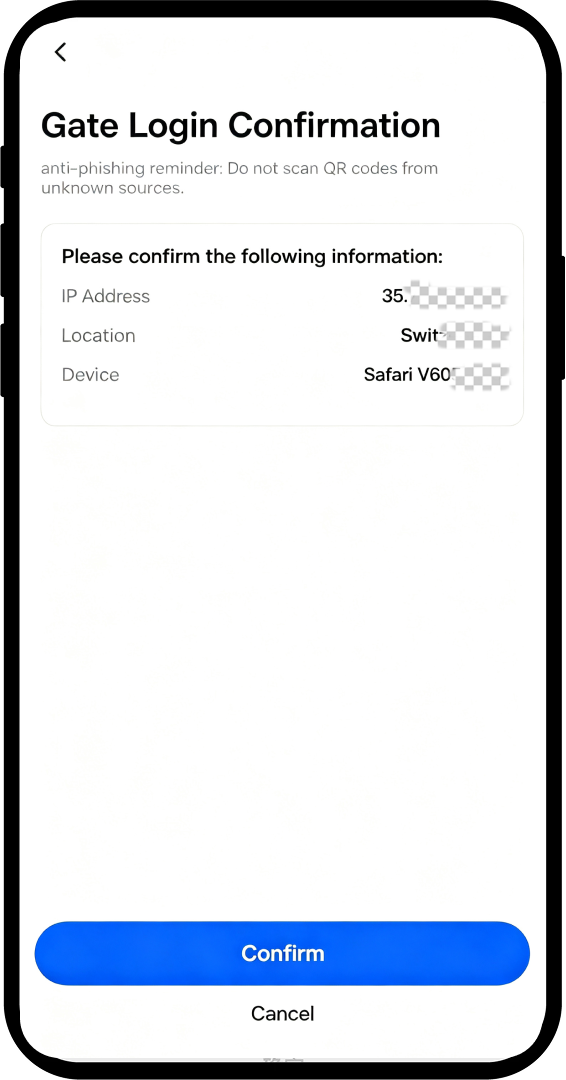
The login device, location, and action shown on the QR code scanning confirmation page were initiated by you.
If anything does not match, immediately click “Cancel”.
V. Exit Immediately if Anything Seems Unusual
If you accidentally scan a QR code or authorize access: immediately close the webpage, change your password, sign out of unfamiliar devices, and contact customer support through the official App.
Please remember
Verify the official website first, then scan the QR code;
If you cannot see it clearly or are unsure, do not authorize it!!!
⚠⚠⚠We recommend adding the correct official website to your browser bookmarks and accessing it only through your bookmarks in the future.
Disclaimer
The content provided herein is for reference and educational purposes only and does not constitute any financial, investment, trading, or legal advice, nor does it constitute an offer or solicitation to buy or sell any digital assets. Gate makes no express or implied representations or warranties regarding the accuracy, completeness, or timeliness of the information contained herein. Product features, interfaces, rules, and fee structures may be updated or adjusted at any time. Please refer to the latest announcements and the actual information displayed on the Gate platform for the most accurate details.
Digital asset investments involve significant risk, and prices may fluctuate substantially. You may lose the entire amount of your investment. Please make decisions cautiously based on your own financial situation and risk tolerance after fully understanding the associated risks. If necessary, you are advised to consult an independent professional financial or legal advisor.
For more information about potential risks, please refer to Gate's Risk Disclosure and User Agreement.
