Gate Guard is an account protection plan provided by Gate, primarily covering direct losses resulting from unauthorized transfers of assets from a user's Gate account. Examples include account information being compromised due to phishing, malware attacks, or remote control of a user's device, as well as unauthorized access and asset transfers resulting from a lost mobile phone, SIM card theft, or fraudulent SIM replacement.
Gate Guard is not an insurance product and does not constitute an insurance contract, any form of insurance arrangement, or a promise of reimbursement. For unauthorized asset transfer incidents that meet the Plan Rules, users may apply for reimbursement of the relevant direct losses. Eligibility for reimbursement and the reimbursement amount are subject to Gate's final review.
Gate Guard is currently available for eligible users to activate free of charge through the Gate App or Web. The activation process and protection rules are detailed below.
Gate Guard Eligibility Requirements
Users must meet the following requirements:
Reach a security score of 80 or above.
Complete KYC 2 identity verification.
Complete the required security verifications and maintain a normal account status.
Meet other applicable platform risk control and eligibility requirements.
If your security score is below 80, go to [Security Center] to complete the relevant security settings. Once your score meets the requirement, you can apply for activation.
How to Activate Gate Guard on the Gate App
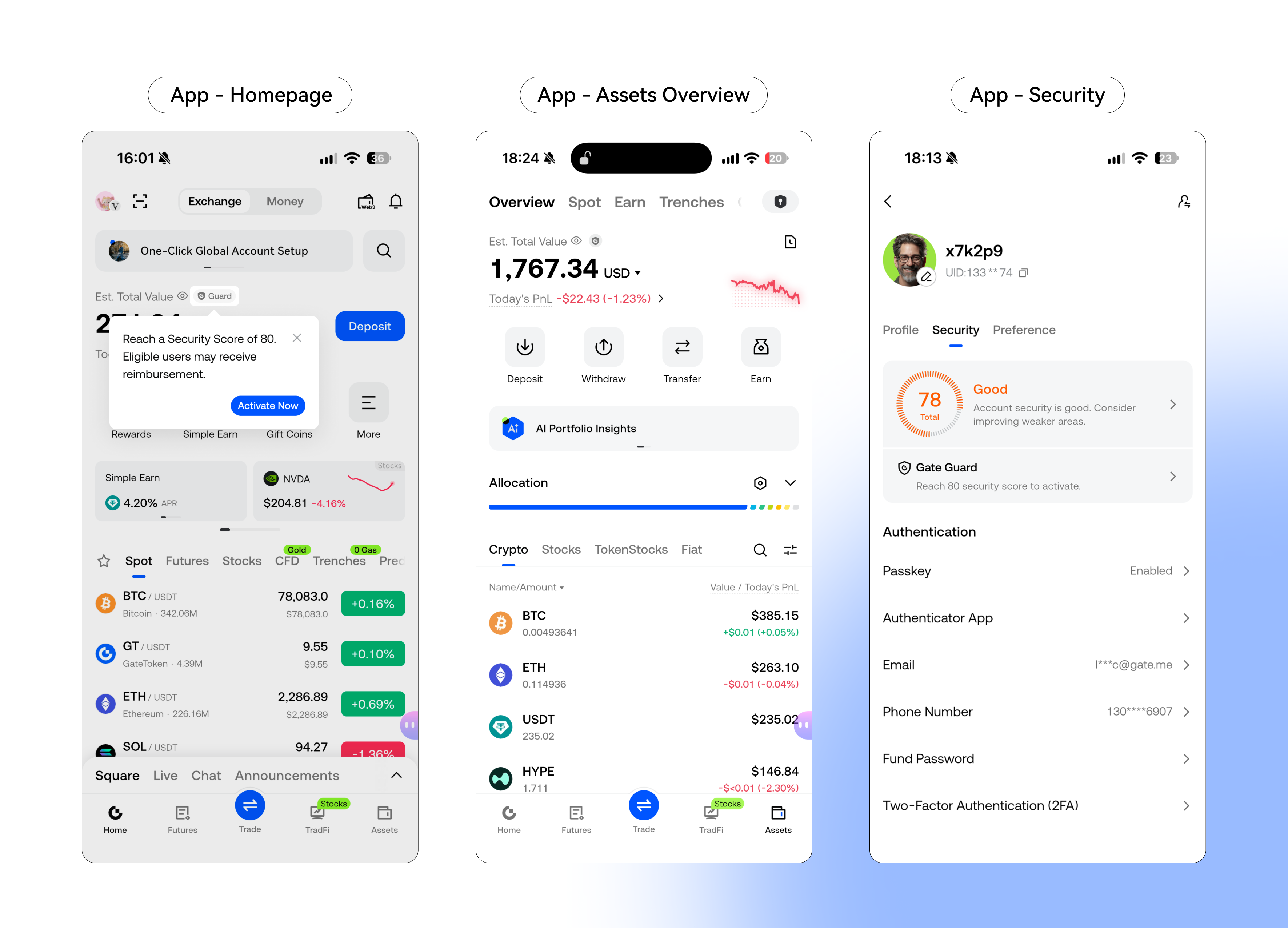
Step 1: Go to the Gate Guard Page
You can access the Gate Guard page through any of the following entry points:
On the App homepage, tap [Activate Now] or the shield icon in the [Assets] section.
Go to the [Assets] page and tap the shield icon next to [Est. Total Value] under [Overview].
On the App homepage, tap your profile avatar in the upper-left corner, go to [User Center] - [Security], and tap [Gate Guard].
All three entry points will take you to the Gate Guard page.
How to Navigate
Step 2: Complete Activation
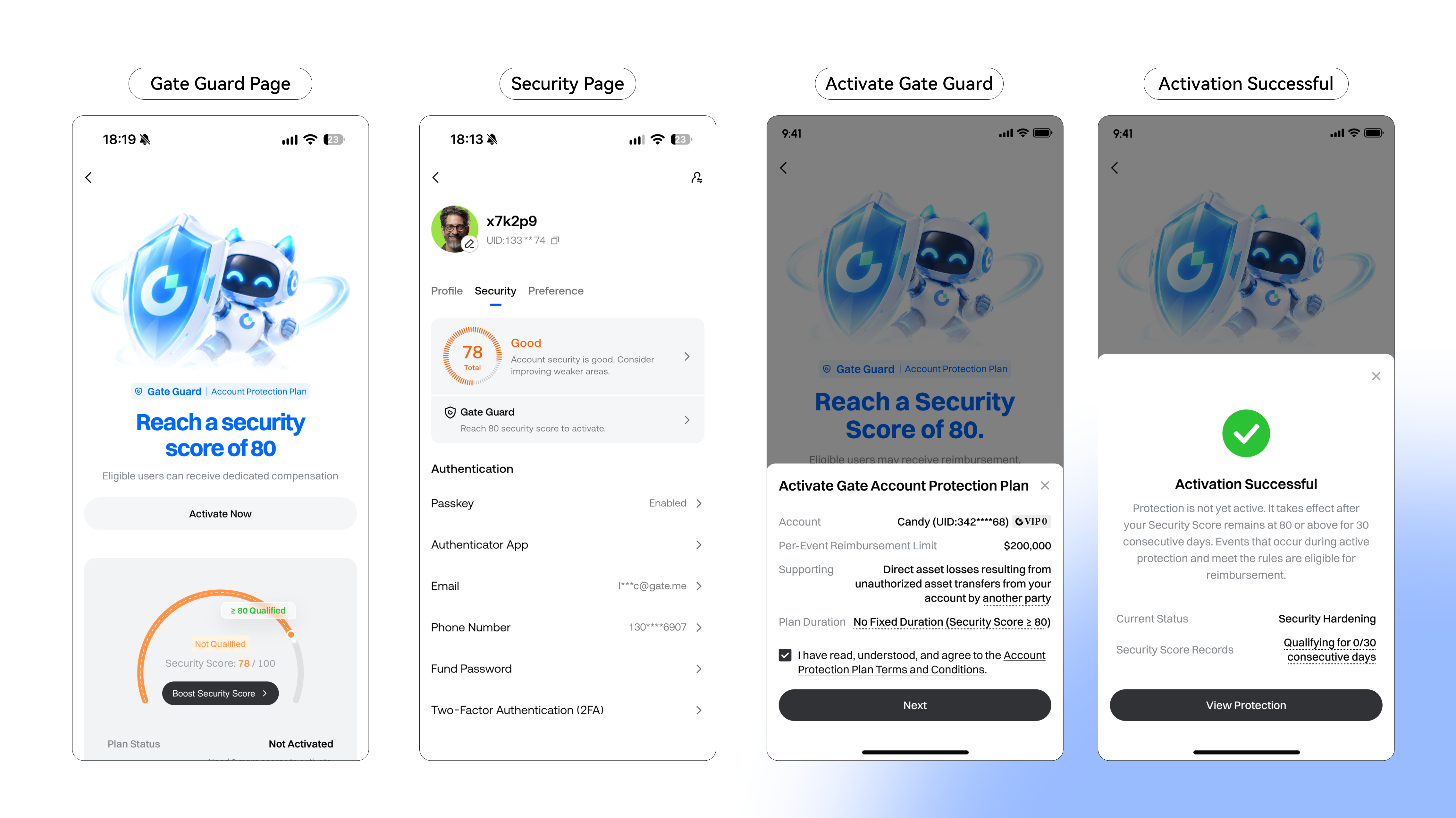
After entering the Gate Guard page, check that your security score is 80 or above.
If your score does not meet the requirement, tap [Boost Security Score] to go to Security Center and complete the key security settings. Once your score reaches the required level, you can proceed with activation.
After activation, you can view your Gate Guard protection status and details.
Activation Steps
How to Activate Gate Guard on Gate Web
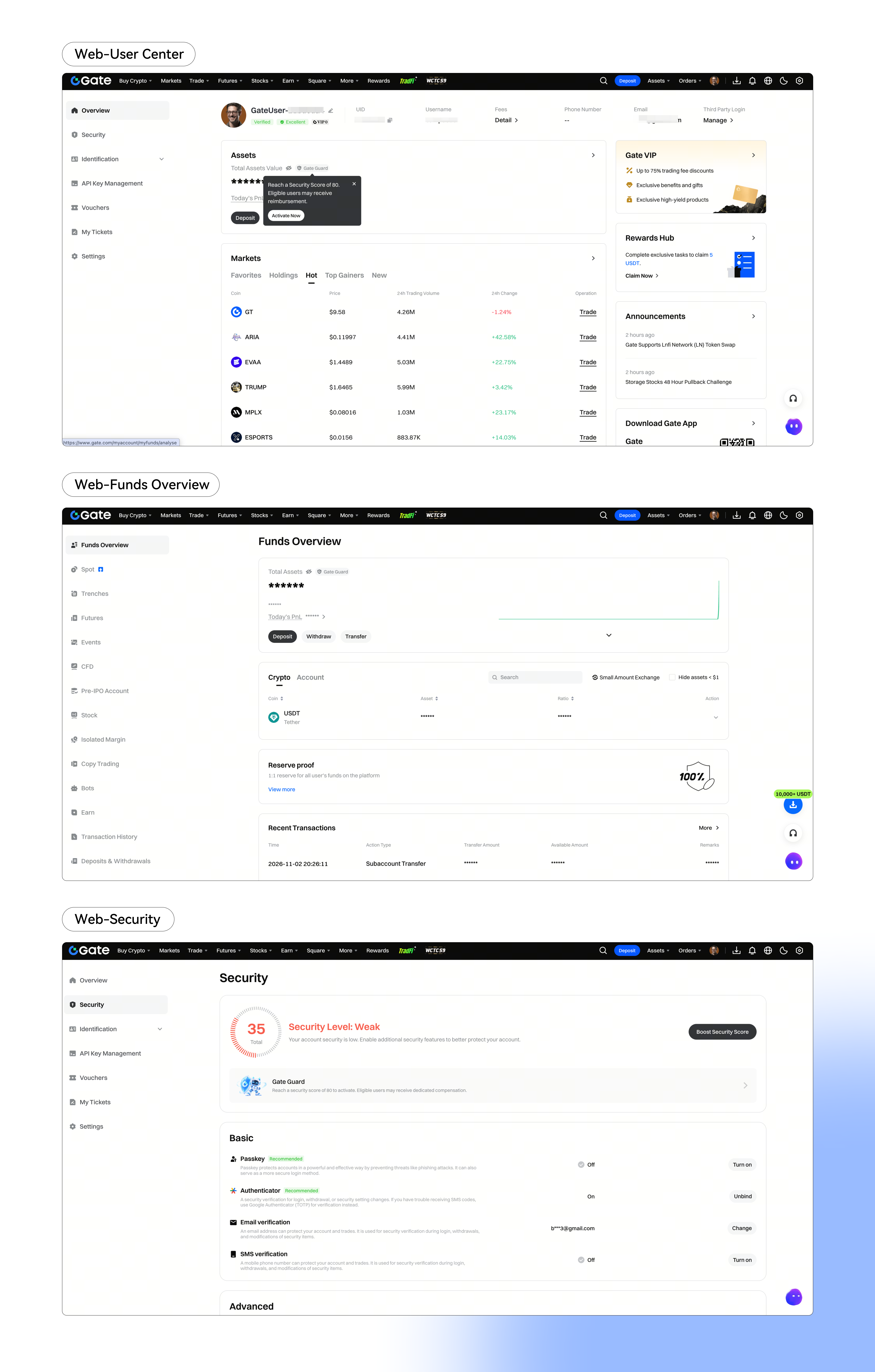
Step 1: Go to the Gate Guard Page
You can access the Gate Guard page through any of the following entry points:
On the Web [User Center] page, click the shield icon next to [Total Asset Value].
On the Web [Funds Overview] page, click the shield icon next to [Total Asset Value].
On the Web [Security] page, click to activate Gate Security Guard.
All three entry points will take you to the Gate Guard page.
How to Navigate
Step 2: Complete Activation
After entering the Gate Guard page, check your current security score. You can activate Gate Guard once your score reaches 80 or above.
If your score does not meet the requirement, click [Boost Security Score] to go to Security Center and complete the key security settings. Once your score reaches the required level, you can proceed with activation.
After activation, you can view your Gate Guard protection status and details.
Activation Steps
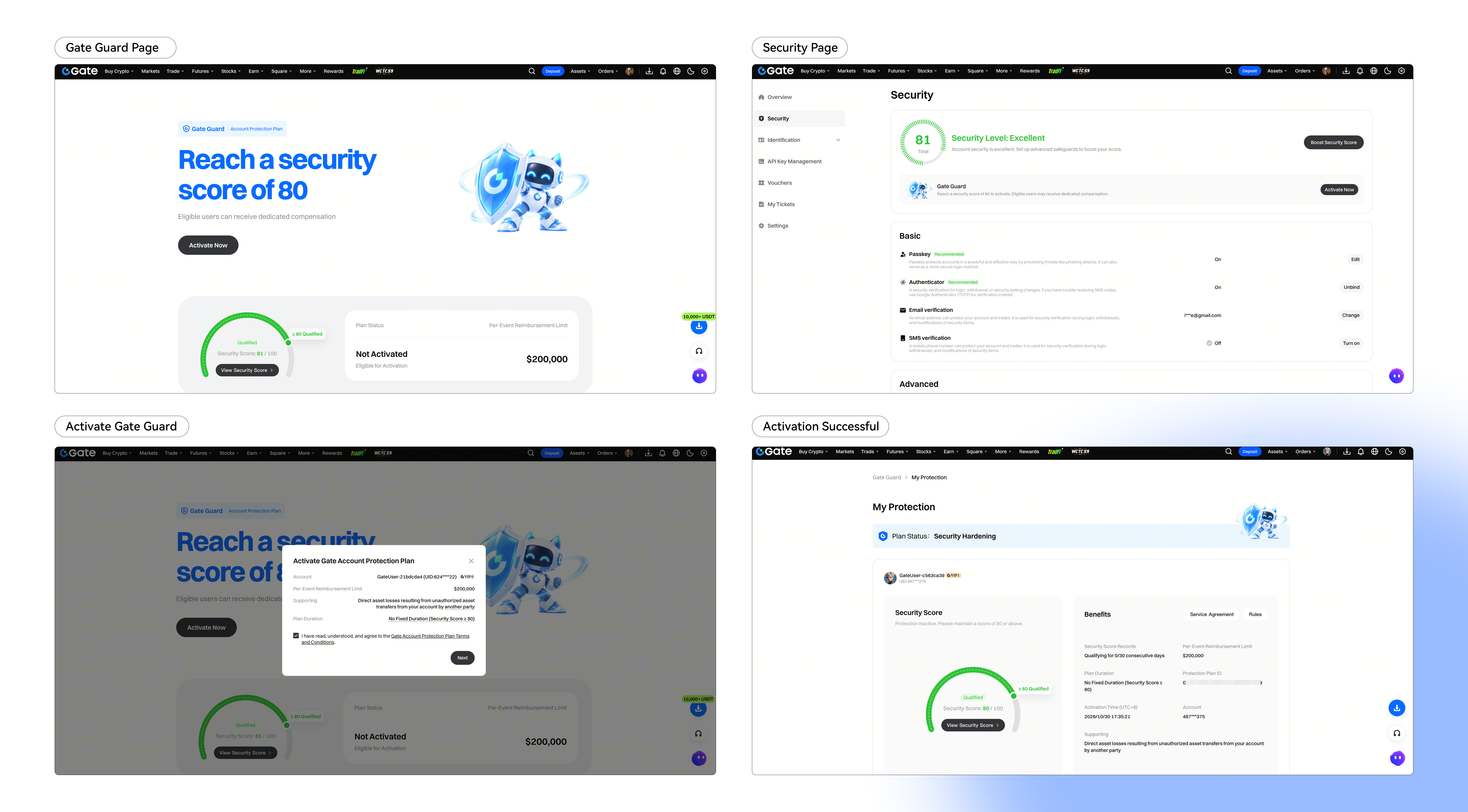
After successful activation, a 30-day Security Hardening Period will apply. During this period, your security score must remain at 80 or above for 30 consecutive days. Protection will take effect once all applicable requirements have been met.
Activate Gate Guard now: https://www.gate.com/gate-guard
More FAQs: https://www.gate.com/help/guide/security-zone/101320
Gate Team
November 3, 2026
Gateway to Crypto
Trade over 5,400 cryptocurrencies safely, quickly, and easily on Gate
Take Action Now
Sign up and claim up to $10,000 in welcome rewards
Invite friends and earn a 40% commission
Stay Connected
Visit Gate's official website
Download the Gate App | Desktop
Follow us on X (Twitter) to get more bonuses
Join our Telegram community to discuss trending topics
Engage with our global community for the latest insights
Transparency & Security
Check our 100% Proof of Reserves


