


Applicable Scope
This article applies to: Gate App
Before you begin: You have completed identity verification and have sufficient cryptocurrency balance in your account
Estimated time: 3 minutes
Objective
This article explains how to create and send a password red packet in the Gate App.
Steps (V8.37.0 or later)
Step 1: Access the Red Packet Feature
-
Open and log in to the Gate App.
-
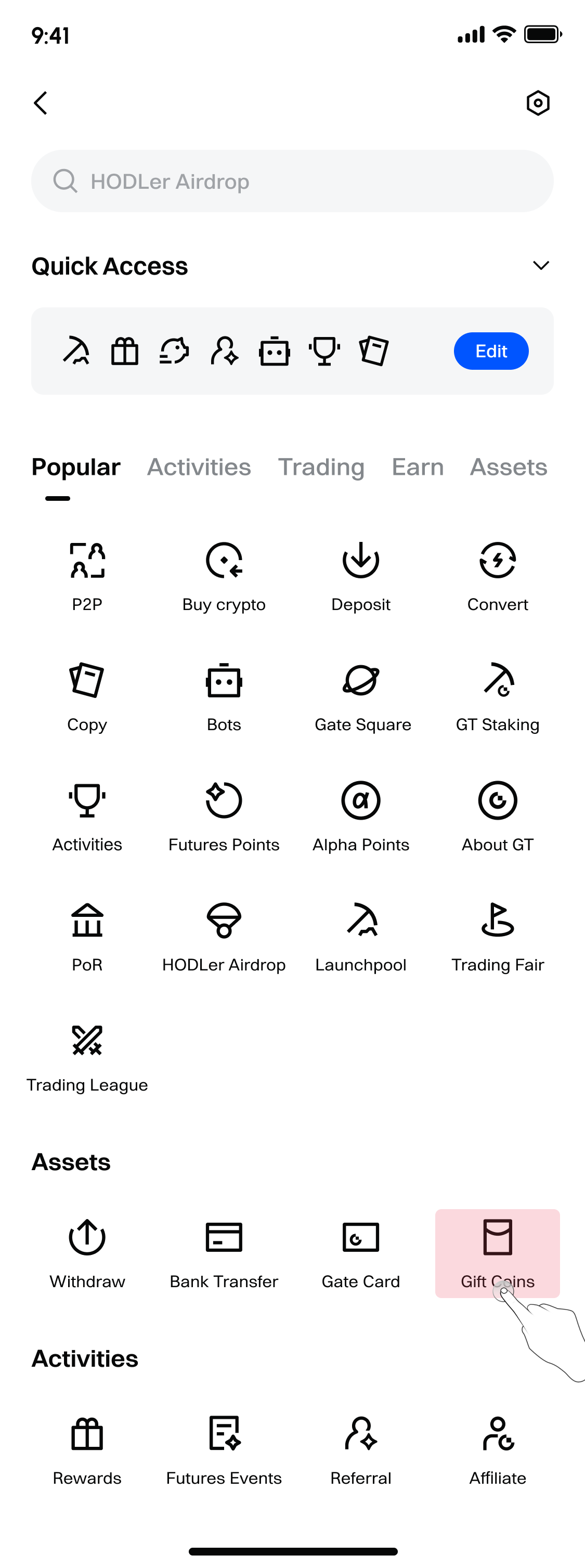
Tap the profile icon in the upper-left corner, then select 【Red Packet】 from the pop-up menu.
Step 2: Choose to Send a Password Red Packet
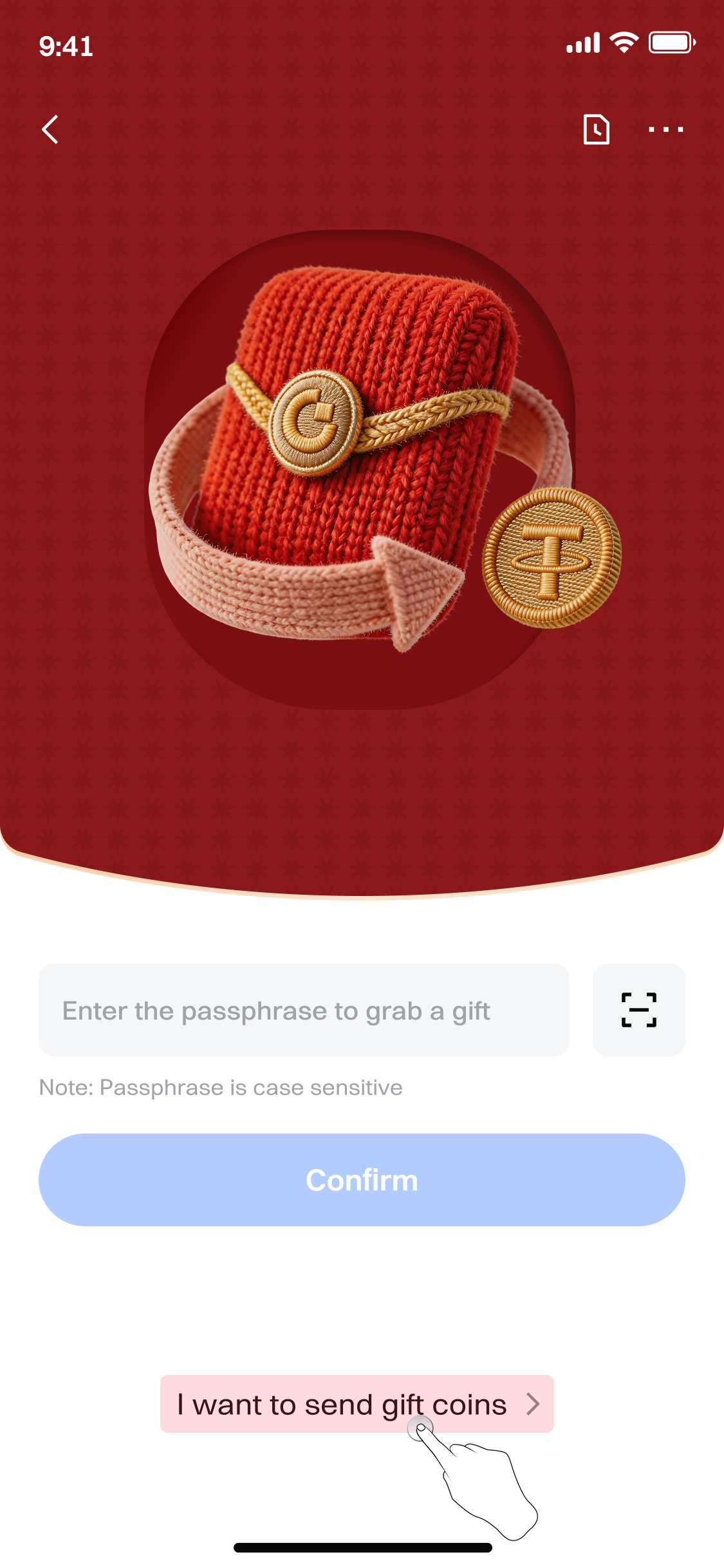
- On the Red Packet page, tap the 【Send Red Packet】 button at the bottom of the page.
Step 3: Set Up Basic Red Packet Information
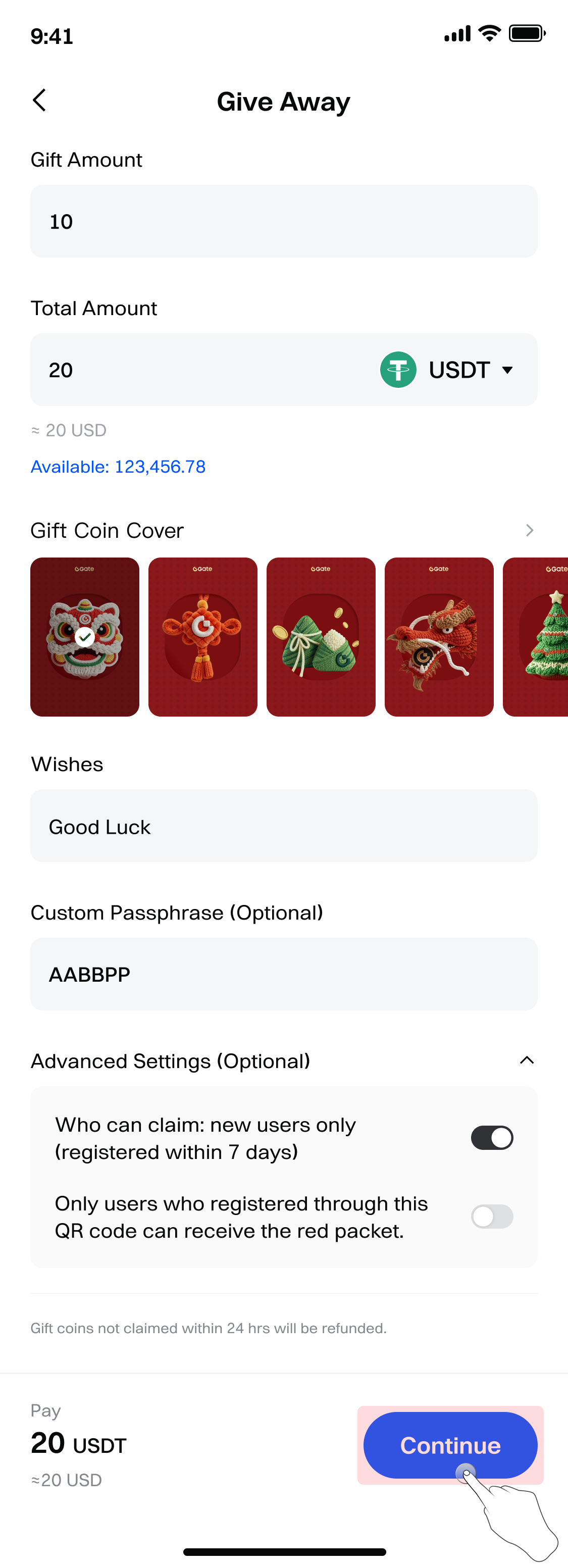
On the Send Red Packet screen, configure the following information:
-
Set the number of red packets (range: 2–10,000).
-
Select a cryptocurrency (choose from cryptocurrencies with available balances in your account).
-
Set the total amount (sending amount range: 1–10,000 USDT).
-
Select a red packet cover (based on your preference).
-
You can optionally edit the red packet greeting.
-
Set a password: Enter a custom password of 6–20 characters (symbols are not supported). If left blank, the system will automatically generate a random 6-digit password red packet.
-
Advanced settings: You can choose whether to enable 【New Users Only (registered within 7 days)】.
-
Tap 【Confirm】 to complete the publication.
Steps (Versions Earlier Than V8.37.0)
Step 1: Access the Red Packet Feature
-
Open and log in to the Gate App.
-
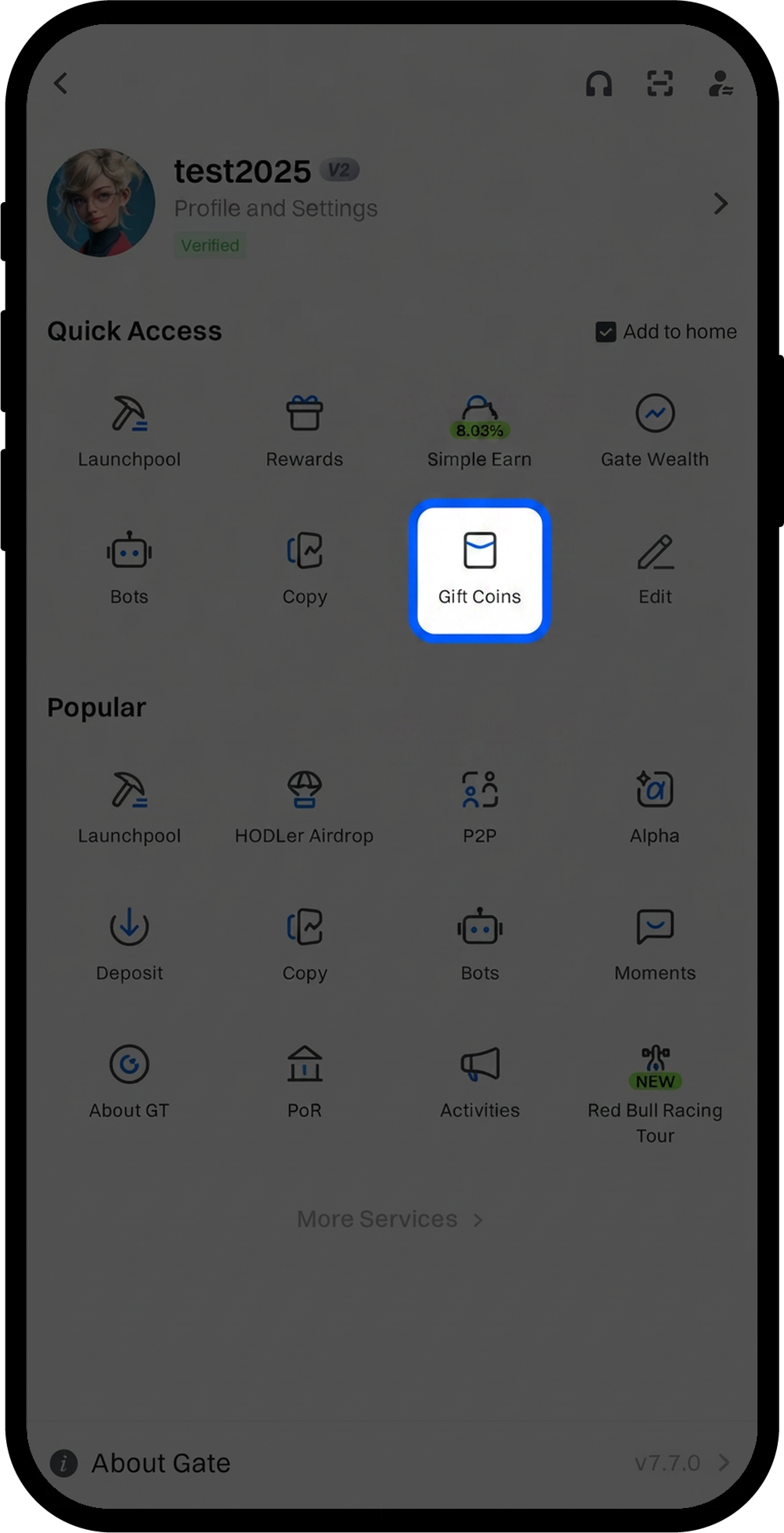
Tap the profile icon in the upper-left corner, then select 【Red Packet】 from the pop-up menu.
Step 2: Choose to Send a Password Red Packet
-
On the Red Packet page, tap the 【Password Red Packet】 tab.
-
Tap the 【Send Red Packet】 button at the bottom of the page.
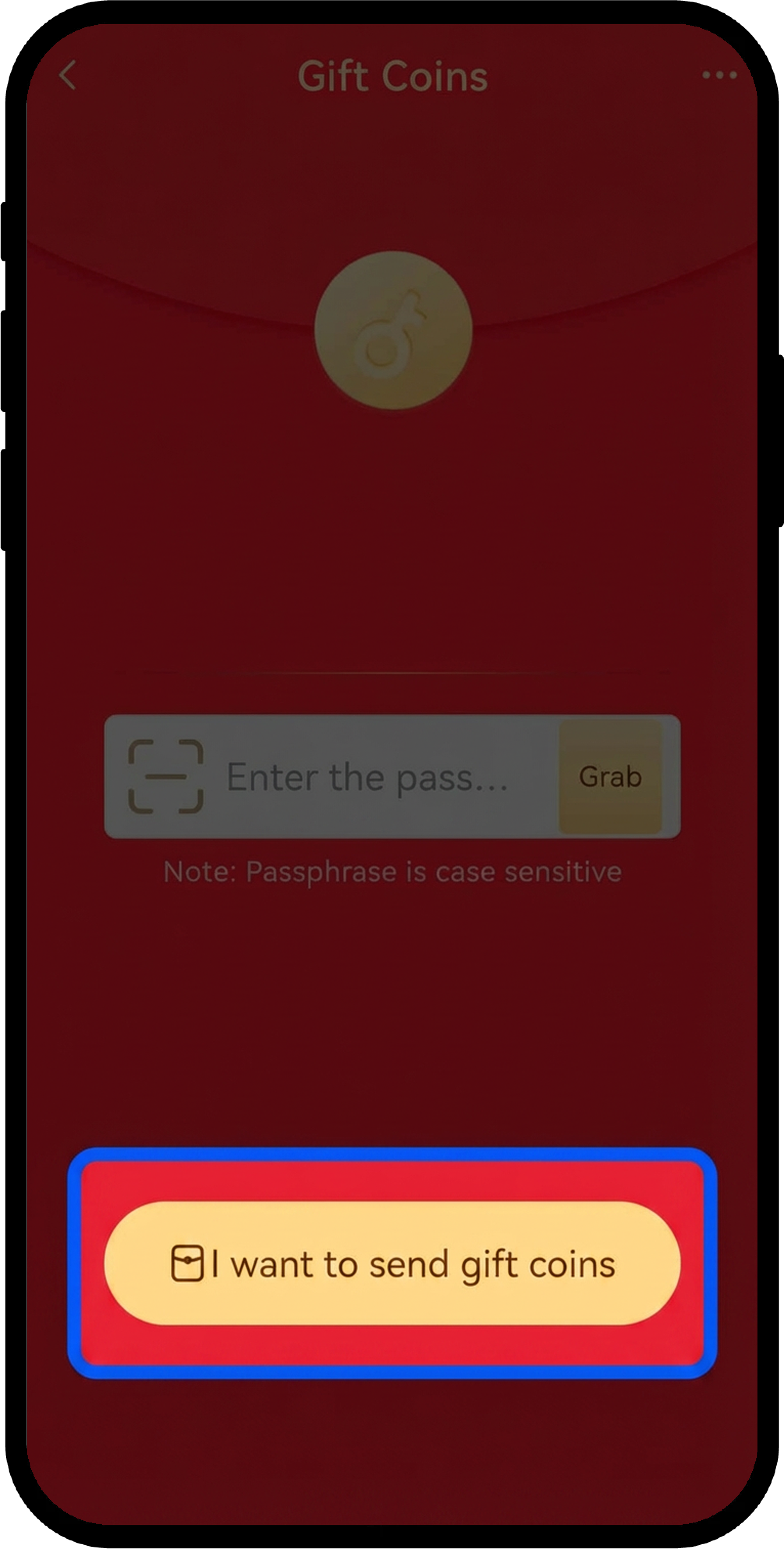
Step 3: Set Up Basic Red Packet Information
-
On the Send Red Packet screen, configure the following information:
-
Select a cryptocurrency (choose from cryptocurrencies with available balances in your account).
-
Set the total amount (sending amount range: 1–10,000 USDT).
-
Set the number of red packets (range: 2–10,000).
-
Select a red packet theme (based on your preference).
-
-
You can optionally edit the red packet greeting.
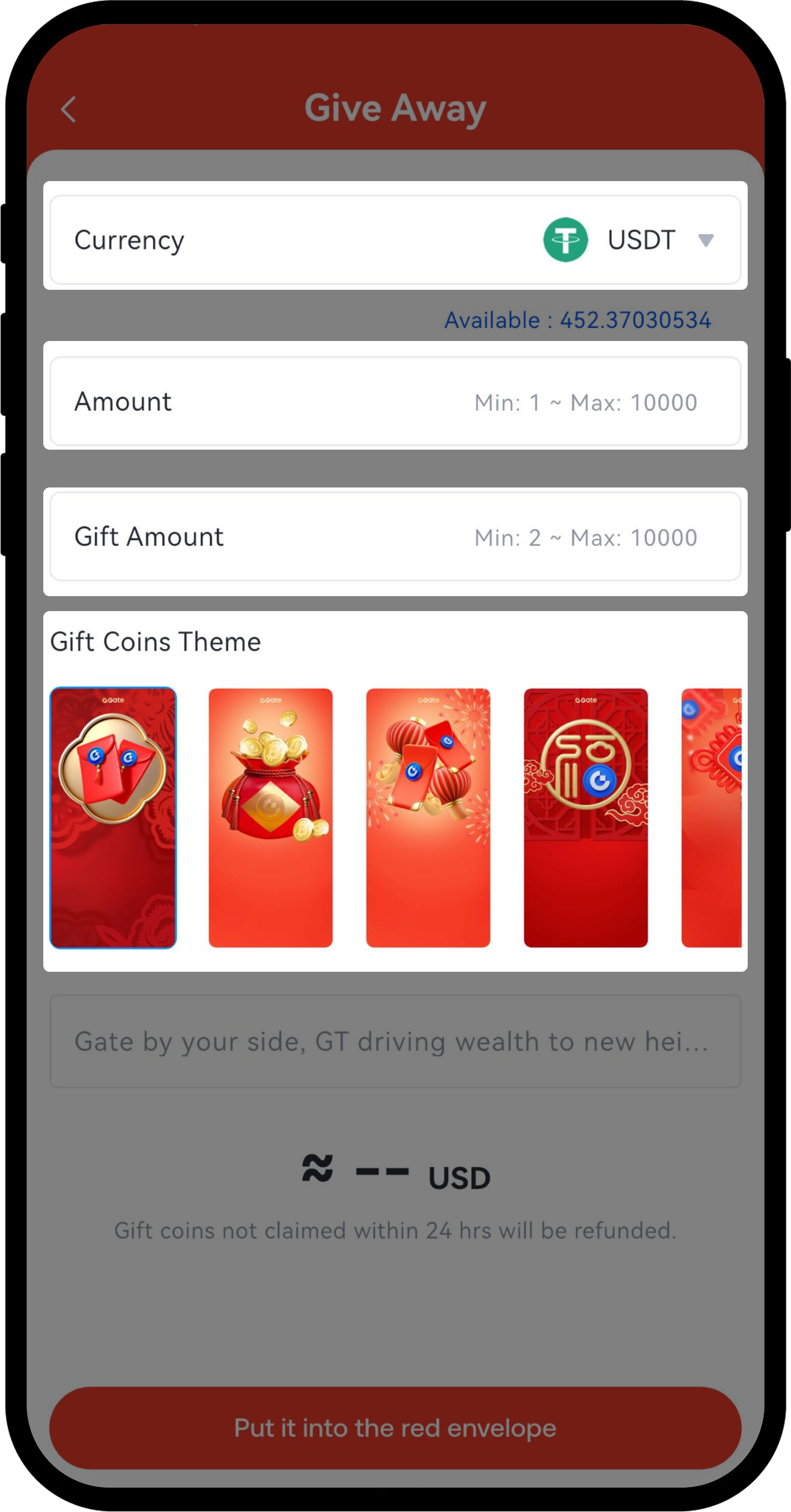
- After completing the settings, tap 【Put Into Red Packet】.
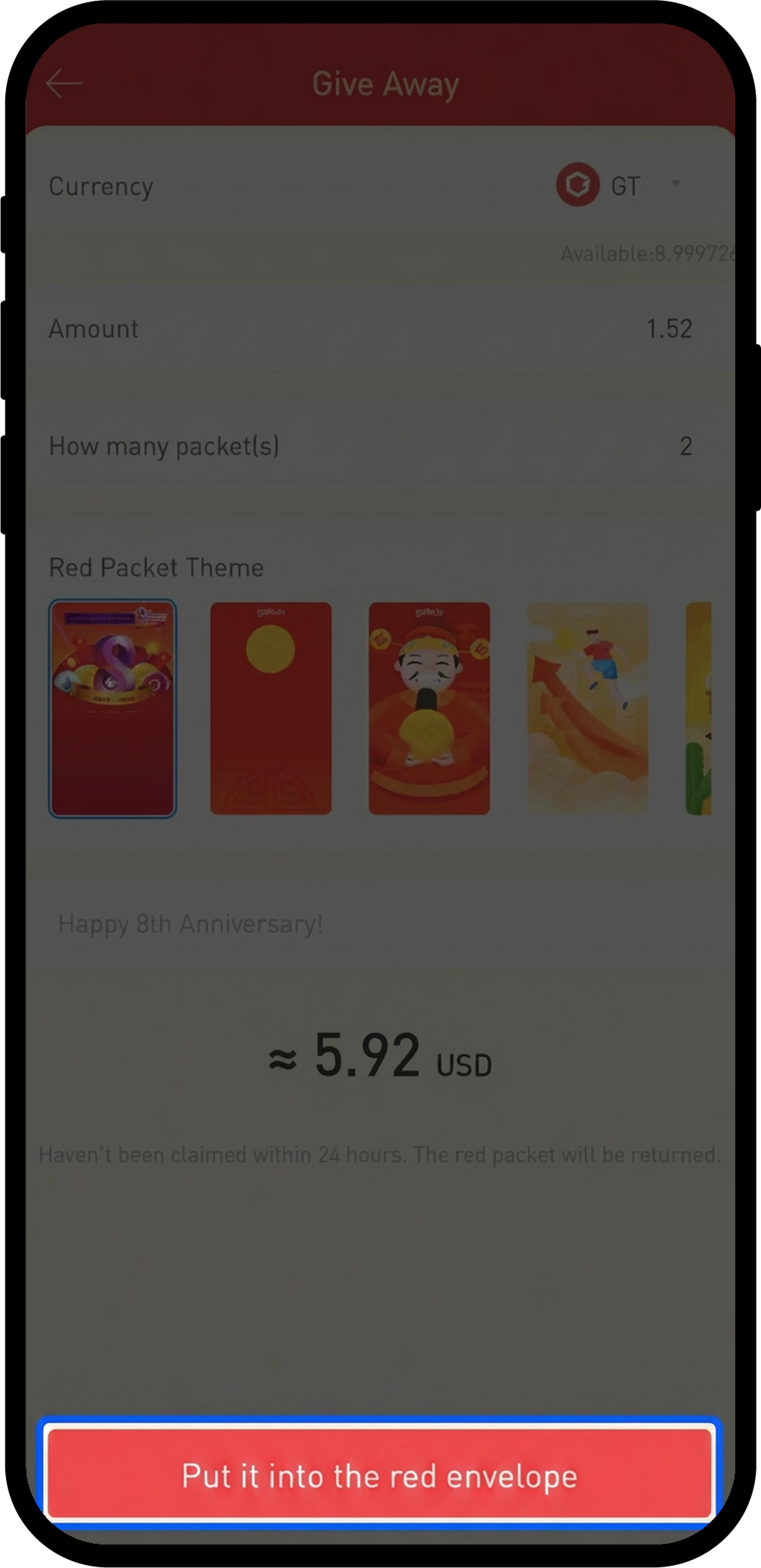
Step 4: Configure the Password and Claiming Rules
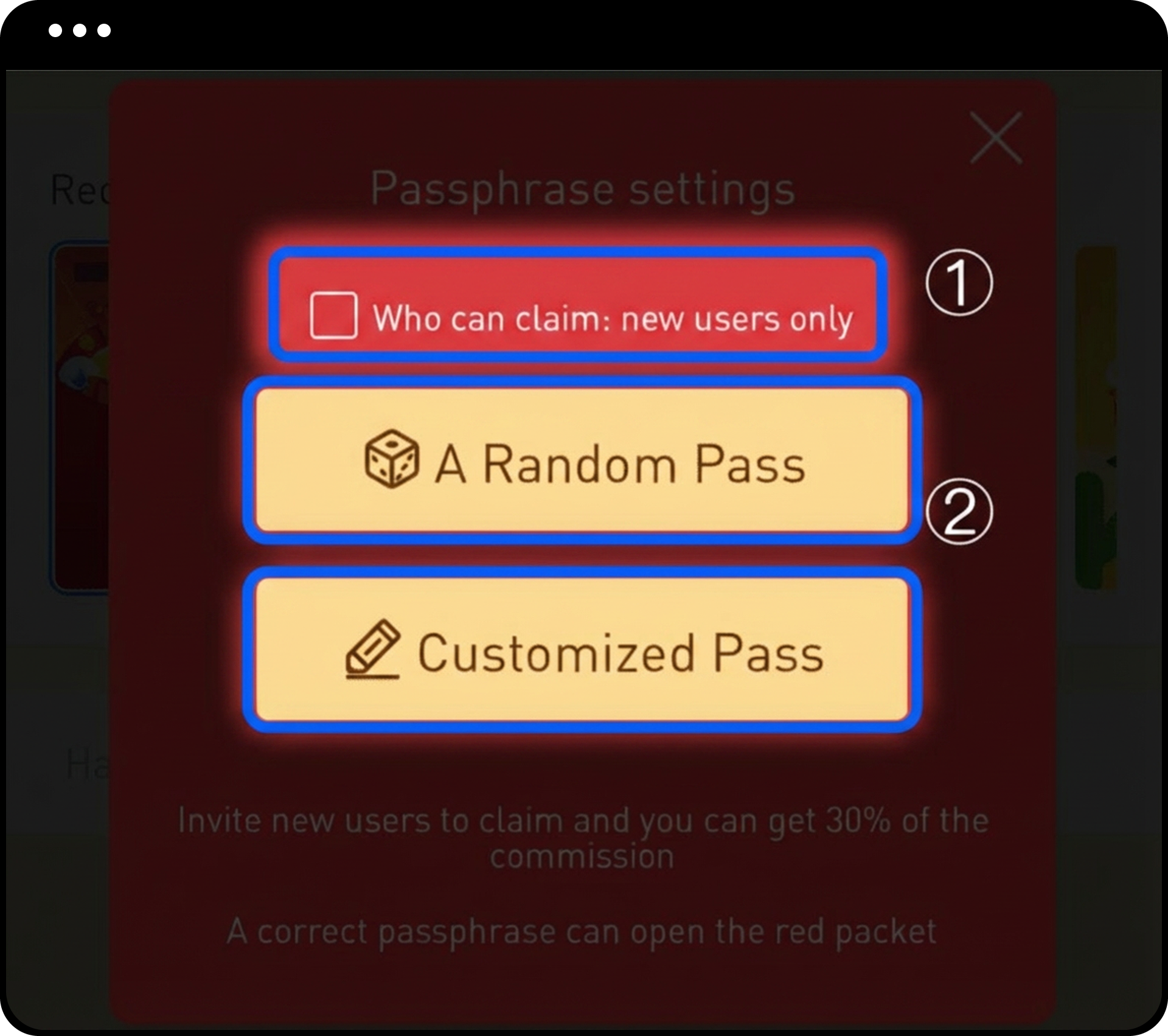
- After entering the password settings page, choose whether to enable 【New Users Only】.
-
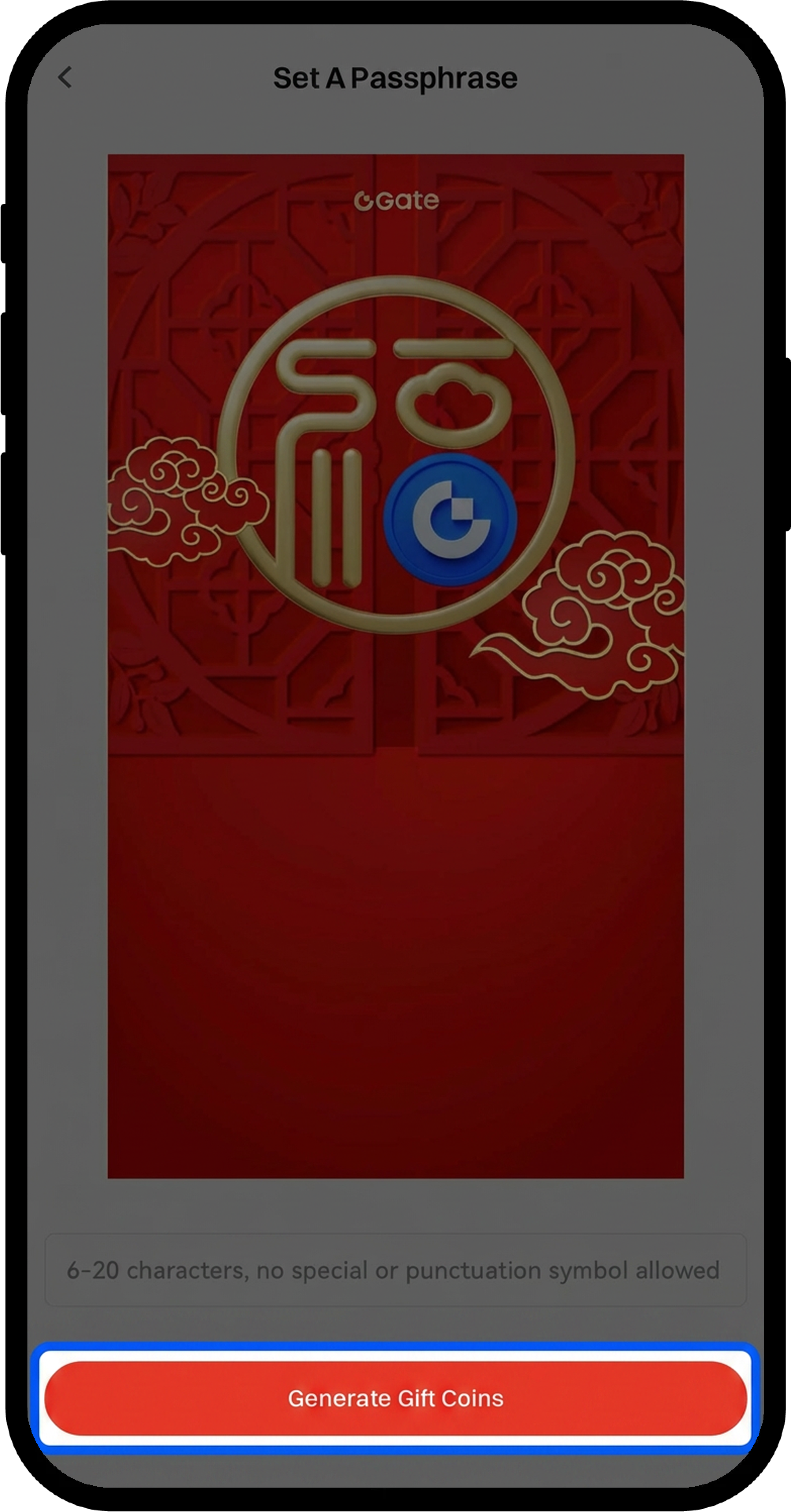
Set the password method:
-
Select 【Random Password】: The system automatically generates a password.
-
Select 【Custom Password】: Enter a password of 6–20 characters (symbols are not supported).
-
-
Enter your fund password to confirm.
-
Tap 【Generate Red Packet】 to complete the publication.
Notes
-
You must complete identity verification before sending a password red packet.
-
Any unclaimed red packet amount will automatically be returned to your account after 24 hours.
-
The daily total limit for sending password red packets is 10,000 USDT.
-
Custom passwords support only 6–20 characters and do not support special symbols.
Frequently Asked Questions
Q1: Why am I unable to send a password red packet?
A: Please make sure you have completed identity verification and have sufficient cryptocurrency balance in your account. If you still cannot send one, you may have reached the daily sending limit (10,000 USDT).
Q2: Can I cancel a red packet after sending it?
A: Red packets cannot be canceled after they are published. However, any unclaimed amount will automatically be returned to your account after 24 hours.
Q3: Which cryptocurrencies can be used for password red packets?
A: You can distribute any cryptocurrency in your account that has an available balance.
Disclaimer
The content provided herein is for reference and educational purposes only and does not constitute any financial, investment, trading, or legal advice, nor does it constitute an offer or solicitation to buy or sell any digital assets. Gate makes no express or implied representations or warranties regarding the accuracy, completeness, or timeliness of the information contained herein. Product features, interfaces, rules, and fee structures may be updated or adjusted at any time. Please refer to the latest announcements and the actual information displayed on the Gate platform for the most accurate details.
Digital asset investments involve significant risk, and prices may fluctuate substantially. You may lose the entire amount of your investment. Please make decisions cautiously based on your own financial situation and risk tolerance after fully understanding the associated risks. If necessary, you are advised to consult an independent professional financial or legal advisor.
For more information about potential risks, please refer to Gate's Risk Disclosure and User Agreement.
