


1. How to Use the Copy Trading Bot Feature
Users can trade with Gate’s trading bots either by copying existing bots or by creating their own. If you’re a beginner and not familiar with how trading bots work, you can choose to copy existing bot strategies.
1.1 What is a Copy Trading Bot?
A copy trading bot allows you to replicate bots created by other users (signal providers) for your own trading. When browsing the “Leaderboard” or “Bot Square,” you can view the performance of bots created by other users. If you find a bot with strong returns, you can copy its operating parameters to create your own trading bot.
Note: Copy trading bots are free to use. After the bot finishes, 5% of the profits will be shared with the original bot creator.
Example: User A becomes a signal provider by creating a bot. User B copies A’s bot, and user C copies B’s bot. A will receive a 5% profit share from both B and C. There is no limit to the number of copy levels.
1.2 How to Interpret a Bot’s Profit Curve
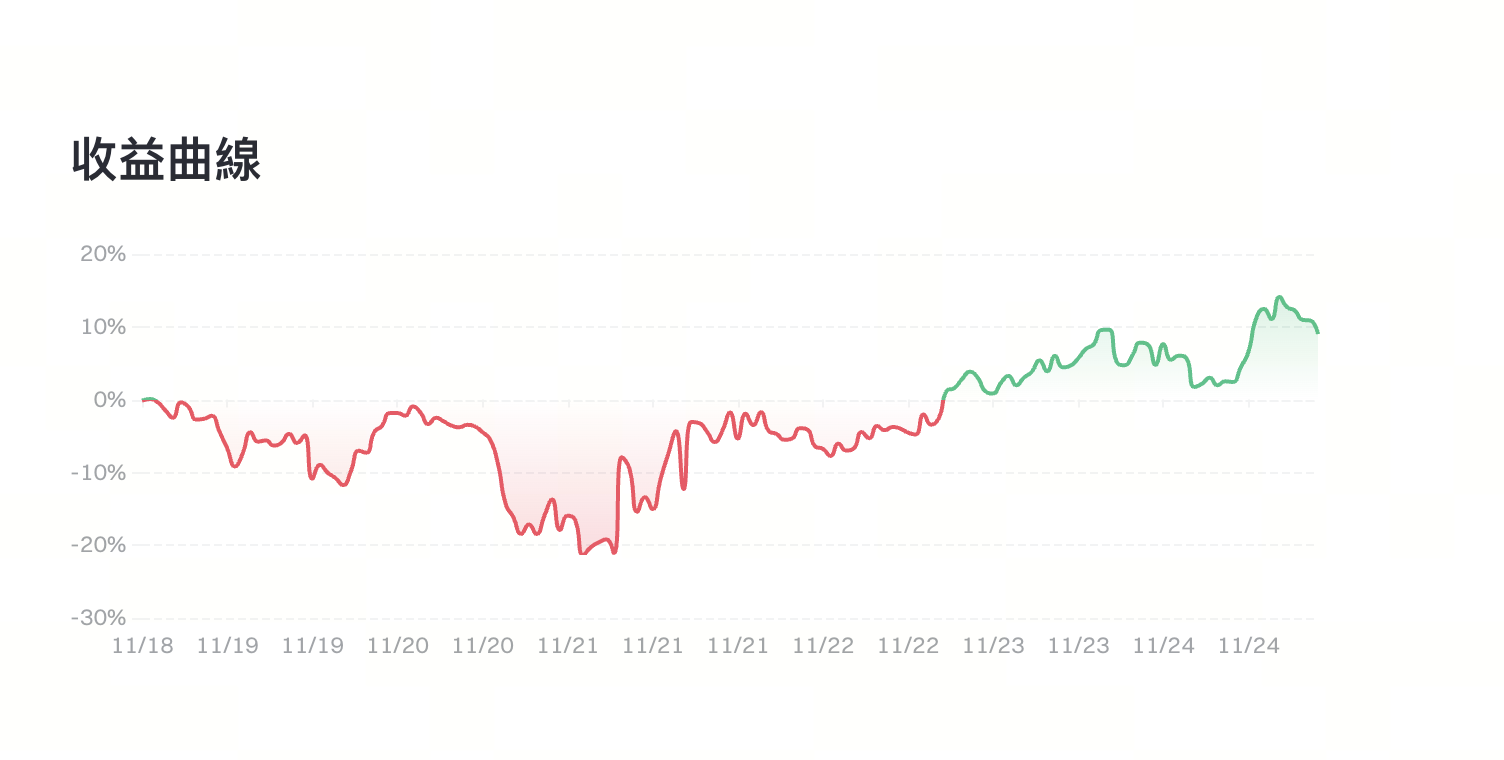
In general, if the profit curve is red, it means the bot is at a loss compared to its initial creation time. If the curve is green, the bot is in profit compared to when it was first created.
Looking at specific time periods:
As shown in the chart below, from November 18, 2025, to November 21, 2025, the bot’s profit curve shows a clear downward trend (red section), indicating the strategy was experiencing a continuous drawdown and was overall losing money during this period.
From the latter half of November 21 to November 24, the profit curve gradually shifts from downward to upward and changes from red to green, showing that the bot began to recover during this period. Its performance improved steadily and returned to positive returns. This section of the curve illustrates the strategy rebounding from earlier drawdowns and entering a relatively stable profit phase.
1.3 How to Copy a Bot
On Web:
1.3.1. Bot Square
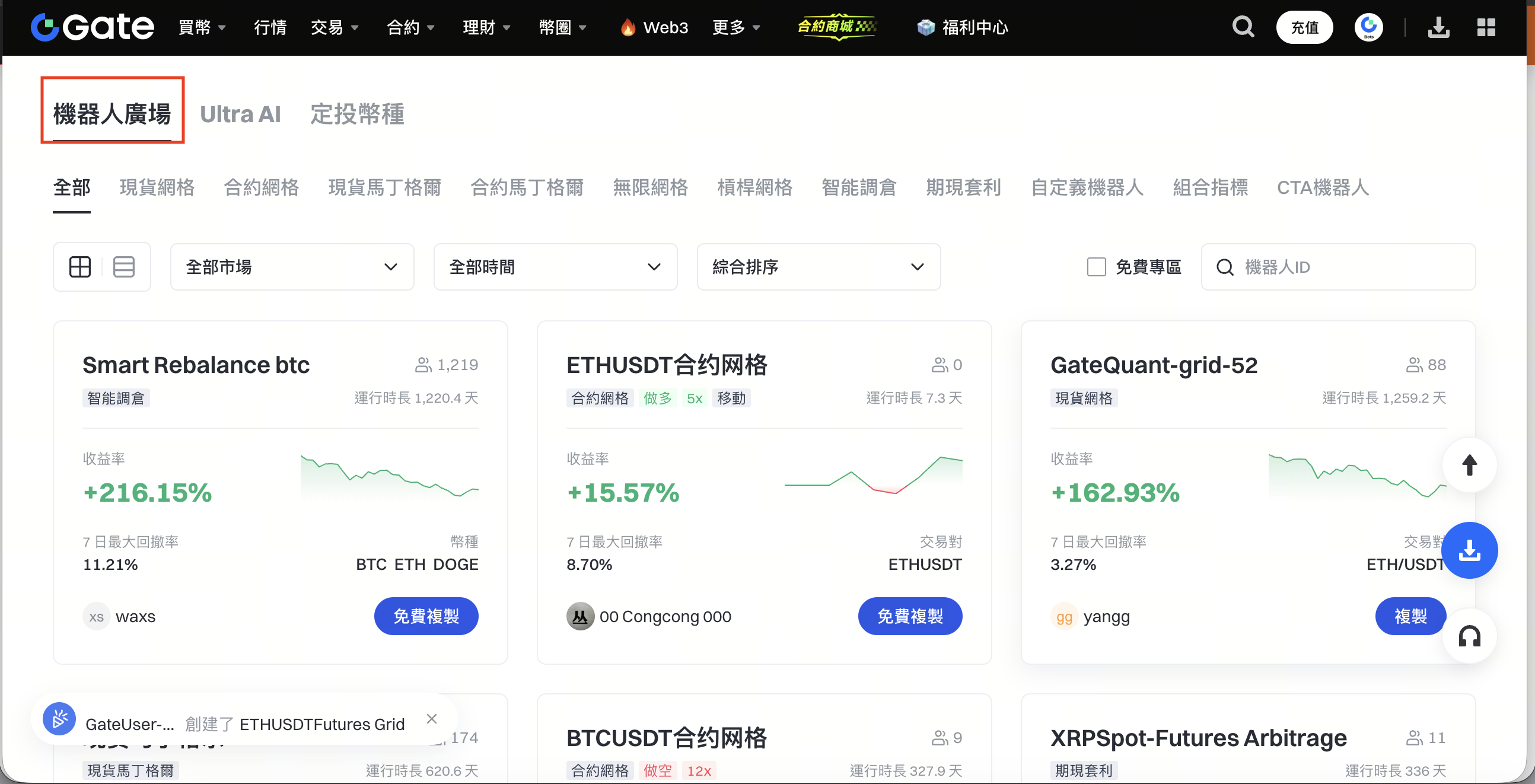
In “Bot Square,” you can filter bots by trading market, bot type, running time, or search by user nickname to find bots to reference or copy. Go to “Trading Bots” and select Bot Square to view available bots.
1.3.3. Copying Top Signal Providers
1.3.3.1 Follow Top Signal Providers
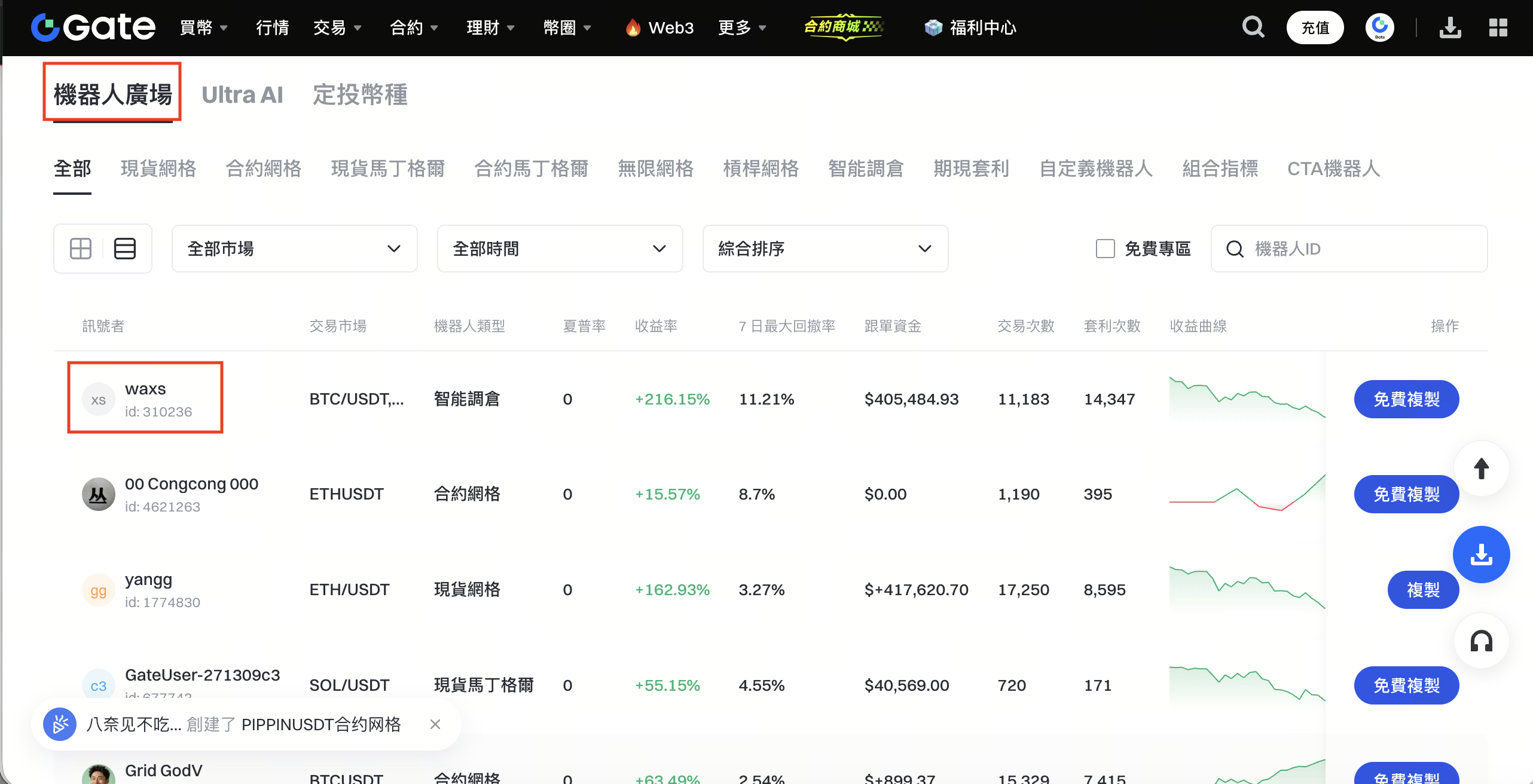
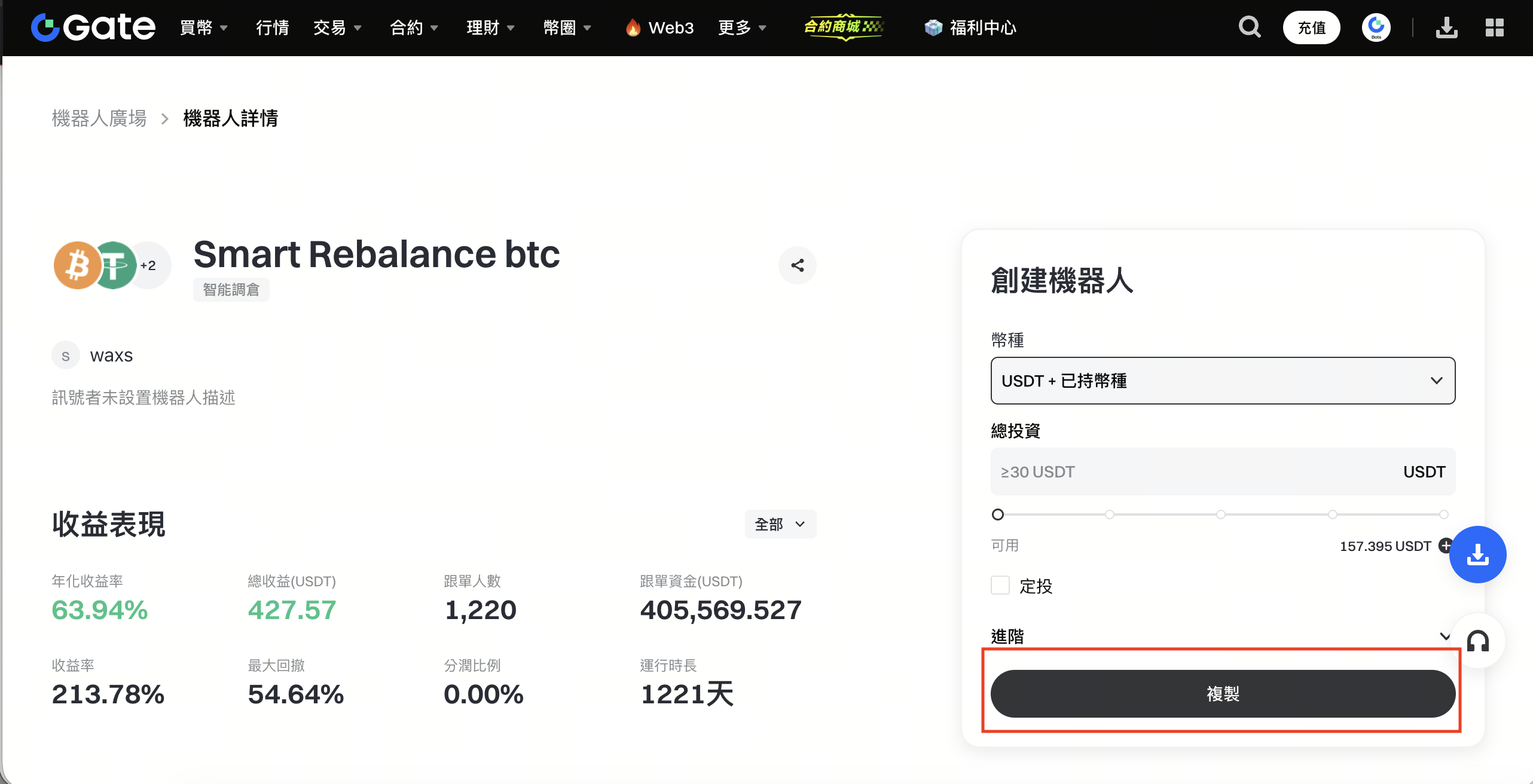
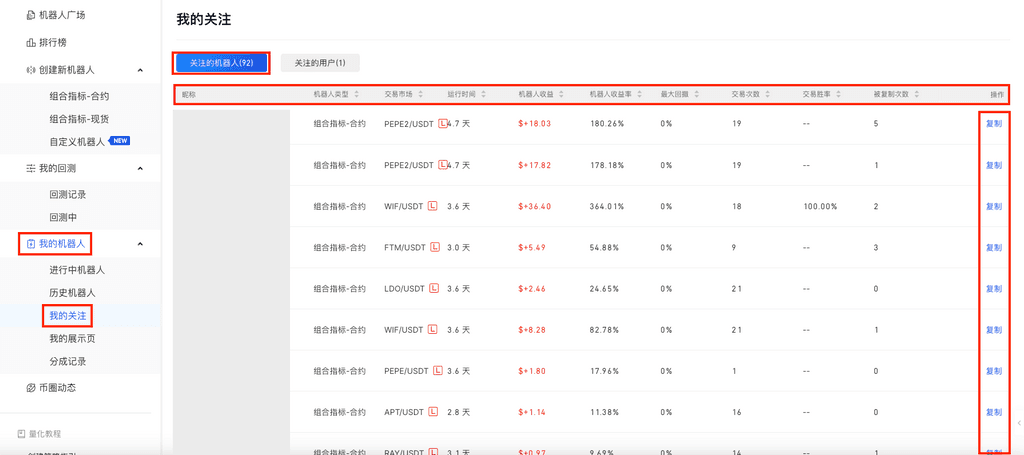
You can follow users in both the “Bot Square” and “Leaderboard.” Go to the “Trading Bots” homepage, select Bot Square, click into the profile of your preferred signal provider, and tap the “Follow” icon to follow them (as shown below).
Bot Square:
1.3.3.2 Copy Bots from Top Signal Providers
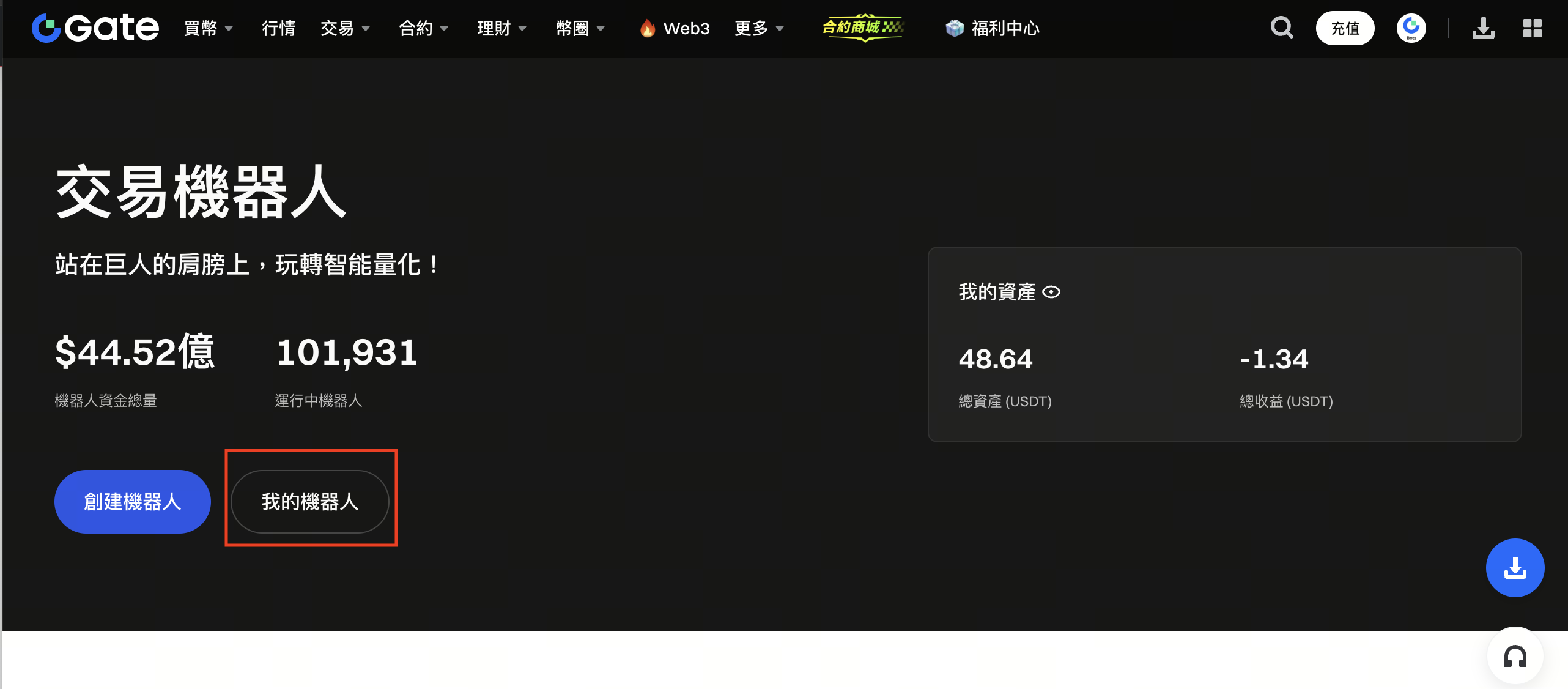
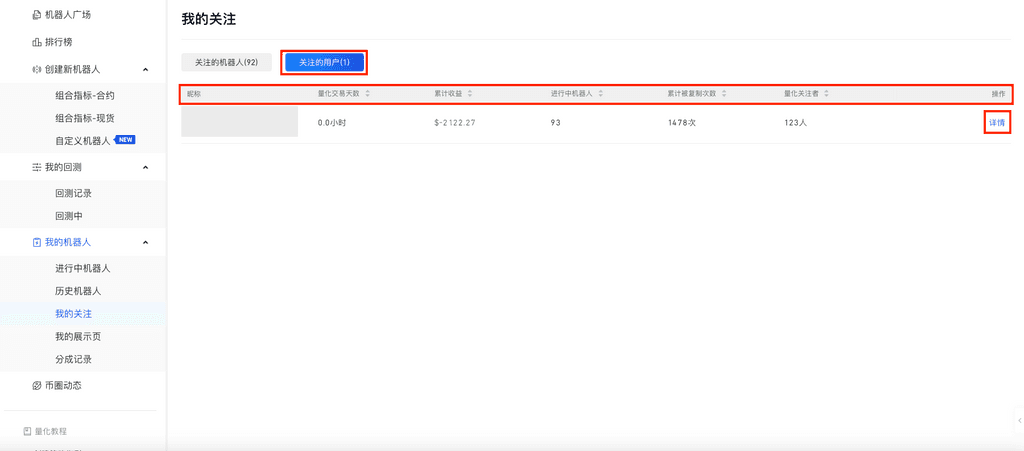
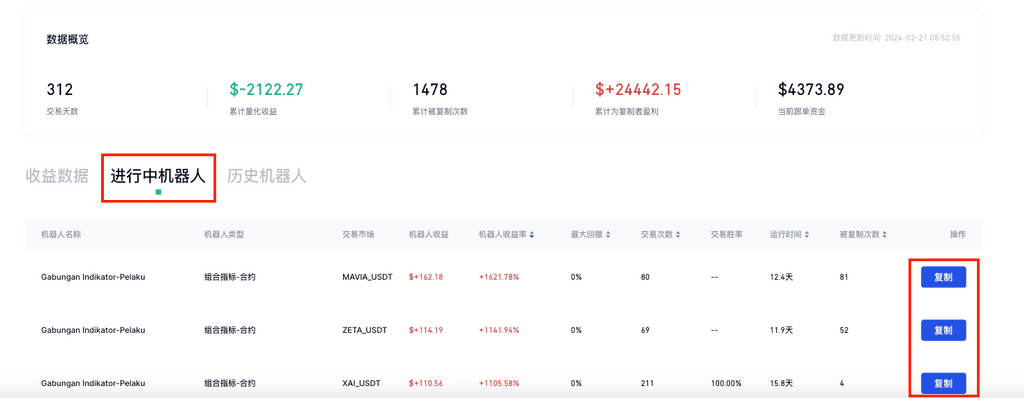
In “My Follows,” you can view and copy bots or users you’re following to use Gate’s trading bot feature. On the “Bot Square” homepage, go to My Bots, select My Follows, and then copy bots directly from the “Followed Bots” section.
On App:
1.3.4. Filter Top Bots
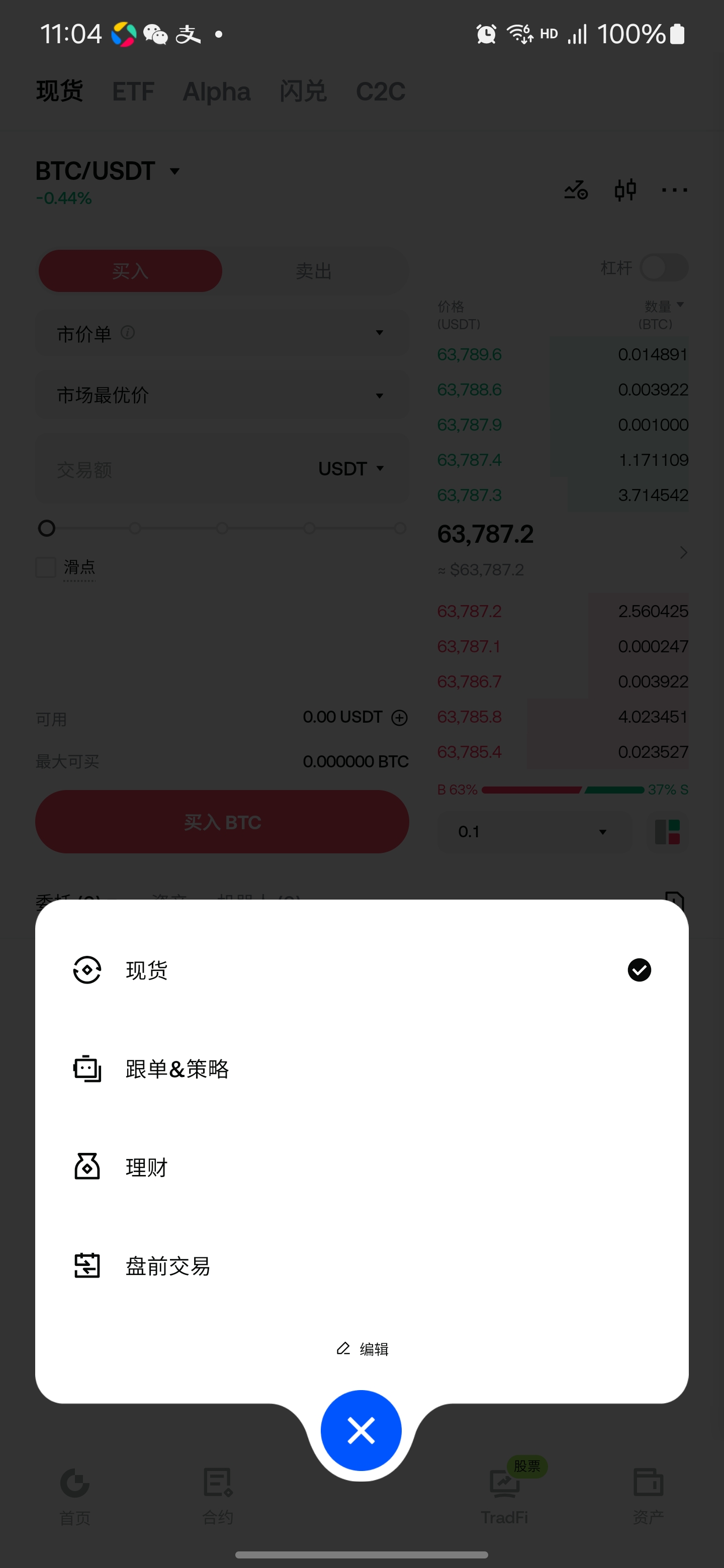
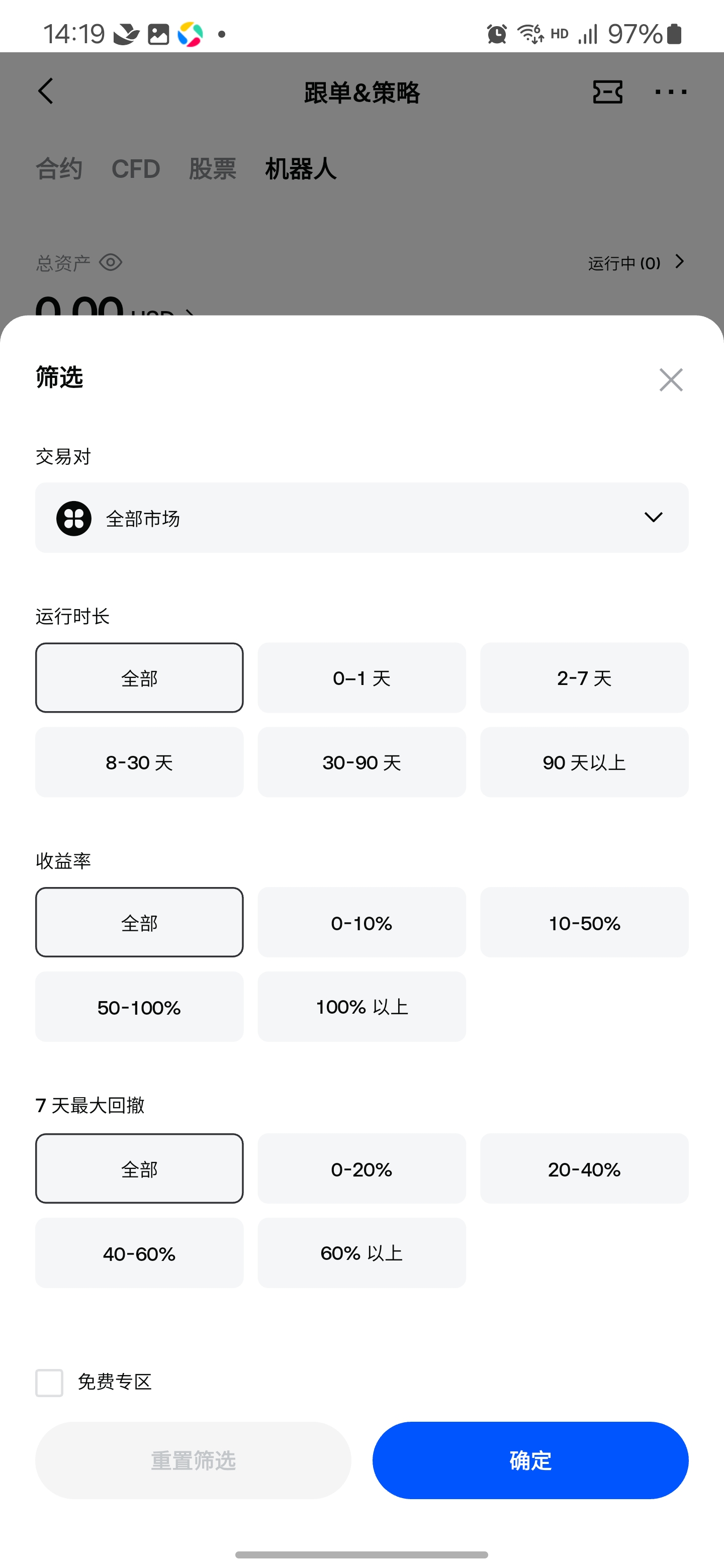
From the Copy Trading & Strategies section, go to the “Trading Bots” homepage. Under the “Bots” tab, tap the filter button to sort bots by market, running time, return rate, max drawdown, and more.
1.3.5. Comprehensive Sorting
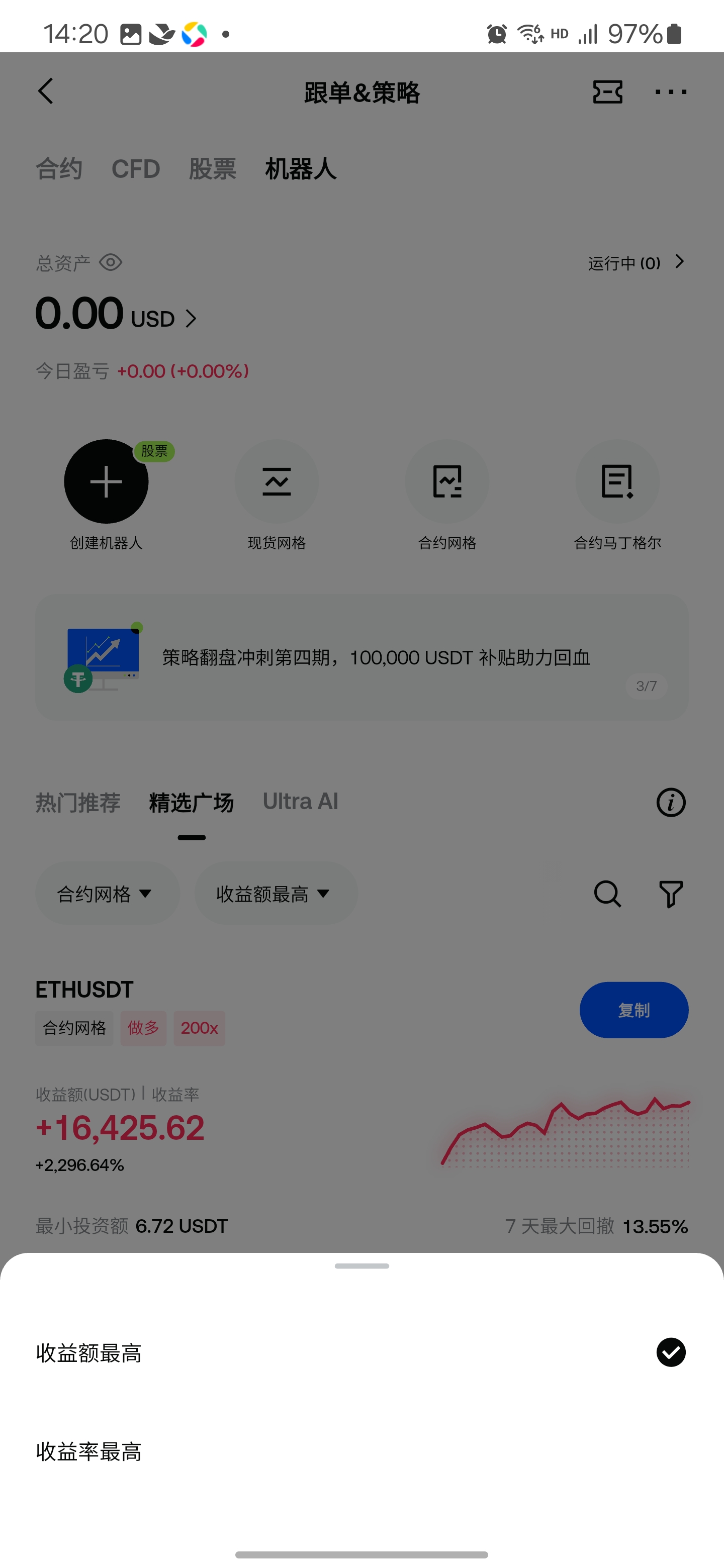
On the “Trading Bots” homepage, go to “Bot Square” and tap “Comprehensive Sorting” at the bottom. You can filter bots by highest return rate, highest profit, and other metrics to find bots to reference or copy.
1.4 How to Terminate a Bot
A newly copied bot is not linked to the original bot’s termination. When the original creator ends their bot, an app notification and in-site message will be sent to users who copied it. The copied bot will not terminate automatically—you must decide when to terminate it yourself.
Web instructions:
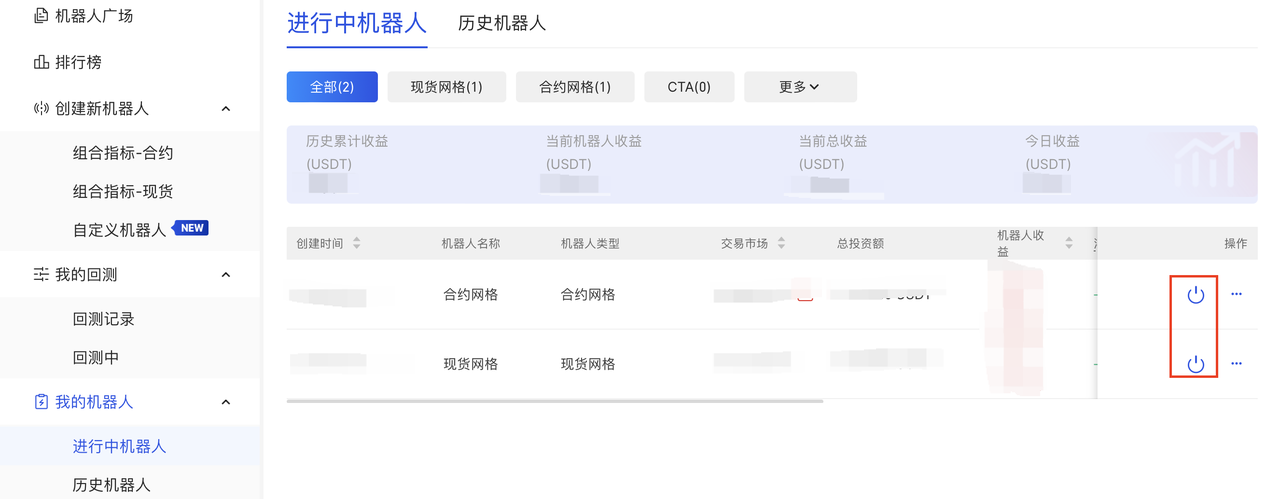
Go to the Trading Bots homepage – click “My Bots” – view “Active Bots” – click the icon on the right to terminate the bot.

App Instructions:
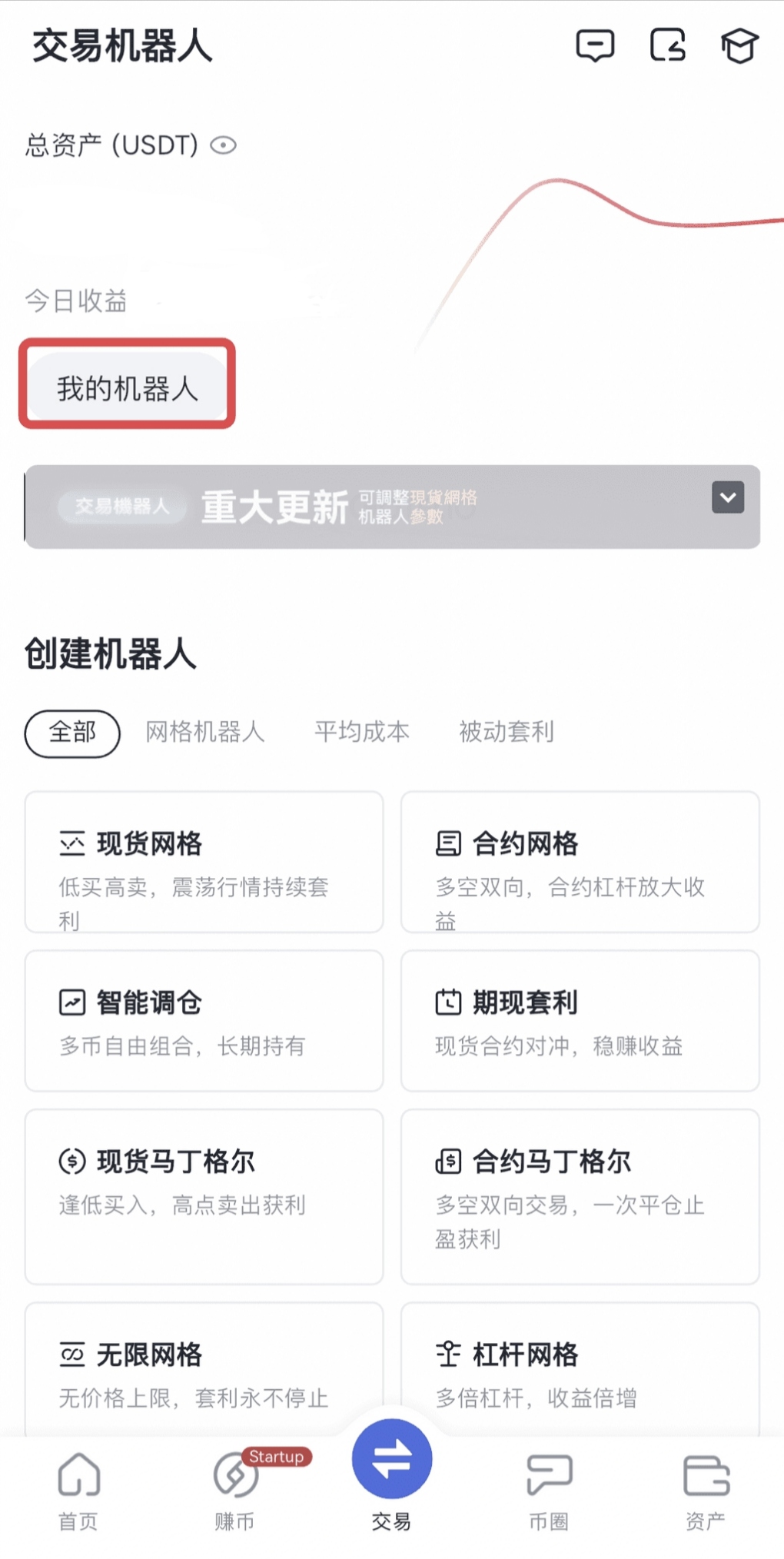
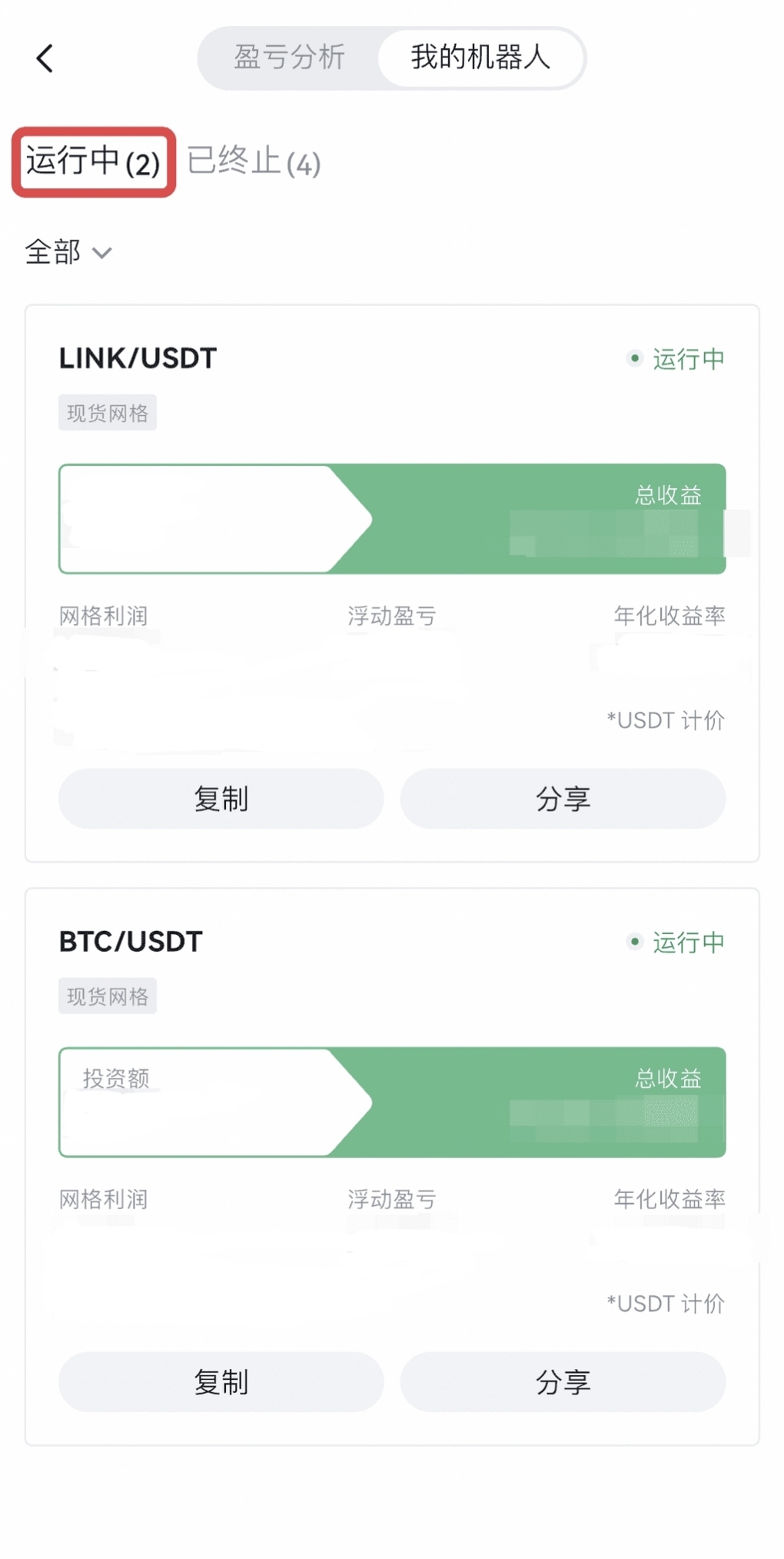
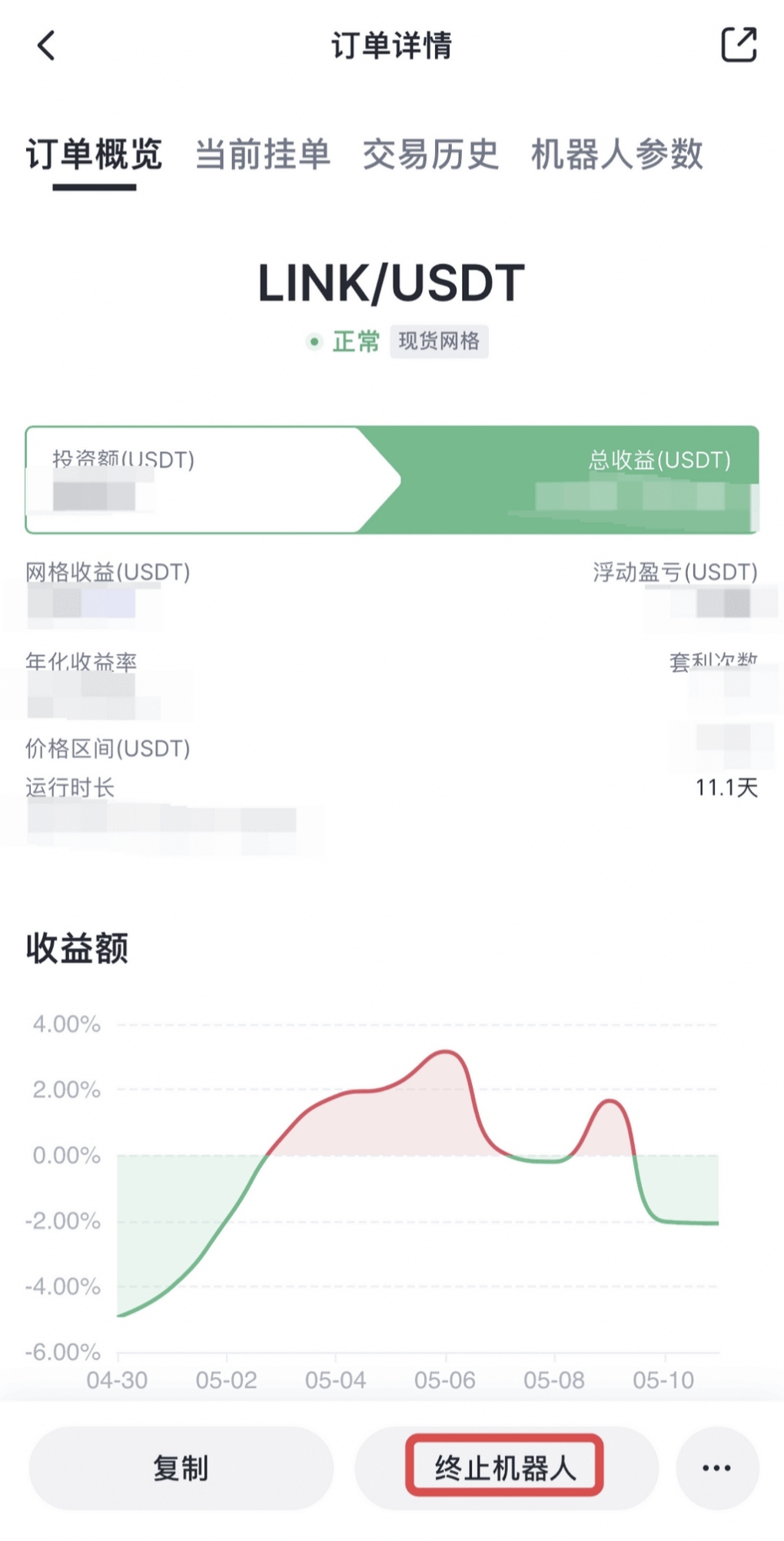
Go to the Trading Bots homepage – tap “My Bots” – “My Bots” – “Running” – tap “Terminate Bot” to end the bot.
2. How to Share Your Bot
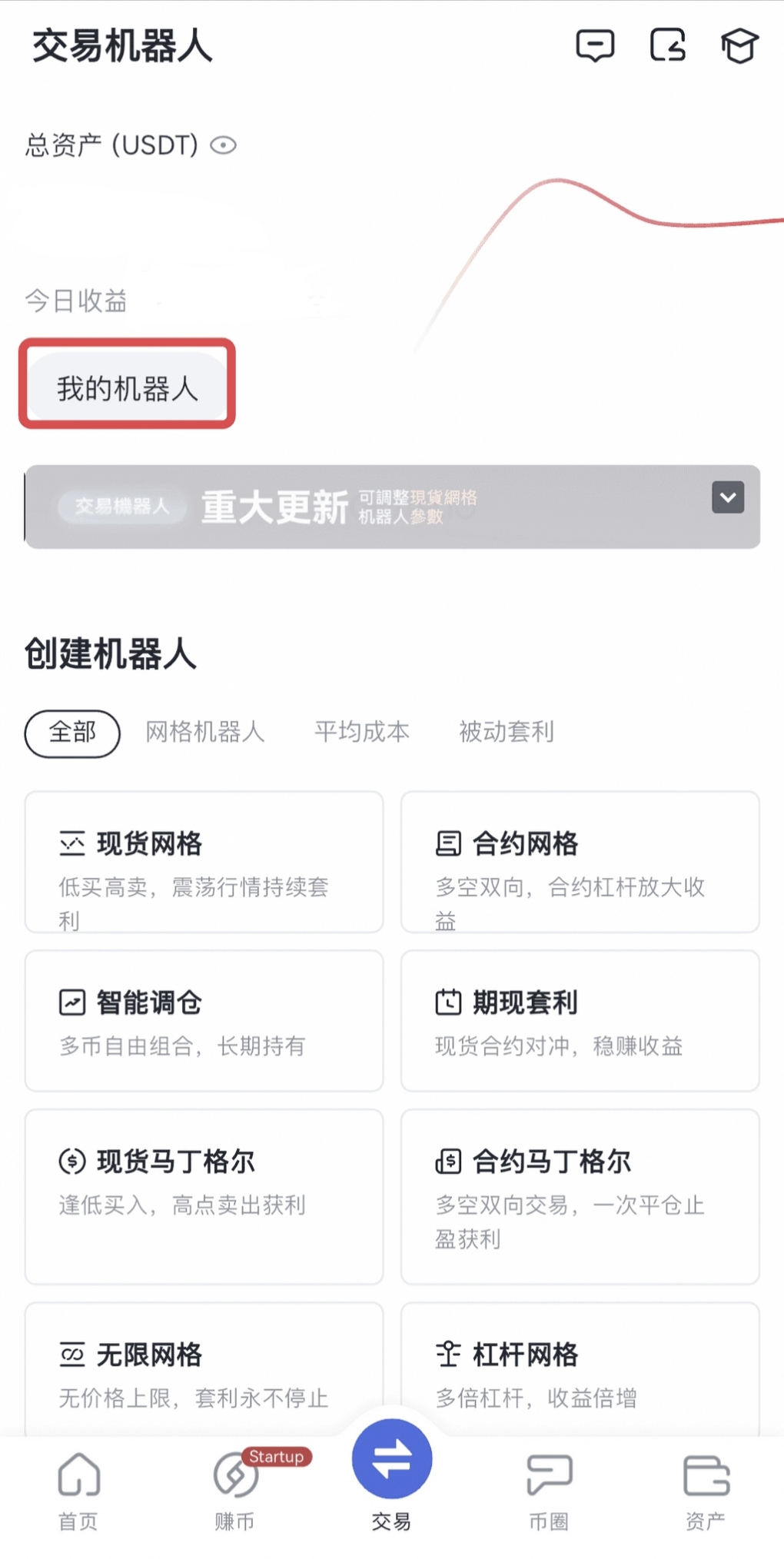
2.1. How to View My Bots
On Web
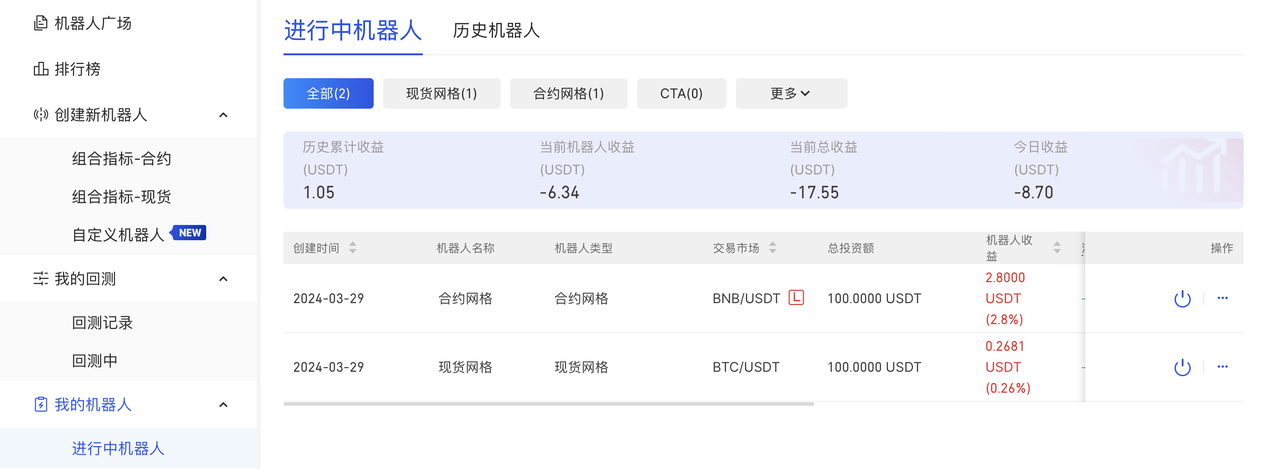
Go to the bot homepage – check “My Bots” to view both active and historical bots.

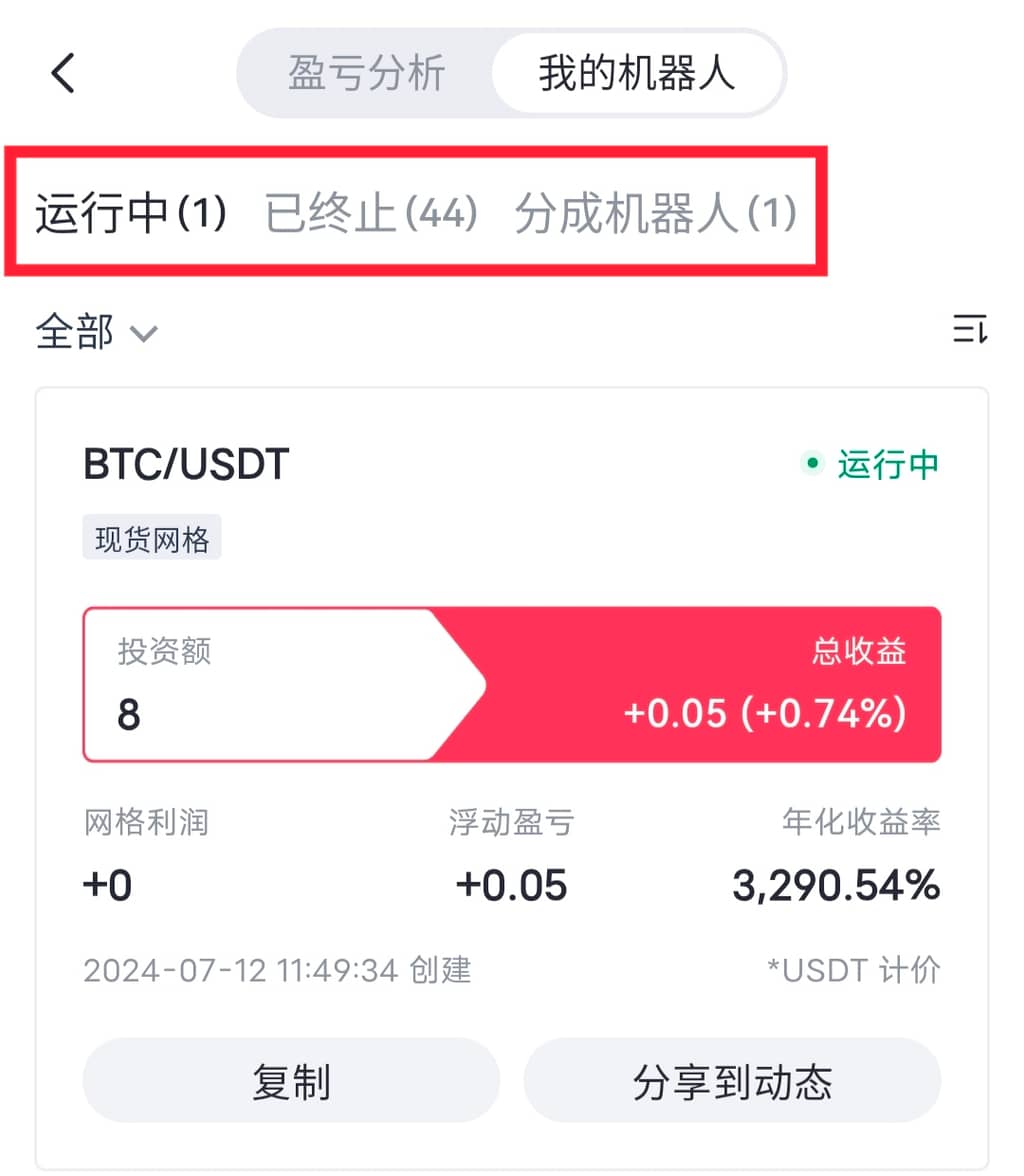
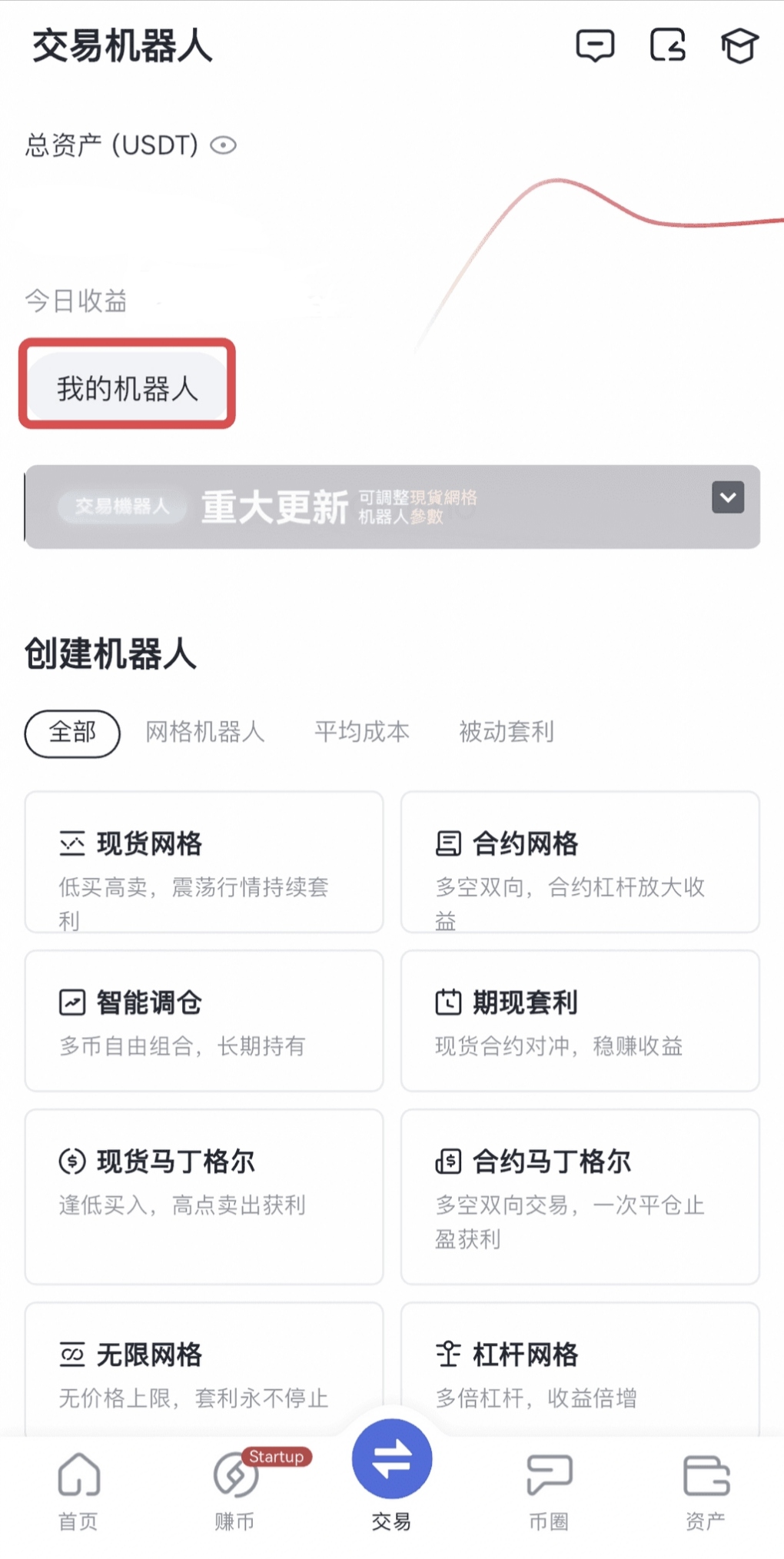
On App:
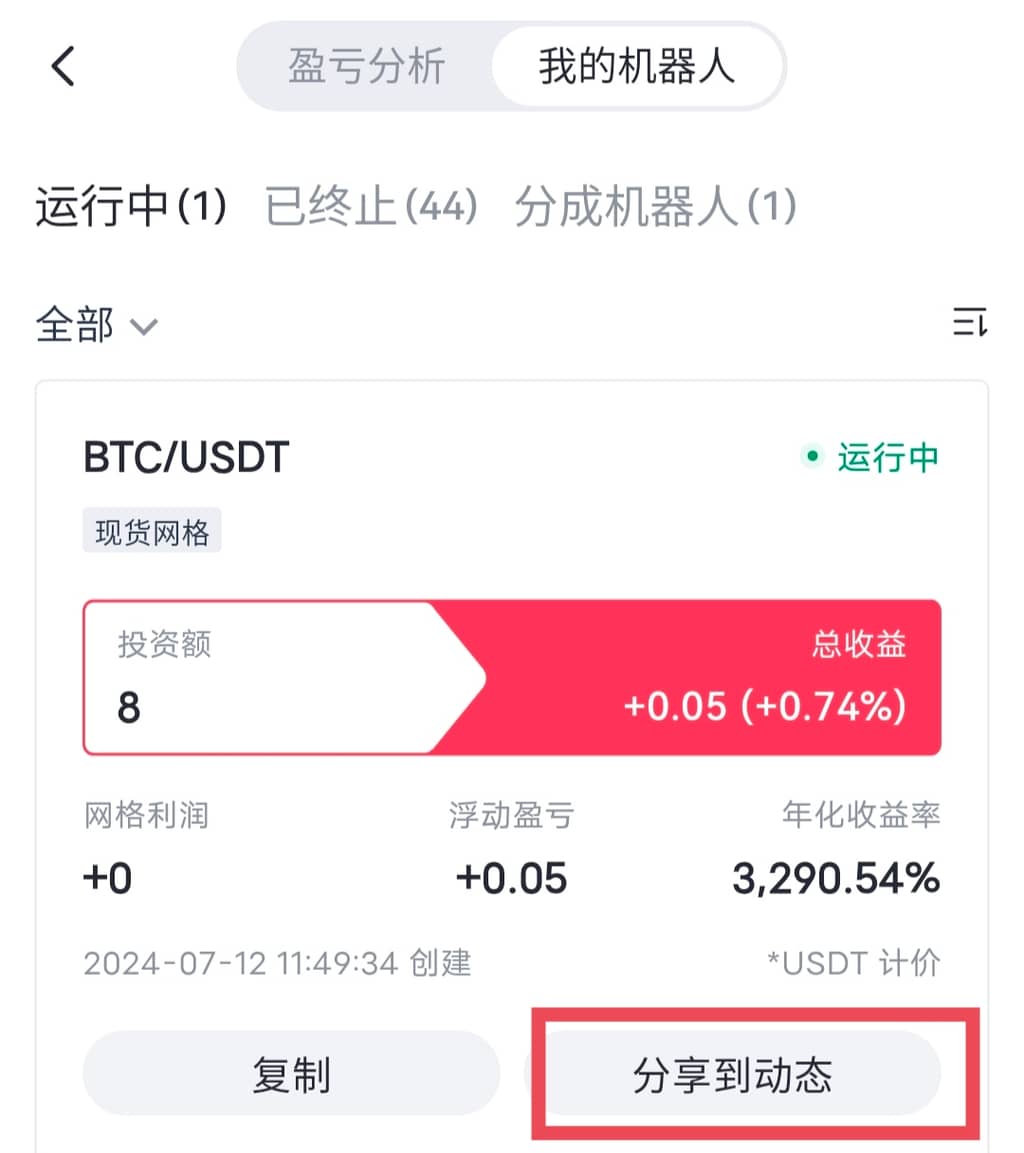
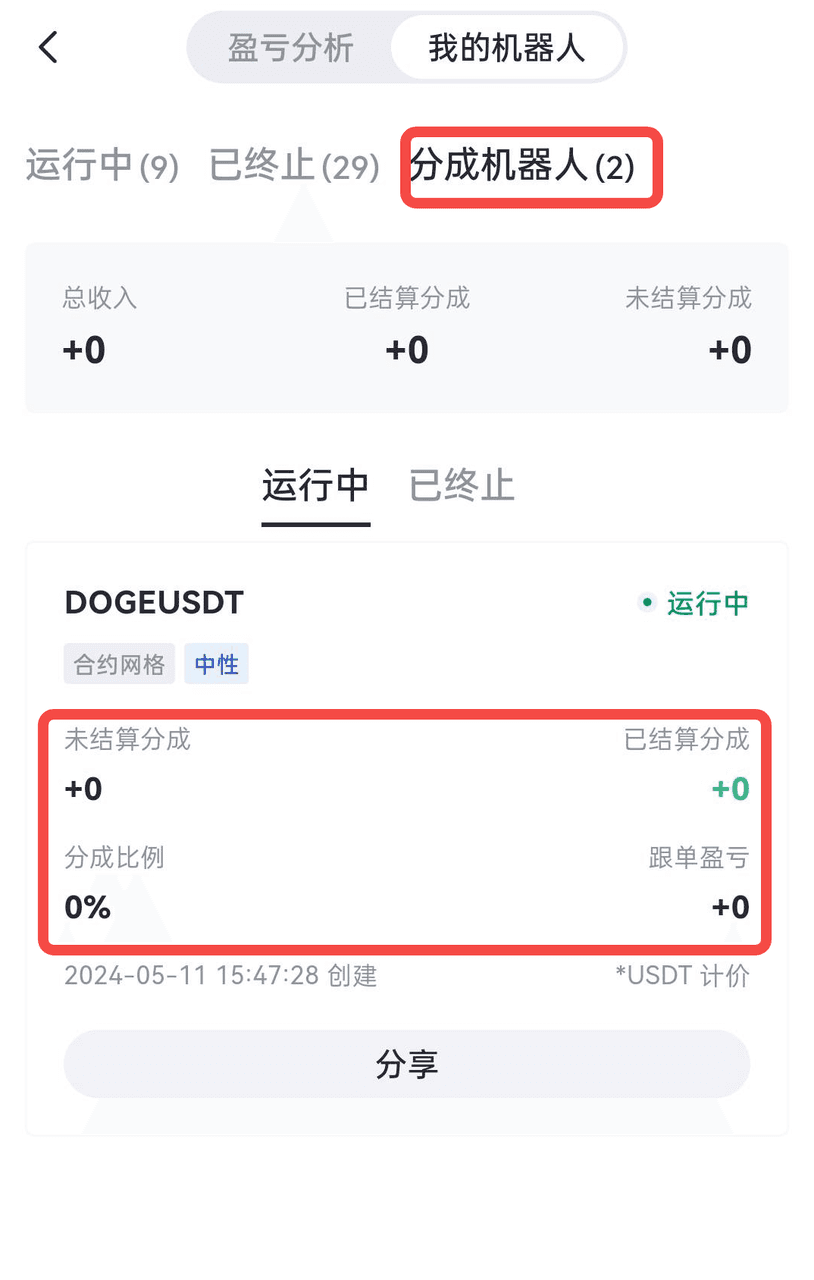
Go to the bot homepage – tap “My Bots” to view running/terminated/profit-sharing bots.
2.2. How to Share My Bot
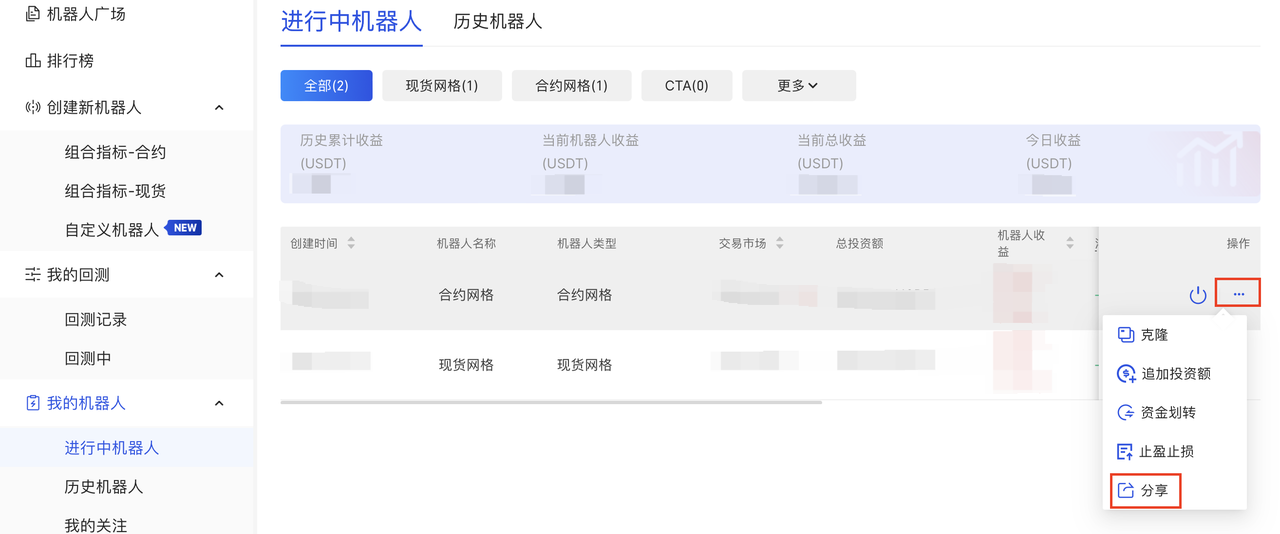
On Web
Go to the bot homepage – check “My Bots” – select “Active/Historical Bots” – click the ellipsis icon on the right – select “Share” to share a bot you created or copied.

On App
Go to the bot homepage – tap “My Bots” – select “Active/Terminated/Profit-Sharing Bots” – tap “Share to Feed” to share a bot you created or copied.
3. How to View “My” Profit Sharing Records
On Web:
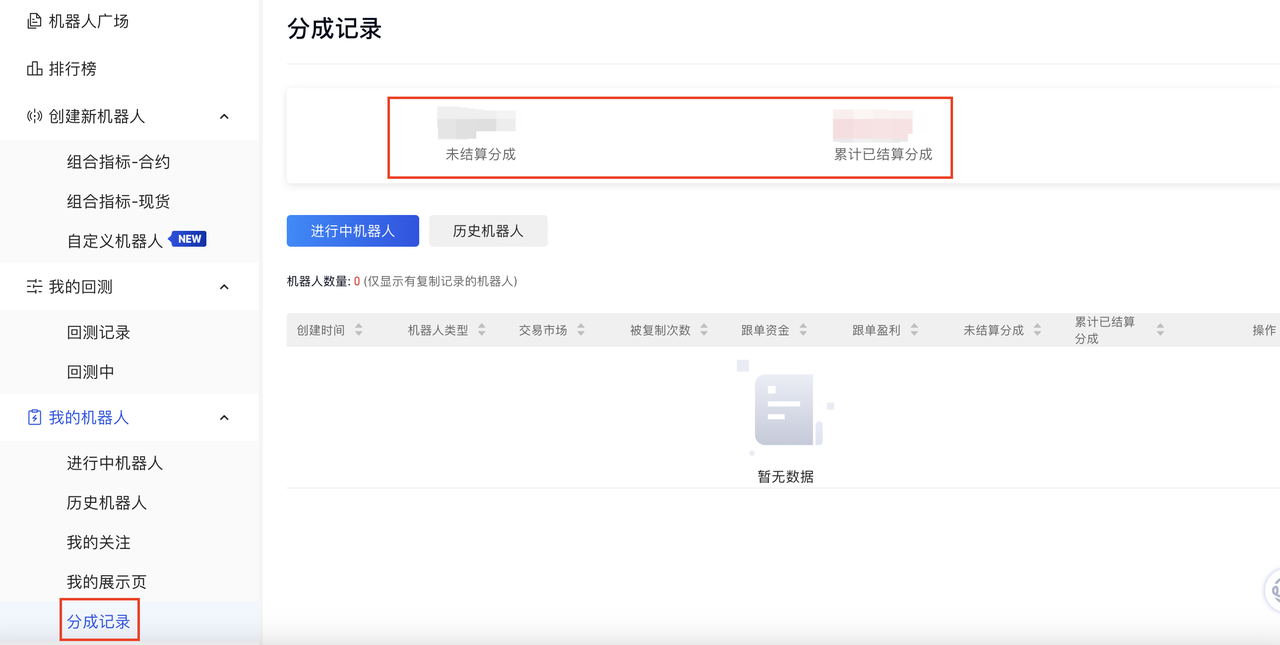
Go to the Trading Bots homepage – click “My Bots” – select “Profit Sharing Records” to view your records.
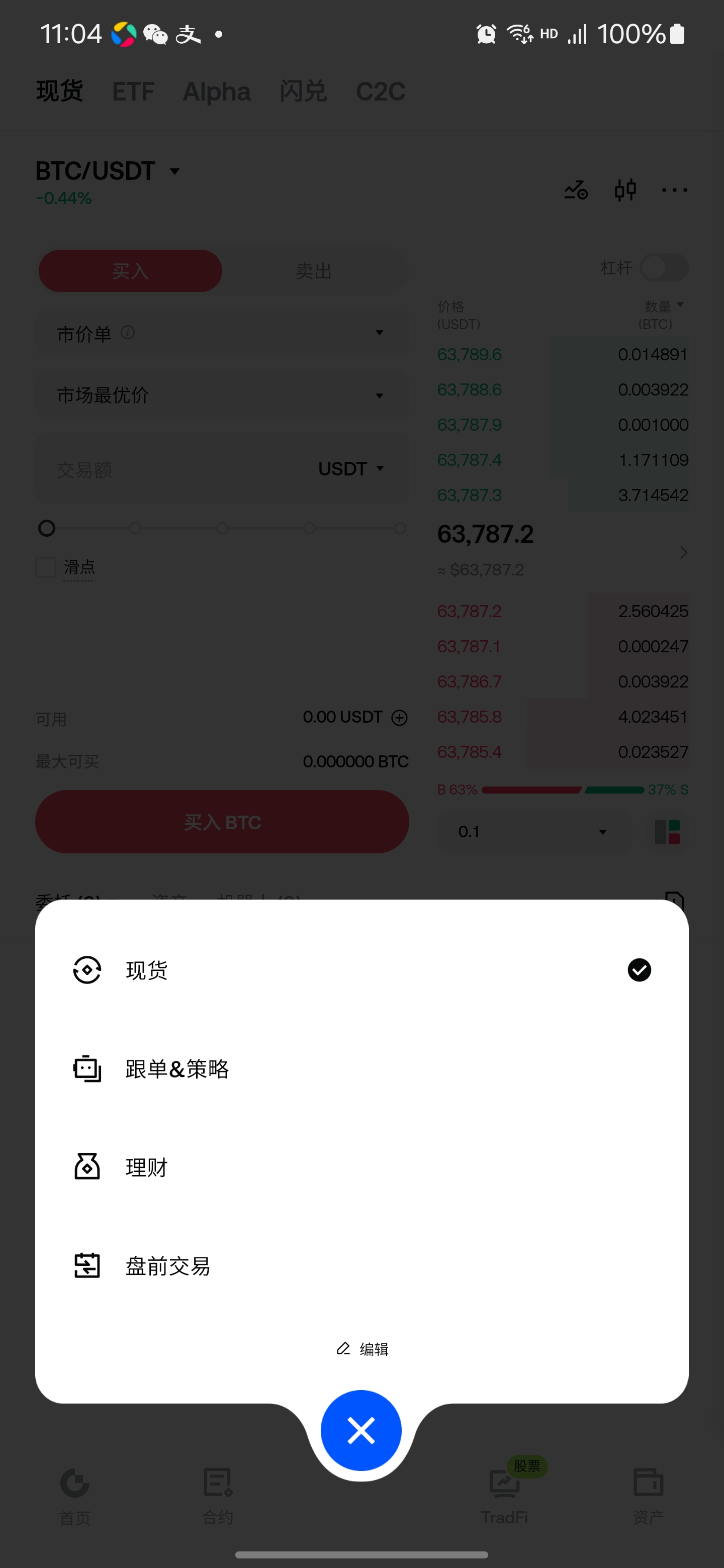
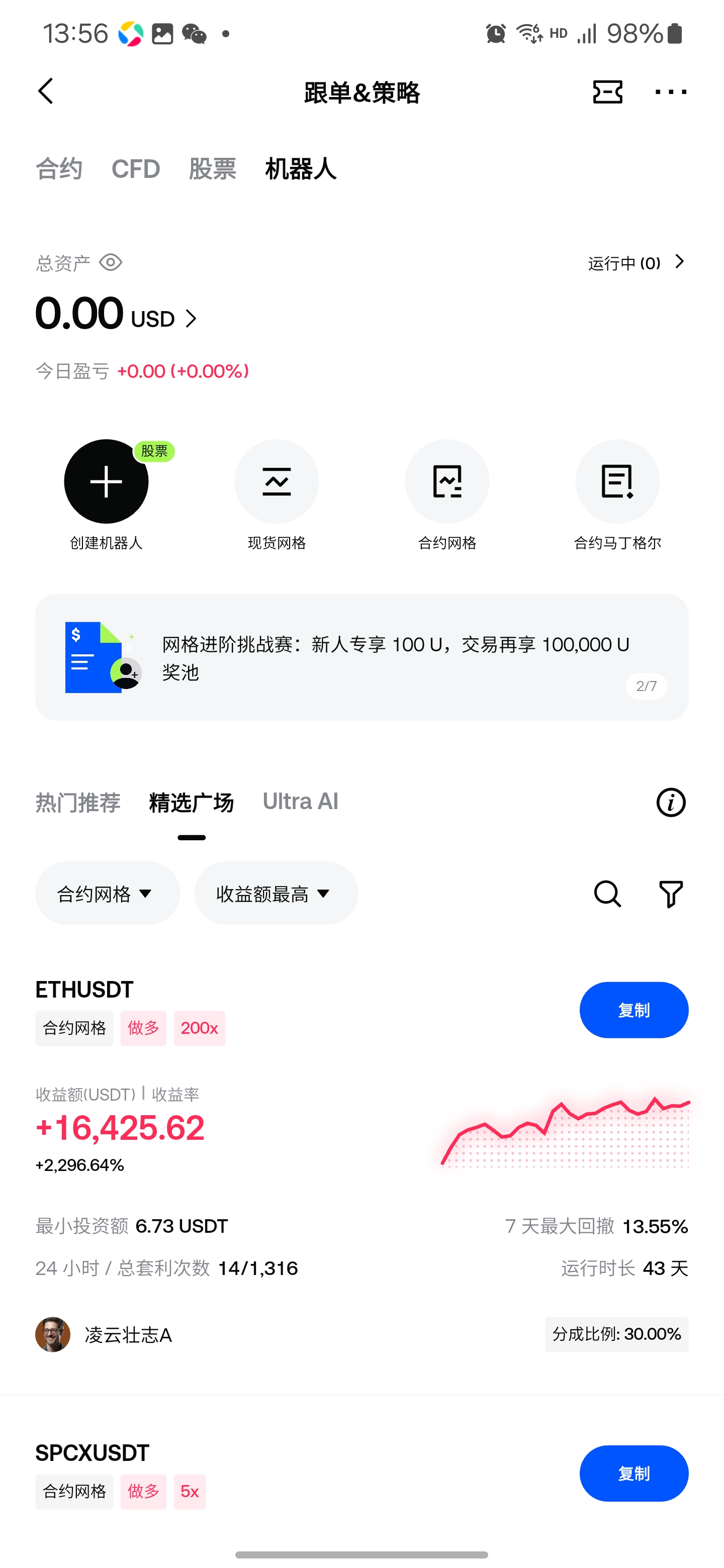
On App: Copy Trading & Strategies – Bots – My Bots – Profit Sharing Bots
Disclaimer
The content provided herein is for reference and educational purposes only and does not constitute any financial, investment, trading, or legal advice, nor does it constitute an offer or solicitation to buy or sell any digital assets. Gate makes no express or implied representations or warranties regarding the accuracy, completeness, or timeliness of the information contained herein. Product features, interfaces, rules, and fee structures may be updated or adjusted at any time. Please refer to the latest announcements and the actual information displayed on the Gate platform for the most accurate details.
Digital asset investments involve significant risk, and prices may fluctuate substantially. You may lose the entire amount of your investment. Please make decisions cautiously based on your own financial situation and risk tolerance after fully understanding the associated risks. If necessary, you are advised to consult an independent professional financial or legal advisor.
For more information about potential risks, please refer to Gate's Risk Disclosure and User Agreement.
