


Gate AI Strategies
Gate AI Strategies is Gate's all-in-one AI-powered quantitative strategy tool. Whether you're a beginner with trading ideas but no coding skills, or an advanced user aiming to enhance your strategy's performance, Gate AI Strategies guides you through the complete journey from “idea” to “live trading.”
Five Core Capabilities Covering the Entire Strategy Lifecycle:
- Strategy Creation: Describe your trading ideas in natural language, and AI will automatically generate executable strategy code—no programming experience required.
- Code Optimization: Upload your existing strategies and let AI automatically diagnose logic flaws and optimize parameter settings for more stable performance.
- Backtesting Analysis: Validate your strategy’s performance using historical market data, with intuitive displays of key metrics like win rate, Sharpe ratio, and maximum drawdown.
- Paper Trading: Connect to a virtual trading environment for risk-free, real-time strategy validation in actual market conditions before deciding to go live.
- Live Trading: Once your strategy passes validation, connect to your real account with one click for fully automated trading—no more manual monitoring.
How to Use Gate AI Strategies
-
Gate AI Strategy Assistant
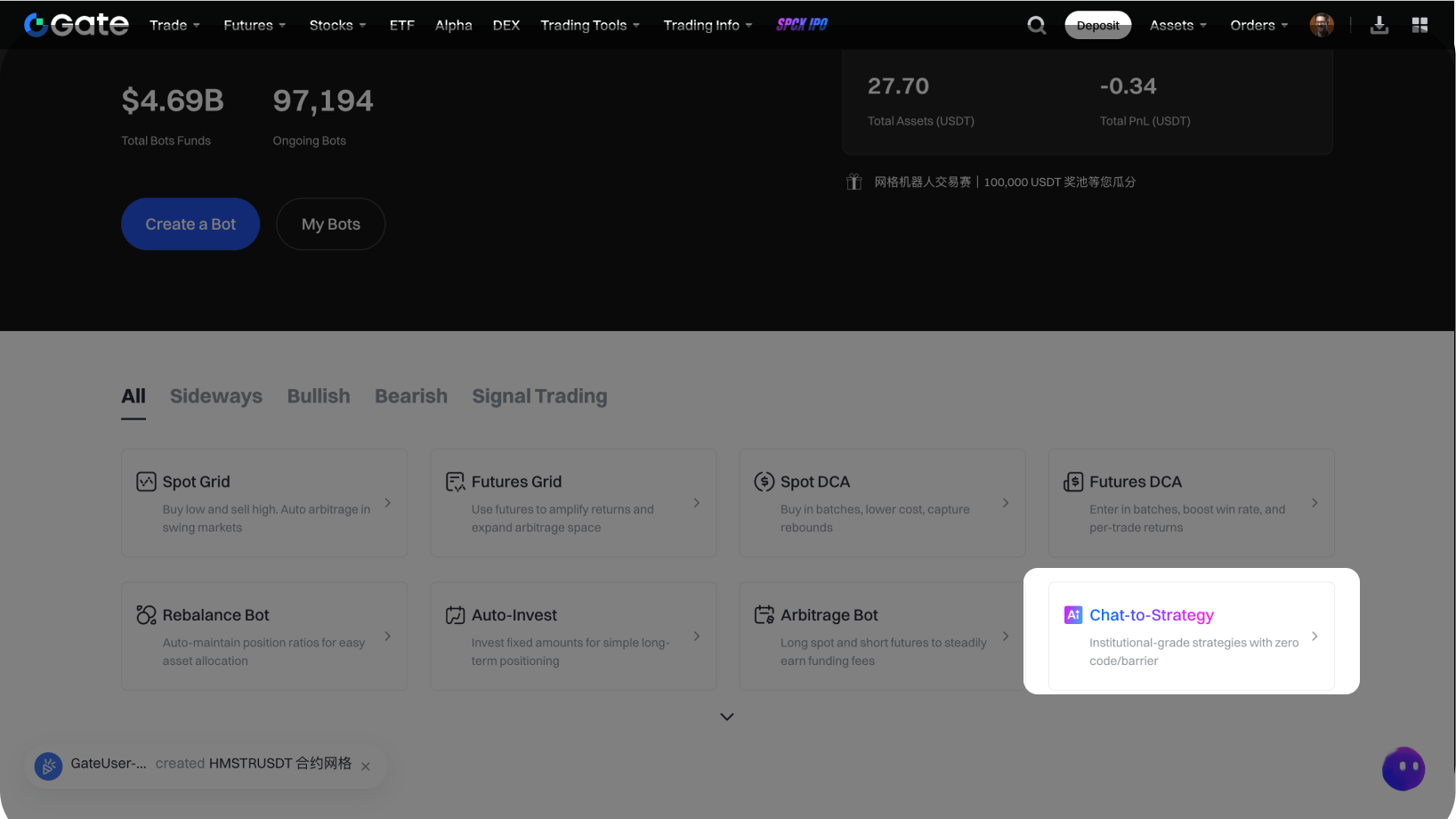
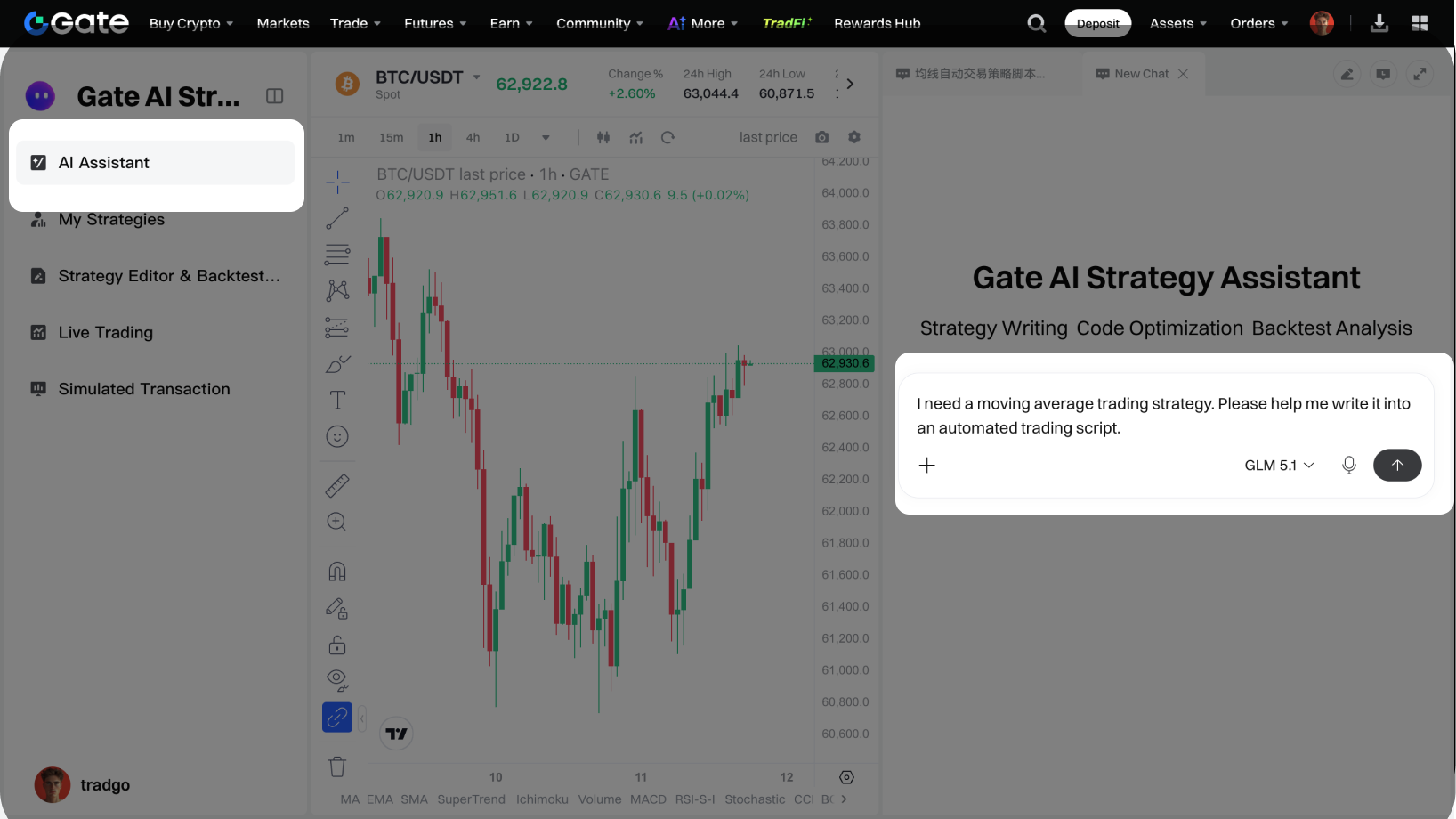
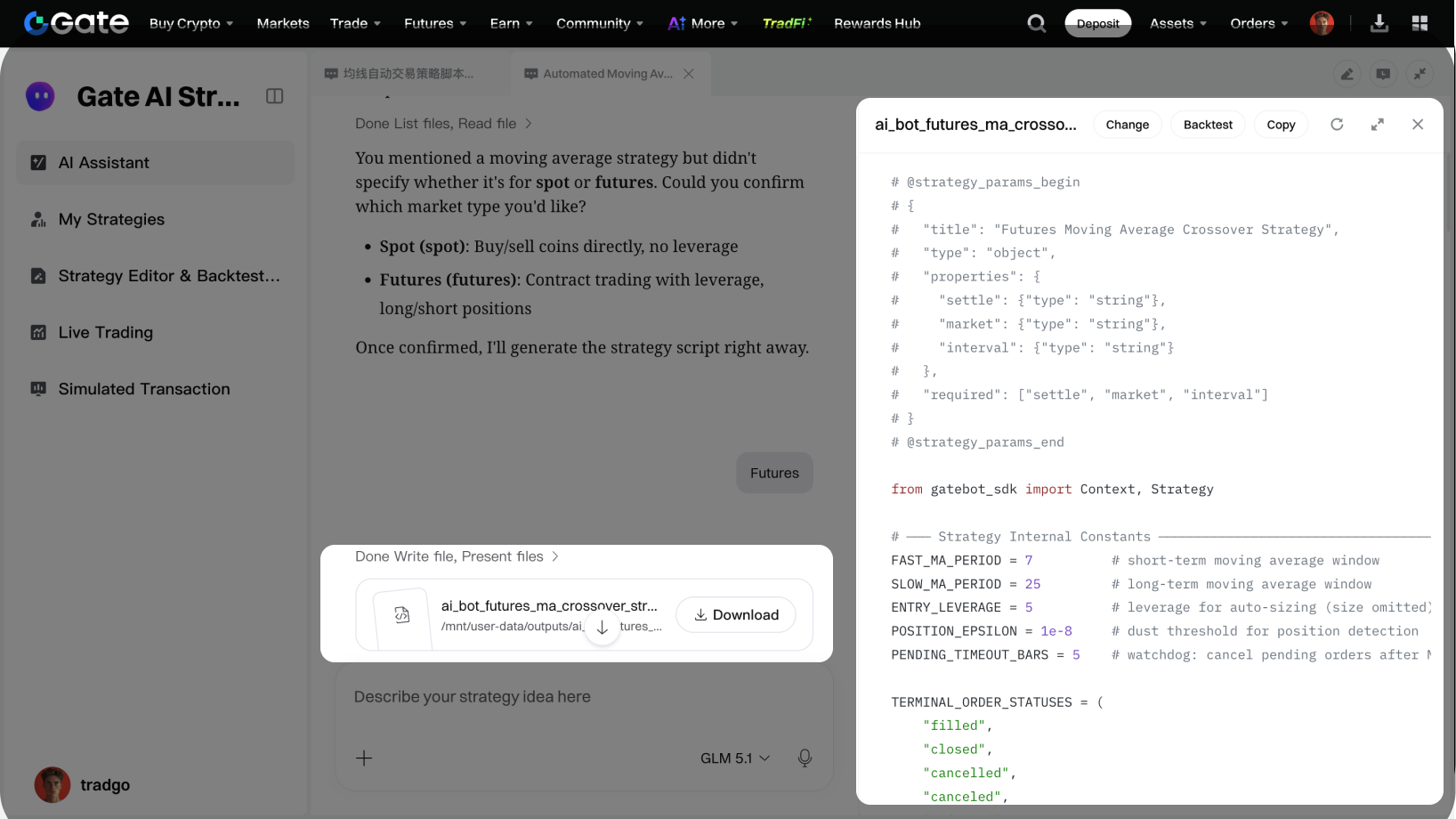
On the web, go to Gate’s official site – Trading Bots, and click on [Chat-to-Strategy].In the chat box, simply describe your trading idea in natural language. The AI will automatically generate executable strategy code. For example: “I need a moving average trading strategy. Please help me write this strategy as an auto-executable script.”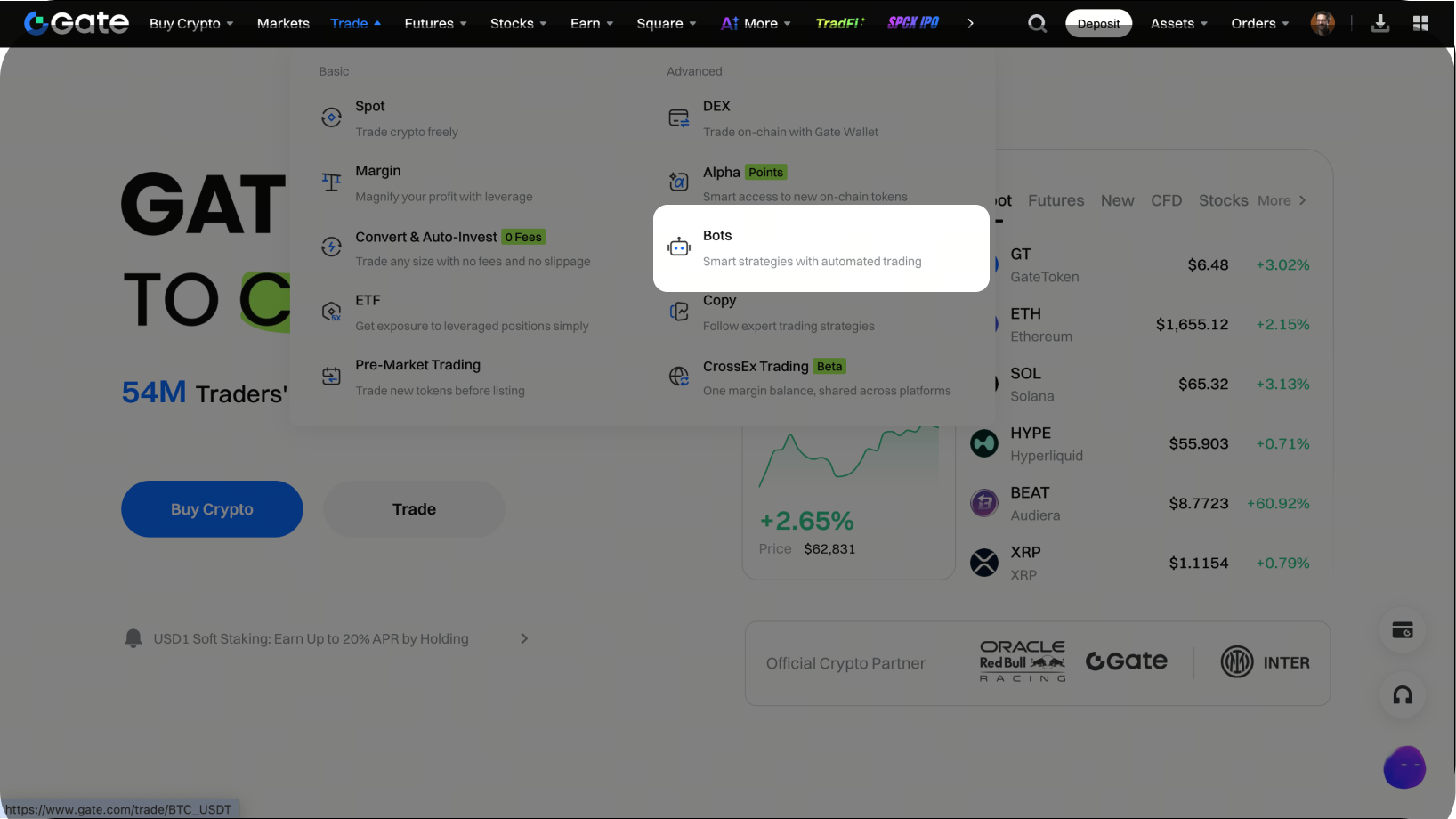
-
Strategy Editing and Backtesting
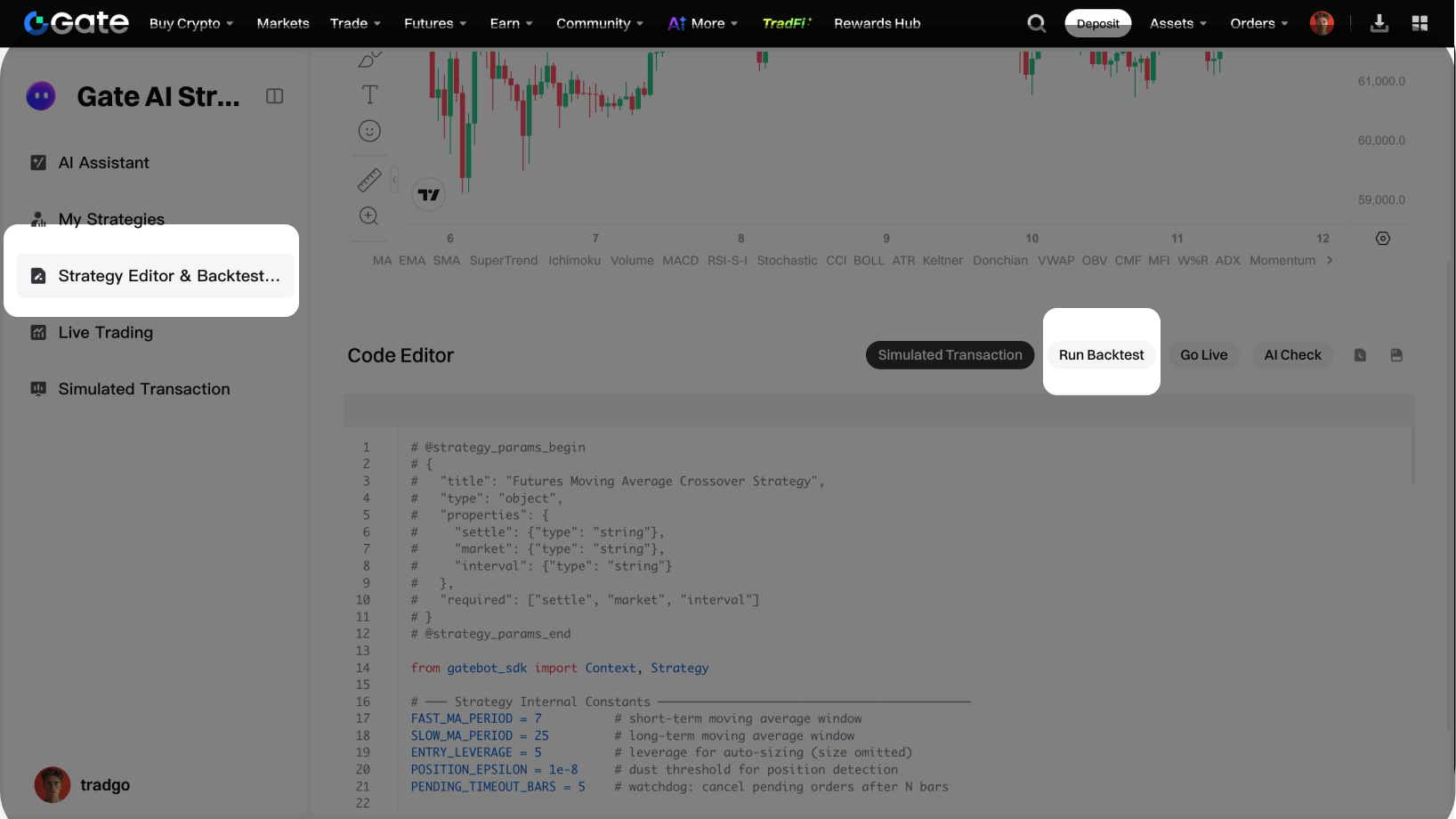
Click [Change] in the AI-generated strategy code to bring the code into the strategy editing page for further modifications.Once your code is ready, click **[Run Backtest]** to backtest the code. On the backtesting page, you can view the backtest performance data and code backtest logs.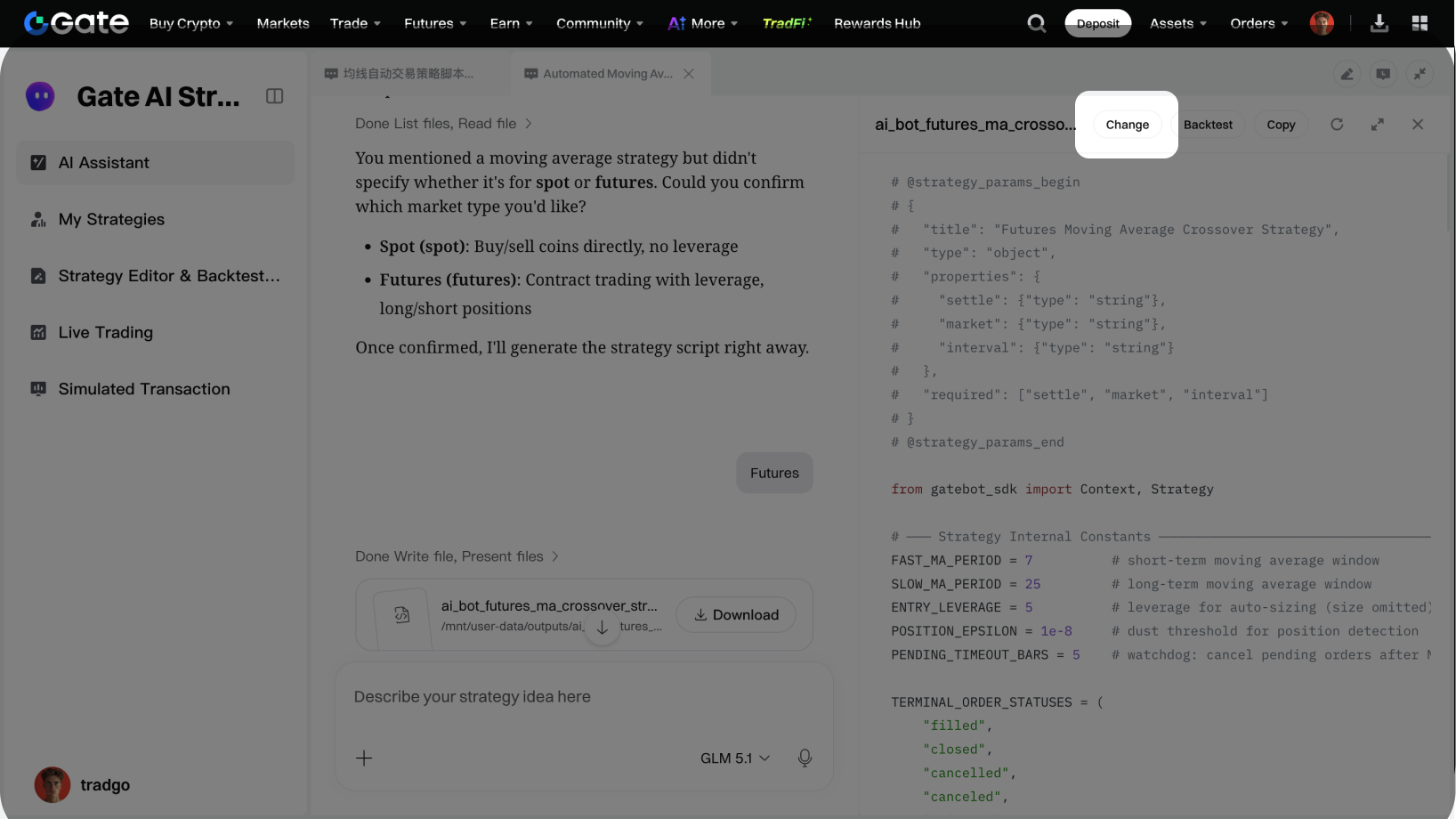
-
Running Strategies Live
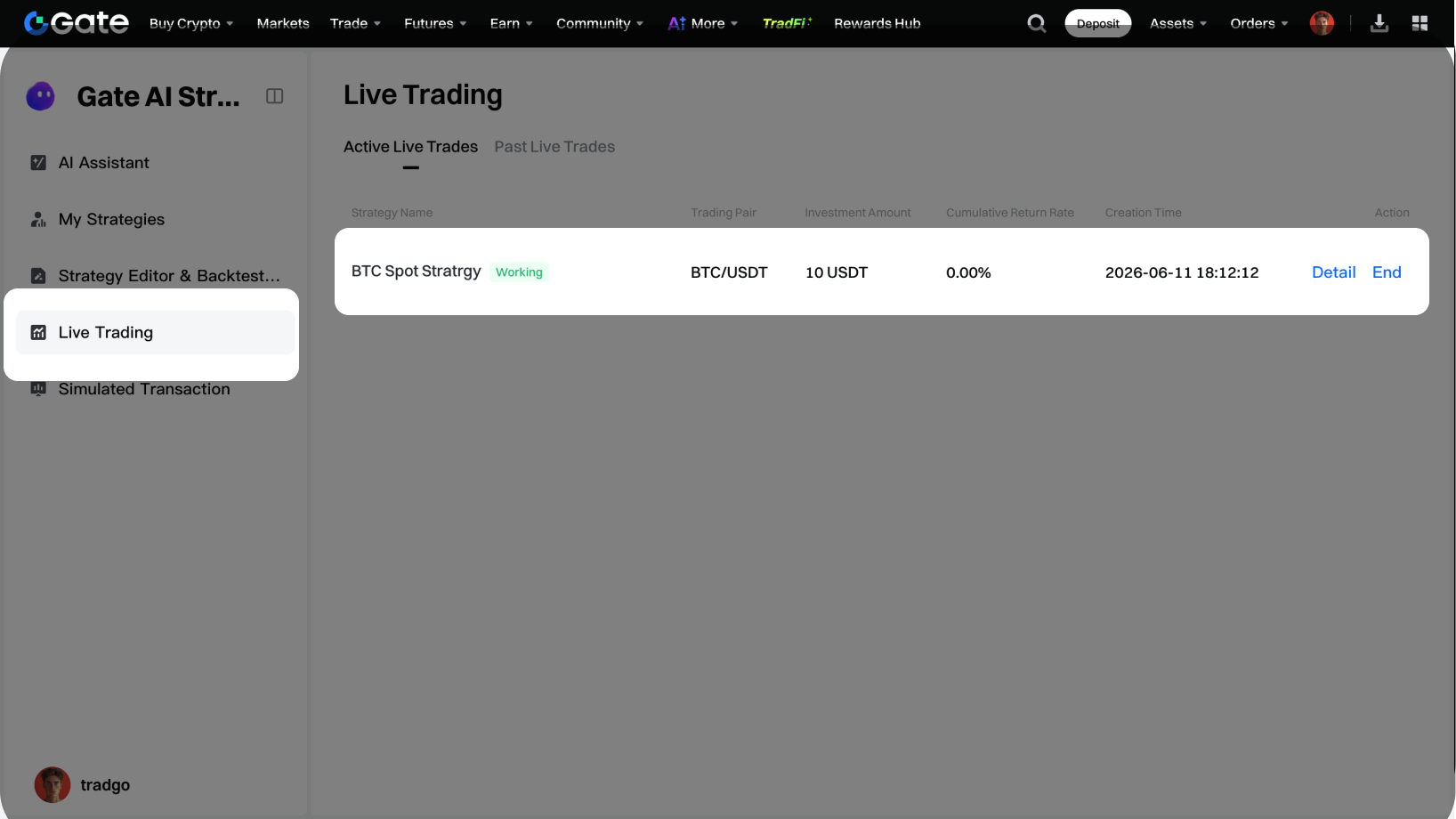
After your strategy code is ready, if you want to run it live, click [Go Live].You can view and manage your live trading strategies under “My Live Strategies.”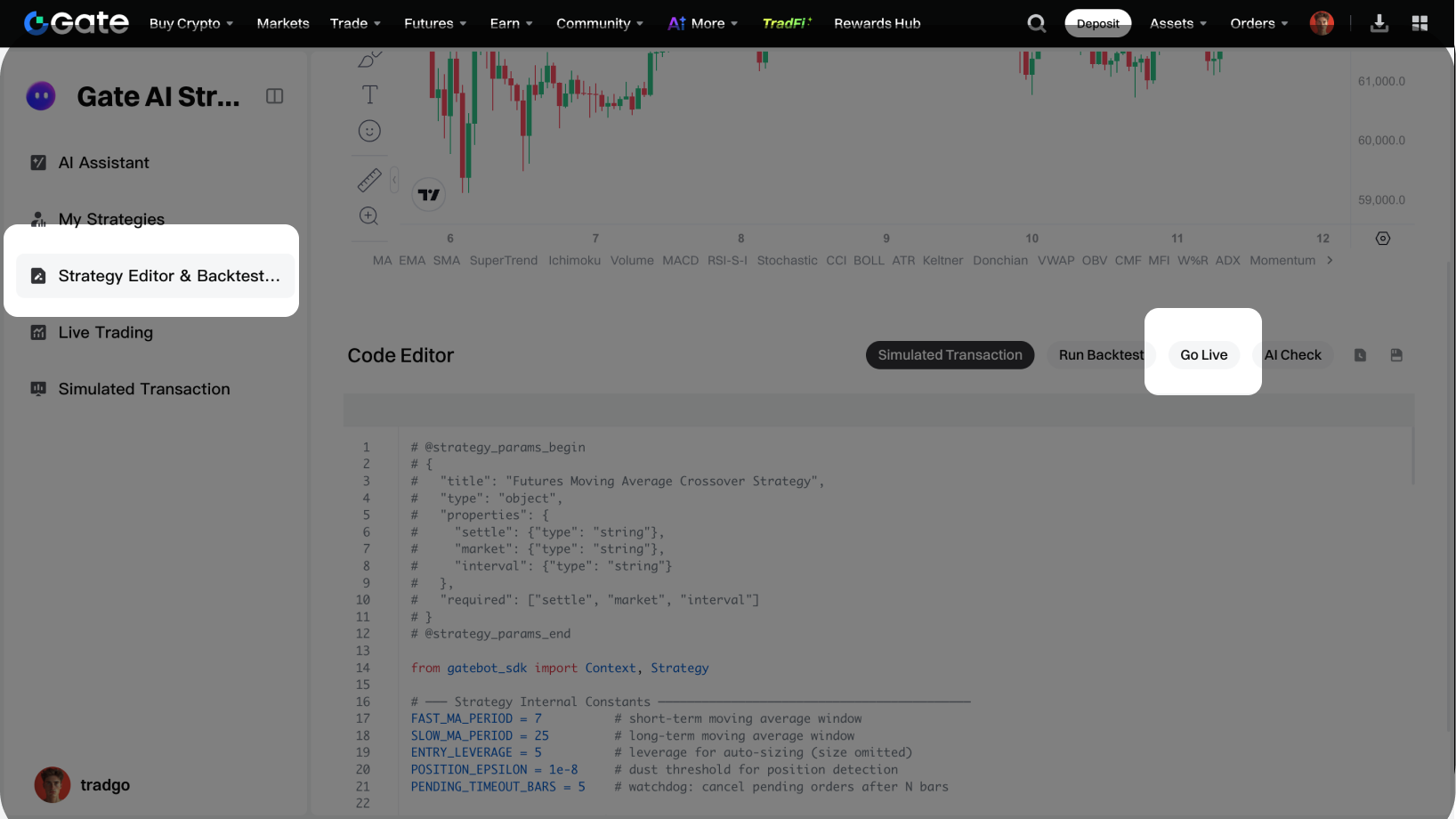
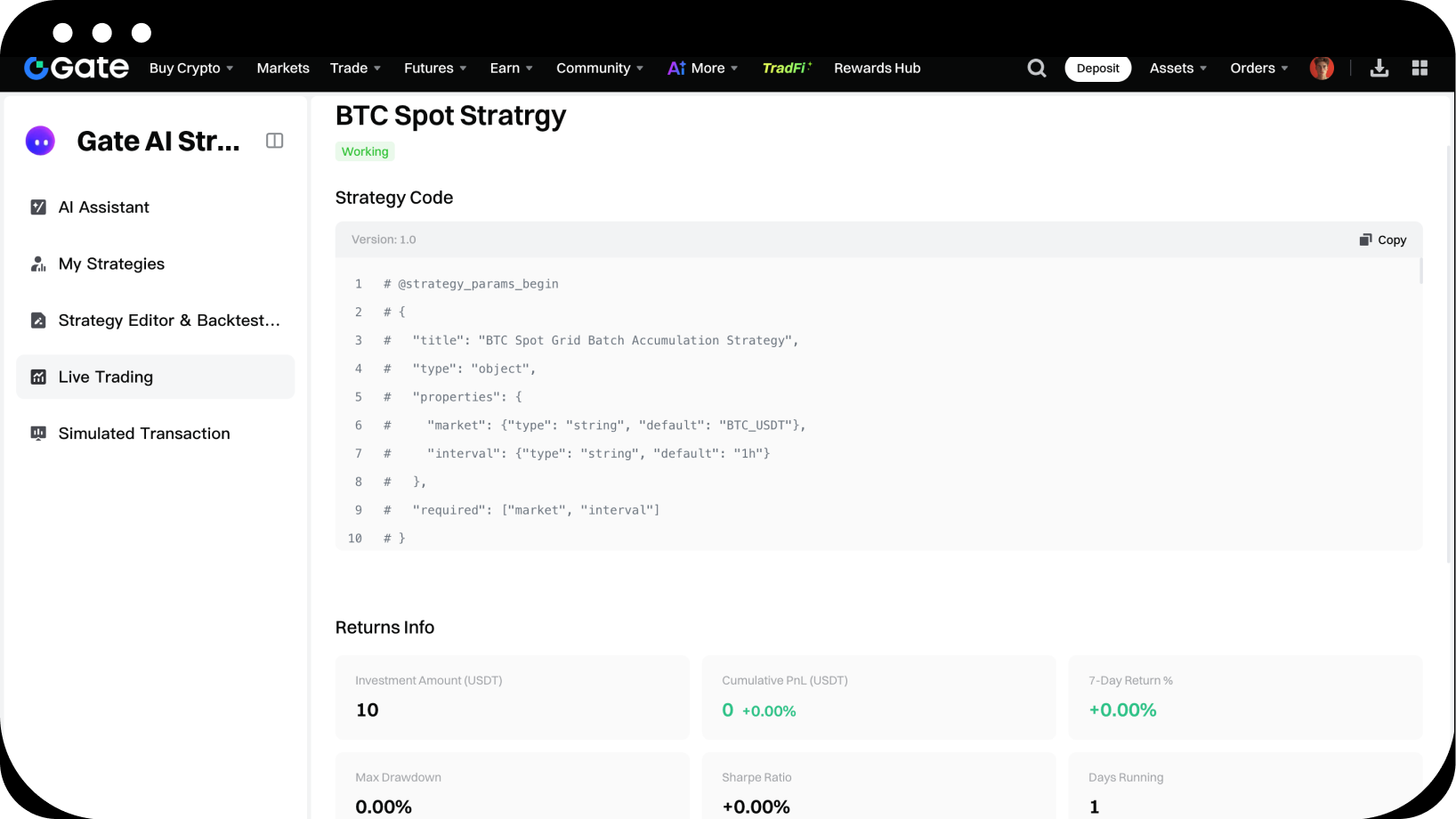
-
Paper Trading Strategies
If you want to run your strategy in a simulated environment, click [Simulated Transaction] to jump to the paper trading platform, then click [Run Simulation].
You can view and manage your simulated strategies within the paper trading platform.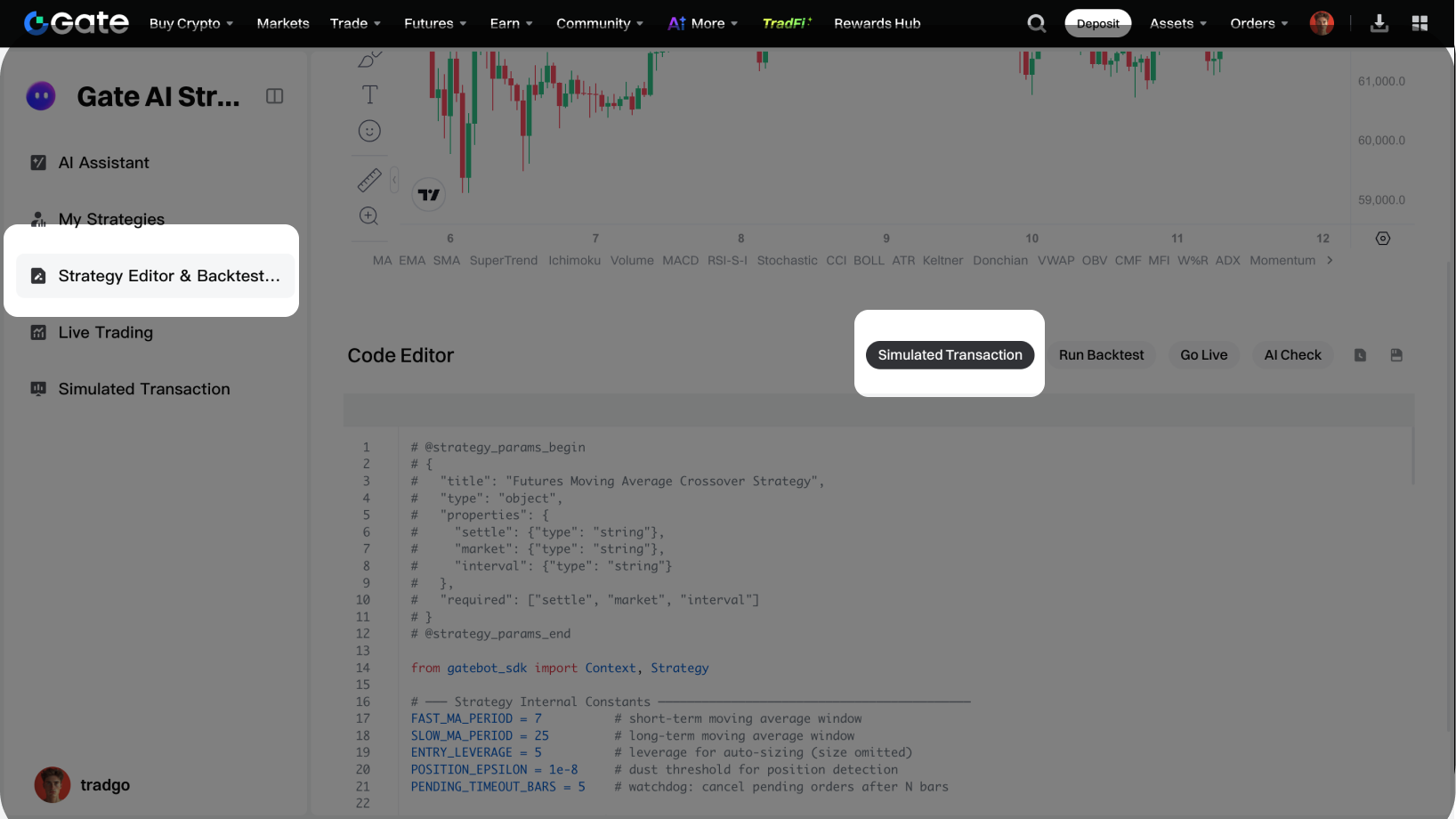
Disclaimer
The content provided herein is for reference and educational purposes only and does not constitute any financial, investment, trading, or legal advice, nor does it constitute an offer or solicitation to buy or sell any digital assets. Gate makes no express or implied representations or warranties regarding the accuracy, completeness, or timeliness of the information contained herein. Product features, interfaces, rules, and fee structures may be updated or adjusted at any time. Please refer to the latest announcements and the actual information displayed on the Gate platform for the most accurate details.
Digital asset investments involve significant risk, and prices may fluctuate substantially. You may lose the entire amount of your investment. Please make decisions cautiously based on your own financial situation and risk tolerance after fully understanding the associated risks. If necessary, you are advised to consult an independent professional financial or legal advisor.
For more information about potential risks, please refer to Gate's Risk Disclosure and User Agreement.
