Gate Web3 launches full suite referral program, covering Web3 DEX series product and Web3 Perps trading products.
Gate Web3 DEX users can earn commissions when trading on platforms like Swap (Web & App), Meme Go (Web), and Meme trading (App). Users can access 30% commission from referrees, every referee can access 20% self-earned commission.
All the commissions can be settled within 1 hour to users' account. This program aims to provide users with enhanced reward experiences and promote the sustainable development of the Web3 ecosystem.
Web3 DEX Commission
1. What is Web3 DEX Commission
Users of Gate Web3 can earn commissions when trading on platforms like Swap (Web & App), Meme Go (Web), and Meme trading (App).Perps and Web3 DEX use the same commission structure.
2. How to Bind a Referral Code
Method 1 – Auto-Binding via Referral Link
Affiliate referral link:Visit the Gate Web3 landing page via the referral link.
Regular user referral link:
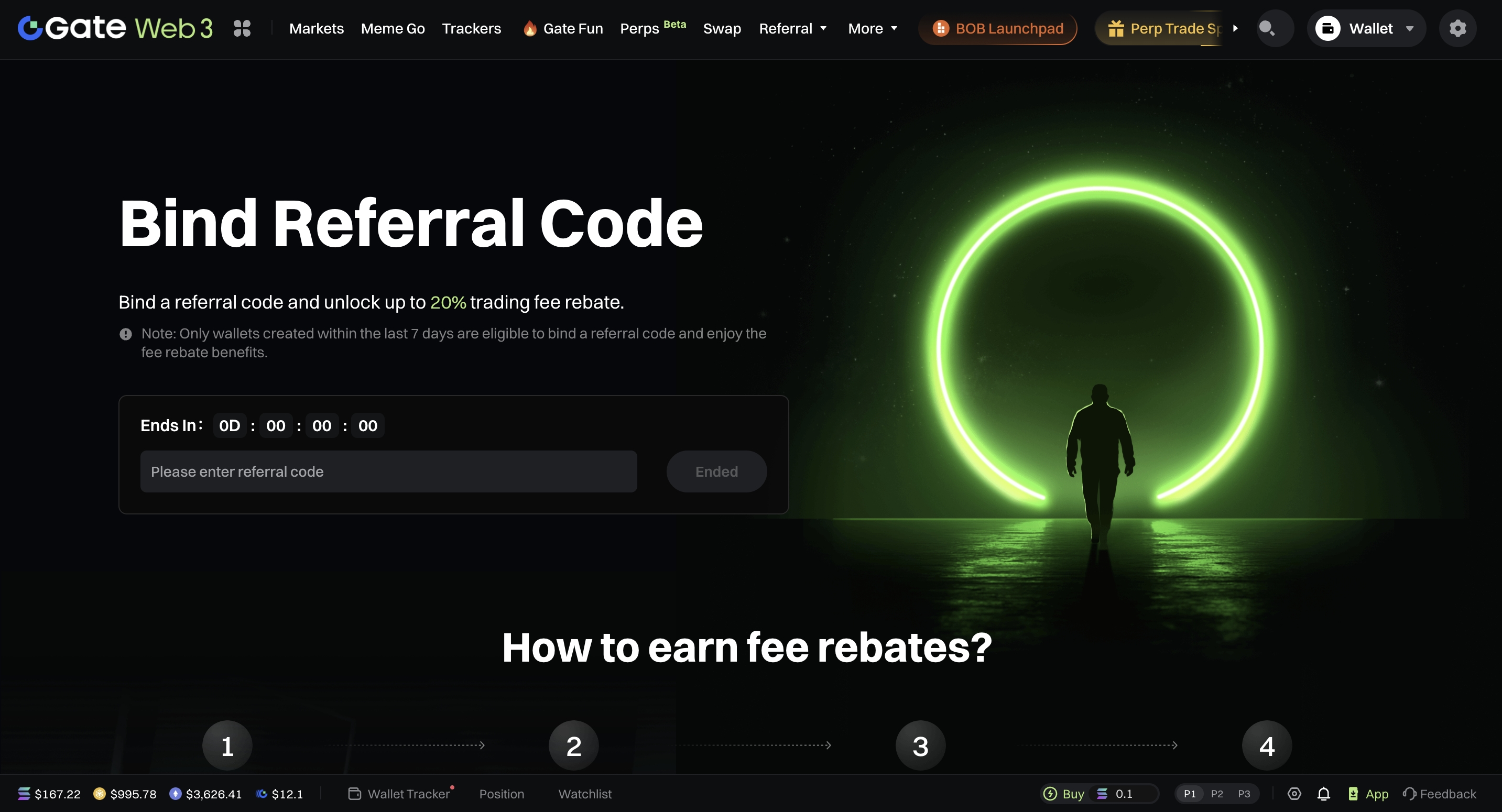
Web
- Click [Join Now] to go to the referral code binding page.

- For new users, the system automatically detects and binds the referral code included in the link.
App
- Tap [Go Bind] to open the binding page.
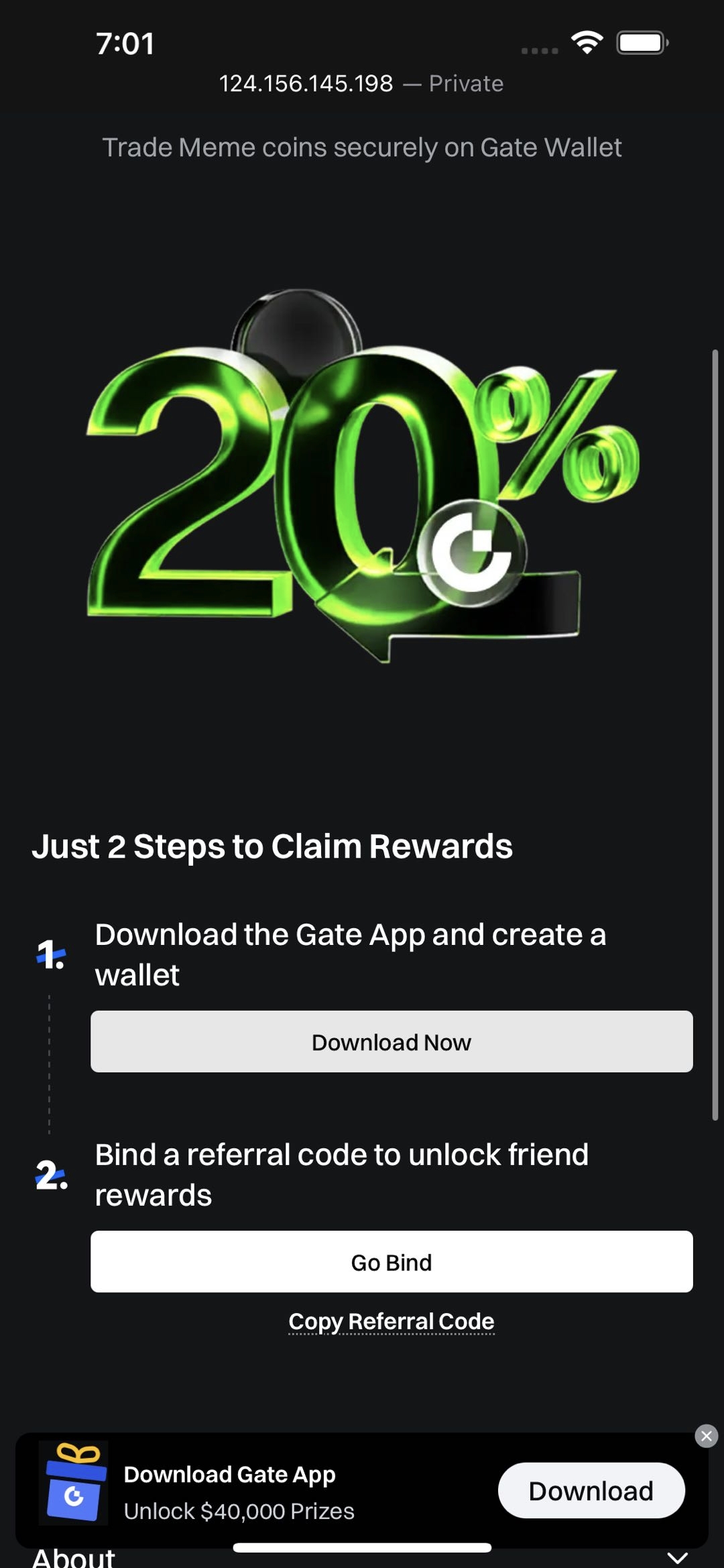
- The referral code from the link will automatically fill into the input box. The user only needs to confirm binding.
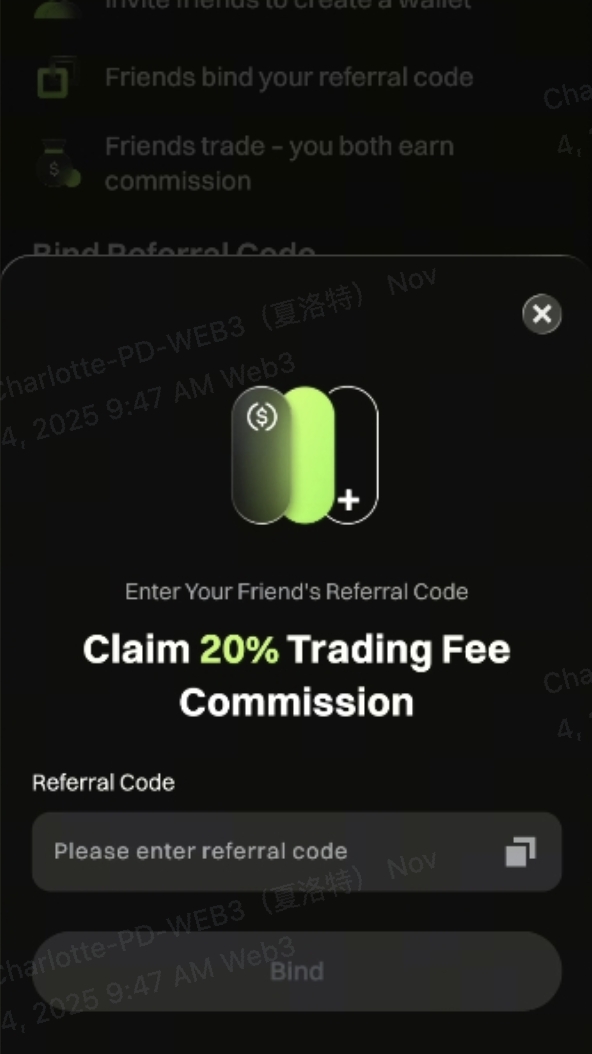
Method 2 – Manual Binding
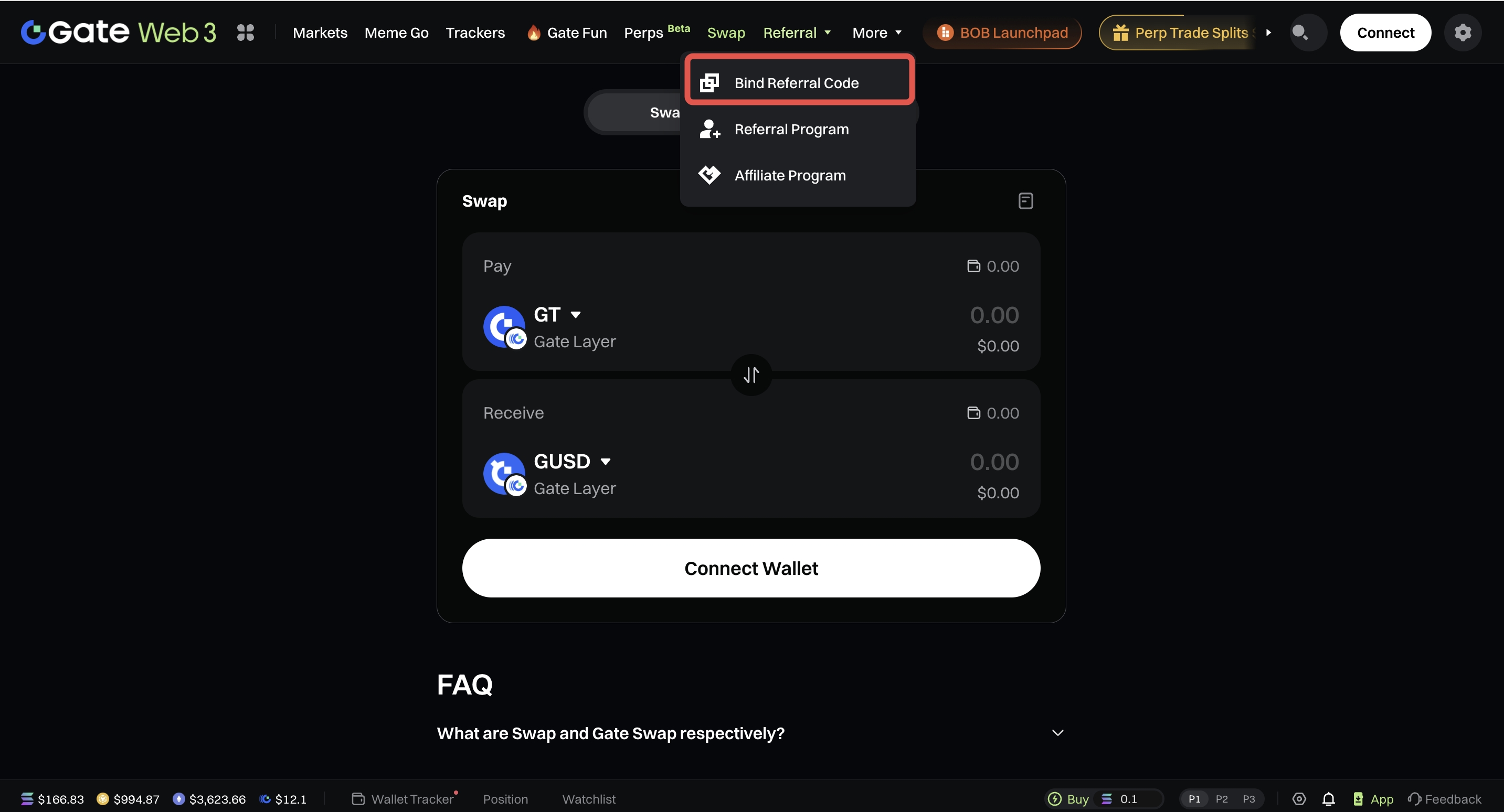
Web
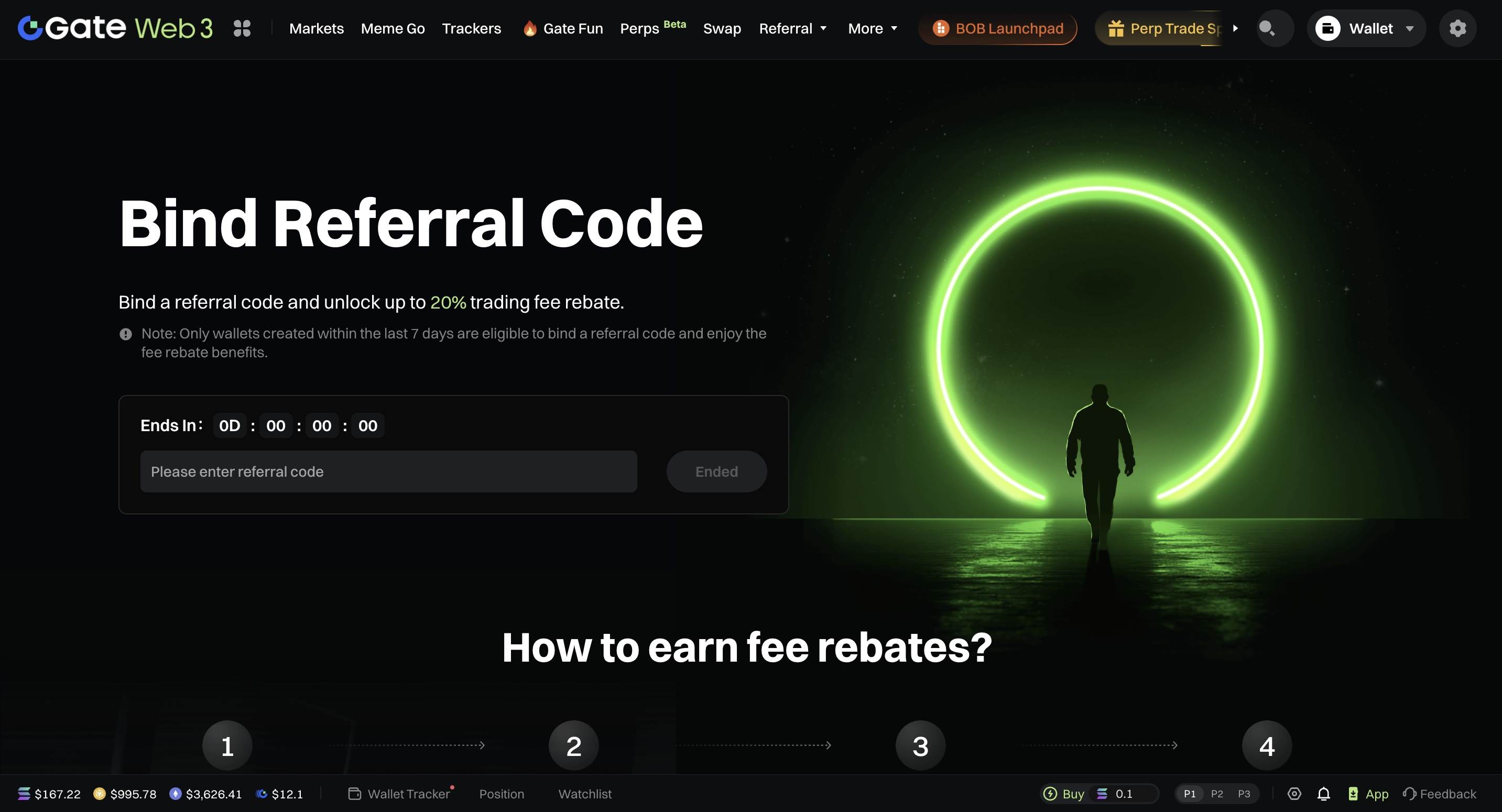
- On the main navigation bar, navigate to [Referral] – [Bind Referral Code].
App
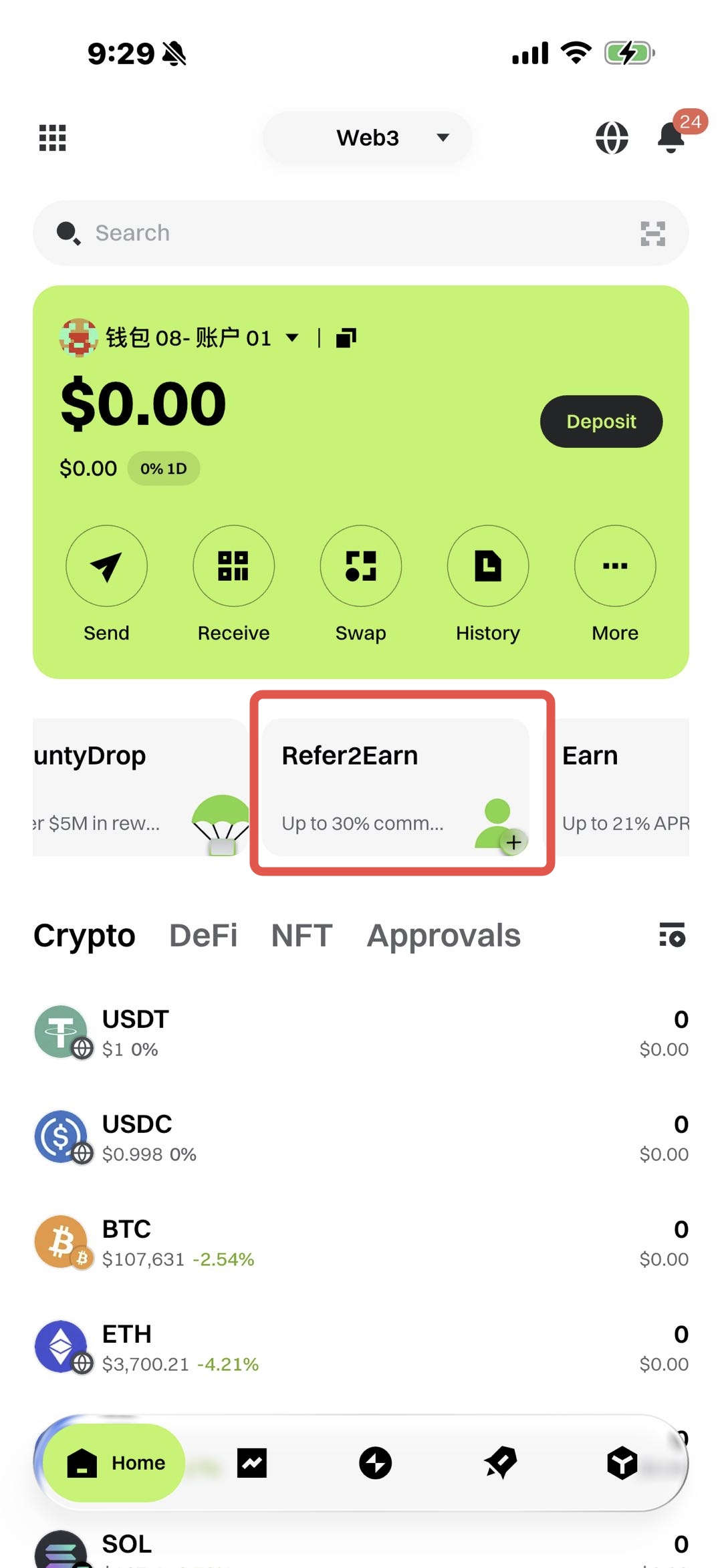
- Tap [Refer2Earn] in the quick-access menu on the wallet homepage.
- Copy and paste your referrer's referral code.
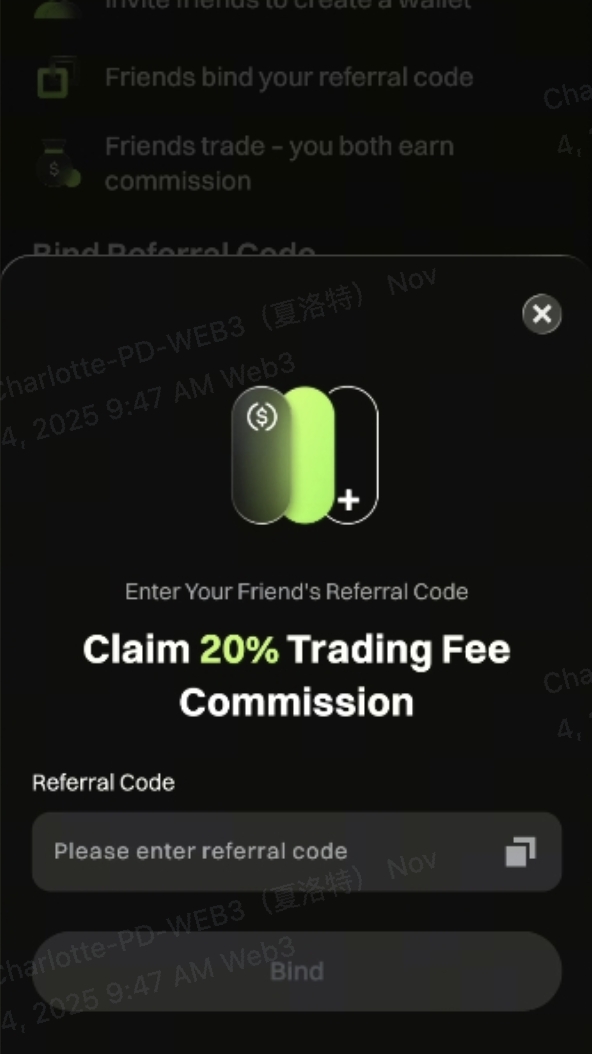
- Note: Only new wallets created within 7 days on Gate can bind a referral code to receive trading fee commissions.
- The commission percentage depends on your referrer's settings:
- If your referrer is an affiliate, they can customize your self-earned rate, up to a maximum of 20%.
- If your referrer is a regular Web3 user, your self-earned rate is fixed at 20%.
3. How to Invite Friends
Web
- In the navigation bar, go to [Referral] – [Referral Program].
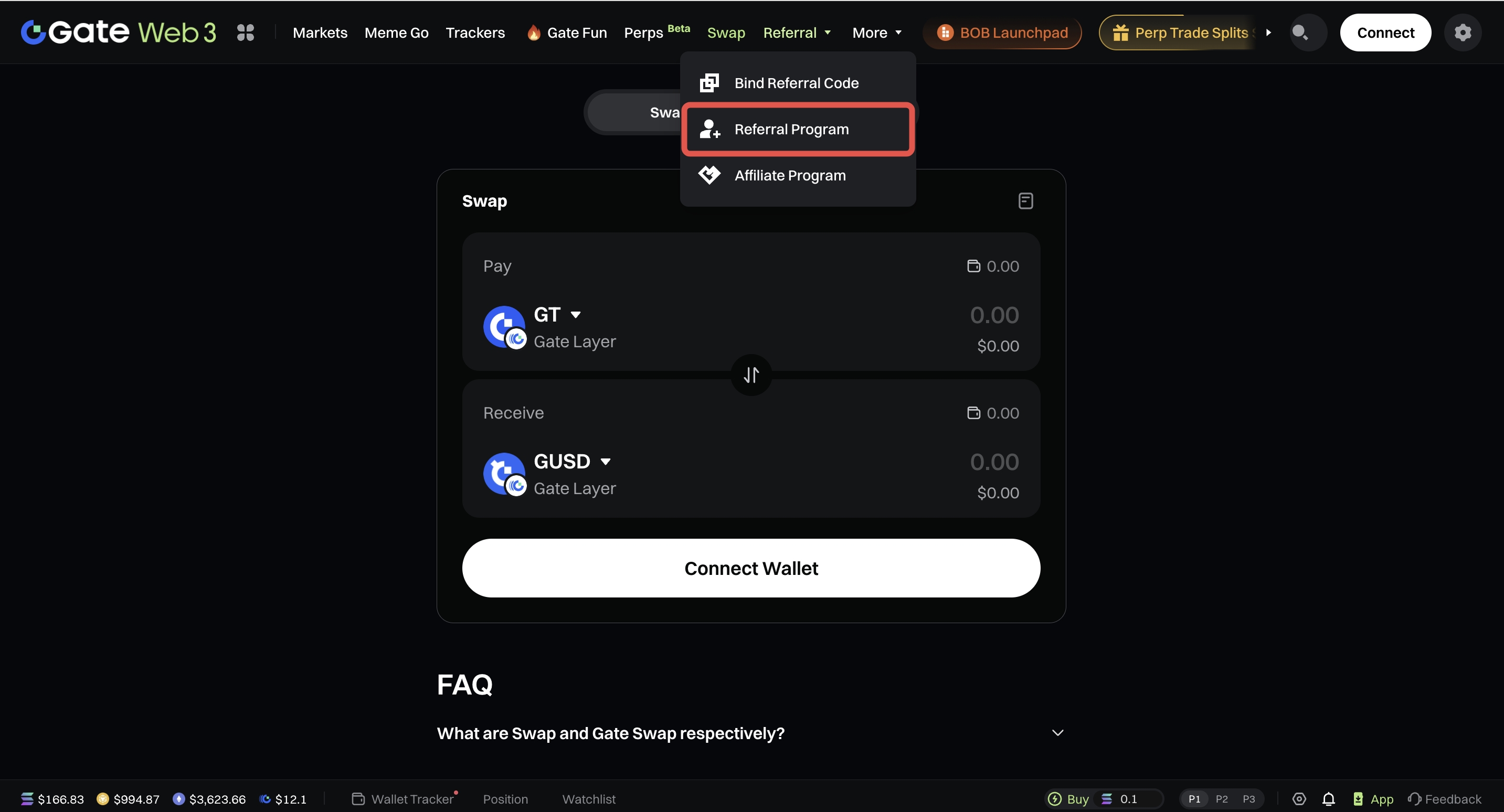
- On the Referral Program page, you can view your own commission rate, as well as your friend's commission rate.
- You can also find your referral code or referral link below.
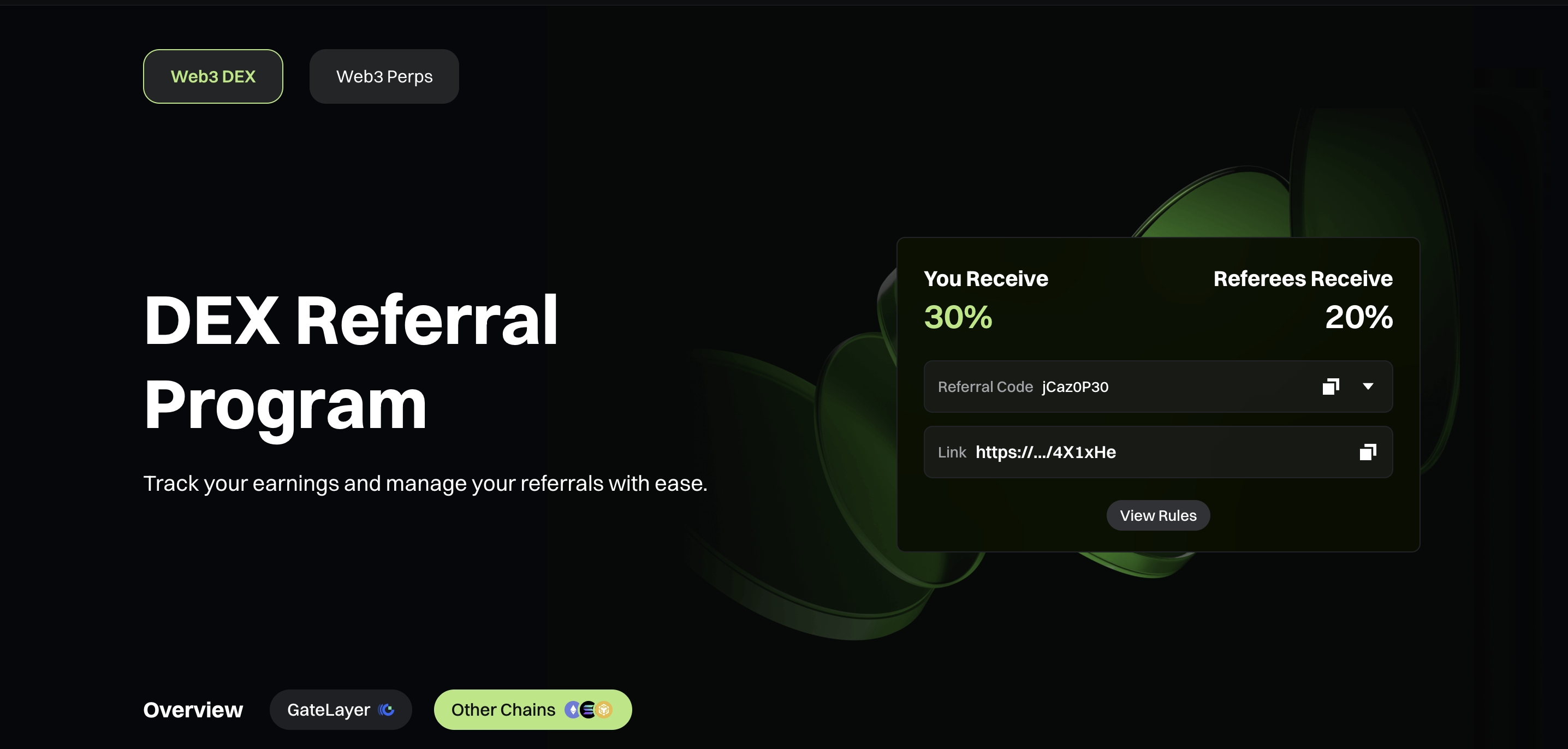
- Copy your referral code/link and send it to your friends.
App
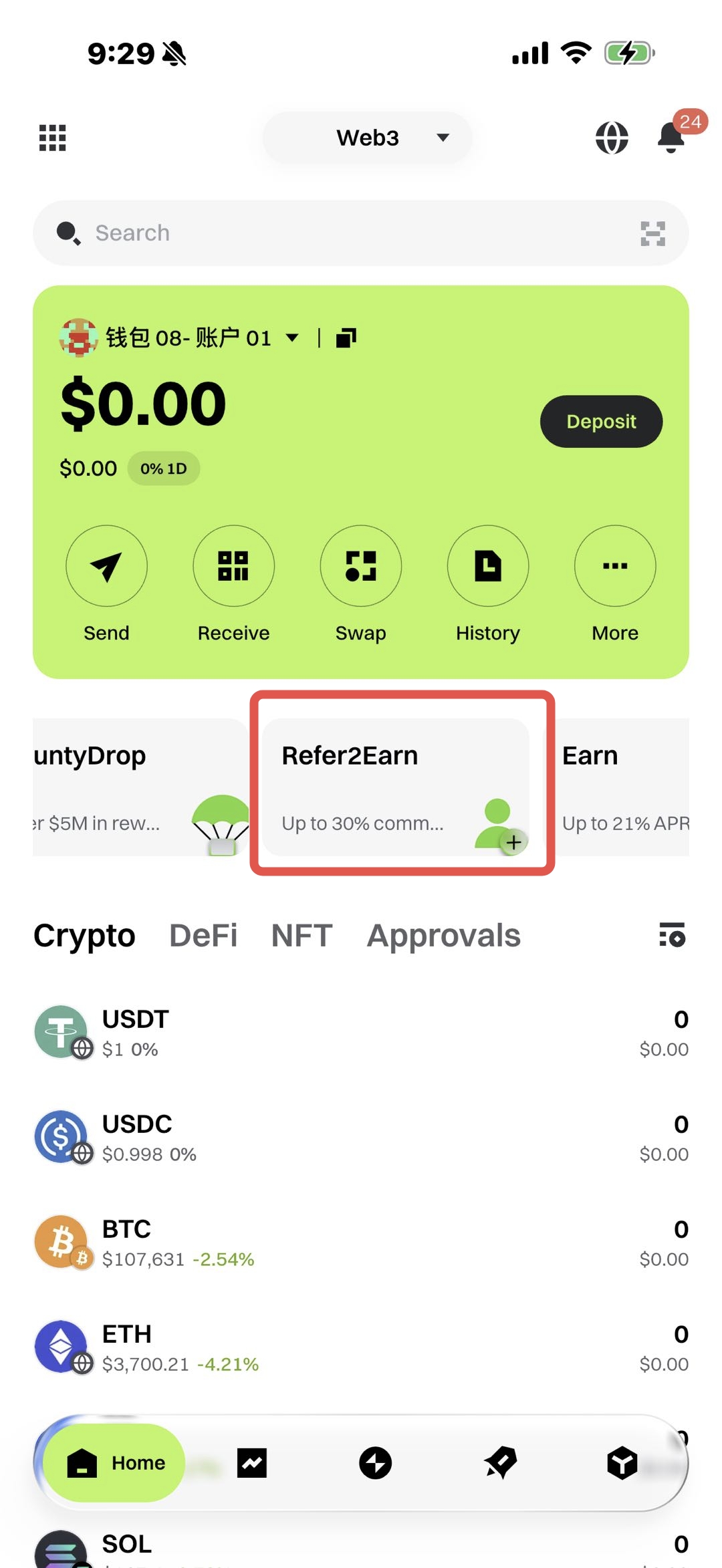
- Tap [Refer2Earn] in the quick-access menu on the wallet homepage.
- Tap [Invite to Earn] at the bottom of the page.
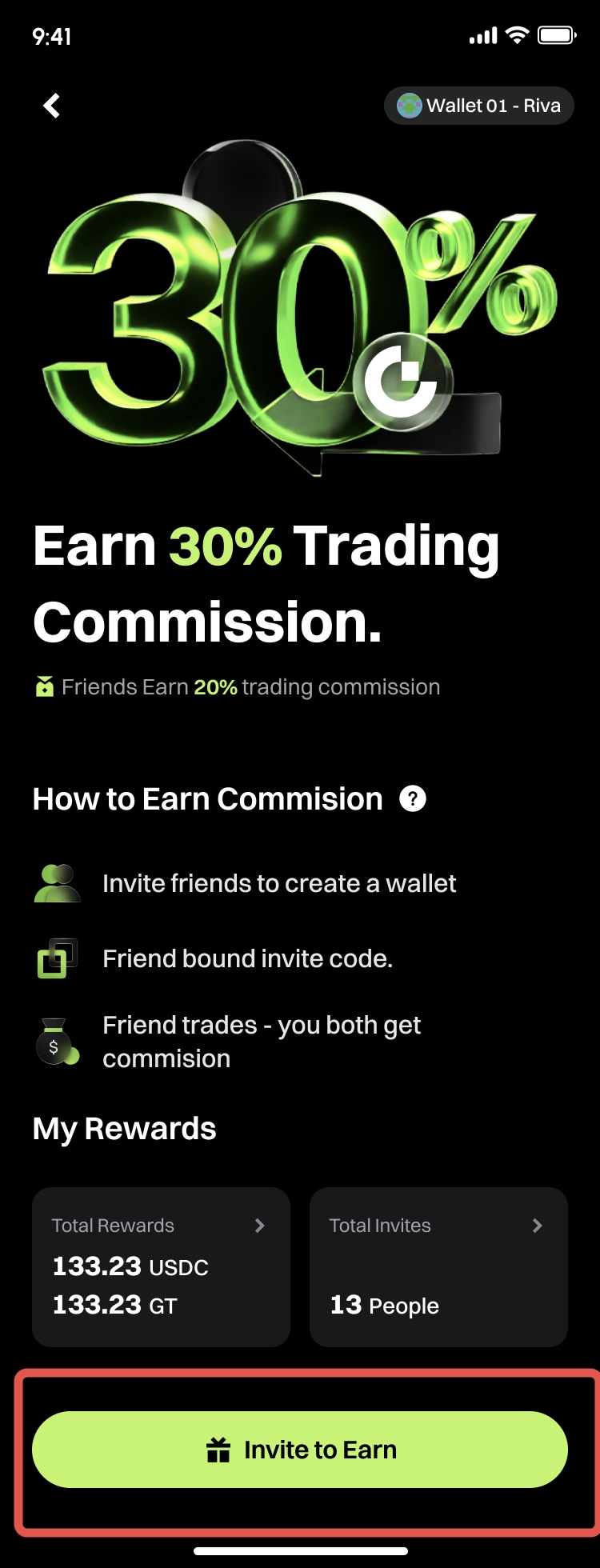
- Tapping this will open a sharing window.
4. Trading Fees & Commission Rules
Trading Fee Rates:
- GT,major coins, and stable coins: 0.3%
- Other tokens: 1%
Fee Collection Priority
GateLayer:
- DEX & Swap: GT — Stablecoins/ Major coins — In Token
Other Chains:
- DEX & Swap: USDC — Native token — Stablecoins/ Major coins — In Token
Commission Rules:
Regular Web3 users
- Referral commission: 30%
- Self-earned commission: 20%
After completing a trade on DEX & Swap, commissions will be settled and credited to the user's account every hour.
For trades on GateLayer, commissions are settled in GT.
For trades on other chains, commissions are settled in USDC (SOL), including:
- Ethereum
- BSC
- Base
- SOL
- Arb
- OP
- Polygon
- Blast
- World Chain
- Avax
- ZkSync
5. How to Claim Commission
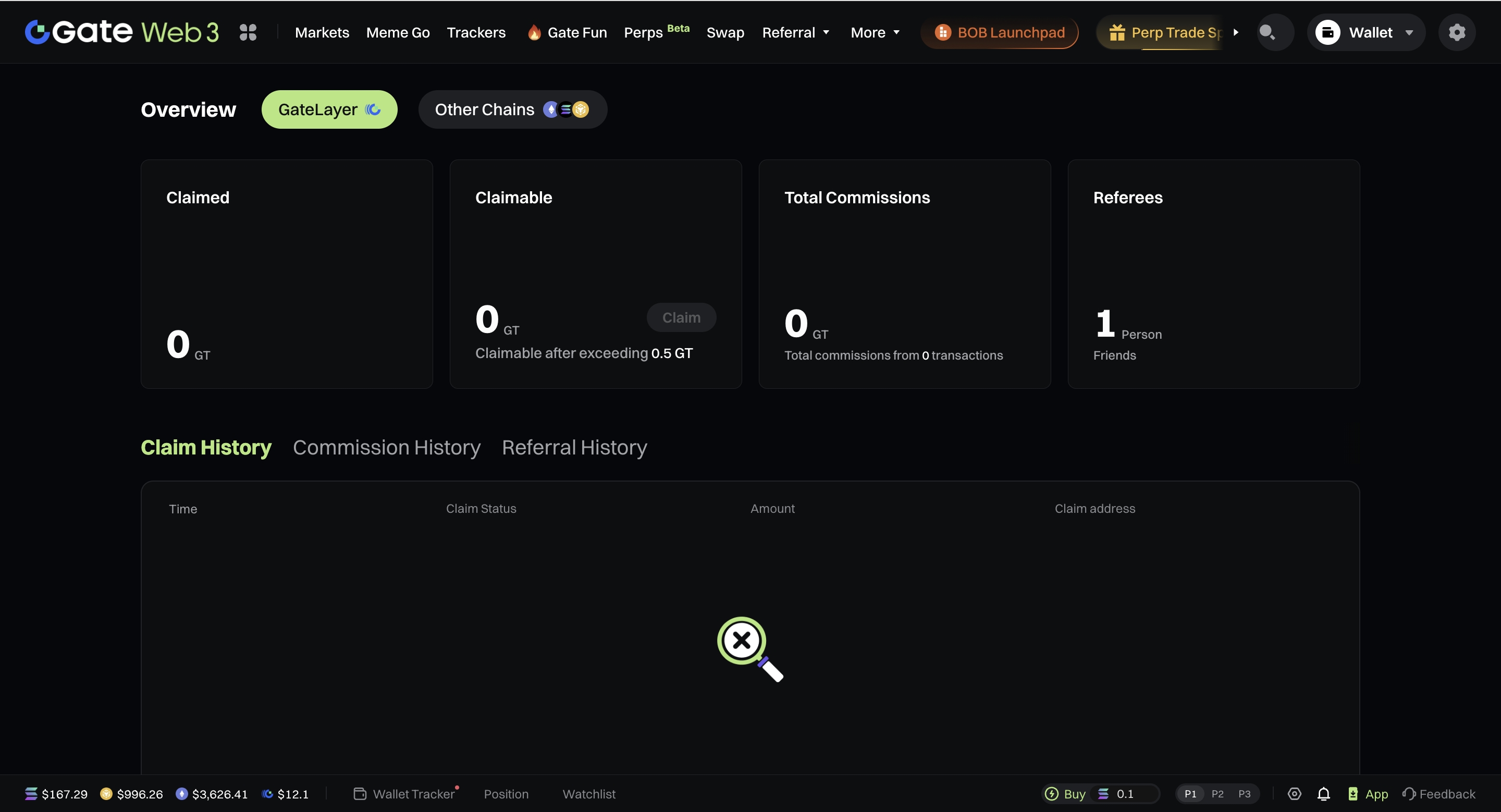
GateLayer:
- Commissions are calculated and settled in GT on the GateLayer network.
- When the commission amount exceeds 0.5 GT, users can click [Claim] to receive it.
- Commissions can only be withdrawn to wallets that support the GateLayer network.
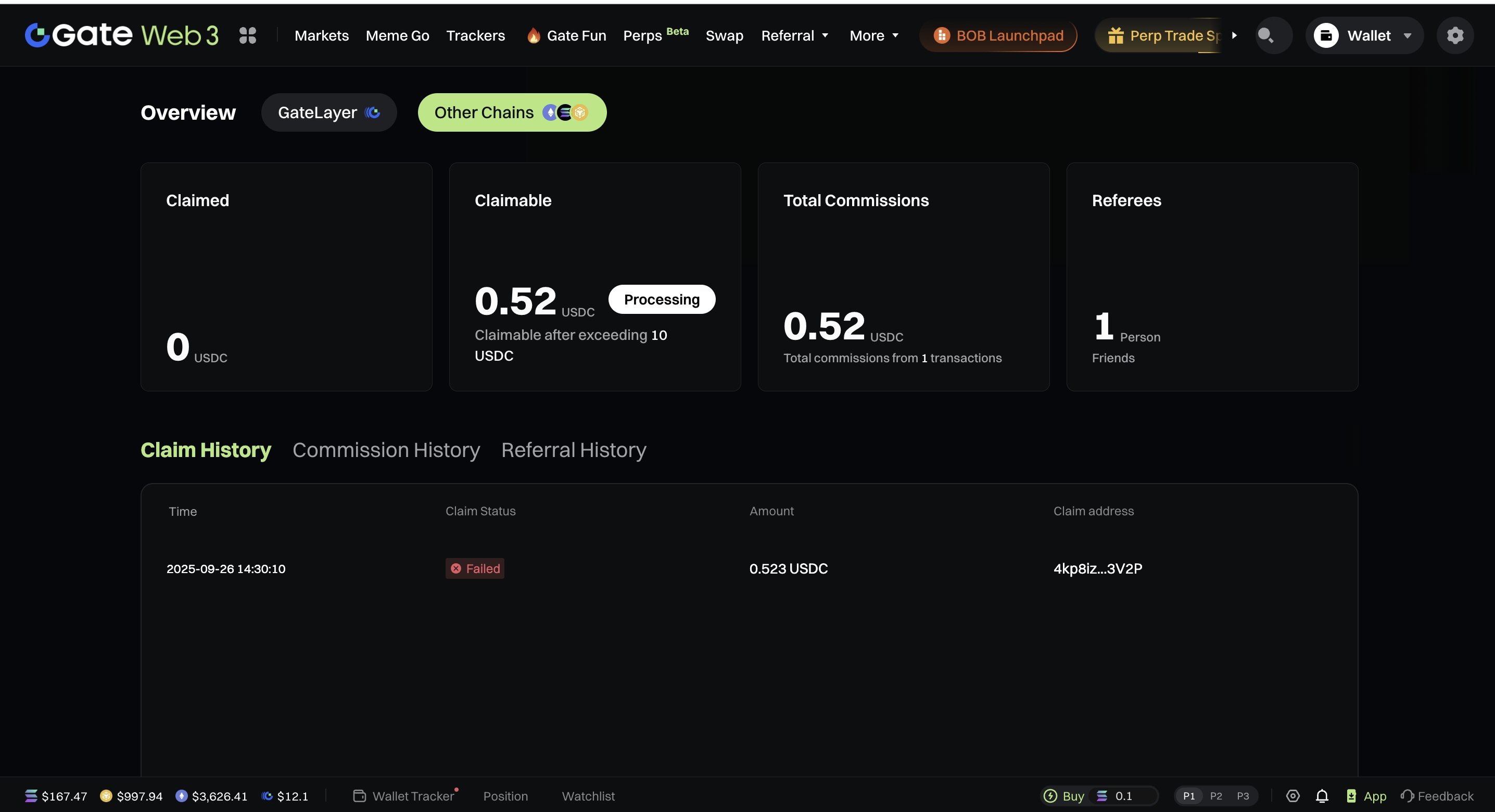
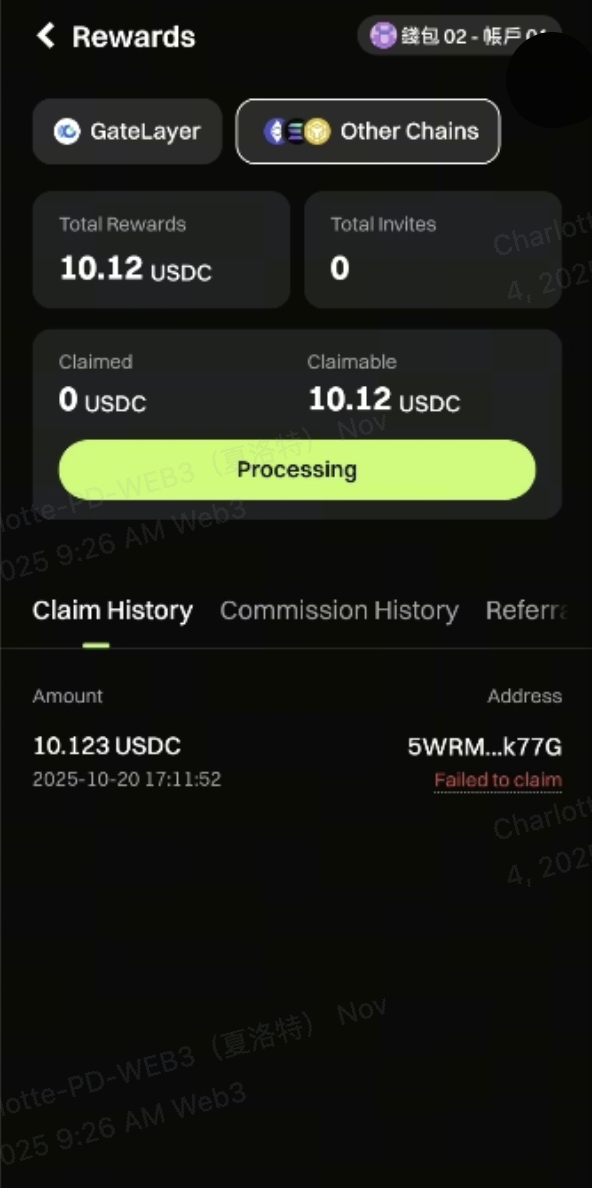
Other Chains
- Commissions are calculated and settled in USDC.
- When the commission amount exceeds 10 USDC, users can click [Claim] to receive it.
- Commissions can only be withdrawn to wallets that support the SOLana (SOL) network.
Claim Progress Window
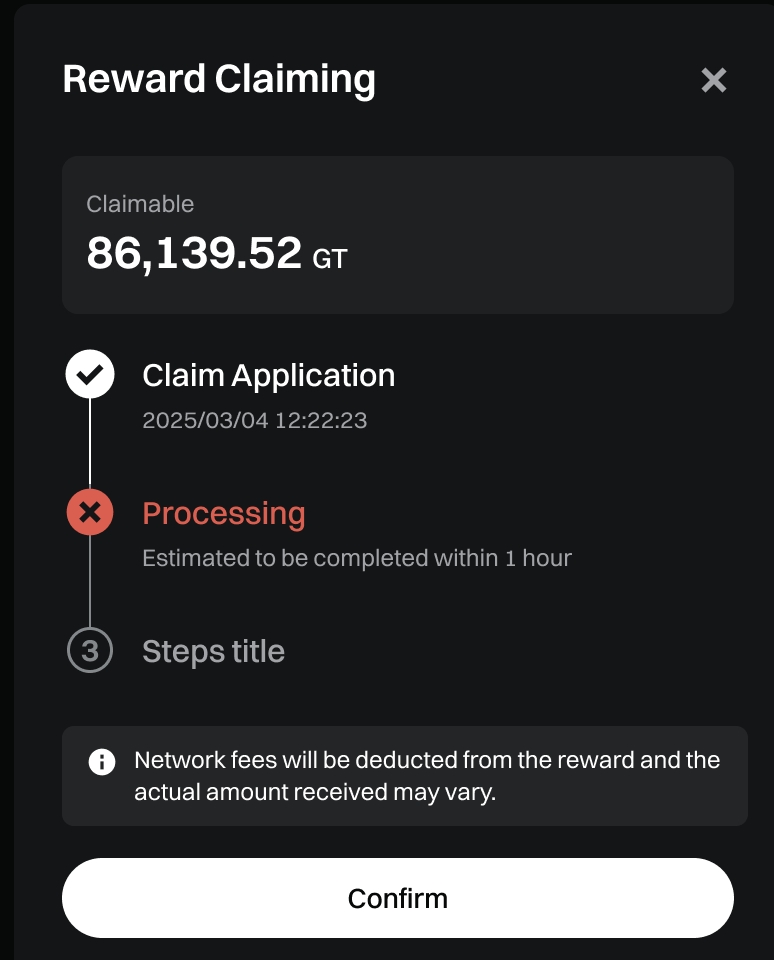
- Normally, withdrawals take around 1 hour to complete.
6. How to View Commission Data
Claim History
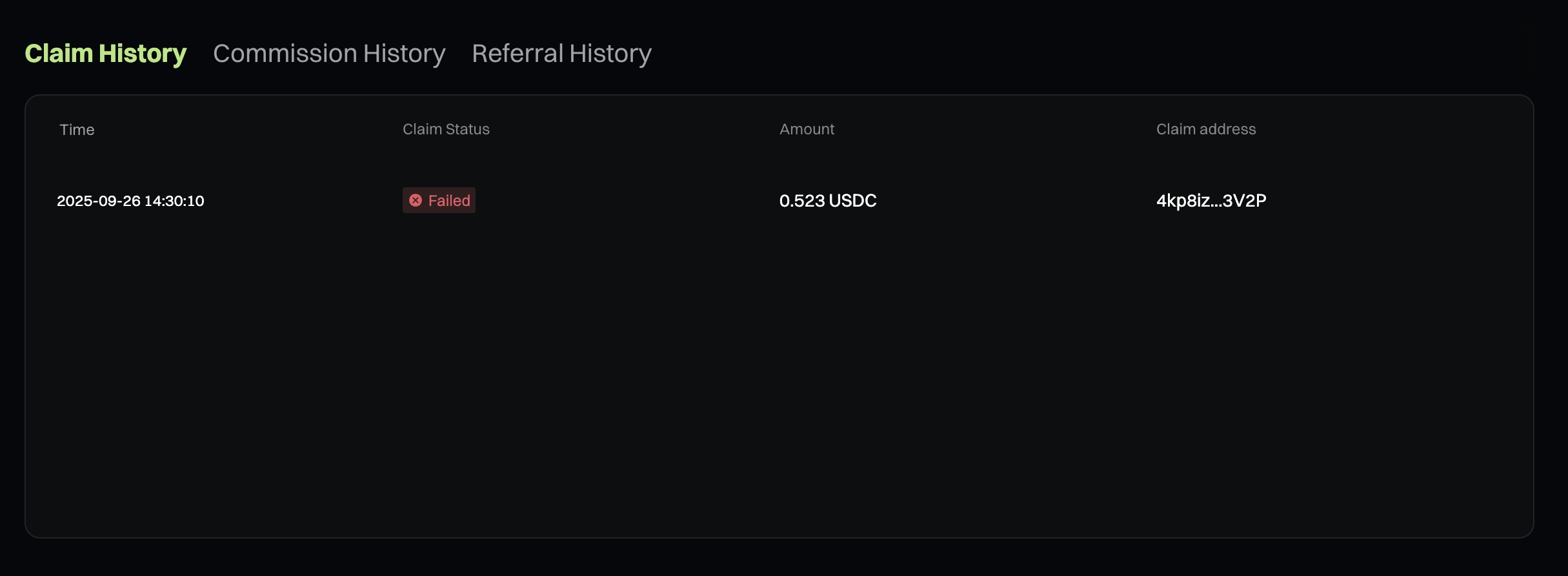
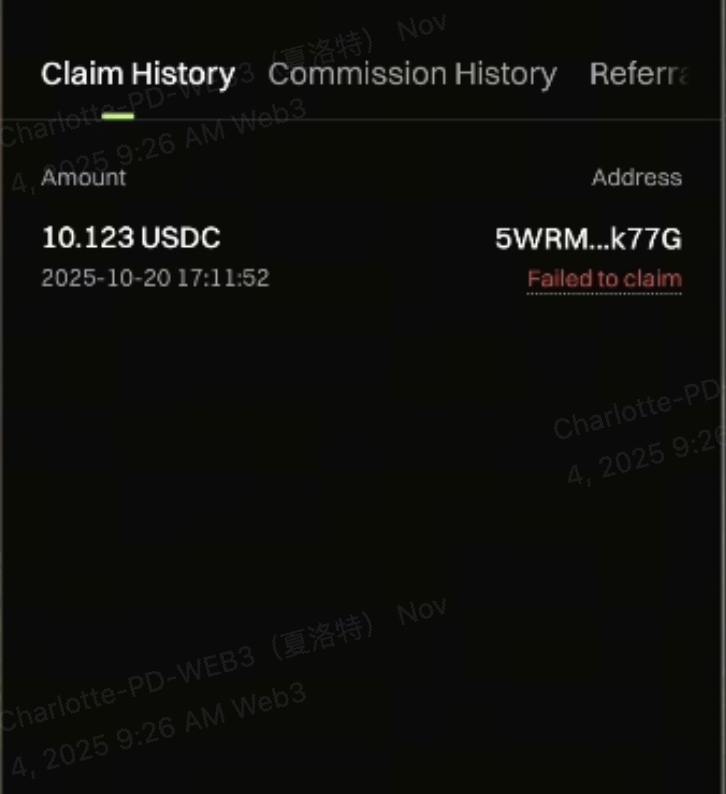
Commission History:Updated every hour
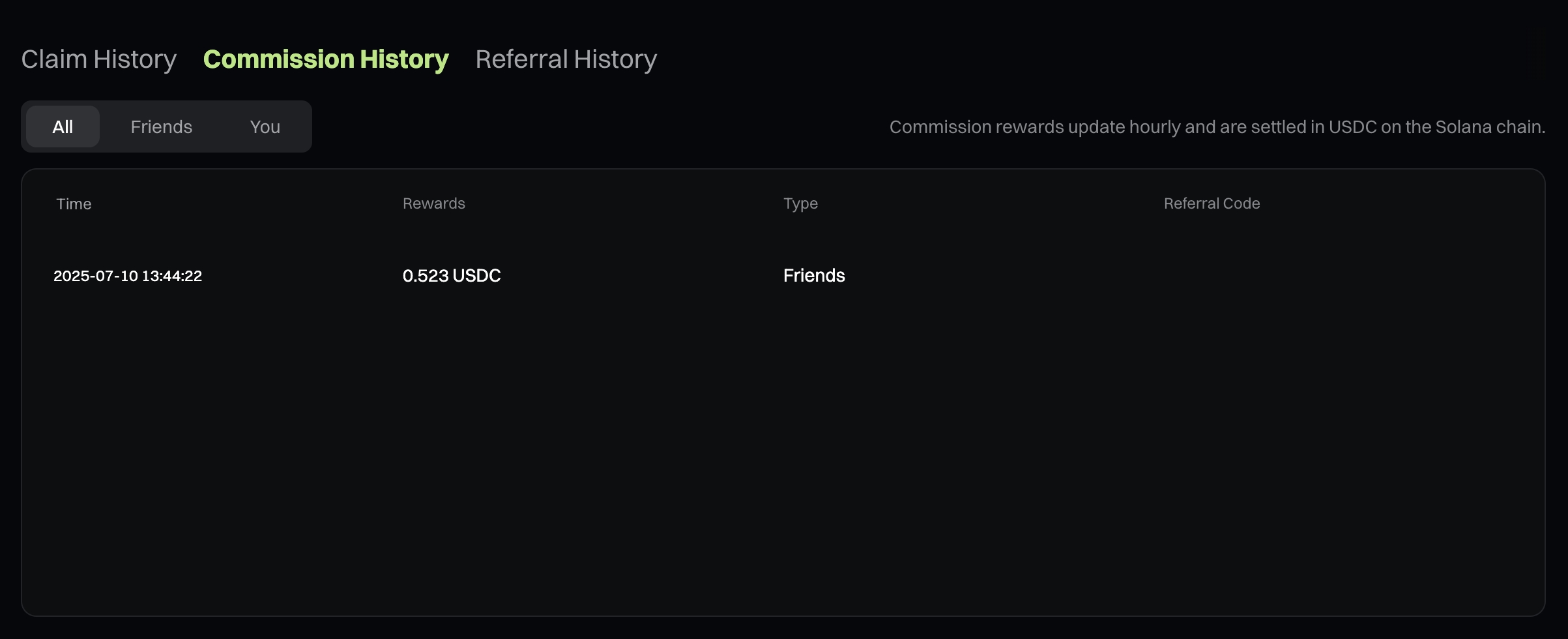
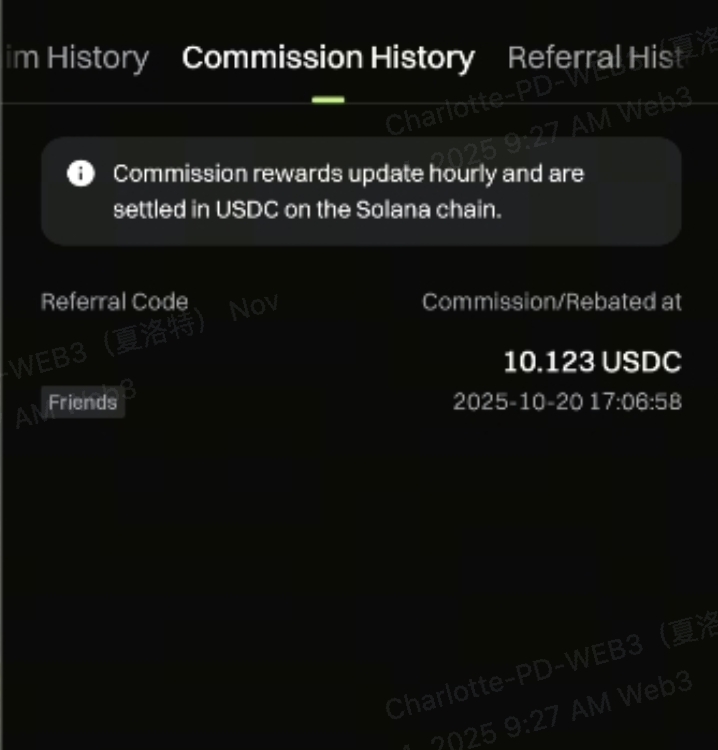
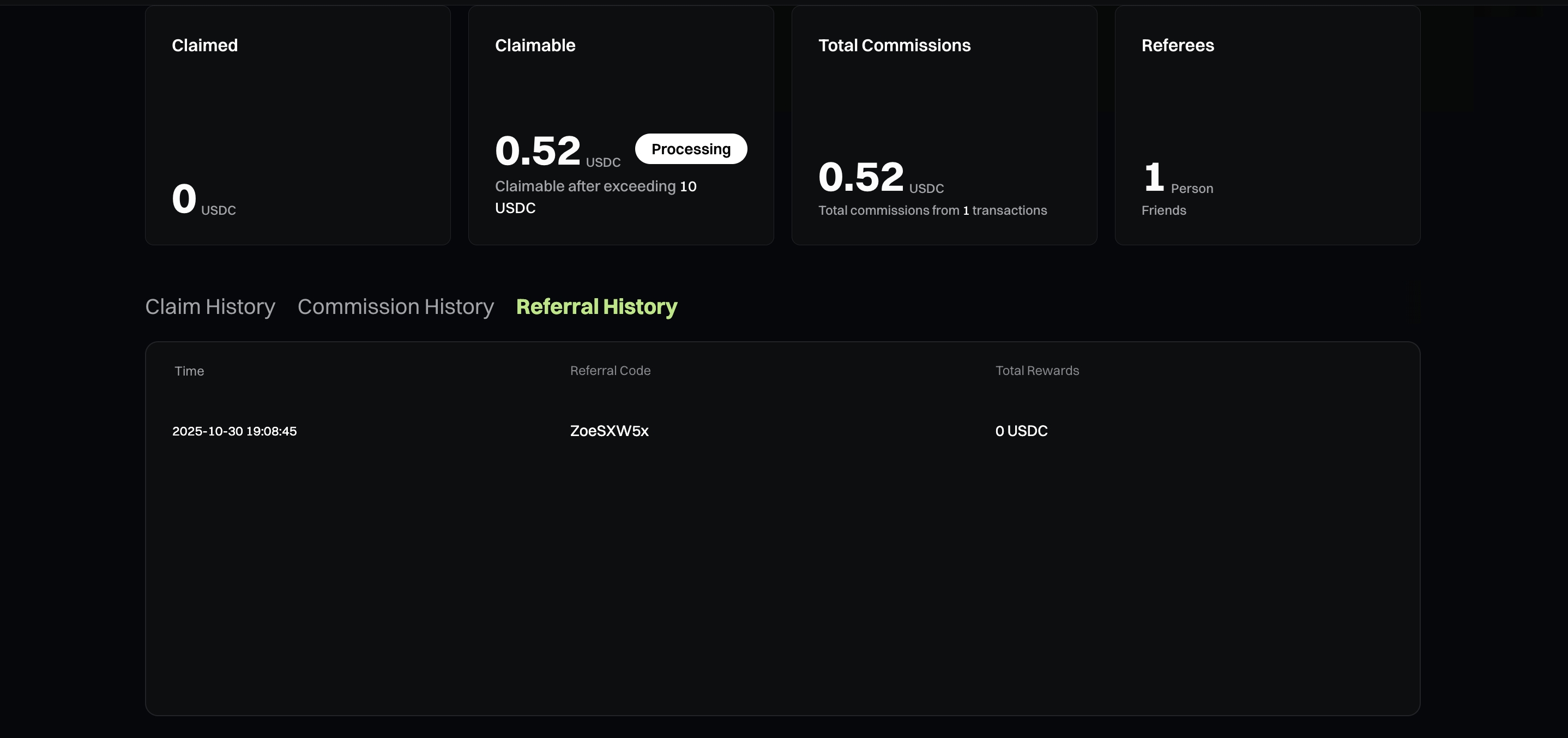
Referral History
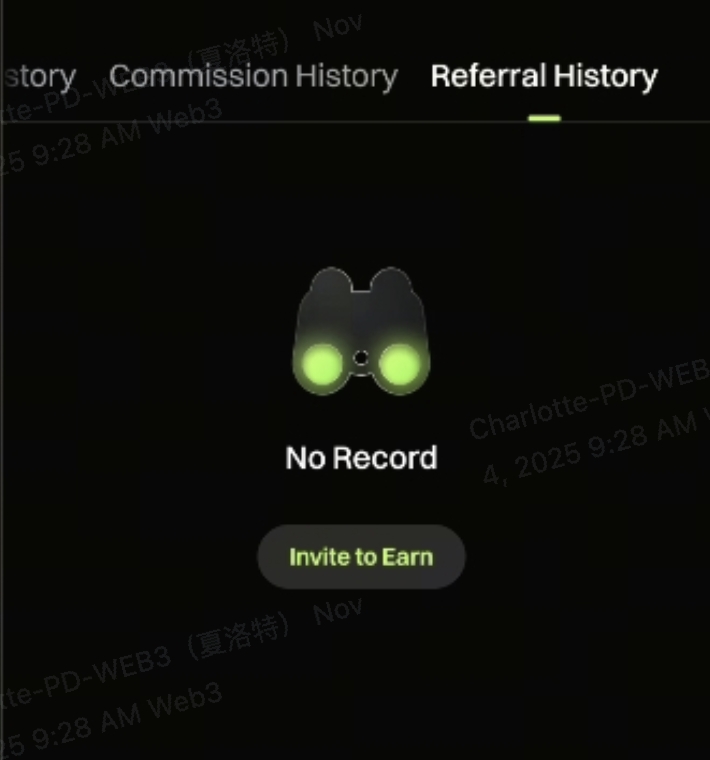
Gate Web3 Perps Commission
1. What is Gate Web3 Perps Commission?
Users trading in the Perps section on Gate Web3 can earn commission on trading fees.
2. How to Bind a Referral Code and Invite Friends
The process is exactly the same as Web3 DEX.
3. Trading Fees & Commission Rules
Trading Fee Rates
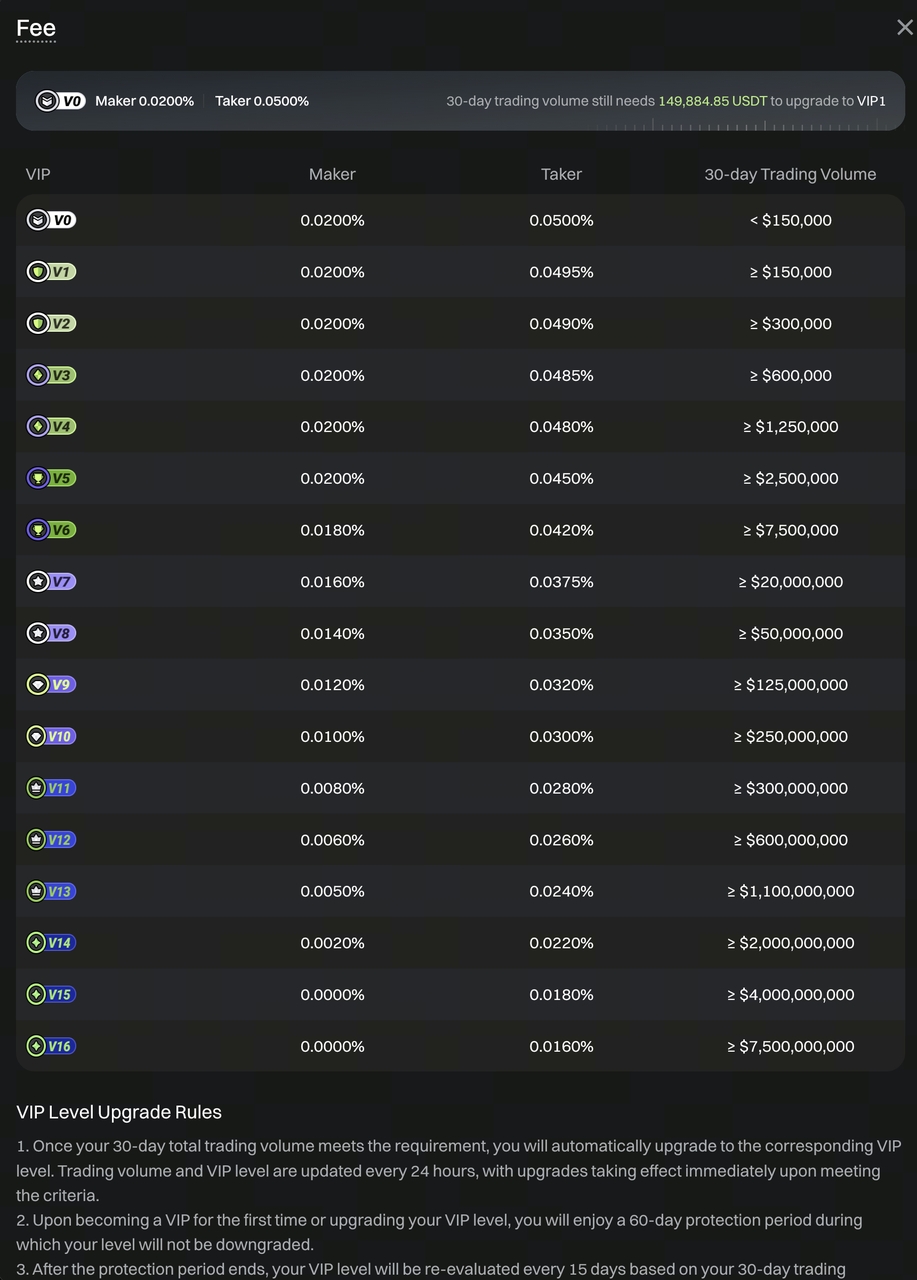
Fee Token: All trading pairs in the market Commission
Rules:Commissions are distributed based on the actual trading fees generated. For example, a invites b to trade, If b trade generates 1 USDT in fees, a receives 0.3 USDT; whereas referee b himself receives 0.2 USDT.
- Referral commission: 30%
- Self-earned commission: 20%
4. How to Claim Commission Rewards
Click [Referral Program] – [Perps]
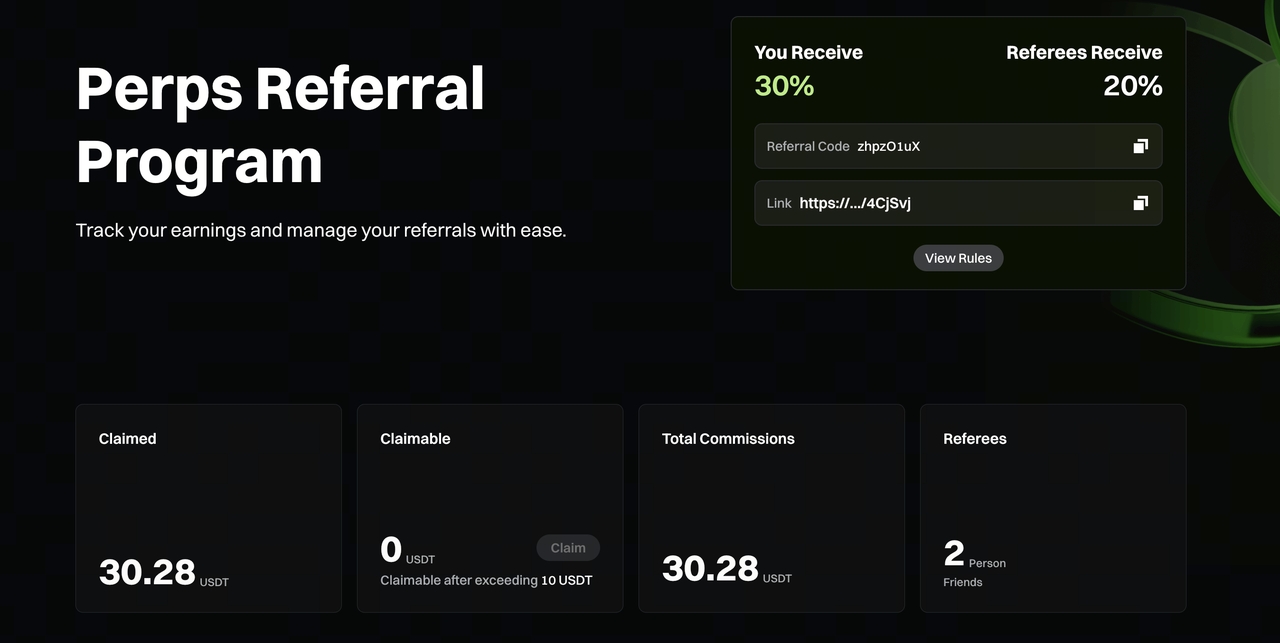
- Commissions are calculated and settled in USDT.
- Commissions are generated whenever a user opens or closes a position and incurs trading fees.
- You can claim the commission once it exceeds 10 USDT.
- Claim
- For email-linked accounts or Gate Wallet users, claimed commissions are deposited directly into their SOLana Perp account.
- For other Web3 wallet users, there is a single Perp account; clicking [Claim] will credit the commissions to that account.
5. How to View Commission Data
Referral History
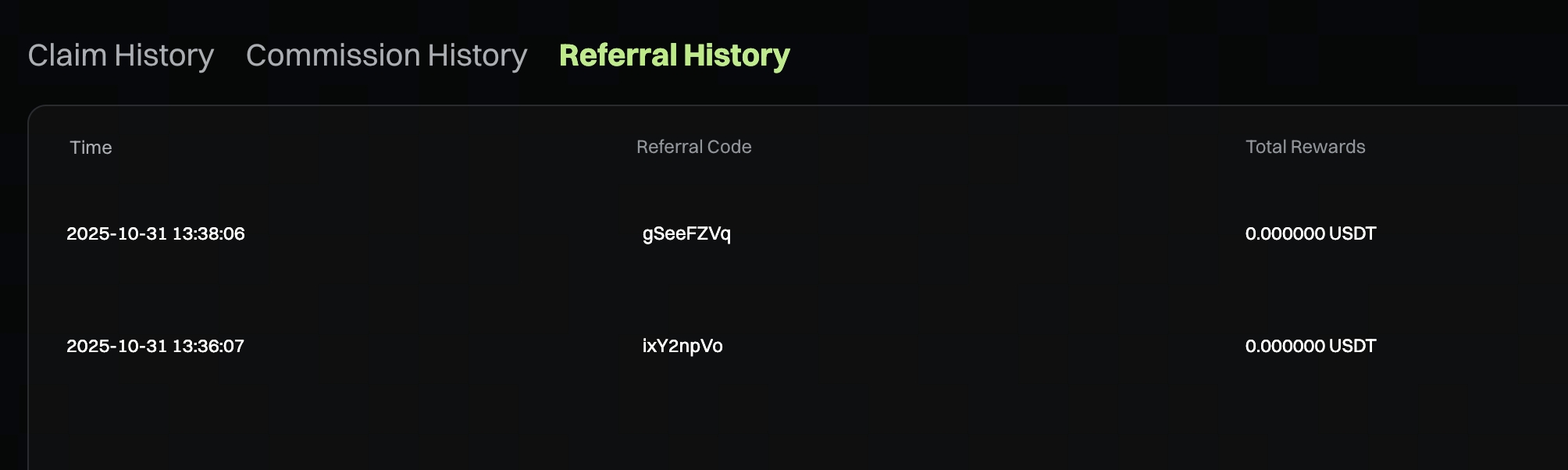
Commission History
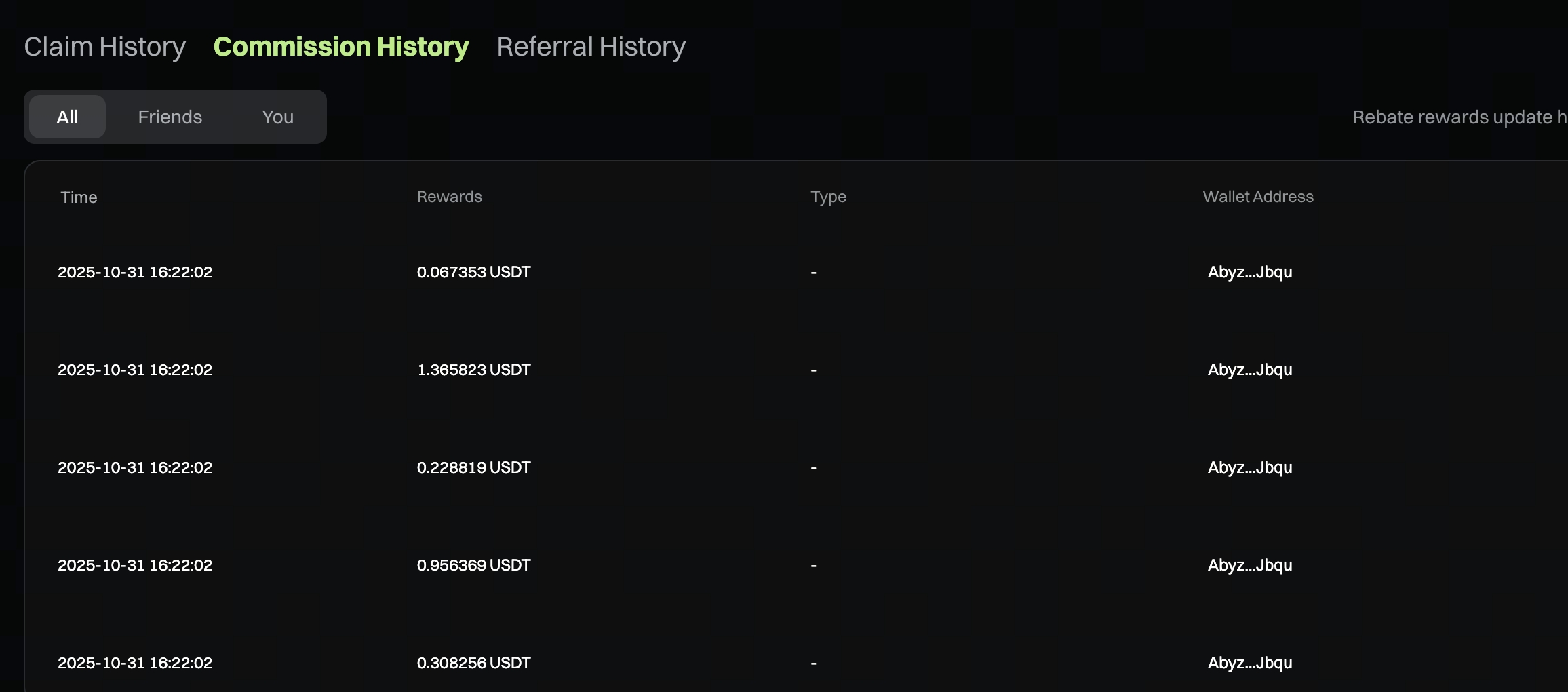
- Updated every hour ; the claimable amount will refresh once new records are generated
- You can switch to filter: Friend Commission , Self Commission , or All Commission
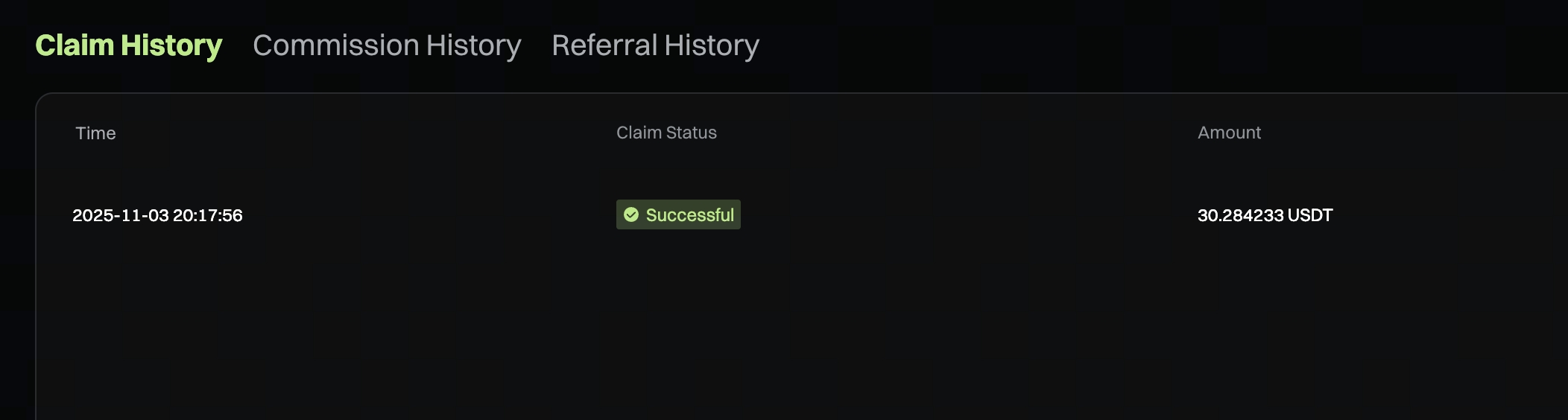
Claim History
A new claim record will appear immediately after a successful claim.
Gate Team
November 4, 2025
Gateway to Crypto
Trade over 5,300 cryptocurrencies safely, quickly, and easily on Gate
Take Action Now
Sign up and claim up to $10,000 in welcome rewards
Invite friends and earn a 40% commission
Stay Connected
Visit Gate's official website
Download the Gate App | Desktop
Follow us on X (Twitter) to get more bonuses
Join our Telegram community to discuss trending topics
Engage with our global community for the latest insights
Transparency & Security
Check our 100% Proof of Reserves


