Gate Trenches now supports trading of Arc chain assets. You do not need to create an extra on-chain wallet or withdraw assets to an external wallet. You can use USDT in your Gate Spot / Unified Account to discover and trade popular and newly issued tokens on Arc directly in the Trenches Zone.
For a limited time, trading Arc chain assets via Gate Trenches also includes 0 Gas trading and a 0.5% trading fee rate.
This article explains how to view, buy, and sell Arc chain assets in the Gate Trenches Zone.
1. How to View Arc Chain Assets
Log in to the Gate App, switch to Exchange mode, then tap [Trade] - [Trenches] - [All Chains] - [Arc] to view Arc chain assets currently available for trading.
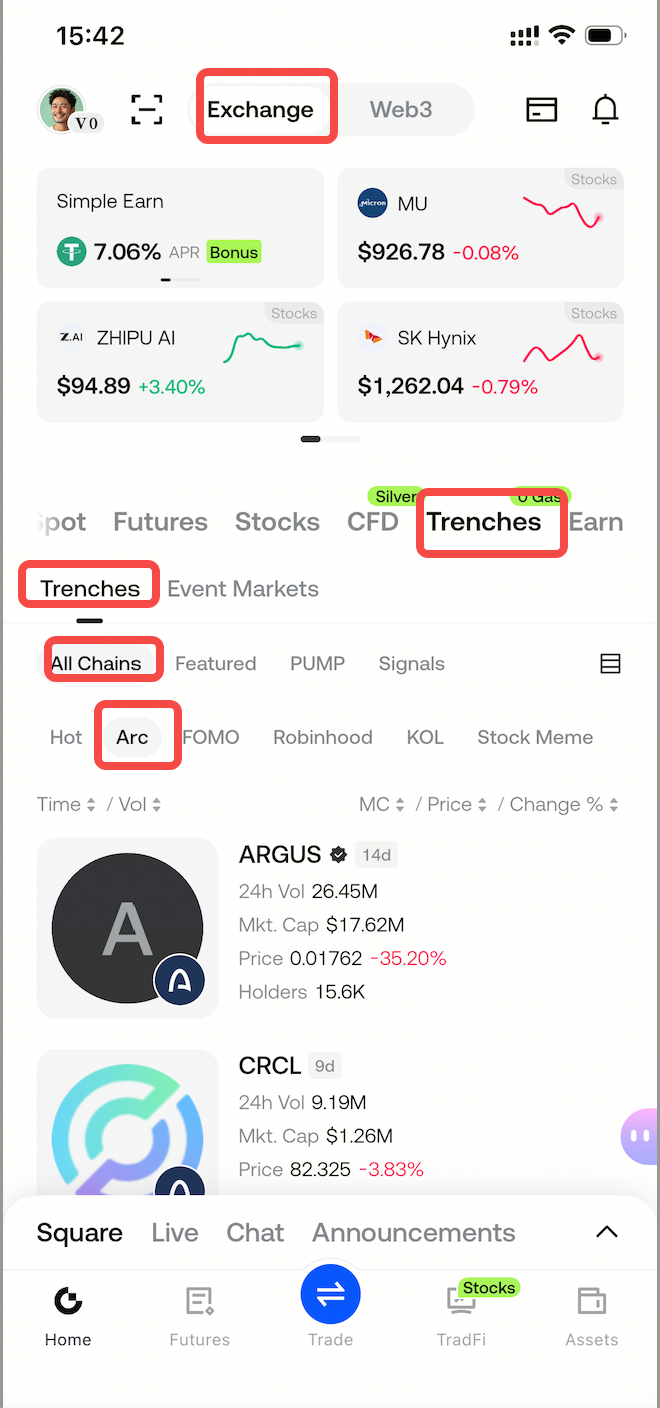
You can also search for a token directly by:
Token name
Token ticker
Contract address
For newly issued tokens, or tokens that share the same name, search by contract address and confirm that the selected network is Arc.
2. How to Buy Arc Chain Assets
Prepare USDT
Before trading, make sure your Gate Spot / Unified Account has sufficient USDT.
You do not need to withdraw USDT to an external wallet, and you do not need to prepare a separate Arc gas token.
Open the Trenches Zone
Log in to the Gate App, switch to Exchange mode, then tap [Trade] - [Trenches] - [All Chains] - [Arc].
Select the token from the Arc asset list, or search by token name, ticker, or contract address.
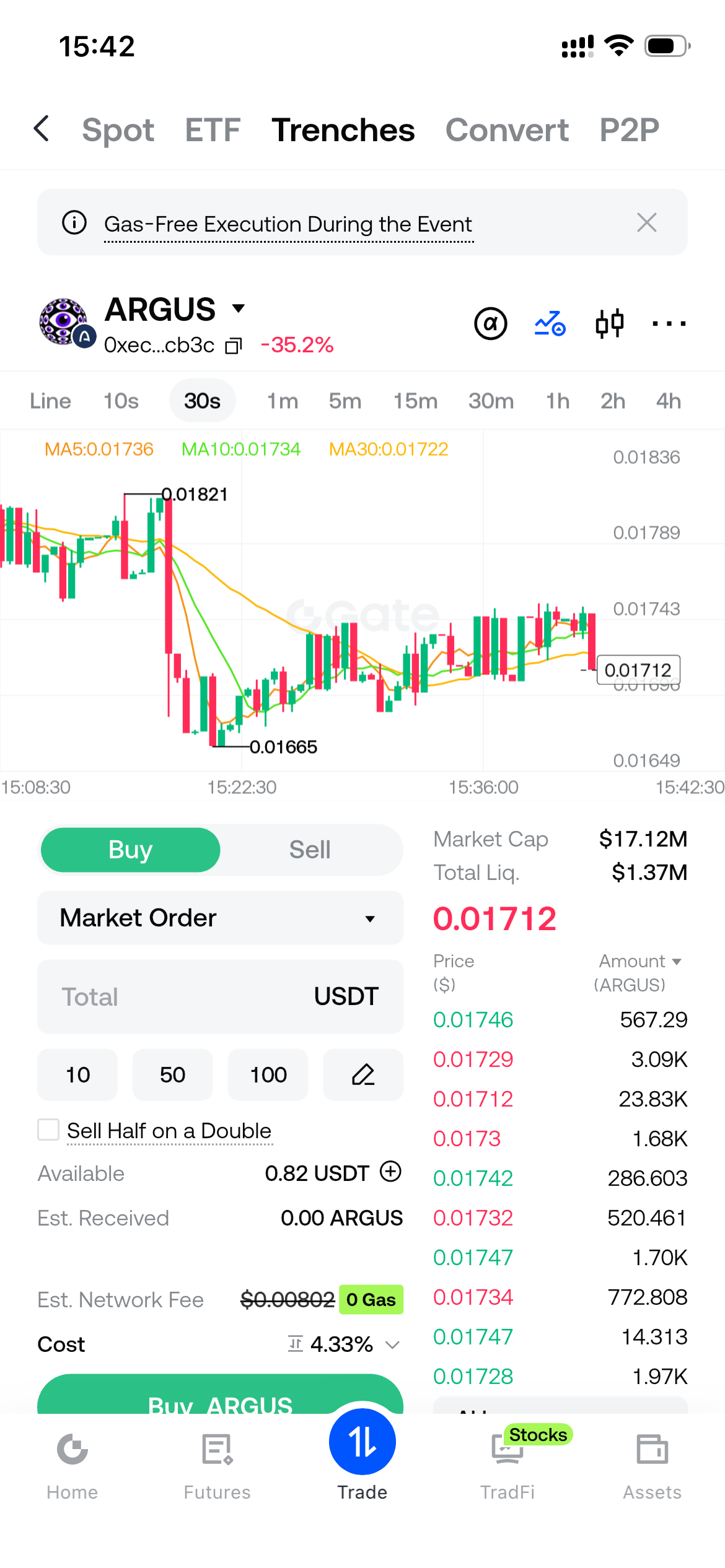
On the token trading page, enter the buy amount
Select [Buy]
Enter the USDT amount you want to spend;
The page will automatically display the estimated number of tokens you will receive;
Review the token, trade amount, estimated quantity received, and fees;
If the details are correct, tap [Place Order].
Wait for confirmation
After you submit the order, the trade is sent to the blockchain for processing. Once the network confirms the transaction, the order is filled.
After the trade is filled, you can view the purchased Arc chain tokens on the relevant Trenches assets page.
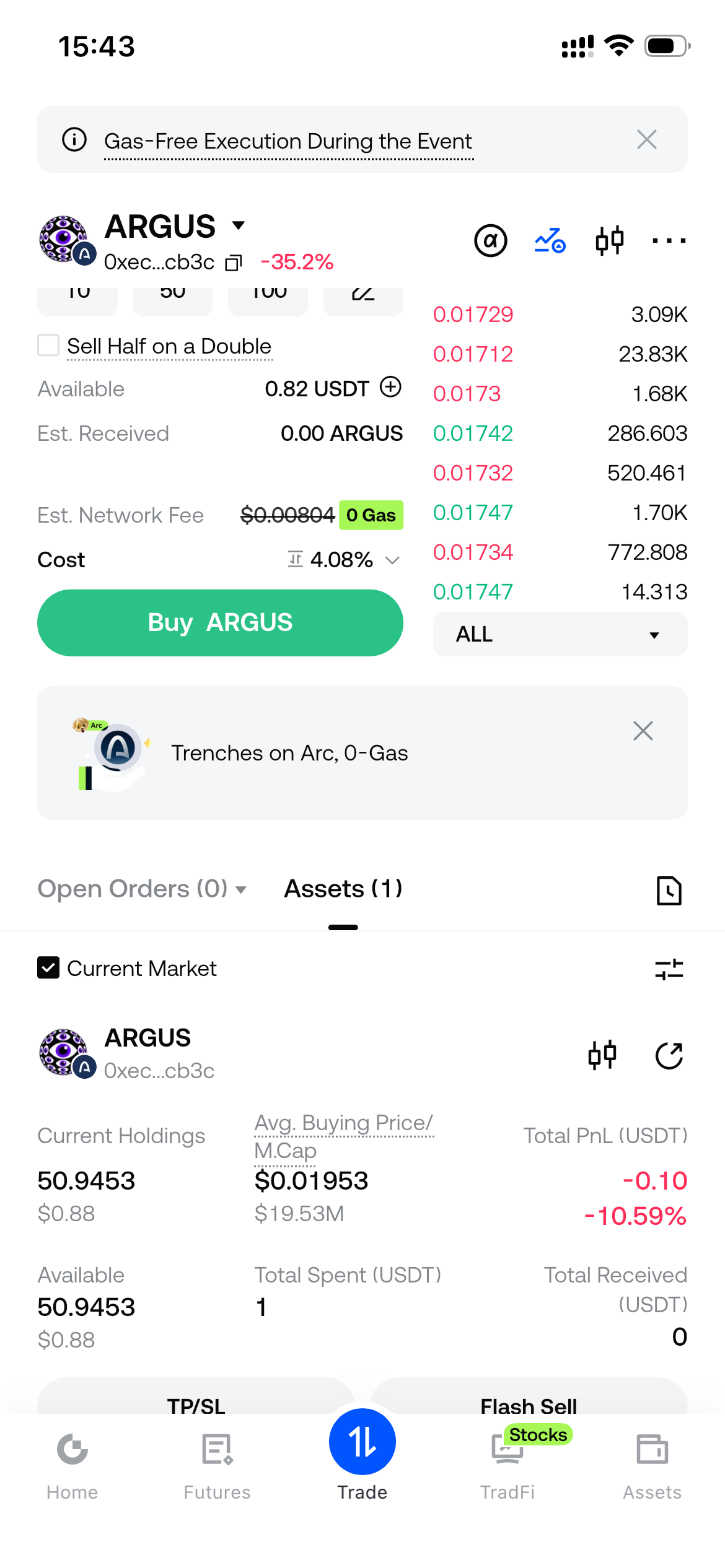
3. How to Sell Arc Chain Assets
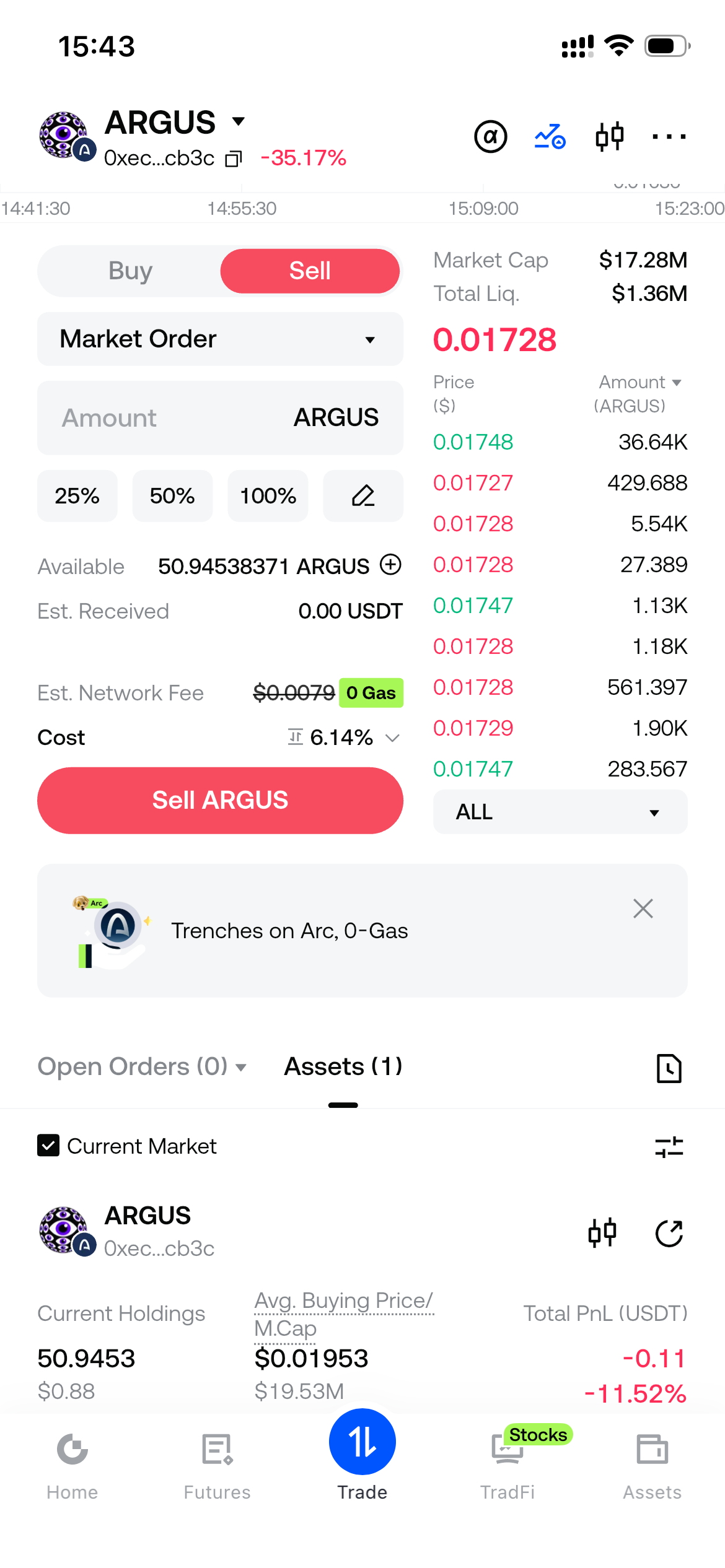
On the trading page of the relevant Arc token:
Switch to [Sell];
Enter the token amount you want to sell;
The page will automatically display the estimated USDT you will receive;
Review the trade details, including fees;
Tap [Place Order].
After the blockchain network confirms the transaction, the trade is complete, and the USDT proceeds will be credited to your Gate Spot / Unified Account.
4. Do Arc Chain Trades Require Gas and Trading Fees?
For a limited time, trading Arc chain assets via Gate Trenches includes the following benefits:
Limited-time 0 Gas: you do not need to prepare an Arc gas token, and you do not pay the corresponding on-chain gas fee.
Limited-time 0.5% trading fee: both buys and sells are charged a 0.5% trading fee.
0 Gas means the on-chain gas fee is waived. It does not mean the trading fee is waived. The two charges are separate.
This trading fee offer applies on Web and in the Gate App:
Web: all users are charged the 0.5% trading fee, with no extra action required.
Gate App: all users are charged the 0.5% trading fee. App versions below 8.36.0 may still display the previous 0.8% rate on the page, but the system settles and deducts fees at 0.5%.
The applicable benefits and end time are subject to the latest official Gate announcements and the information shown on the trading page.
Gate Team
September 17, 2026
Gateway to Crypto
Trade over 5,200 cryptocurrencies safely, quickly, and easily on Gate
Take Action Now
Sign up and claim up to $10,000 in welcome rewards
Invite friends and earn a 40% commission
Stay Connected
Visit Gate's official website
Download the Gate App | Desktop
Follow us on X (Twitter) to get more bonuses
Join our Telegram community to discuss trending topics
Engage with our global community for the latest insights
Transparency & Security
Check our 100% Proof of Reserves


