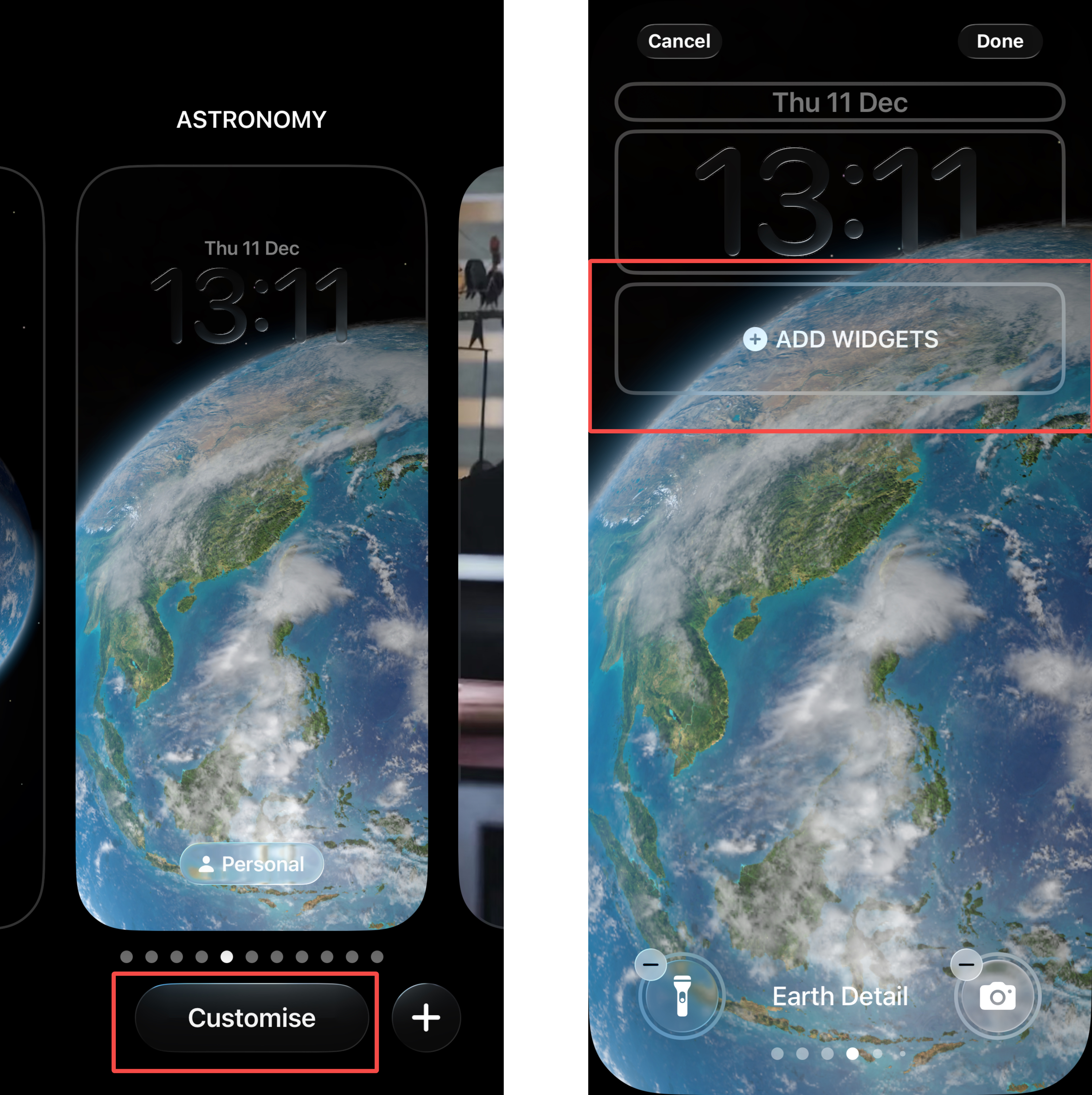
译者勿动,此为文章唯一标识|Translator please do not change, this is the only identifier of the article|69527971e0203# How to Set Up iOS Lock Screen WidgetsFollow these two simple steps to add a widget to your iPhone's Lock Screen and monitor market updates more efficiently. Step 1 While on the Lock Screen, press and hold the screen, then tap [Customize] to enter edit mode. Next, tap [Add Widget]. Step 2 In the widget ...Follow these two simple steps to add a widget to your iPhone's Lock Screen and monitor market updates more efficiently.Follow these two simple steps to add a widget to your iPhone's Lock Screen and monitor market updates more efficiently.## Step 1While on the Lock Screen, press and hold the screen, then tap [Customize] to enter edit mode. Next, tap [Add Widget].
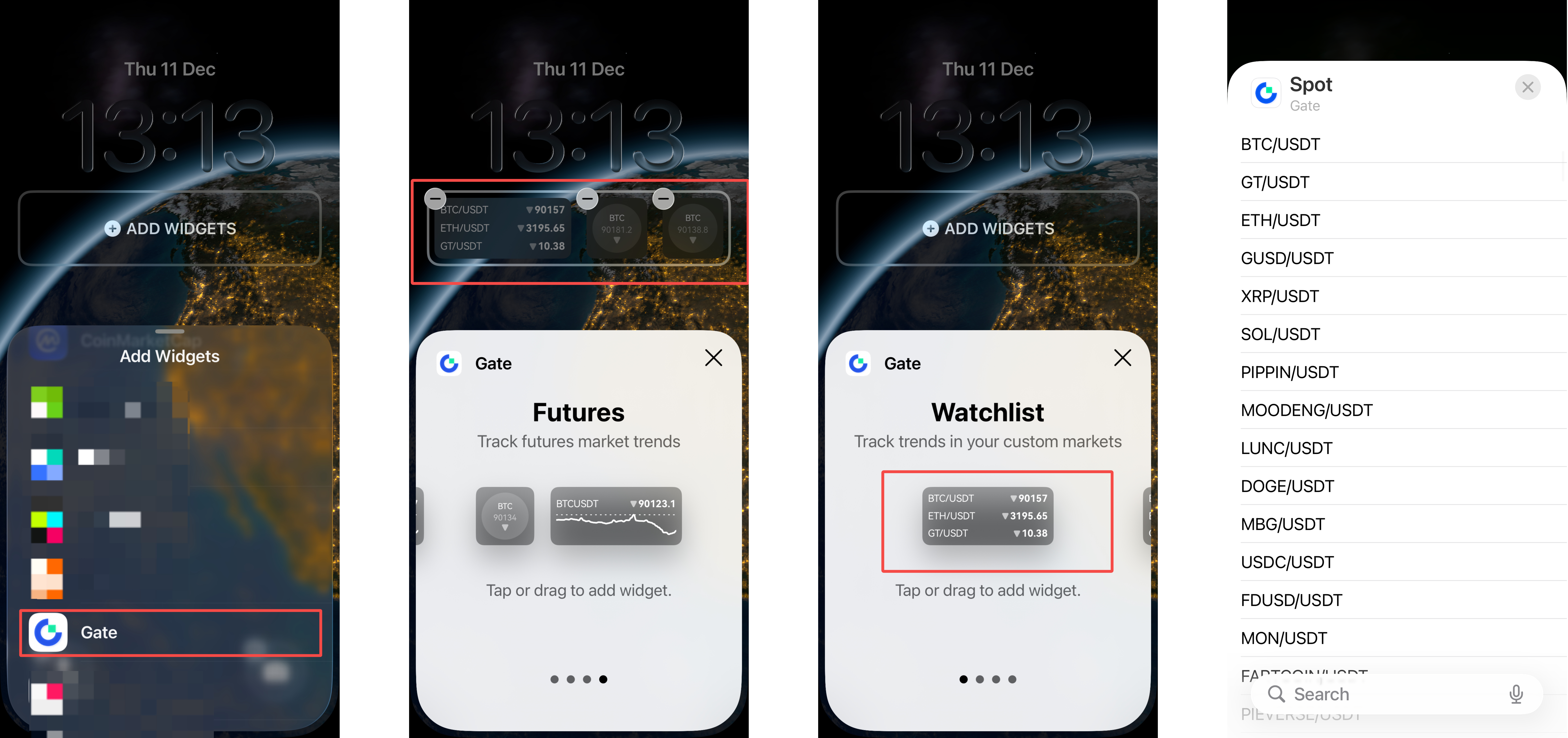
## Step 2In the Add Widget menu, scroll down and tap Gate. You will be directed to the widget selection library, where you can swipe left or right to browse available widgets. Tap or drag a widget to add it to your Lock Screen. To display a different trading pair, tap the trading pair shown in the widget and select your preferred one.
Disclaimer
The content provided herein is for reference and educational purposes only and does not constitute any financial, investment, trading, or legal advice, nor does it constitute an offer or solicitation to buy or sell any digital assets. Gate makes no express or implied representations or warranties regarding the accuracy, completeness, or timeliness of the information contained herein. Product features, interfaces, rules, and fee structures may be updated or adjusted at any time. Please refer to the latest announcements and the actual information displayed on the Gate platform for the most accurate details.
Digital asset investments involve significant risk, and prices may fluctuate substantially. You may lose the entire amount of your investment. Please make decisions cautiously based on your own financial situation and risk tolerance after fully understanding the associated risks. If necessary, you are advised to consult an independent professional financial or legal advisor.
For more information about potential risks, please refer to Gate's Risk Disclosure and User Agreement.