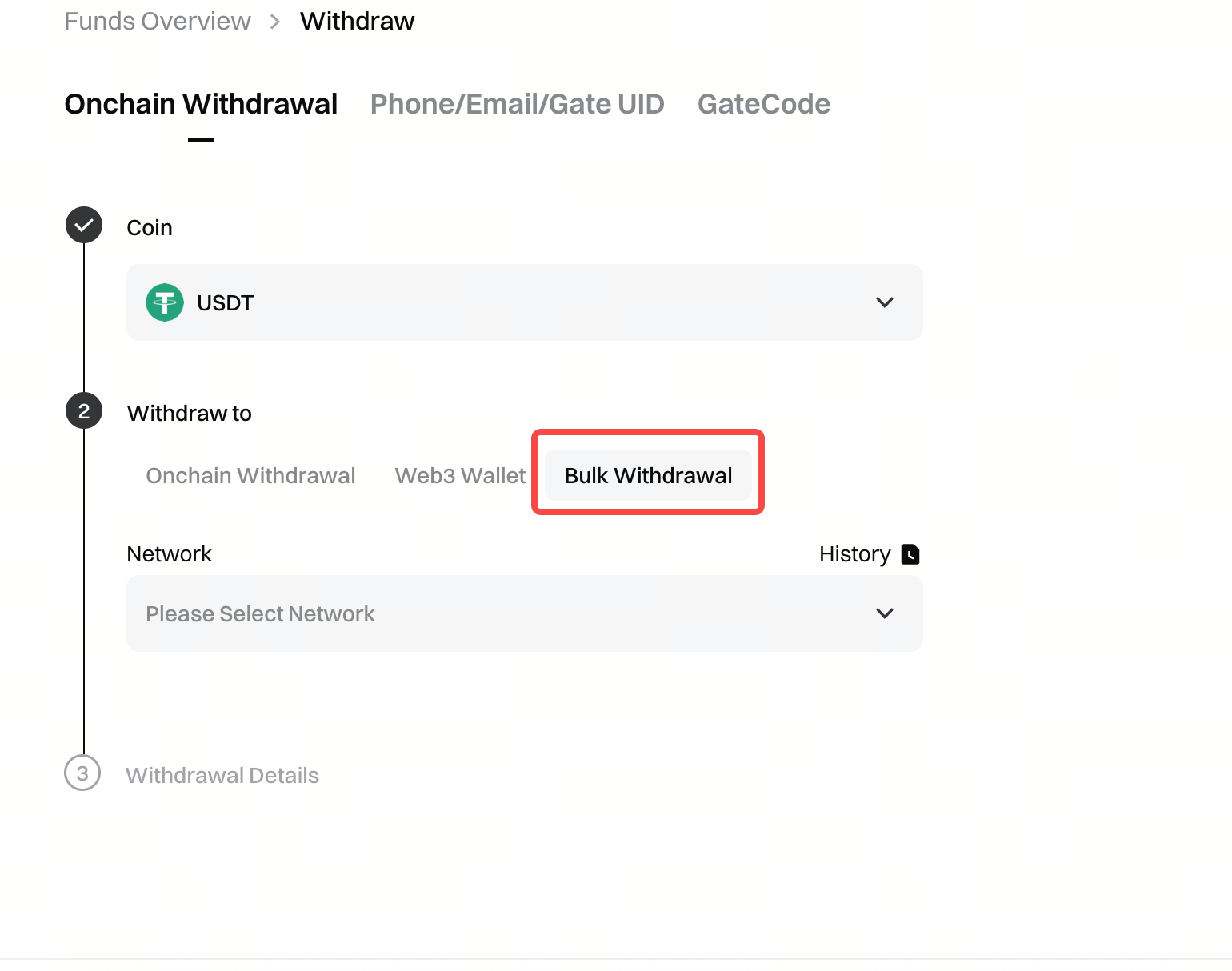
译者勿动,此为文章唯一标识|Translator please do not change, this is the only identifier of the article|6953a7ca39258Batch Withdrawal User GuideThe bulk withdrawal feature allows users to initiate withdrawals to multiple addresses simultaneously. To use this feature, go to the withdrawal page on the web platform and select Bulk Withdrawal. Choose the cryptocurrency and network you want to withdraw, then...Batch Withdrawal User Guide## **1. Feature Overview**The bulk withdrawal feature allows users to initiate withdrawals to multiple addresses simultaneously.## **2. Steps to Use**### **1. Accessing the Feature**Go to the withdrawal page on the web platform and select the **[Bulk Withdrawal]** option.
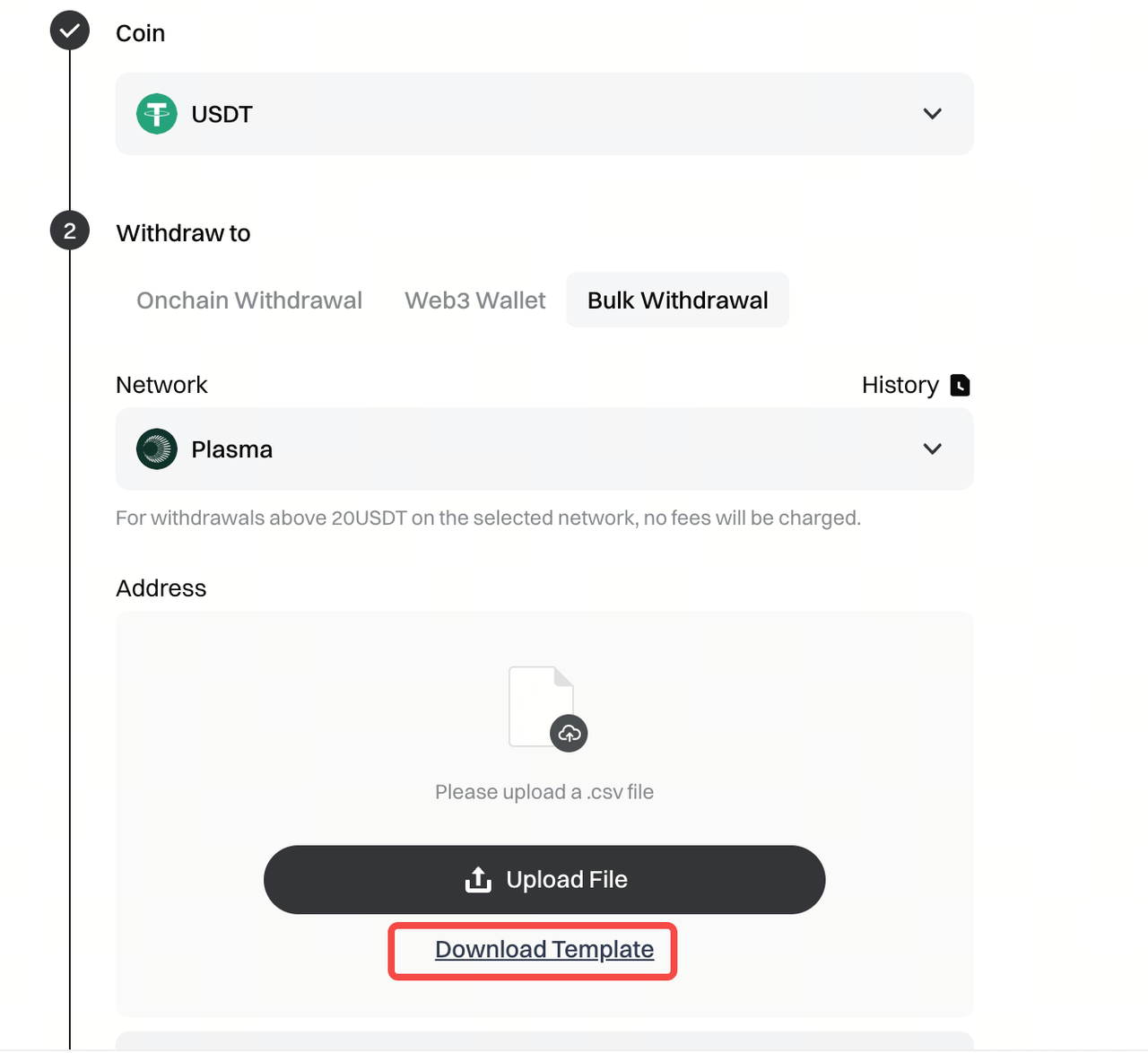
### **2. Download Bulk Withdrawal Template**Choose the cryptocurrency and network you wish to withdraw, then download the template file using the **[Download Template]** function shown in the image below.
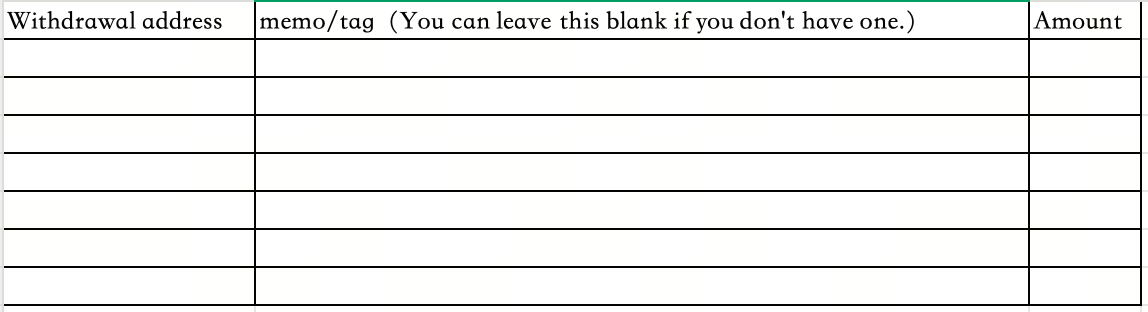
### **3. Add Addresses and Withdrawal Amounts in Bulk**The downloaded file is in .csv format, with the filename prefixed by "bulkwithdrawaltemplate". When opened, the format is shown in the table below. Please fill out the table accordingly.
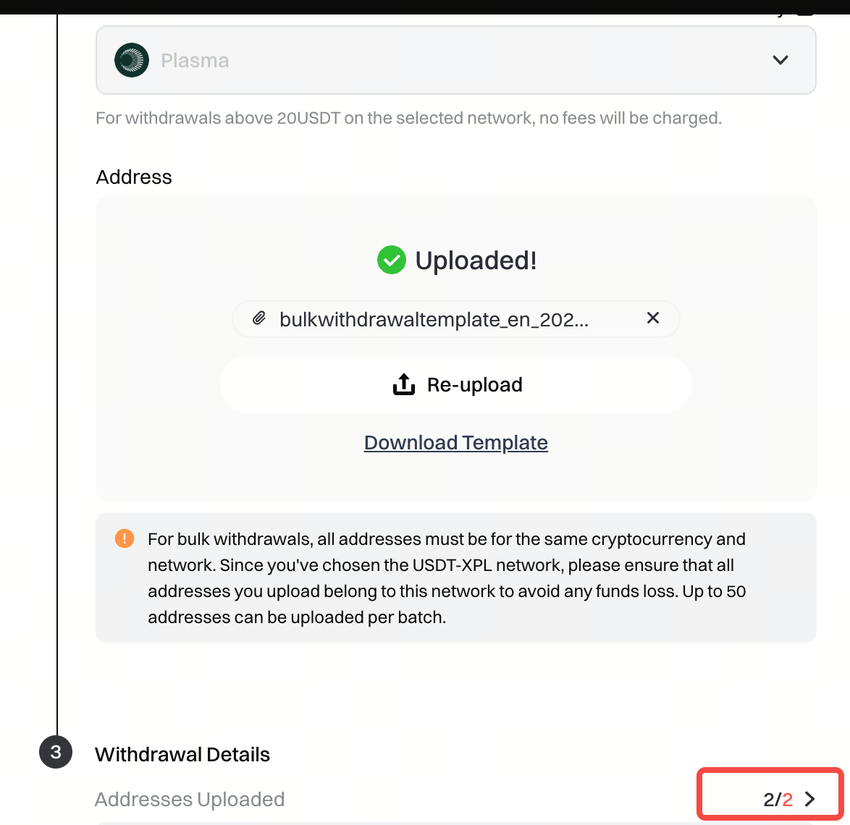
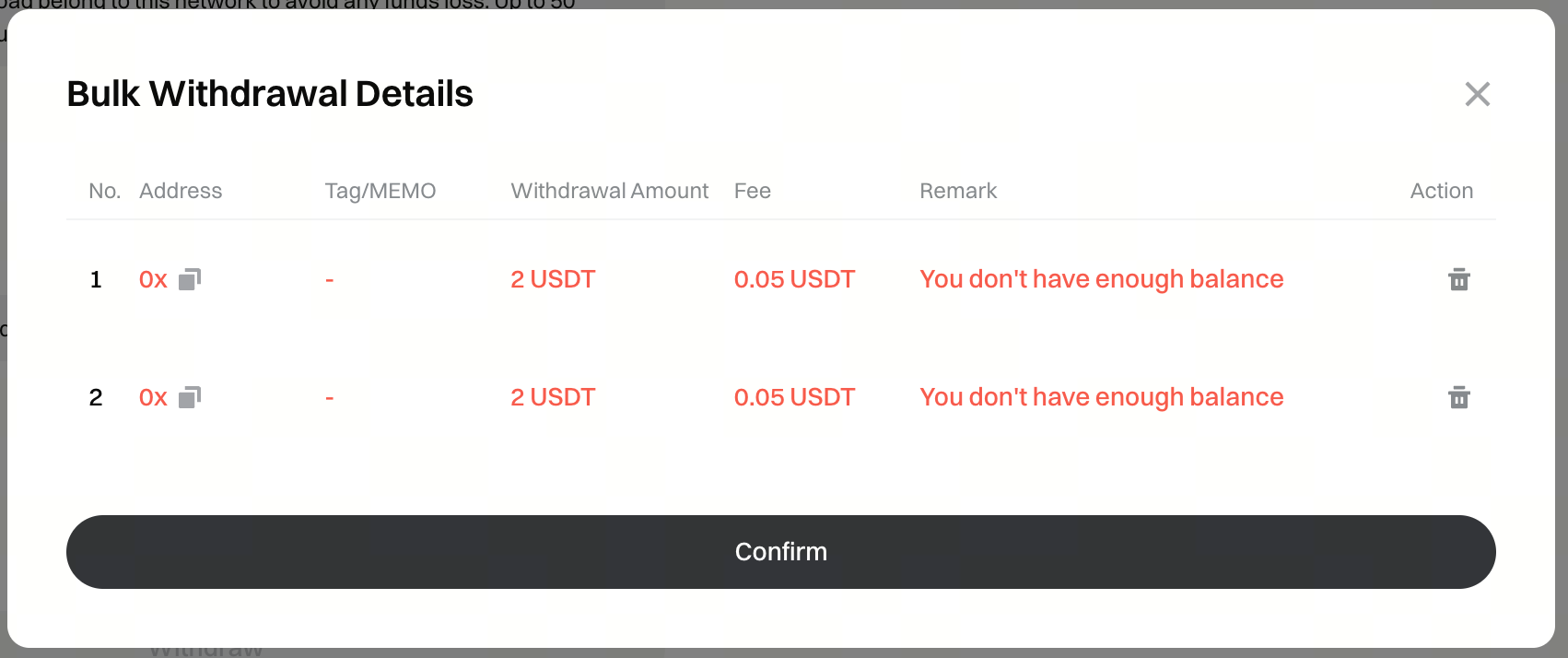
**Helpful Tips:**3.1. Depending on the cryptocurrency and network, fill in the memo/tag field as needed. If not required, simply leave it blank.3.2. Ensure that each withdrawal address matches the corresponding withdrawal amount. Please carefully review all details before submitting to avoid incorrect or accidental transfers.### **4. Upload the Completed .csv File**Once the file is uploaded, the system will automatically parse the data and identify any invalid addresses. You can view the uploaded address details through the highlighted entry point shown in the image below and make changes as needed.
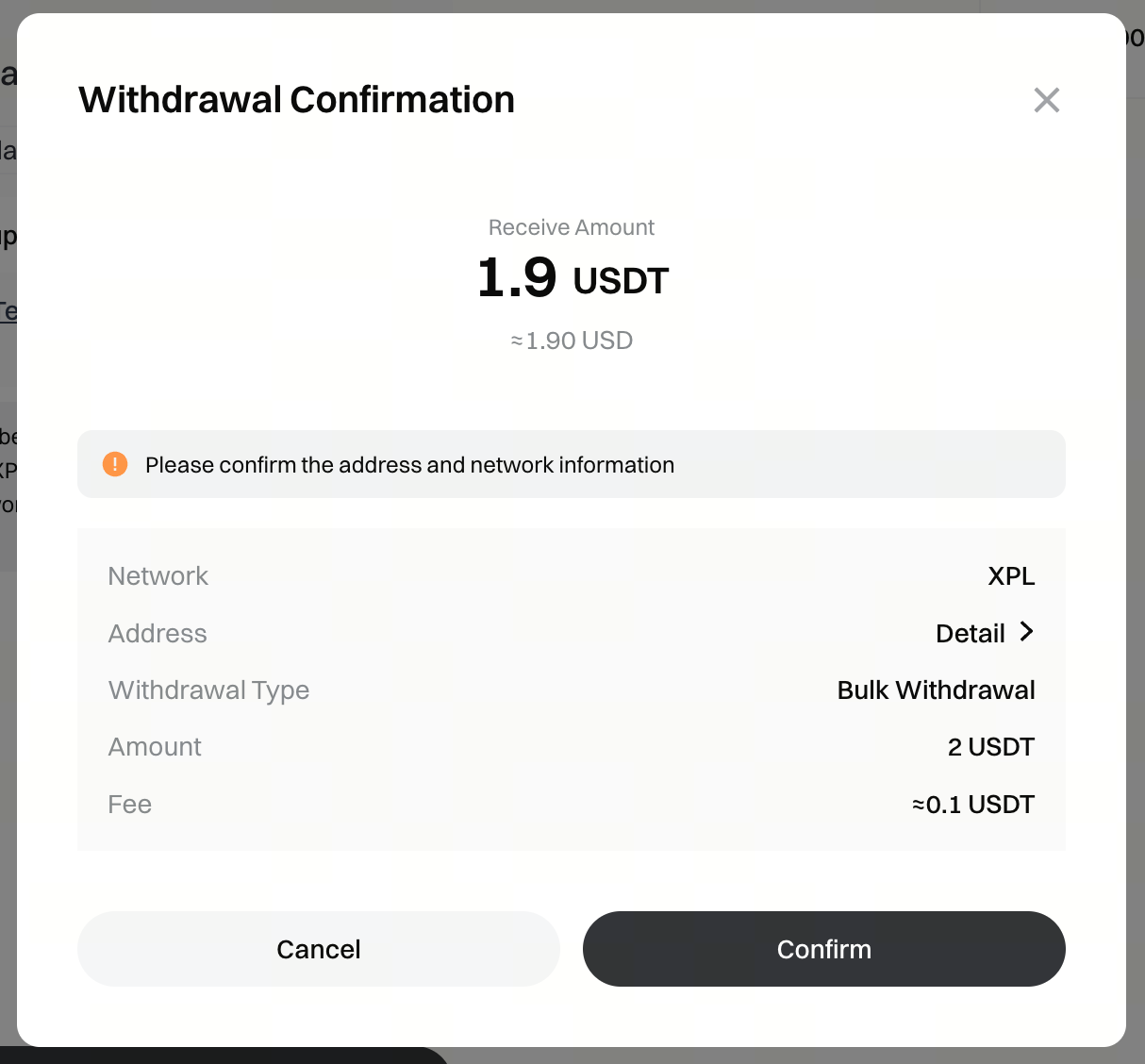
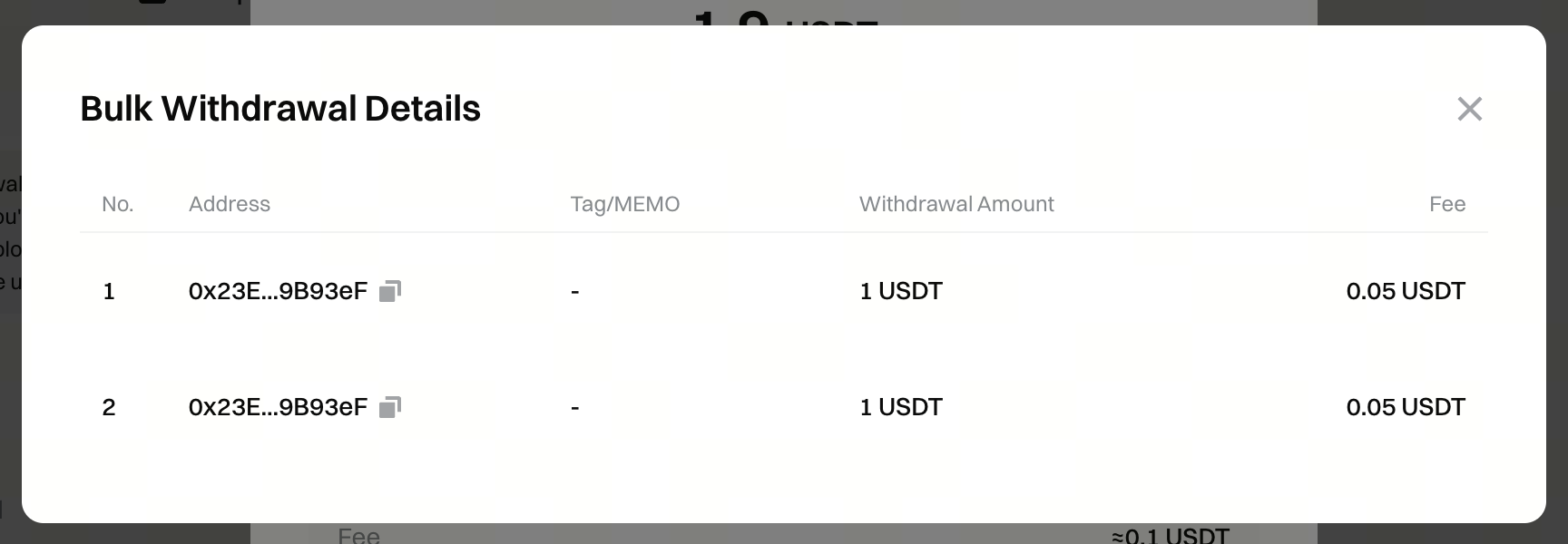
### **5. Initiate Withdrawal and Verification**After uploading the file and confirming that all details are correct, click [Withdraw] to proceed to the confirmation page. You can click [Details] as shown below to view the withdrawal amount and fees for each address. Please note that actual network fees may fluctuate. Once verification is complete, the batch withdrawal request will be submitted for processing. You will receive an email notification for each successful withdrawal, and you can also check the withdrawal status in the order history.**Helpful Tips:**5.1. The processing time for bulk withdrawals may vary depending on the current withdrawal queue. Please wait patiently.5.2. If any withdrawal triggers risk control measures or requires additional verification, please check your email notifications and respond promptly.
Disclaimer
The content provided herein is for reference and educational purposes only and does not constitute any financial, investment, trading, or legal advice, nor does it constitute an offer or solicitation to buy or sell any digital assets. Gate makes no express or implied representations or warranties regarding the accuracy, completeness, or timeliness of the information contained herein. Product features, interfaces, rules, and fee structures may be updated or adjusted at any time. Please refer to the latest announcements and the actual information displayed on the Gate platform for the most accurate details.
Digital asset investments involve significant risk, and prices may fluctuate substantially. You may lose the entire amount of your investment. Please make decisions cautiously based on your own financial situation and risk tolerance after fully understanding the associated risks. If necessary, you are advised to consult an independent professional financial or legal advisor.
For more information about potential risks, please refer to Gate's Risk Disclosure and User Agreement.