


Product Overview
Gate Pay Subscription Payments provide you with blockchain-based stablecoin auto-deduction capabilities, enabling you to automatically collect USDT or USDC from your users on EVM-compatible chains according to a set schedule. This solution is ideal for SaaS subscriptions, membership services, recurring donations, and similar scenarios.
Core Advantages:
- One-time user authorization enables automatic periodic deductions by the system—no need for repeated user actions
- Flexible configuration for trial periods and introductory pricing lowers conversion barriers for users
- Automatic retry for failed deductions reduces order loss
- Supports four major EVM networks: Ethereum, Arbitrum, Polygon, and BSC
Integration Process
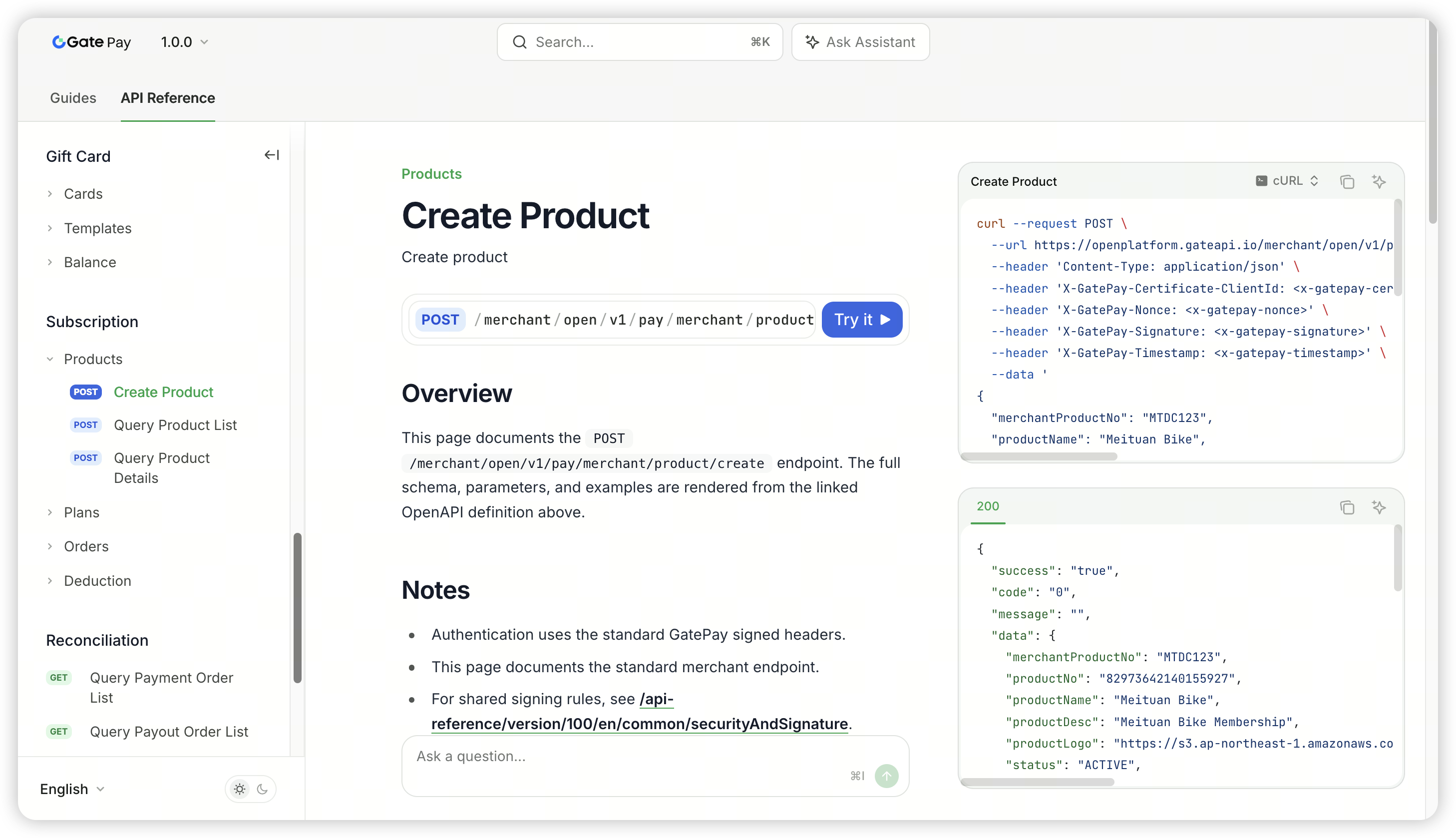
API documentation: https://docs.gate.com/api-reference/version/100/en/endpoint/subscription/productCreate
Step 1: Create Product Information
Create your product via API, providing details such as product name, description, images, and more.
Step 2: Create Pricing Plan
Create pricing plans under your product, with the following configurable parameters:
| Parameter | Description |
|---|---|
| Deduction Amount | Amount per deduction, minimum 0.01 |
| Deduction Currency | USDT or USDC |
| Deduction Cycle | Daily / Weekly / Monthly / Yearly, supports custom interval days |
| Introductory Price (Optional) | Supports fixed amount or discount rate, applies only to the first deduction |
| Free Trial Period (Optional) | Set trial days; no deductions during the trial period |
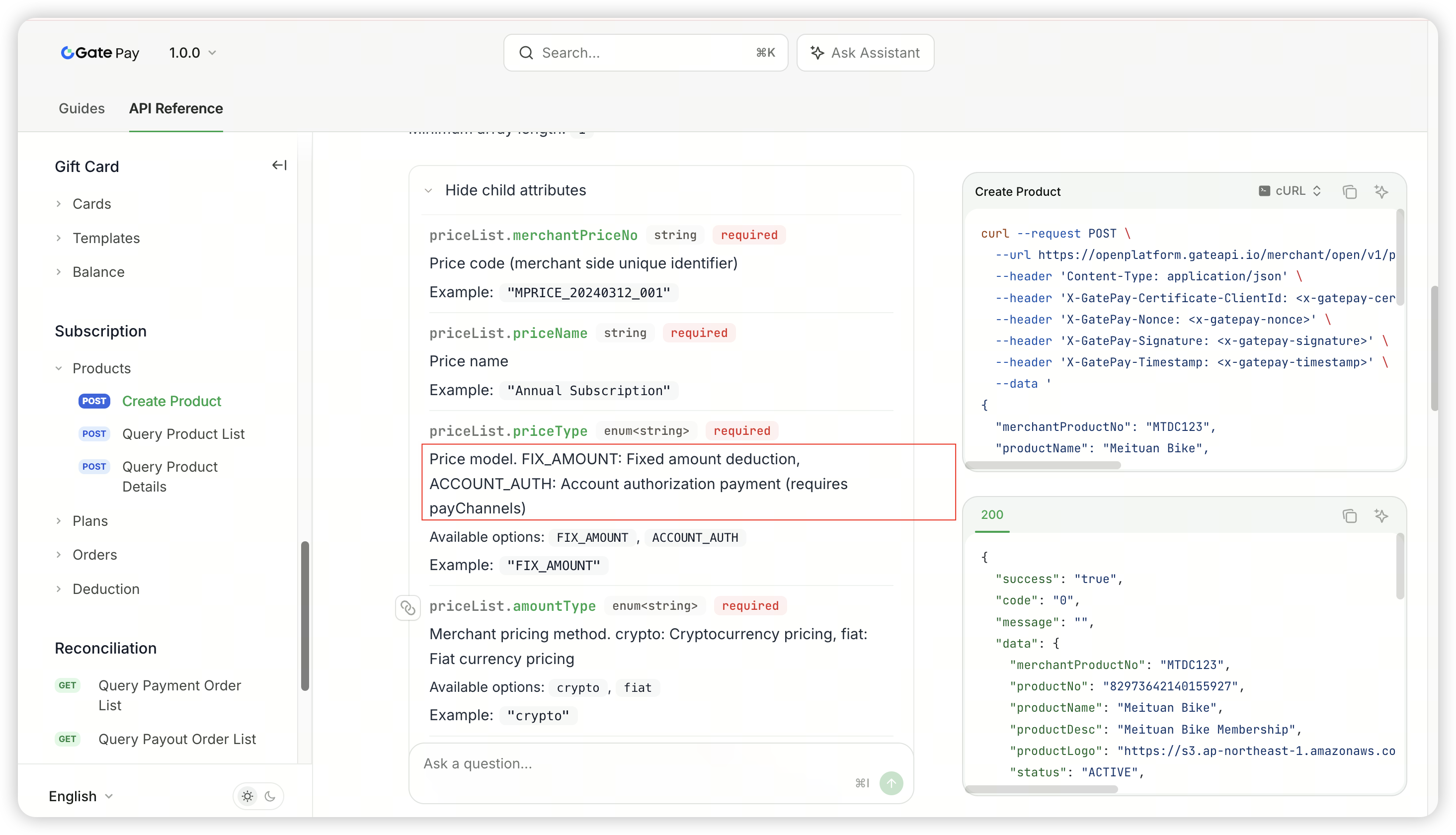
Note:
FIX_AMOUNT: Fixed amount deduction—system automatically deducts a fixed amount each cycle
ACCOUNT_AUTH: Authorized payment—user authorizes a certain amount, and the merchant can deduct any amount within that limit
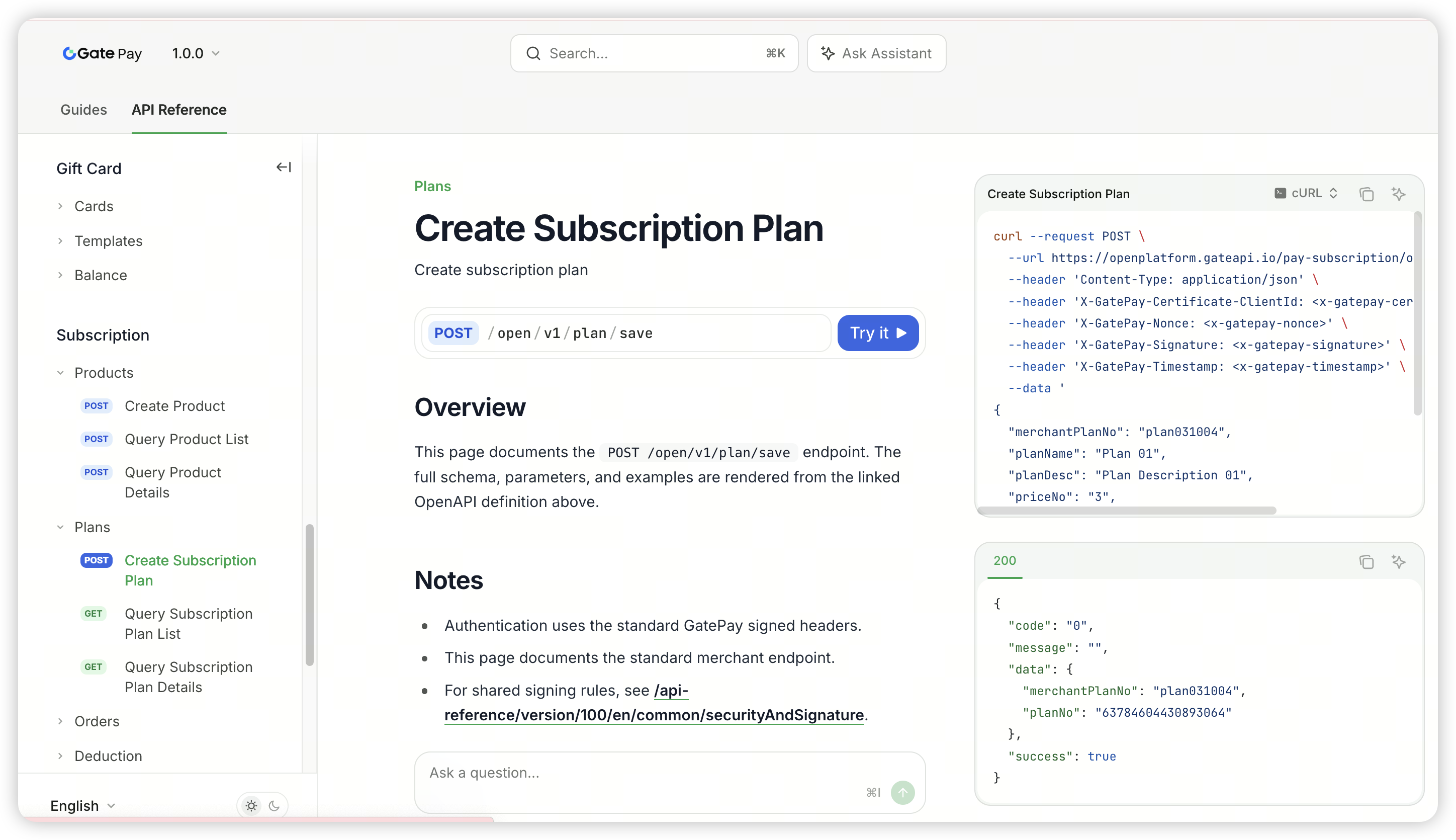
Step 3: Create Subscription Plan
Associate your product with a pricing plan, set the maximum deduction limit authorized by the user, and generate a subscription plan.
Step 4: Generate and Distribute Subscription Link
Use the API to create a subscription order for the user and obtain a subscription payment link.
⚠️ The subscription link is valid for 24 hours. Please send the link to your user within the validity period. If expired, you’ll need to generate a new link via the API.
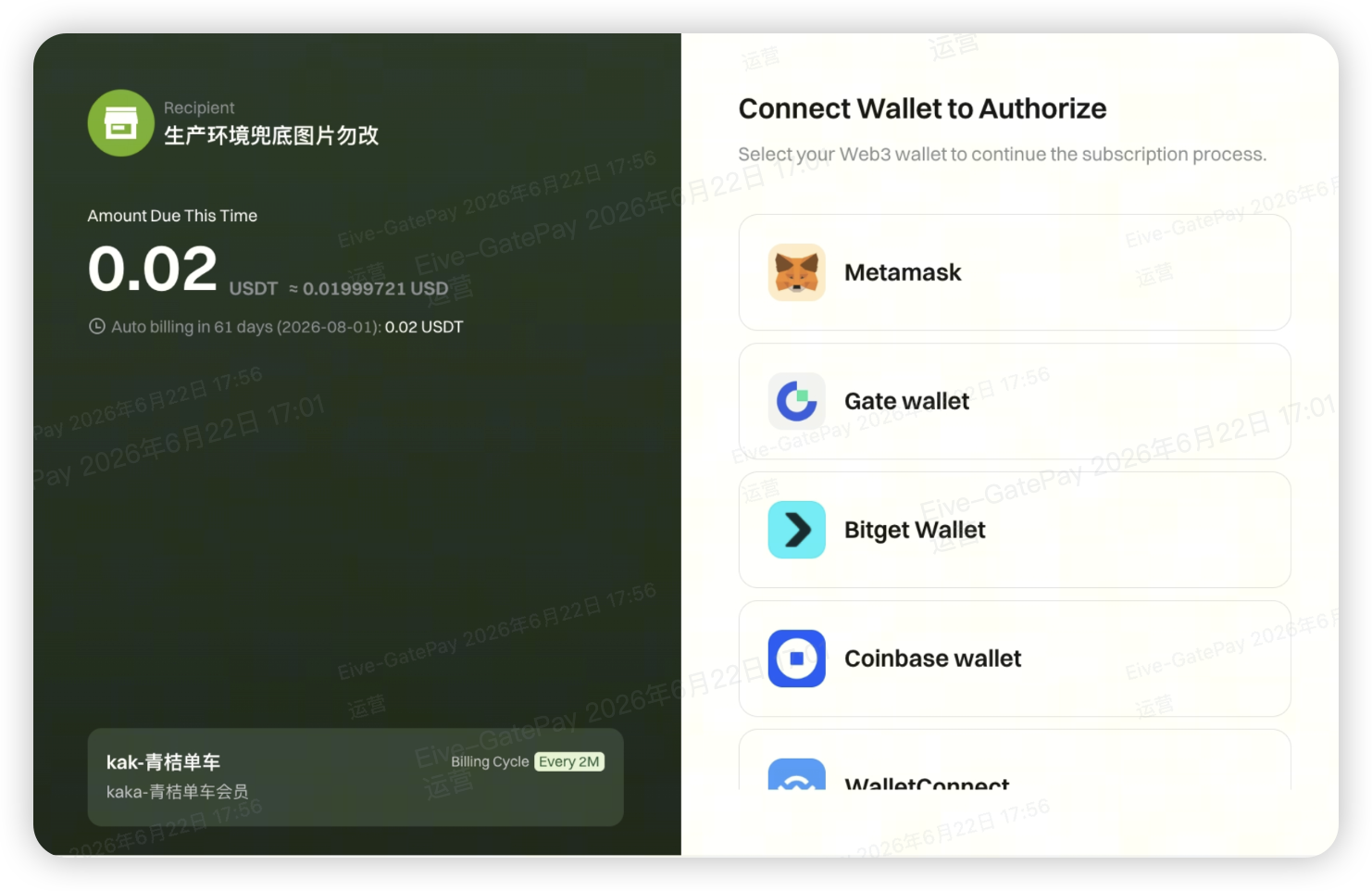
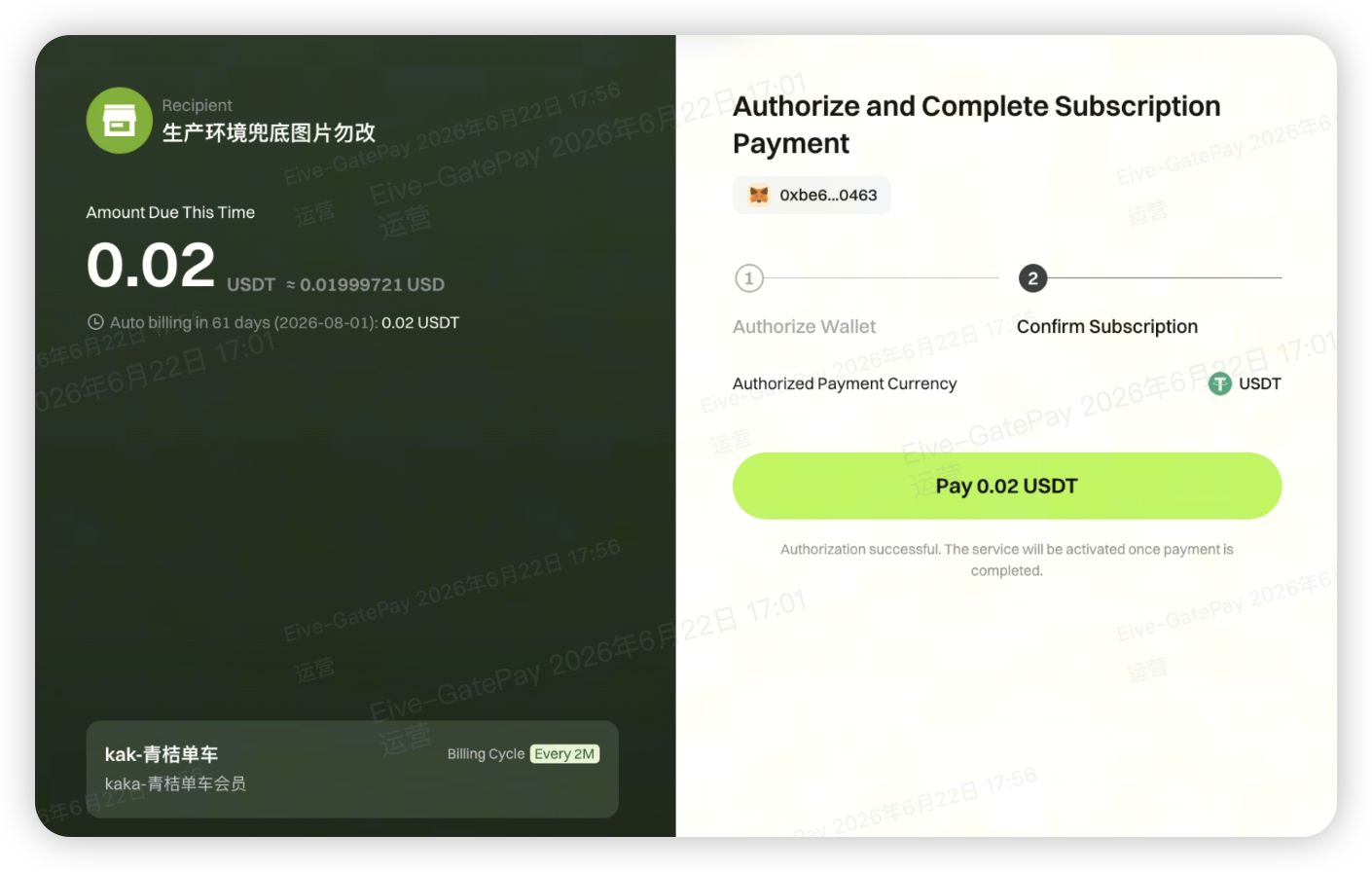
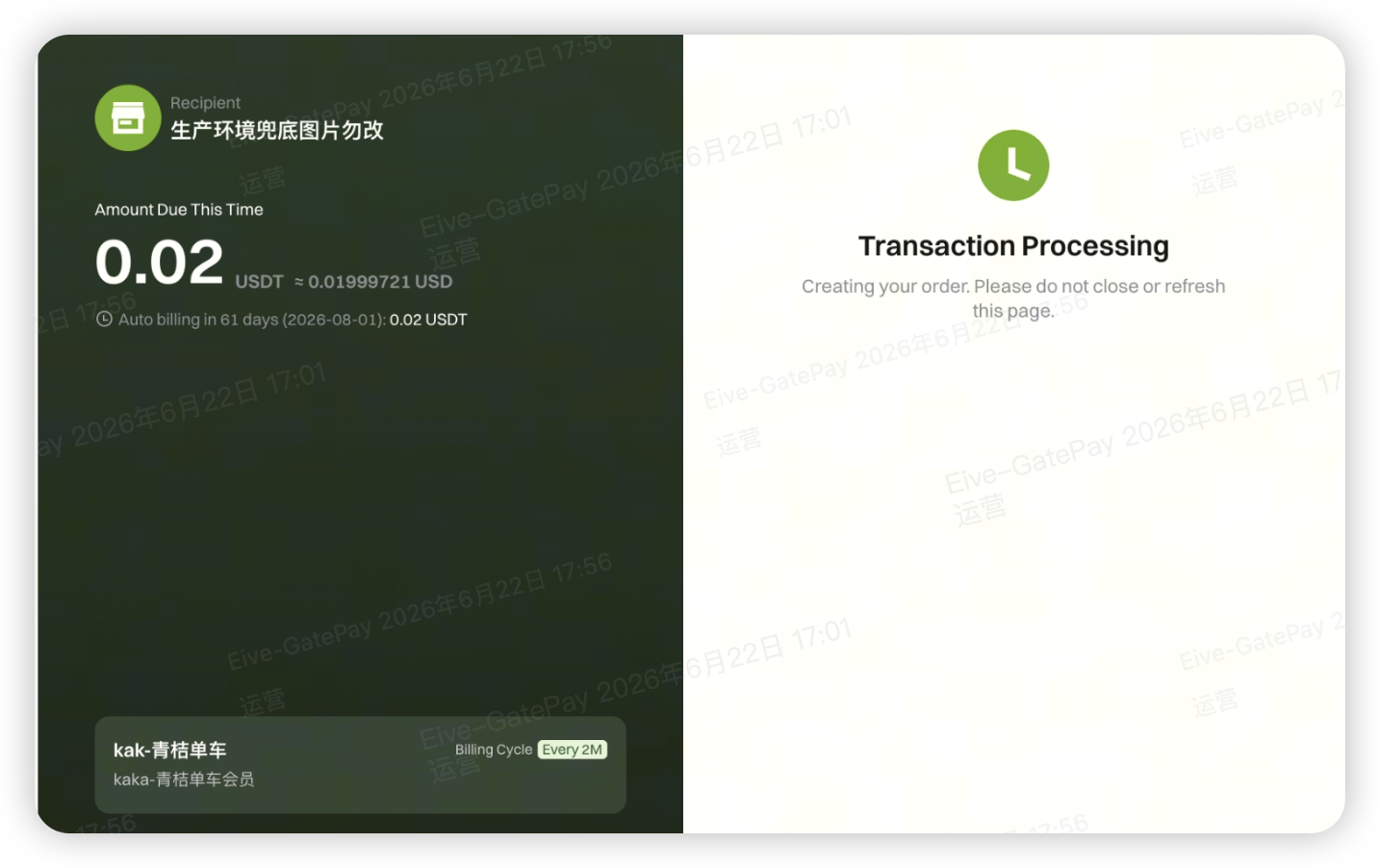
Send the link to your user; after clicking, users can complete wallet connection, authorize the deduction limit, and make the first payment on their own.
Step 5: Receive Deduction Notifications
After configuring the callback URL, the system will proactively notify you when the following events occur:
- User completes authorization
- First deduction is successful
- Each periodic deduction is successful or fails
Key Rules Explanation
Deduction Timing
The system processes periodic deductions in batches every day at 09:00 Beijing Time (UTC 01:00).
First Deduction Trigger Rules
- No trial period: First deduction is triggered immediately after user authorization
- With trial period: User enters the trial period after authorization; first deduction is automatically triggered after the trial ends
- Introductory price configured: First deduction uses the introductory price; subsequent deductions use the regular price
Handling Deduction Failures
If deduction fails due to insufficient user balance or authorized limit:
- The system automatically retries every 6 hours, up to 2 times
- If all retries fail, the subscription order is automatically closed
- To resume, you must generate a new subscription link for the user
Order Status Explanation
td {white-space:nowrap;border:0.5pt solid #dee0e3;font-size:10pt;font-style:normal;font-weight:normal;vertical-align:middle;word-break:normal;word-wrap:normal;}
| Status | Meaning |
|---|---|
| Pending Authorization | Order created, waiting for user authorization |
| Authorized | User has authorized, waiting for first deduction |
| In Trial | User is in trial period, no deduction yet |
| Confirming | First deduction processing (when no trial period) |
| Active | Periodic auto-deduction is running normally |
| Completed | Subscription ends normally after reaching set total cycles or end date |
| Canceled | Merchant proactively cancels the subscription |
| Unpaid | Deduction failed, waiting for system retry |
| Closed | Retry limit reached, subscription closed |
| Intercepted | On-chain transaction succeeded, but KYT risk control validation failed |
Order Query & Management
You can check deduction records using the following methods:
Merchant Dashboard: Log in to the merchant dashboard → Payment Orders → Filter order type “Subscription Payment”
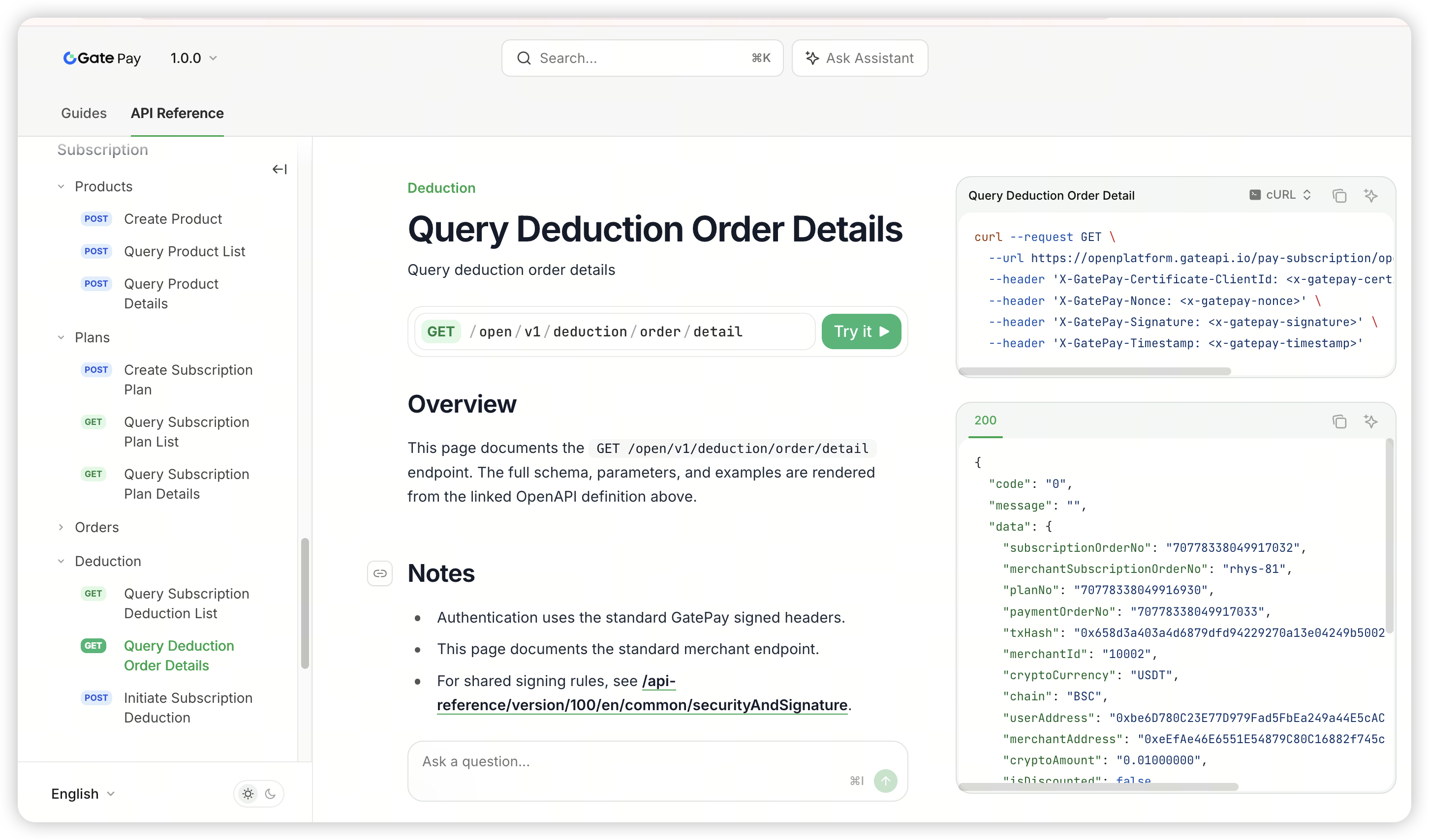
API: Query subscription order details via the /open/v1/order/detail endpoint.
https://docs.gate.com/api-reference/version/100/en/endpoint/subscription/deductionOrderDetail
Subscription Interface Display
Notes
- Currently, editing existing subscription plans (amount, cycle, etc.) is not supported. To make changes, please create a new subscription plan.
- The fee structure is consistent with the existing Gate Pay Web3 payment solution. Dedicated subscription payment rates will be introduced in future versions.
- Users are responsible for gas fees during authorization; gas fees for each automatic deduction are covered by the platform.
Disclaimer
The content provided herein is for reference and educational purposes only and does not constitute any financial, investment, trading, or legal advice, nor does it constitute an offer or solicitation to buy or sell any digital assets. Gate makes no express or implied representations or warranties regarding the accuracy, completeness, or timeliness of the information contained herein. Product features, interfaces, rules, and fee structures may be updated or adjusted at any time. Please refer to the latest announcements and the actual information displayed on the Gate platform for the most accurate details.
Digital asset investments involve significant risk, and prices may fluctuate substantially. You may lose the entire amount of your investment. Please make decisions cautiously based on your own financial situation and risk tolerance after fully understanding the associated risks. If necessary, you are advised to consult an independent professional financial or legal advisor.
For more information about potential risks, please refer to Gate's Risk Disclosure and User Agreement.
