


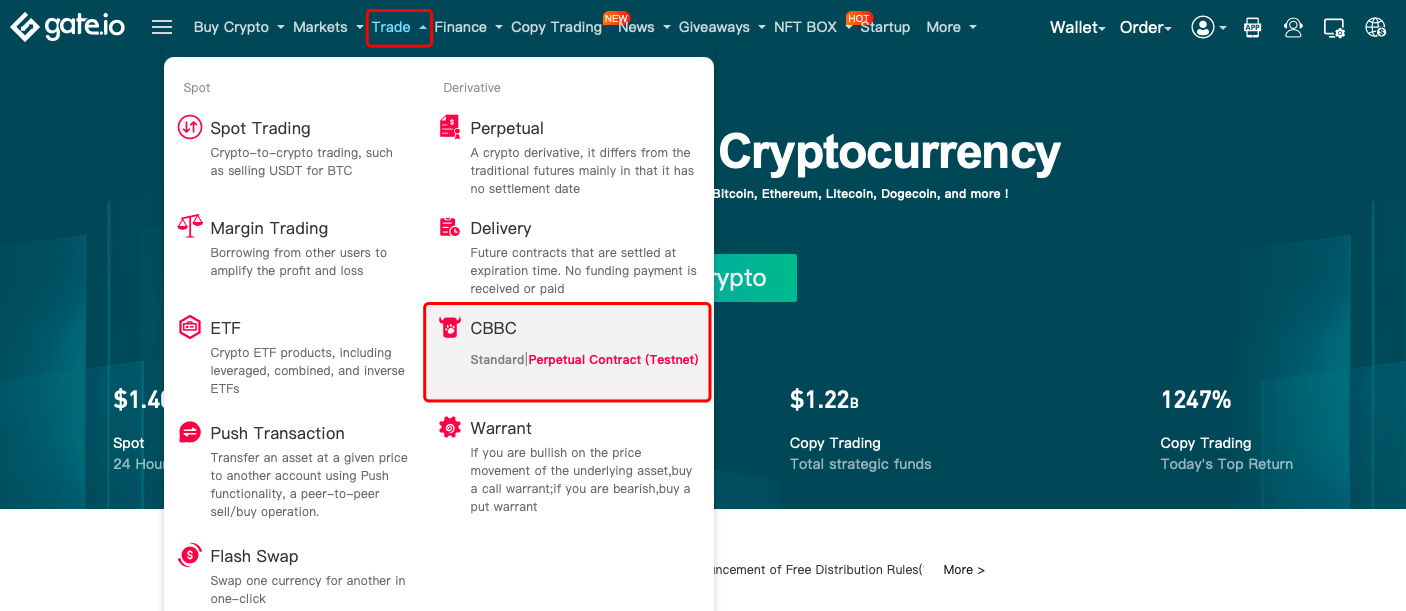
Step 1: Log in to your account on Gate website. Go to "Trade"-"CBBC". This tutorial uses "Perpetual Contract (Testnet)".
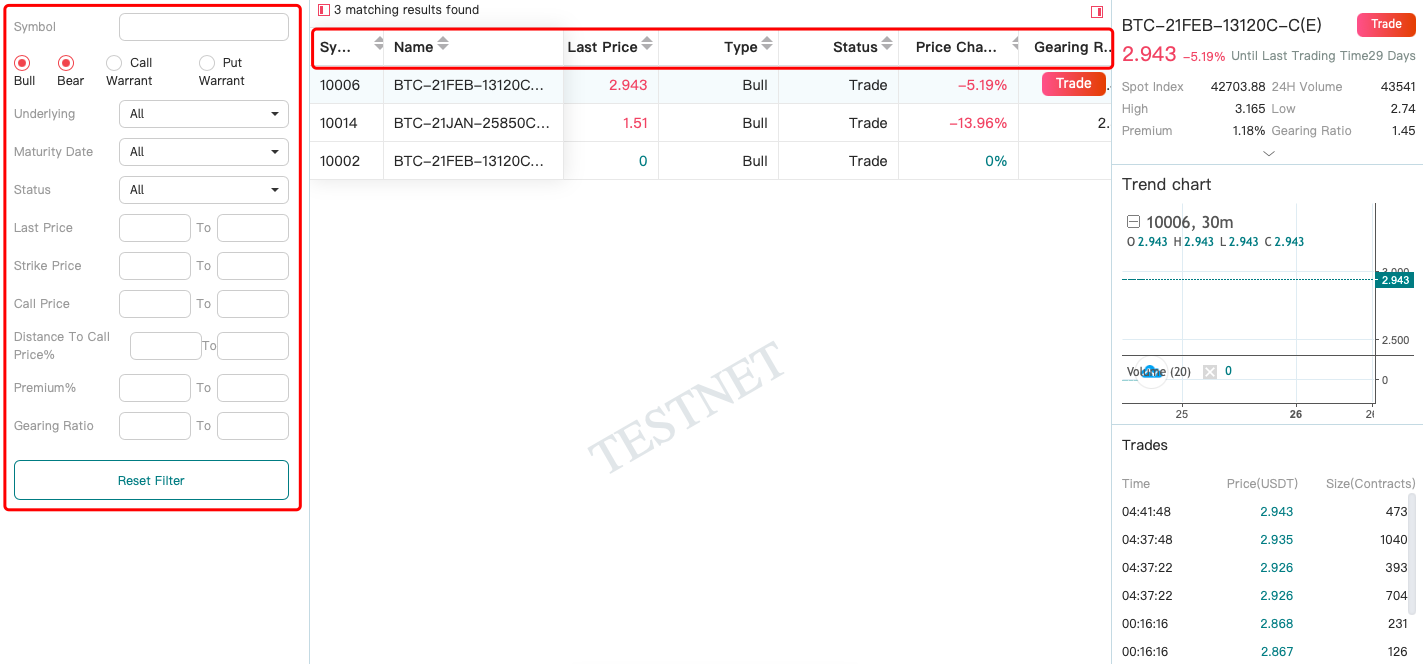
Step 2: After clicking on "Perpetual Contract (Testnet)" and entering the page, you can select CBBC by applying a filter from the settings menu on the left. The filter includes the following parameters: "Underlying" (asset), "Maturity Date", "Status", "Last Price", "Strike Price", "Call Price", "Distance To Call Price%", "Premium%" and "Gearing Ratio". Alternatively, you can click on the upward and downward triangular buttons following the table headers to sort the results in ascending or descending order.
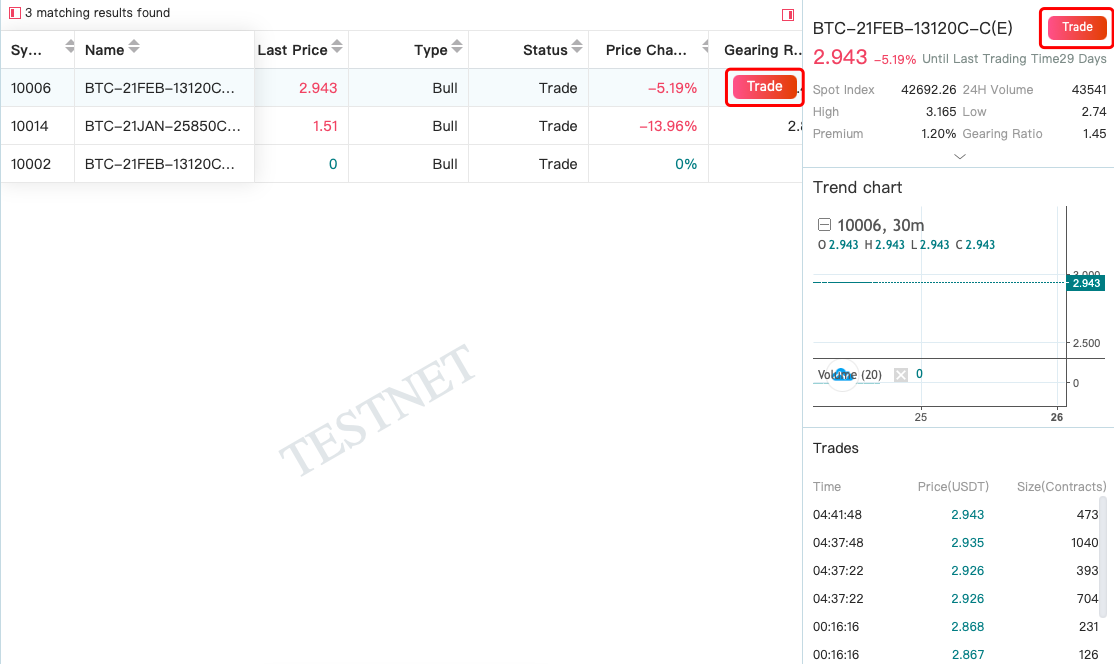
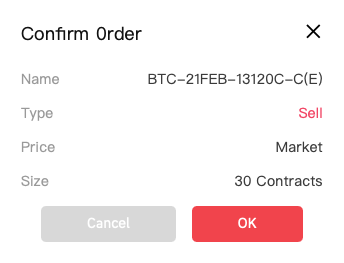
Let's take "BTC-21FEB-13120C-C(E)" as an example: "BTC" means the underlying asset is BTC_USDT spot index. "FEB" means the maturity date is in February. "C" (the first "C") is short for "call" while "P" is short for "put". "C" (the second "C") indicates that the same issuer has issued multiple BTC CBBCs that expire in the same month but with different terms.
Step 3: On the right is the basic information of the selected CBBC. Click on "Trade" to start trading.
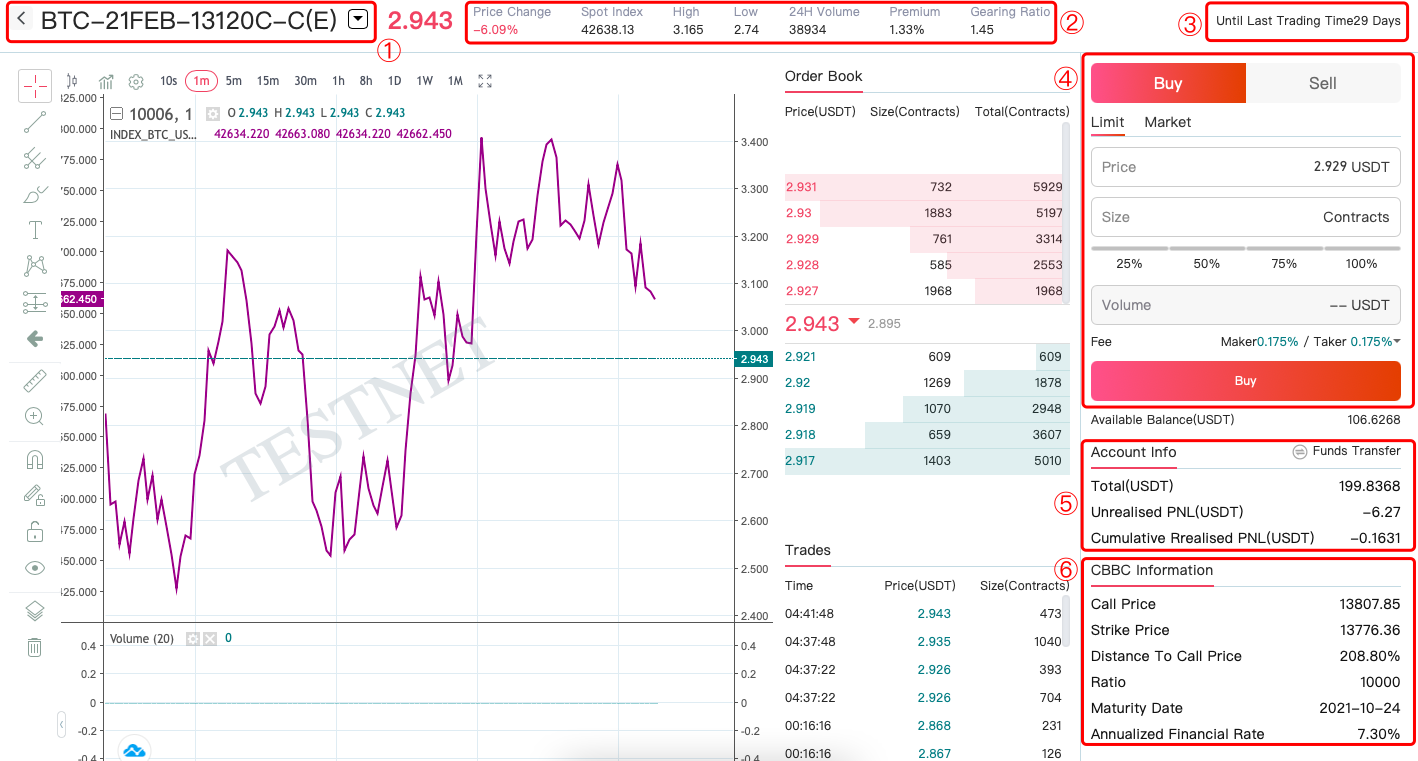
Step 4: On the trading page:
① The name of the traded product is displayed here. Click to switch to other products.
② Here you can view "Price Change", "Spot Index", "High", "Low", "24H Volume", "Premium" and "Gearing Ratio".
③ Distance to maturity day count.
④ Trading action section. Users can buy and sell assets here.
⑤ Account information and entrance to transferring funds.
⑥ CBBC information, such as call price and strike price.
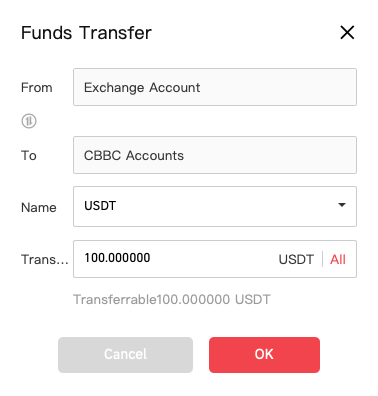
Step 5: Users must transfer funds before starting to trade. Click on "Funds Transfer" and set the transfer direction as from "Exchange Account" to "CBBC Accounts". Select the currency and enter the amount. Then click on "Confirm". Once the transfer is completed, the balance in your CBBC will be automatically renewed.
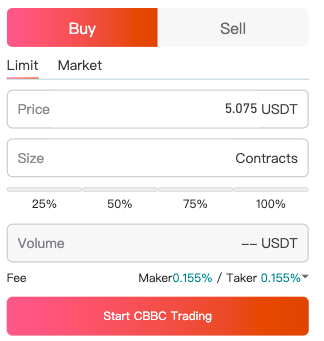
Step 6: Users can trade either with limit orders or with market orders. Click on the prices on the order book to set the "buying"/"selling" prices conveniently. Enter the correct price and size, then click on "Start CBBC Trading" below.
Step 7: After successfully purchasing CBBC, you can view the status (including holding amount and PNL) of the CBBC you own in "Positions". Please note that as soon as the spot index reaches the call price, the contracts will be exercised and trading will be stopped, which is equivalent to forced liquidation in margin trading. Unextended CBBC will be settled on the maturity date, if not called before the maturity date.

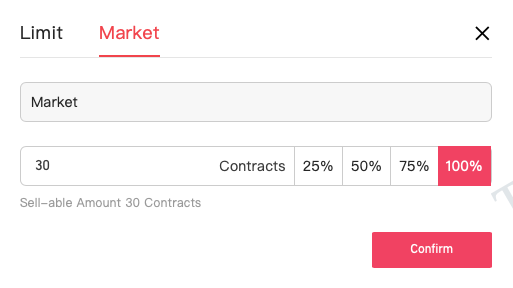
If you want to sell CBBC to close the position, click on the "Sell" button, enter the selling price and amount as a limit order. Or click on "Market", select 100% and confirm. After verifying the fund password, the trade will be completed.
Note: Please make sure you have a clear understanding of the risks in CBBC trading before making any investment decisions.
Disclaimer
The content provided herein is for reference and educational purposes only and does not constitute any financial, investment, trading, or legal advice, nor does it constitute an offer or solicitation to buy or sell any digital assets. Gate makes no express or implied representations or warranties regarding the accuracy, completeness, or timeliness of the information contained herein. Product features, interfaces, rules, and fee structures may be updated or adjusted at any time. Please refer to the latest announcements and the actual information displayed on the Gate platform for the most accurate details.
Digital asset investments involve significant risk, and prices may fluctuate substantially. You may lose the entire amount of your investment. Please make decisions cautiously based on your own financial situation and risk tolerance after fully understanding the associated risks. If necessary, you are advised to consult an independent professional financial or legal advisor.
For more information about potential risks, please refer to Gate's Risk Disclosure and User Agreement.
