


This article outlines the operational process for applying to become a manager, creating products, fundraising and operating products, distribution performance evaluations, distribution listing, and ongoing management.
Apply to Become a Manager
Applicable status: You have not yet obtained access to the Asset Management Platform Operations System.
Steps
1.Open the Gate Asset Management Business Overview page.
2.Complete and submit the asset management business application form.
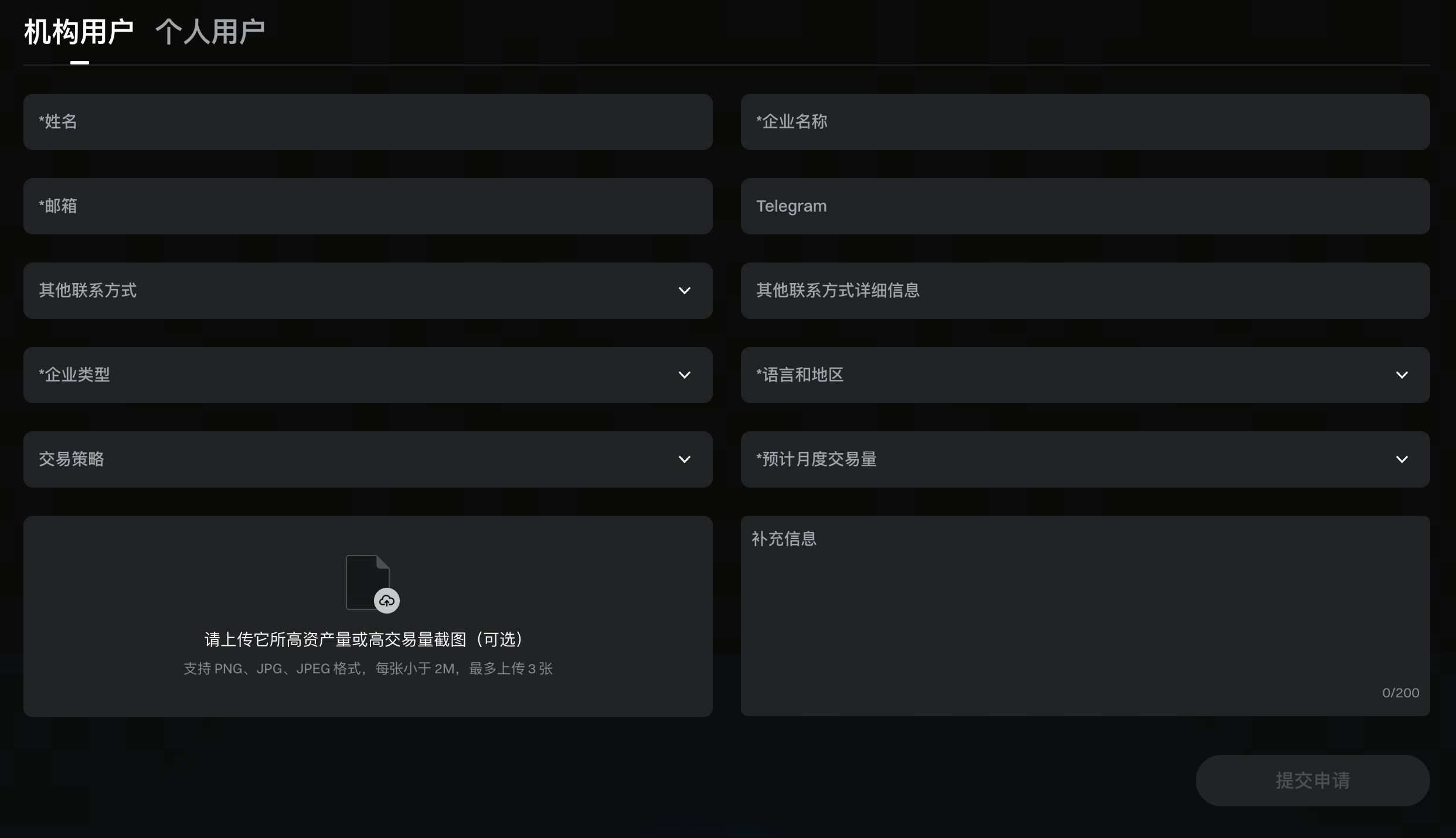
3.After the application is submitted successfully, it will be automatically approved. You will become a manager and gain access to the Asset Management Platform Operations System.
4.Go to the Gate Asset Management Platform Operations System to start creating and managing products.
Create a Product
Applicable status: You have obtained access to the Asset Management Platform Operations System but have not yet created a product.
Steps
1.Select [Create Product] from the left-hand menu.
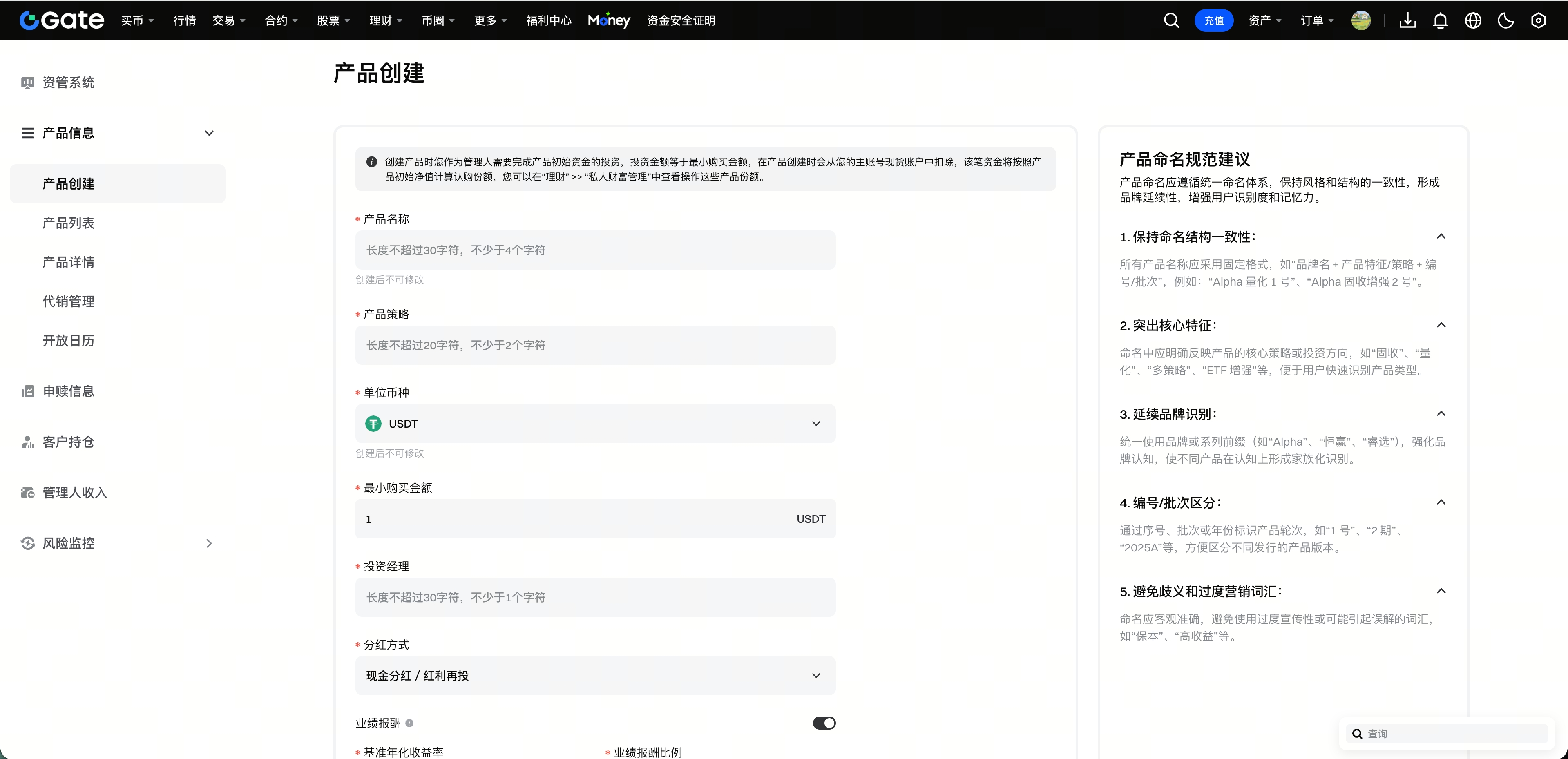
2.Enter the product name, product strategy type, base currency, investment manager, minimum purchase amount, investment strategy, and other product details.
3.Review product rules, including the management fee, performance fee, open days, and dividend distribution method. Confirm the information and submit it to complete product creation.
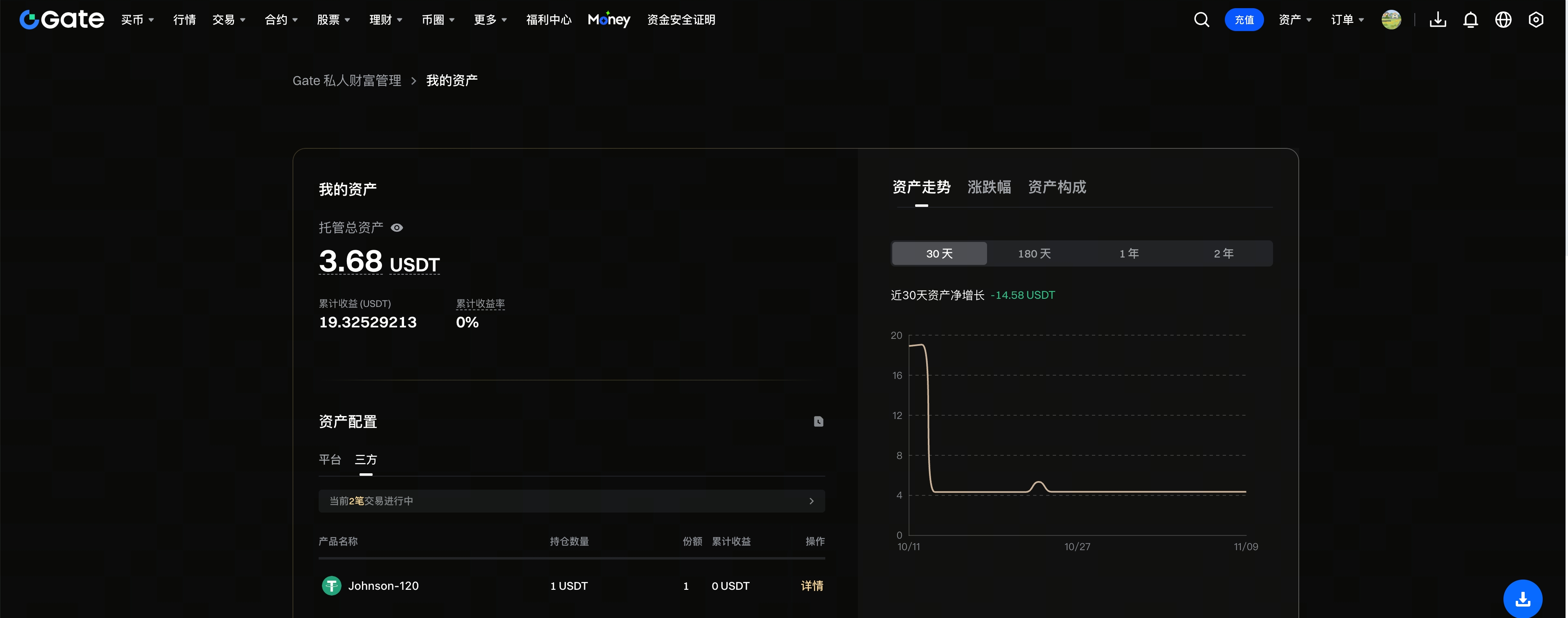
4.When the product is established, the manager must be the first investor and invest the minimum purchase amount to subscribe to the product at a unit NAV of 1.000000.
5.After the subscription is completed, the manager will hold the corresponding product shares. You can view your product shares and profit and loss on the [Earn] → [VIP Exclusive Earn] → [Advanced Earn] → [Private Wealth Management] page.
Product Fundraising and Daily Operations
Direct Fundraising
The manager sends the product subscription link directly to investors, who can use the link to learn about and subscribe to the product.
1 Find the product you want to raise funds for in [Product List].
2.Preview or copy the product purchase link.
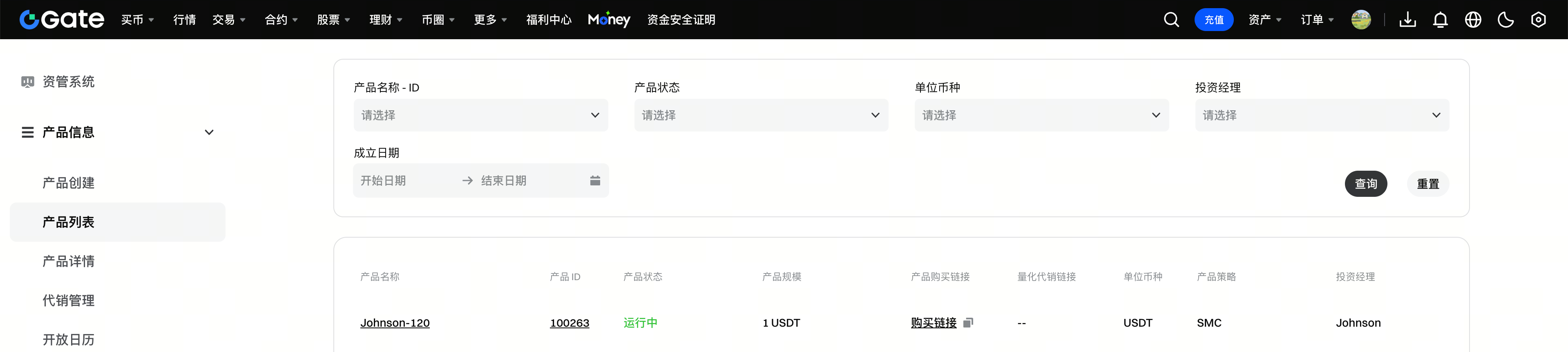
3.Provide the purchase link to investors.
4.Investors open the link, enter the subscription amount, and submit the subscription request.
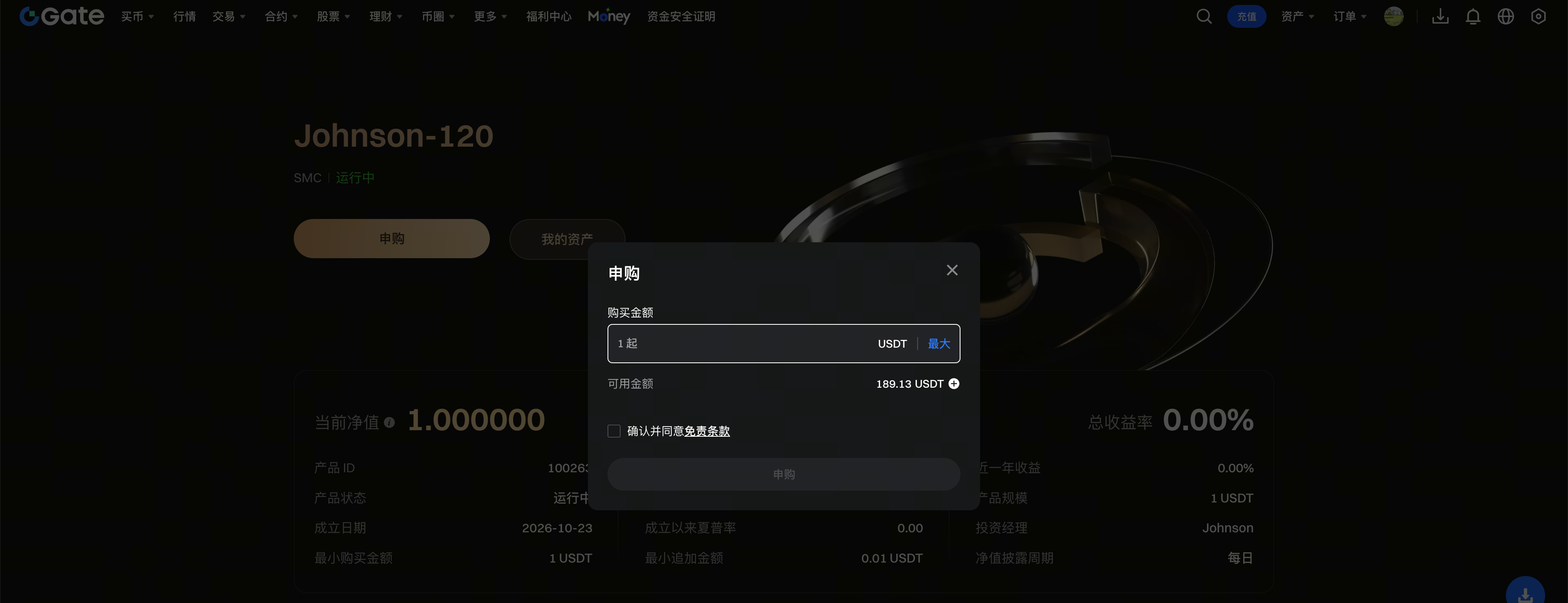
5.The system calculates the investor’s confirmed subscription shares based on the product unit NAV at the next valuation settlement.
6.After the subscription is completed, investors can view their holdings on the [Private Wealth Management] page.
Product Management
1.In the Asset Management Operations System, you can perform the following actions:
- View or edit product basic information that can be modified on the page;
- View product performance;
- View investor subscription, redemption, and holding information;
- Process net product redemptions.
For detailed instructions, see Product Management Guide.
Product Investments and Fund Transfers
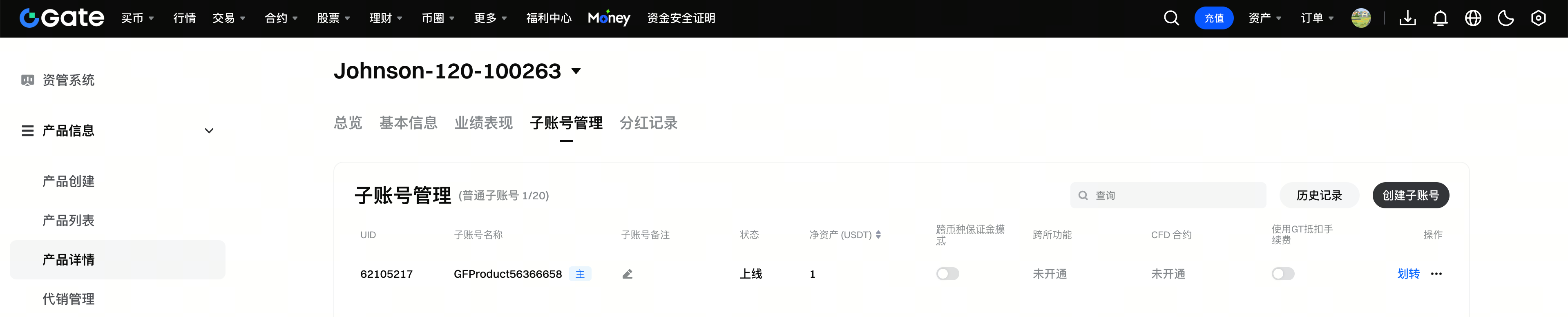
1.Manage product sub-accounts, transfer funds between sub-accounts, and enable cross-exchange functionality for sub-accounts. For detailed instructions, see Product Investment Guide.
Configure Risk Controls
1.Configure risk metrics and risk rules according to product needs, and confirm the actions and impact when risk rules are triggered. If you need to receive related notifications, you can follow the instructions to create a Telegram Bot. For detailed instructions, see Risk Control System Guide.
Dividends and Performance Fees
1.To distribute product dividends, see Product Dividend Distribution Guide.
2.To collect product performance fees, see Product Performance Fee Guide.
View the Fund Operations Process
1.For the complete process from investor deposits to product redemptions, as well as security measures for product accounts, see Asset Management Fund Operations Process and Security Safeguards.
Product Distribution
Distribution Performance Evaluation
Applicable status: The product is operating, and the manager wishes to apply for platform distribution.
Performance Requirements
The product must meet the evaluation period, asset size, risk control, and performance requirements simultaneously. The specific criteria are as follows:
1.Evaluation period: The evaluation period must be at least 60 days.
2.Asset size: The lowest asset value over the past 60 days must be no less than 10,000 USDT.
3.Asset risk control: Single-asset allocation and net exposure limits are set based on asset category and currency ranking:
- Top 10 cryptocurrencies and stocks: Net exposure to a single asset must not exceed 3%;
- Cryptocurrencies ranked 11th to 30th: A single asset must not account for more than 50% of the account’s net assets, and net exposure must not exceed 1%;
- Other cryptocurrencies: A single asset must not account for more than 10% of the account’s net assets, and net exposure must not exceed 0.5%.
- Stablecoins and the base currency are not subject to the above restrictions. Once other applicable assets reach their limits, opening additional positions will be restricted. However, you may reduce exposure by reducing or closing positions.
4.Performance standards: In addition to meeting the above requirements, performance over the past 60 days must also meet all of the following criteria:
- Annualized return must be no less than 5.00%;
- Sharpe ratio must be no less than 1.50;
- Maximum drawdown must not exceed 5.00%.
Steps
1.Go to [Distribution Management] → [Distribution Evaluation].
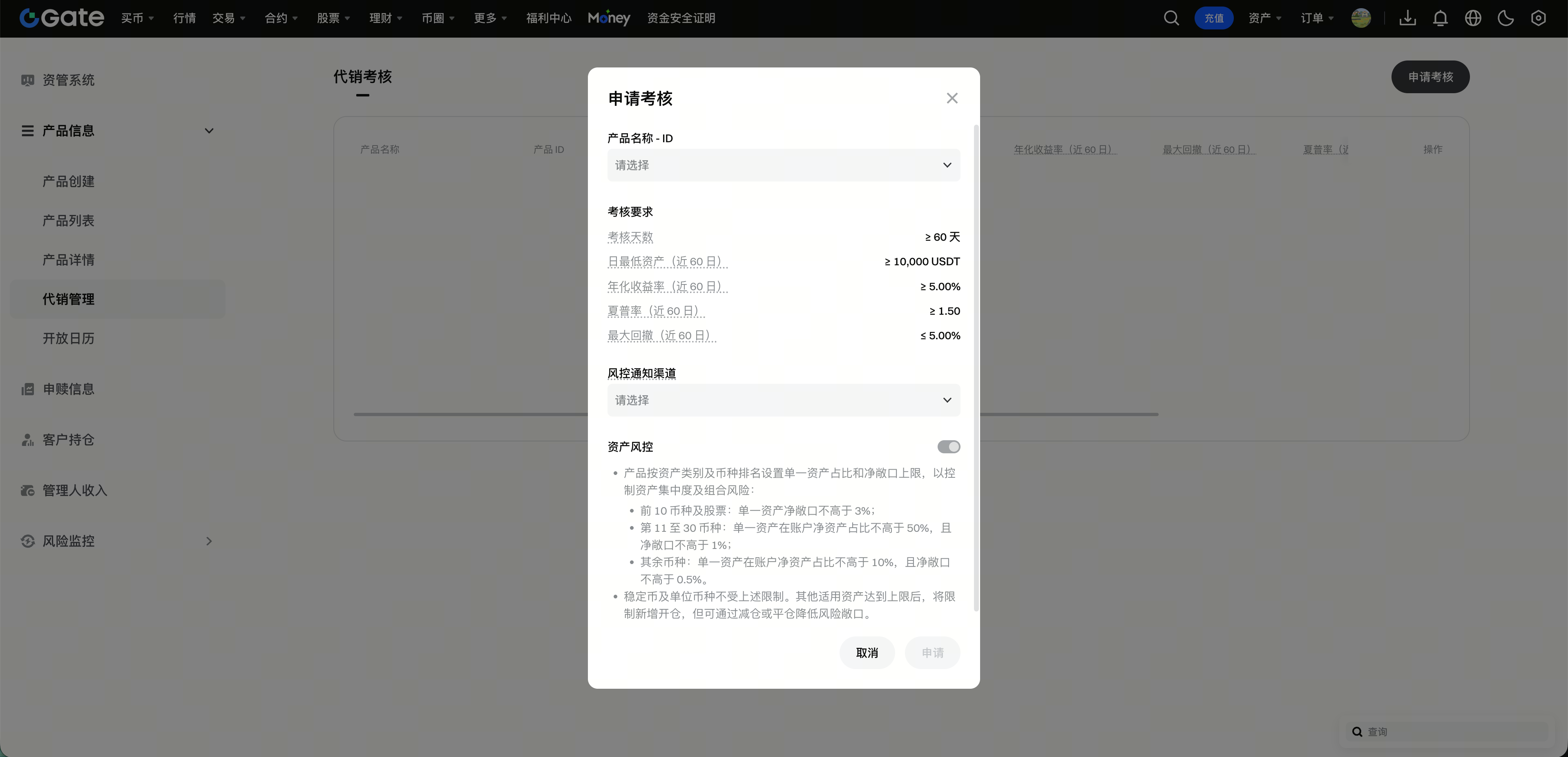
2.Click [Apply for Evaluation].
3.Select an active product and configure the channel for receiving risk control notifications.
4.Submit the evaluation application. The product will enter the evaluation period.
5.During the evaluation period, monitor evaluation progress and ensure the product meets the applicable evaluation requirements.
The evaluation requirements displayed on the application page prevail. The product can proceed to the subsequent distribution application process only after meeting the applicable requirements during the evaluation period.
Submit a Distribution Application
Applicable status: The product is in the evaluation period and has met the evaluation requirements.
Application deadline: You must submit the distribution application within 7 calendar days after the product meets the evaluation requirements.
Note: This page is not yet available. Please stay tuned.
Steps
1.Go to the [Distribution Application] page in the Asset Management Operations System.
2.Select a product that has met the evaluation requirements.
3.Confirm the product information and submit the distribution application.
4.Wait for review after submission.
5.Once the application is approved, the product will be listed for distribution.
Management After Distribution Listing
Distribution Fundraising
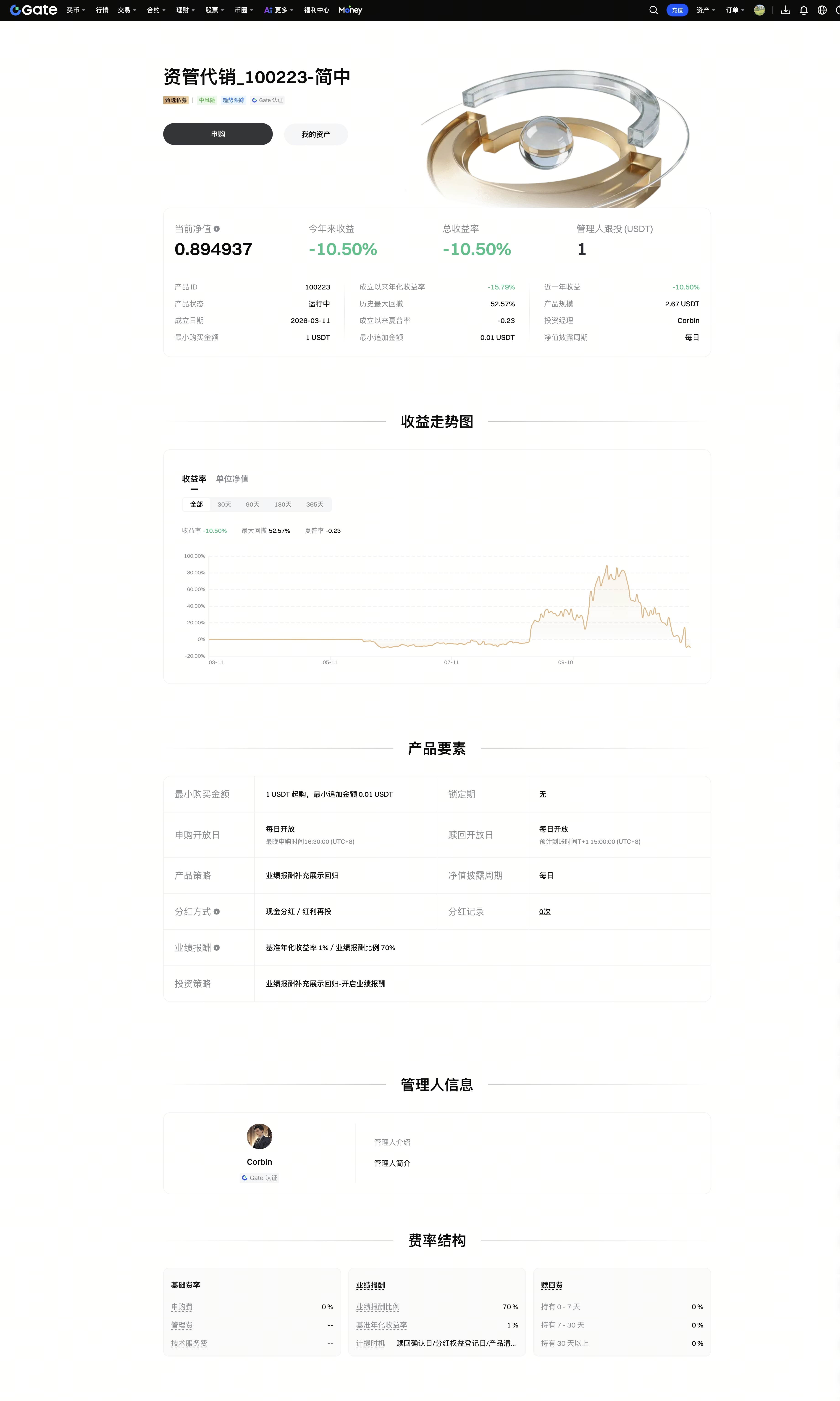
Raise funds through the distribution channels provided by the Gate platform. After the product is listed for distribution, it will be displayed on the Gate [Quantitative Fund] page, where investors can visit the product details page to learn about the product and submit subscriptions.
1.View the product card and investor-facing information on the [Quantitative Fund] page.
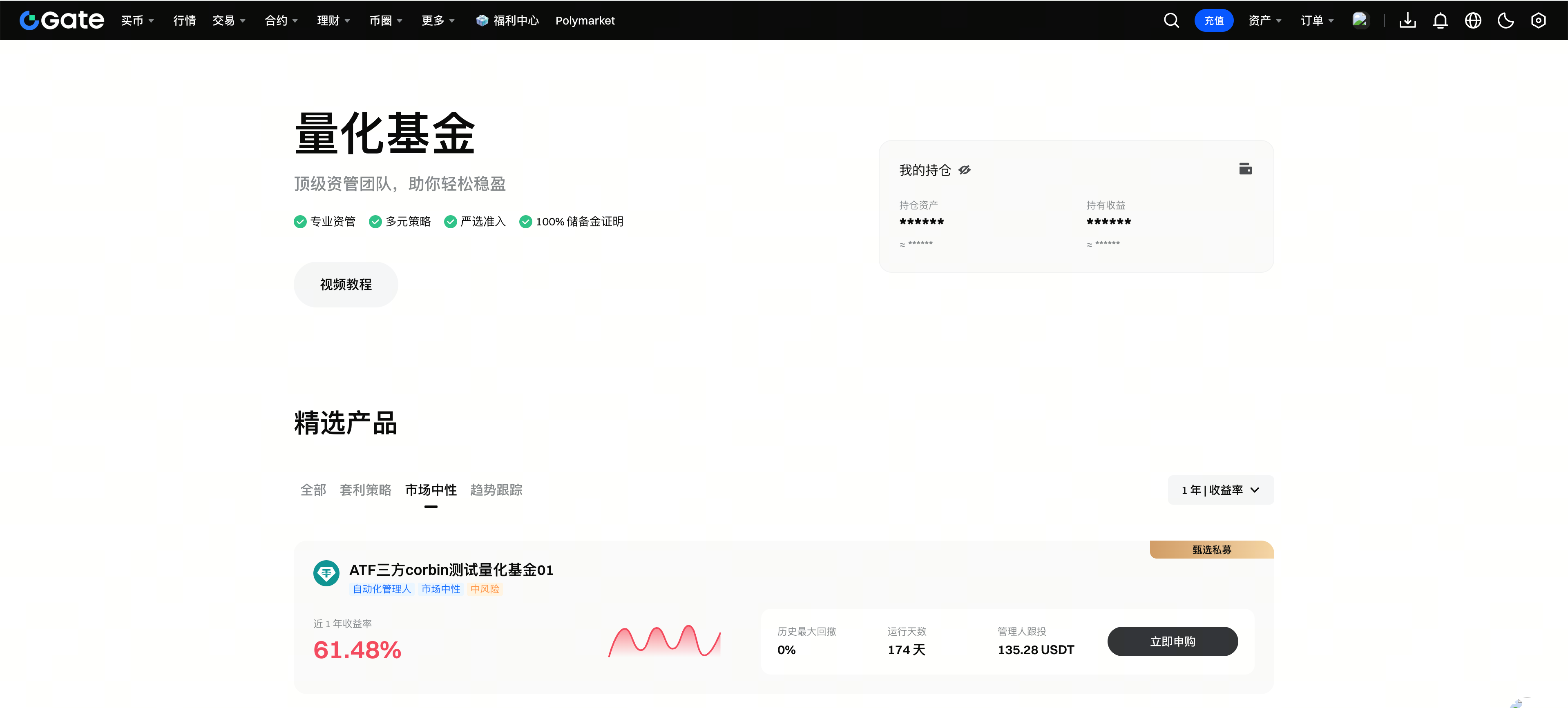
2.Investors can click the product card to open the product details page, view product information, and subscribe.
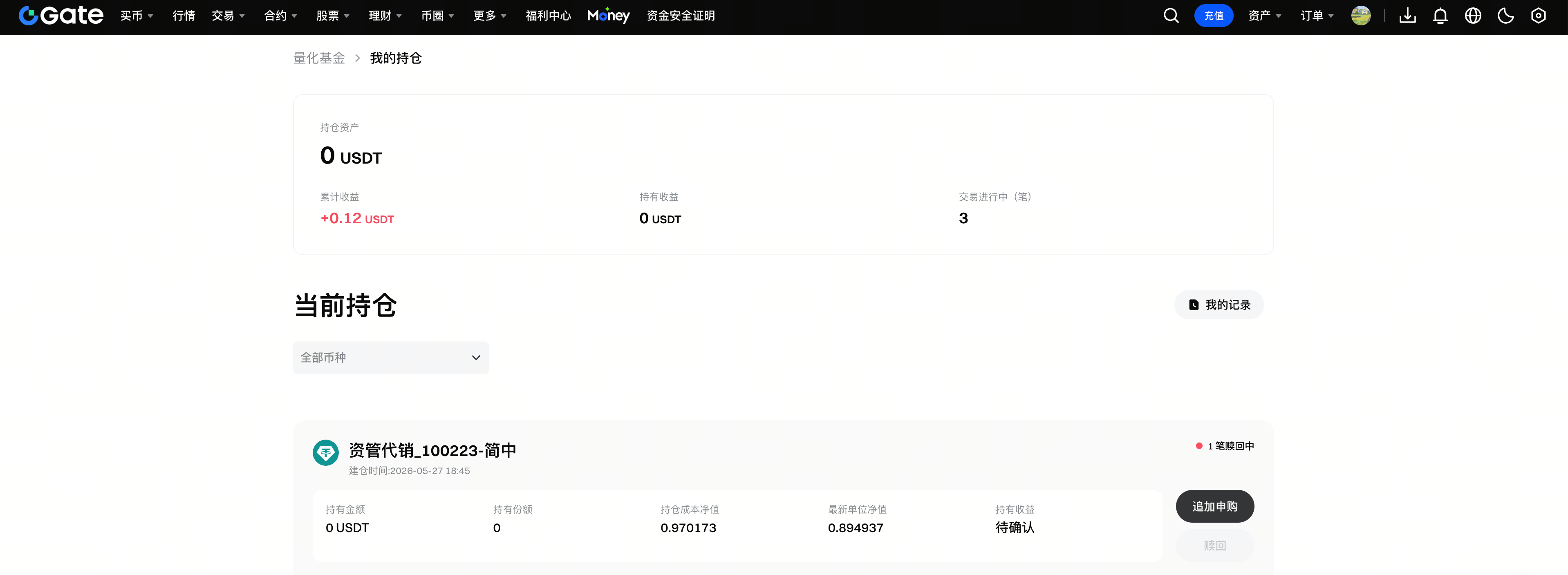
3.After subscribing, investors can view and manage their holdings under [Quantitative Fund] - [My Holdings].
Pause or Resume Product Subscriptions
1.[Selling Status] is enabled by default.
- When [Selling Status] is disabled, product subscriptions will be paused;
- When it is enabled again, product subscriptions will resume;
- To pause subscriptions, adjust [Selling Status].
Note: This page will be available soon. Please stay tuned.
Close Distribution
1.After distribution is closed, the product will no longer be displayed or promoted on the [Quantitative Fund] page.
2.If you only need to temporarily stop investor subscriptions, switch [Selling Status]. If you need to remove the product’s distribution listing, then close distribution.
Note: This page will be available soon. Please stay tuned.
Frequently Asked Questions
1.For other questions, see Manager FAQs.
Disclaimer
The content provided herein is for reference and educational purposes only and does not constitute any financial, investment, trading, or legal advice, nor does it constitute an offer or solicitation to buy or sell any digital assets. Gate makes no express or implied representations or warranties regarding the accuracy, completeness, or timeliness of the information contained herein. Product features, interfaces, rules, and fee structures may be updated or adjusted at any time. Please refer to the latest announcements and the actual information displayed on the Gate platform for the most accurate details.
Digital asset investments involve significant risk, and prices may fluctuate substantially. You may lose the entire amount of your investment. Please make decisions cautiously based on your own financial situation and risk tolerance after fully understanding the associated risks. If necessary, you are advised to consult an independent professional financial or legal advisor.
For more information about potential risks, please refer to Gate's Risk Disclosure and User Agreement.
