Gate Booster is designed to bring together high-quality creators and KOLs worldwide to actively participate in the growth of the Gate ecosystem. Unlike traditional promotional events that focus primarily on conversion, posting tasks emphasize original content creation and social influence. To optimize your creation experience and ensure accurate and efficient reward settlement, this guide explains how to participate in tasks in accordance with platform requirements.
Why Participate in Posting Tasks?
It aims to transform a project's core value into impactful social exposure within the industry. Through the continuous creation of high-quality content, both the brand and creators can grow together and share long-term value. We encourage partners to publish insightful, high-quality content aligned with the Gate brand identity on major social platforms such as X (Twitter) and YouTube. While producing content, creators can also receive attractive incentives and rewards.
Before claiming a task, we strongly recommend viewing the task details carefully to ensure your content meets all requirements. After successful task claiming, you must publish your content and submit a valid link within 24 hours, after which the submission will be reviewed and eligible rewards will be distributed.
Please follow the steps below:
1. Go to the Gate Booster Page
After entering the Gate Booster platform, select the task you wish to participate in and click "Join Now" to claim the posting task.
Note: Posting tasks are only open to users who have been approved on Gate Booster. Click here to view the application guide.
Web: Click More] – [Referral] – select [Gate Booster]. After entering the page, choose the task and click [Join Now].
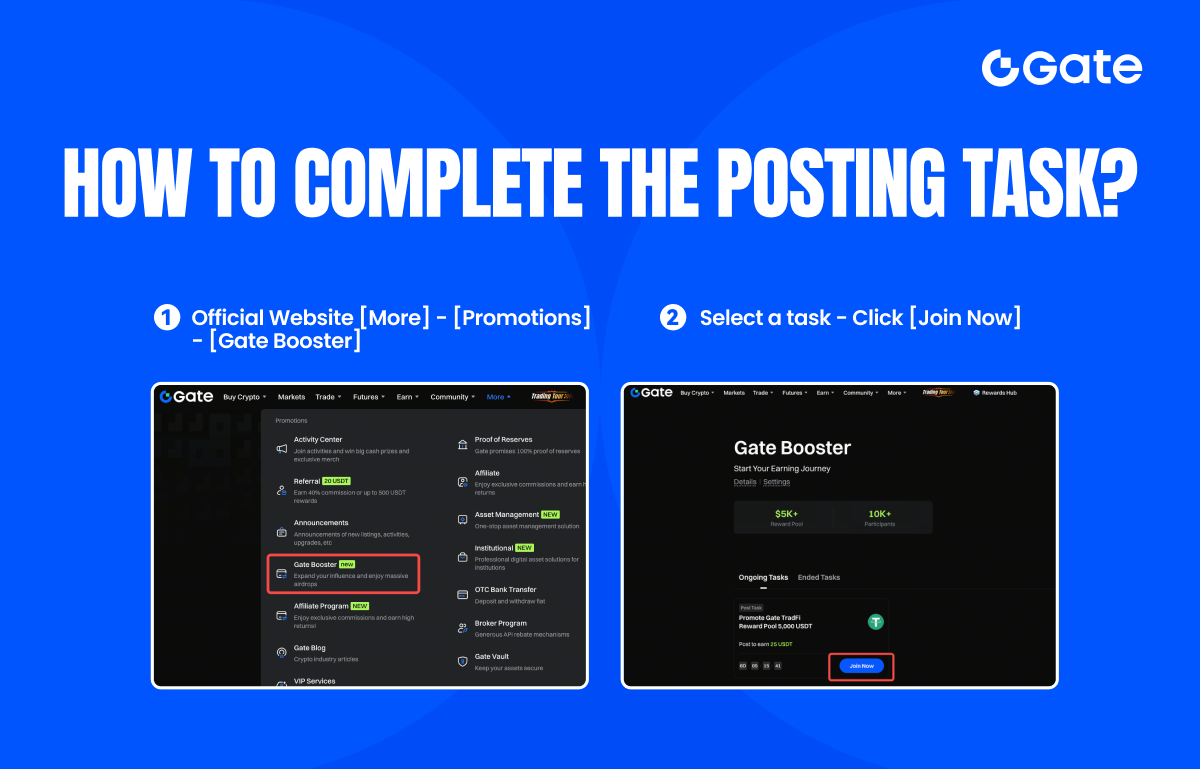
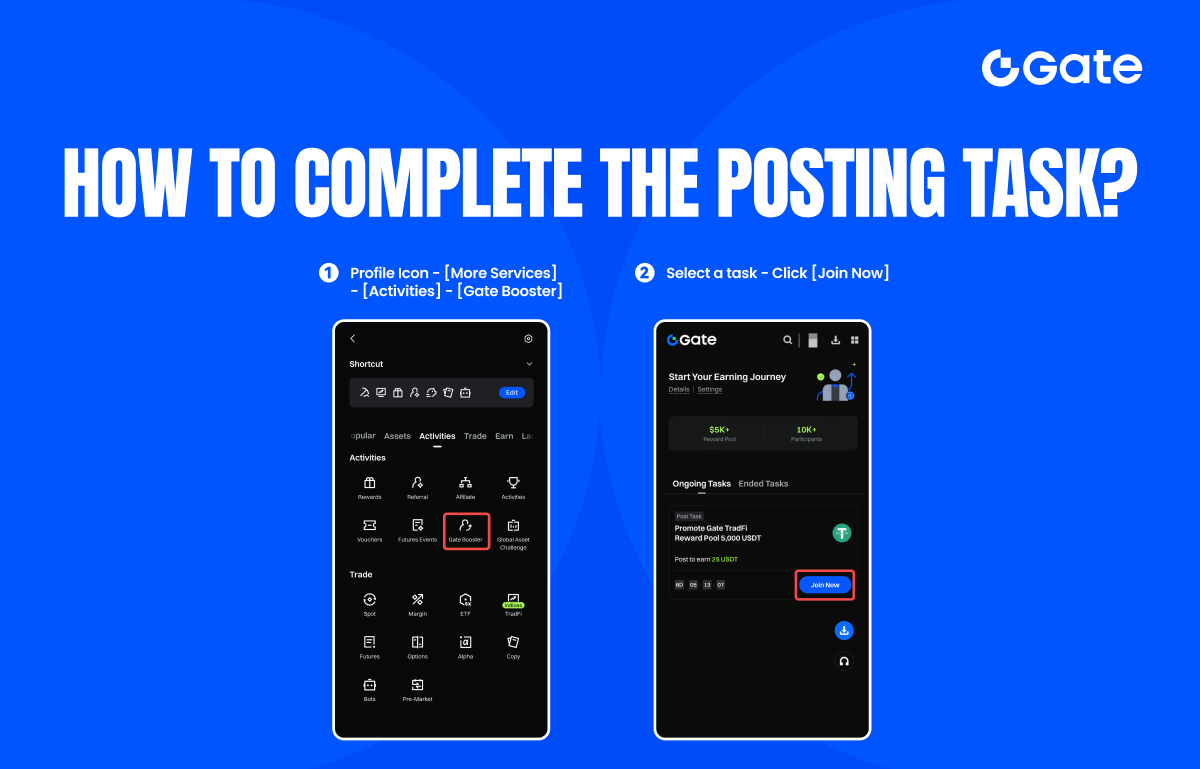
App:Tap the profile icon in the top left corner – [More Services] – [Activities] – select[ Gate Booster]. After entering the page, choose the task and tap [Join Now].
2. View Task Details
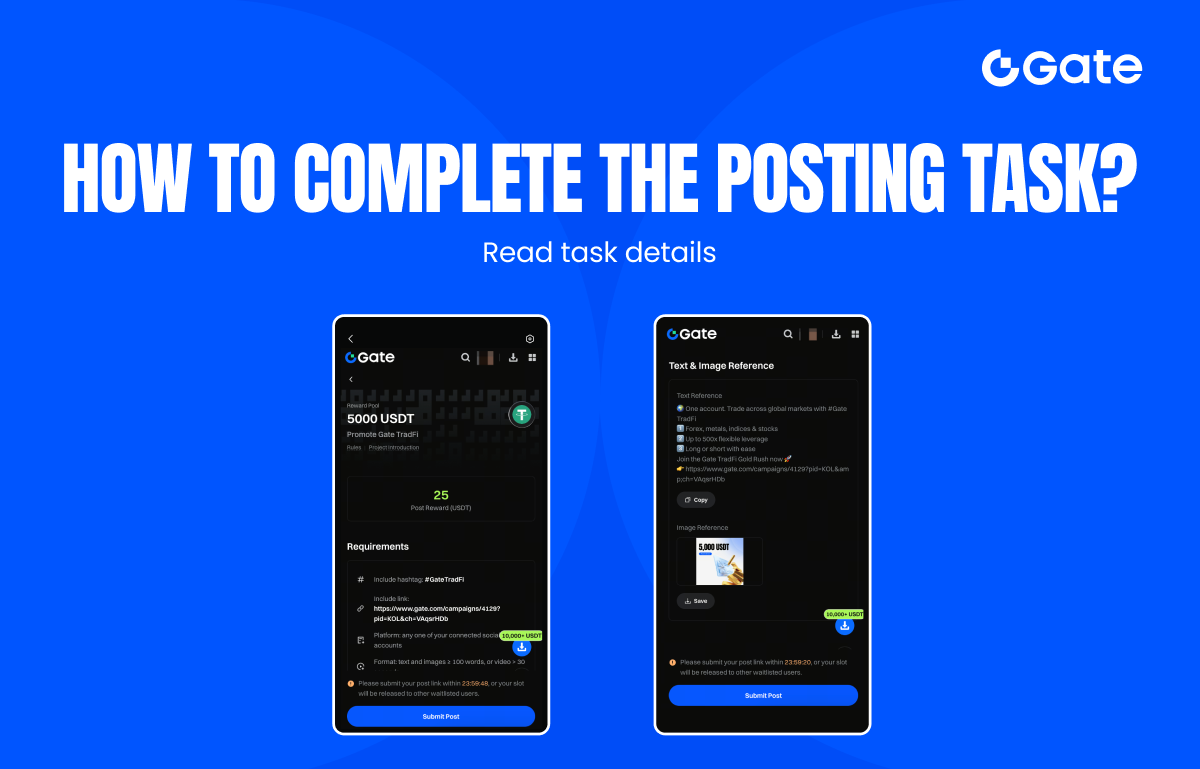
Click the task card to enter the detail page and carefully read the rules, posting requirements, and reference materials. Make sure you fully understand the task requirements and related details.
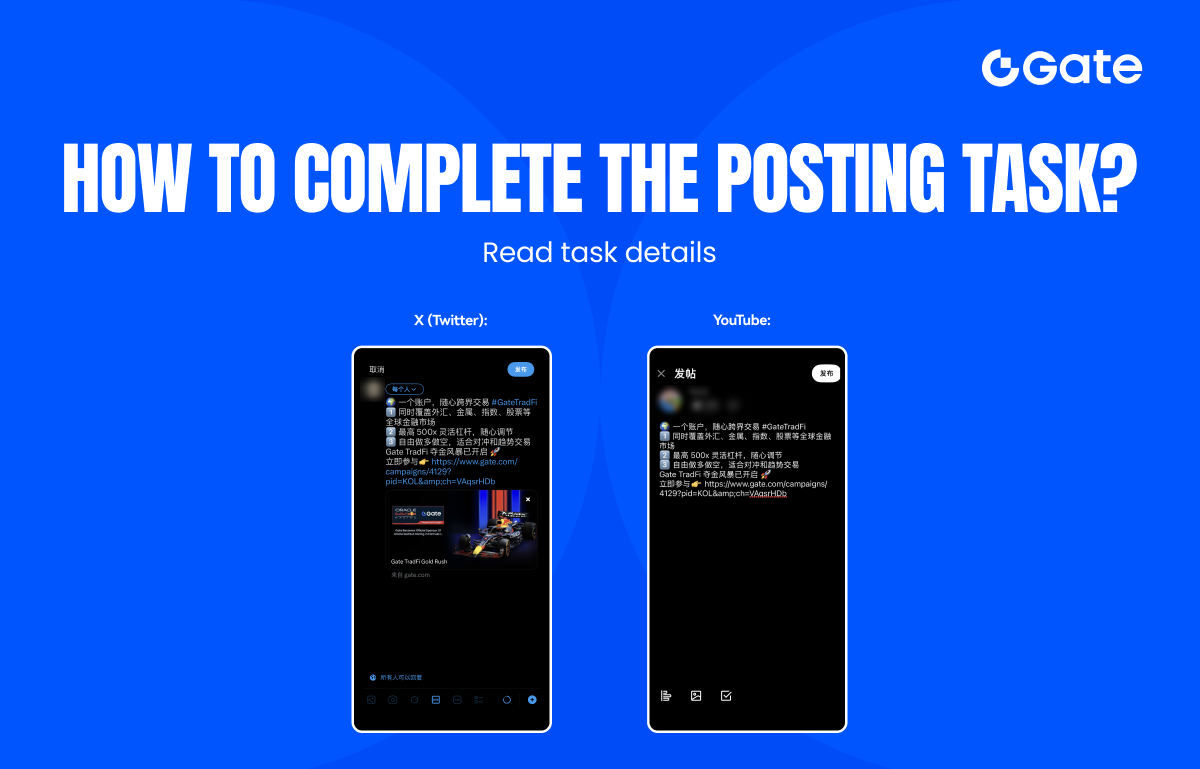
3. Create Your Promotional Post
Draft your post based on the reference copy provided and publish it on your social media platform. Please ensure that your content complies with the task requirements.
4. Submit the Post Link
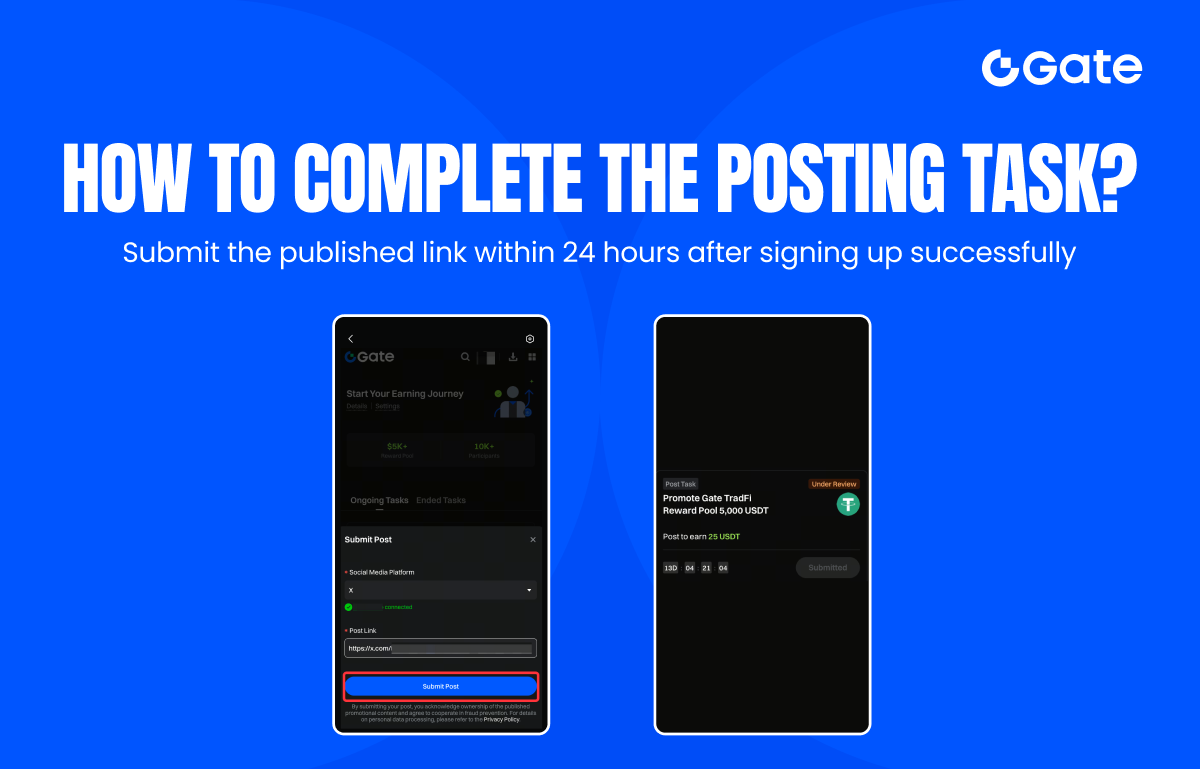
After publishing, submit your post link by clicking the "Submit Post" button. To prevent your promotional content from being misused by others, you must first complete the social media account binding as prompted before participating in posting tasks. Then paste the link to your published promotional content into the submission field and click Submit.
Note: You must publish the content and submit a valid link within 24 hours after successful task claiming. If the link is not submitted within the deadline, the system will automatically reclaim your slot and release it to the waitlist.
5. Review and Reward Distribution
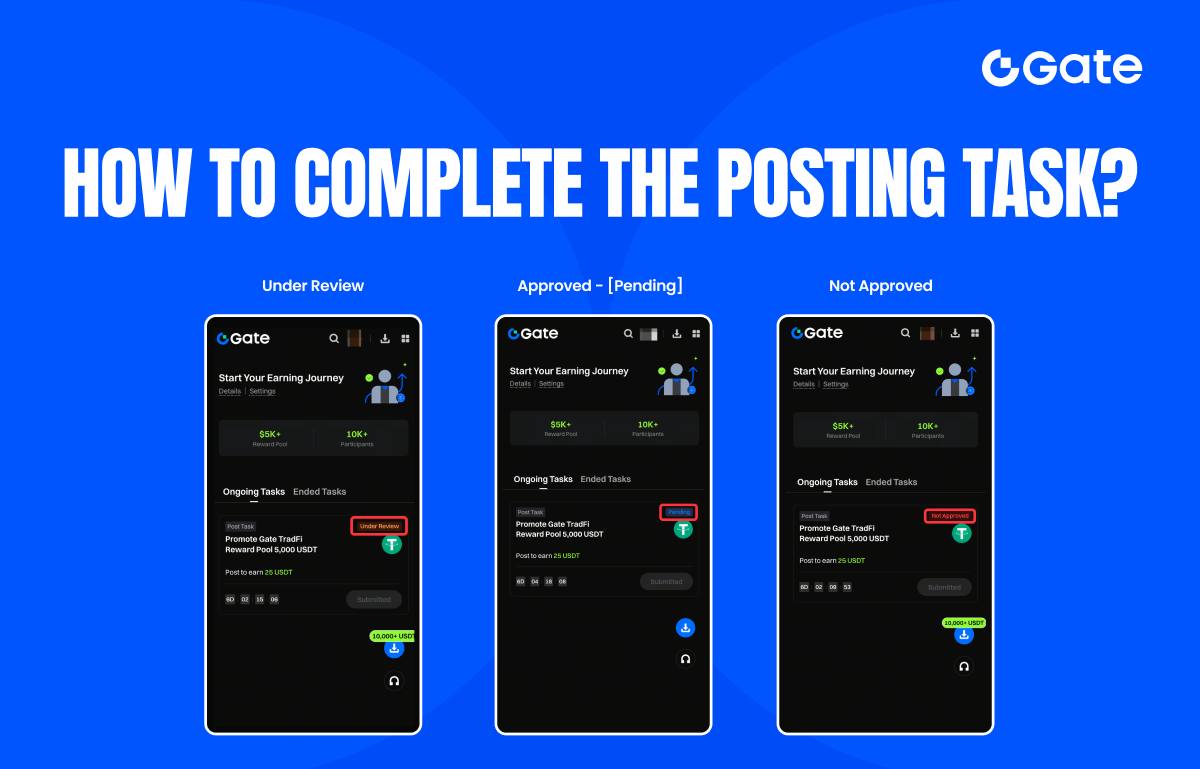
After submission, you will be able to check the review status. If your submission is approved, rewards will be distributed within 7 working days after the event ends. If your submission is not approved, the page will display the specific reason for rejection. Once rewards are distributed, you will also receive a direct message and push notification confirming that the reward has been credited.
*Please note: Only content that passes the review is eligible for rewards. Before submitting, carefully check the task guidelines to ensure accuracy and compliance. If you have any questions, please contact our customer support team.