


Received an Email Claiming to Be from "Gate Official"? Take These Four Steps First
"New Device Login Alert," "Verification Documents Expired," "Congratulations, You've Won a Reward"—these emails may be professionally formatted, with blue links and orange warning banners, but they may not actually come from Gate. Legitimate security notifications will never require you to provide your password or verification code through an email link. This article walks you through a four-step process to make your own judgment: identify, verify, configure, and respond.
I. Learn to Identify Three Common Scenarios
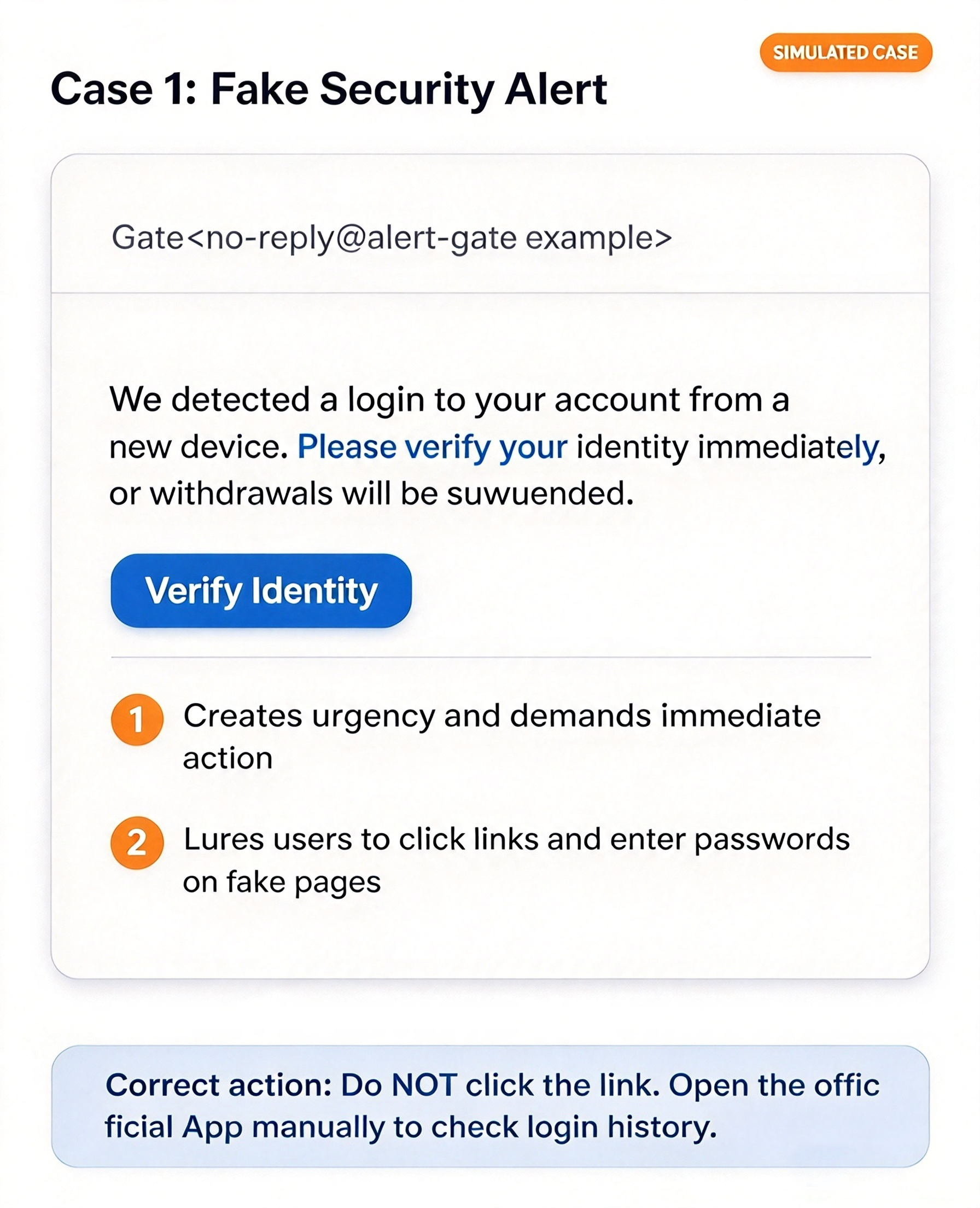
Scenario 1: Fake Security Alert (Simulated Example)
Sample email wording: "We detected a login to your account from a new device. Please verify your identity immediately, or withdrawals will be suspended."
Risk 1: Creates a sense of urgency by demanding "immediate action," leaving you less time to think.
Risk 2: Directs you to click a link to access a login page, with the goal of stealing your password and verification code.
What to do: Do not click the link or enter any information. Open the official App yourself and check your recently logged-in devices in Security Settings.
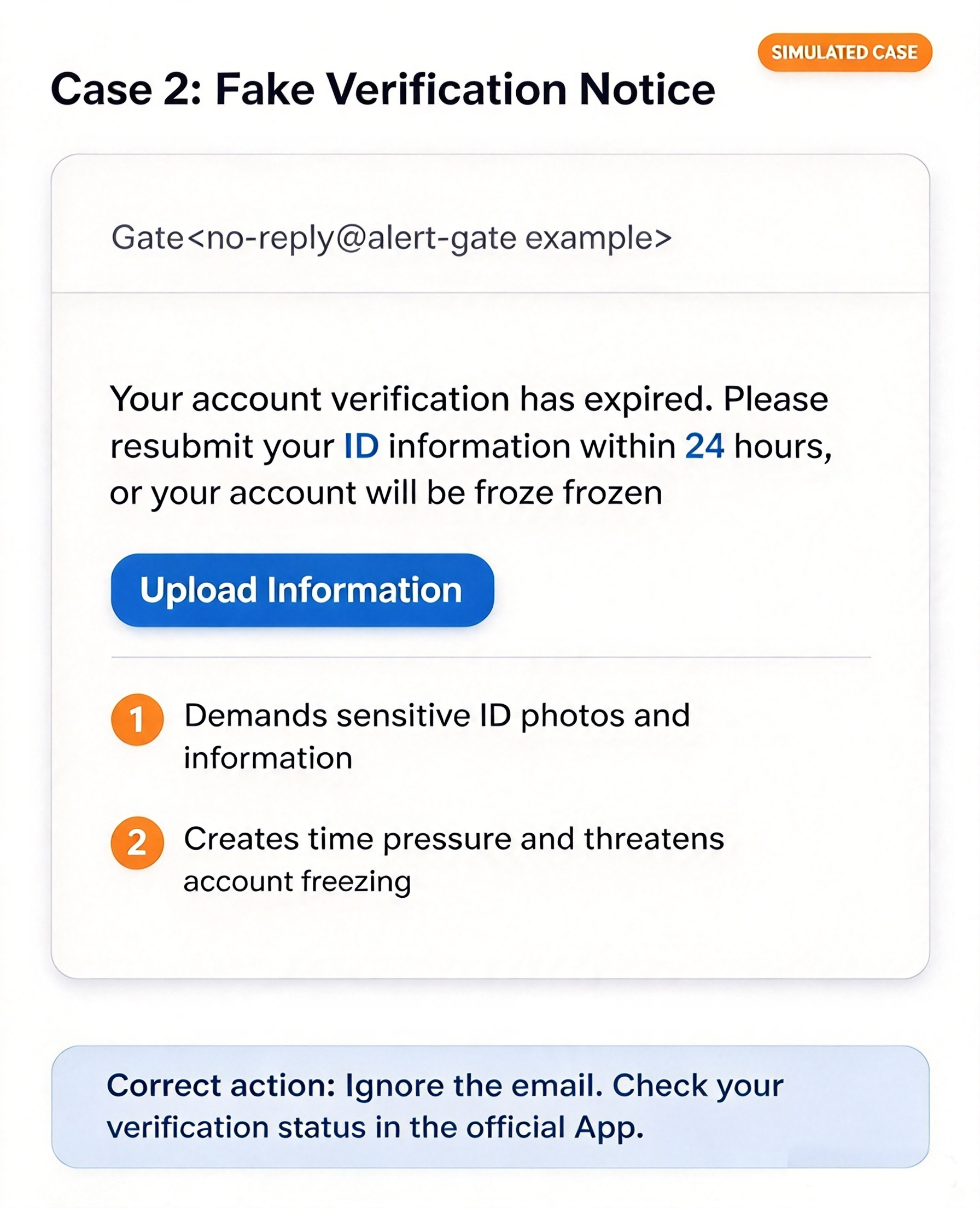
Scenario 2: Fake Verification Notification (Simulated Example)
Sample email wording: "Your verification documents have expired. Please resubmit your identification documents within 24 hours, or your account will be frozen."
Risk 1: Requests sensitive information, such as photos of identification documents and passwords. Legitimate verification procedures are completed in the App and will not collect this information by email.
Risk 2: "Within 24 hours" and "account frozen if overdue" are typical time-pressure tactics.
What to do: Close the email and open the official App to check your verification status. If the App does show a prompt, follow the in-App process.
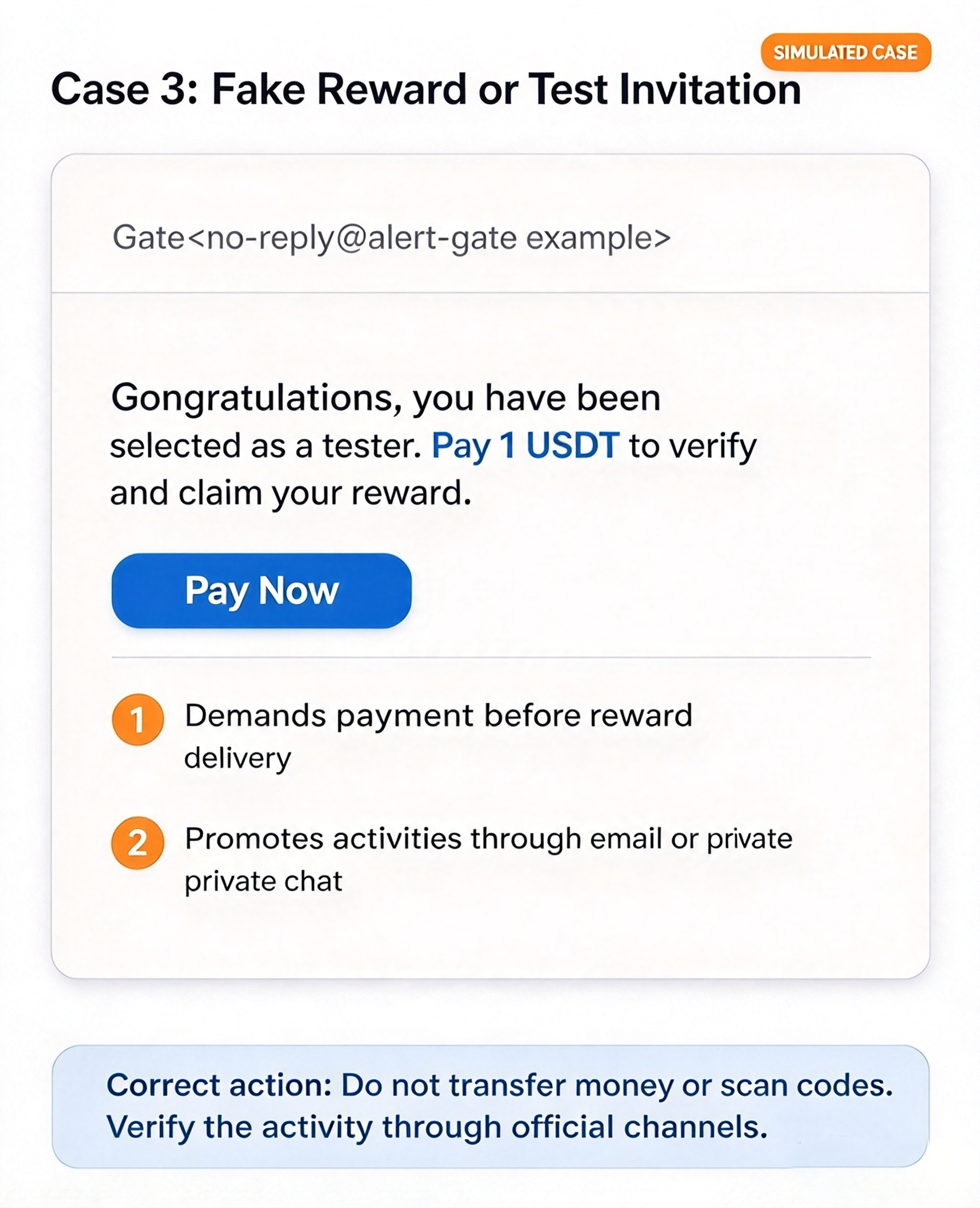
Scenario 3: Fake Reward or Testing Invitation (Simulated Example)
Sample email wording: "Congratulations! You have been selected as a product tester. Pay a 1 USDT verification deposit to claim your reward."
Risk 1: Requests a transfer or payment of a "verification deposit/service fee" before you can claim a reward. Legitimate rewards will not require you to pay first.
Risk 2: Promotes "internal events" through email, private messages, or online meetings, making them difficult to verify.
What to do: Do not transfer funds, scan QR codes, or add contact methods provided by the other party. Verify the event through announcements in the official App or official customer support.
II. Verify Independently: Follow These Steps
Expand the full sender address instead of looking only at the display name. Impersonators often use domains that resemble official ones.
Check where a link leads before deciding whether to click it. On a mobile device, press and hold the link to view the full address. If you see an unfamiliar domain, delete the email immediately.
Check your anti-phishing code. Official system emails display the unique anti-phishing code you set in Security Settings. However, a correct anti-phishing code does not mean you can skip other verification steps.
Open the official App or a trusted official website yourself to check login records, in-app notifications, and account status. Official verification page: https://www.gate.com/officialverify.
Please note: Passing verification does not mean you can safely connect funds-related business through that channel!!! Input errors, compromised accounts, phishing websites, and other risks may still exist.
If you are still unsure, confirm again through official customer support. Do not use the customer service account, QR code, or meeting link provided in a suspicious email to "prove that it is legitimate." For formal funds-related business, please contact the verified official website email support@gate.com or proceed only after reconfirming with customer support.
Remember: Official emails may also include links or time-sensitive prompts. Logos, display names, and the HTTPS padlock icon alone cannot prove that an email or website is legitimate.
III. Five-Minute Security Settings Checklist
Anti-phishing code: Enable and remember it in Security Settings to help identify official emails.
Multi-factor authentication (2FA): Enable it for both your platform account and linked email. An authenticator app is recommended.
Unique strong passwords: Use different passwords for the platform, your email, and other services.
Login devices and sessions: Review them regularly and remove any devices you do not recognize.
Email security: Check for unfamiliar automatic forwarding rules, unauthorized changes to your recovery email address or phone number, and suspicious third-party authorized apps.
Multi-factor authentication can significantly strengthen protection, but it cannot completely prevent phishing attacks. Refer to the actual options displayed in the App for specific setup paths.
IV. If You Have Already Encountered a Risk, Respond Based on the Situation
You only clicked a link and did not enter information or download files: Check your login records in the official App, change your platform and email passwords, and confirm your 2FA status.
You submitted a password or verification code: Change your password immediately, log out of suspicious sessions, and change the password for your linked email. Monitor your account activity closely.
You installed unfamiliar software or enabled remote access: Exit the suspicious software, use a trusted device (such as another phone) to change your password, and submit a report.
You transferred funds or discovered abnormal assets: Preserve transaction records, transaction hashes, and chat logs. Immediately report the issue through official customer support or the ticket system. If you have already transferred funds, contact your bank or payment provider as soon as possible to attempt to stop the payment, and report the case to local law enforcement.
When submitting a report, please note: Keep the original email, full sender address, and screenshots. Submit your case through customer support or ticket channels on the official website. Never provide anyone with your password, verification code, API key, seed phrase, or private key. Gate will not guarantee the recovery of assets. Beware of secondary scams such as "paid recovery" and "secure custody."
Please Remember
Whenever you receive an email notification, proactively visit the official website, verify it with official customer support, and check your account security settings.
An important reminder three times: Verify before taking action! Verify before taking action! Verify before taking action!
Disclaimer
The content provided herein is for reference and educational purposes only and does not constitute any financial, investment, trading, or legal advice, nor does it constitute an offer or solicitation to buy or sell any digital assets. Gate makes no express or implied representations or warranties regarding the accuracy, completeness, or timeliness of the information contained herein. Product features, interfaces, rules, and fee structures may be updated or adjusted at any time. Please refer to the latest announcements and the actual information displayed on the Gate platform for the most accurate details.
Digital asset investments involve significant risk, and prices may fluctuate substantially. You may lose the entire amount of your investment. Please make decisions cautiously based on your own financial situation and risk tolerance after fully understanding the associated risks. If necessary, you are advised to consult an independent professional financial or legal advisor.
For more information about potential risks, please refer to Gate's Risk Disclosure and User Agreement.
