


Applicable Scope
This guide applies to Gate Web
Before you start: Ensure you have completed account verification and set up your fund password and 2FA authentication
Estimated time: 5 m
Objective
This guide will walk you through how to create and manage API keys for trading and account management on Gate Web.
Steps
Step 1: Access API Management
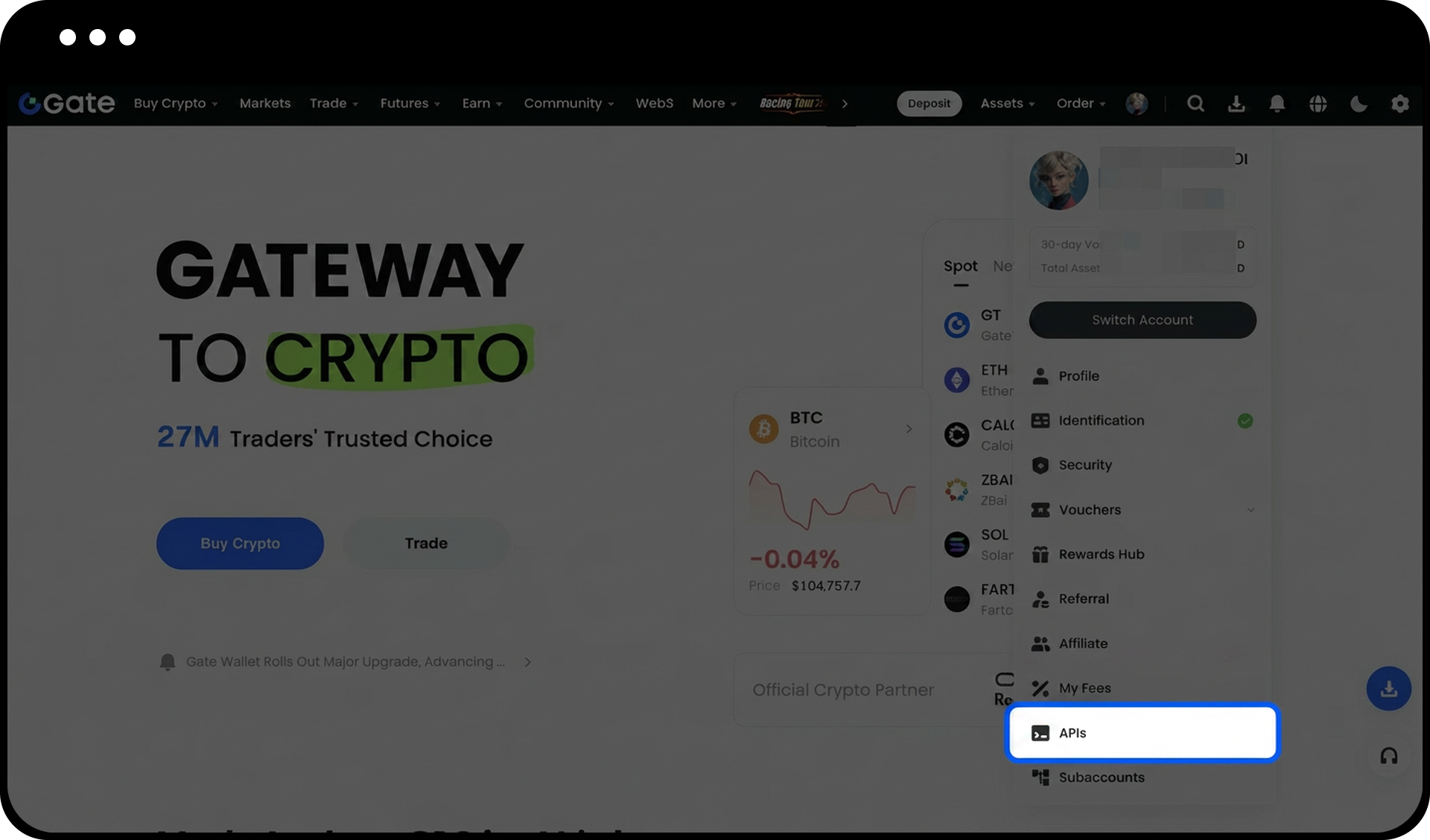
- Open the Gate website.
- Place your cursor on the profile icon at the top of the page.
- Click on "API Management" from the dropdown menu.
Step 2: Initiate API Key Creation
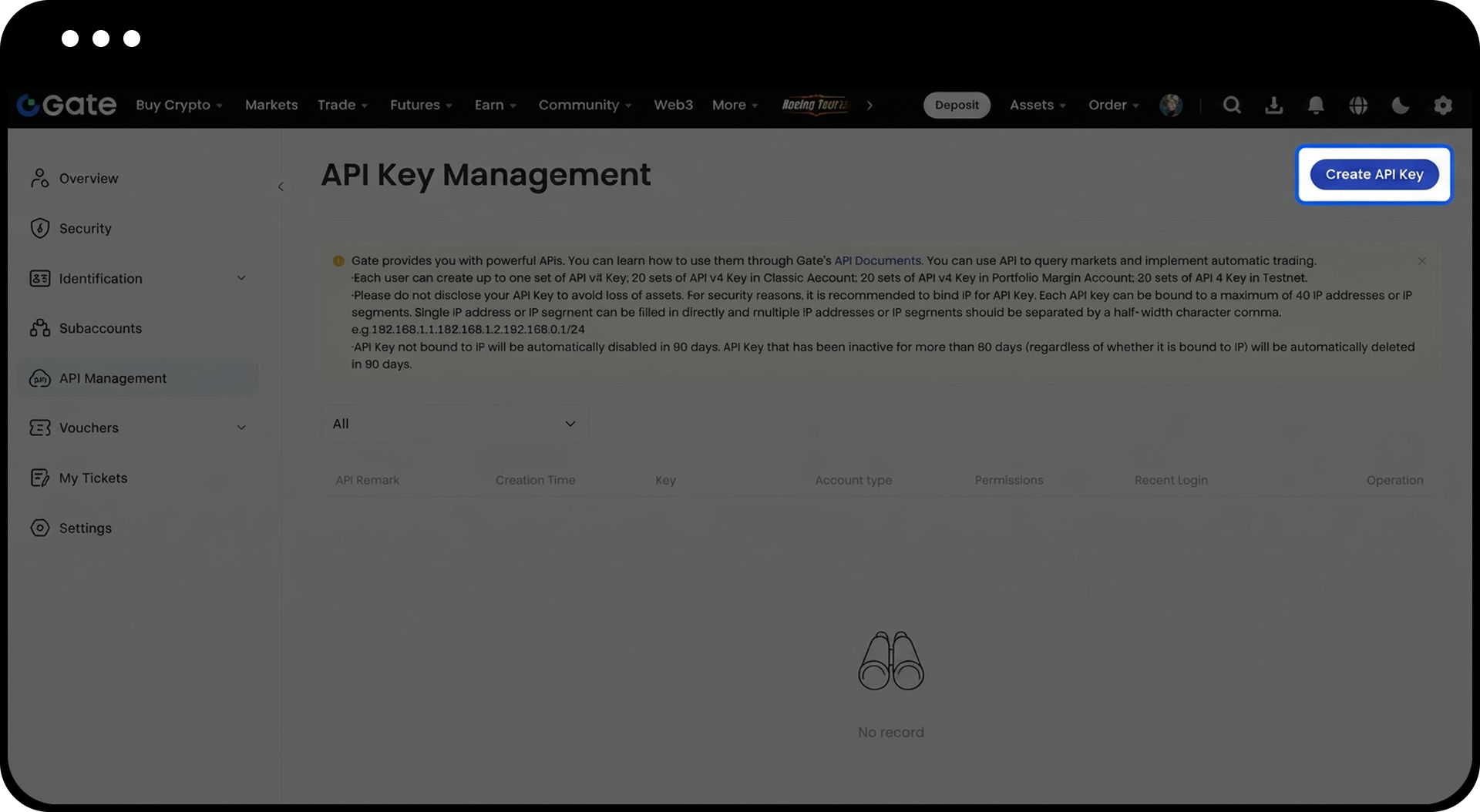
Click on "Create API Key" on the API Management page.
Step 3: Create an APIv2 Key (Optional)
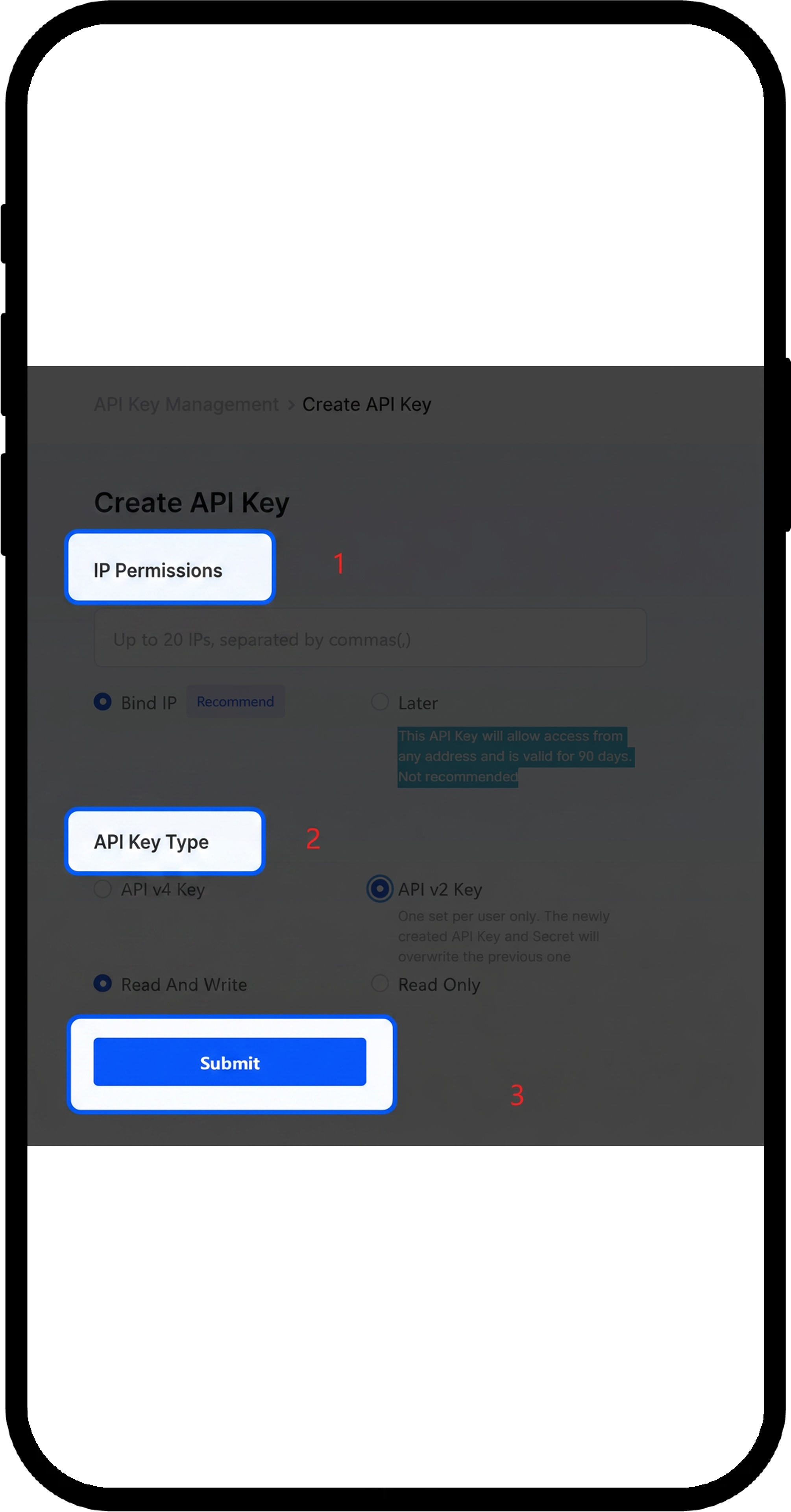
- Configure IP permissions: Choose whether to bind a specific IP address.
- Select API Key type: Choose "API v2 Key".
- Set permissions: Select either "Read and Write" or "Read Only".
- Review the details and click "Submit".
Step 4: Create an APIv4 Key
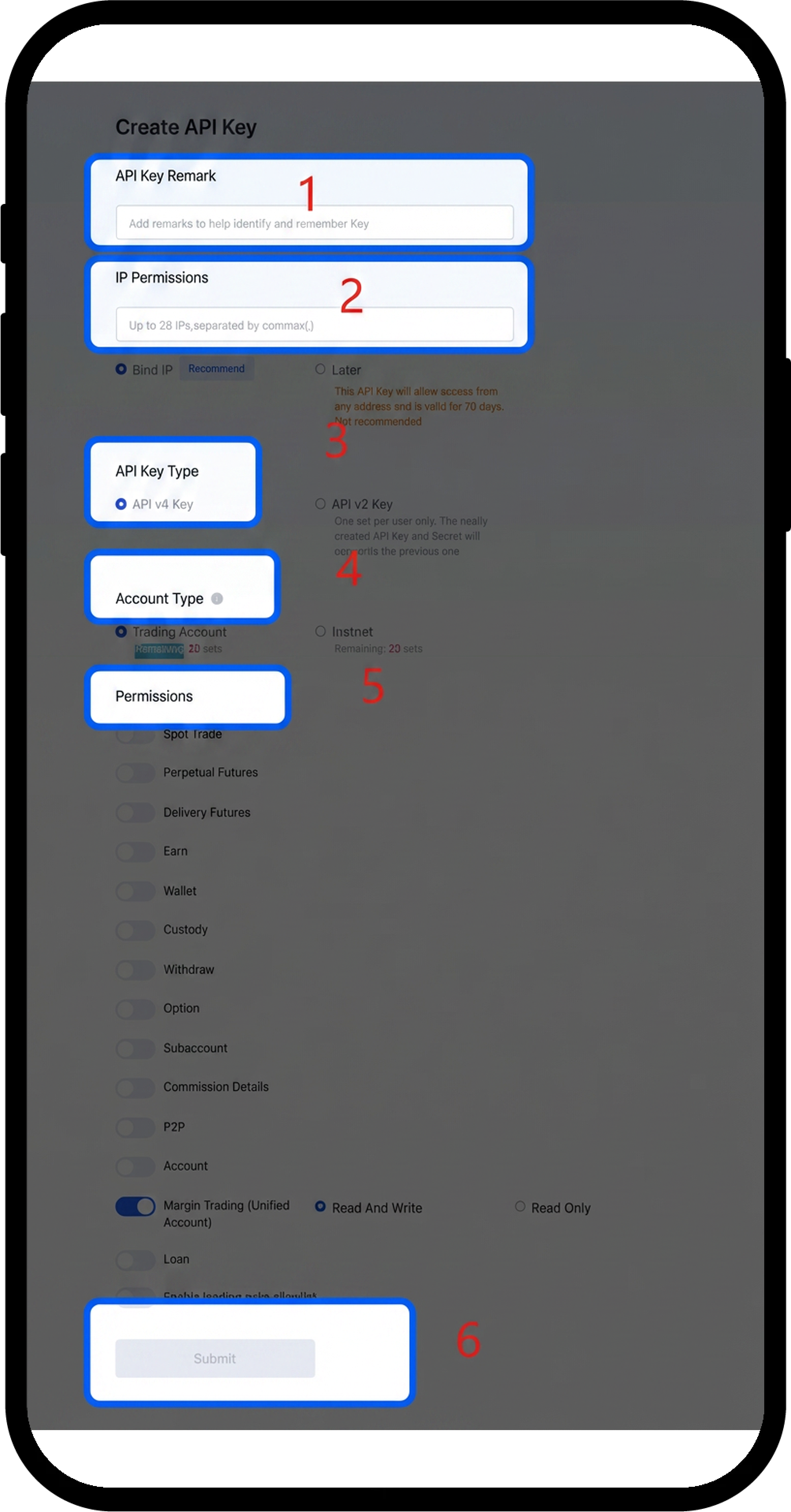
- Enter API Key Remarks to help identify the key.
- Configure IP permissions: Choose whether to bind a specific IP address.
- Select API Key type: Choose "API v4 Key".
- Select Account type: Choose from Classic Account/Margin Trading/Testnet.
- Set Permissions: Select either "Read and Write" or "Read Only" and specify the currency pairs.
- Review the details and click "Submit".
Step 5: Complete Security Verification
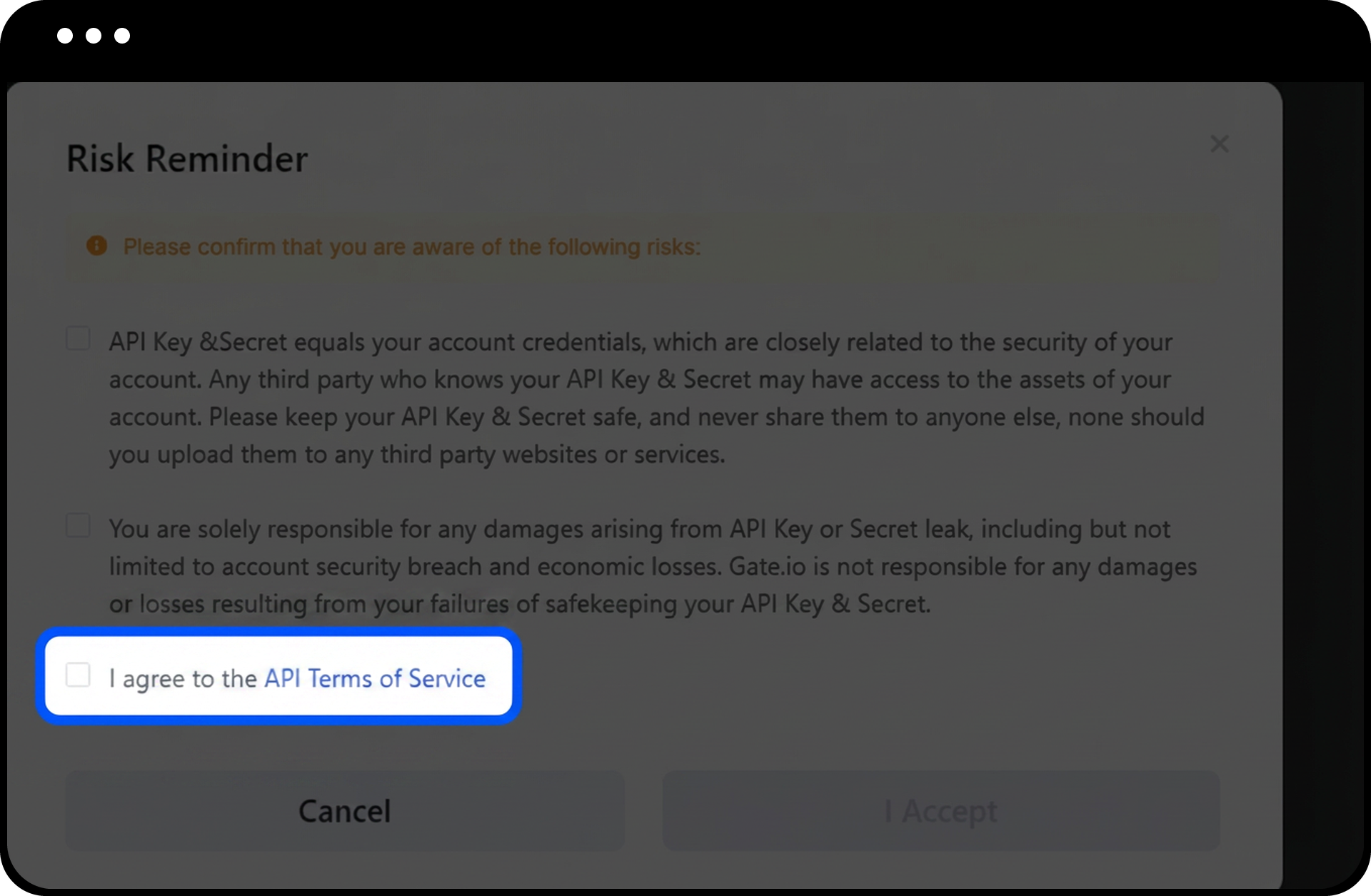
- Read the Risk Reminder carefully when it appears.
- Click "I accept" to proceed.
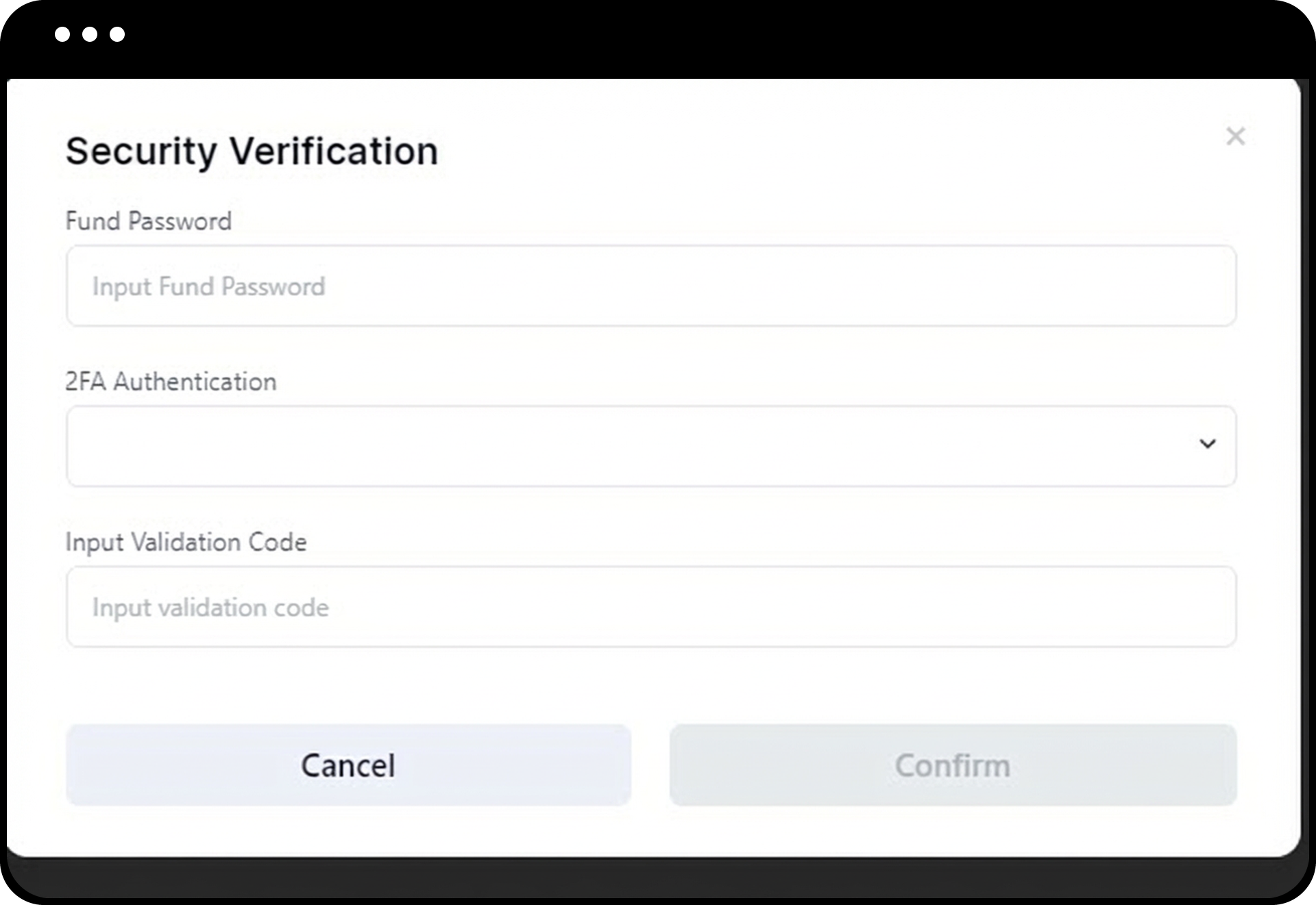
- Enter your Fund Password.
- Select your 2FA Authentication method.
- Click "Confirm" to complete the creation.
Step 6: Manage Your API Keys
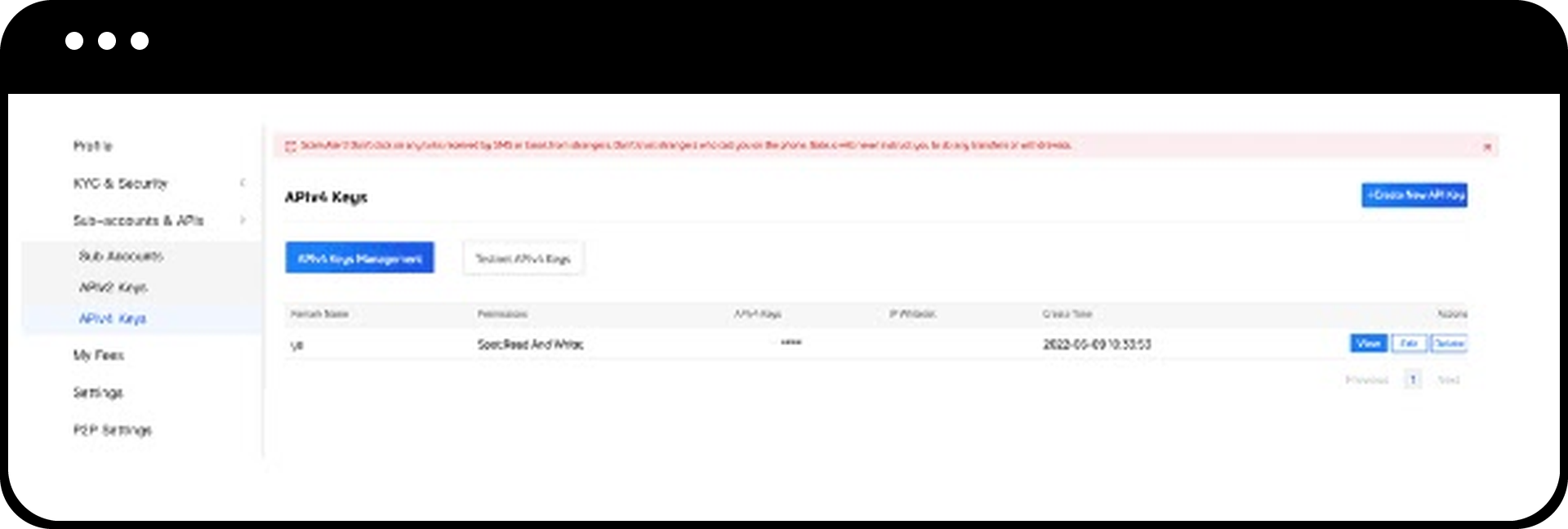
After creating an API key, you can view, edit, or delete the key from the API Management page.
Step 7: Access API Documentation
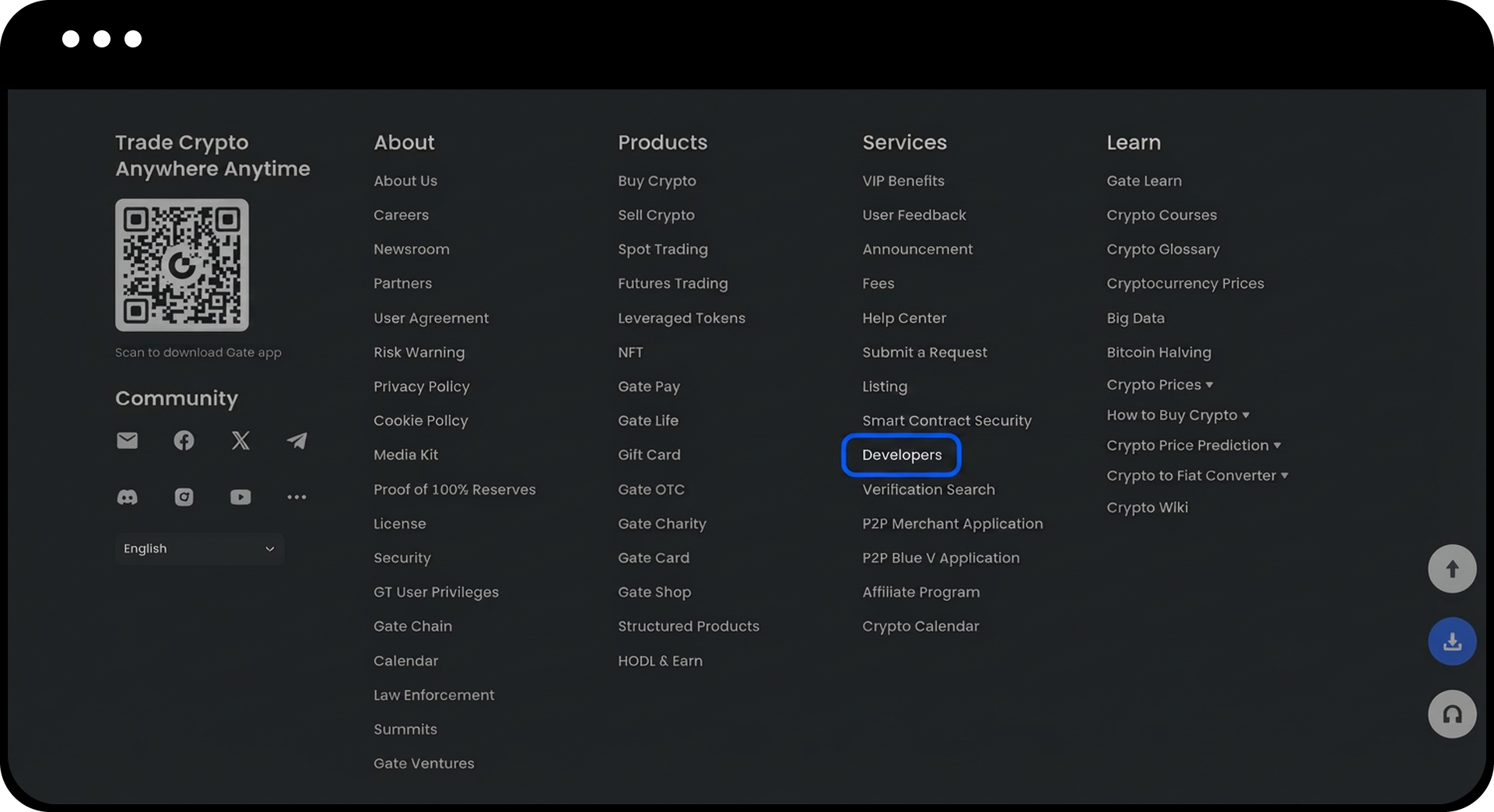
- Scroll to the bottom of the Gate website.
- Navigate to "Services" - "Developers (API)" to access comprehensive API documentation.
Notes
- API keys have permissions to withdraw and deposit. To use the API for withdrawals, you must use an address that has been withdrawn to manually, and at least 24 hours must have passed since the last manual withdrawal.
- When a new APIv2 key is generated, the previous APIv2 key will expire immediately. Each user can only create 1 set of APIv2 keys.
- API keys can be used to query account information and perform trading, withdrawals, and other operations.
- Keep your API keys secure and never share them with anyone.
- If IP binding is not configured, the API Key will allow access from any address and is valid for 90 days.
- APIv2 keys are only permitted for spot trading, while APIv4 keys have full access to spot trading, margin trading, and contract trading.
- The rate limit is counted against each sub-account or main account separately.
API Frequency Limits
| Markets | Endpoints | Limits | Based On | Include |
|---|---|---|---|---|
| All public endpoints | Public endpoints | 200r/10s per endpoint | IP | Orderbook, Candlestick, Ticker, etc. |
| Wallet | Private endpoints | Withdrawal(POST /withdrawals) : 1r/3sUID transfer(POST /withdrawals/push) 1r/10sTransfer between trading accounts (POST /wallet/transfers) 80r/10sTransfer between main and sub accounts (POST /wallet/sub_account_transfers) 80r/10sTransfer from a sub-account to another sub-account (POST /wallet/sub_account_to_sub_account) 80r/10sRetrieve user's total balances (GET /wallet/total_balance) 80r/10sRetrieve sub account balances (GET /wallet/sub_account_balances) 80r/10sQuery sub accounts' margin balances (GET /wallet/sub_account_margin_balances) 80r/10sQuery sub accounts' futures account balances (GET /wallet/sub_account_futures_balances) 80r/10sQuery subaccount's cross_margin account info(GET /wallet/sub_account_cross_margin_balances) 80r/10sThe Others: 200r/10s per endpoint | UID | Withdrawal.Query personal account balance.Query subaccount balance. |
| Spot | Private endpoints | The rate limit for batch/single order placement and amend an order are total of 10r/s (UID+Market)The rate limit for batch/single order cancellation is total of 200r/sThe Others: 200r/10s per endpoint | UID | Spot order placement and cancellation.Trade history and fee rates. |
| Perpetual Futures | Private endpoints | The rate limit for batch/single order placement and amend an order are total of 100r/sThe maximum rate limit for the order cancellation (bulk/single) is 200r/sThe Others: 200r/10s per endpoint | UID | Futures order placement and cancellationTrade history and fee rates |
| Delivery | Private endpoints | The maximum rate limit for the order placement (bulk/single) is 500r/10sThe maximum rate limit for the order cancellation (bulk/single) is 500r/10sThe Others: 200r/10s per endpoint | UID | Order placement and cancellation |
| Options | Private endpoints | The maximum rate limit for the order placement (bulk/single) is 200r/sThe maximum rate limit for the order cancellation (bulk/single) is 200r/sThe Others: 200r/10s per endpoint | UID | Order placement and cancellation |
| Subaccount | Private endpoints | 80r/10s per endpoint | UID | Create a sub-account.Retrieve the list of sub-accounts.Disable or enable API key for a sub-account. |
| Unified | Private endpoints | Borrow or repay 15/10s | UID | Borrow or repay(POST /unified/loans) |
| Other Private endpoints | Private endpoints | 150r/10s per endpoint | UID | Earning, collateral etc |
WebSocket Limits:
- Message limit sent to the server: unlimited
- Number of connections per IP: ≤ 300
Rate Limit Violations:
- If request < burst rate: the request will have a delay
- If request > burst rate: the request will be declined
FAQ
Q1: What is the difference between APIv2 and APIv4 keys?
A: APIv2 keys are only permitted for spot trading, while APIv4 keys provide full access to spot trading, margin trading, and contract trading. APIv2 and APIv4 keys are independent of each other and can coexist.
Q2: What happens to my old API key when I create a new one?
A: For APIv2 keys, creating a new key will immediately expire the previous one, as each user can only have 1 set of APIv2 keys. APIv4 keys can have multiple active keys simultaneously.
Q3: How do I troubleshoot API connection issues?
A: If you encounter issues, please contact customer service including: your UID, URL of the original request, parameters and request description, API key type (spot/margin/futures), network type (mainnet/testnet), programming language and code snippets, and SDK usage details if applicable.
Disclaimer
The content provided herein is for reference and educational purposes only and does not constitute any financial, investment, trading, or legal advice, nor does it constitute an offer or solicitation to buy or sell any digital assets. Gate makes no express or implied representations or warranties regarding the accuracy, completeness, or timeliness of the information contained herein. Product features, interfaces, rules, and fee structures may be updated or adjusted at any time. Please refer to the latest announcements and the actual information displayed on the Gate platform for the most accurate details.
Digital asset investments involve significant risk, and prices may fluctuate substantially. You may lose the entire amount of your investment. Please make decisions cautiously based on your own financial situation and risk tolerance after fully understanding the associated risks. If necessary, you are advised to consult an independent professional financial or legal advisor.
For more information about potential risks, please refer to Gate's Risk Disclosure and User Agreement.
