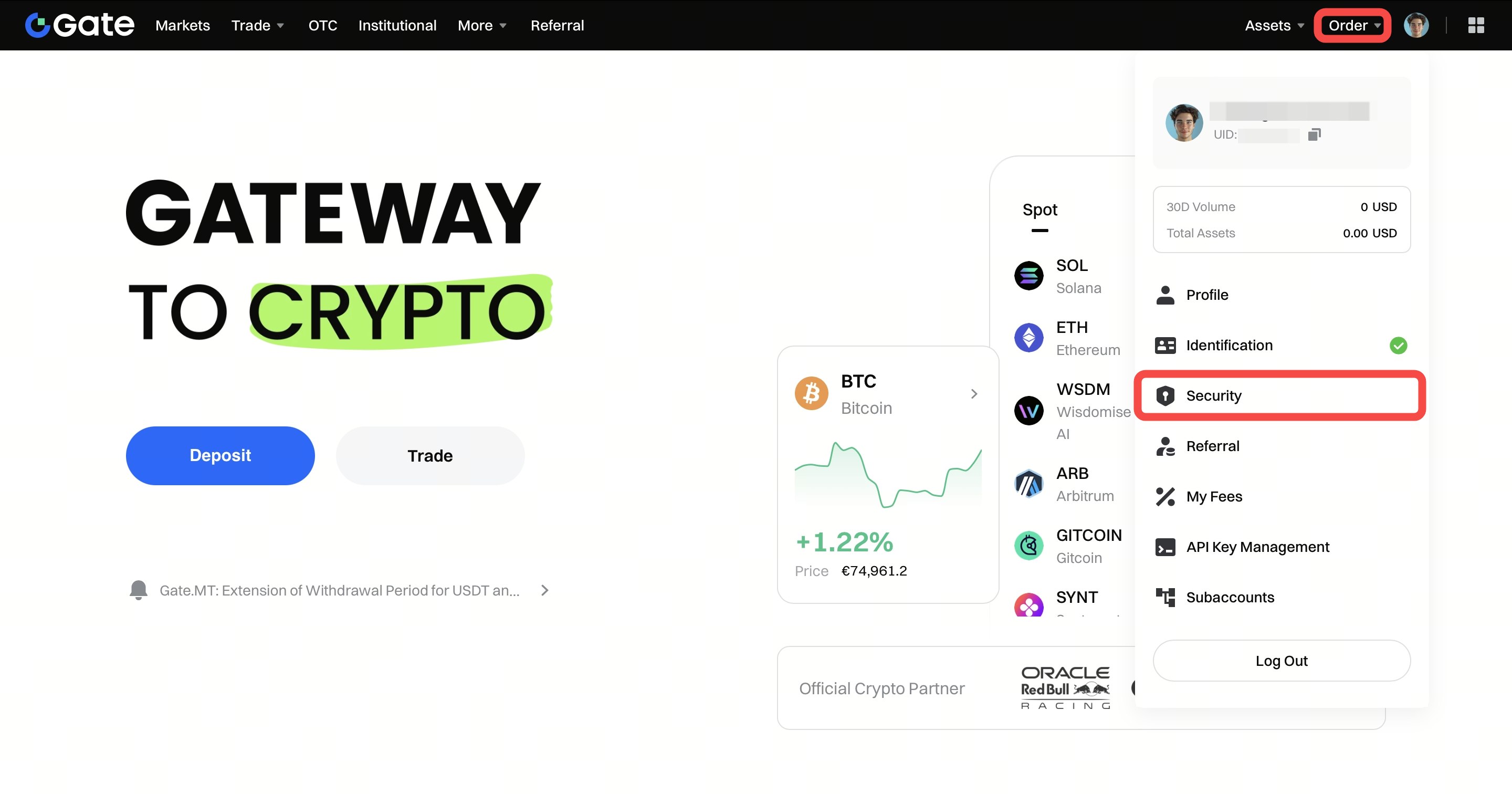
How to link your phone number to your Gate account:
- 1.Log in to your account and go to the top-right profile icon, “Security”
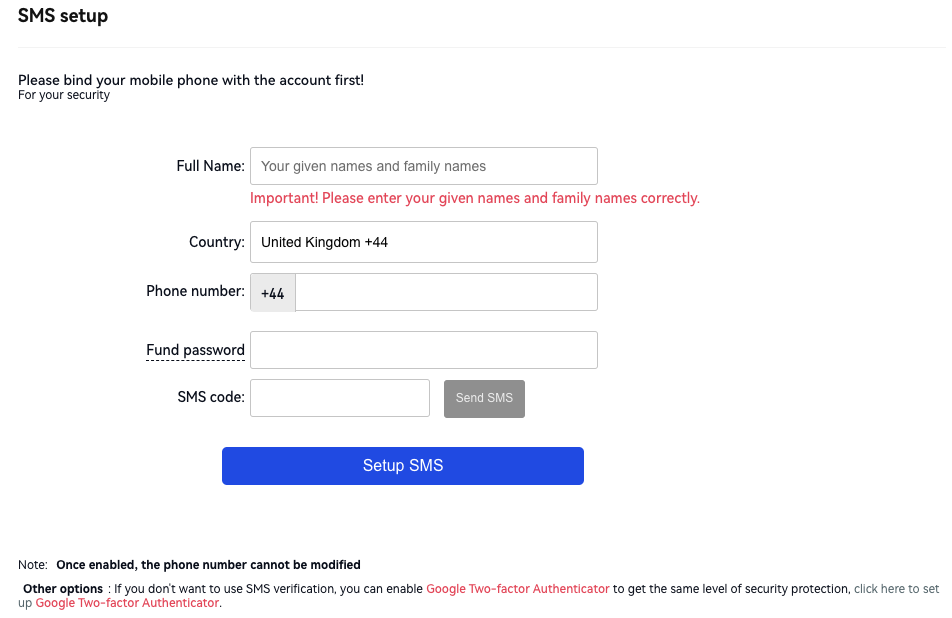
- 2.Input all the required information and click on "Send SMS". Enter the SMS code after you receive it. An email code is also required if your email address is linked. Then click on "Setup SMS" to confirm linking the phone number to your account.