
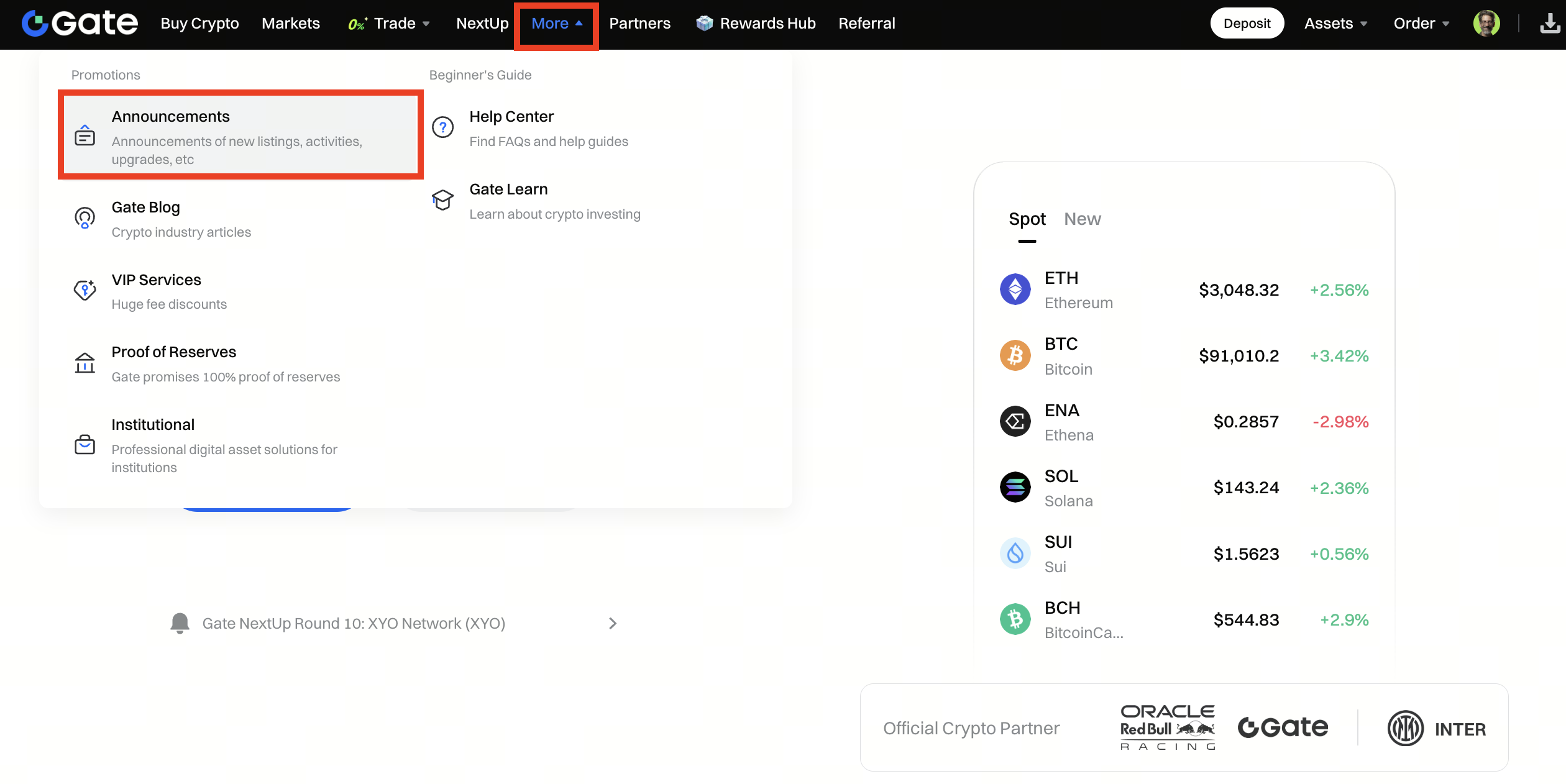
Step 1: Log into your account on the Gate US website. From the top navigation bar, click More - Announcements to enter the Announcement page.
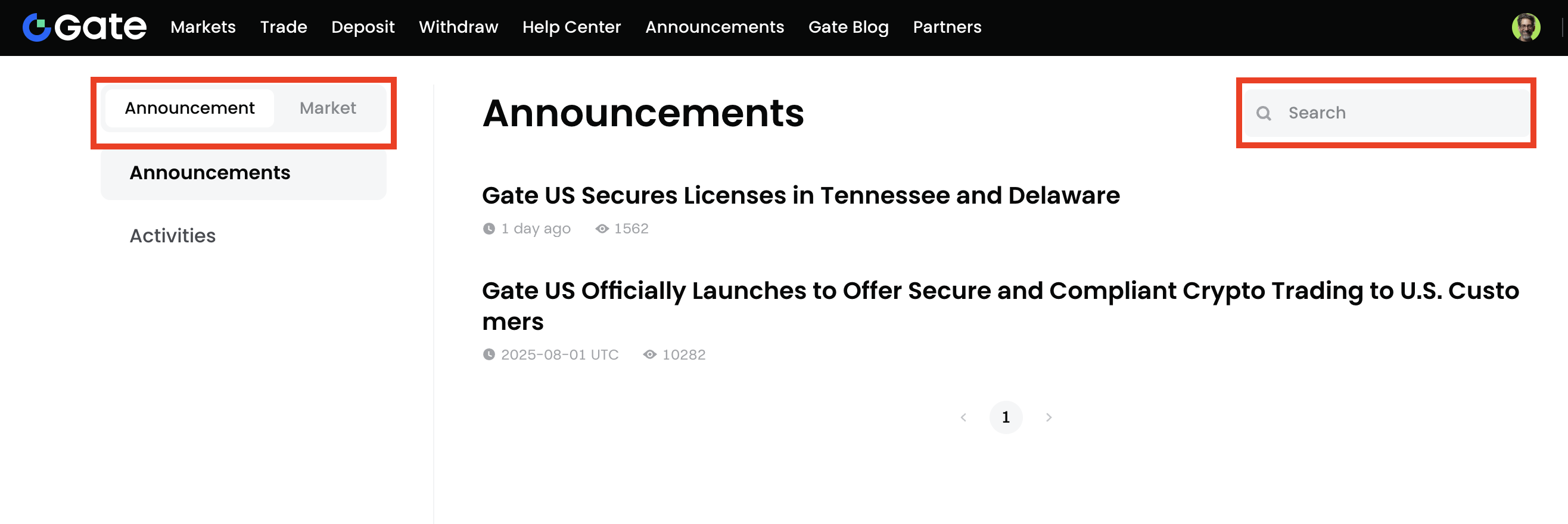
Step 2: On the Announcement page, you can browse and search announcements in two ways:
By category: Select from the tabs (e.g., Announcement, Market) to view related content.
By search: Use the search box in the upper right corner to enter keywords to quickly locate specific announcements.
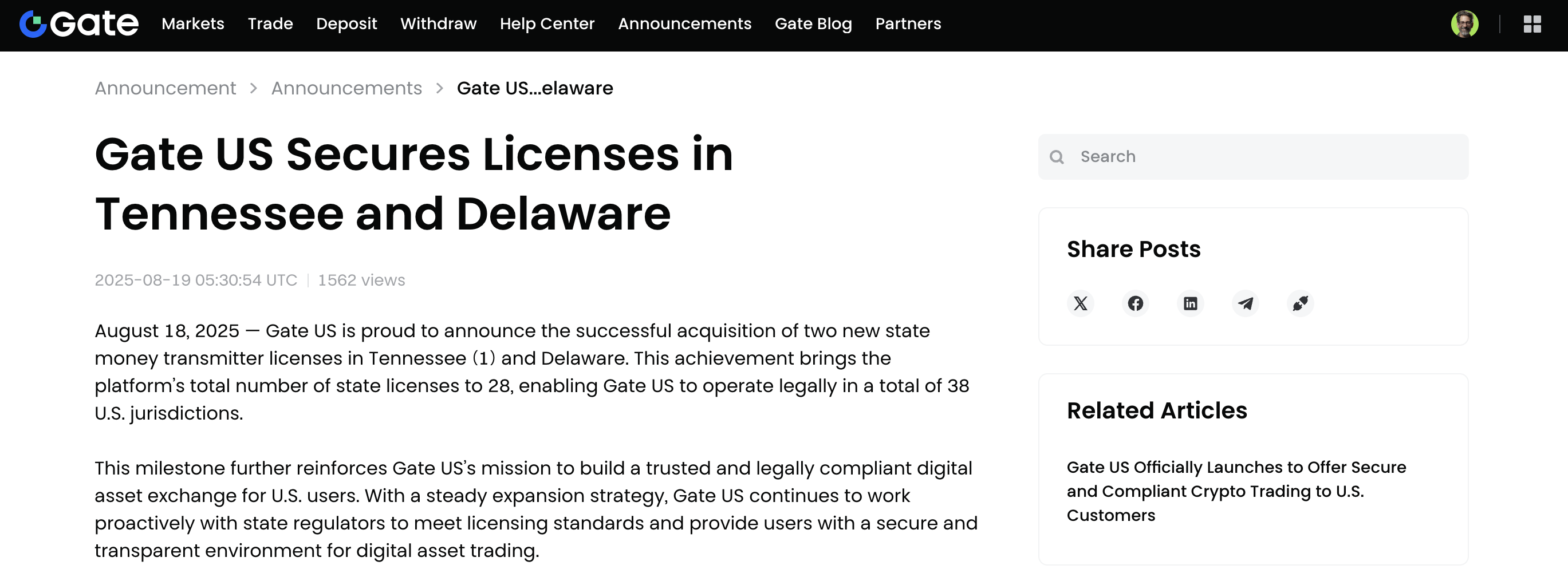
Step 3: Once you find the announcement you are looking for, click the title to open and read the full details.
Disclaimer: This is not investment advice. The information is provided for informational purposes only and should not be construed as a recommendation to buy, sell or hold any asset. Cryptocurrency trading involves a risk of loss. Gate US services may be restricted in certain jurisdictions. For more information, please see our legal disclosures: https://us.gate.com/legal/disclosures
