
1. How to view blockchain info?
-
Go to Recent Deposits to access the deposit page. Scroll down to locate the transaction order and its corresponding TXID (transaction hash/ID). Click the TXID to open the blockchain explorer and view that transaction.
-
If the transaction hash isn't displayed in Recent Deposits yet, you can copy the hash from the sending platform and paste it into the corresponding blockchain explorer to check the transaction status.
Example: Checking GT deposit info on Ethereum blockchain.
On the explorer page, copy and paste the hash (Transaction ID/TXID) into the search bar to view transaction details.
.png)
On the transaction details page, you can view the full block information. The Contract field displays the contract address.
.png)
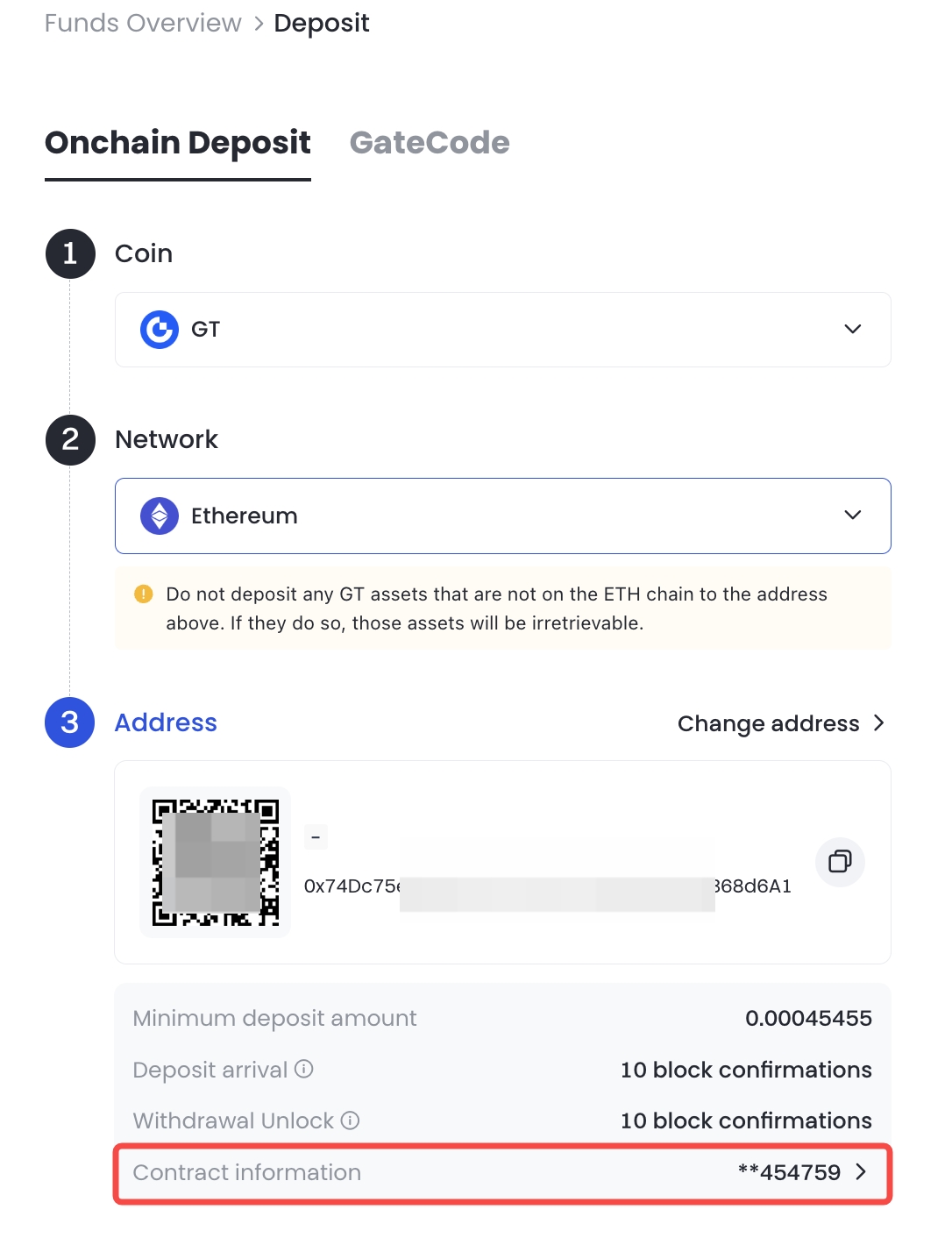
Alternatively, on the Onchain Deposit page, after selecting the coin and chain, scroll to the bottom of the Address field to view a masked version of the Contract Address.
2. What to do if my deposit hasn’t arrived?
If your crypto deposit from another platform or wallet hasn't arrived in your Gate US account, here are the most common reasons:
2.1 Deposit Delayed due to Insufficient Block Confirmations
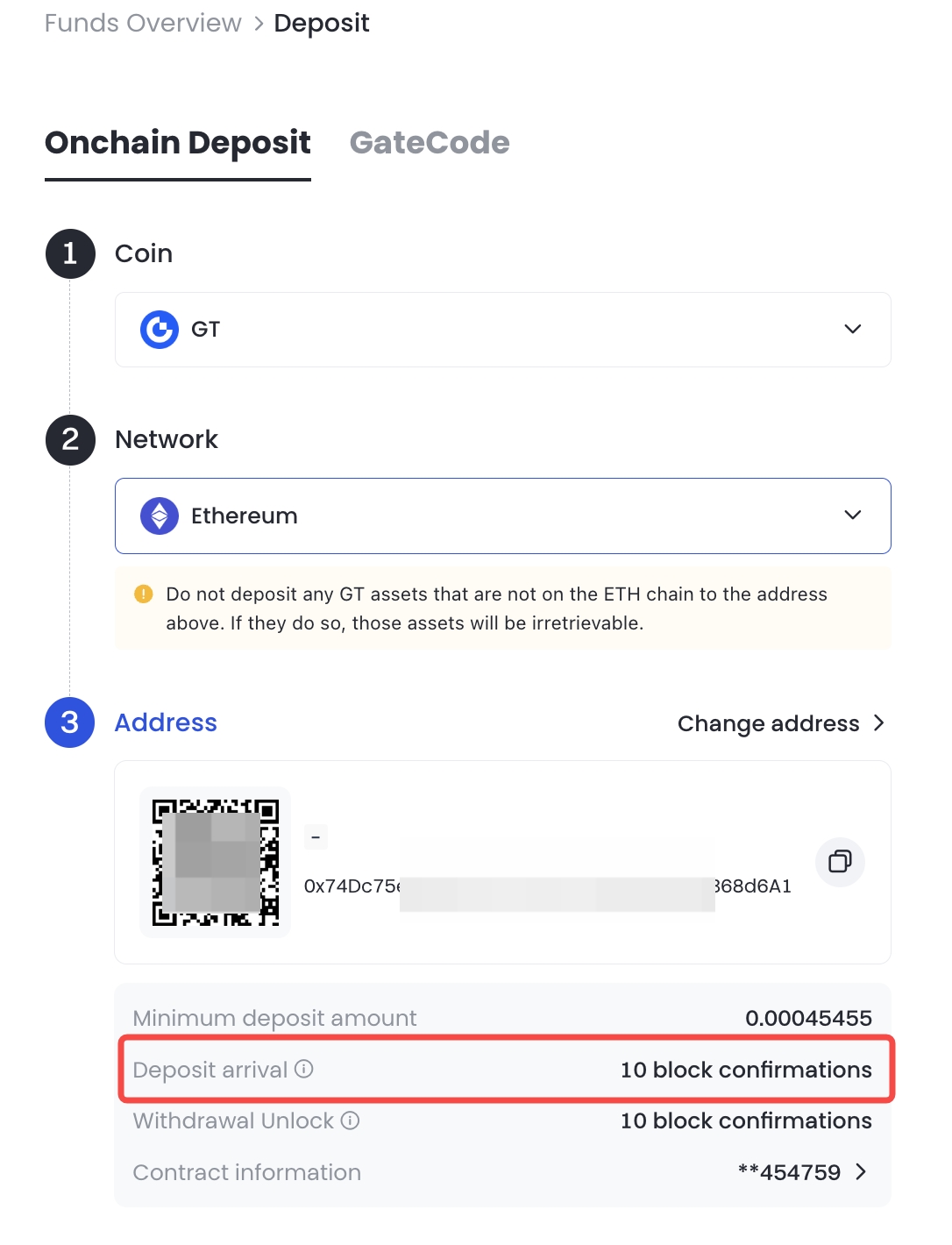
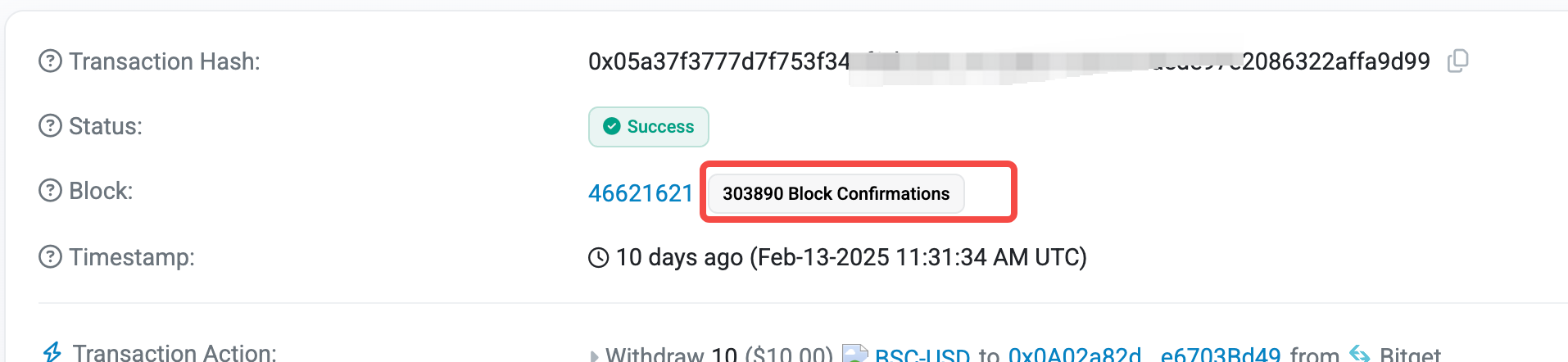
Gate US has different blockchain confirmation requirements for deposits of different coins before they are credited. You can find the confirmation requirement at the bottom of the Deposit page. Compare it with the current confirmations shown on the blockchain. If the required count hasn't been met, please wait patiently for the blockchain to confirm the transaction automatically. This process is handled by the system. Manual intervention is not possible.
Note: You can check confirmations via a blockchain explorer, or subtract the block height of the hash from the latest block height (as shown in the figure below).
2.2 Missing or Wrong Tag/Memo
When depositing cryptocurrencies such as XRP or EOS, you must enter both a wallet address and a Tag/Memo.
If the Tag/Memo is missing or entered incorrectly, your deposit may fail to be credited to your account.
In this case, please contact Customer Support for assistance.
2.3 Deposit Made to a Temporarily Suspended Coin
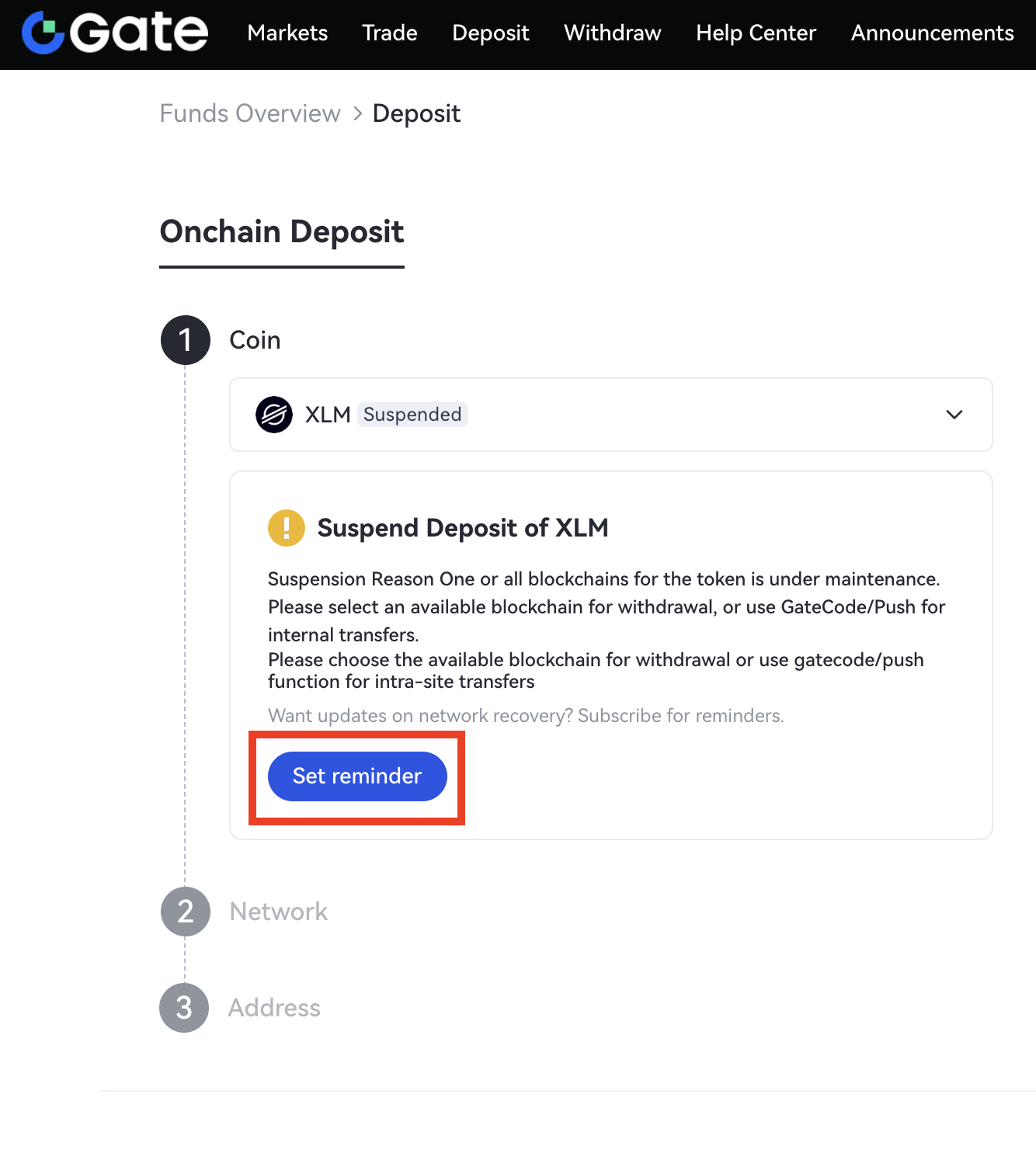
If the coin's deposit service is suspended, any incoming transfers will not be processed. Please wait patiently until this function resumes. You can click Set Reminder on the Deposit page of that coin. We will notify you once it is back online.
2.4 Wrong Coin/Address/Chain
If you've deposited the wrong coin/ address/blockchain, follow these steps to resolve the issue:
-
First, check if the deposit address belongs to the Gate US platform. Then visit the Token Recovery page to see if the chain you used is supported. If yes, you can apply for recovery. For detailed instructions, please refer to the guide: How to Submit a Token Recovery Application.
-
If Token Recovery doesn't support that chain, please contact Customer Support for assistance.
-
If the address is not a Gate US address, you will need to contact the recipient directly to resolve it.
Note:
- A 20 USDT handling fee applies for each token recovery. Please ensure sufficient balance in your Spot account.
- Not all wrong deposits are recoverable using this feature. The following cases are non-recoverable, including but not limited to: deposit of tokens not supported by Gate US; deposits via unsupported chains; use of blockchains not supported in the token recovery feature; deposits of inscriptions; or NFTs deposited to Gate US crypto addresses.
- Always check the status of the token recovery. If the recovery fails, you can check the reason in Application Records and contact Customer Support to confirm whether the deposit is still recoverable.
Disclaimer:
This is not investment advice. The information is provided for informational purposes only and should not be construed as a recommendation to buy, sell or hold any asset. Cryptocurrency trading involves a risk of loss. Gate US services may be restricted in certain jurisdictions. For more information, please see our legal disclosures: https://us.gate.com/legal/disclosures
