
How to change login password on the Gate US website
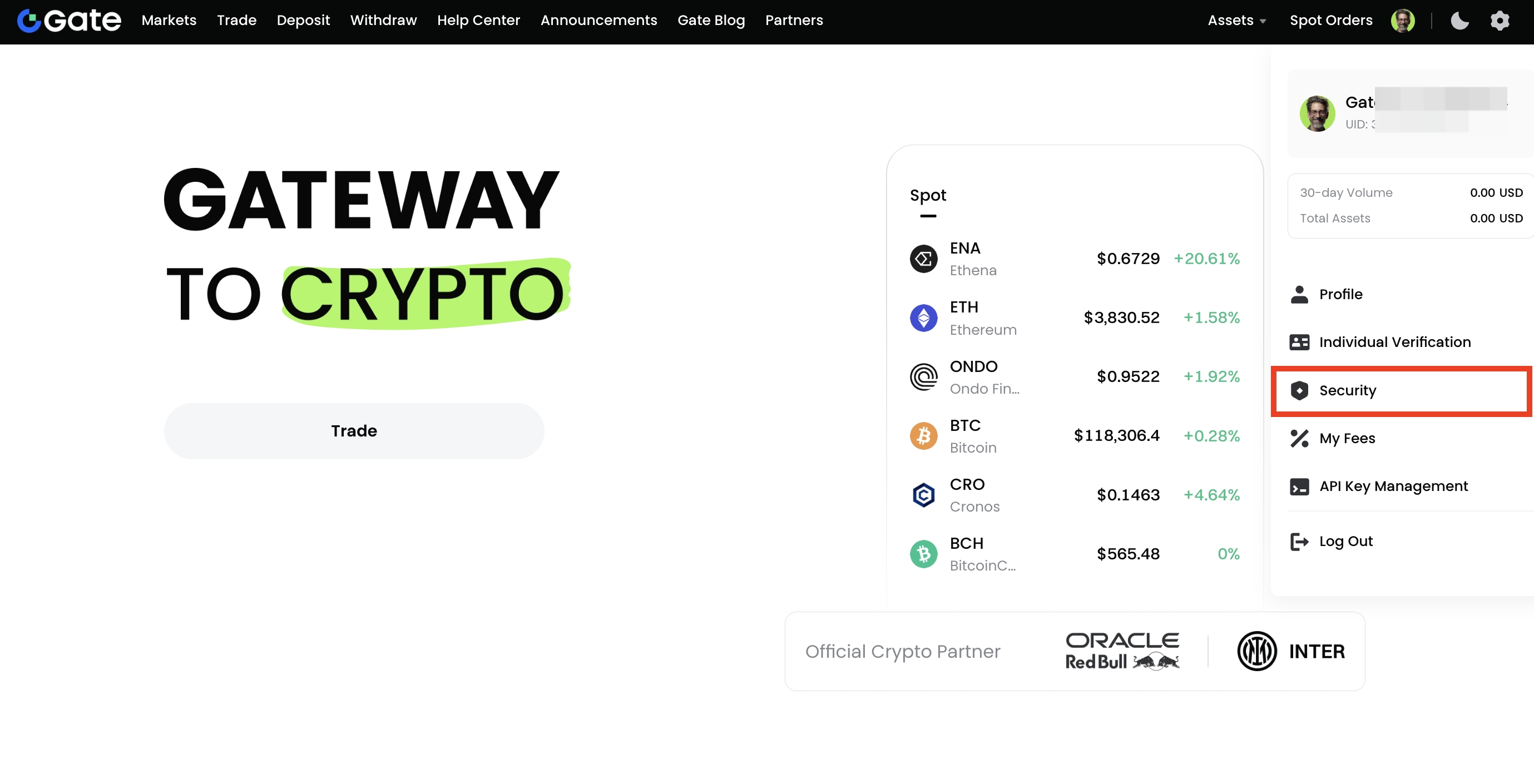
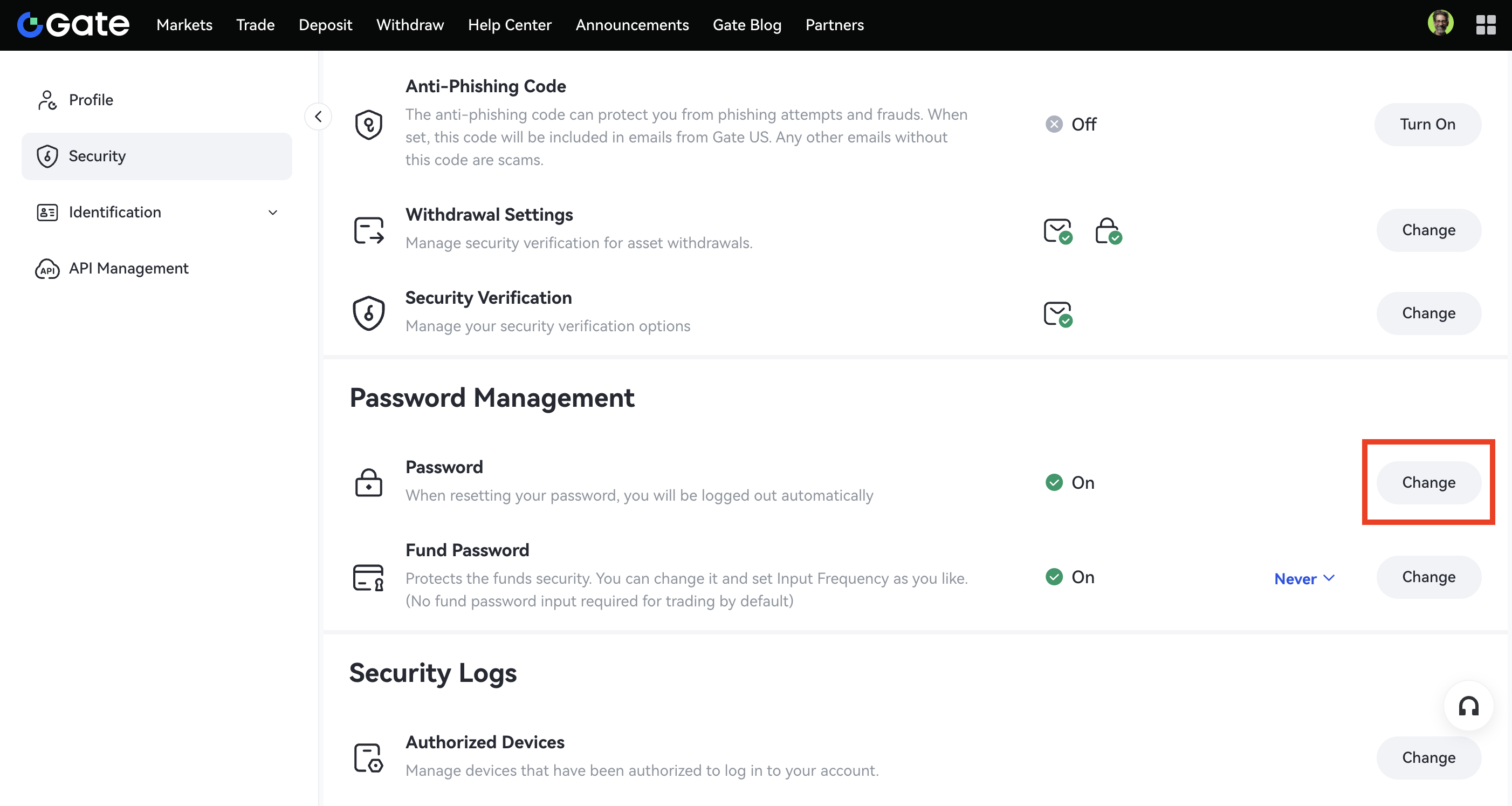
Step 1: Log into your account. Move your cursor over the profile icon in the top-right corner and go to Security - Password Management - Password - Change.
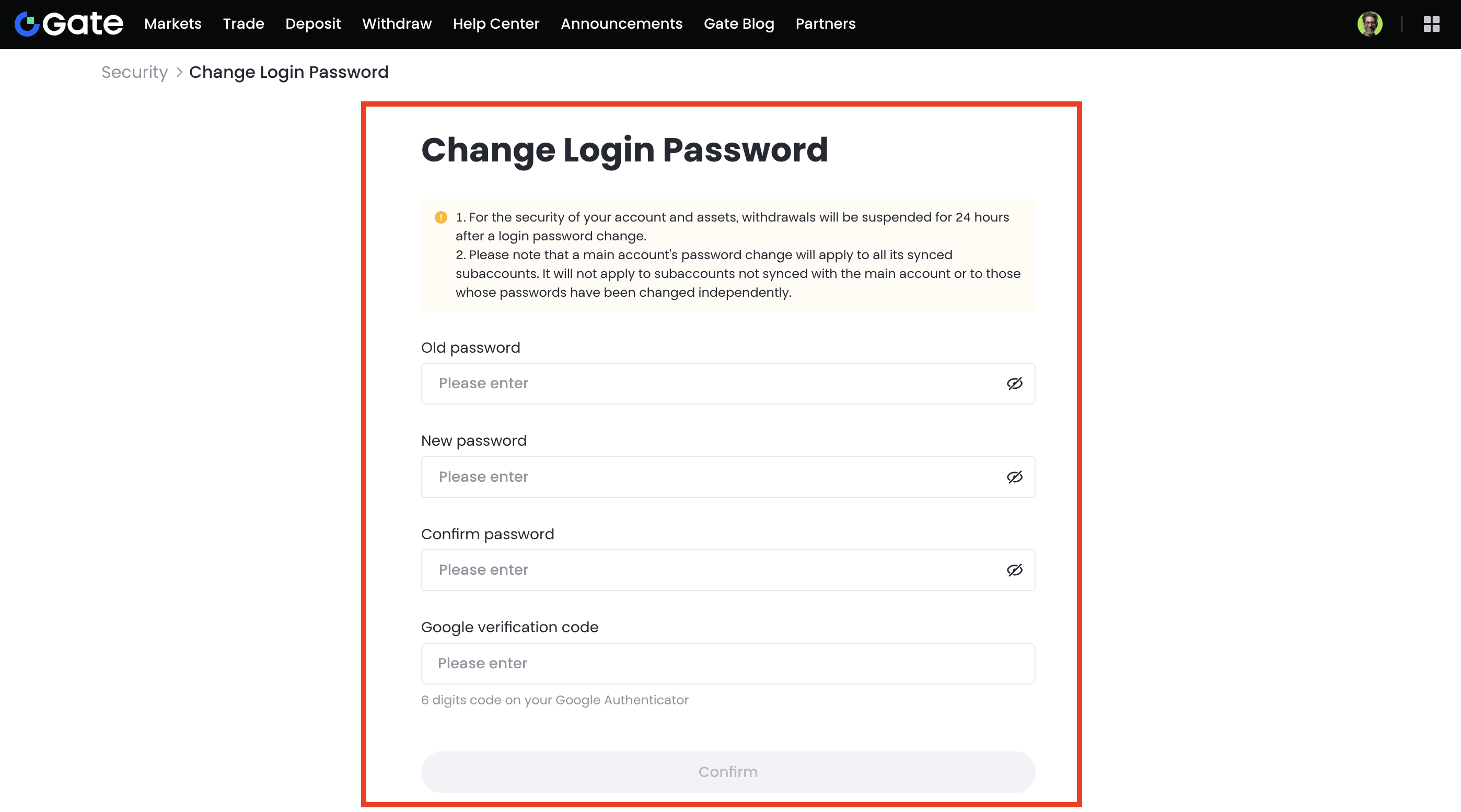
Step 2: Input your Old password, New password (confirm it again), and TOTP (Google verification code). Then click on Confirm.
If you forget your login password, please do as follows:
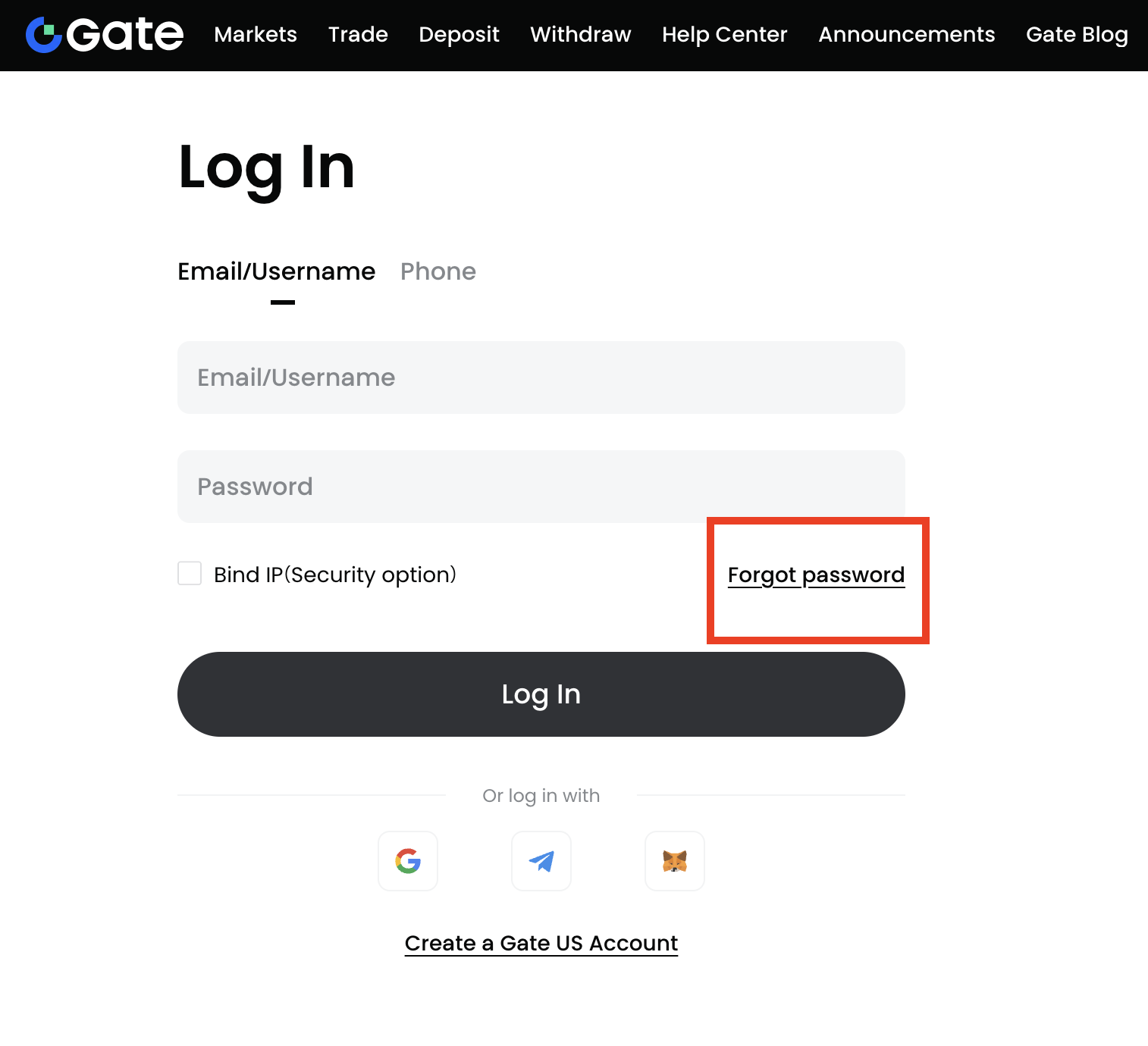
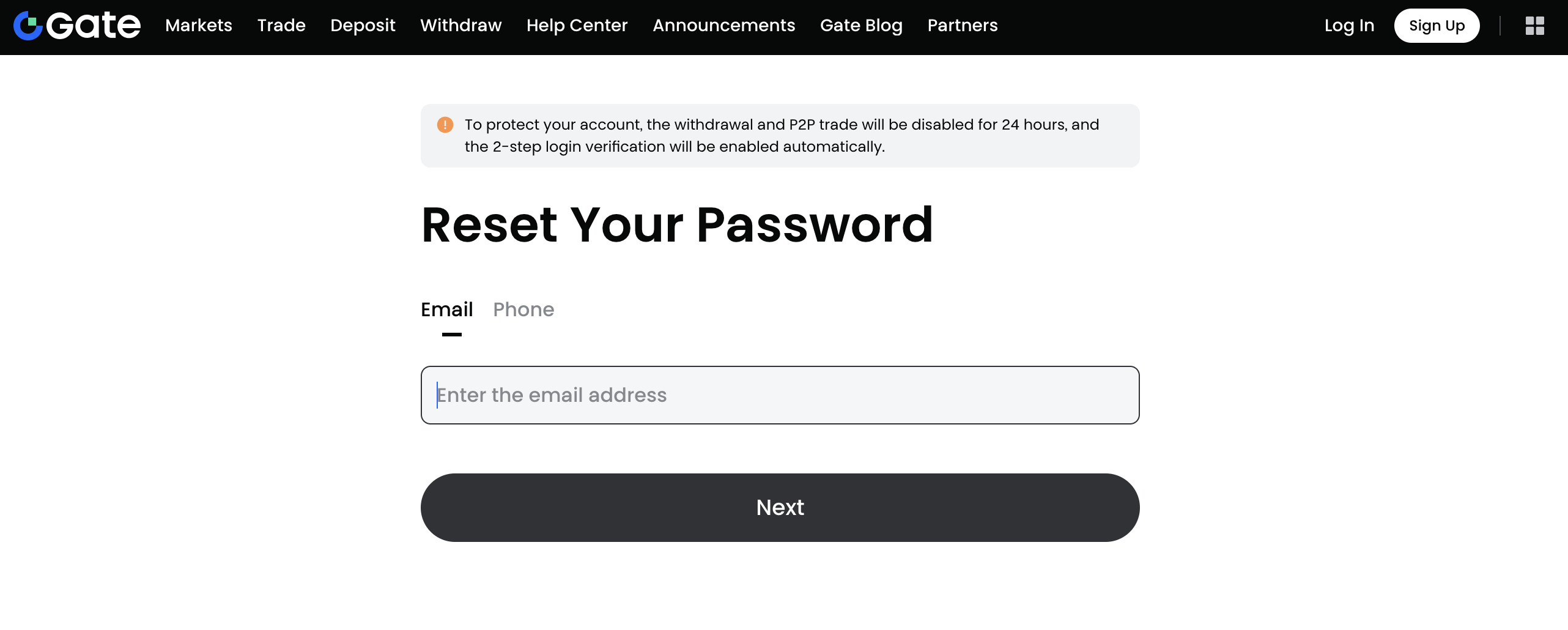
Step 1: Click Forgot password on the Log In page.
Step 2: Choose to reset your login password via email or phone number. Then you just need to follow the instructions to complete the reset.
Note:
- Withdrawals will be disabled for 24 hours after resetting the password.
- Your account will be logged out automatically after the login password is reset. You will need to log in again using your new password.
Disclaimer: This is not investment advice. The information is provided for informational purposes only and should not be construed as a recommendation to buy, sell or hold any asset. Cryptocurrency trading involves a risk of loss. Gate US services may be restricted in certain jurisdictions. For more information, please see our legal disclosures: https://us.gate.com/legal/disclosures
