
When trading, entering the fund password is usually the last step. If you forget your fund password, you can reset it by following the instructions below.
How to change or reset your fund password
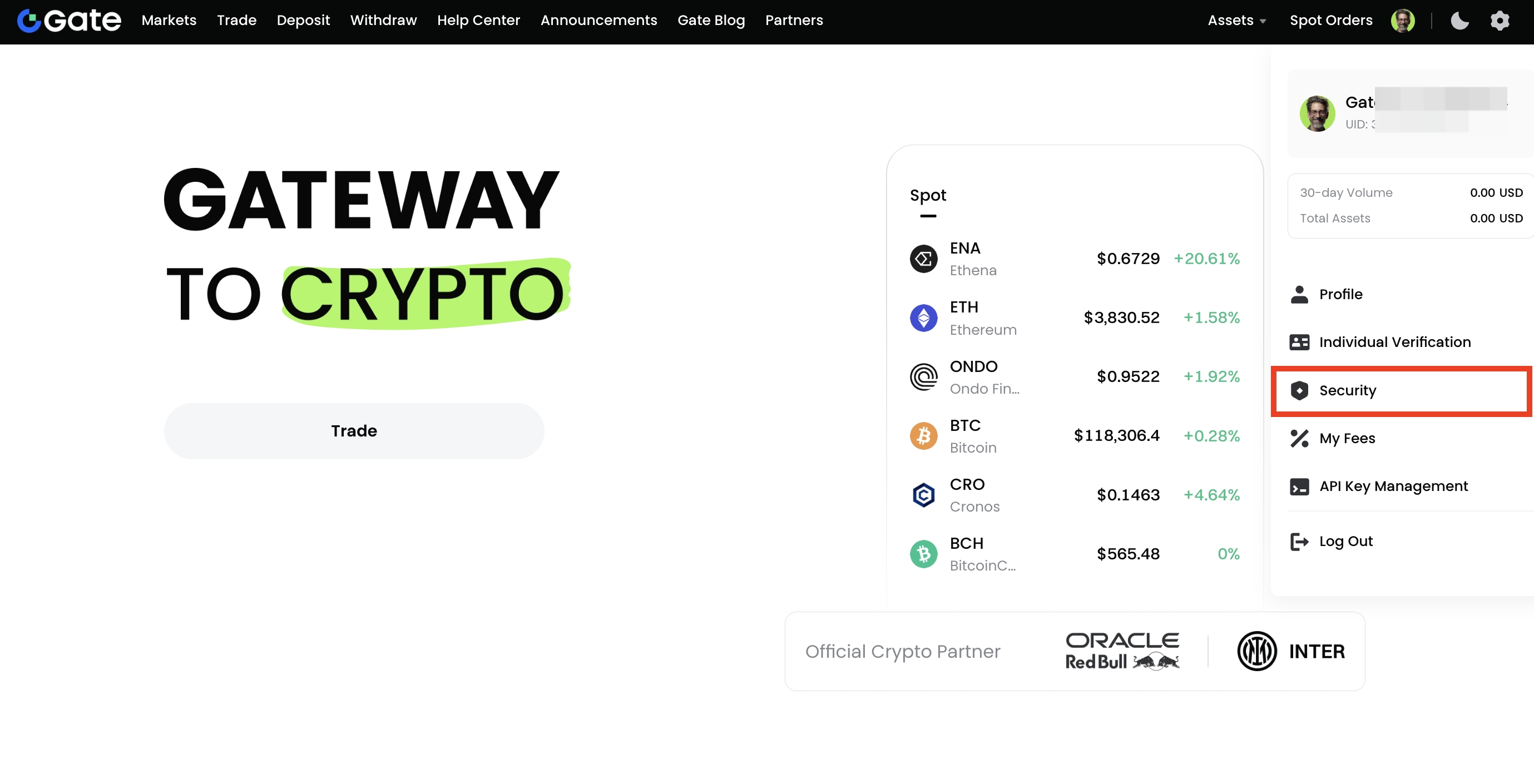
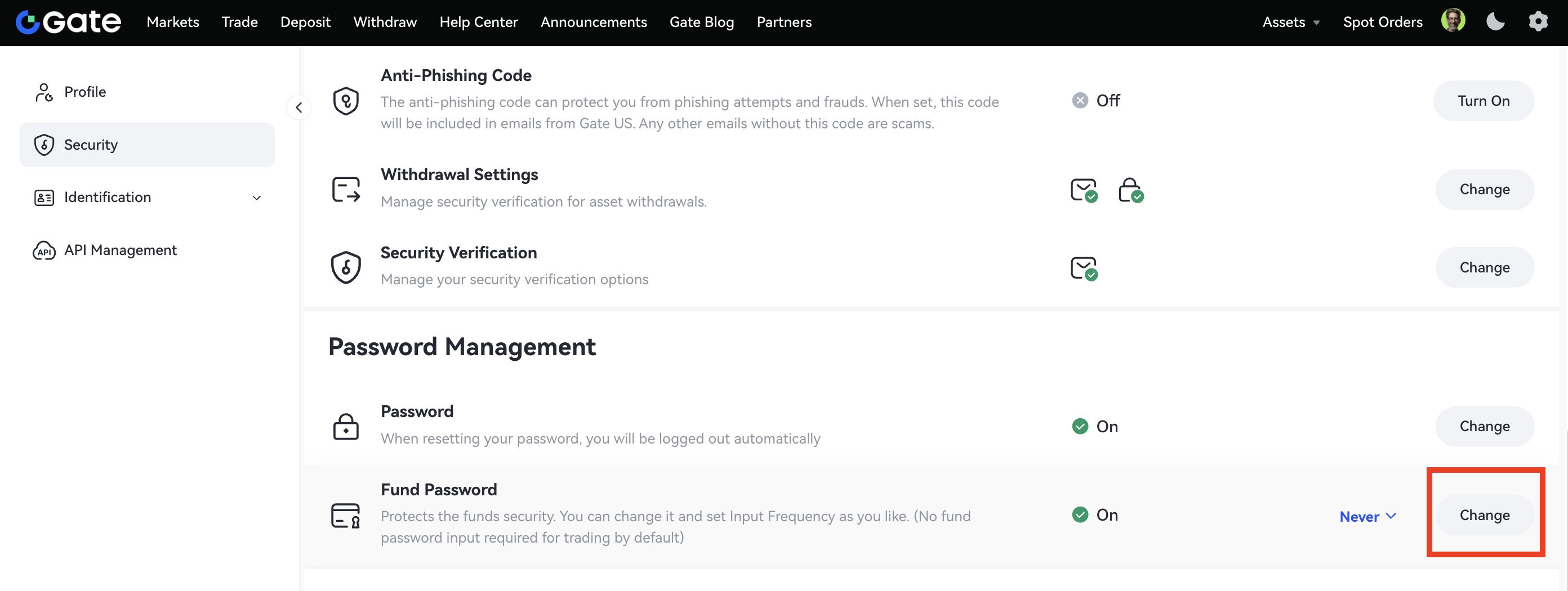
Step 1: Log in to your account. Hover your cursor on the profile icon at the top right and go to the Security page. Scroll down to Password Management - Fund Password and click Change on the right.
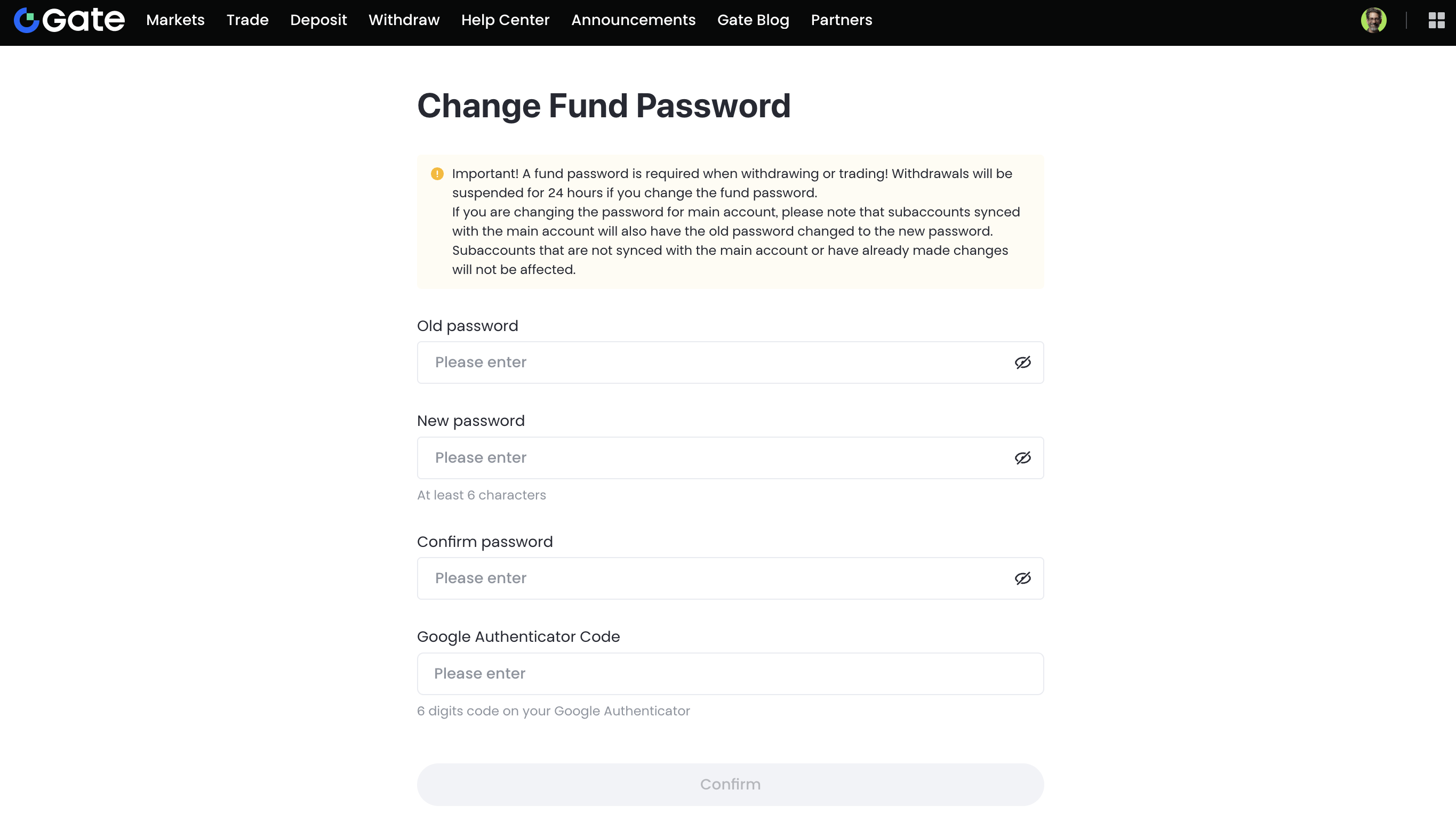
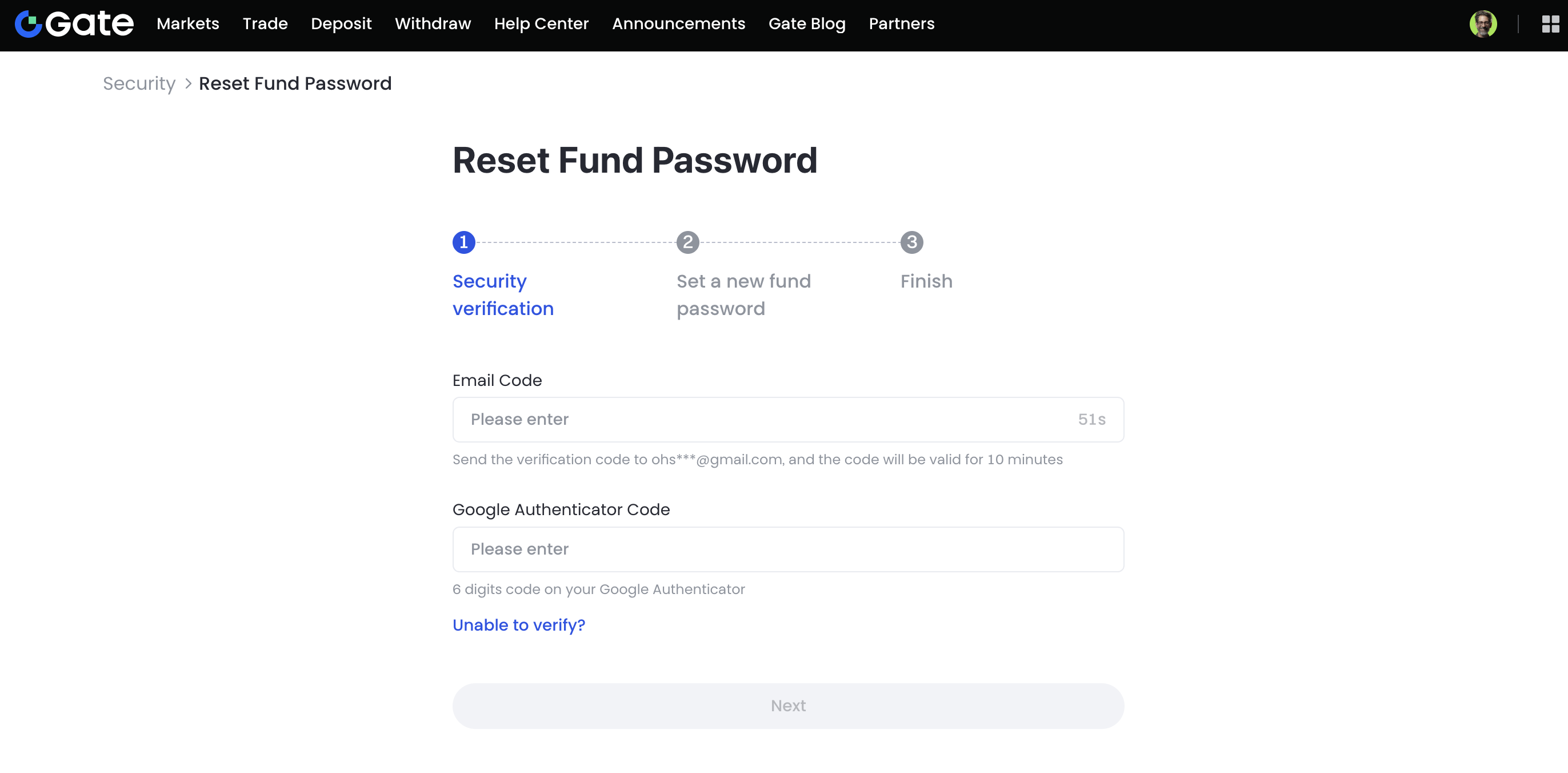
Enter the required information to modify your fund password.
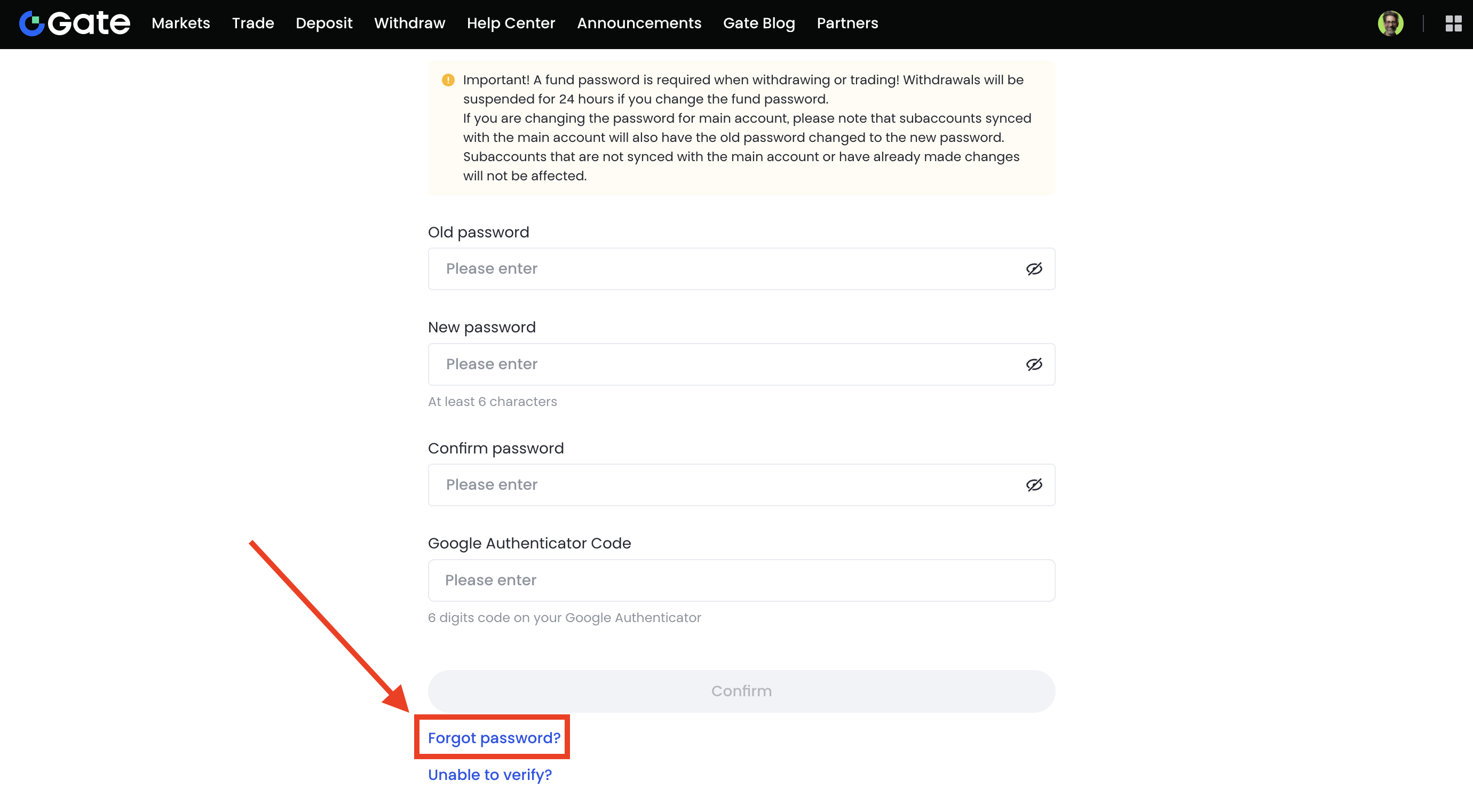
To reset your fund password, simply follow the on-screen instructions. Enter the verification code sent to your registered email and the 6-digit code from your Google Authenticator to complete the security verification. Once verified, set a new fund password and confirm to finish the process.
How to set the input frequency of fund password
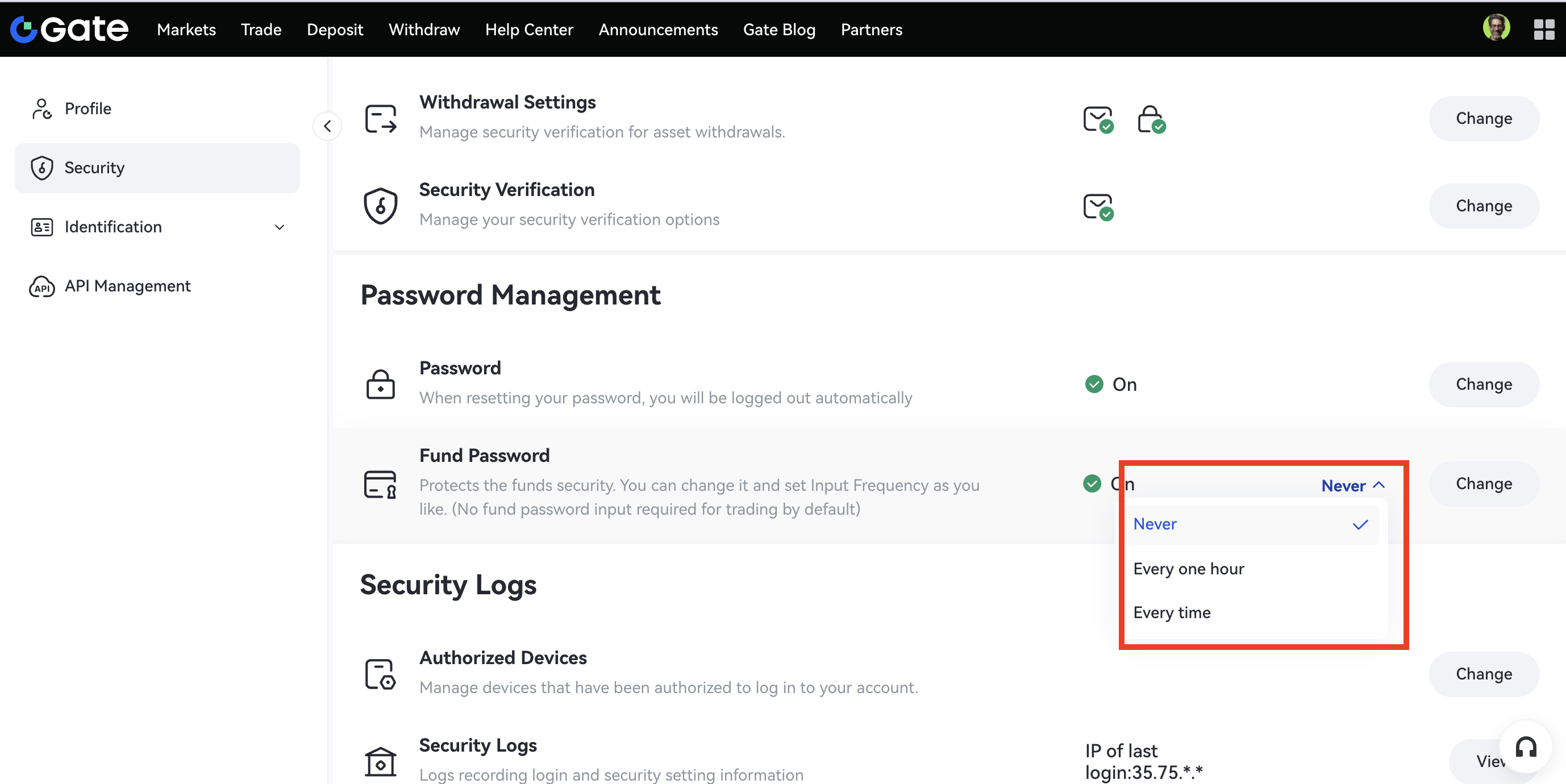
Step 1: On the Security page page, scroll down to Password Management - Fund Password.
Step 2: Click on the tiny triangle symbol right next to Change to set the frequency of password resets - one hour, every time, never.
Disclaimer: This is not investment advice. The information is provided for informational purposes only and should not be construed as a recommendation to buy, sell or hold any asset. Cryptocurrency trading involves a risk of loss. Gate US services may be restricted in certain jurisdictions. For more information, please see our legal disclosures: https://us.gate.com/legal/disclosures
