


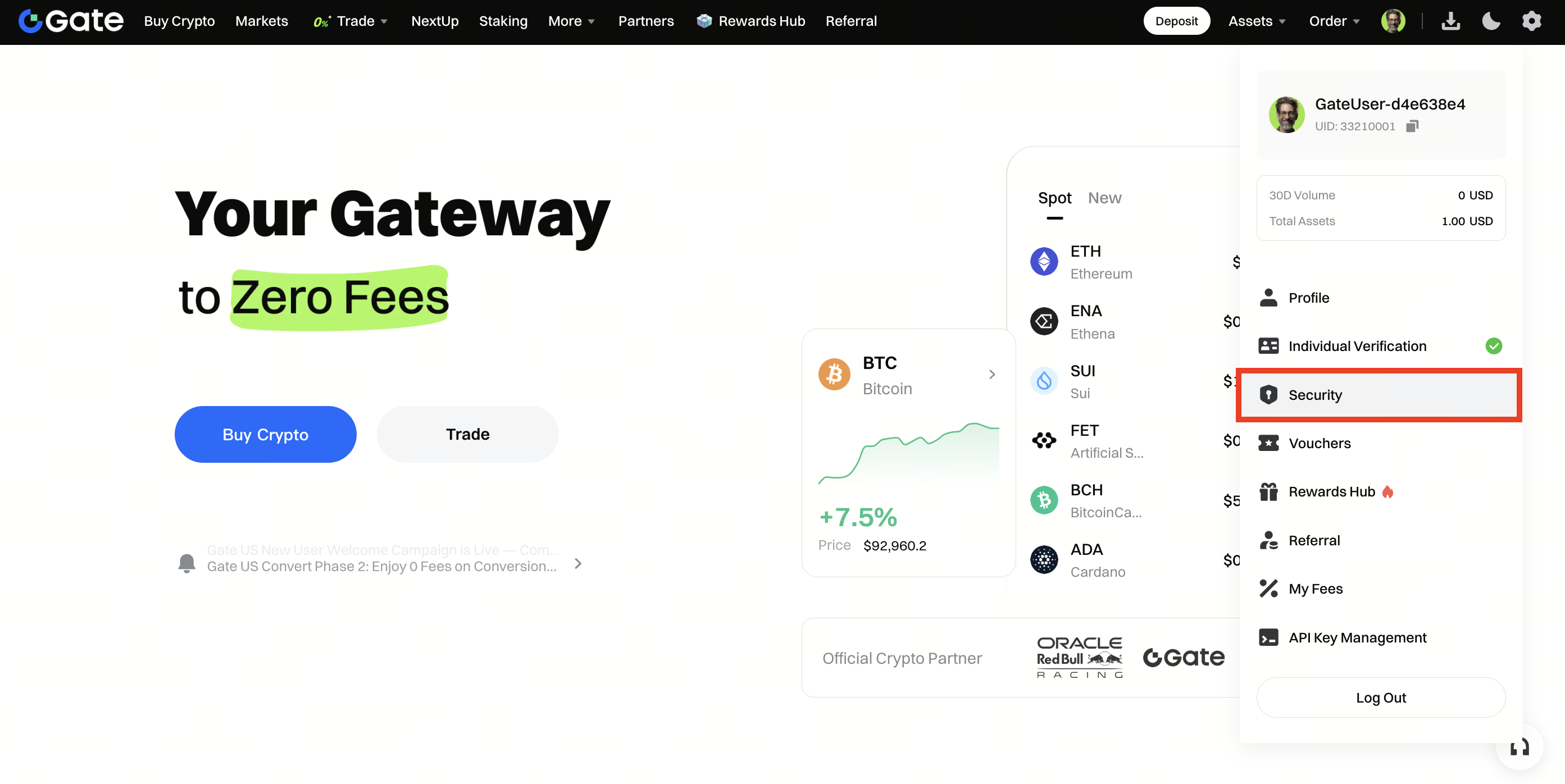
Step 1: Log in to your Gate US account. Click your avatar in the top right corner and go to the Security page.
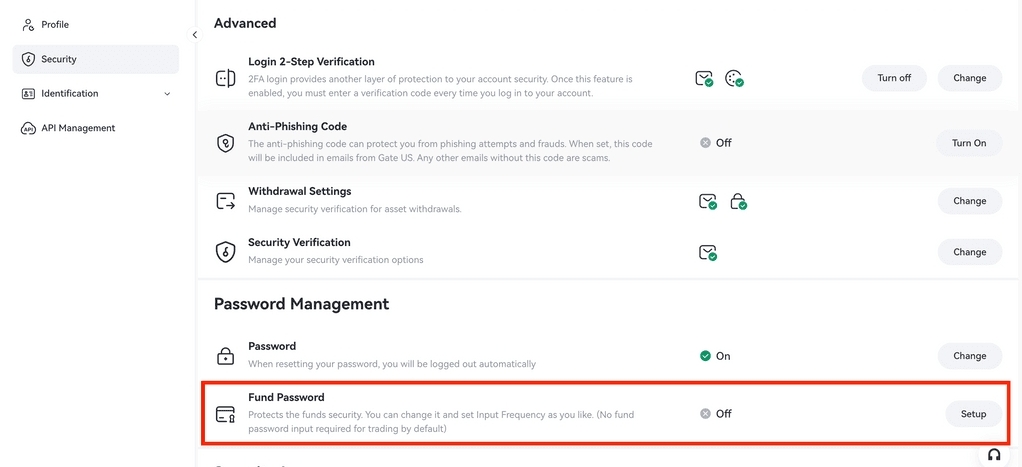
Step 2: Scroll down to the Password Management section and click Setup next to Fund Password.
Step 3: On the fund password setup page, enter your new fund password. The password must be at least 6 characters and different from your login password. Re-enter the same password in the Confirm Fund Password field, enter the Google Authenticator code. Then click Confirm to complete.

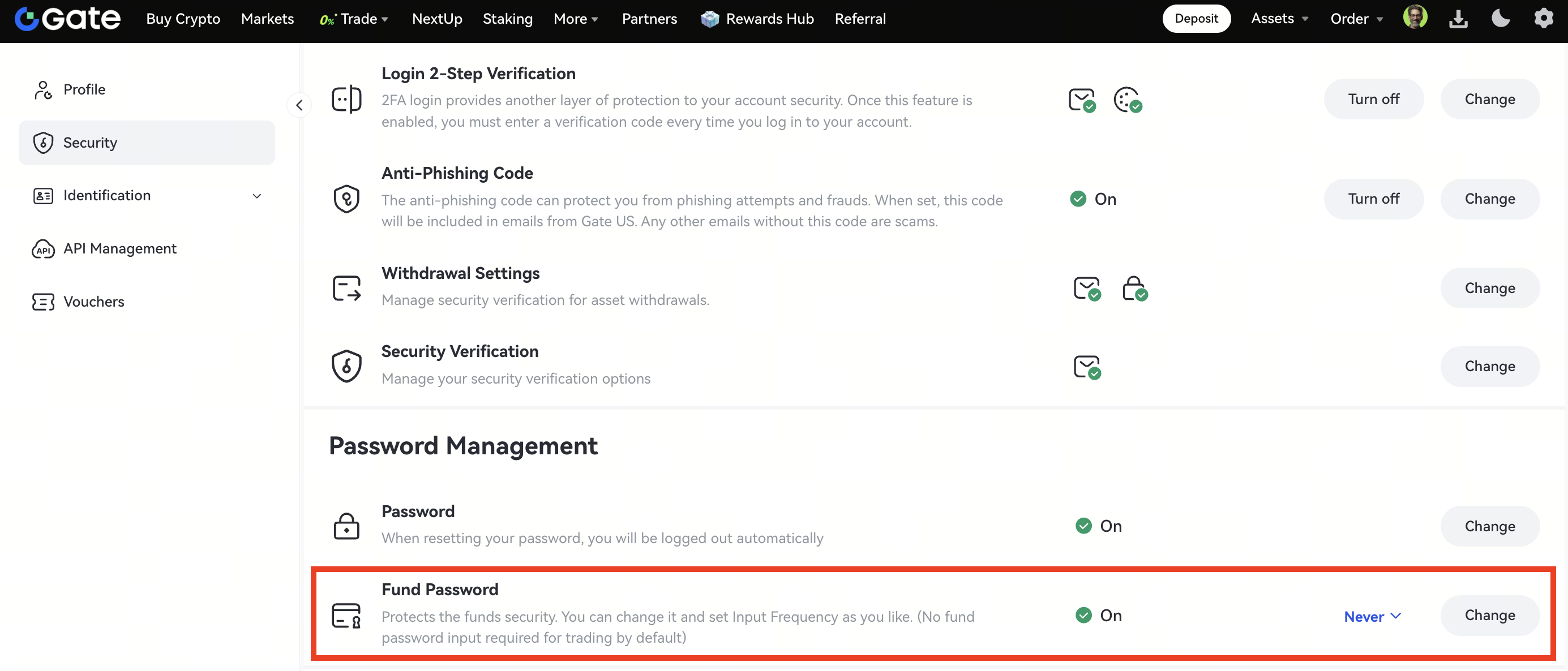
Step 4: After the fund password is successfully set, the status will be show as On. You can adjust the password input frequency using the dropdown next to it.
Disclaimer: This is not investment advice. The information is provided for informational purposes only and should not be construed as a recommendation to buy, sell or hold any asset. Cryptocurrency trading involves a risk of loss. Gate US services may be restricted in certain jurisdictions. For more information, please see our legal disclosures: https://us.gate.com/legal/disclosures
