
When using the Gate US trading platform, it is crucial to contact the customer service team promptly if you encounter any issues or need assistance.
This article provides a step-by-step guide on how to contact Gate US Customer Service to help you quickly resolve problems and ensure a smooth trading experience.
On the Web
Step 1: Log in to your Gate US account, then click the Customer Service icon at the bottom right corner of the page to open the customer support window.

Step 2: In the pop-up Gate US Customer Support window, you can either browse frequently asked questions or describe your issue in detail in the input box below and click Send. The Chat Bot will automatically provide a response.
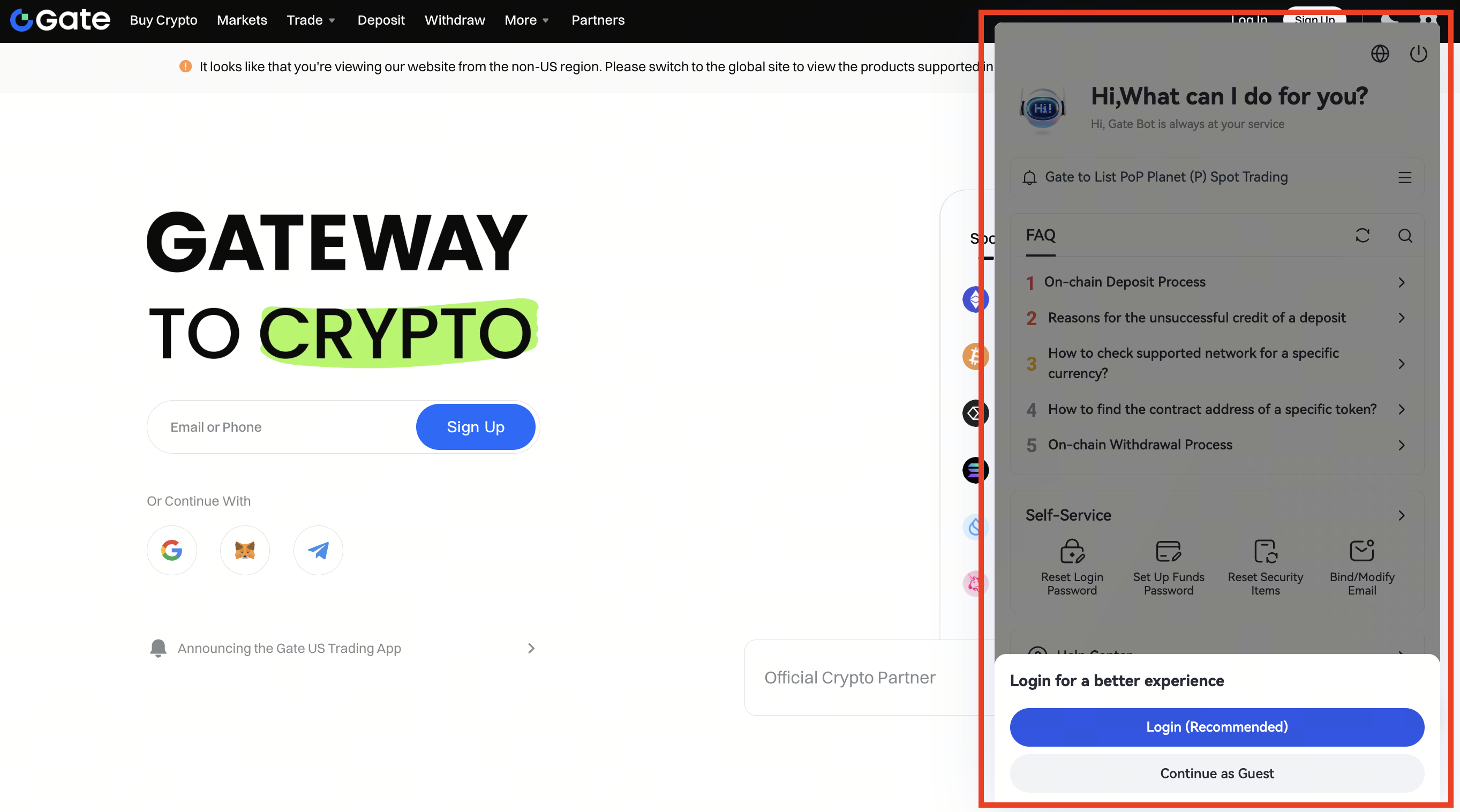
If you are not logged into your account, you can choose to Log In first or Continue as Guest.
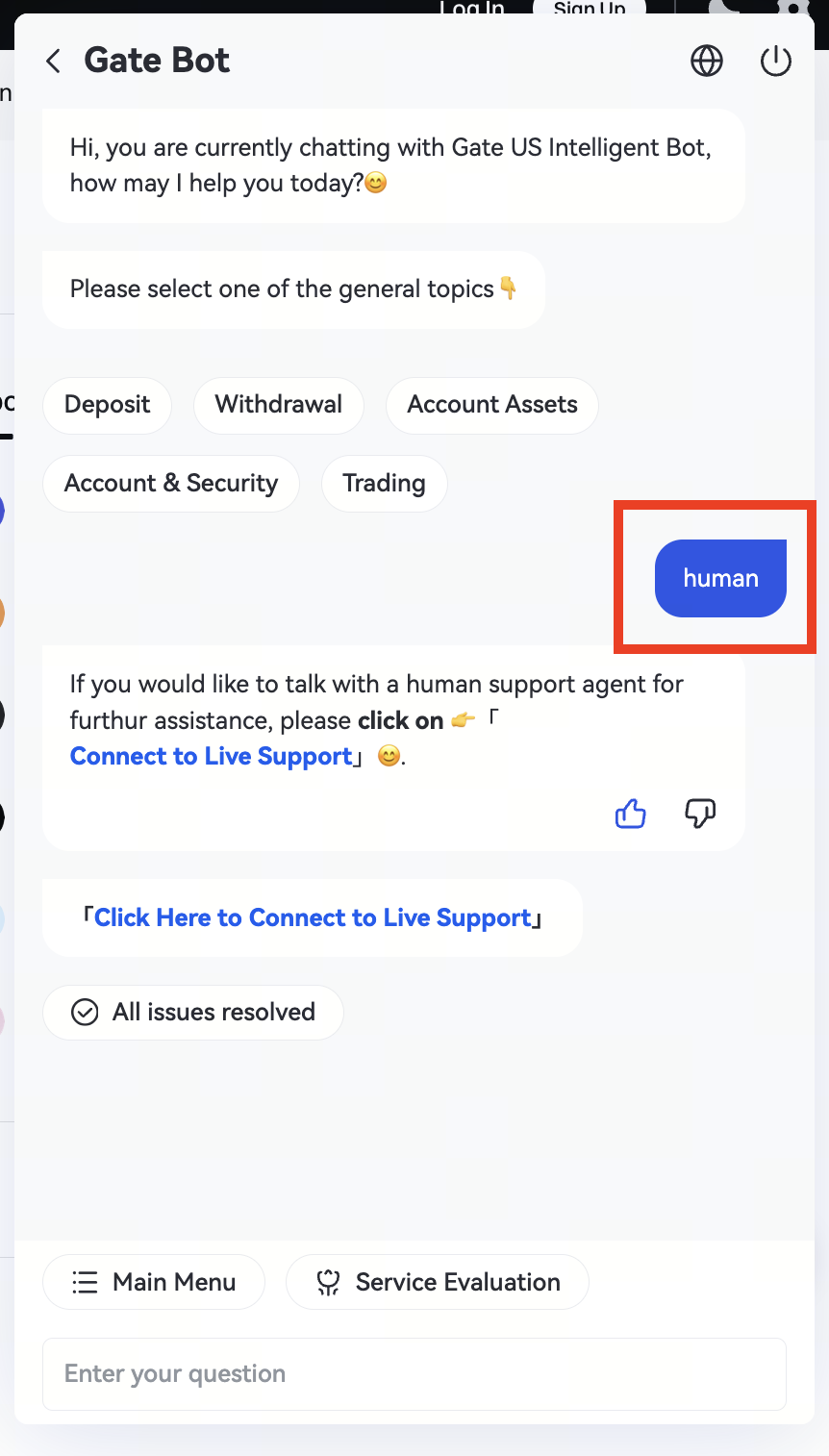
If the Chat Bot’s reply is inaccurate or you need further assistance from a human agent, type human in the chat box, send it, and then click the pop-up Connect to Live Support option.

Precautions
-
Official Channel
Please make sure to contact customer service through the official channels provided on the Gate US website to avoid scams or impersonation via unofficial sources. -
Privacy Protection
When communicating with customer service, do not share your password, private key, or any other sensitive information. -
Keep Records
Save your communication history with customer service for future reference or to protect your rights.
By following this guide, you can contact the Gate US customer service team and get your issue resolved promptly and effectively.
Disclaimer:
This is not investment advice. The information is provided for informational purposes only and should not be construed as a recommendation to buy, sell, or hold any asset. Cryptocurrency trading involves the risk of loss. Gate US services may be restricted in certain jurisdictions. For more information, please see our legal disclosures.
