
1. How to whitelist an email address in Gmail
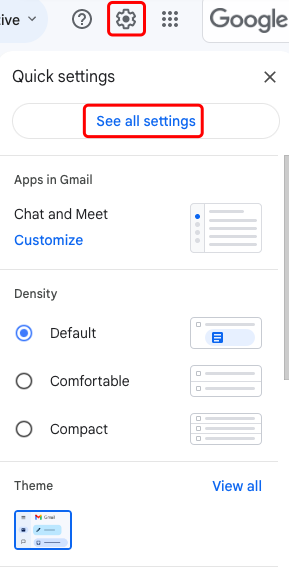
1.Log in to your Gmail account, click the settings icon in the upper right corner, and then click "See all settings".
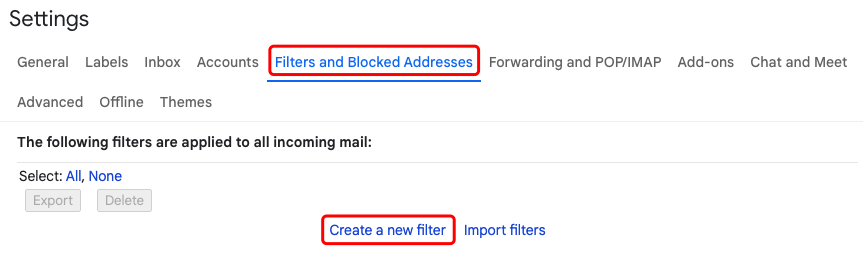
2.Go to the "Filters and Blocked Addresses" tab and click "Create a new filter".
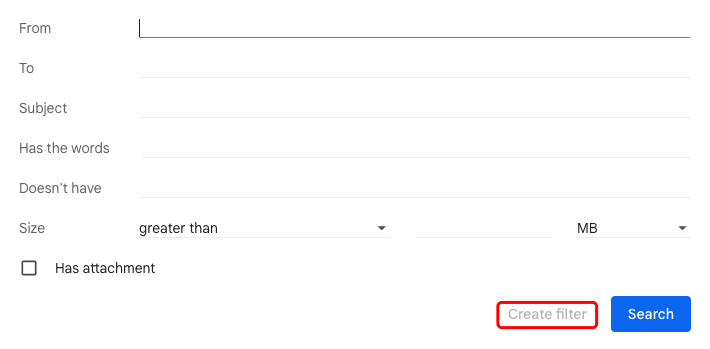
3.Enter the email address you want to whitelist in the "From" field and click "Create filter".
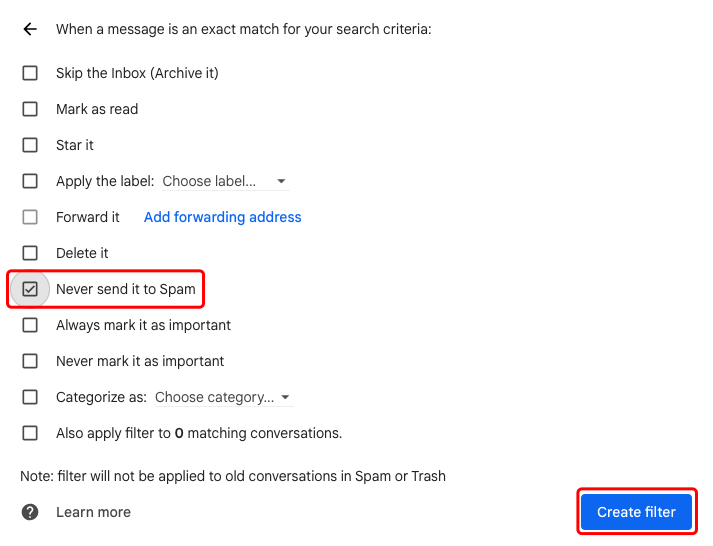
4.Check the "Never send it to Spam" box. Then click "Create filter" to save the whitelist settings.
2. How to whitelist an email address in Outlook
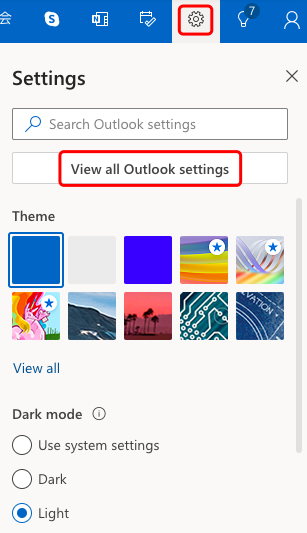
1.Log in to your Outlook account, click the settings icon in the upper right corner, and click "View all Outlook settings".
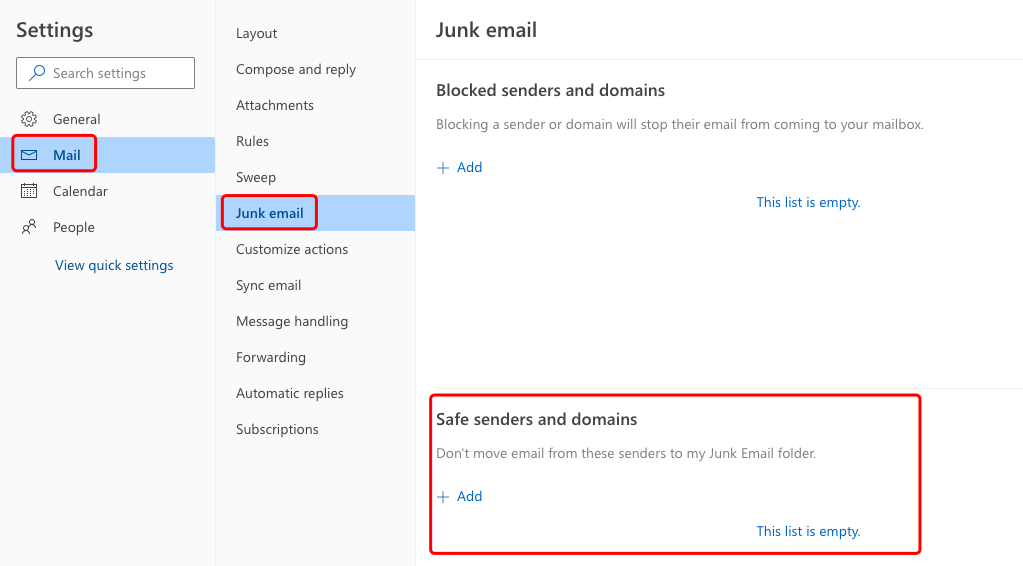
2.On the settings page, click "Mail" - "Junk email", and find "Safe senders and domains". Click "Add", enter the email address you want to add, and click "Save".
Disclaimer: This is not investment advice. The information is provided for informational purposes only and should not be construed as a recommendation to buy, sell or hold any asset. Cryptocurrency trading involves a risk of loss. Gate US services may be restricted in certain jurisdictions. For more information, please see our legal disclosures: https://us.gate.com/legal/disclosures
