
How to view and download personal billing history on the Gate US website
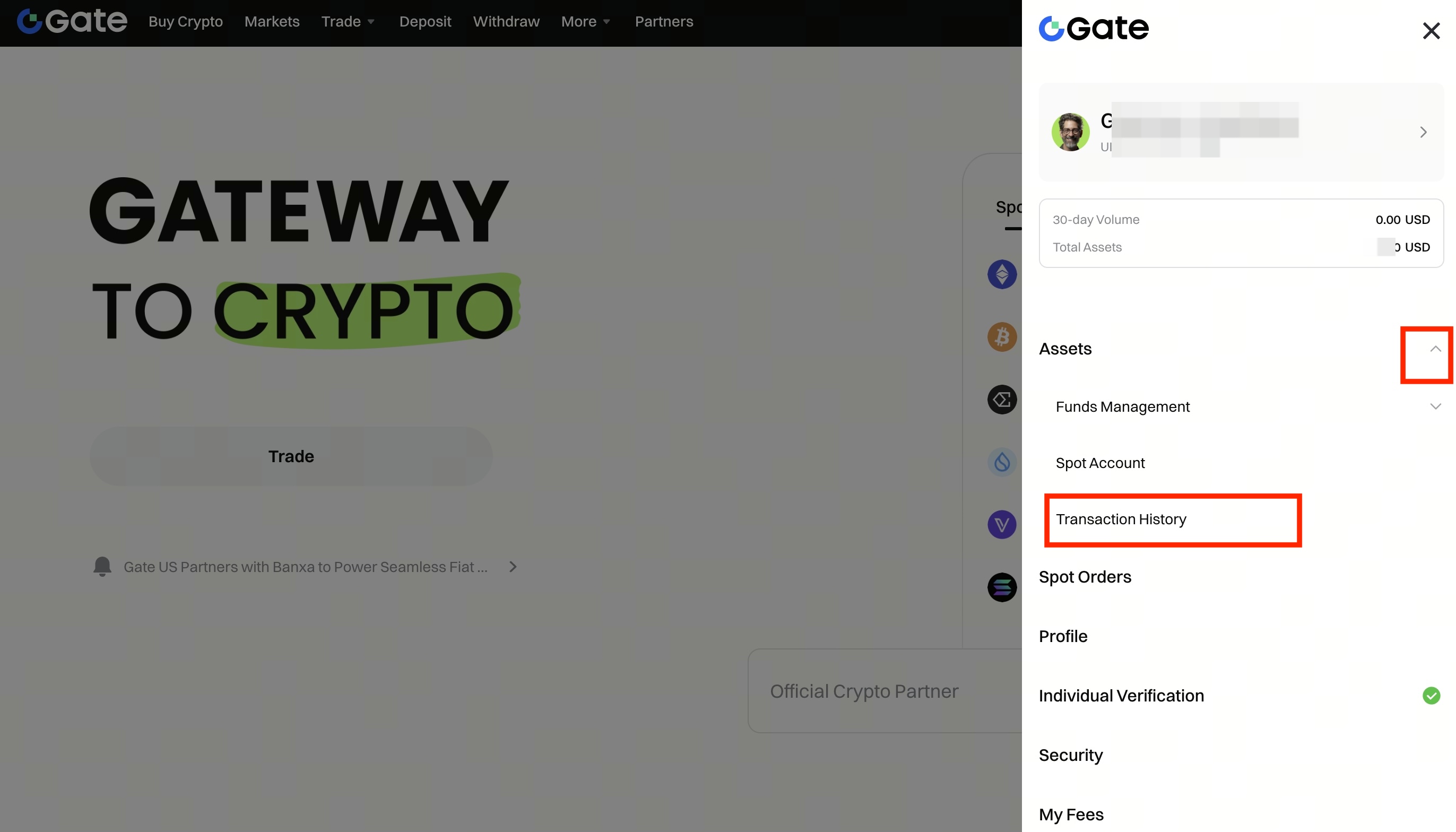
Step 1: Log in to your Gate US account. Find Transaction History under Assets on the navigation bar.
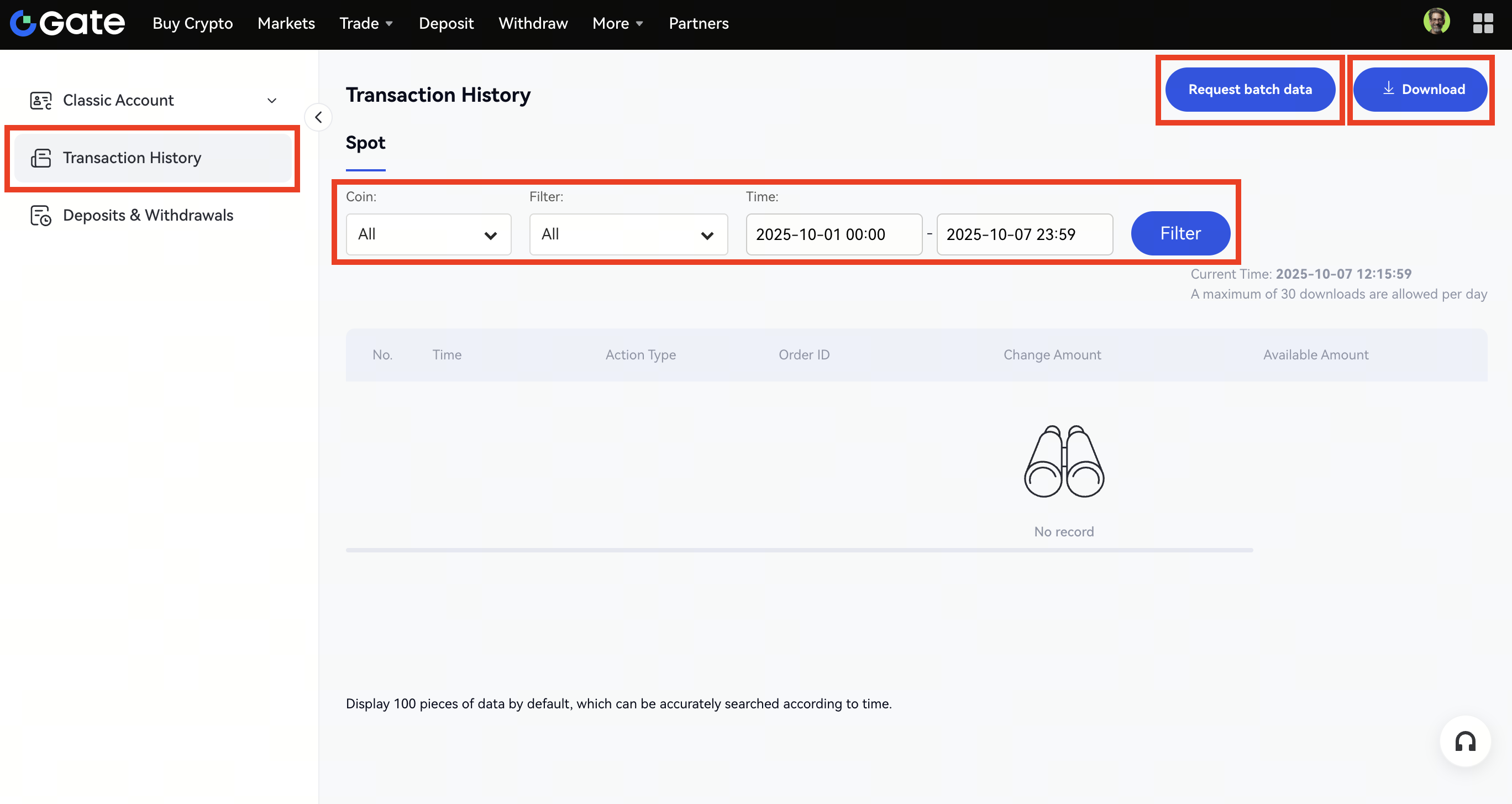
Step 2: Choose which bill you want to view under the Transaction History section. Then apply filters (coins, filter and time period) to screen out the bills you requested. If you want to download the billing history, just click on Download or Request batch data.
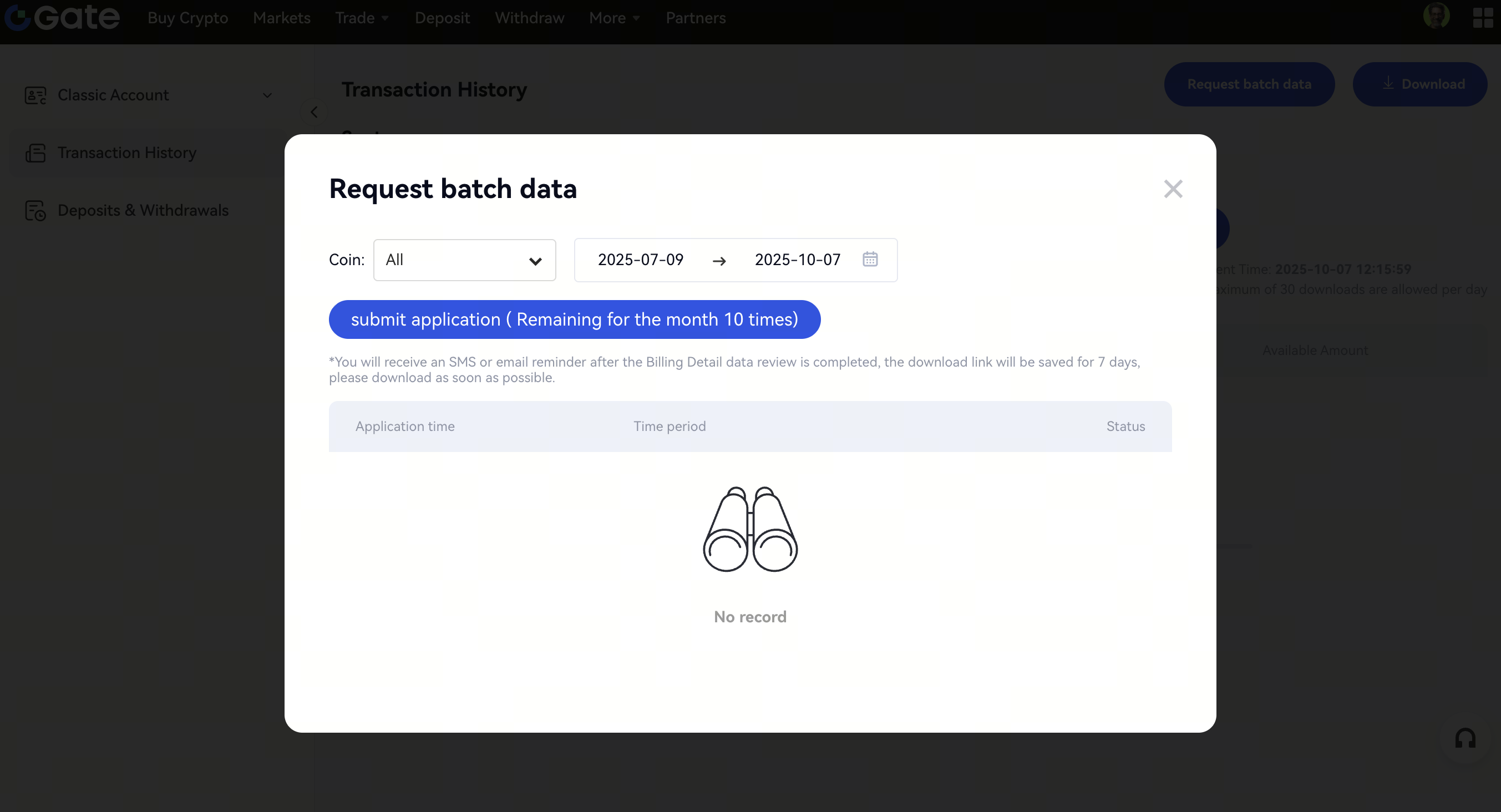
Step 3: The Request batch data feature allows you to submit an application for downloading a batch bill as per coin and time period.
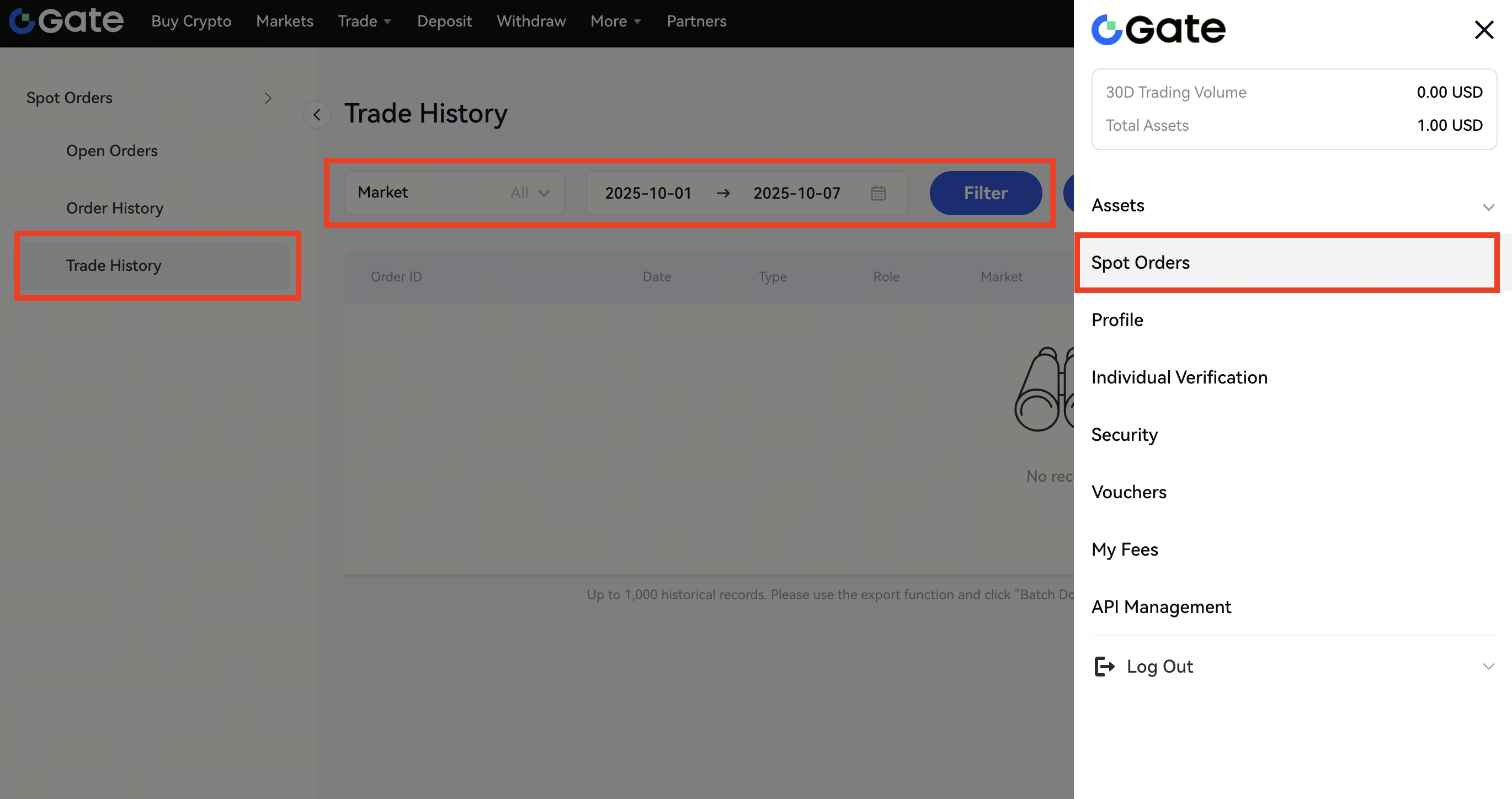
Step 4: To view or download your trade history, click Avatar - Spot Orders - Trade History. From here, you can filter your trades by Market and date range, then click Filter to display the results. To export your trade history, click the Download button in the upper-right corner.
Note:
Users can download trade history 30 times maximum in a single day.
Disclaimer: This is not investment advice. The information is provided for informational purposes only and should not be construed as a recommendation to buy, sell or hold any asset. Cryptocurrency trading involves a risk of loss. Gate US services may be restricted in certain jurisdictions. For more information, please see our legal disclosures: https://us.gate.com/legal/disclosures
