Gate's Phone, Email, and Gate UID transfers let users send and trade coins peer-to-peer (P2P). It’s a peer-to-peer internal transfer that makes moving assets flexible and easy. Always double-check the coin, amount, and recipient details to avoid losses.
Withdraw via Phone / Email / Gate UID
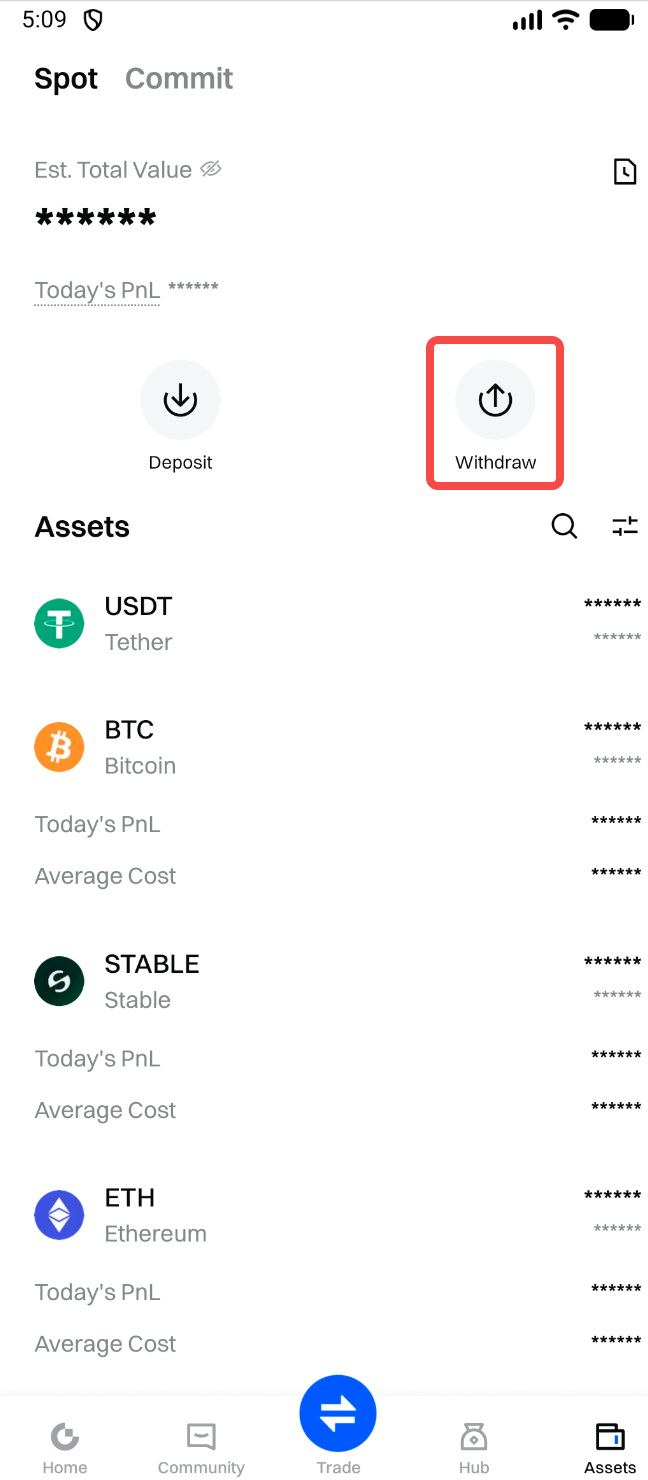
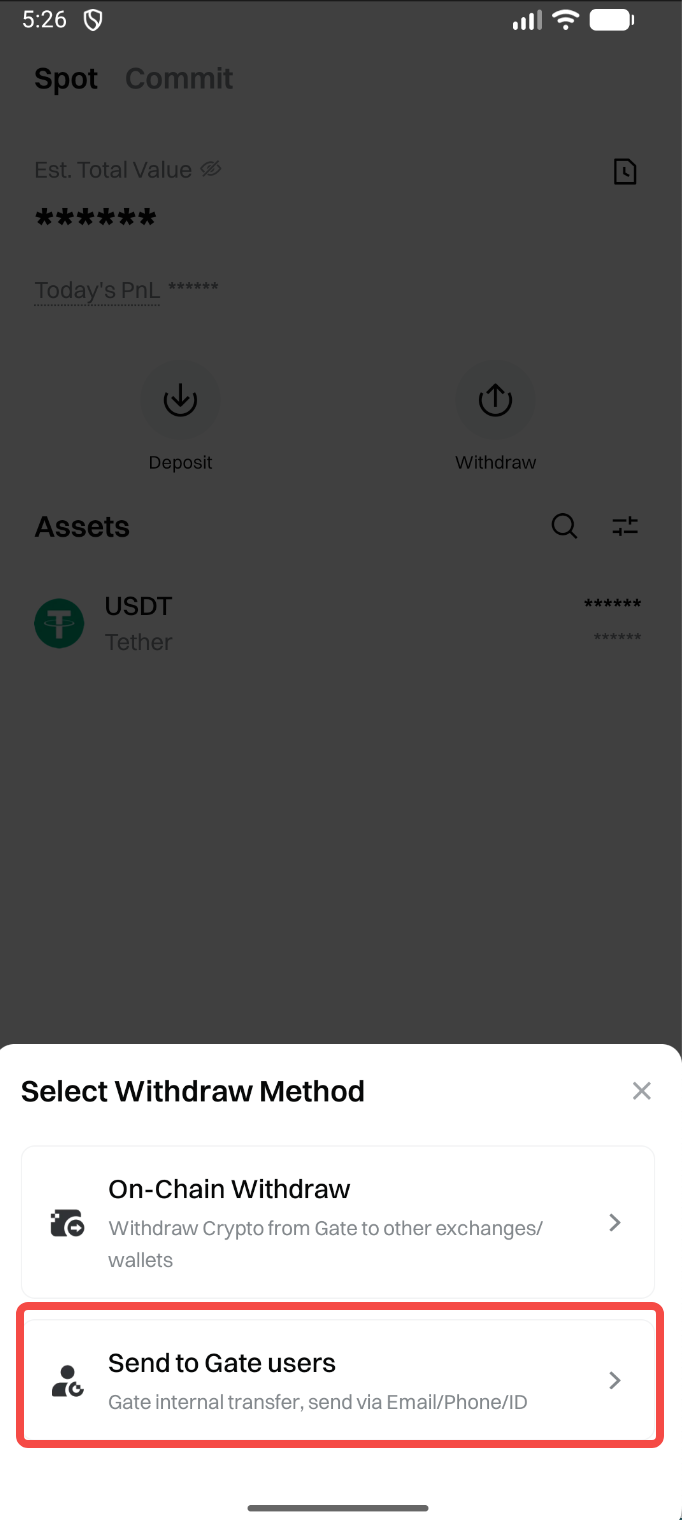
Step 1: Log in to your Gate account. Go to "Assets" - "Withdraw" - "Send to Gate users", then search and select the coin you want to withdraw.
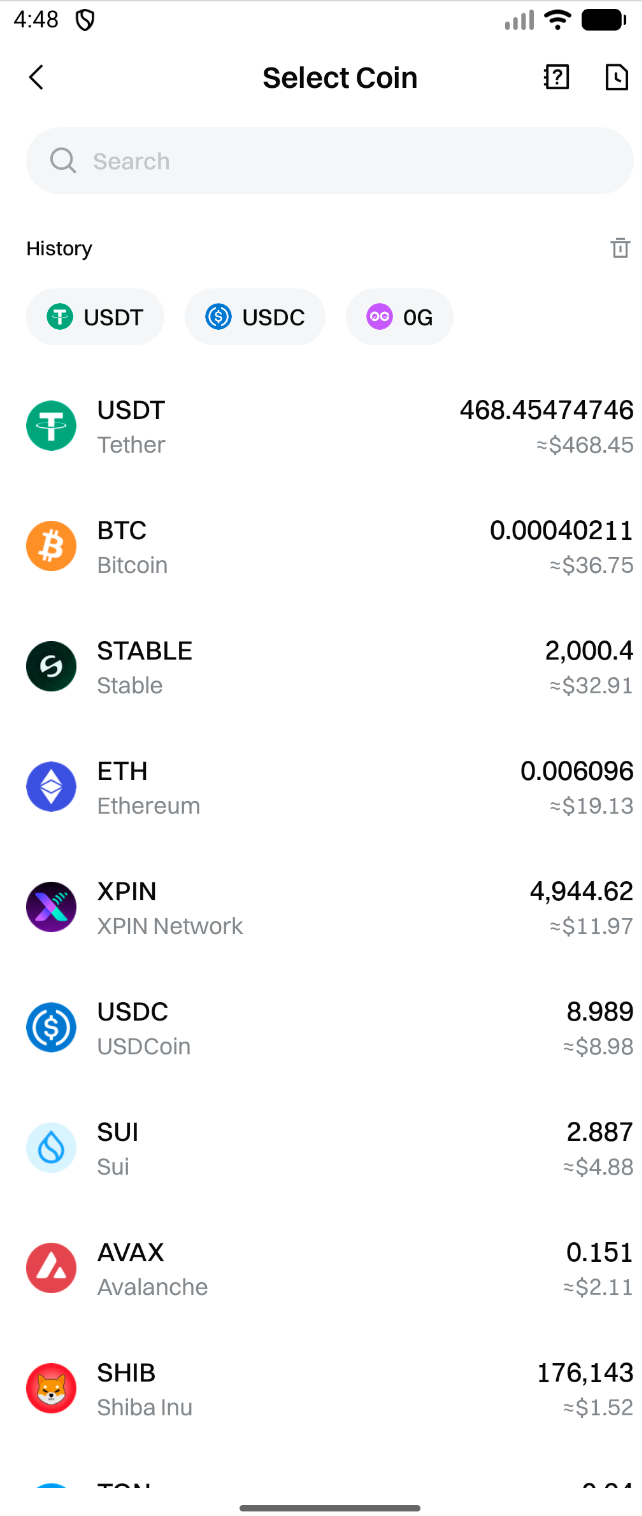
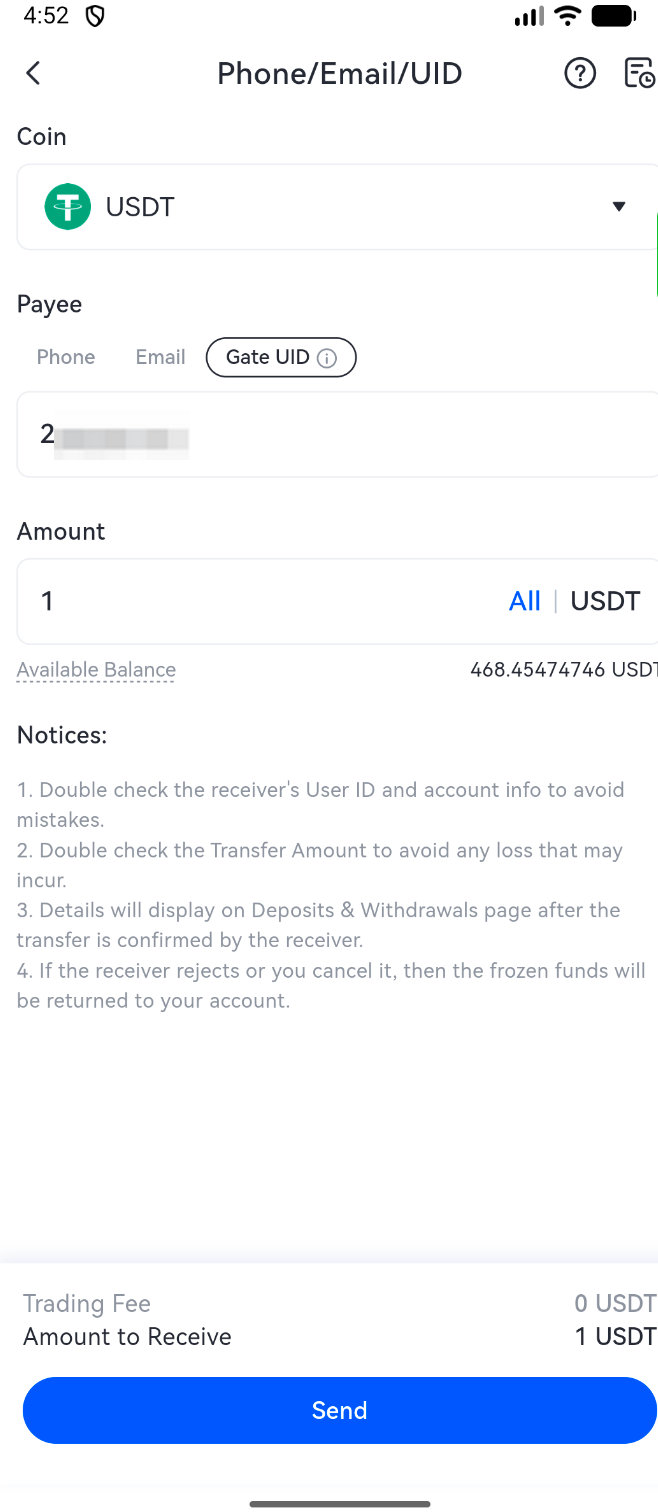
Step 2:On the "Phone / Email / Gate UID" page, enter the coin, the recipient's account (Phone / Email / Gate UID), and the transfer amount. After confirming all details, tap "Send".
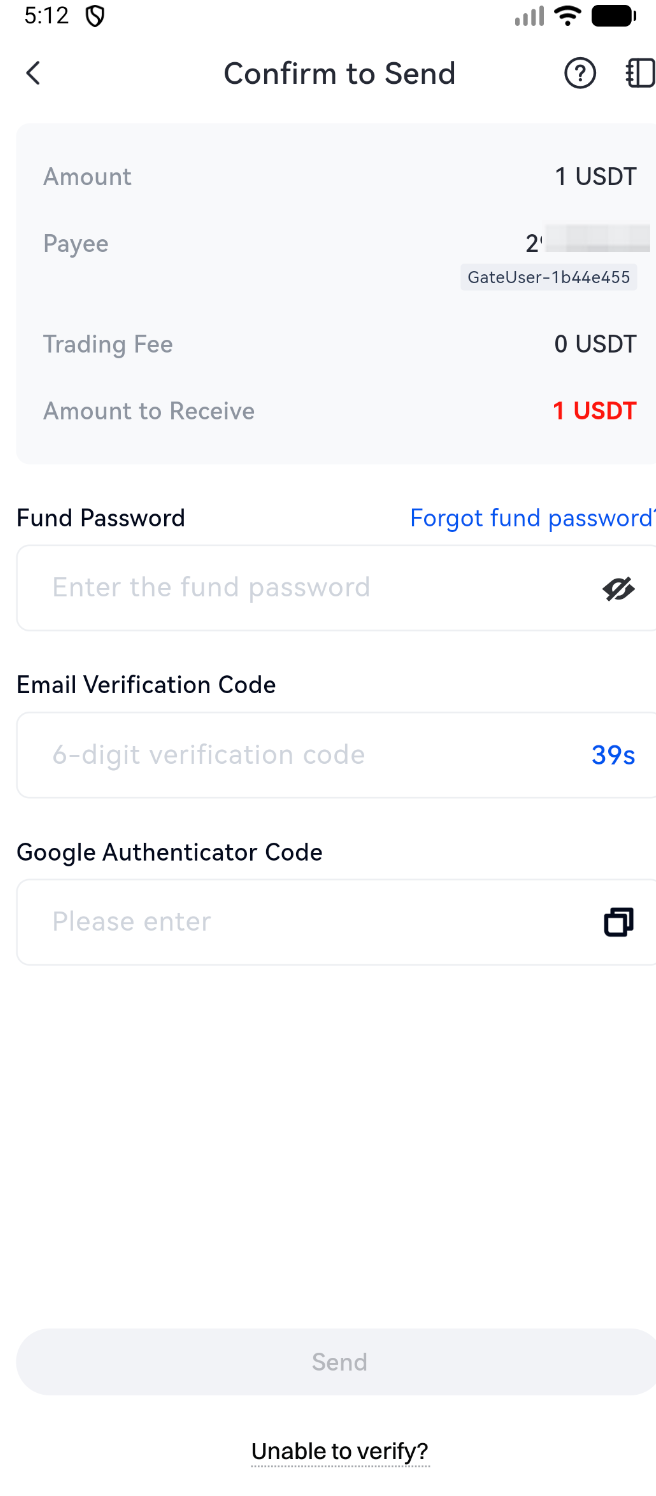
Step 3: After tapping "Send", a confirmation screen will appear. Verify the details, enter your fund password and any required codes, then tap "Send" again to complete the transfer.
Step 4: Once sent, tap the "Notebook" icon on the top-right of the "Withdraw" page, go to "Recent Trades" - "Withdraw" - "Phone / Email / UID" to view the transfer details.
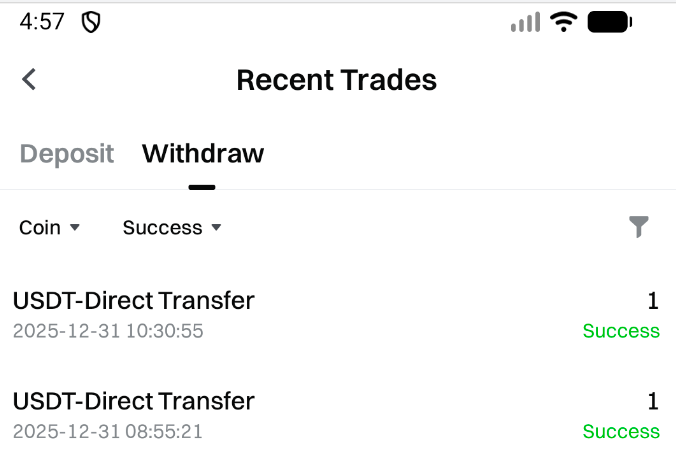
Direct Transfer: Once completed, the transfer will be directly sent to the payee.
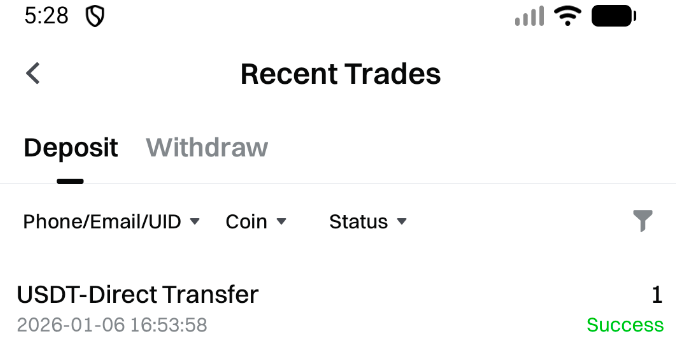
Step 5: The payee can go to "Recent Trades" - "Deposit" - "Phone / Email / UID" to view the transfer details.