
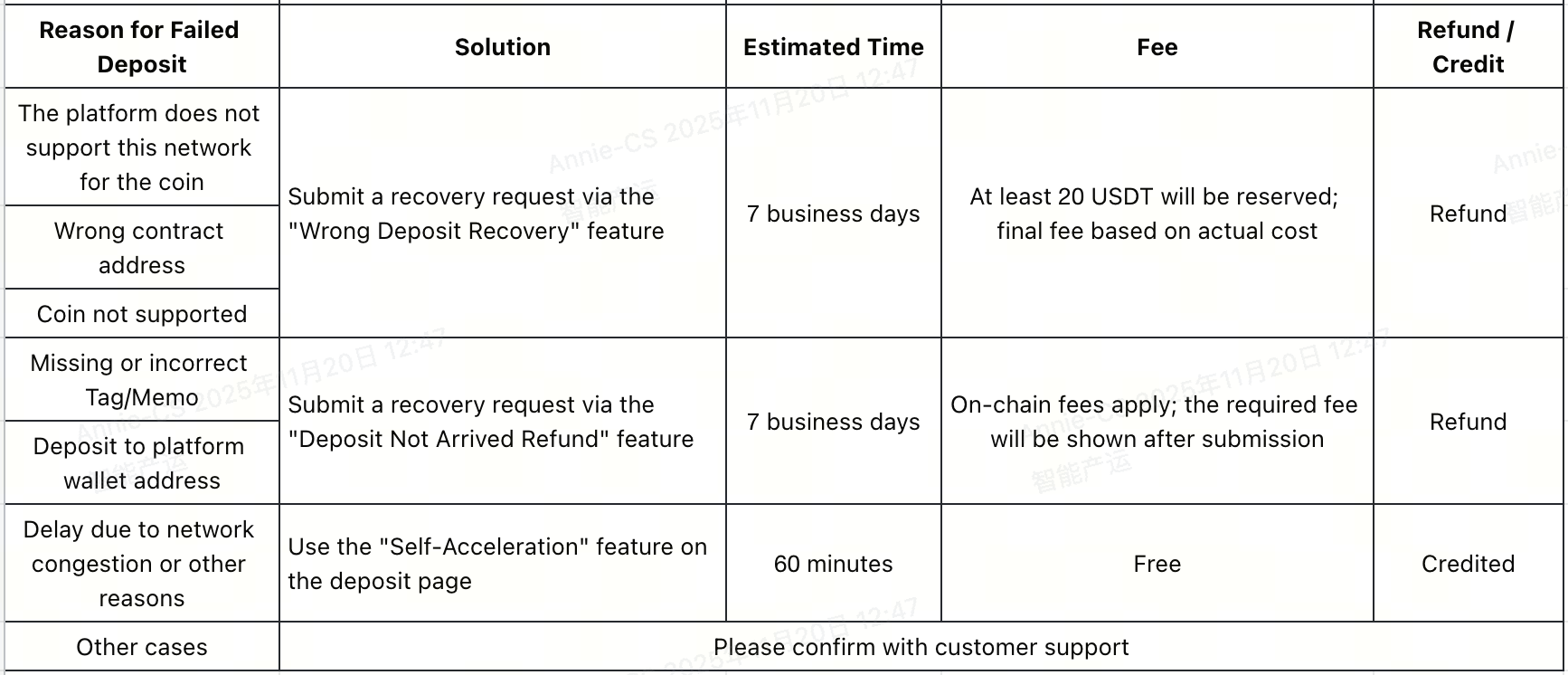
You can view detailed instructions below:
1. The Platform Does Not Support the Selected Network
If you deposit a coin using a network that the platform does not support, the deposit will fail to arrive.
2. Wrong Contract Address
Depositing to an incorrect or unsupported contract address will cause the deposit to fail.
3. Unsupported Coin
Depositing a coin not supported by the platform will result in the deposit not arriving.
Solution (For Reasons 1,2,3) :
- Submit a recovery request via the “Wrong Deposit Recovery” feature.
- First, check whether the chain you used is supported in the "Wrong Deposit Recovery" feature. If supported, you can submit a request.
- Fee: Recovery requires an on-chain fee, which may fluctuate due to network conditions. Please keep at least 20 USDT in your spot account; the final fee will be based on the actual cost.
- Detailed steps: How to Submit a Wrong Deposit Recovery Request.
- Estimated recovery time: within 7 business days. Actual time may vary as displayed on the page.
- If the recovery is successful, funds will be returned via the original route. If it fails, check the failure reason in your application record and modify your request accordingly. For any issues, contact online support.
4. Incorrect Deposit Address
4.1 Depositing to a Non-Gate Address
Solution: If the address does not belong to you and is not a Gate platform address, the funds cannot be credited. Verify the source of the address and contact the corresponding platform's support for assistance.
4.2 Depositing to a Coin’s Contract Address
Solution: Depositing to a coin’s contract address will result in failure. Contact the coin’s project team to check if recovery is possible.
5. Deposit Amount Below Minimum
Deposits below the platform’s minimum deposit amount will not be credited.
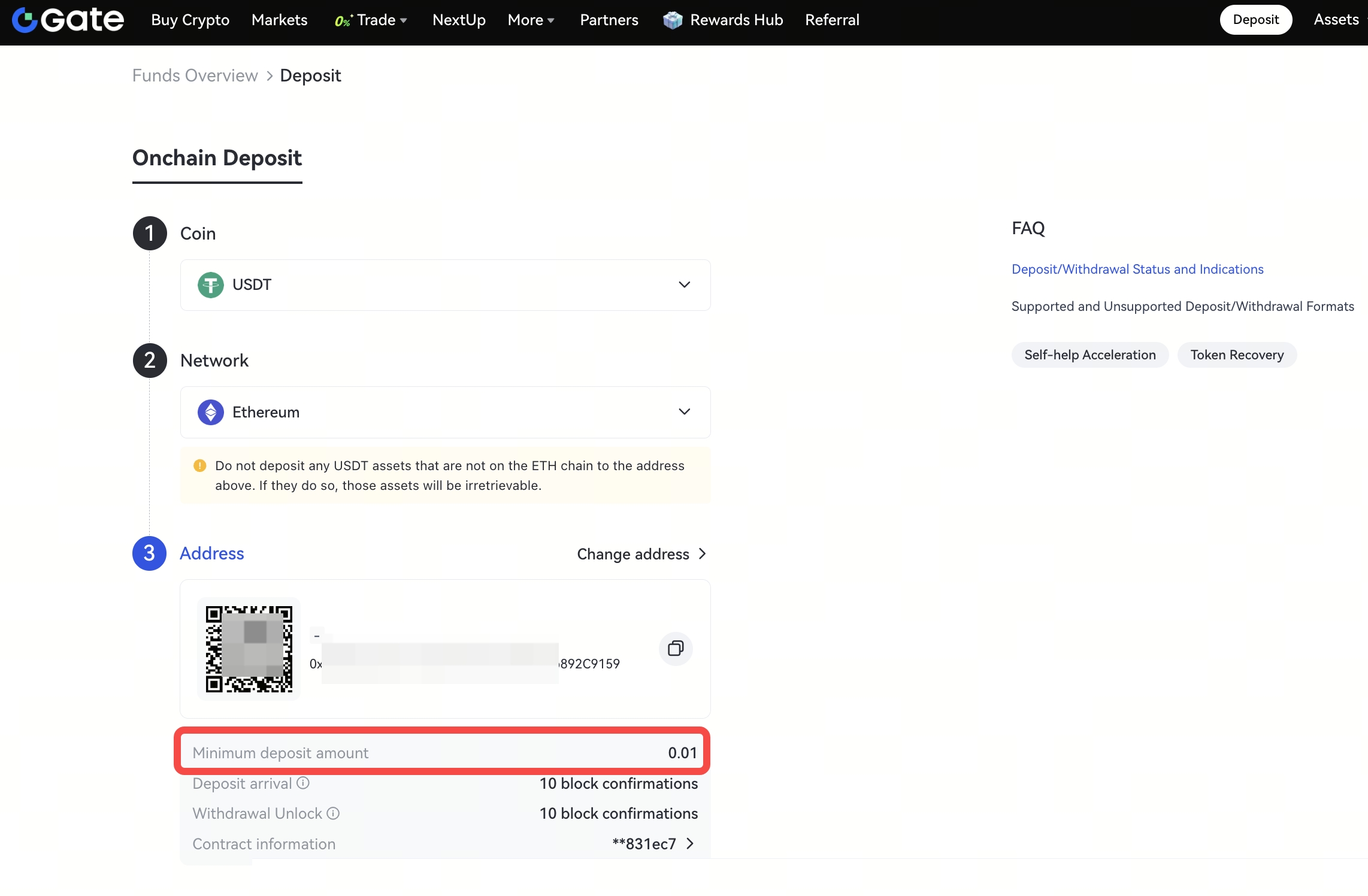
Solution: Go to the Deposit Page, select the coin and network, and check the “Minimum Deposit Amount.” Ensure future deposits meet the minimum. Contact support for assistance if needed.
6. Other Special Cases
-
Missing or Incorrect Tag/Memo: For coins like XRP and EOS, missing or incorrectly filling the Tag/Memo will cause deposits to fail.
-
Depositing to Platform Wallet Address
-
Unexpected issues such as network congestion or node errors.
Solution: Contact Online Support for assistance and resolution.
