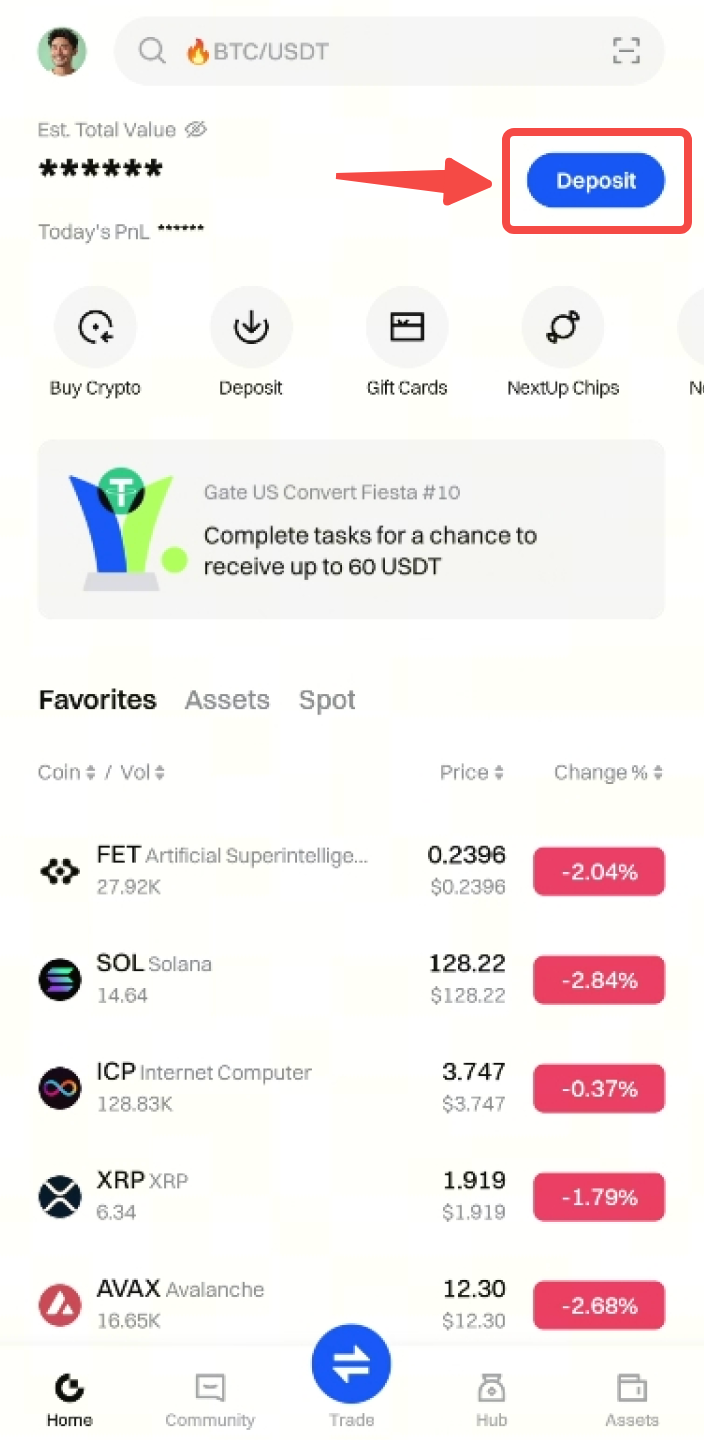
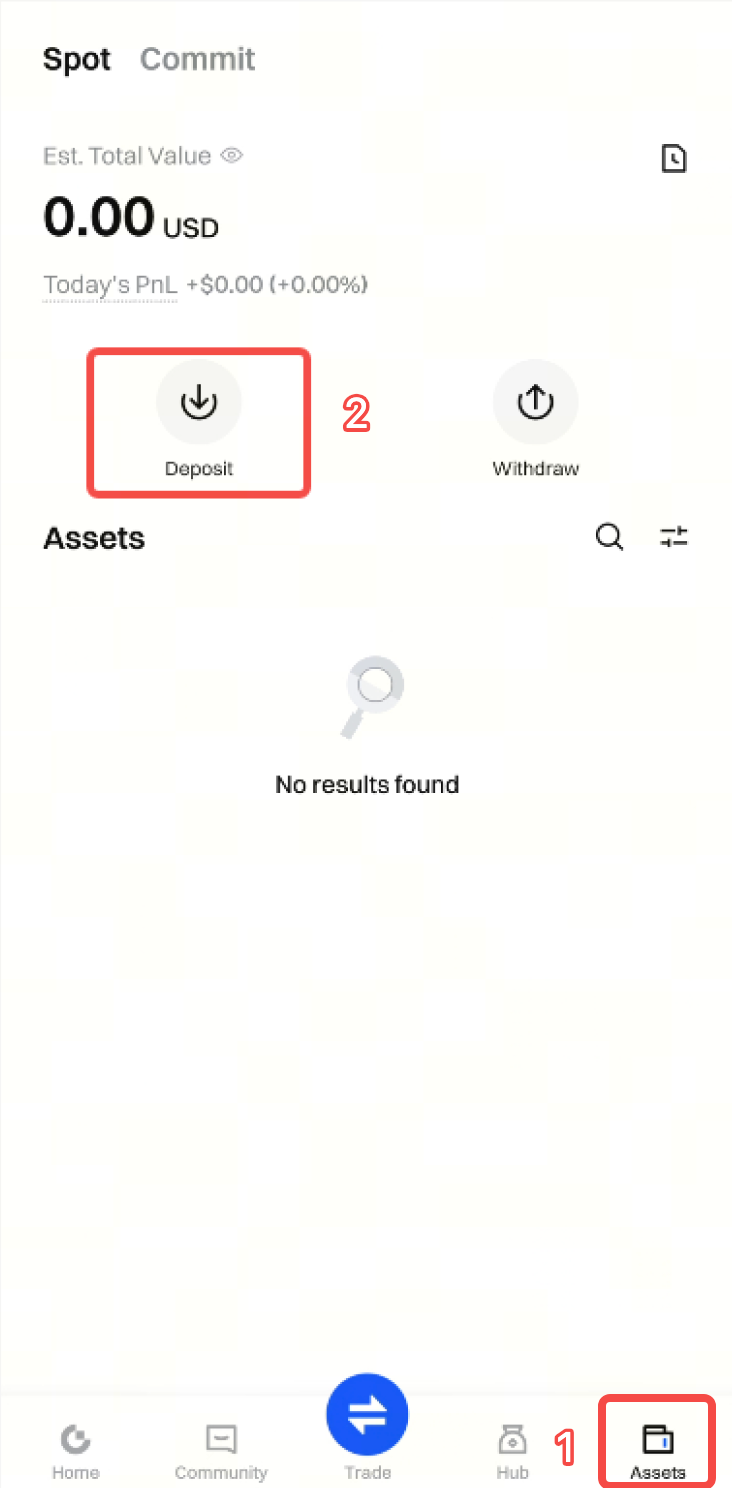
Step 1: Log in to your account on the Gate App. Tap Deposit at the top right corner of the homepage, or go to Assets - Deposit .
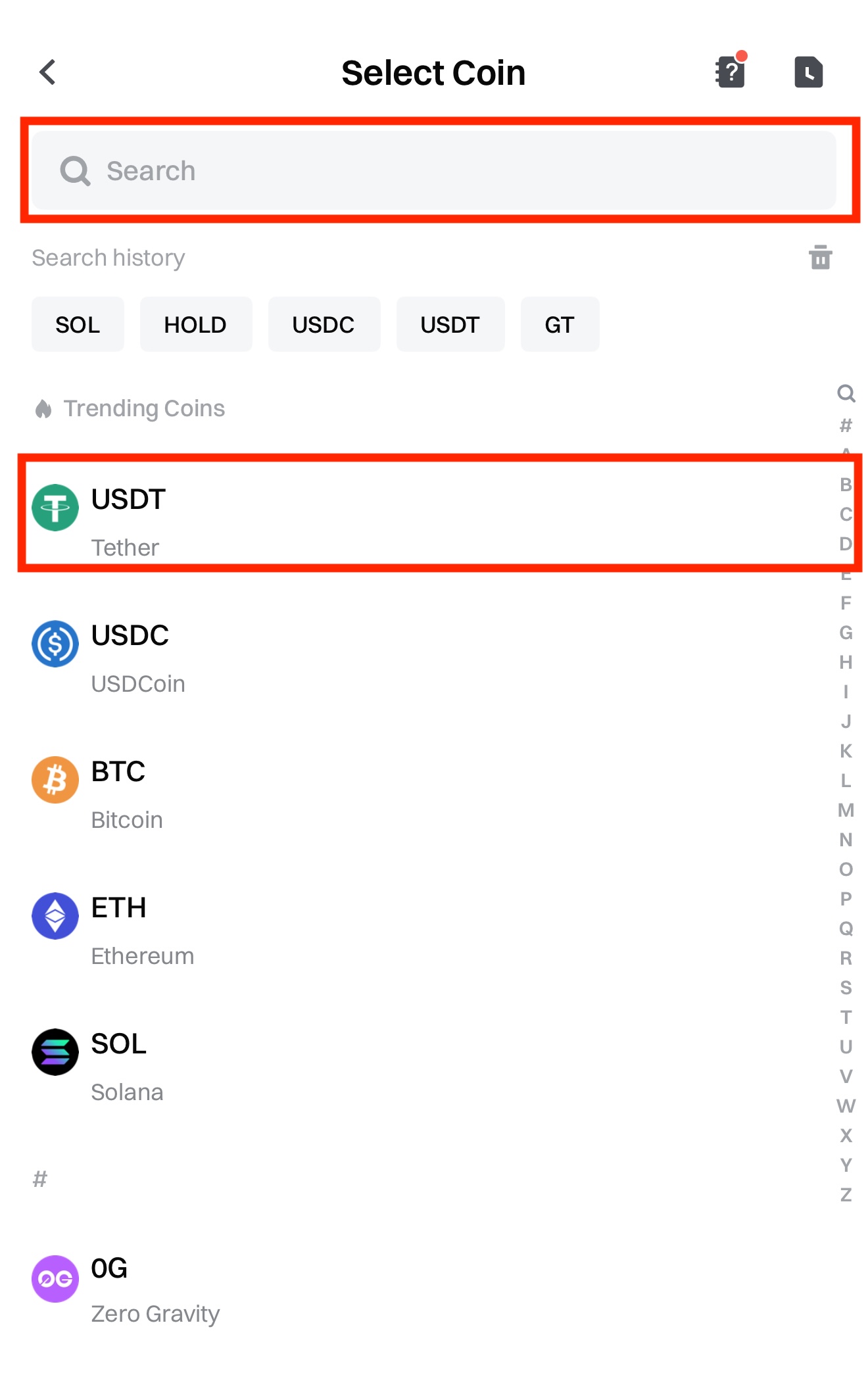
Here we take depositing USDT as an example:
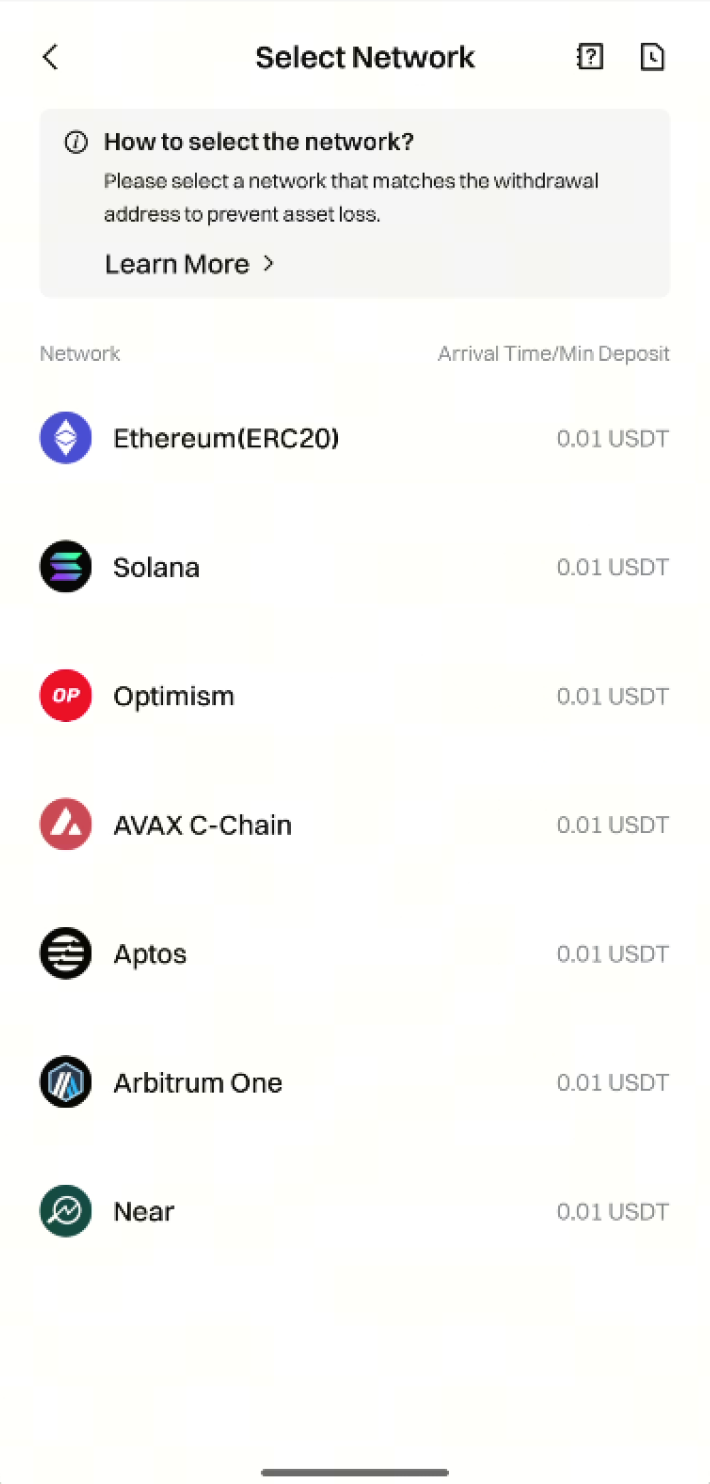
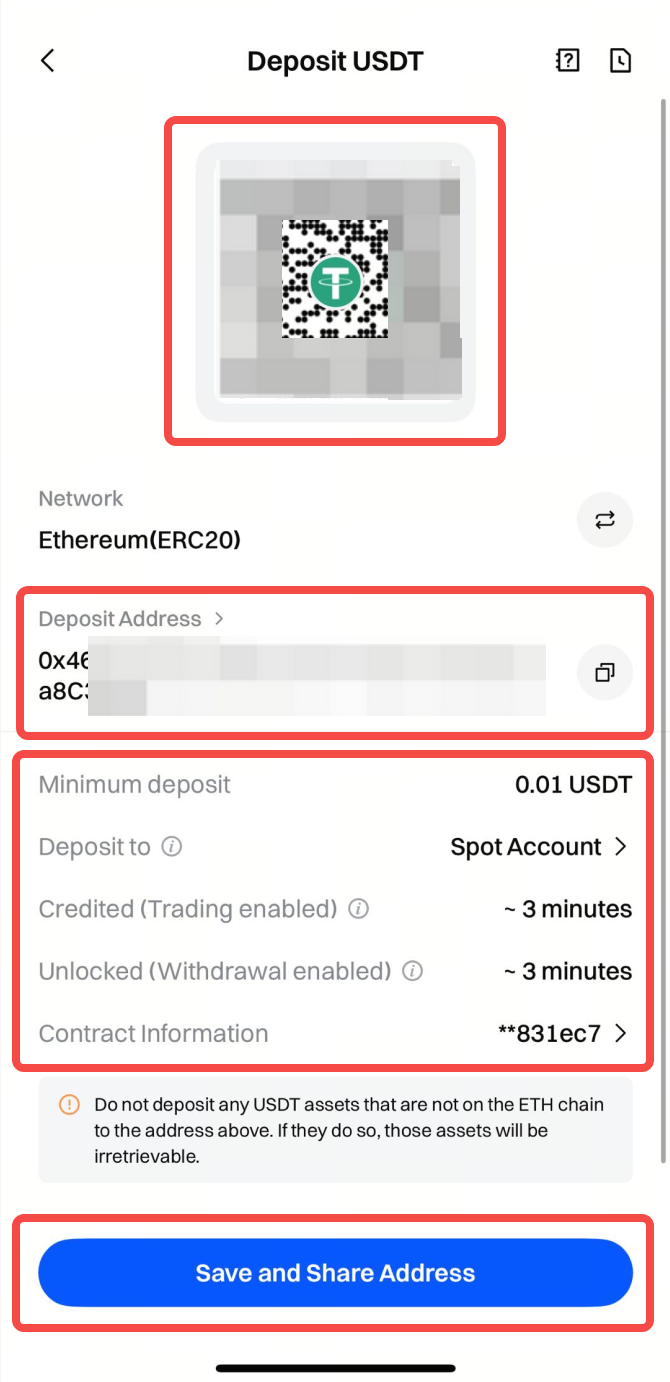
Step 3: Choose the deposit network, then copy the Address or save the deposit QR code.
Notes:
- The selected deposit network must match the network used on the withdrawal wallet or platform, and the contract address must be the same. Otherwise, the funds will not be credited.
- Make sure the deposit amount is not lower than the Minimum Deposit Amount displayed on the page; otherwise, the deposit will not be credited and cannot be recovered.
- If you encounter any problems during the deposit process, please contact Online Support for assistance.
Step 4: Paste or scan the address QR code on the withdrawal platform to complete the deposit.
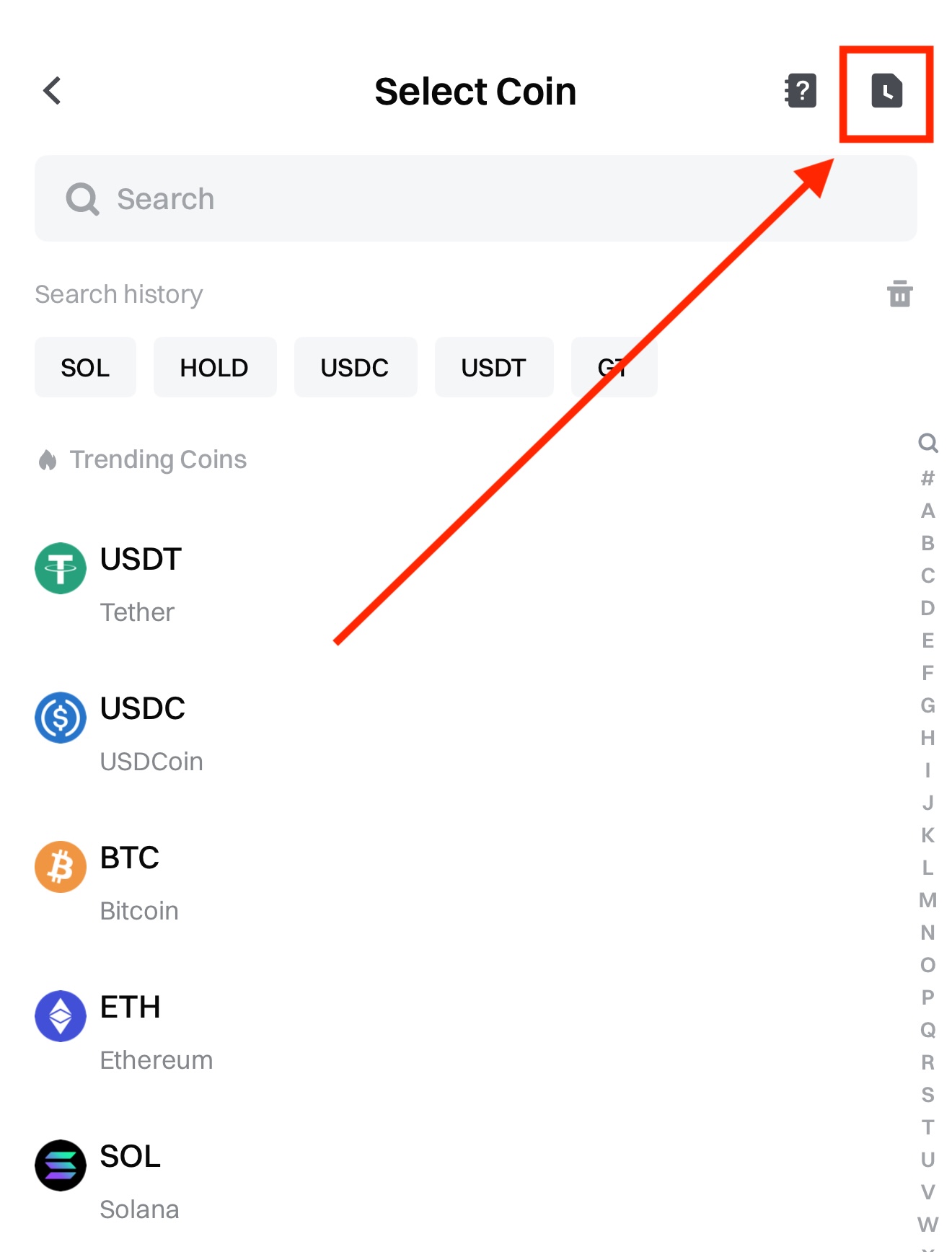
After the deposit is completed, tap the Notebook icon at the top right corner of the deposit page to enter Recent Trades.
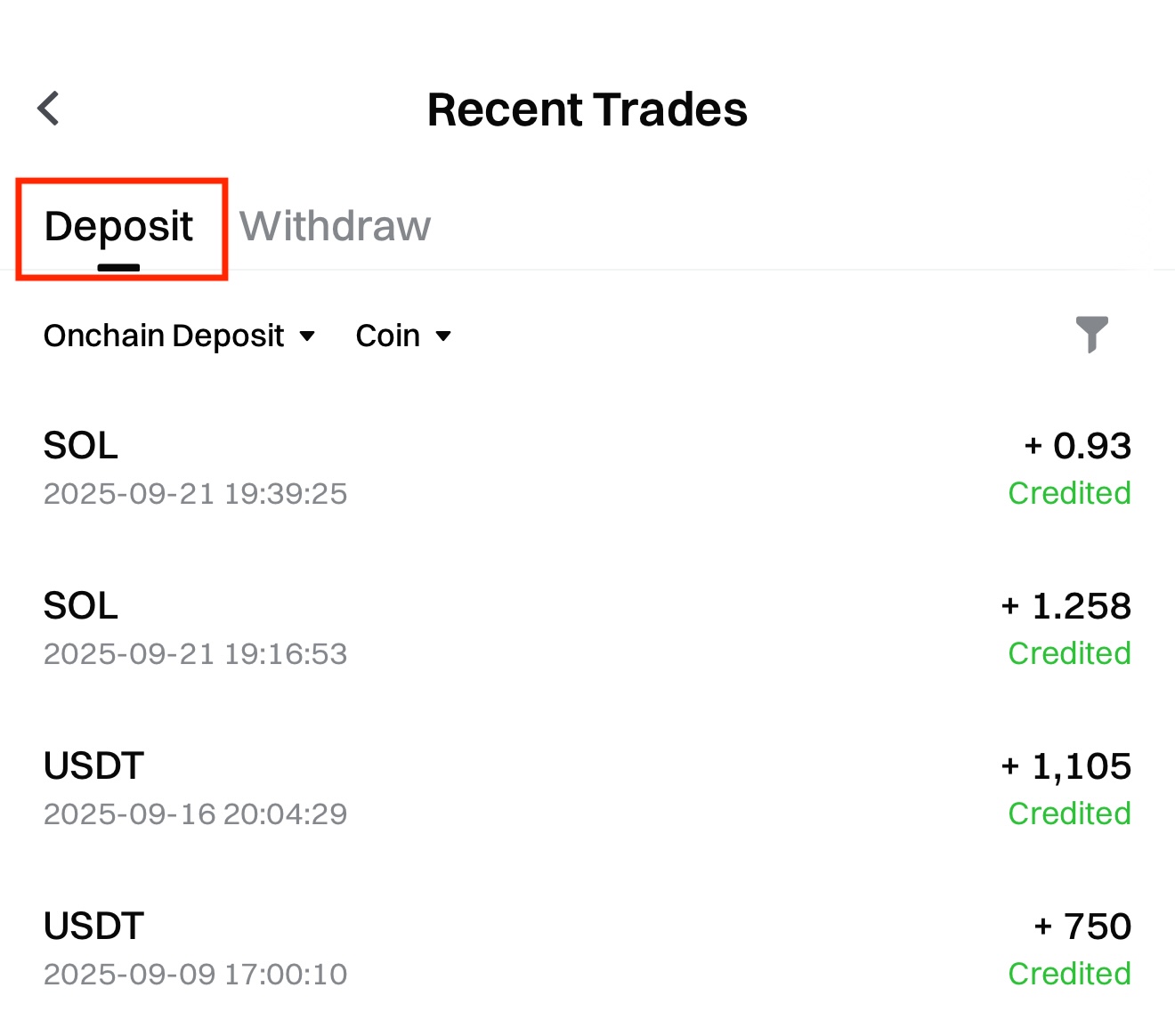
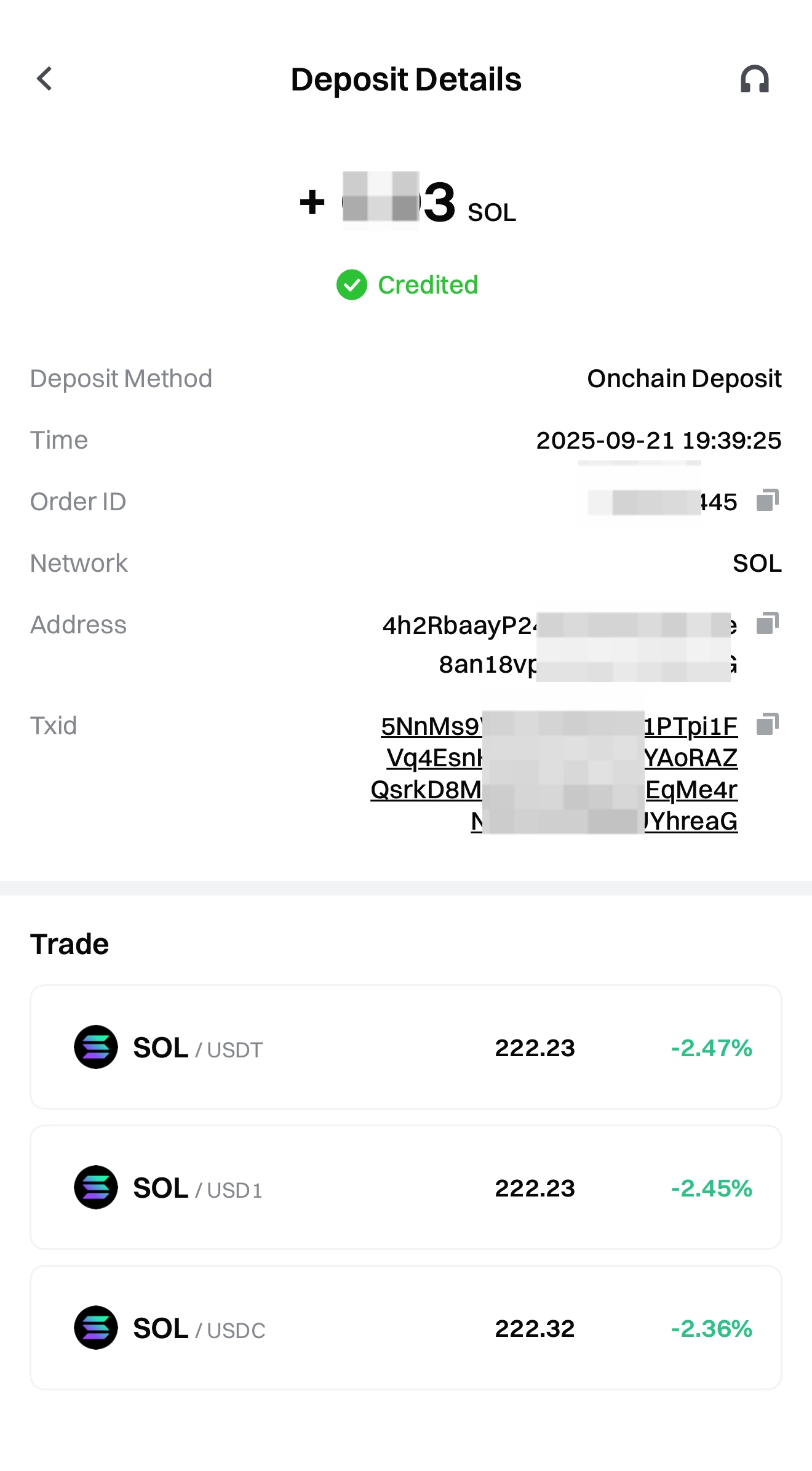
On this page, you can tap each deposit record to view the corresponding Deposit Details.