

Trusted address book
After trusted addresses are configured, users do not need to go through the regular verification process, which includes SMS verification code, email verification code, Google/Gate authenticator code, and fund password. Please make sure that the addresses are absolutely safe before adding them to the address book.
How to whitelist withdrawal addresses on the website
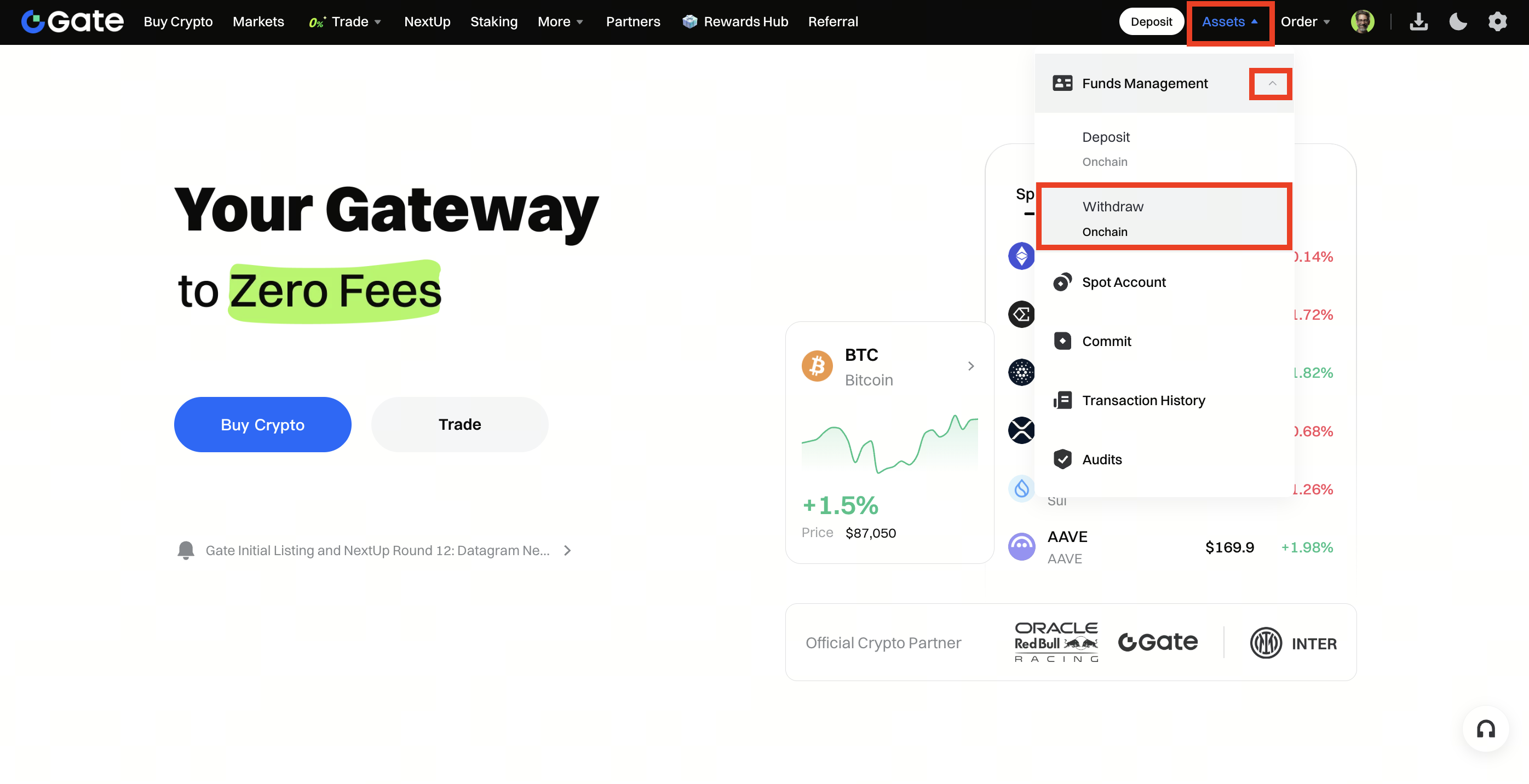
Step 1: Log in to your Gate US account. Click Assets - Withdraw, select Onchain Withdrawal.
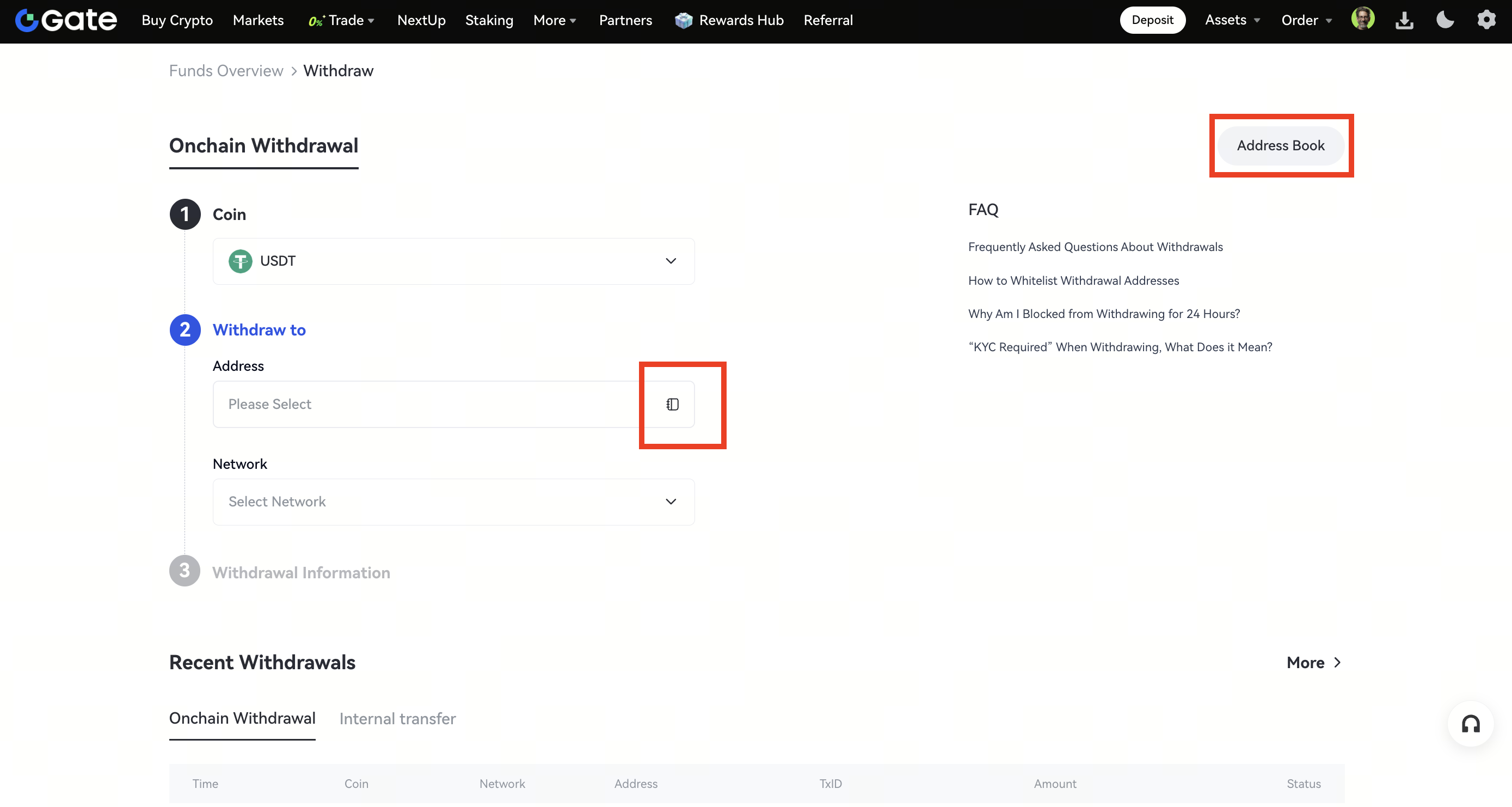
Step 2: On the withdrawal page, choose the coin you want to withdraw (e.g., USDT). Under Withdraw to, click the address selection box, or click Address Book in the top right corner.
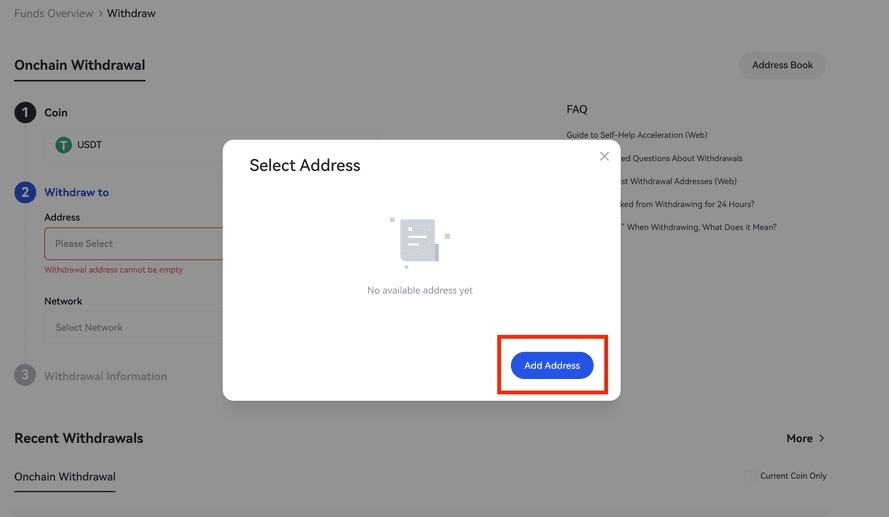
Step 3: Click the Add Address button on the manage addresses page.
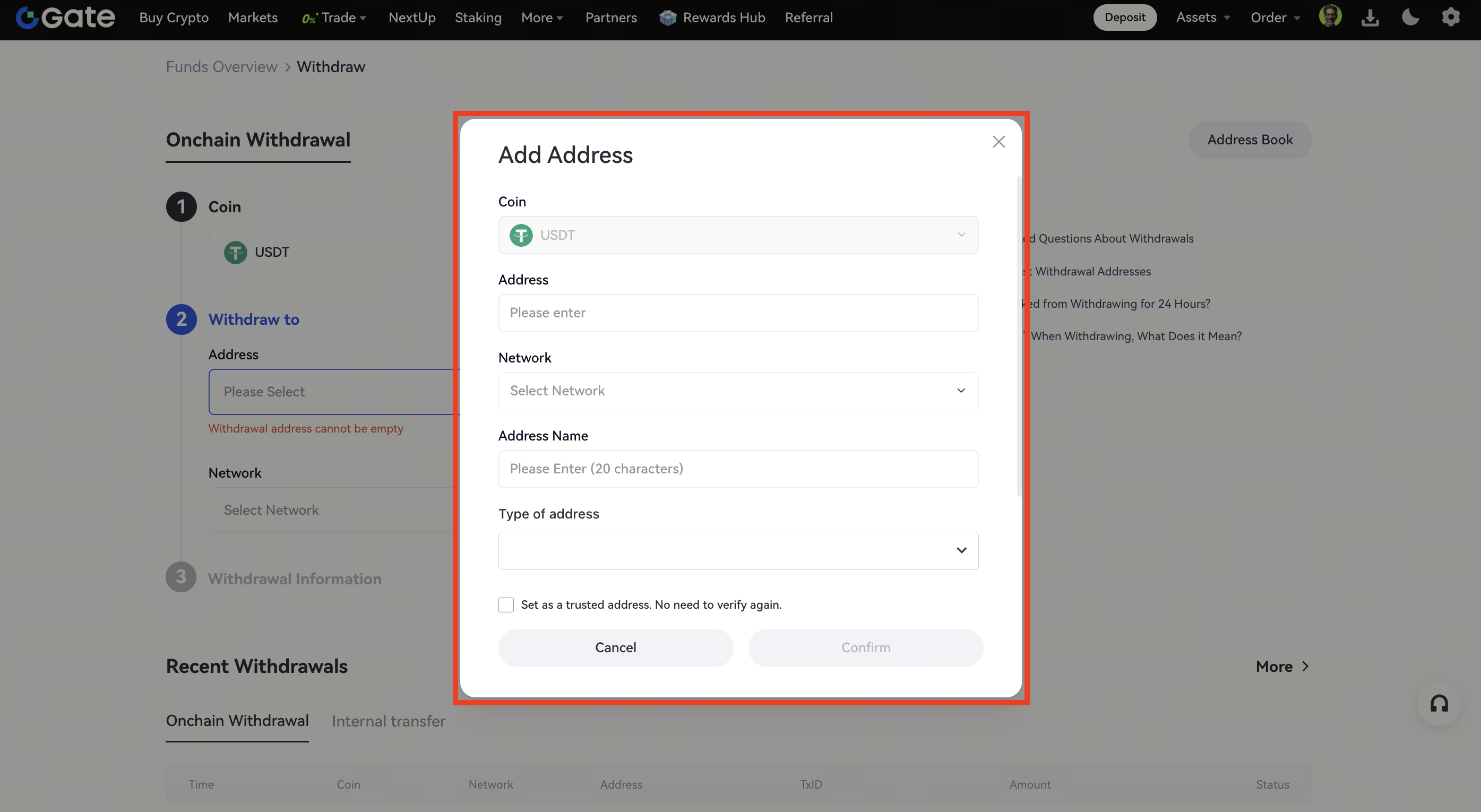
Step 4: Fill in the required information (Address, Network, Address Name, Type of address). Check the box Set as a trusted address. No need to verify again if you want to whitelist it, then click Confirm.
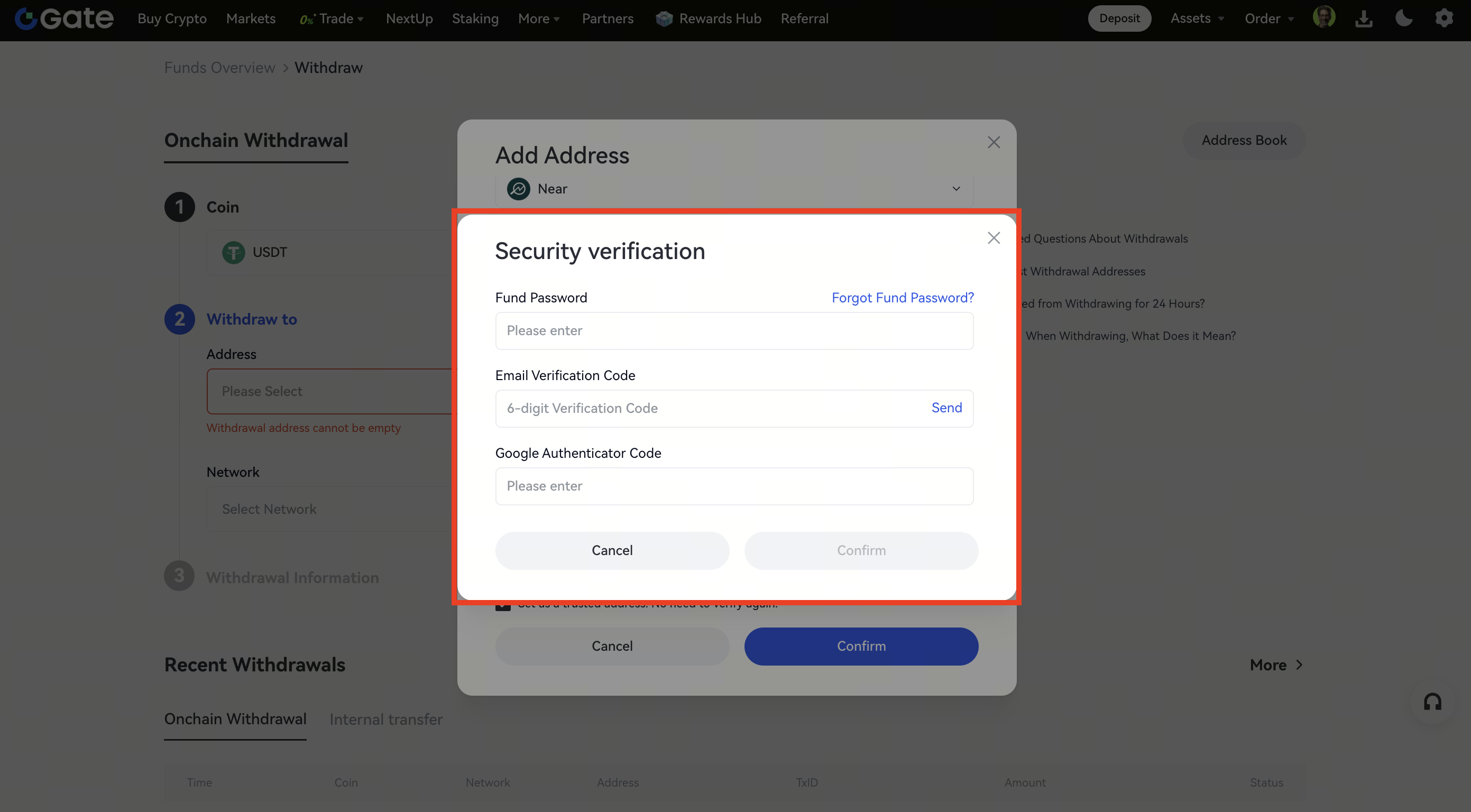
Step 5: Enter your Fund Password, Email Verification Code, and Google Authenticator code or SMS code, then click Confirm.
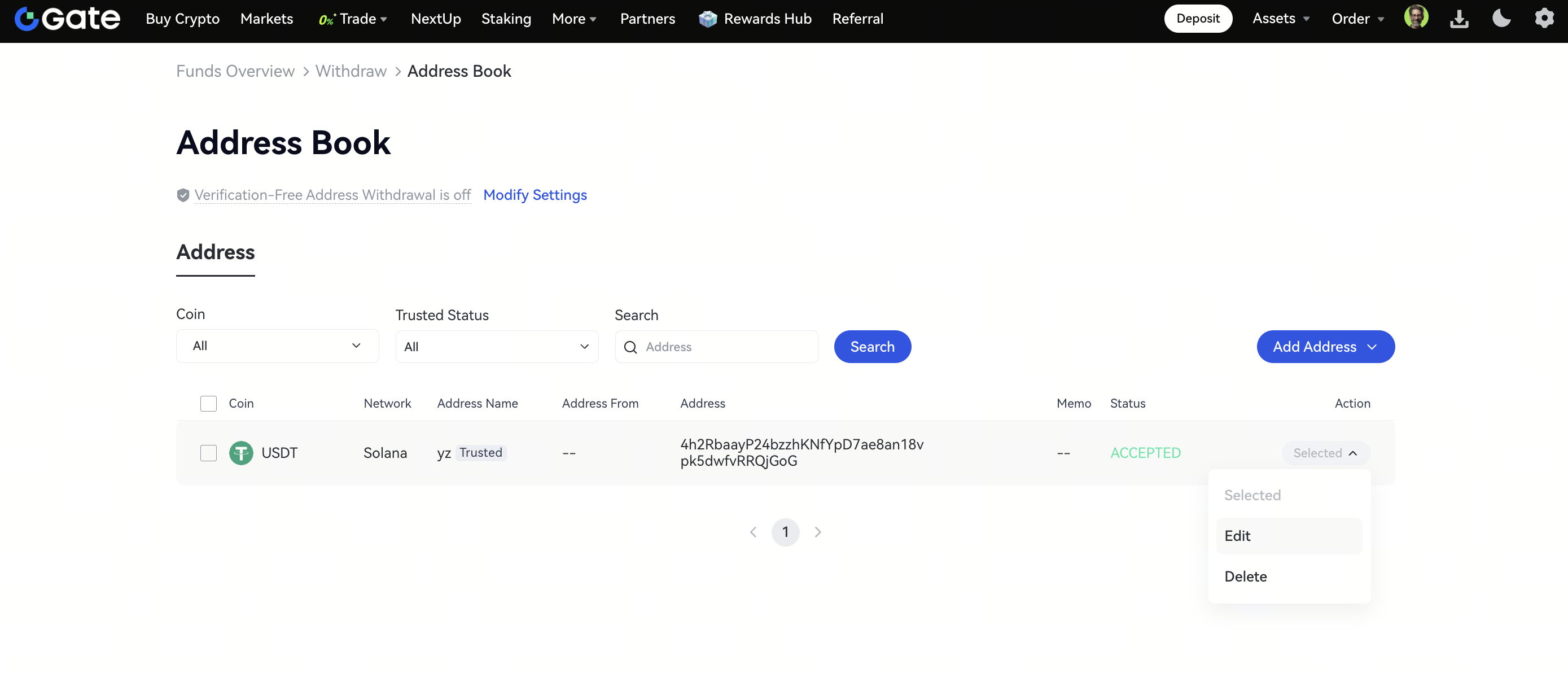
Step 6: After successfully adding the address, you can view it on the Address Book page. Use Edit to update information or tick the Set as a trusted address. No need to verify again box. To remove an address you no longer need, simply click Delete.
Disclaimer:
This is not investment advice. The information is provided for informational purposes only and should not be construed as a recommendation to buy, sell or hold any asset. Cryptocurrency trading involves a risk of loss. Gate US services may be restricted in certain jurisdictions. For more information, please see our legal disclosures: https://us.gate.com/legal/disclosures
