
Deposit Fund on Gate US
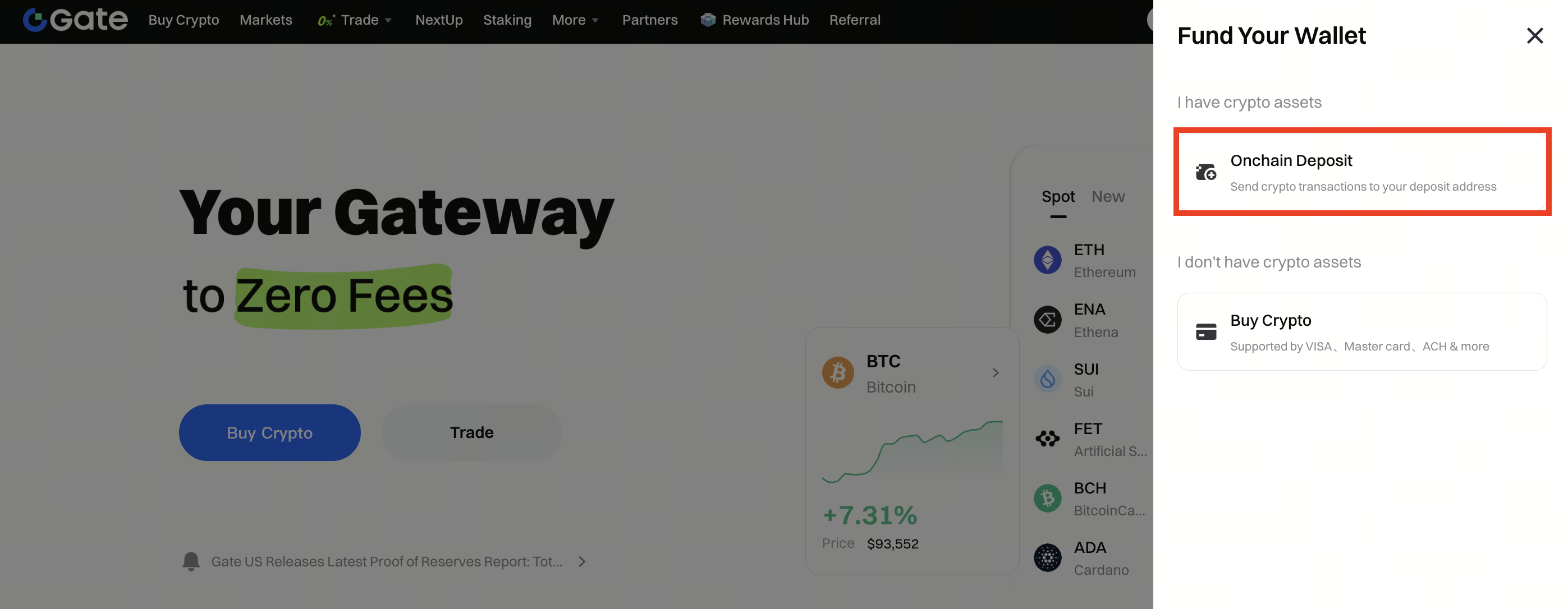
Step 1: Log in to your Gate US account. Click Deposit on the top menu, then select Onchain Deposit.

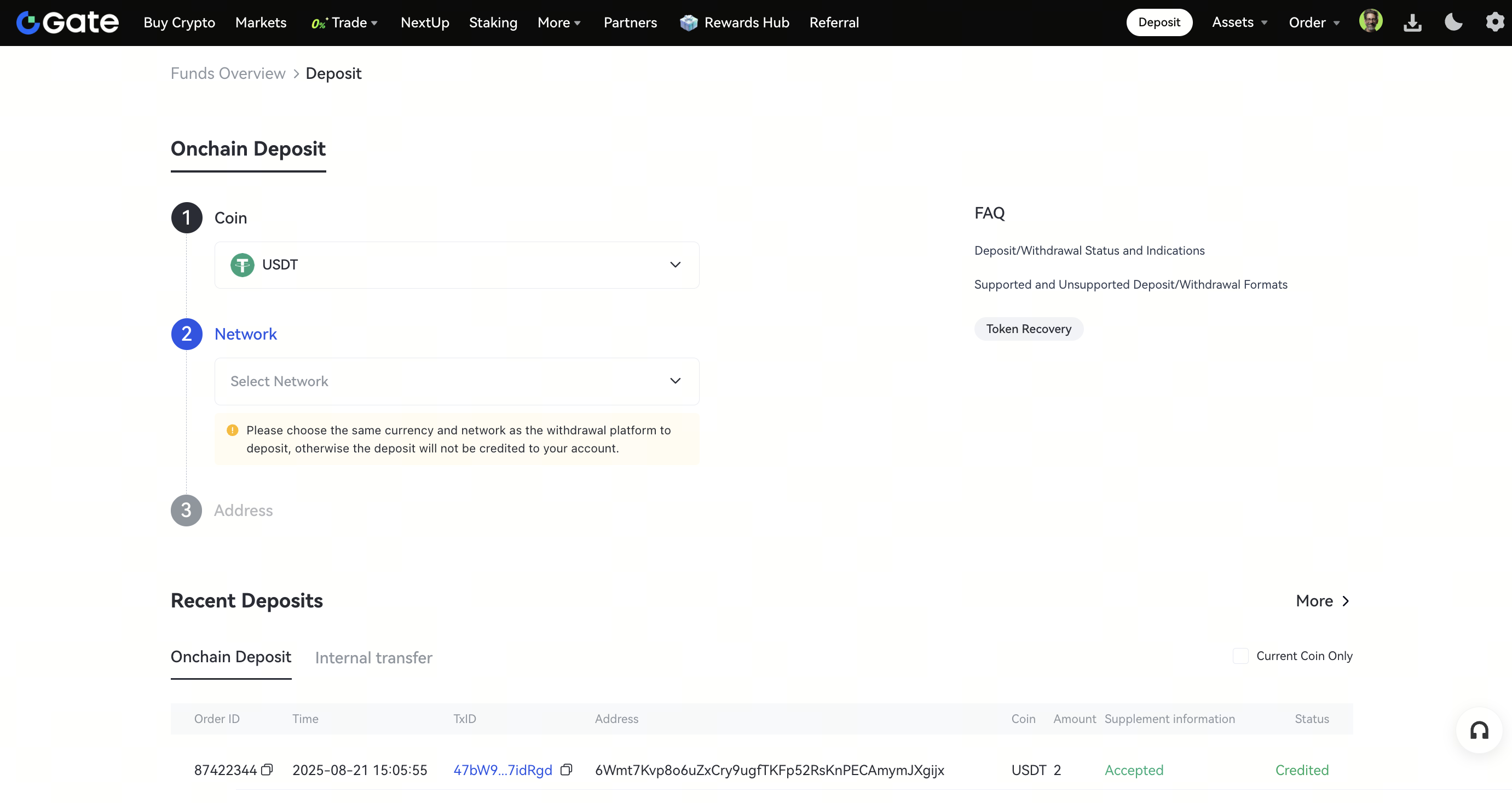
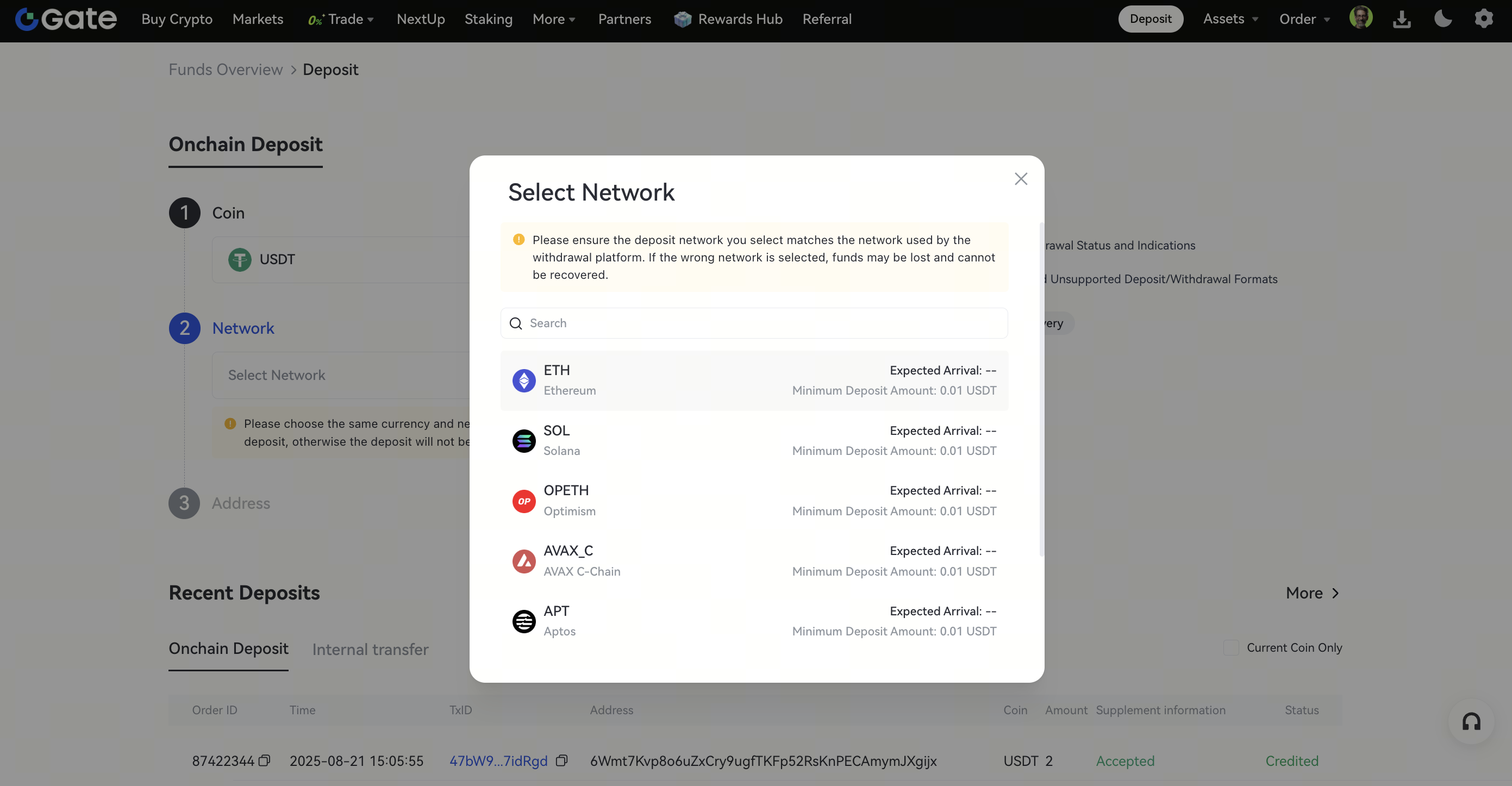
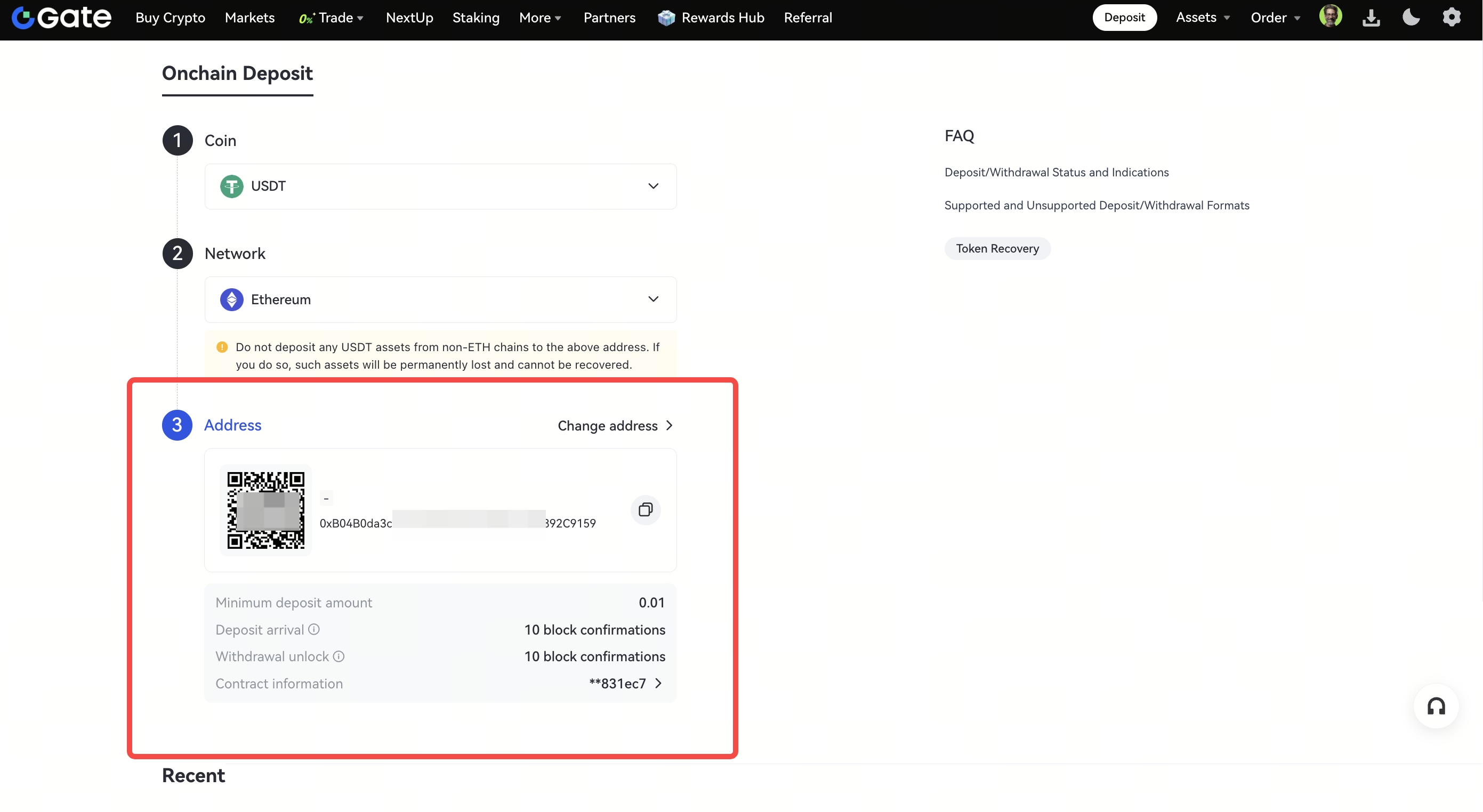
Step 2: Select the coin you want to deposit from the Coin menu, and select the specific Network. Copy the deposit Address or scan/save the QR code.
Step 3: Paste the deposit Address or scan the QR code on the platform you are withdrawing from.
Withdraw Fund from Gate US
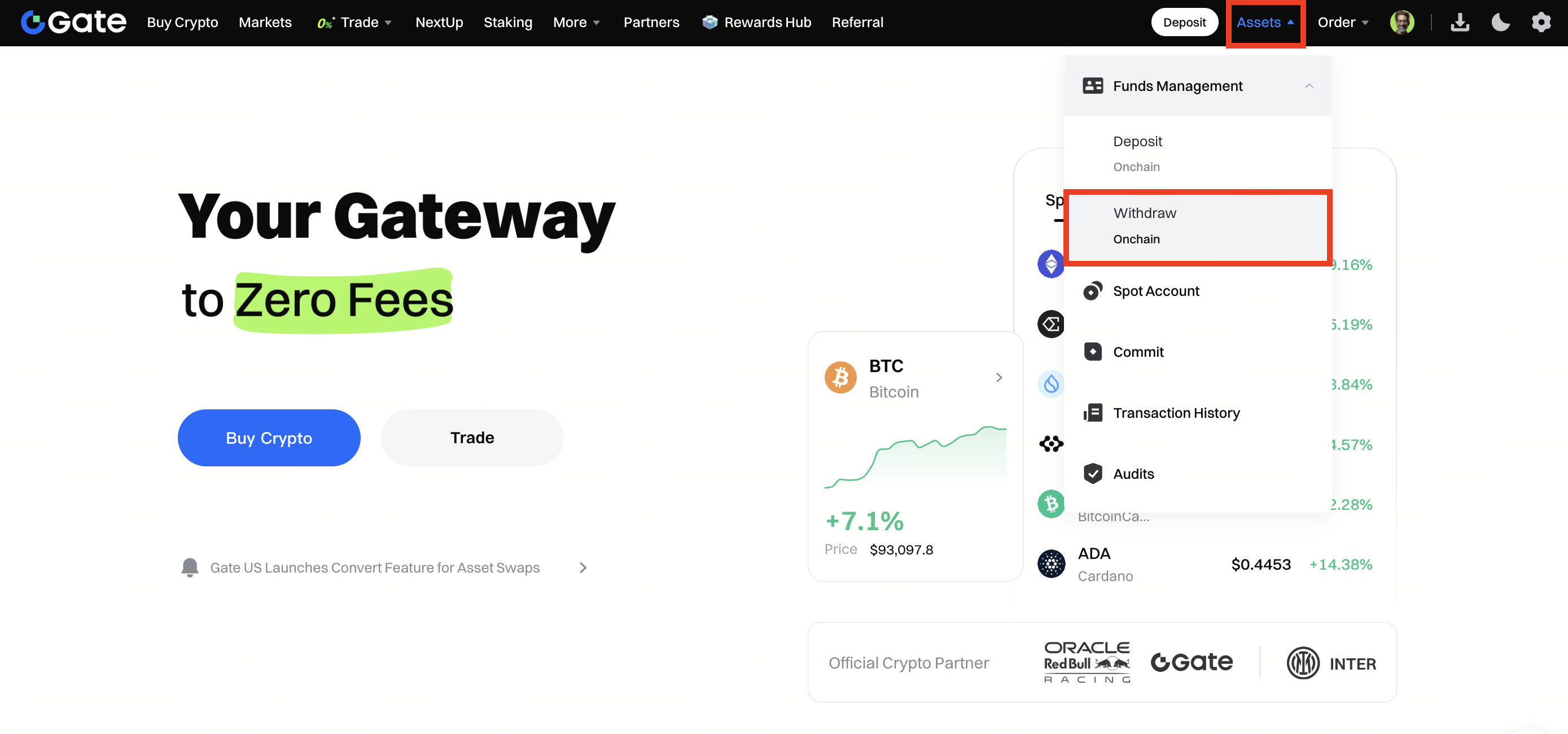
Step 1:Log in to your Gate US account.Click Withdraw on the top menu, then select Onchain Withdrawal.
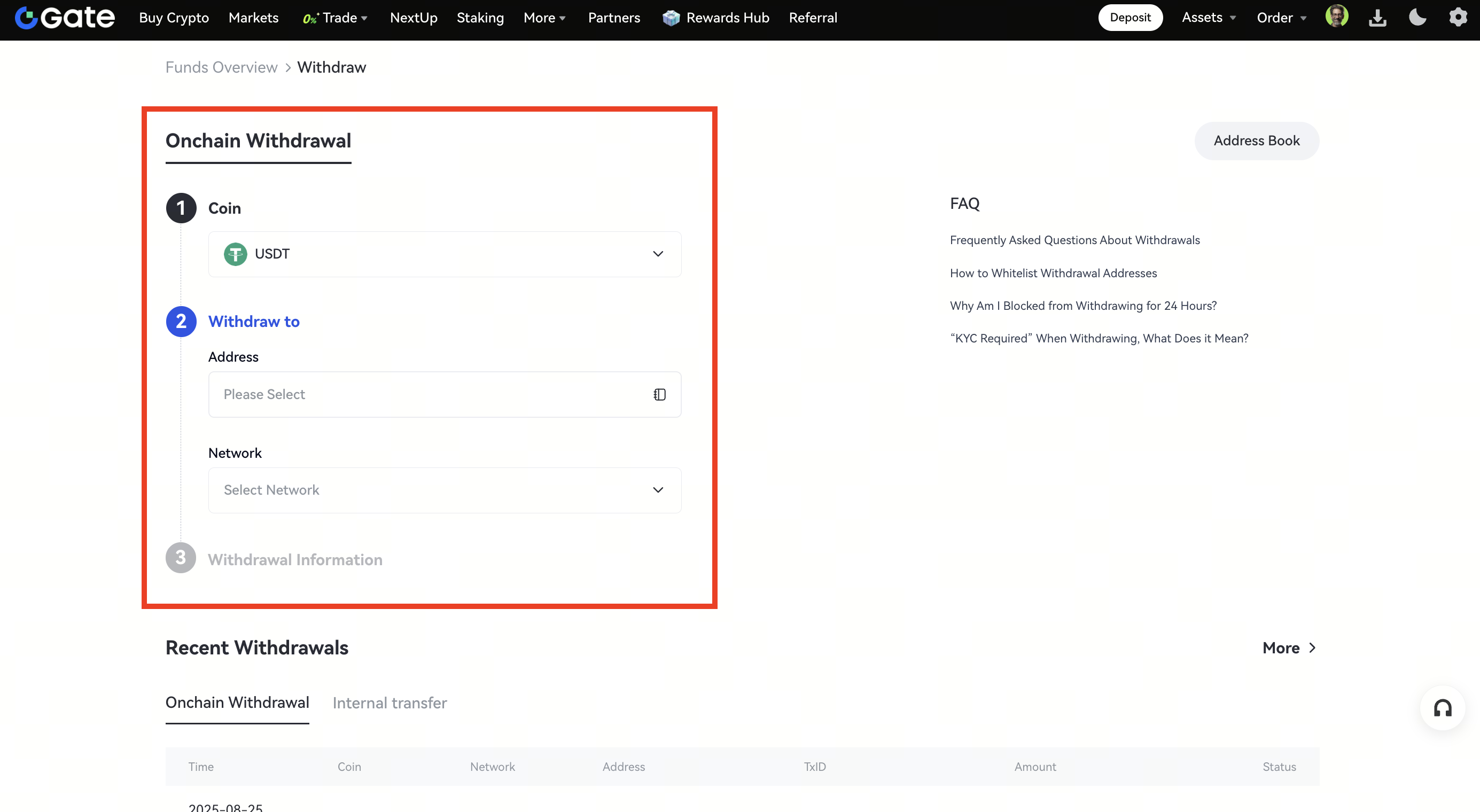
Step 2:Select the coin you want to withdraw in the Coin menu. Then, choose the correct withdrawal network for the asset. Enter the address you want to withdraw to and the withdrawal amount. Then click Withdrawal.
Note: The withdrawal blockchain must be consistent with the deposit blockchain you have selected, or the asset cannot be credited and cannot be refunded.
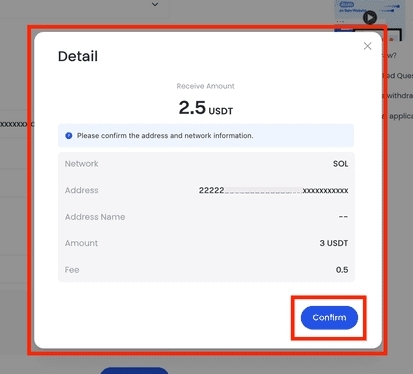
Lastly, enter your fund password and Google verification code to confirm the withdrawal.
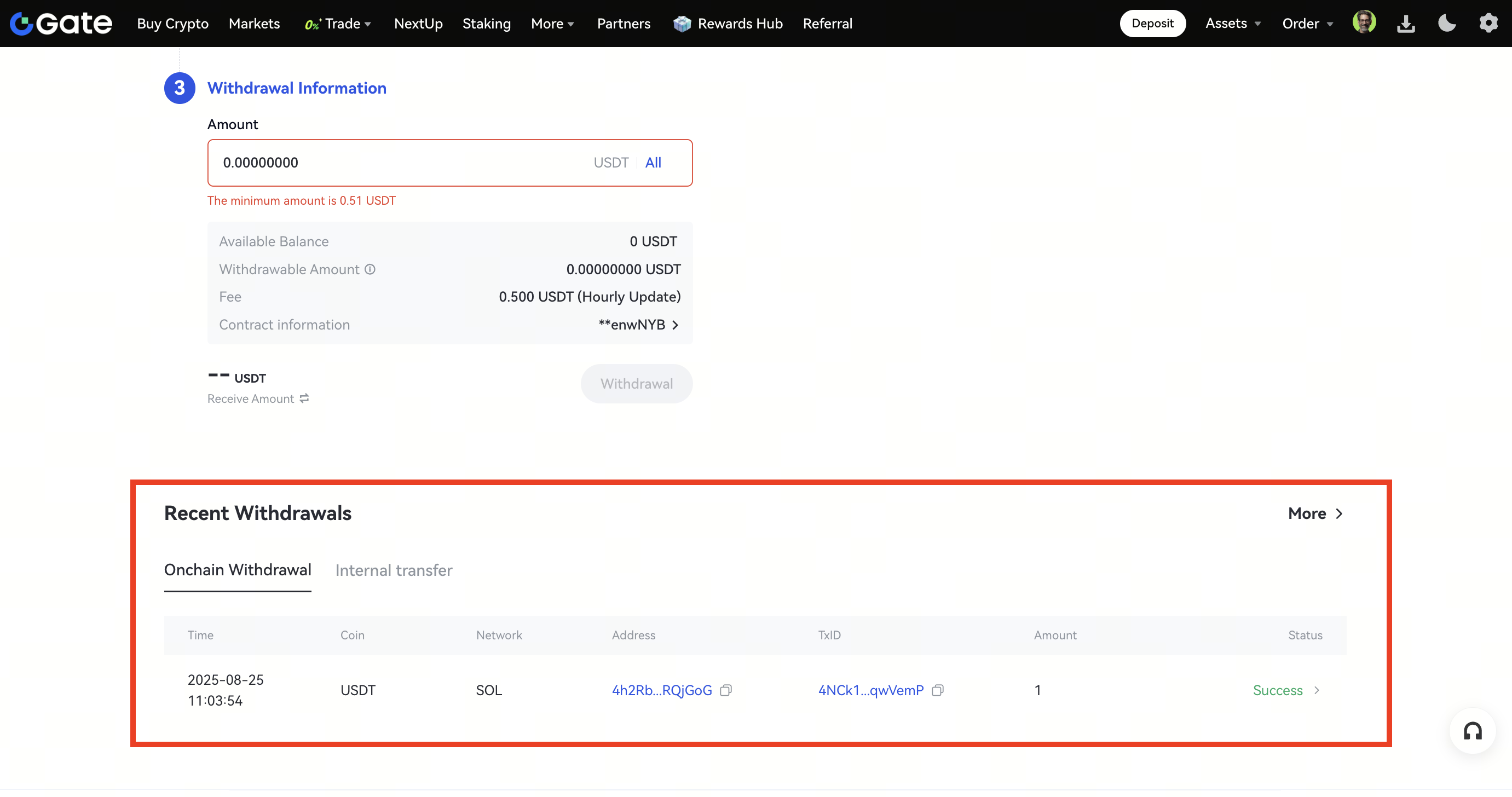
After completing the withdrawal, you can view your withdrawal history at the bottom of the page.
Disclaimer:
This is not investment advice. The information is provided for informational purposes only and should not be construed as a recommendation to buy, sell or hold any asset. Cryptocurrency trading involves a risk of loss. Gate US services may be restricted in certain jurisdictions. For more information, please see our legal disclosures: https://us.gate.com/legal/disclosures
