
After a withdrawal is initiated on Gate US, the system may place the request in "Verifying"status based on security protocols. If the withdrawal status is marked as"Verifying" or "Facial Recognition", please follow the guidance below.
1. About the "Verifying" Status
If your withdrawal status is "Verifying", please first check whether your account has completed Identity Verification:
- Click on "Verification Status ” or log in to the Gate US App and go to "User Center" - "Identity Verifcation" to check your verification status.
- If you haven't completed identity verification, follow the prompts to submit the required documents.
- If you have already completed verification but the status remains unchanged, please contact our customer service or submit a ticket with a handheld photo as described below.
- Handheld Photo Requirements:
Hold both your ID and a handwritten note in the same photo. The note must include:
UID/username, withdrawal order ID, purpose (e.g., "withdrawal verifying"), and current date.
Ensure your face, ID details, and note are fully visible. Example: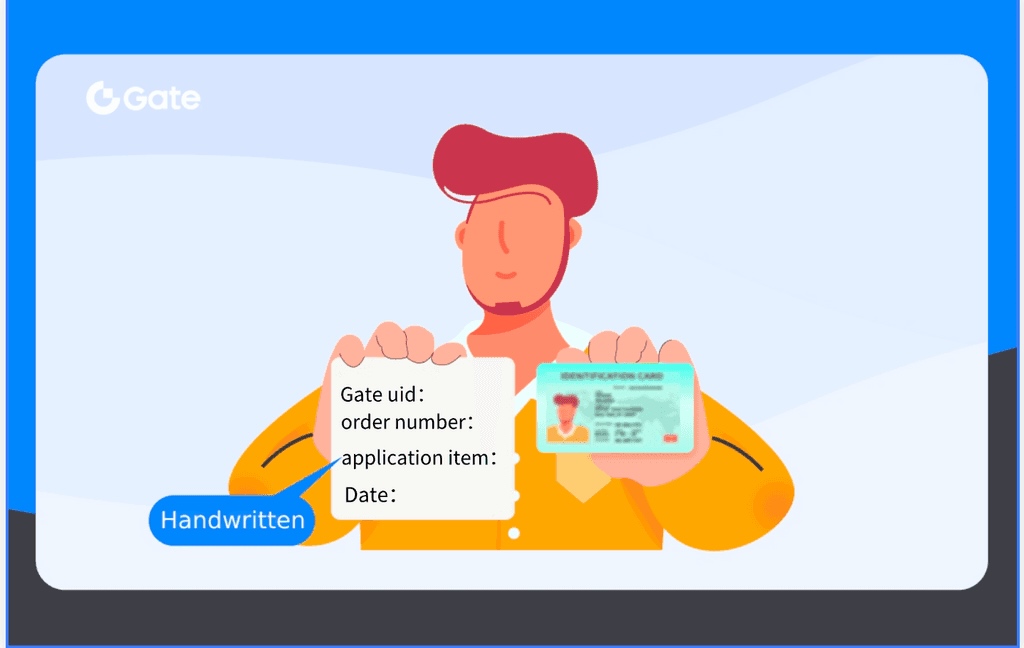
2. About the "Facial Recognition" Status
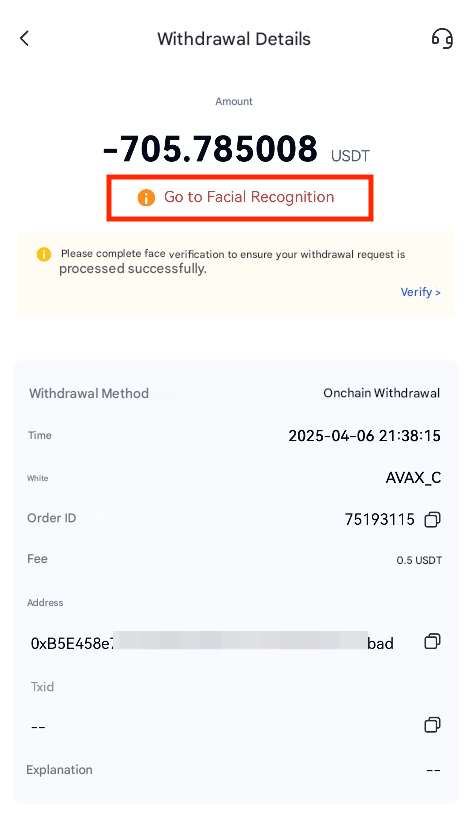
Notes:
- If the withdrawal requires cancellation due to incorrect address/chain selection during "Facial Recognition", do not proceed with verification. Contact customer service immediately.
- If you encounter no response or failures during advanced verification or facial recognition on the app, it is recommended to check and update the app version or try switching to another device to complete the process.
- If you are using the web version, we recommend switching to the mobile or desktop app (with a functioning camera) to complete the facial recognition process.
- Please do not resubmit the withdrawal request while it is in "Verifying" status.
Disclaimer: This is not investment advice. The information is provided for informational purposes only and should not be construed as a recommendation to buy, sell or hold any asset. Cryptocurrency trading involves a risk of loss. Gate US services may be restricted in certain jurisdictions. For more information, please see our legal disclosures: https://us.gate.com/legal/disclosures
