
Applicability
This guide is for: Gate US Web
Preparation required: Gate US account registration and identity verification (KYC) completed
Estimated time: 5 minutes
Objective
This article will walk you through how to deposit and withdraw crypto on-chain using Gate US Web.
Steps
Step 1: Select Deposit or Withdrawal
Deposit:
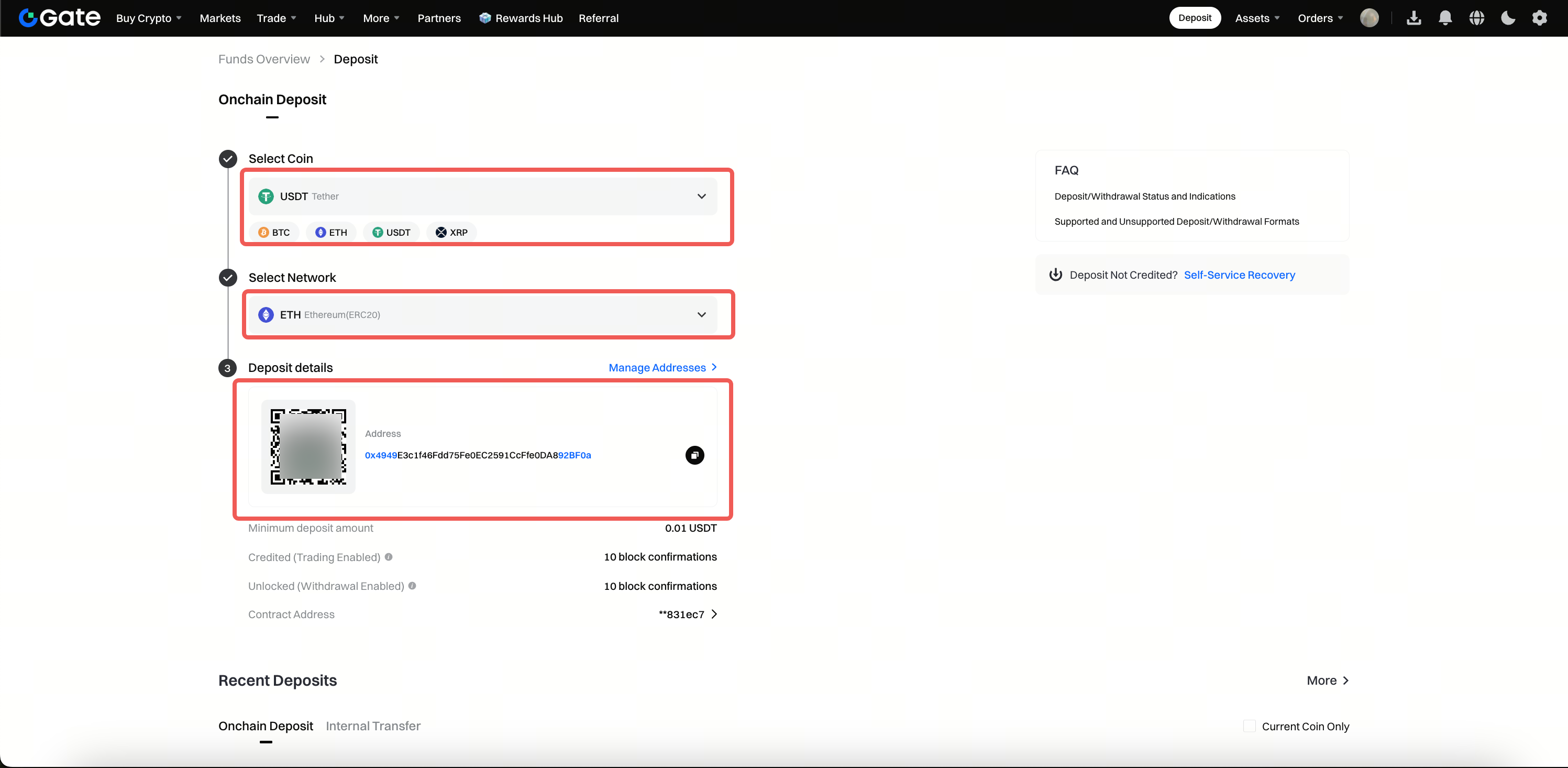
Log in to your Gate account. On the main page, click Deposit > On-chain Deposit.
Withdrawal:
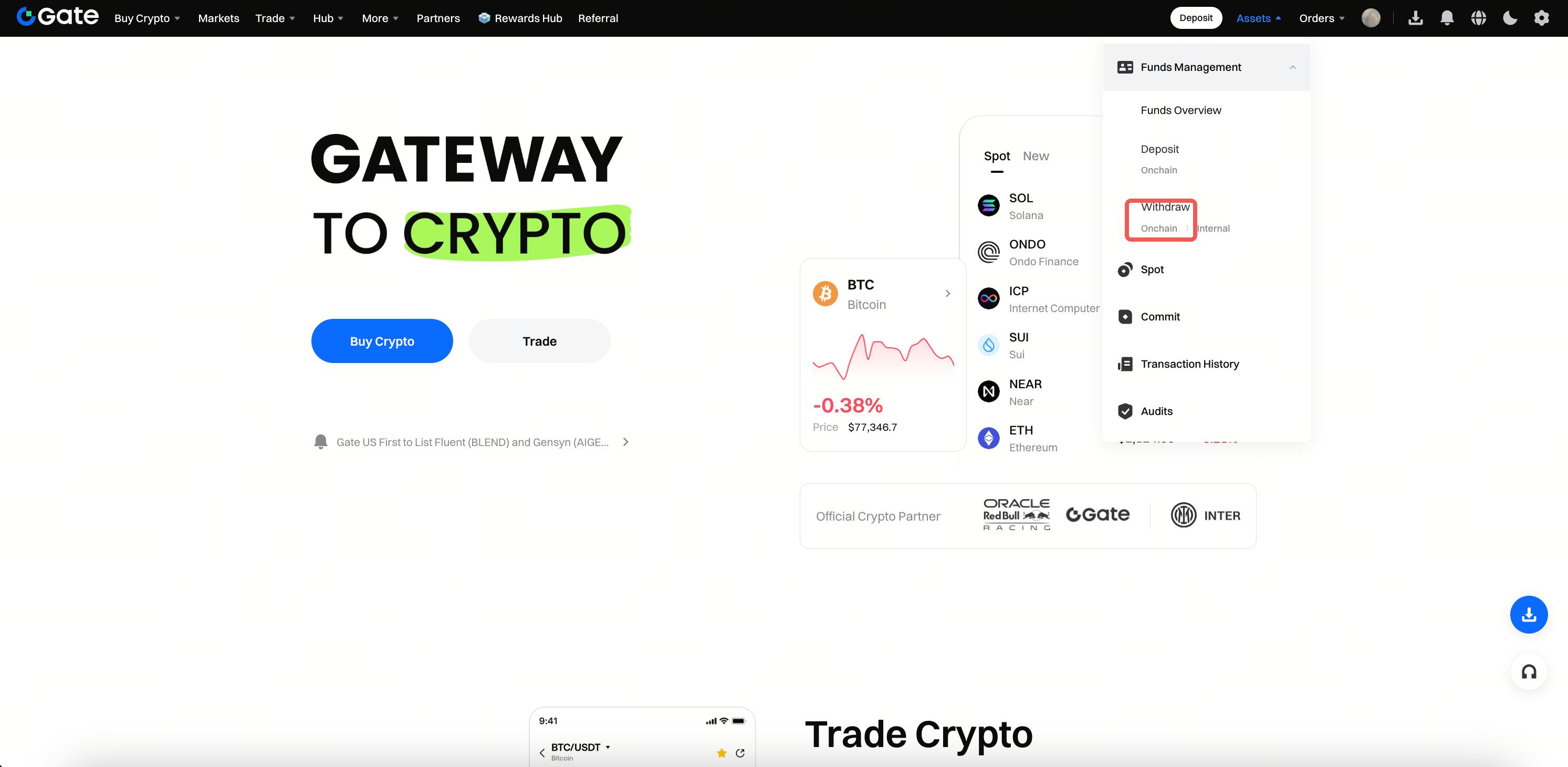
Log in to your Gate account. Click Assets > Fund Management > Withdraw > On-chain.
Step 2: Configure Deposit or Withdrawal Parameters
Deposit:
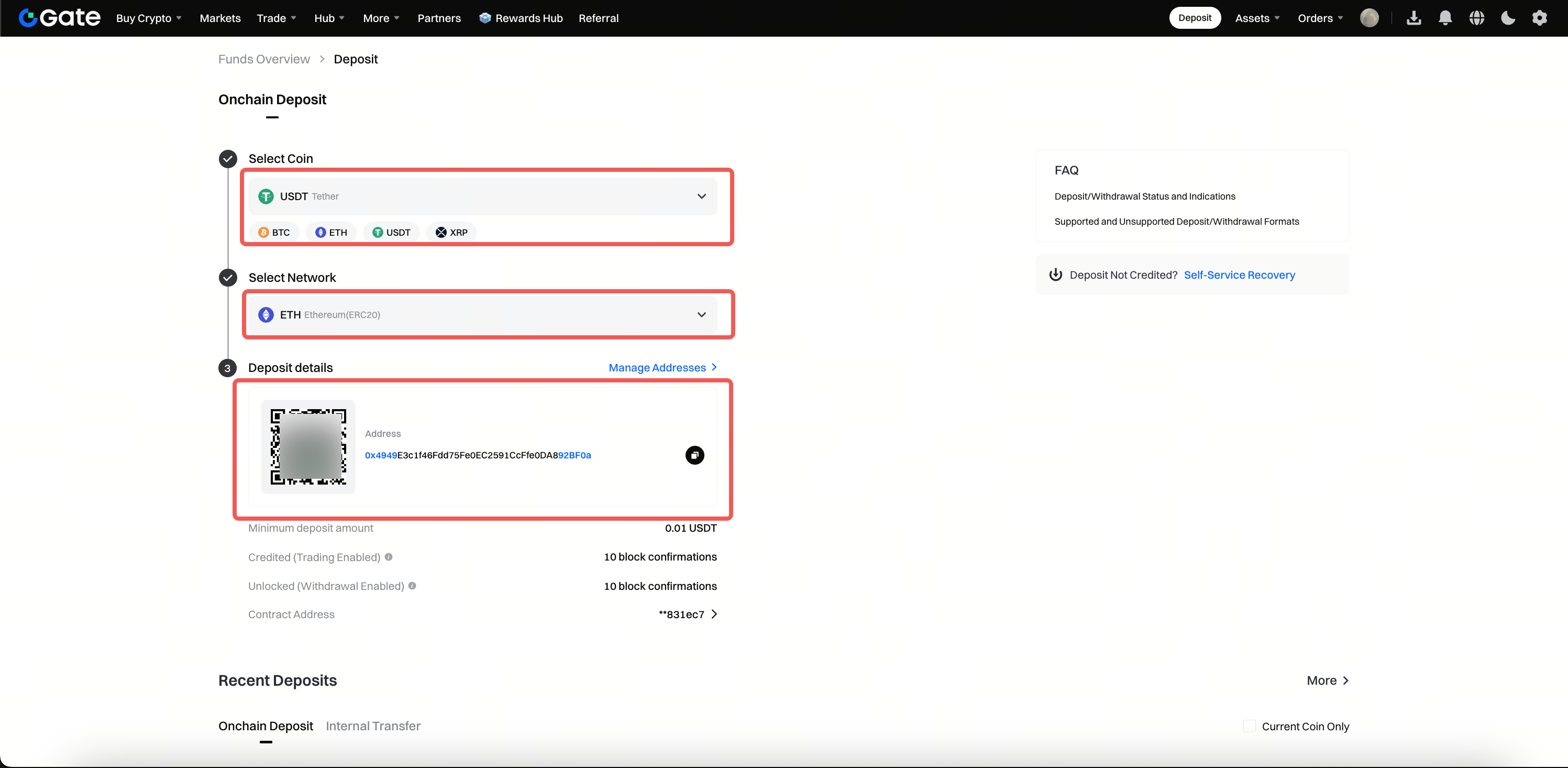
- Select the cryptocurrency and network for your deposit.
- Copy the deposit address or save the address QR code. **Withdrawal:**
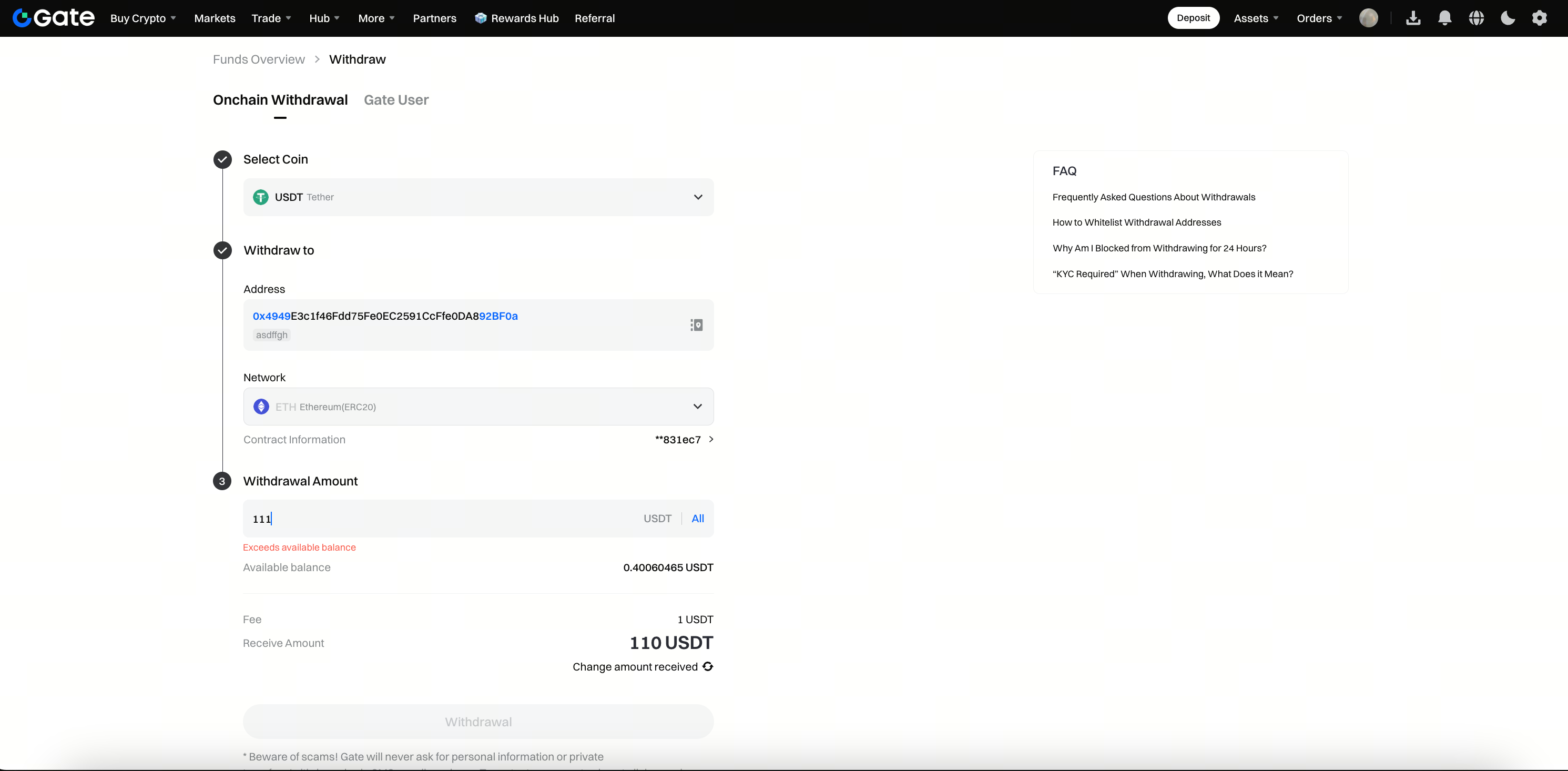
- Choose the cryptocurrency and network for withdrawal.
- Select the withdrawal address and enter the withdrawal amount.
- Click Withdraw.
Step 3: Complete Deposit or Withdrawal
Deposit:
Paste the address or scan the address QR code on the sending platform to complete your deposit.
Withdrawal:
- On the confirmation page, review your withdrawal details and click Withdraw.
- On the security verification screen, enter your fund password and verification code.
- Click Confirm to complete your withdrawal.
Important Notes
-
Network Consistency
- When depositing, make sure the deposit network you select matches the network on the sending platform.
- When withdrawing, ensure the withdrawal network matches the receiving address's network.
- Incorrect network selection can result in irreversible asset loss.
-
Address Accuracy
- Before depositing, carefully verify both the deposit address and contract address.
- Before withdrawing, double-check the receiving address and contract address.
- Errors in addresses will prevent assets from arriving and cannot be recovered.
-
Information Confirmation
- Before clicking the final confirmation button, always review all transaction details thoroughly.
- Once confirmed, transactions cannot be reversed.
-
Risk Notice
- Investing in digital assets carries high risks, and prices may fluctuate sharply.
- Please make decisions based on your financial situation and risk tolerance.
- For more risk information, refer to Gate’s [Risk Warning] and [User Agreement].
Frequently Asked Questions
Q1: How long does it take for a deposit or withdrawal to arrive?
A: The arrival time depends on the block confirmation speed of the selected network. Different networks have varying confirmation times. Assets will be credited automatically once the required confirmations are completed on the blockchain.
Q2: Can assets be recovered if the wrong network or address is selected?
A: No. Assets lost due to incorrect network selection or address input cannot be recovered. Always verify all information carefully before proceeding.
Q3: Why do I need to enter a fund password and verification code for withdrawals?
A: This is Gate’s security verification mechanism to protect your account funds and prevent unauthorized withdrawals.
