
Applicability
This guide applies to: Gate US Web
Before you start: Make sure you’ve registered a Gate US account, completed KYC identity verification, and set both your fund password and two-factor authentication (Google Authenticator or Gate US Authenticator).
Estimated time: 5 minutes
Objective
This article will walk you through how to set up a withdrawal address whitelist on Gate US Web, allowing you to withdraw quickly without additional verification.
Steps
Step 1: Go to the Address Book Management Page
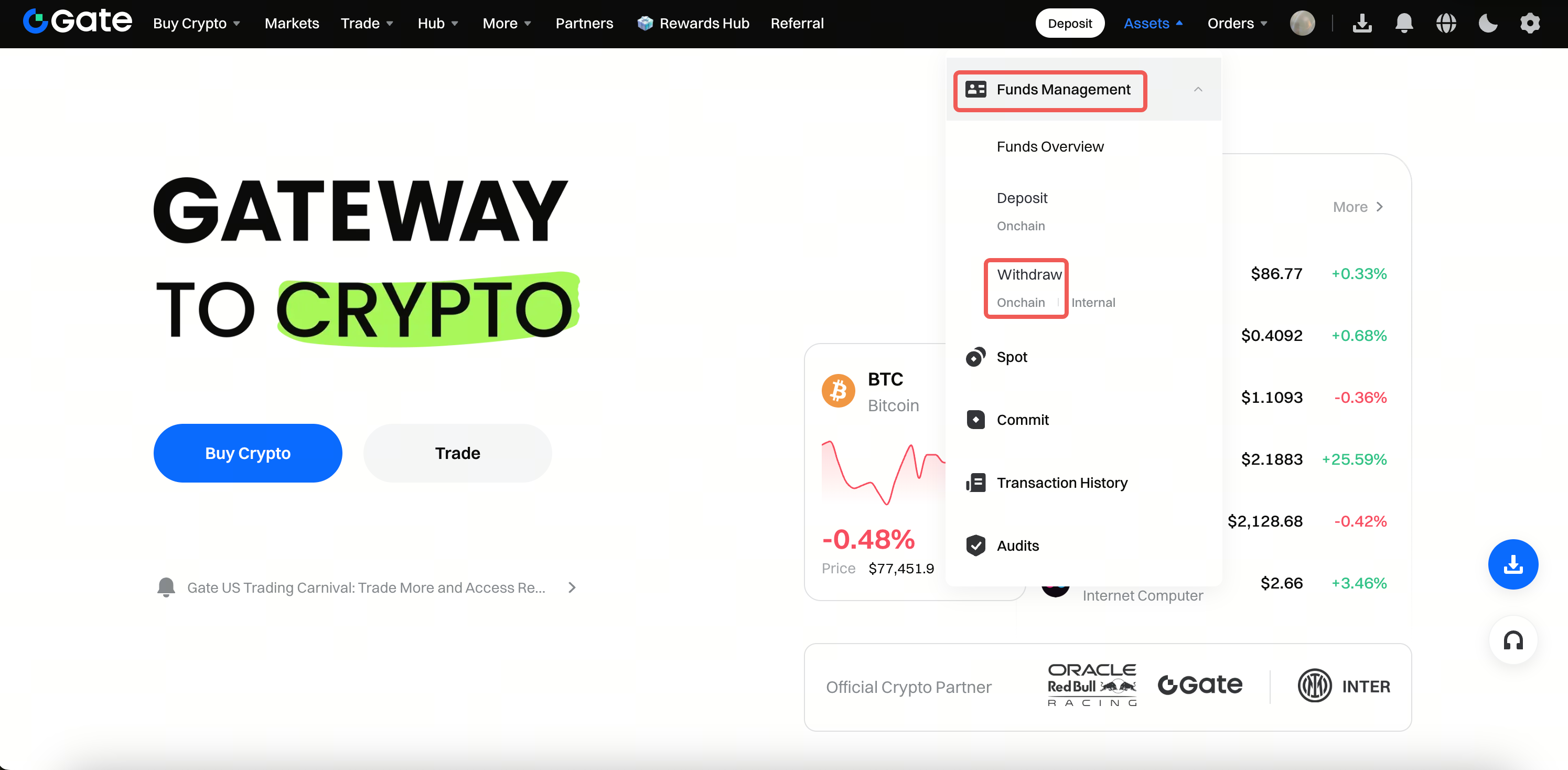
- Log in to your Gate account and click Assets in the upper right corner.
- Select Fund Management > Withdraw > On-chain in sequence.
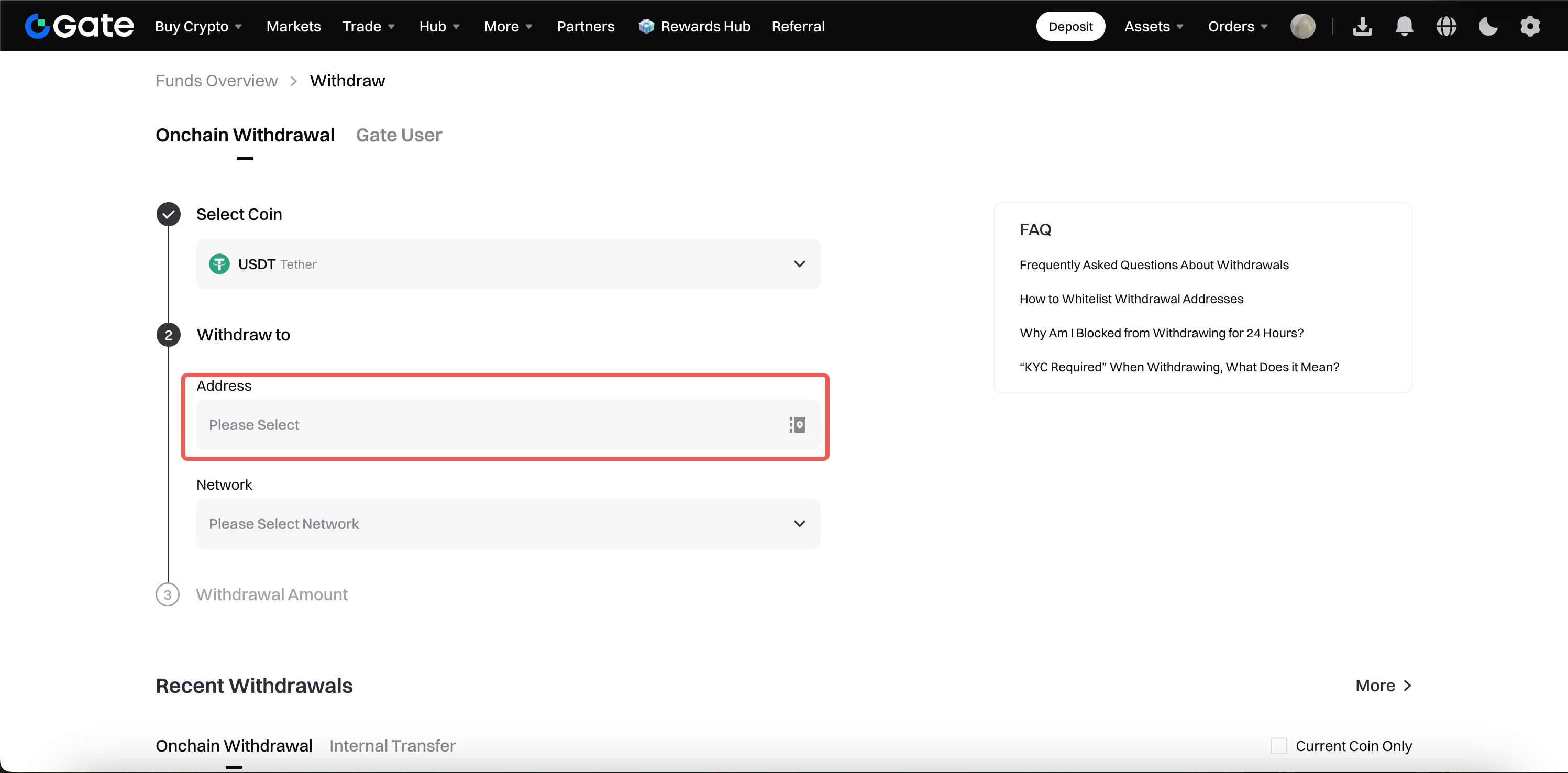
- On any crypto withdrawal page, click the withdrawal address input box.
Step 2: Add a Single Withdrawal Address
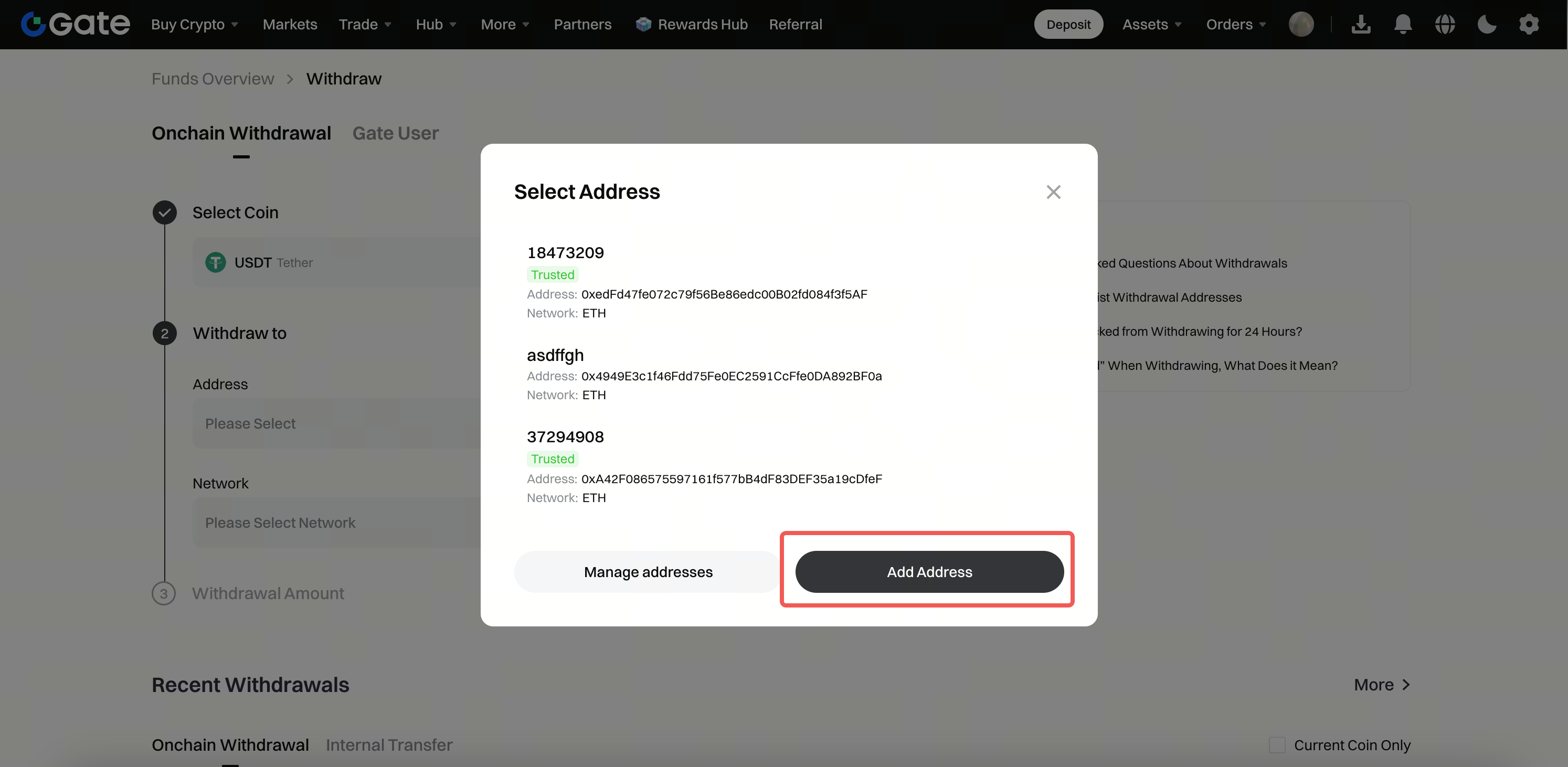
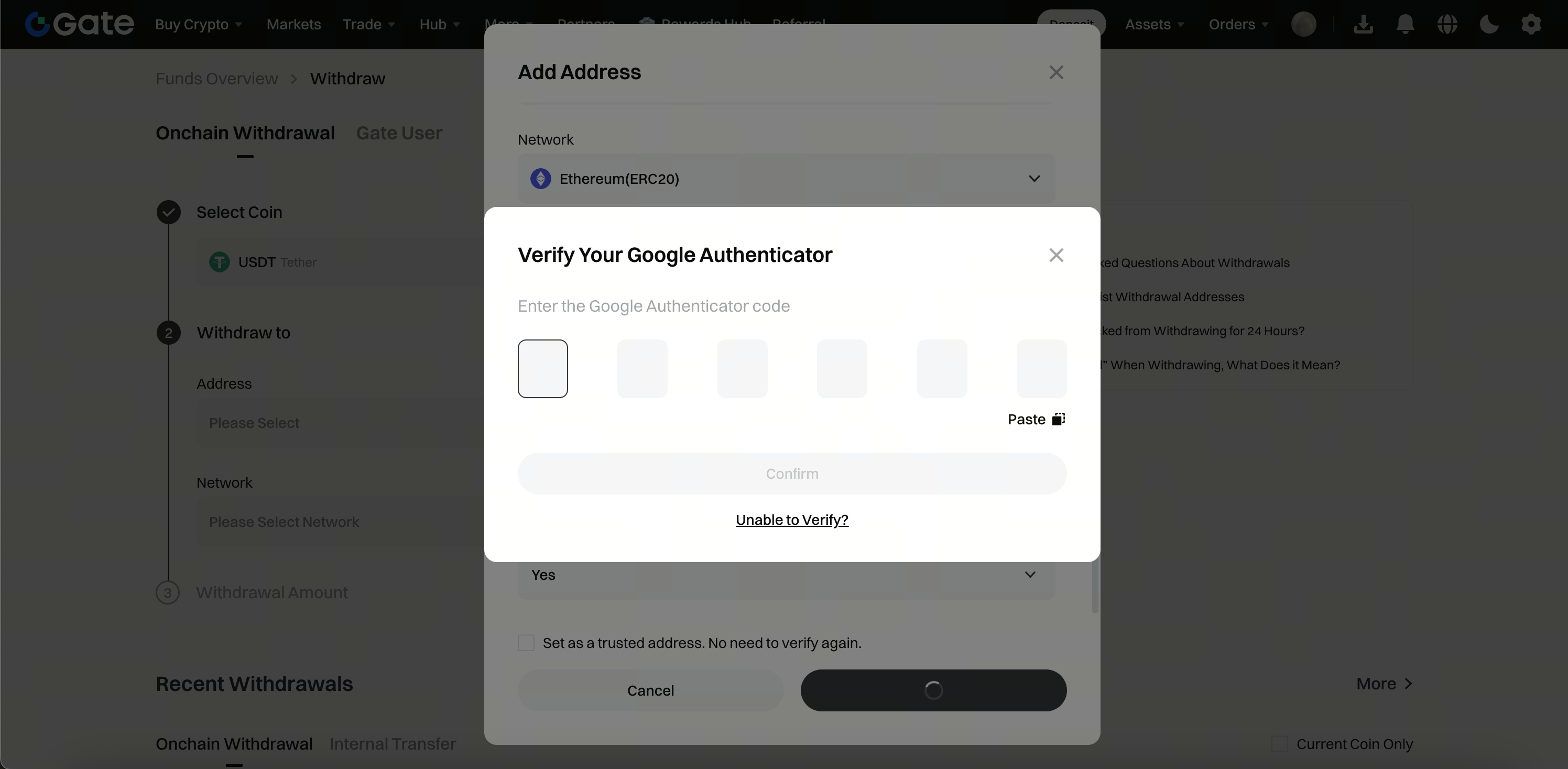
- In the address pop-up window, click Add New Address.
- Fill in the following details as prompted:
- Select the cryptocurrency and network
- Enter the correct withdrawal address
- Add an address name (for easy identification)
- Enter the address source (optional)
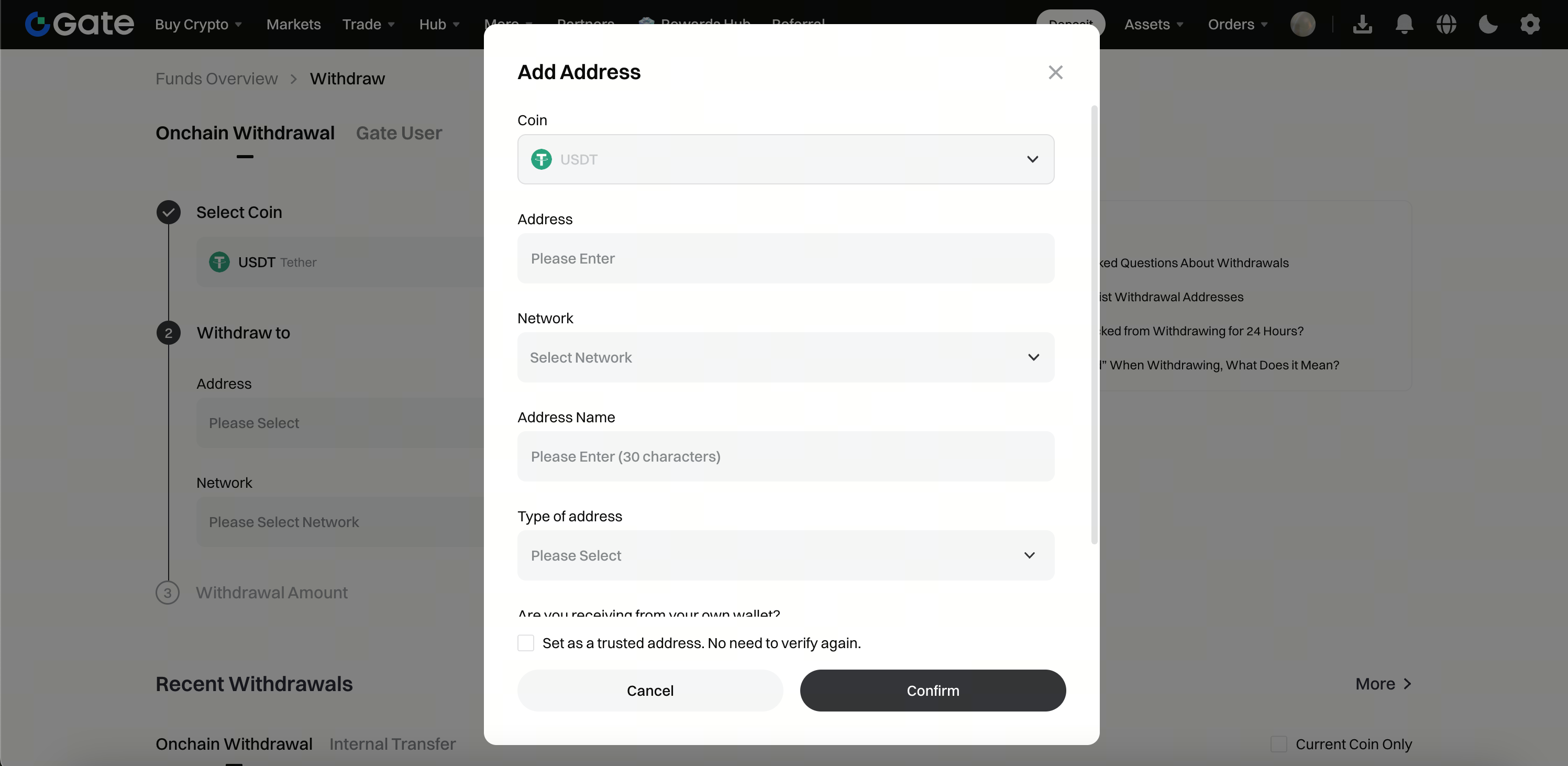
- To set the address as verification-free, check the Add to verification-free, future withdrawals won’t require verification option.
- Enter your fund password and Google/Gate Authenticator code.
- Click Confirm to finish adding the address.
Step 3: Manage Added Addresses
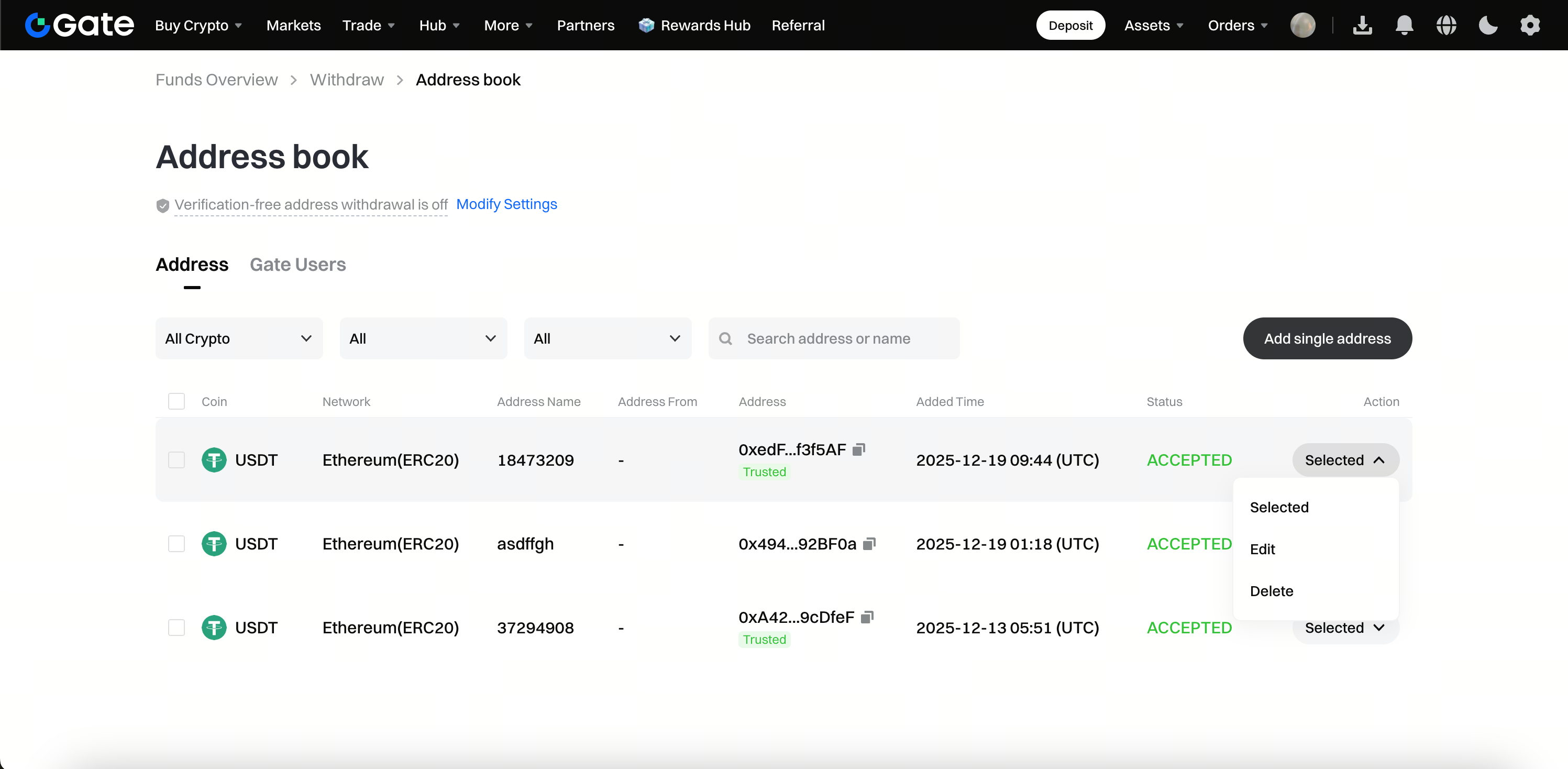
After adding, you can click Address Management to perform the following actions:
Important Notes
- Before adding an address, double-check its accuracy and security to ensure it belongs to you.
- Once you set an address as verification-free, withdrawals to that address will skip fund password and other verification steps. Make sure your account remains secure.
- The first time you successfully withdraw to a new address, it will be automatically added to your address book.
- We recommend regularly reviewing and removing unused addresses from your address book.
- If you notice any unusual account activity or suspect unauthorized access, contact Gate customer support immediately and change your account password.
Frequently Asked Questions
Q1: What are the risks of setting a verification-free address whitelist?
A: When you set an address as verification-free, withdrawals to that address won’t require secondary verification. If your account is compromised, an attacker could withdraw directly to a whitelisted address. Only add addresses you control and keep your login information secure.
Q2: Why can’t I add a verification-free address?
A: Possible reasons include:
- Your account security level is insufficient (we recommend completing advanced KYC verification)
- There are abnormal login records or risk alerts on your account
- Fund password or two-factor authentication is not properly set up
If the issue persists, please contact Gate customer support for assistance.
Q3: How do I delete a verification-free address I’ve added?
A: On the address book page, find the address you want to remove and click the Delete button to the right of the address. Complete the verification to delete it.
