Web
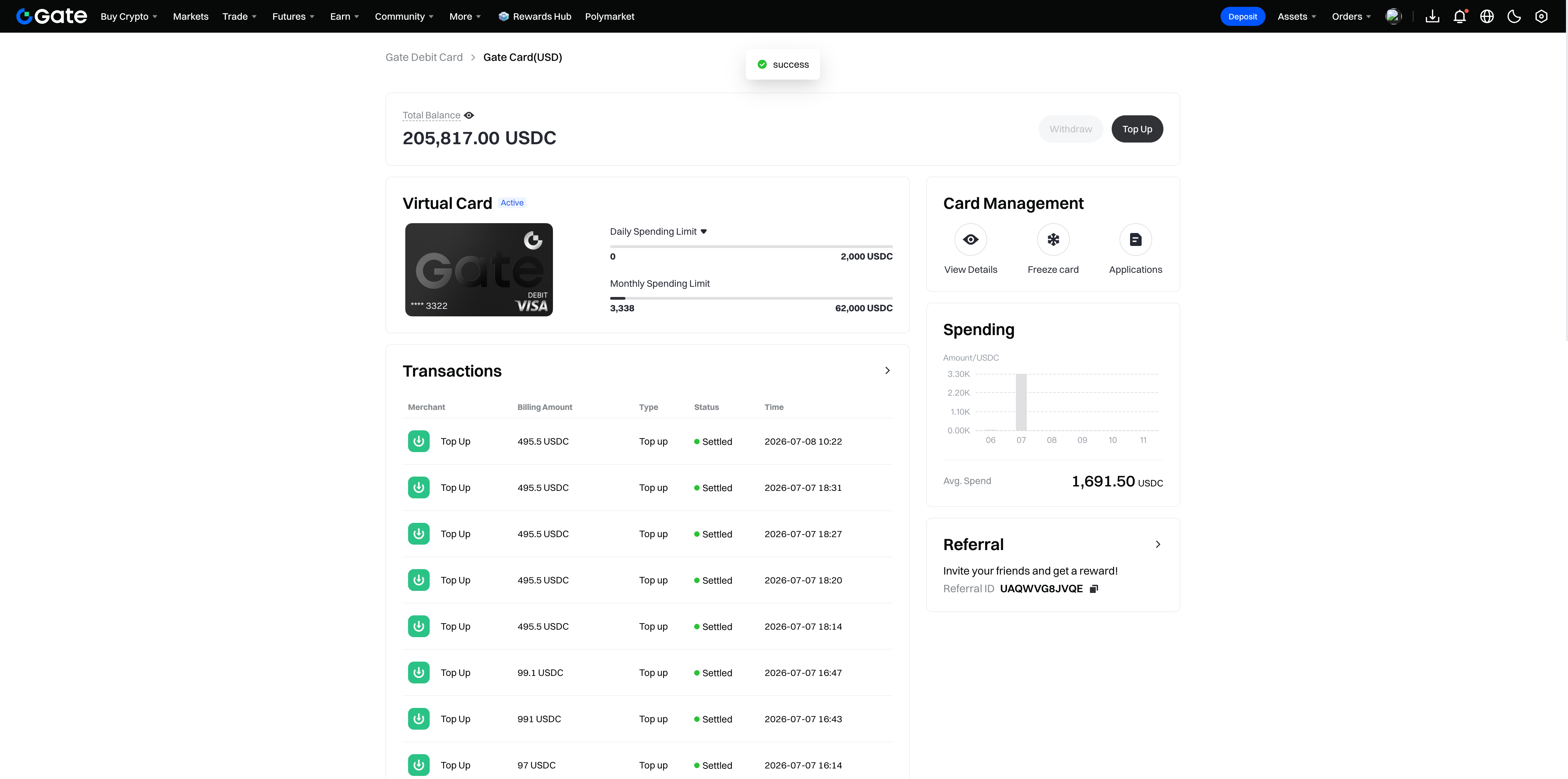
Open the Card Management Page to see your account balance, transaction history, and action buttons such as Top Up, View Details, and Freeze Card
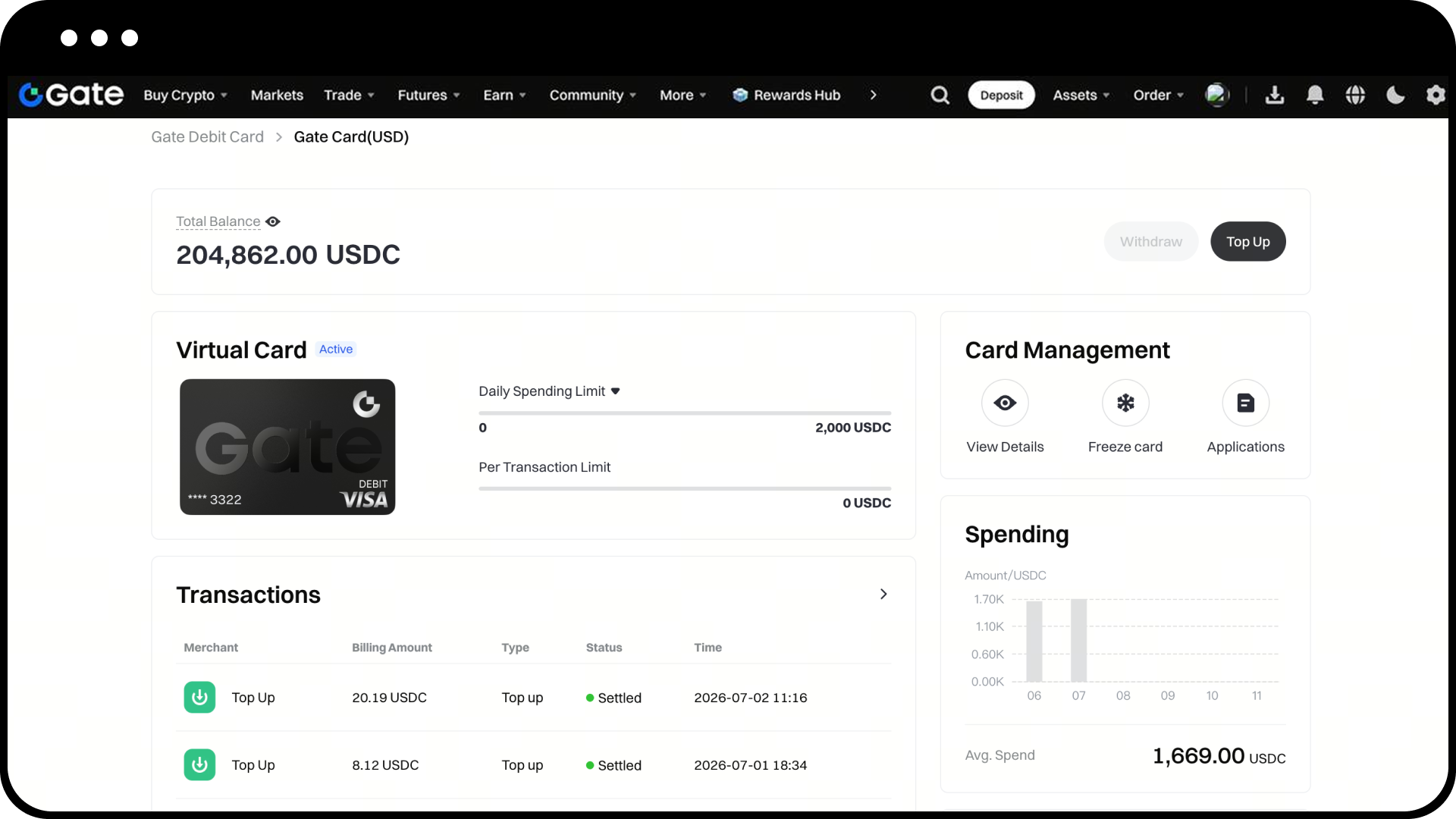
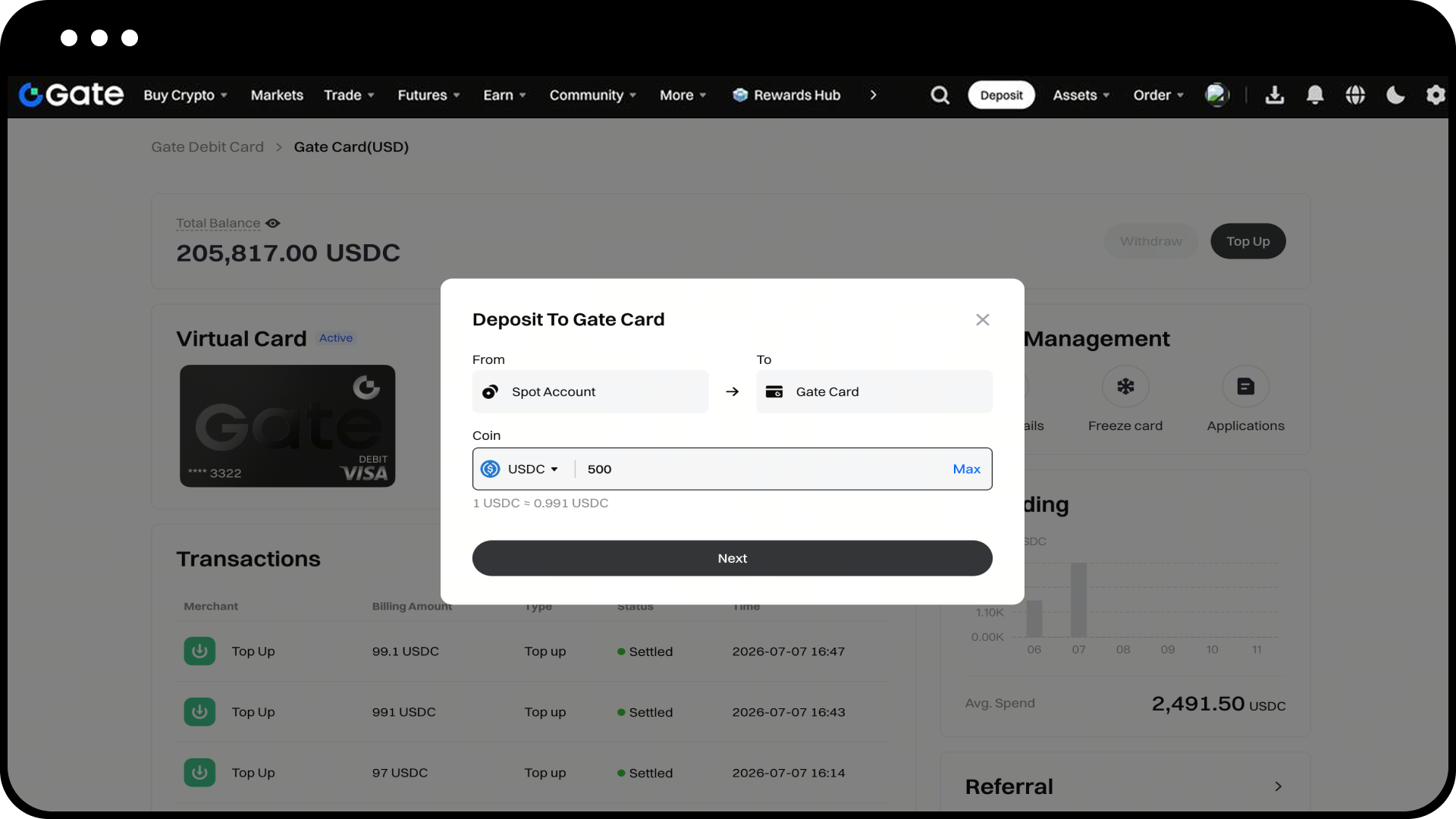
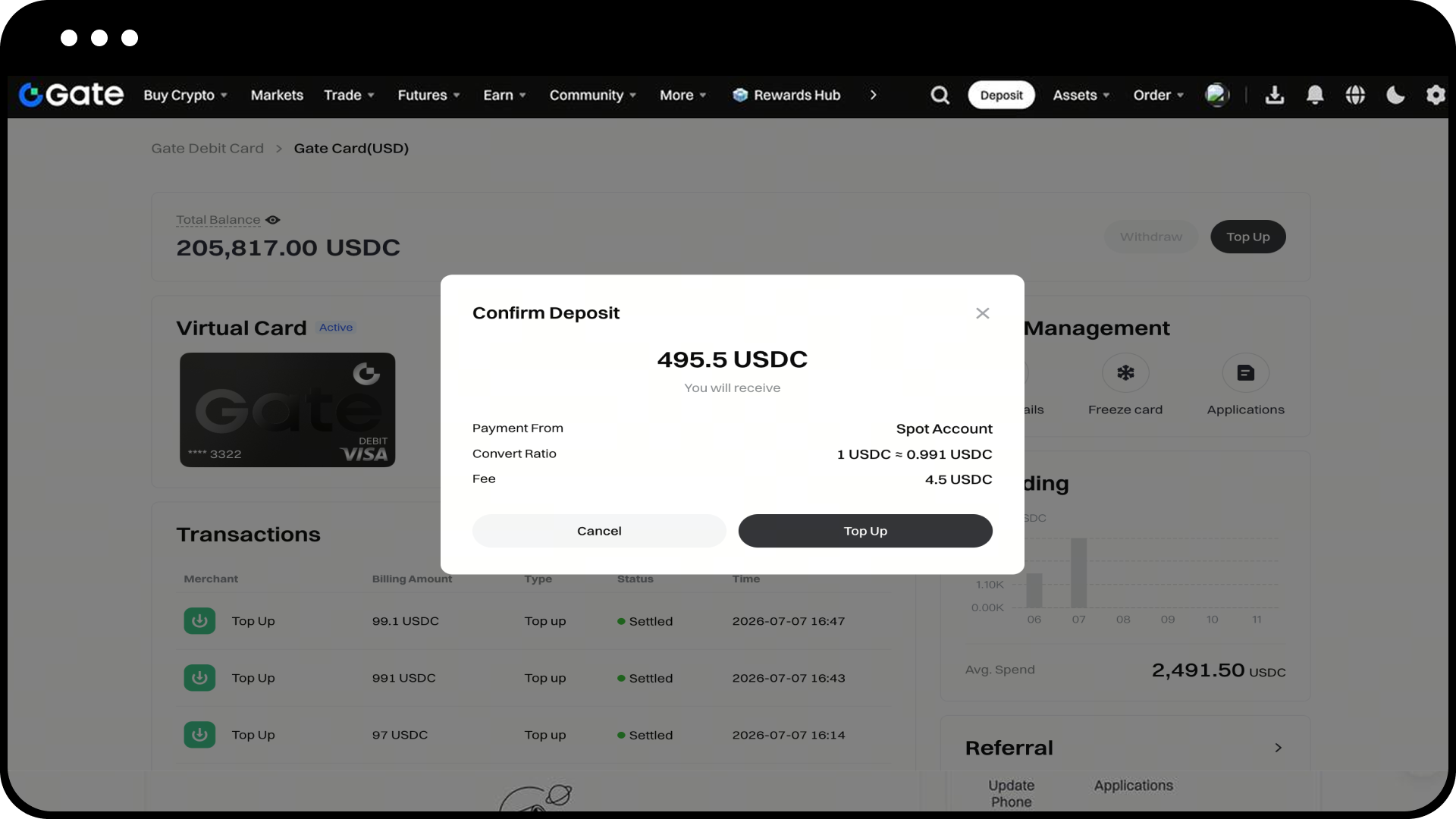
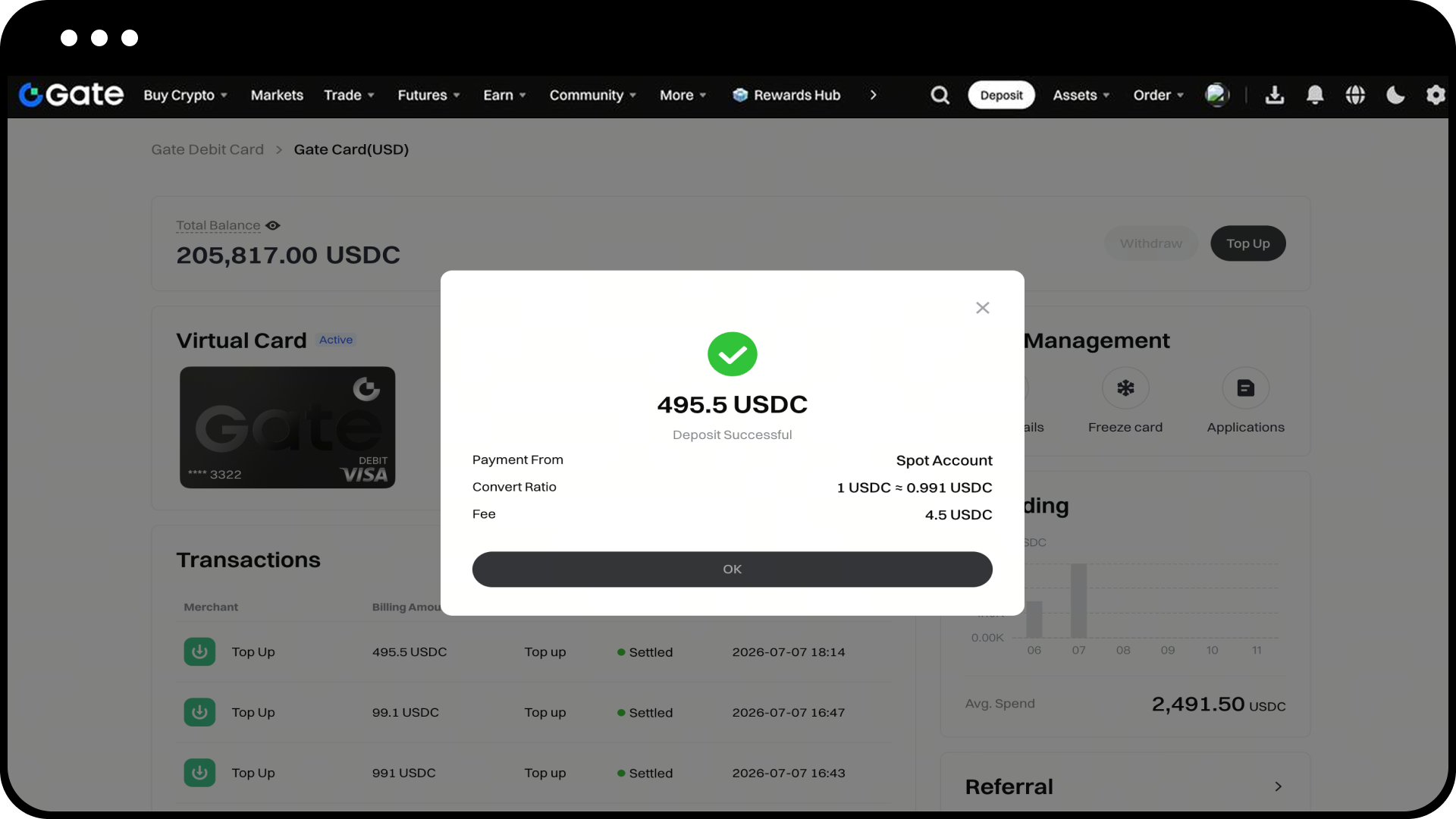
Click the [Top Up] button - select the currency for your Top Up and enter the amount - confirm the Top Up details to successfully top up your Gate Card
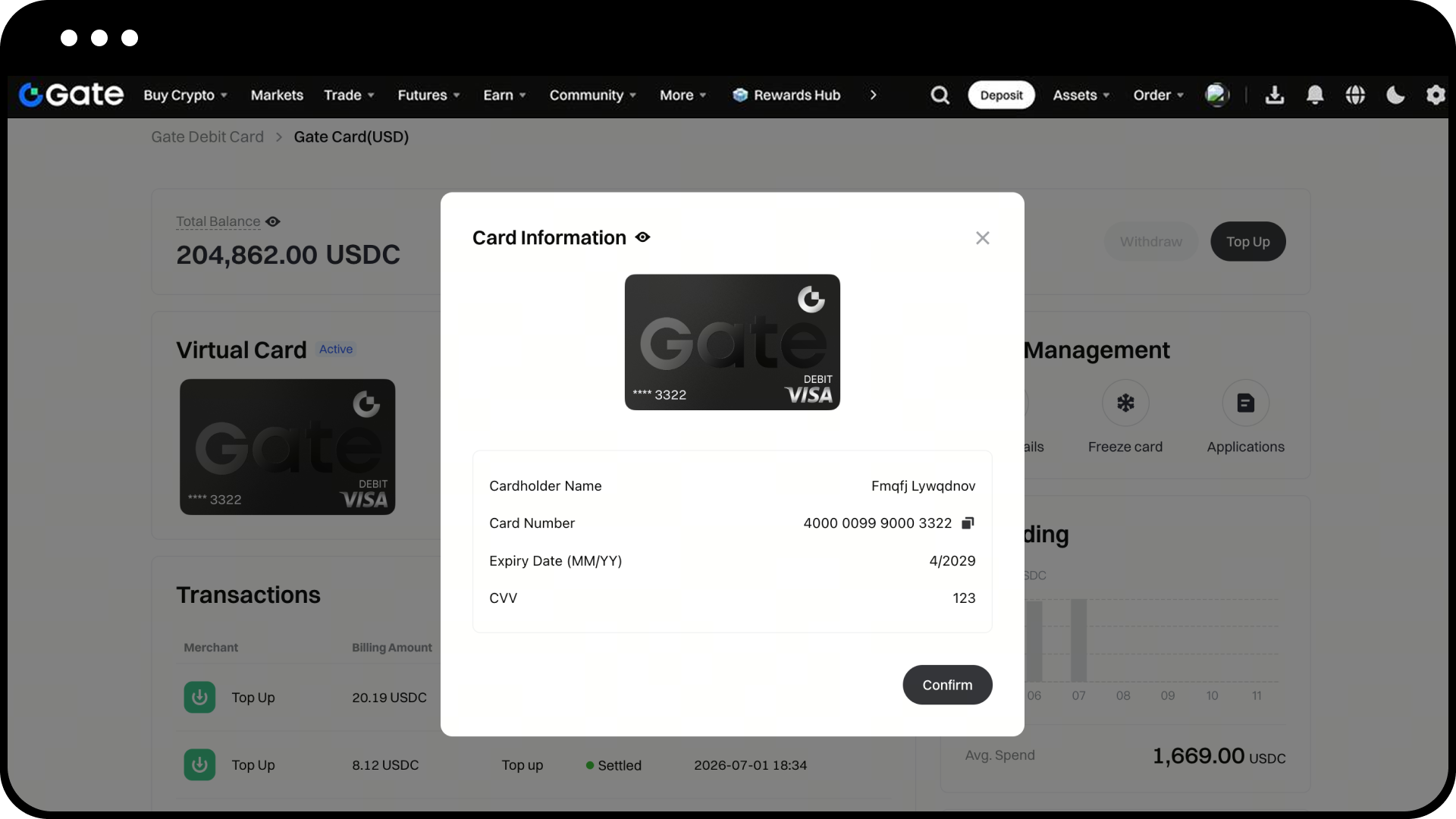
Click [View Details] - verify with your security settings - to view your card information
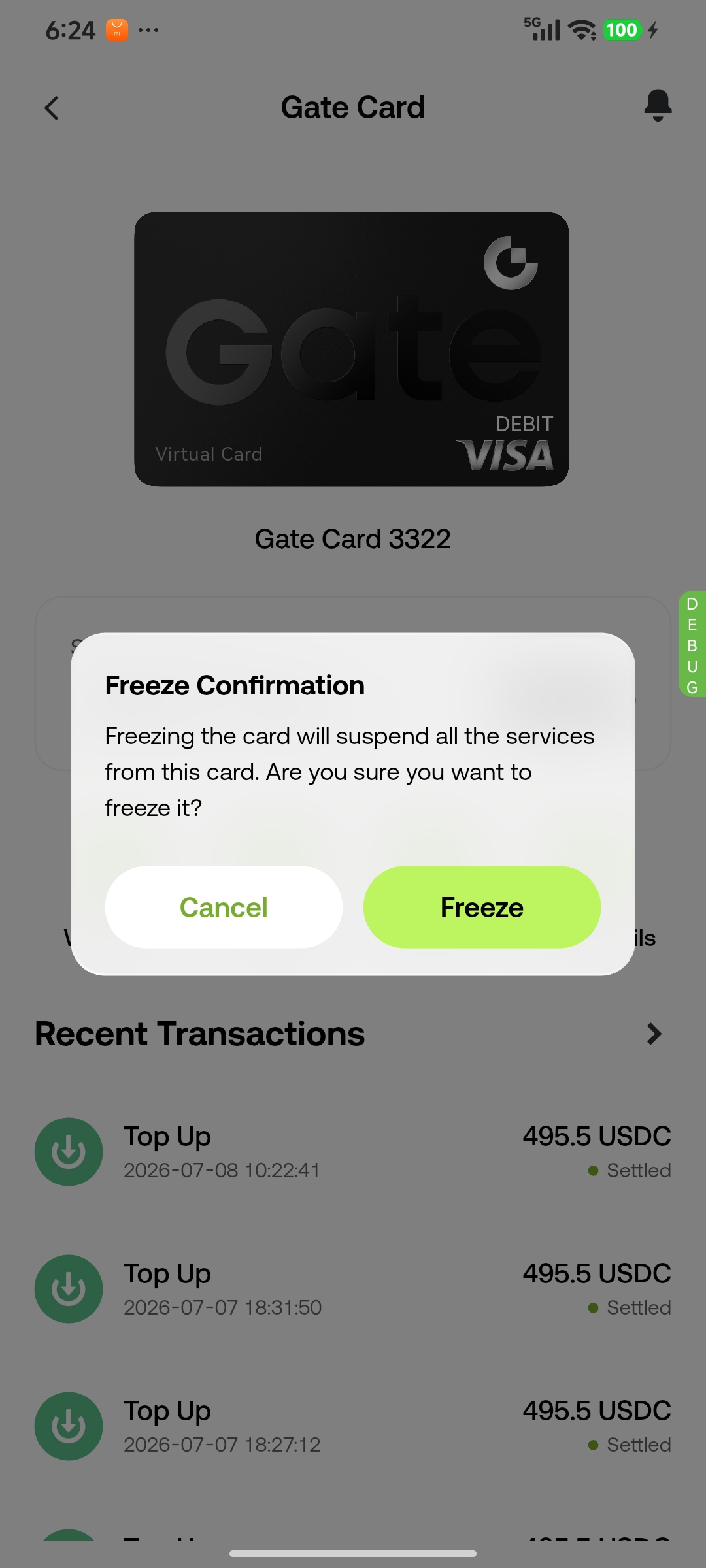
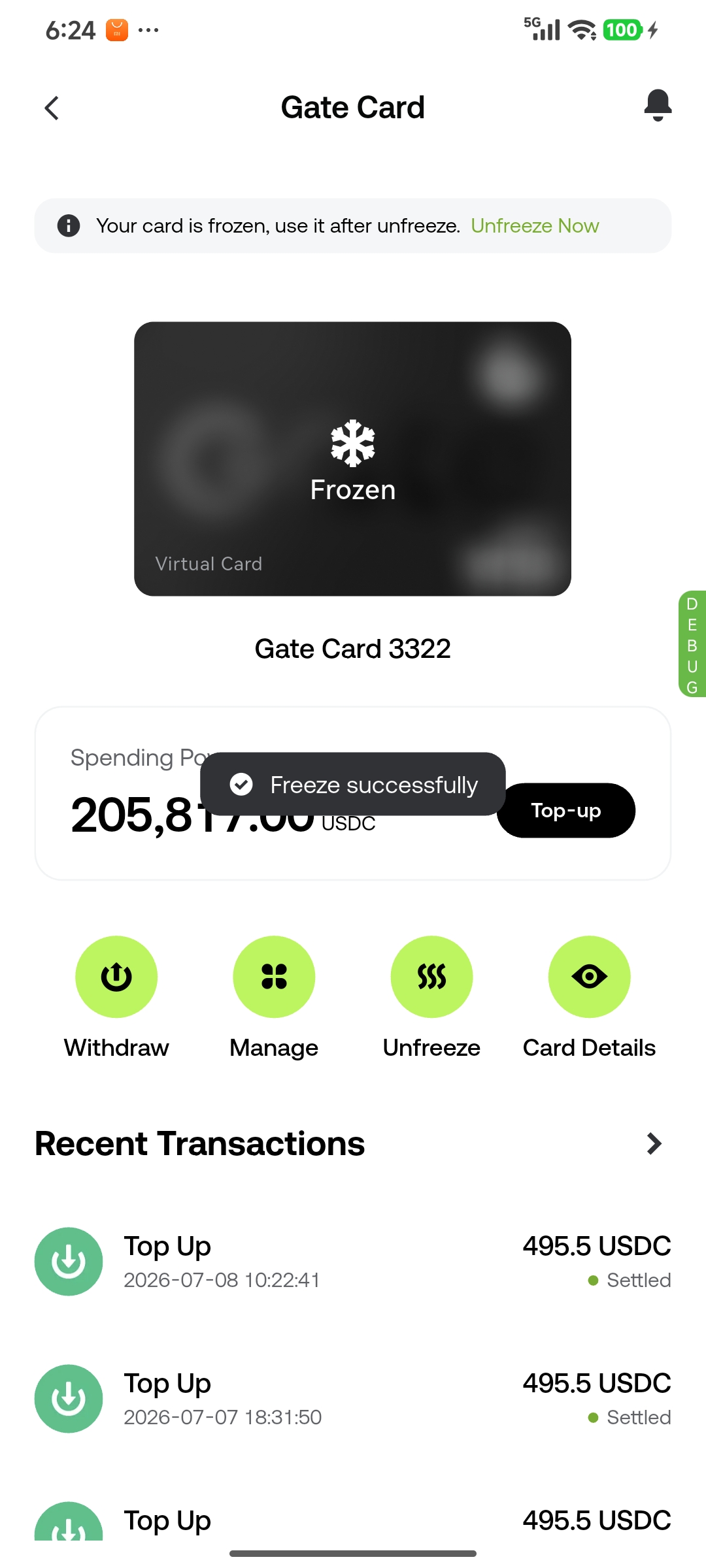
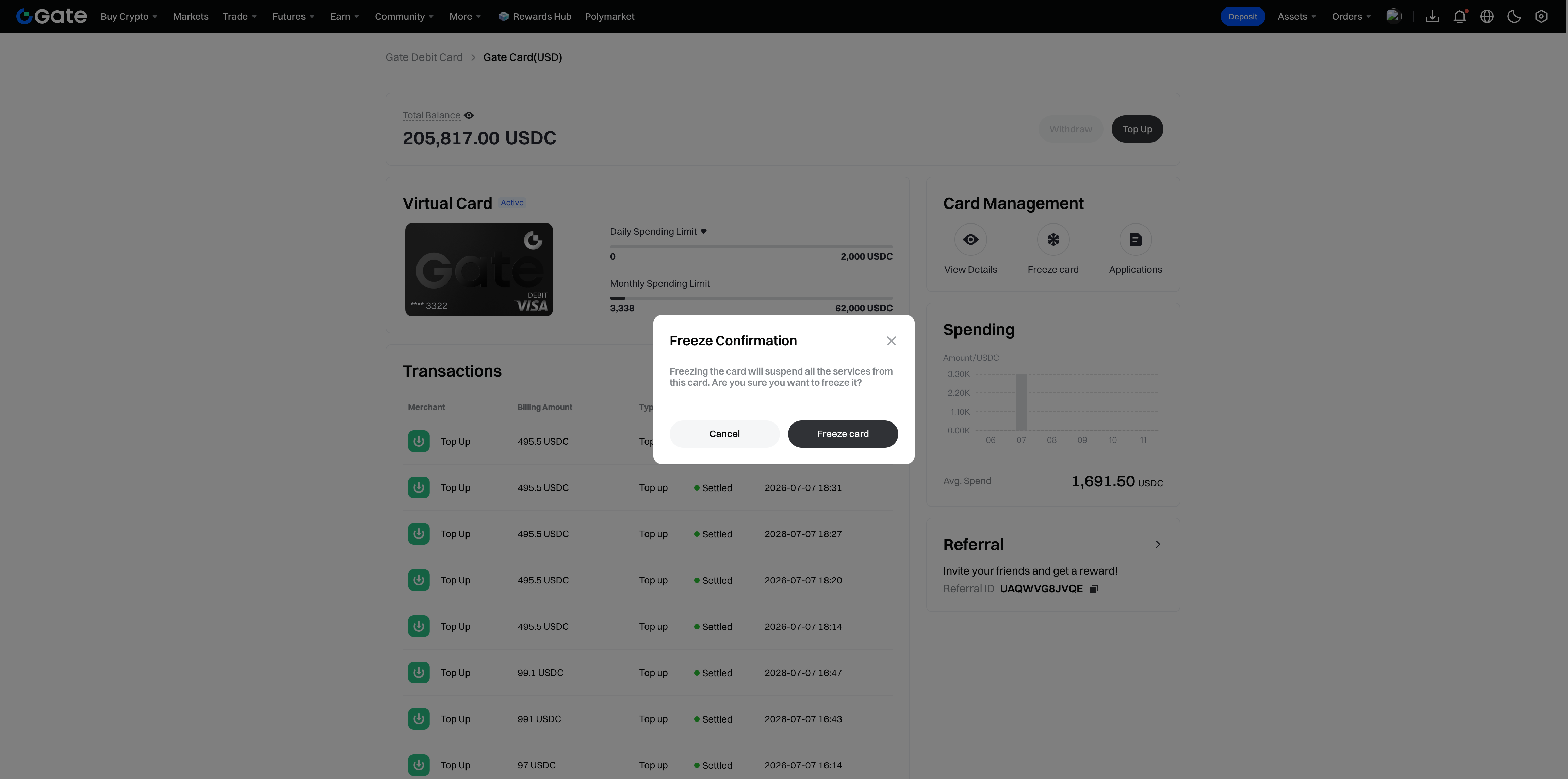
Click [Freeze Card] - once confirmed, your card will be frozen immediately. A frozen card cannot be used
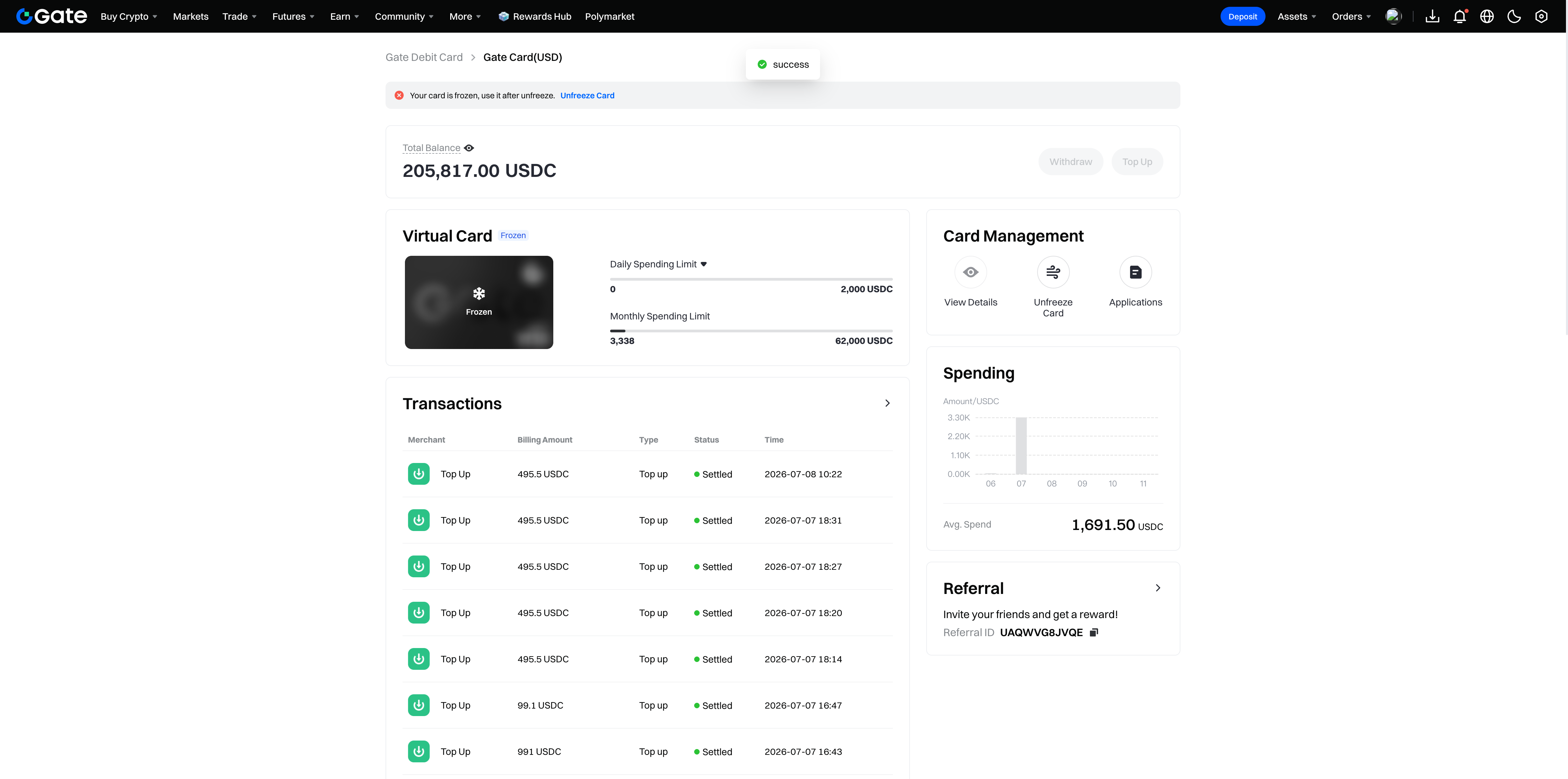
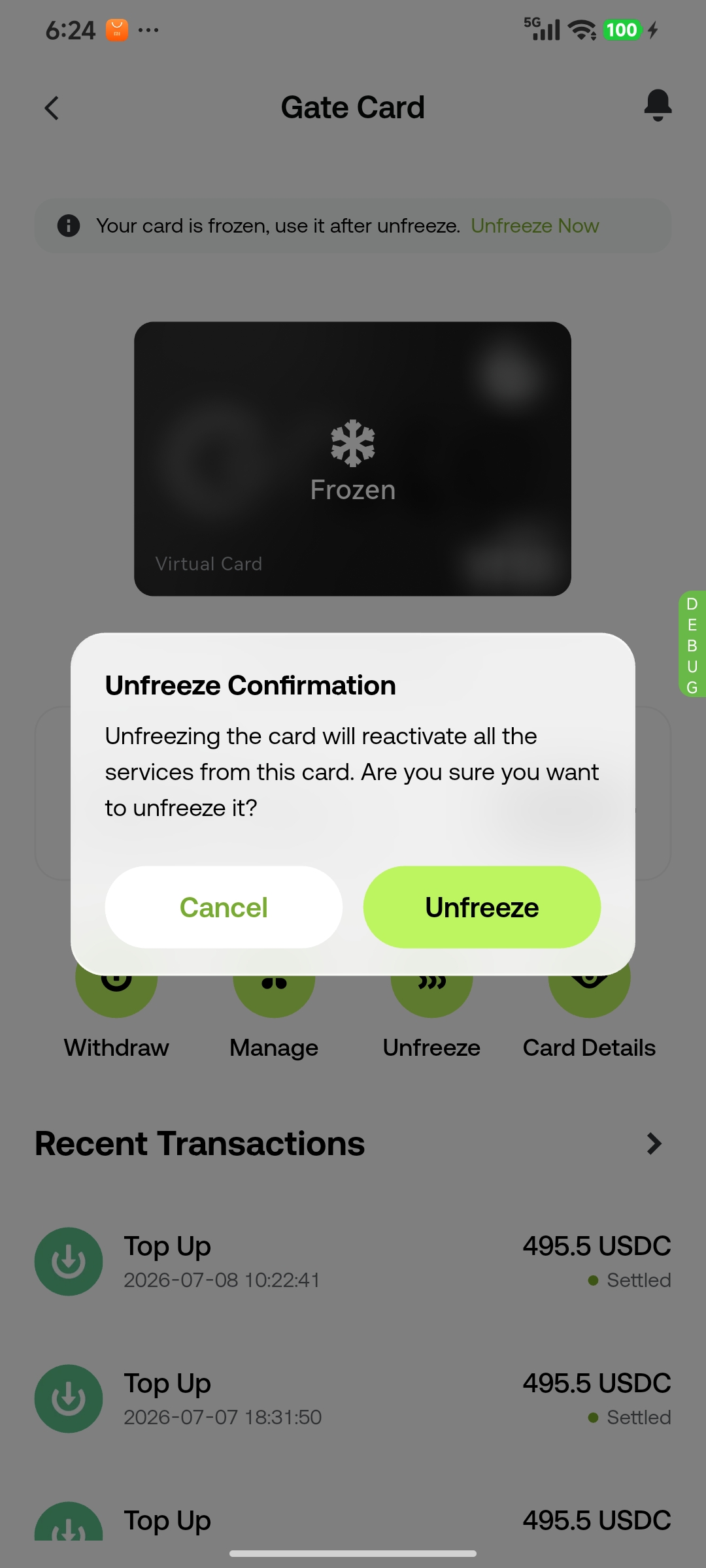
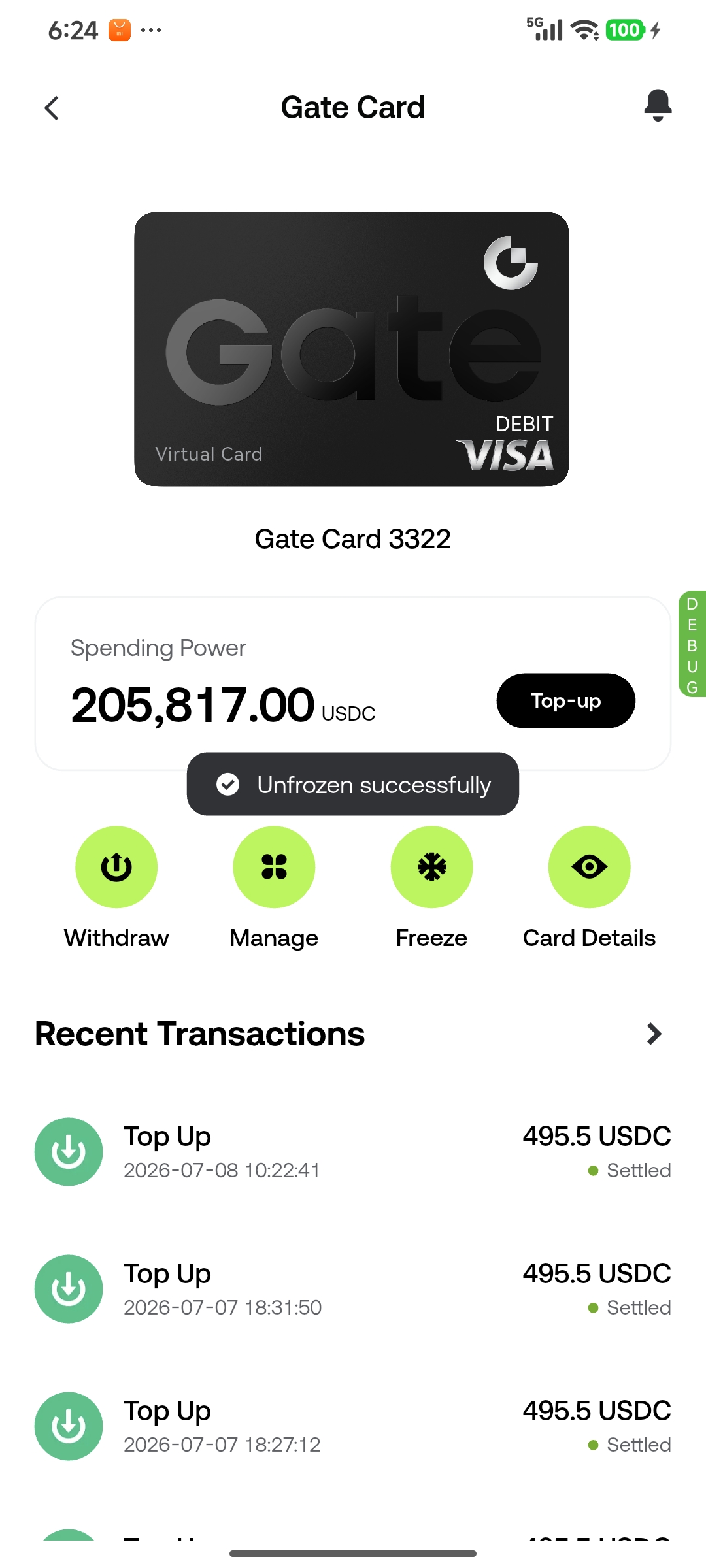
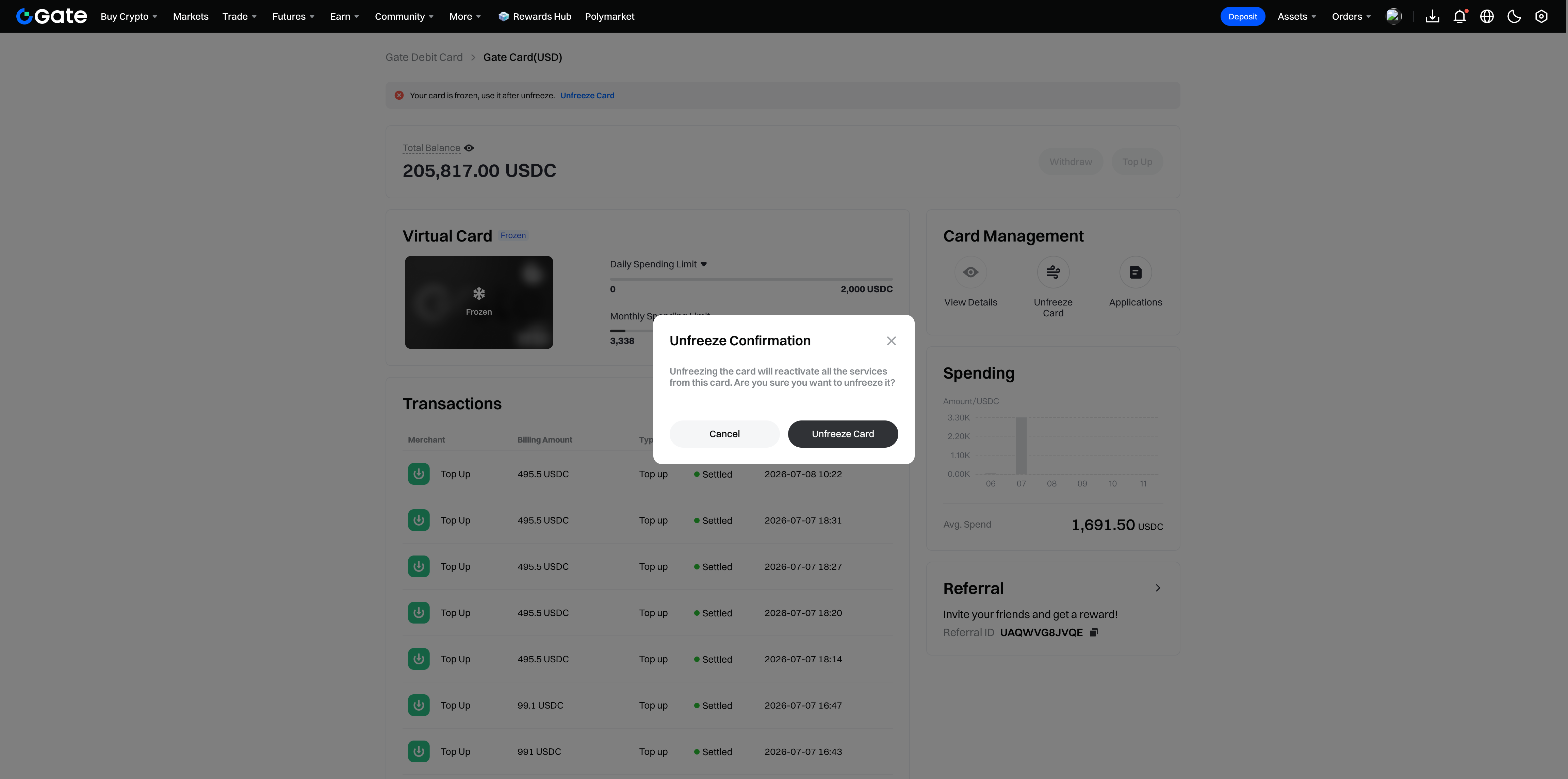
Click [Unfreeze Card] - once confirmed and verified with your security settings, your card will be unfrozen immediately. Once unfrozen, your card can be used again
App
Once your card application is approved, open the Gate app and tap the Gate Card entry to go to the Card Management page, where you'll see your account balance, transaction history, and action buttons such as Top Up, View Details, and Freeze Card
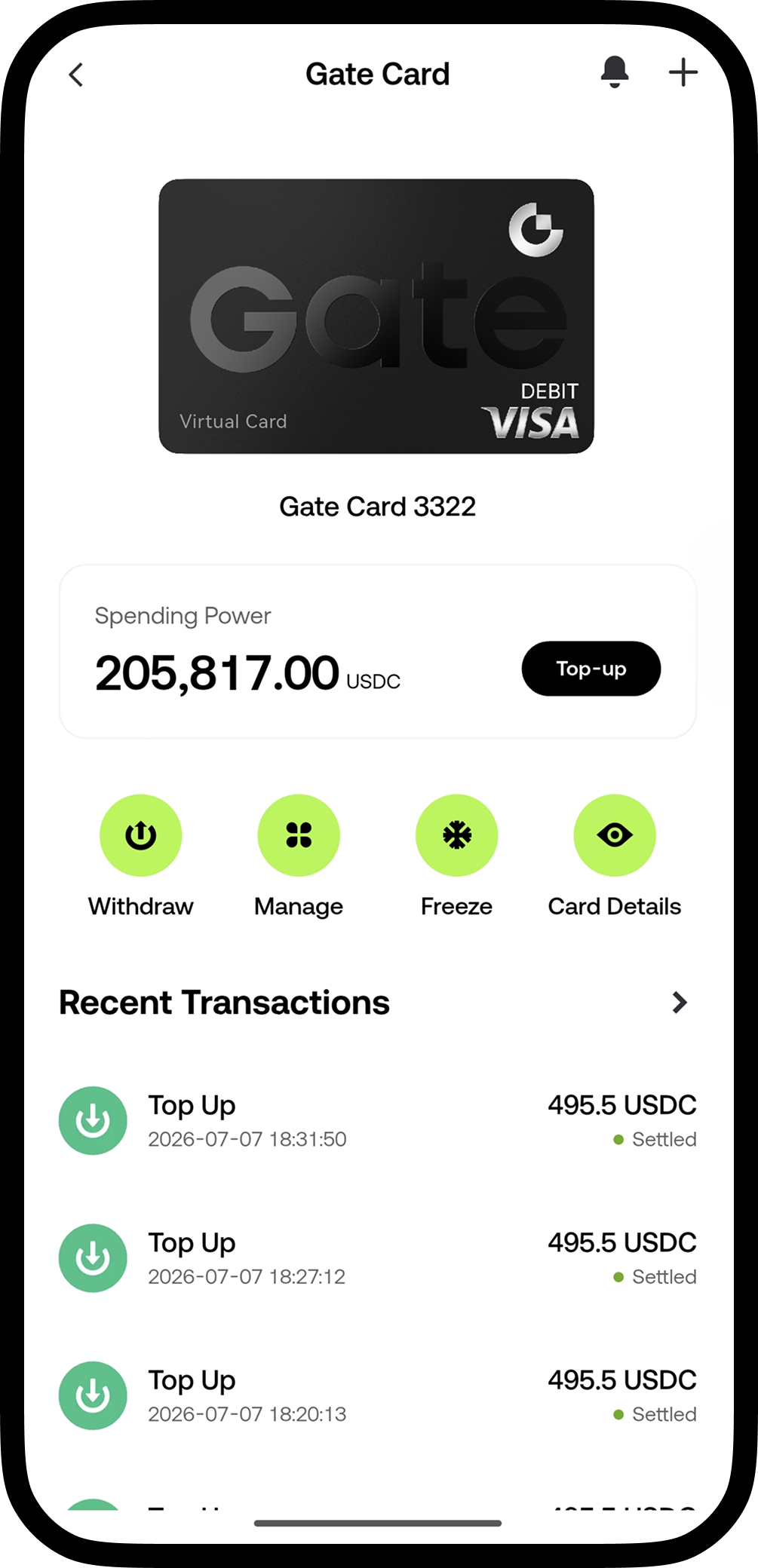
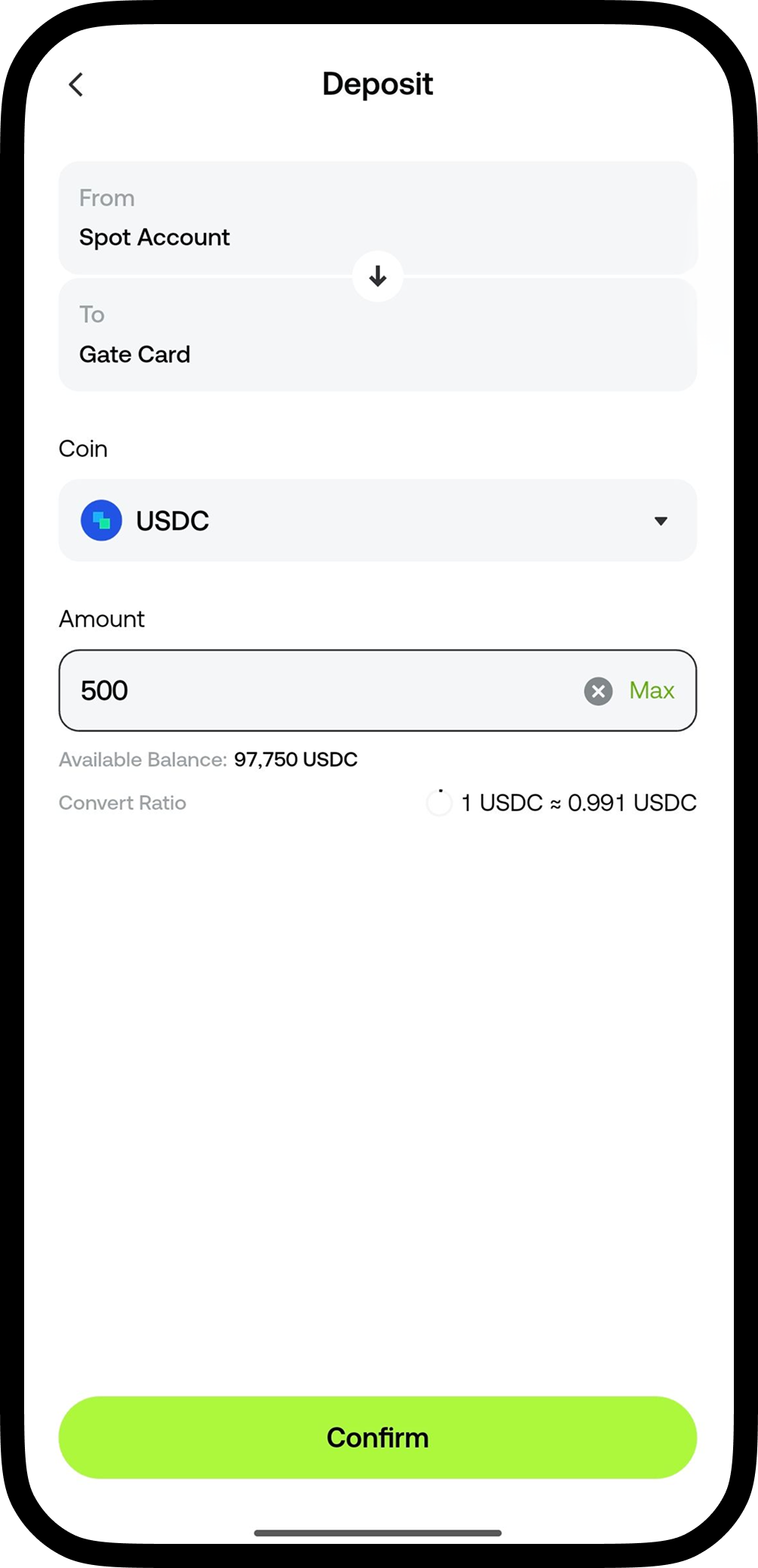
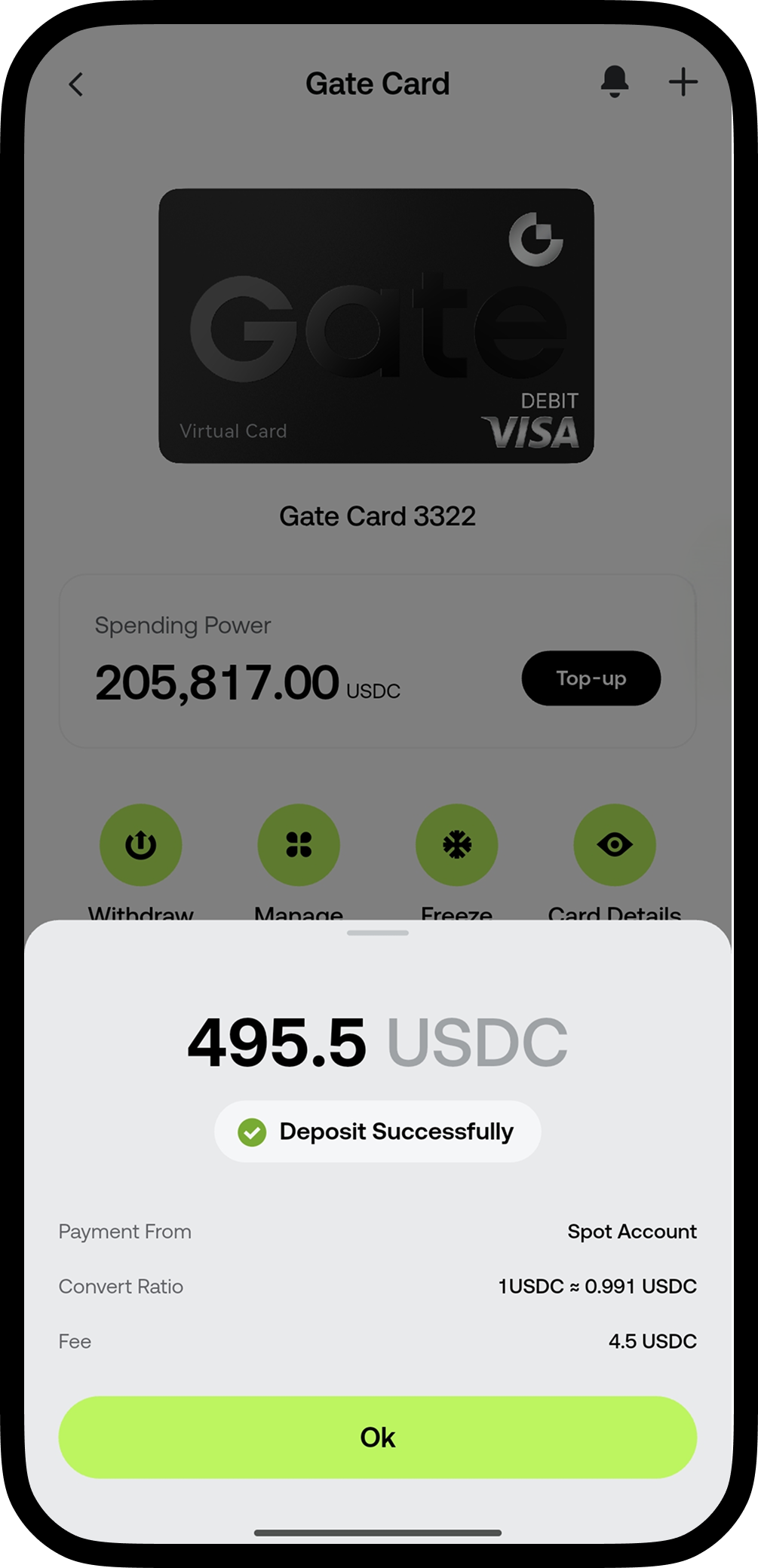
Tap the [Top Up] button - select the currency for your Top Up and enter the amount - confirm the Top Up details to successfully top up your Gate Card
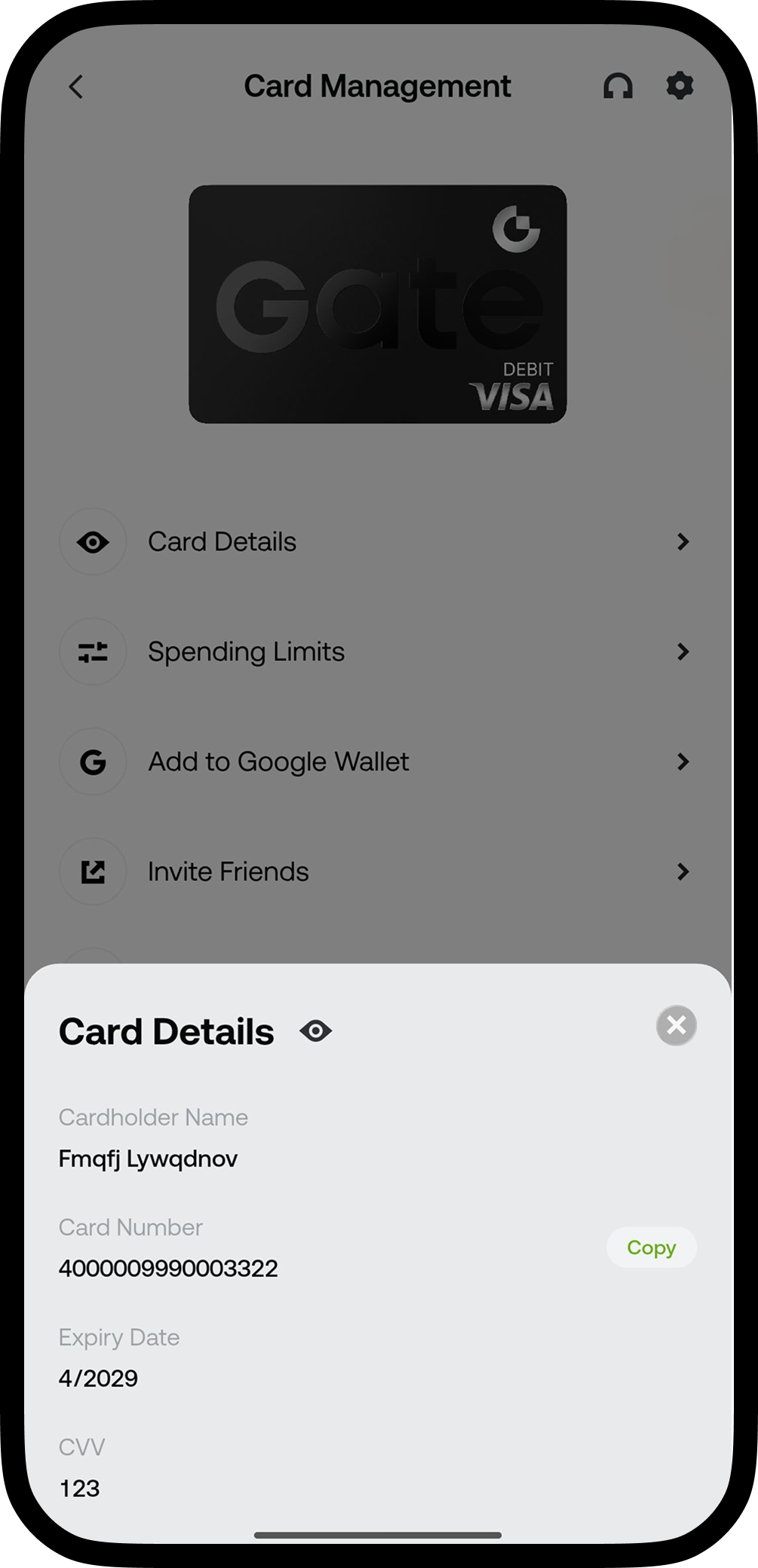
Tap [View Details] - verify with your security settings - to view your card information
Tap [Freeze Card] - once confirmed, your card will be frozen immediately. A frozen card cannot be used