Gate Dual-Invest supports the Auto-Reinvest feature on the Gate APP. Now you can enable it with one click to DCI, automatically reinvesting your principal and earnings into new Dual-Invest orders.
Feature Guide:
Find the entrance to Dual-Invest on the Earn page of the APP. Then, select a plan you want to subscribe to and follow the steps below to use the Auto-Reinvest feature:
Step 1: Enable the "Auto-Reinvest" feature.
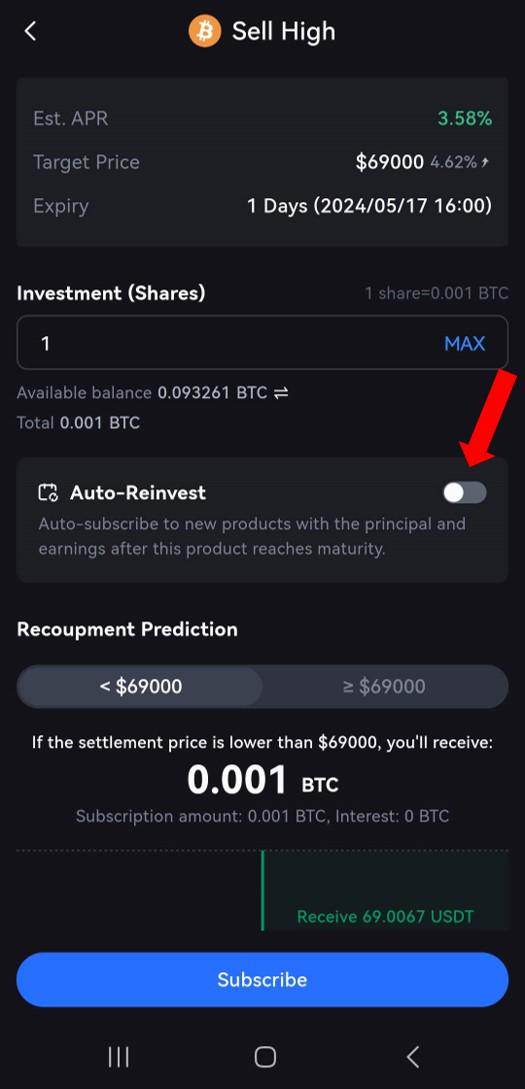
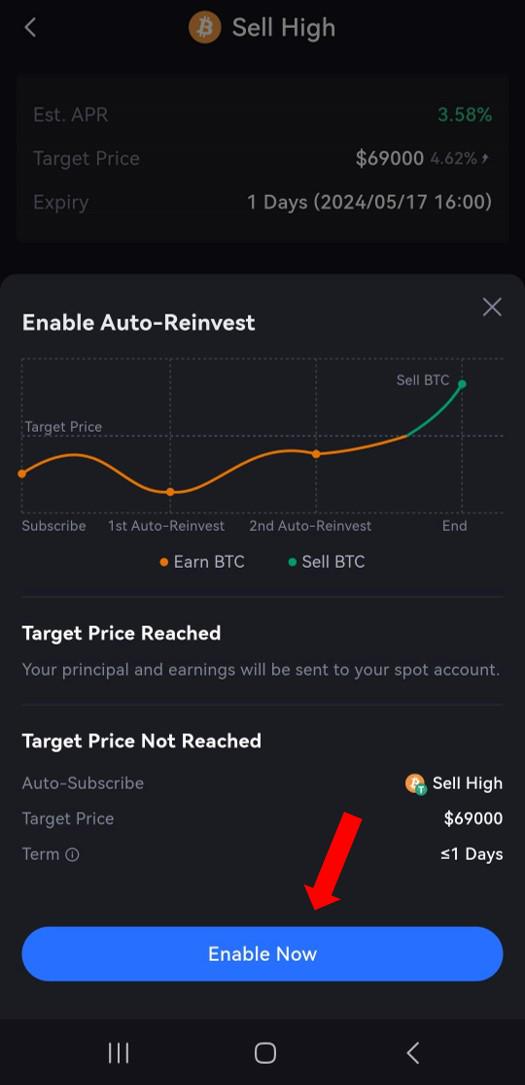
Step 2: Before it reaches the target price, this feature will select the order with the shortest investment terms to reinvest your principal and interest based on the target price and duration of the previous order. Then, confirm and click on "Enable Now".
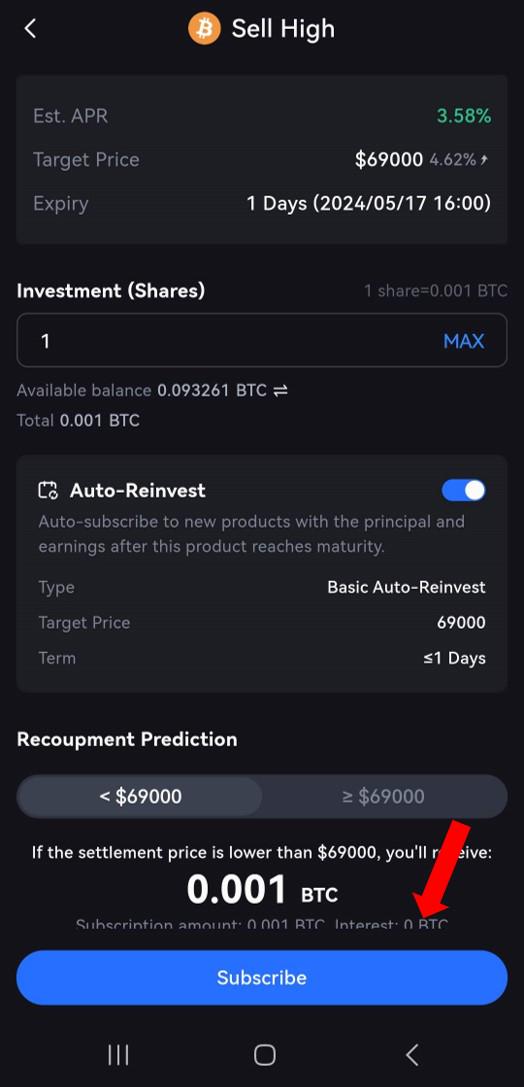
Step 3: Click on "Subscribe". After the product expires, it will automatically repurchase the product with the principal and earnings according to the settings in Step 2.
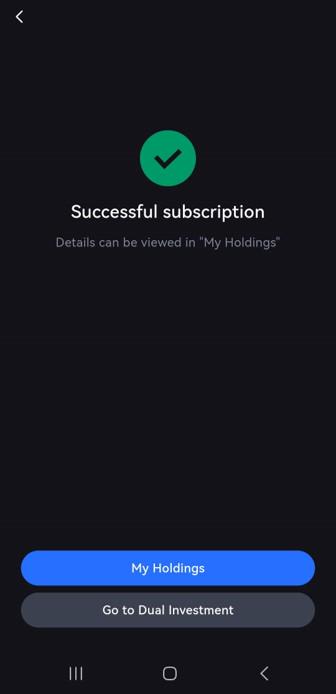
Step 4: Complete the purchase
[Learn More]
[Gate Learn] Guide to Gate Dual Currency Products
[Gate Learn] How to Choose Derivatives that Suit You
[Blog post] Double Currency Product - A Magic & Stable Tool for Cashing Out in A Shaky Market
Gateway to Crypto
Trade over 1,700 cryptocurrencies safely, quickly, and easily on Gate
Download Gate App / Web Client now>>>
Follow us on Gate X (Twitter) to get more bonuses>>>
Join our Telegram to discuss hot topics>>>
Join our Global Community to get more updates>>>
We provide 100% proof of reserve>>>
Sign up to enjoy max. $6666 in rewards exclusively for new users
Get 40% commission from referrals
Gate Team
May 17th, 2024


