
How to Link Your Email Address
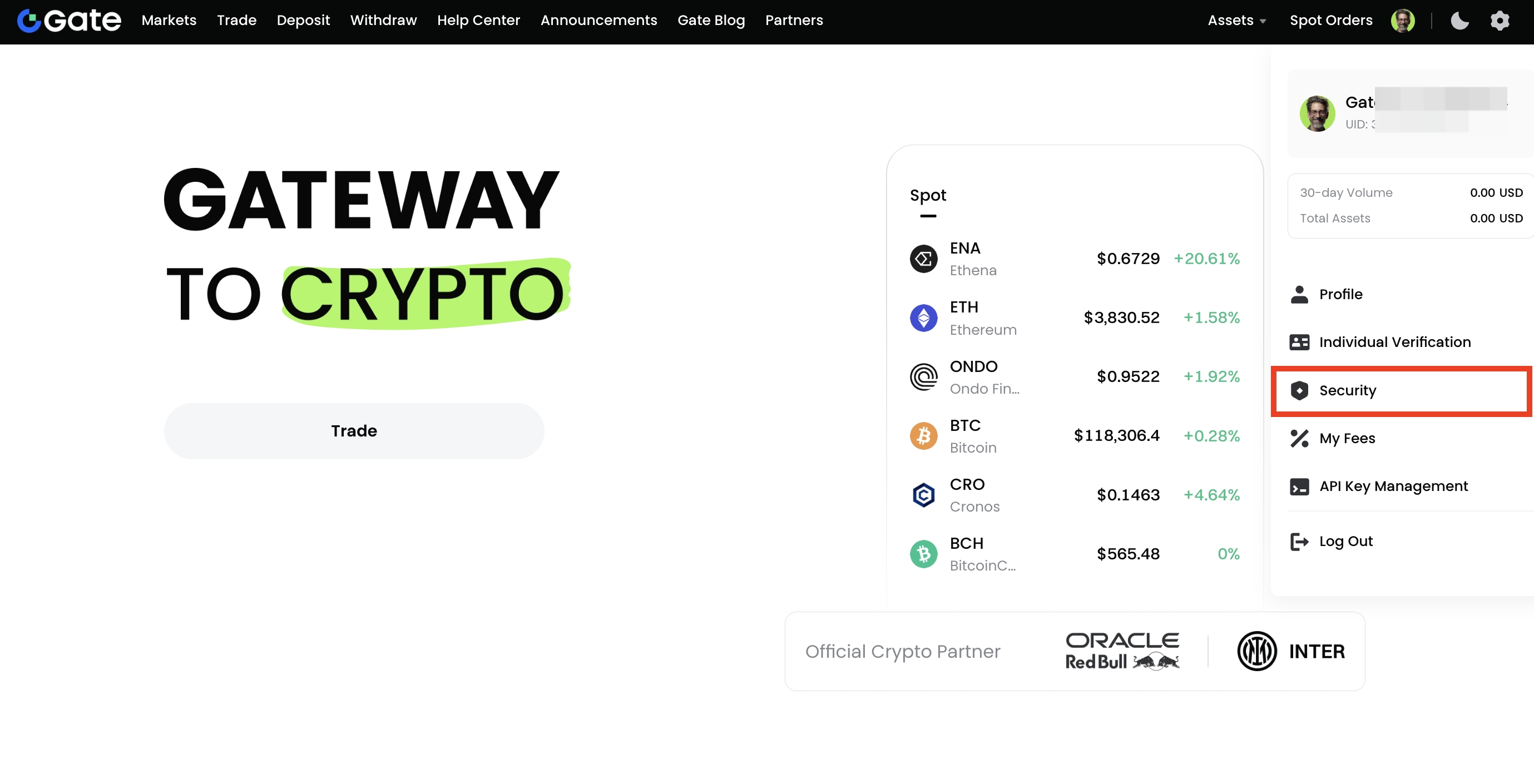
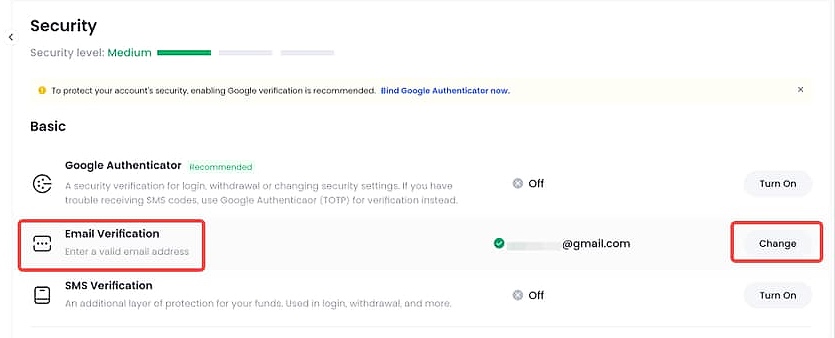
Step 1: Log in to your Gate US account. Click your profile icon in the upper right corner, go to the Security page, and under the Basic section, click Enable next to Email Verification.
Step 2: On the linking page, enter your email address and click Send Verification Code to receive the email code. Then, enter the SMS/Google Authenticator code. Once verified, click Confirm to complete the linking process.
How to Unlink Your Email Address
There are two scenarios for unlinking your email:
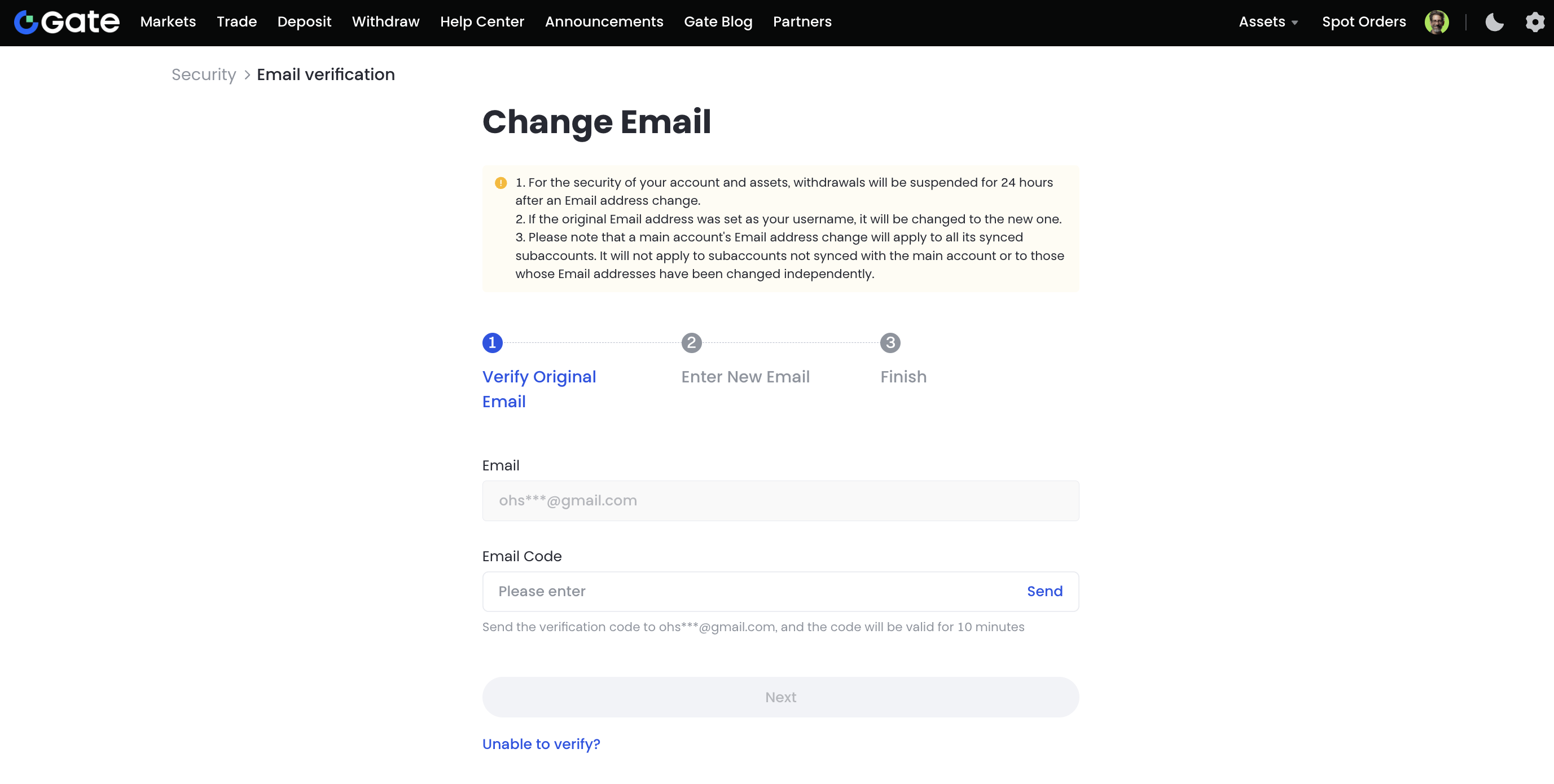
Scenario 1: You can still receive verification codes
You can change your email address via the web Security page.
Scenario 2: You cannot receive verification codes (e.g., email is inaccessible)
If you can no longer access your current email and cannot receive verification codes, you can apply to unlink it using any of the following methods:
-
Use the Security Reset Form and submit the required information. We will respond within 1–3 business days.
-
Send an email to support@gate.us explaining your situation.
Please include the following information in your email:
- Your Gate US account username and UID
- Registered phone number
- Full name
- City where your account was registered
- Cryptocurrencies you have traded
- Your old email address
- Your new email address
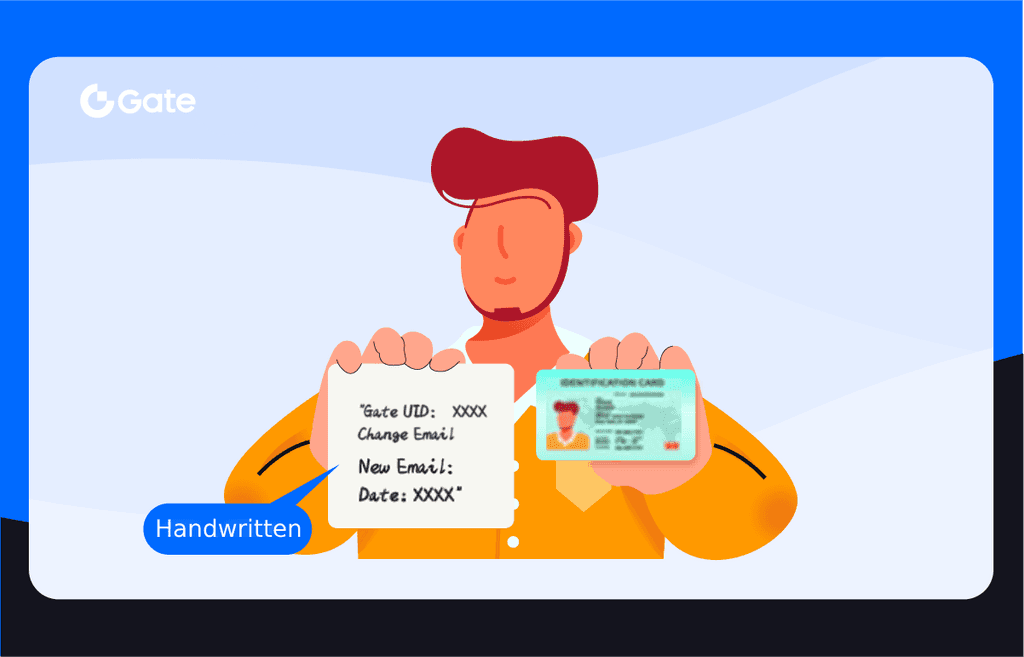
- A photo of yourself holding your ID and a handwritten note. The note must include:
- Your Gate US UID
- The statement: “Change Email Address”
- Your new email address
- The date you are submitting the request
Sample image:
Disclaimer: This content is for informational purposes only and does not constitute investment advice. It should not be considered a recommendation to buy, sell, or hold any asset. Cryptocurrency trading carries risk of loss. Gate US services may be restricted in certain jurisdictions. For more information, please refer to our legal disclosures: https://us.gate.com/legal/disclosures
