
1.What is a Spot Grid Bot?
Spot Grid bots are automated trading bots designed to sell high and buy low in swinging markets.
A bot will work for you once you have completed the parameters setup.
Once started, the bot will divide your investment into several parts, buying in stages when the prices are declining and selling in stages when prices are rising, continuously taking advantage of market fluctuations to achieve gains through buying low and selling high.
2.Explanation of Spot Grid
Advantages: The newbie-friendly Spot Grid bots don't have human emotions like fear or greed, avoiding panic selling that emotional decision-making causes in volatile markets. The bot operates around the clock, making sure no trading opportunity is missed.
1.In volatile and rising markets: users can achieve double profits from rising coin prices and volatility arbitrage.
2.In volatile and falling markets: users can reduce losses through volatility arbitrage.
Disadvantages:
However, Spot Grid trading is not always helpful, as it can only go long. A one-way downward trend can lead to being stuck in positions, lower capital utilization, and potential deviations from the set range.
Which Trading Pairs are Suitable for Spot Grid Trading?
If you are new to trading, it is recommended that you choose mainstream coins with good consensus and high liquidity, such as BTC_USDT and ETH_USDT. You can refer to the trading situation of the Top 100 digital assets on the CMC rankings on the Gate platform. If you have a deeper understanding of Spot Grid trading, you may try other highly volatile trading pairs to earn higher profits.
3.Spot Grid Parameters Explanation
Spot Grid Terminology:
Auto: In this mode, AI Smart Grid uses historical data from the past 7 days to backtest and automatically calculate the grid parameters that yield the highest returns: upper price limit, lower price limit, and number of grids. Users only need to choose the investment amount ratio (the selected investment amount must be greater than or equal to the minimum).
Fill AI Data : Automatically retrieves and fills in the data for the AI Smart Grid.
"Clear All" Shortcut : If users need to clear multiple data sets, they can use this shortcut to avoid deleting each one manually. After clicking, simply reset the parameters.
Lower Price Limit : The minimum buying price. The bot won't buy in if the market price falls below this price. Additionally, the lower price limit cannot execute selling.
Upper Price Limit : The maximum selling price. The bot won't sell out if the market price exceeds this price. Additionally, the upper price limit cannot execute buying.
Number of Grids: The number of grids to execute is limited to 2 to 1000.
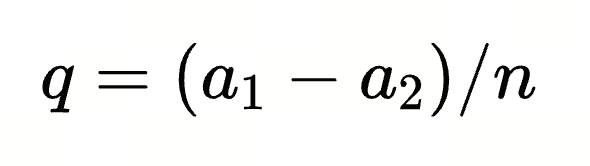
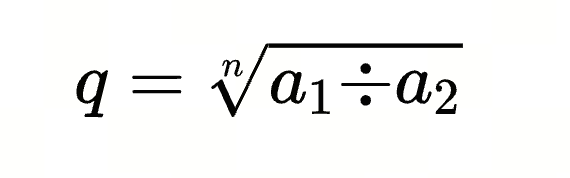
Grid Spacing : Assuming the grid spacing is q, the upper limit price is a1, the lower limit price is a2, and the number of grids is n, the arithmetic grid spacing q can be calculated using the following formula:



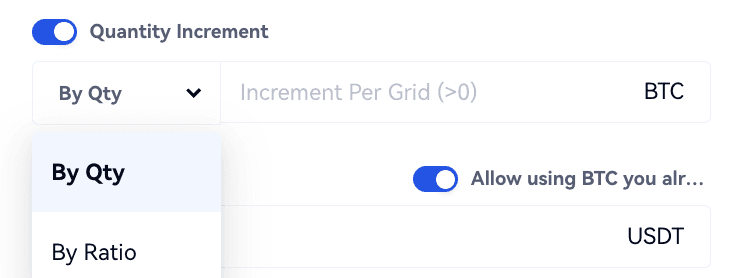
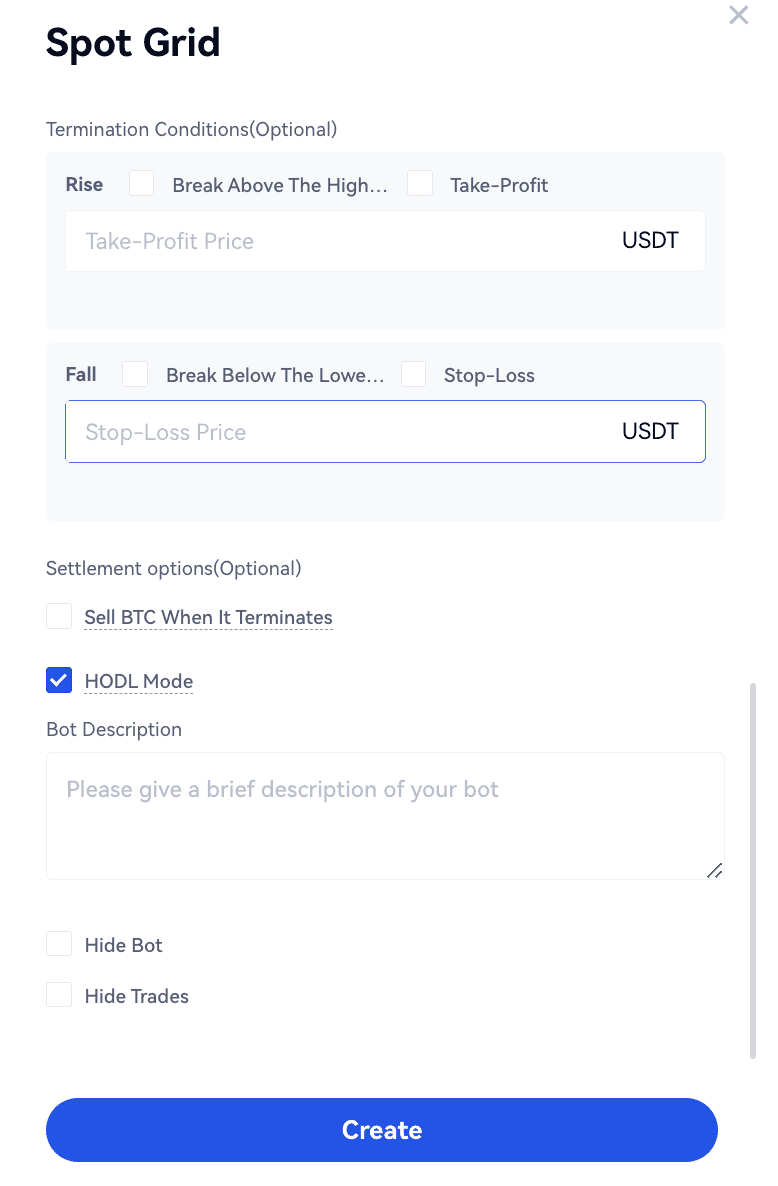
When the HODL Mode is enabled, users can see the trading history of profits exchanged to coins in the HODL reco
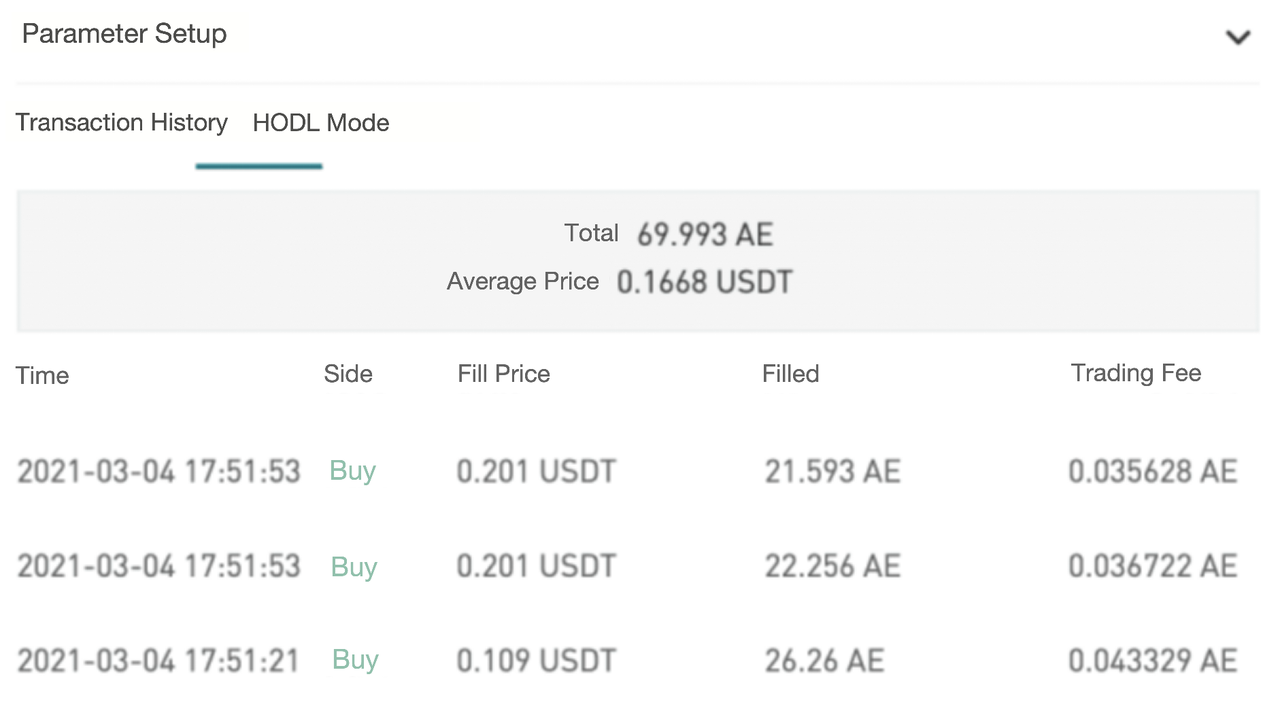
Note: when the profit from a grid arbitrage (buy and sell) is insufficient for the system's minimum order amount, the profit will be temporarily stored. They will only buy the currency at the market's latest price once the profit reaches the minimum order amount.
Warm Reminder: you can select "Sell the Currency When It Terminates" and "HODL Mode" simultaneously.
4.How to Create/Terminate Spot Grid
4.1How to Create Spot Grid
There are three methods:
1.Copy a backtesting bot: A newbie can choose a 7-day/30-day/180-day backtesting bot in the Recommended section. A backtesting bot has parameters set based on historical market conditions and intelligent algorithms;
2.Follow a bot provider: If a backtesting bot does not meet your needs, you can filter out top performers in the Recommended section and follow a provider to trade;
3.Customize your own bot: You can set parameters according to your judgment of market movement, and invest funds to start your own grid bot.
Creation Process:
Web:
Bots - Bot Pool - Create a Bot - Select Spot Grid - Create Bot - Choose Trading Pair - Auto/Customize - Create
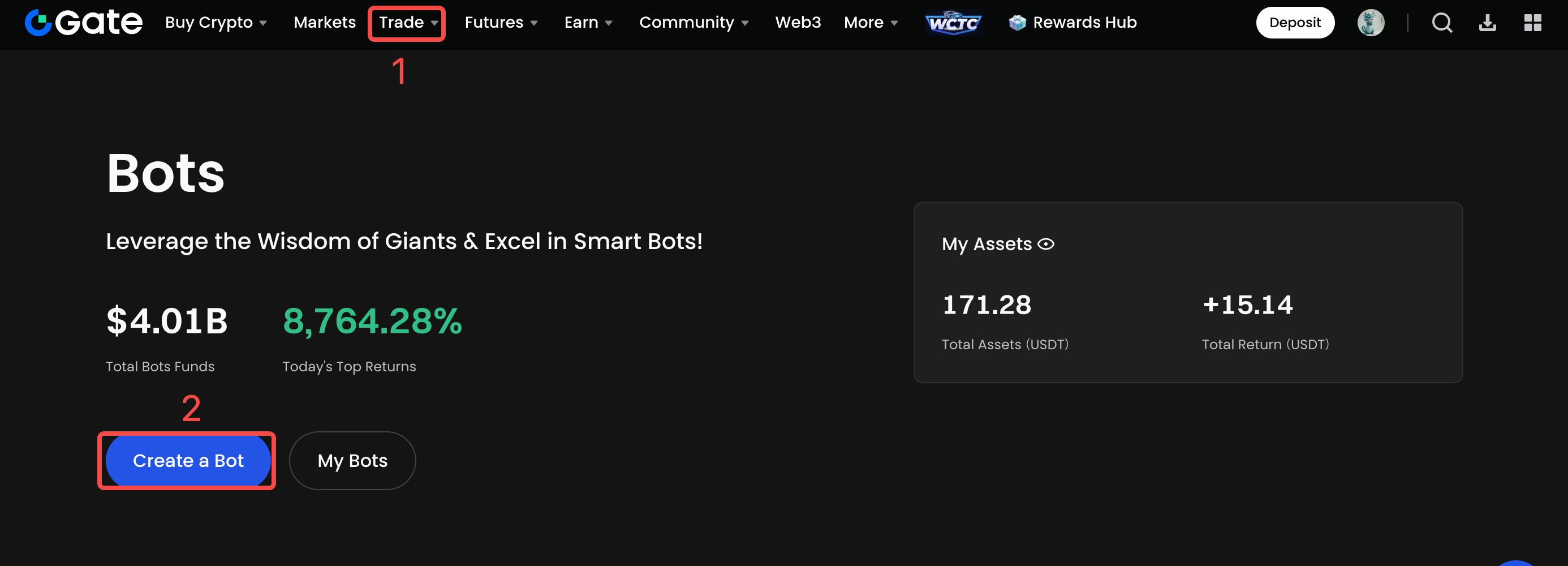
5.How to View/Withdraw Spot Grid Profit?
Web:
Enter "My Bots" - Active Bots - Spot Grid, and enter the Spot Grid orders to view/withdraw Spot Grid profits.
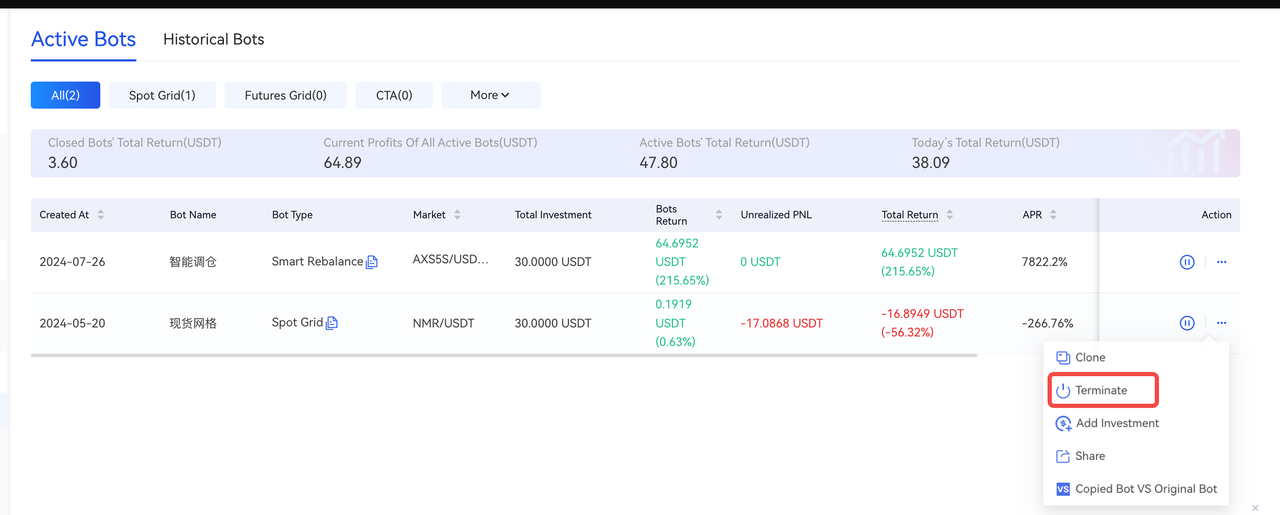
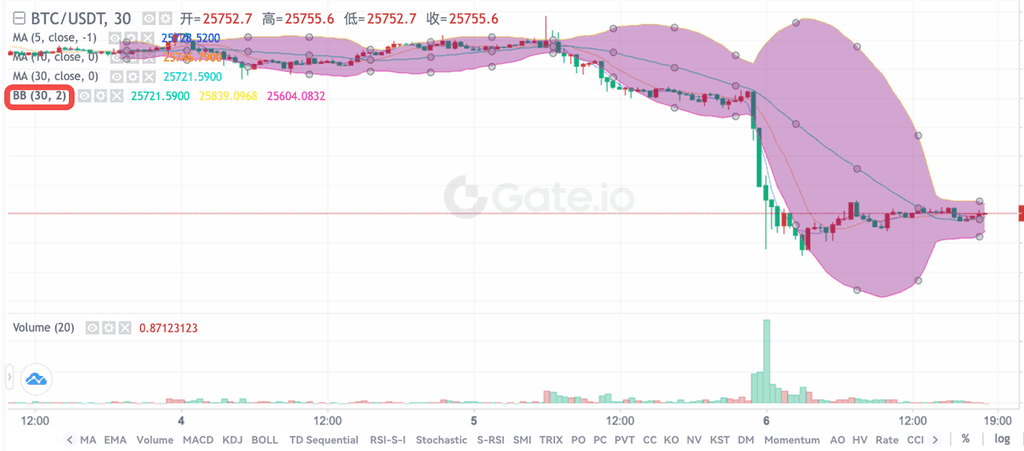
Image 1: 2 Standard Deviations
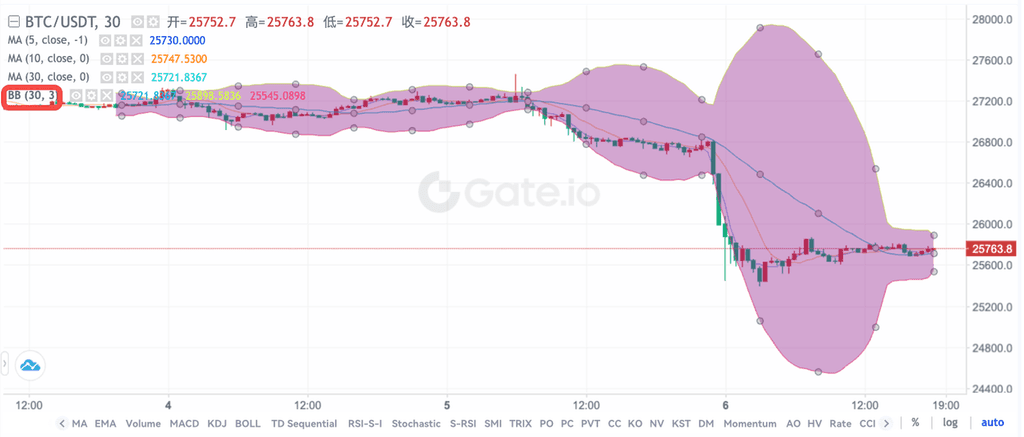
Image 2: 3 Standard Deviations
2.Using Average True Range (ATR)
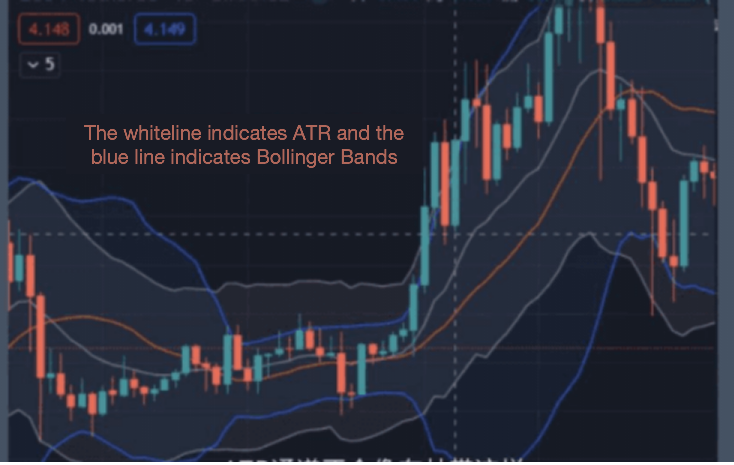
ATR is the moving average of price volatility over a specified period. A higher ATR indicates a higher potential for trend changes, while a lower ATR suggests weaker trend movement. It is primarily used to assess buying and selling opportunities.
Method: use the upper and lower limits of ATR within the corresponding period as the upper and lower limits of the grid range. For example, ATR(7) represents the average true volatility over the past 7 days, and these upper and lower limits can be used as the grid range boundaries. As shown in the diagram below:

6.2 Setting Grid Quantity Appropriately
Grid quantity refers to the number of price intervals between upper and lower price limits. Typically, grid quantities range between 2 and 200. The grid profit is calculated as grid price difference ×, the quantity of grids bought ×, the quantity of filled sell orders.
The number of grids affects the trading frequency. Setting too many grids can lead to overly frequent trading, while setting too few may result in fewer trading opportunities.
Specifically, more grids mean denser intervals and higher trading frequency, capturing minor price fluctuations more frequently. However, this can reduce profitability per grid due to smaller trading amounts, lower capital utilization, and increased fees from frequent trades.
Conversely, fewer grids mean sparser intervals and lower trading frequency, missing out on minor price movements. However, it can increase profitability per grid, improve capital utilization, and reduce trading fees from fewer trades.
The differences caused by grid quantity are illustrated in the example below under similar conditions. Suppose a user opens a grid order for BTC/USDT with an upper limit price set at 7000 USDT, a lower limit price set at 1000 USDT, and initial positions at 6800 USDT.


7.Spot Grid Has Added Trailing Grid Functions
Gate Bots has added an important new feature: Spot Grid now has included a new function in advanced settings, that is Trailing Grid, which allows the bot to automatically move the price range up or down to adapt to market changes.
Explanation of Trailing Grid
After running the grid, if the price breaks through the grid range, the bot will activate the grid's "Trailing Function". This means that as the average price increases, both the upper and lower limits of the grid range will automatically move upwards, effectively avoiding missed opportunities in a rising market or being trapped in a downtrend.
Features of the Trailing Grid
First, the movement of the grid range's highest and lowest prices is consistent. For example, if the highest price of the grid moves up by 10%, the lowest price will also move up by 10%.
Second, after the grid moves, the number of grids remains unchanged.
Third, since the number of grids does not change when the grid moves, the profit rate per grid remains the same, which can be calculated according to the current formula.
Trigger Conditions for the Trailing Grid
When the bots open a position (or adjusts the price range), it will automatically adjust the price range upwards or downwards whenever the latest price is outside the grid range and the percentage change of the 720-minute moving average reaches the set ratio. An upward change in the 720-minute moving average will trigger an upward adjustment of the grid, while a downward change will trigger a downward adjustment.
How to Activate the Traling Grid?
Bots Homepage - Spot Grid - Click on "Bots" - Grid Bots - Spot Grid - Customize - Advanced Settings - Fill in the parameters for the Trailing Grid
Gate reserves the final interpretation of this product.
