
To help you better understand and calculate spot trading fees, this article provides a detailed overview of Gate’s trading fee structure, calculation methods.
Overview of the trading fee structure
There are two types of trading fee:
- Maker Fee: Trading fee charged for transactions as makers that refer to orders initiated to create an order book, pending matching fills.
- Taker : Trading fee charged for transactions as takers that refer to orders that have a matching order price in the order book and can be immediately filled.
Trading fee calculation
Calculate the trading amount
- Buy : Trading amount = purchase price × purchase amount
- Sell : Trading amount = selling price × selling amount
Confirm the trading fee rates
The platform applies different trading fee rates based on your VIP level. You can refer to the Maker/Taker fee rates shown on the trading page (as displayed below) to calculate the exact fee for your order.
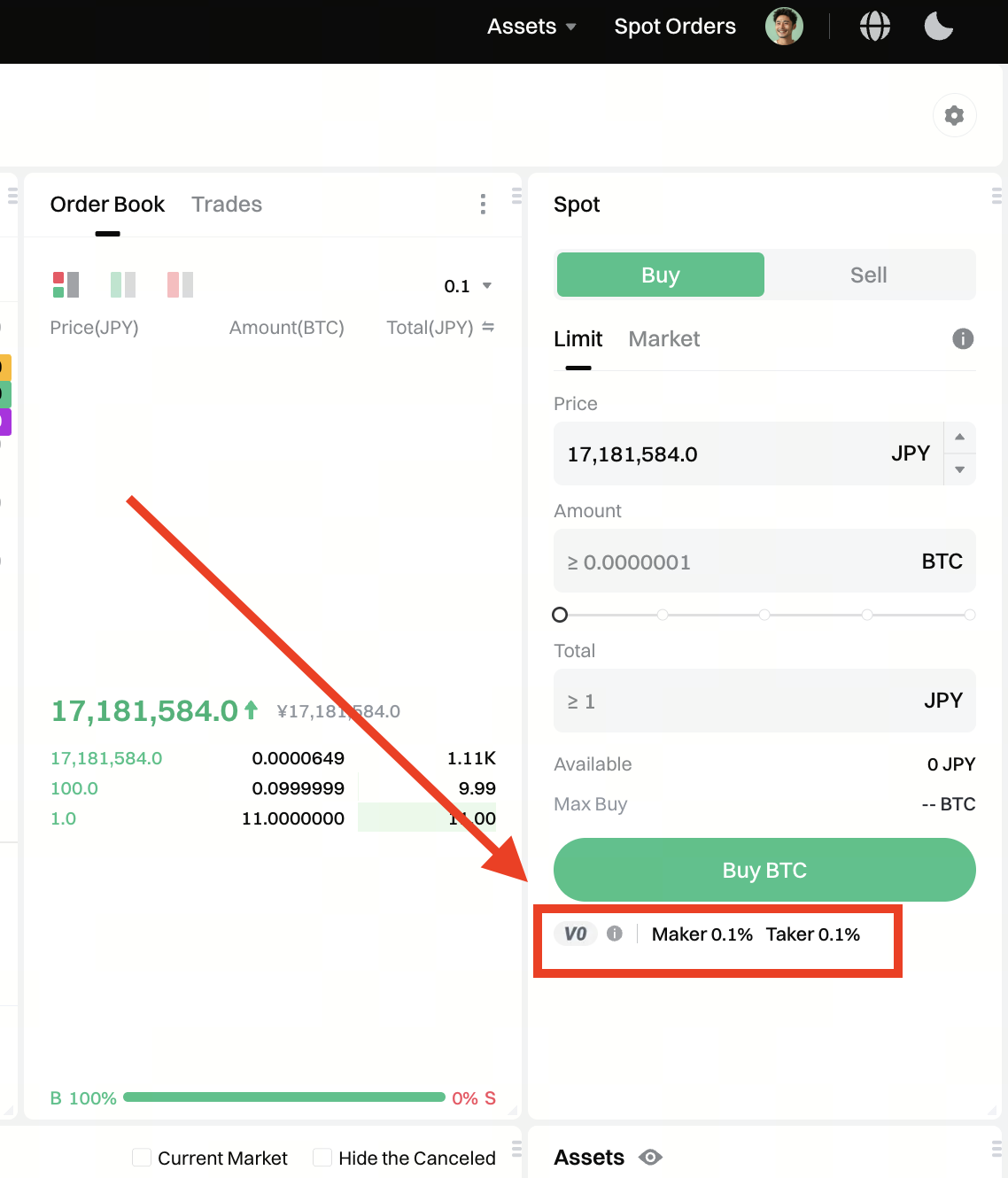
Calculate the trading fee
Trading fee = trading amount × fee rate
How to view the trading fee details on the Web
View on Gate website
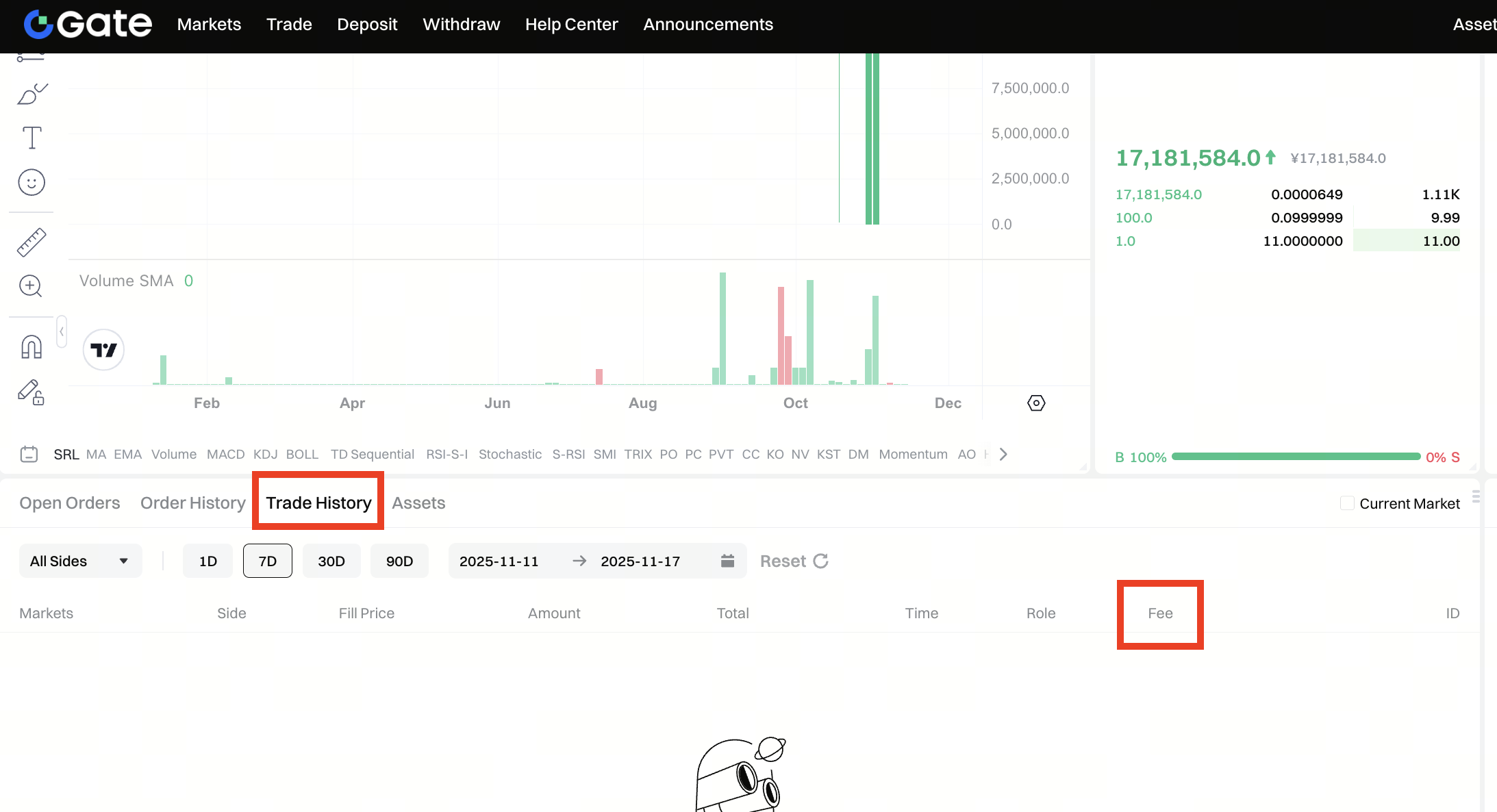
- Log in to your account: Visit Gate official website, and log in to your account.
- Trade History: Click Trades - Trade History to view the trading fee of historical transactions.
How to Reduce Trading Fees
-
Upgrade your VIP level: Increase your trading volume or upgrade by increasing your asset value to reach a higher VIP level and enjoy lower trading fees.
-
Participate in official promotions: Follow Gate’s official announcements to join fee discount campaigns and enjoy temporary or event-based fee reductions.
Note:
- Real-time update: The fee rates may be adjusted based on the market. For the latest details, please refer to the official Gate website.
- Automatic payment: Trading fee will be paid automatically when the transactions are completed, no additional action is required.
- Order status: Fees are only charged for the filled portion of the order, while no fees are applied to the unfilled part.
