How to Bind Your Email
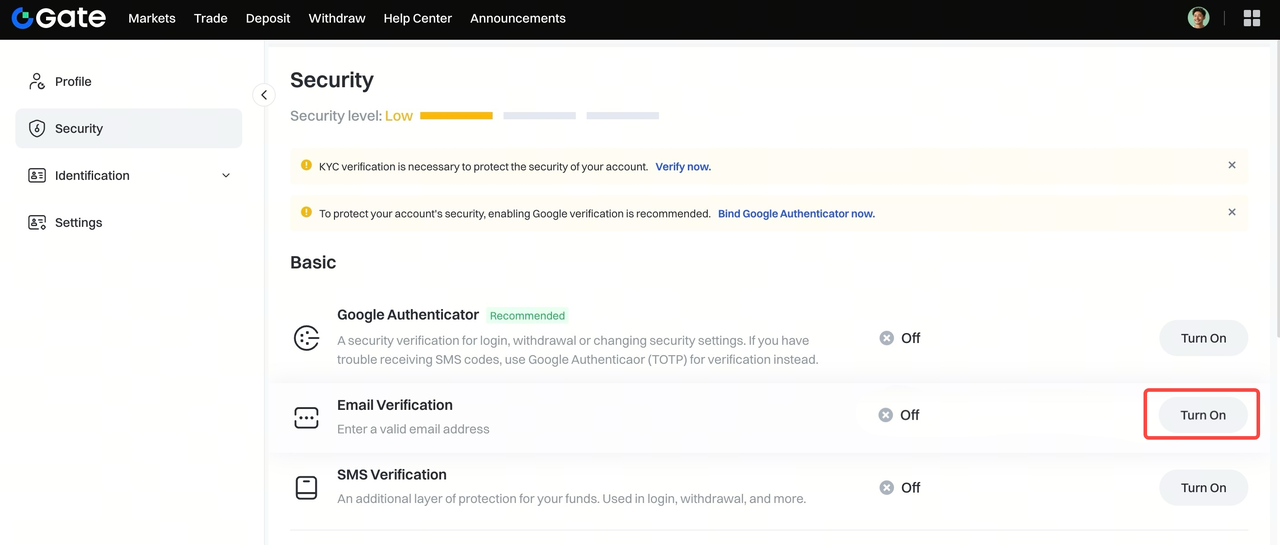
Step 1: Log in to your Gate account. Click your avatar in the top right corner, go to Security. Under Basic , click Turn On next to Email Verification .

Step 2: On the binding page, enter your email address and click Send Code to receive the email verification code. Then enter the SMS/Google Authenticator code . Once verified, click Confirm to complete the binding.
How to Unbind Your Email
There are two scenarios for unbinding:
Scenario 1: You Can Still Receive Verification Codes
You can change your email via the Security page on the Web.
Scenario 2: You Can’t Receive Verification Codes (e.g., Email Inaccessible)
If your current email is no longer accessible and you are unable to receive verification codes, you can request to unbind via one of the methods below:
- Use the security reset form and submit the required information. You’ll receive a response within 1–3 business days.
- Send an email to support@gateio.jp explaining your situation. Please include the following details in your email:
- Your Gate account username and UID
- Registered phone number
- Full name
- City where the account was registered
- Traded currencies
- Your old email address
- Your new email address
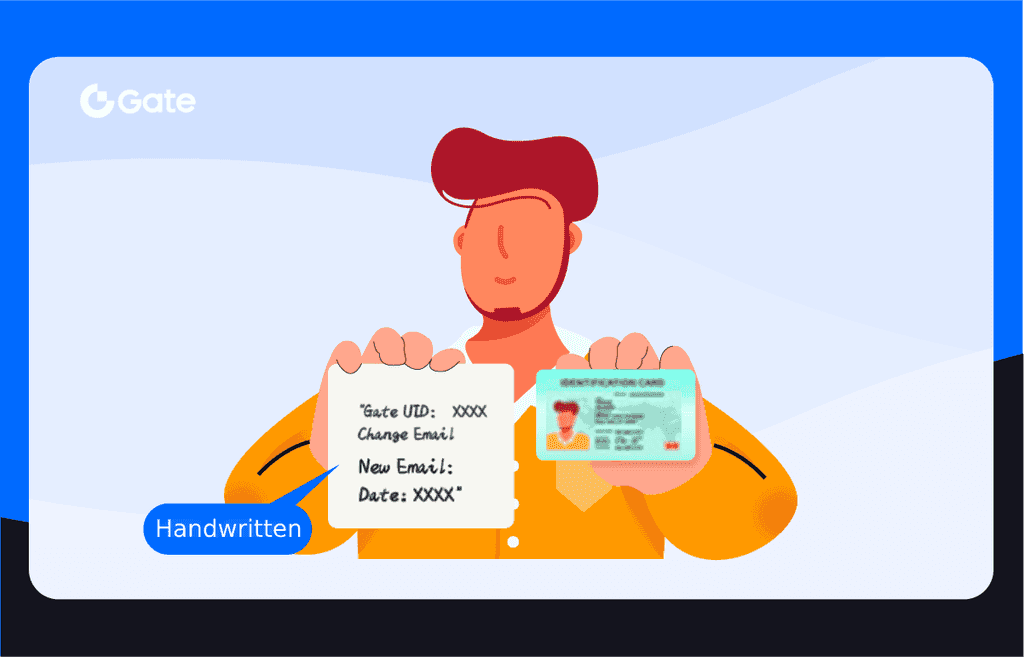
- A photo of yourself holding your ID along with a handwritten note that includes:
- Your Gate UID
- The statement: “Change Email”
- Your new email address
- The date of the request
Example image: