1. Withdrawal Process
Transferring blockchain assets involves three steps: Initiation → Blockchain Confirmation → Completed.
1.1 Initiation
If your withdrawal status on the platform shows Processing, it means the platform has processed your withdrawal and the funds have been sent to the blockchain.
1.2 Blockchain Confirmation
If the status shows Sent, waiting for blockchain confirmation, please be patient. The transaction will be completed once it’s confirmed on the blockchain. You can also copy the transaction ID (TXID, also known as the hash) and check the confirmation status in the relevant blockchain explorer.
1.3 Completed
If the blockchain shows the transaction as Successful, but the funds haven’t arrived in your receiving account, please contact the customer support team of the receiving platform for further assistance.
2. How to Check Your Withdrawal Status on a Blockchain Explorer
Refer to this guide. The process for checking deposits and withdrawals is the same.
3. Withdrawal Not Received
3.1 Failed Transaction Due to Incorrect Address
If your withdrawal fails due to an invalid address, the funds will automatically be returned to your account, and the withdrawal record will display as Canceled. Please check your transaction history.
3.2 Withdrawal Marked as "Successful" But Not Received
If your withdrawal status shows Successful, but you haven’t received the funds, contact the support team of the receiving platform.
Note: Since blockchain transactions are irreversible, once a withdrawal is successfully processed, we cannot retrieve the funds. You must coordinate with the receiving platform for resolution.

4. Common Reasons for Withdrawal Failure
Withdrawals may fail due to:
- Incorrect address;
- Incorrect address length;
- Missing Tag or Memo (for specific tokens like XRP, EOS);
- Network delays.
How to check?
Go to the withdrawal details page to see the specific reason. Check if:
- The address is copied correctly without extra spaces or special characters;
- The selected token and network match the withdrawal address. If none of the above apply, withdrawals are usually retried or refunded within 24 hours. If not processed within this time, please contact us at support@gateio.jp for assistance.
5. KYC Verification Requirement
To comply with regulations and enhance security, all users must complete KYC verification before withdrawing funds.
6. Account Protection Measures
After completing KYC verification for the first time, changing your Google Authenticator, or updating your phone number, withdrawals will be temporarily restricted for 24 hours for security reasons. If your account is still restricted after 24 hours, please contact us at support@gateio.jp for assistance.
7. Forgot to Add a Tag or Memo
Certain tokens like XRP and EOS require a Tag or Memo along with the address. If you forget to include it, the transaction may be processed but not credited. You’ll need to contact the receiving platform for verification and manual crediting.
8. Withdrawing Tokens Not Supported by the Receiving Exchange
Our system only verifies if the address format is correct but cannot check whether the receiving platform supports the token. If the receiving platform does not support the token, contact them for a solution.
- If they can return the funds to the original sender, provide them with your deposit address on our platform and ask them to send the funds back.
- If they can not send refunds to the original address, ask them for the transaction hash (TXID). Then, submit a support ticket with the TXID, your communication with the receiving platform, and your correct deposit address on our platform. Our team will assist in recovering the funds.
- If there are other procedures that require our assistance, please contact us via email at support@gateio.jp .
9. Withdrawal Marked as "Successful" or "Confirmed on Blockchain"
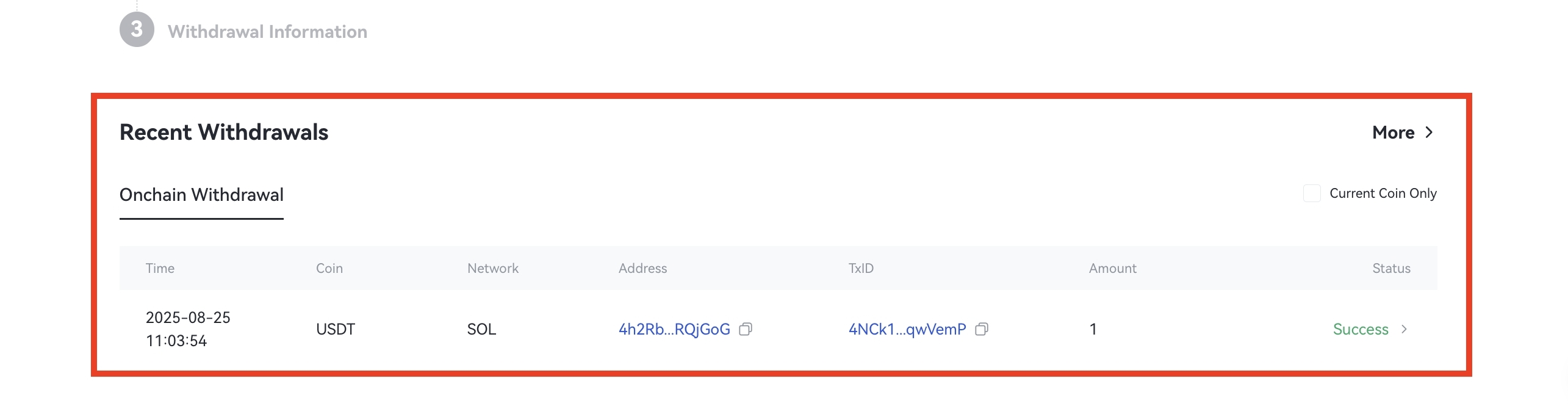
Once a withdrawal is processed, you can check the status under Recent Withdrawals in your account. If it shows Successful, the funds have been sent. Check your receiving wallet or exchange for confirmation.