Applicable Scope
This guide applies to Gate Web
Before you start: Ensure you have a Gate account and are logged in
Estimated time: 3 m
Objective
This guide will walk you through how to query and view your order records on Gate Web.
Steps
Step 1: Access the Orders Page
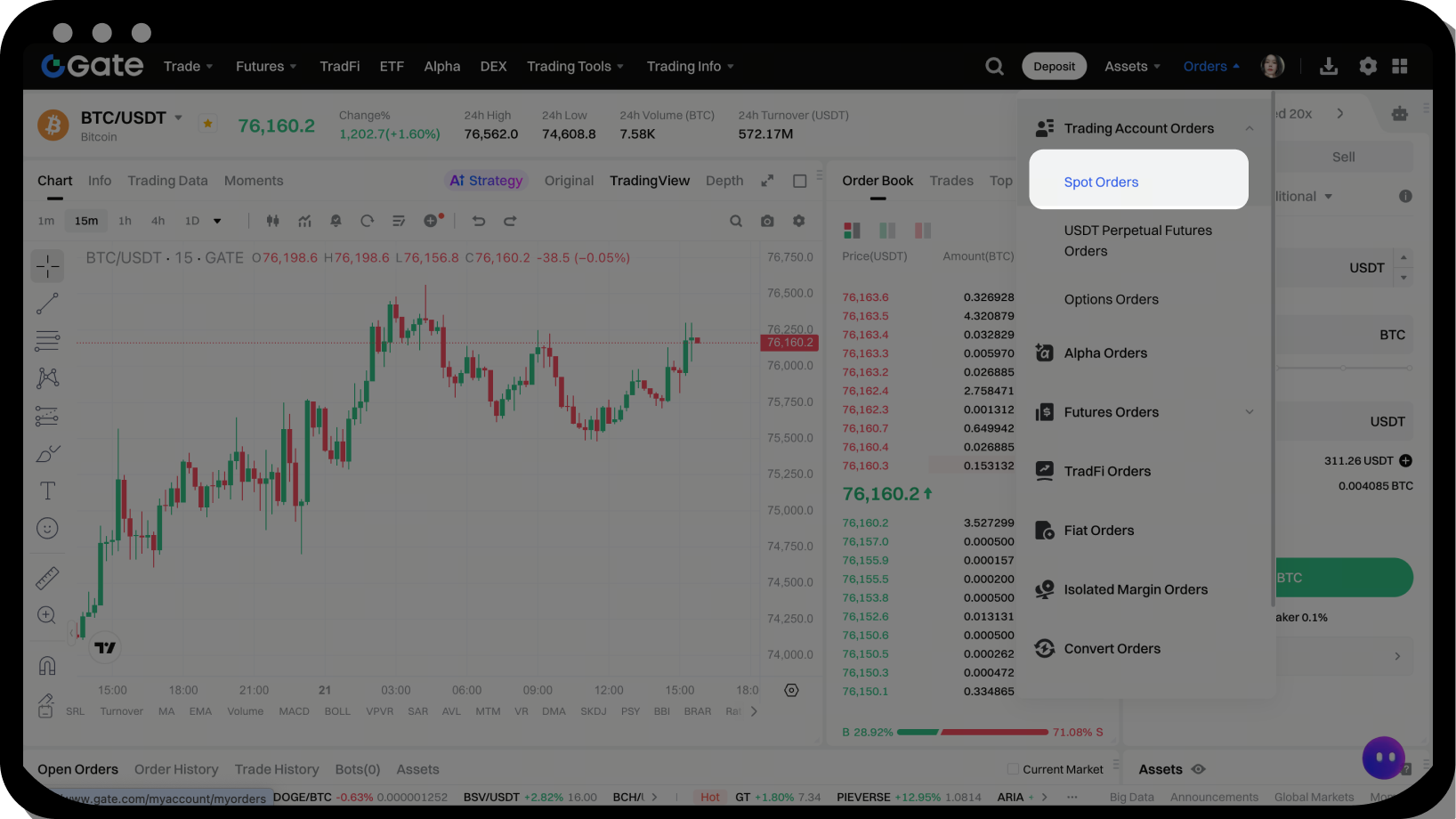
Log in to your Gate account and click [Orders] in the navigation bar, then select [Spot Orders].
Step 2: Select Order Type and Apply Filters
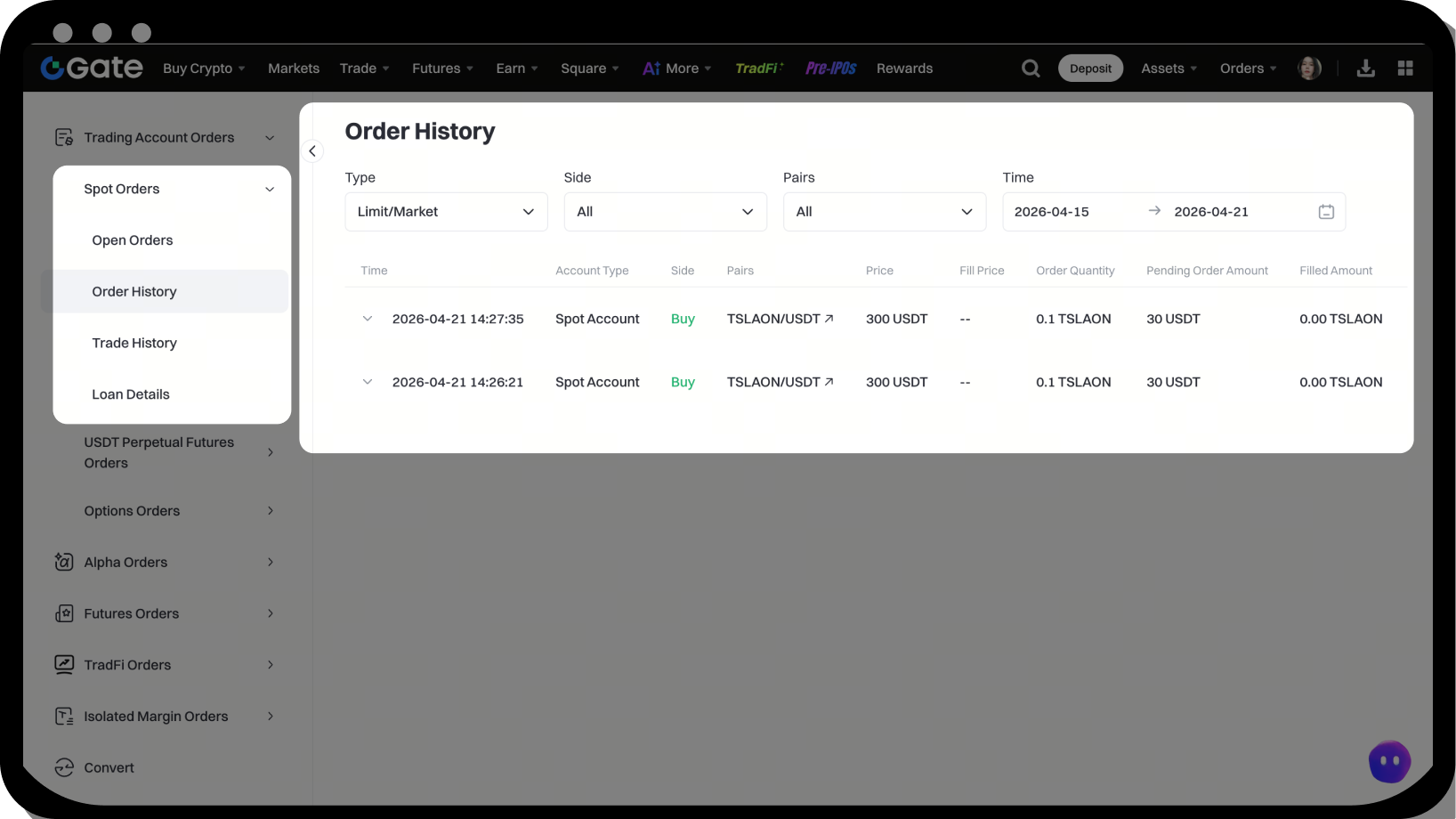
On the left side of the page, select from [Current Orders], [Order History], or [Transaction History]. Choose your search criteria including [Transaction Type] and [Time Range], then click [Search] to view results.
FAQ
Q1: How long do my open orders stay active?
A: Open orders have no time limit and remain active until they are either executed when the price matches your specified price or until you manually cancel them.
Q2: Are there any fees for canceling an order?
A: No, there are no cancellation fees. When you cancel an order, the funds are immediately returned to your account and can be verified in your account balance or transaction history.
Q3: Why did my order execute at a price different from what I set?
A: If your buy order price is higher than the current market price, the system will execute it at the best available market price to give you a better deal. Similarly, if your sell order price is lower than the current market price, it will also execute at the best available market price.
