Applicable Instructions
This article applies to: Gate Web
Before you begin: Make sure you have registered a Gate account and can receive both SMS and email verification codes.
Estimated time: 3 minutes
Objective
This guide will walk you through how to bind or change your email address on Gate Web.
Email Binding
Step 1: Go to the Email Settings Page
- Log in to your Gate account.
- Click on your profile icon in the upper right corner of the page.
- From the dropdown menu, select Security.
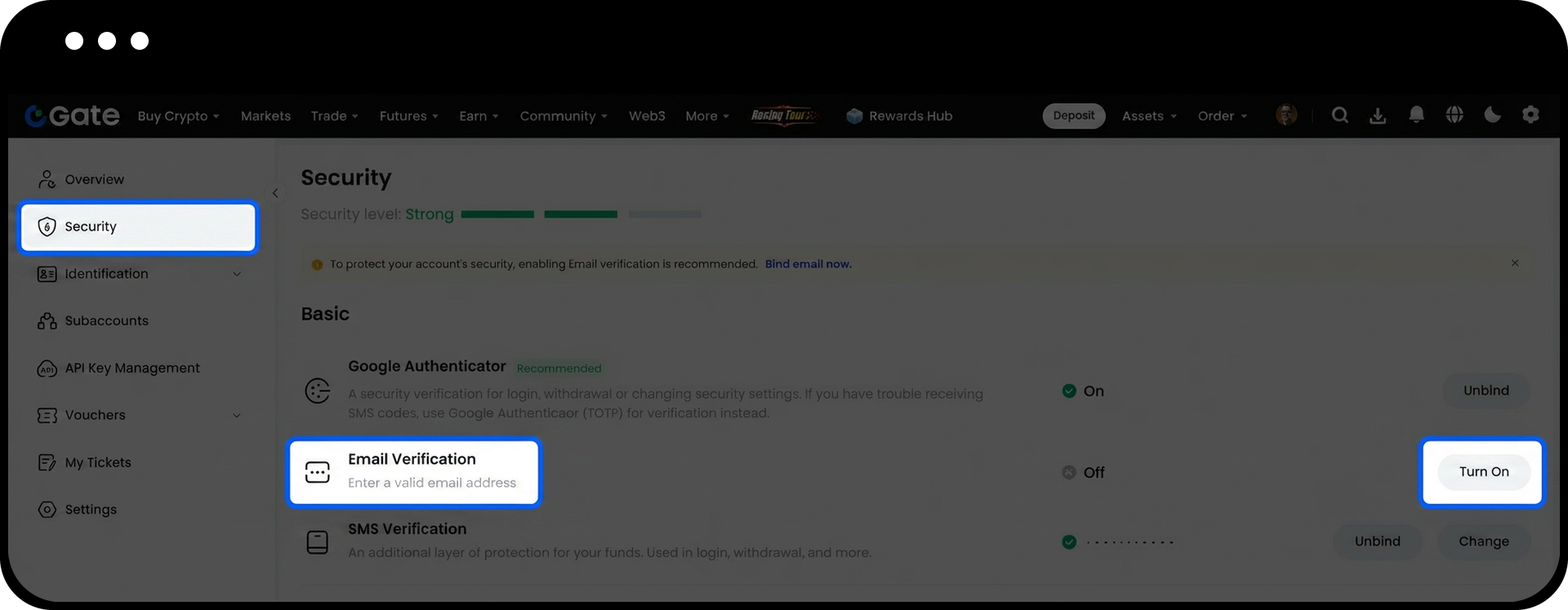
- Under Basic Security Items, find Email Verification and click Turn On.
Step 2: Complete Email Binding
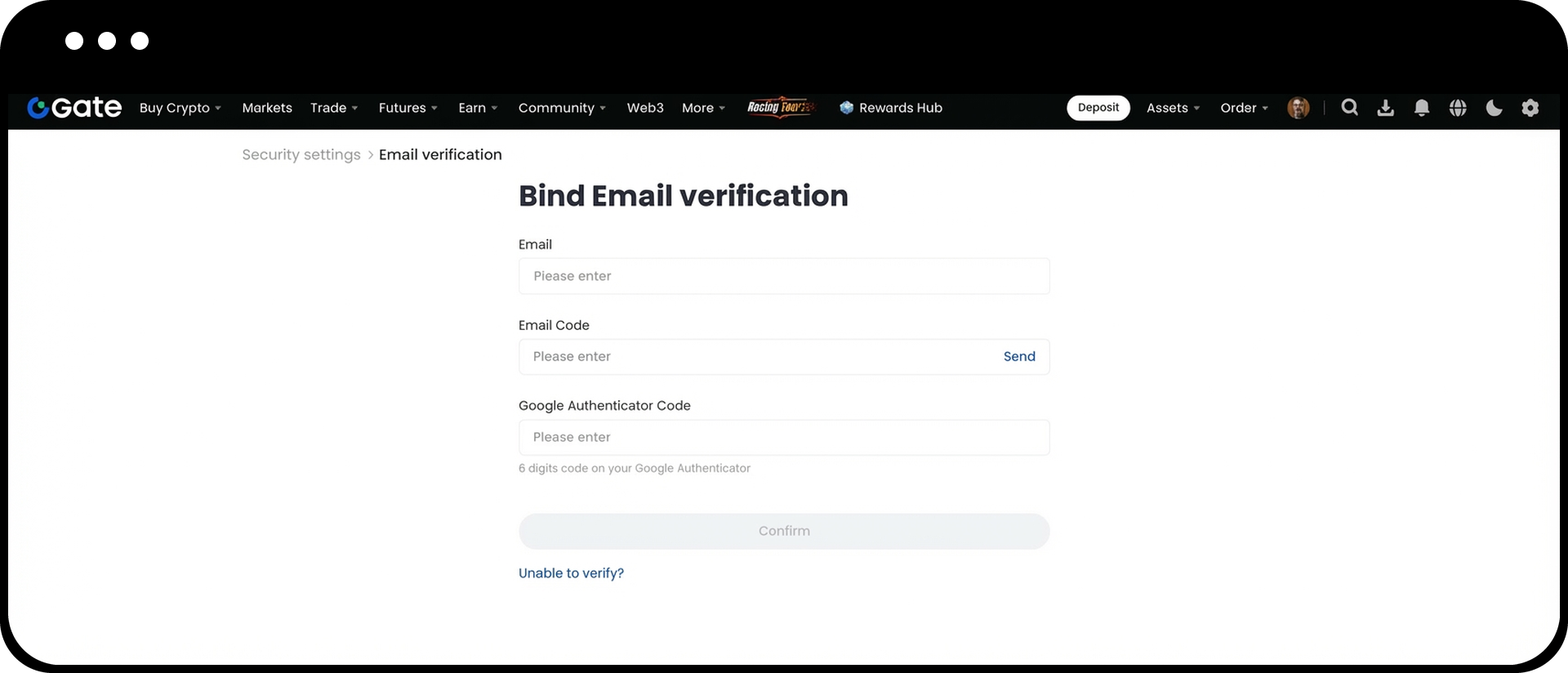
- On the binding page, enter the following information in order:
- The email address you want to bind
- The email verification code
- The SMS verification code
- After confirming all information is correct, click Confirm.
Change Email (Original Email Still Accessible)
- Log in to Gate Web.
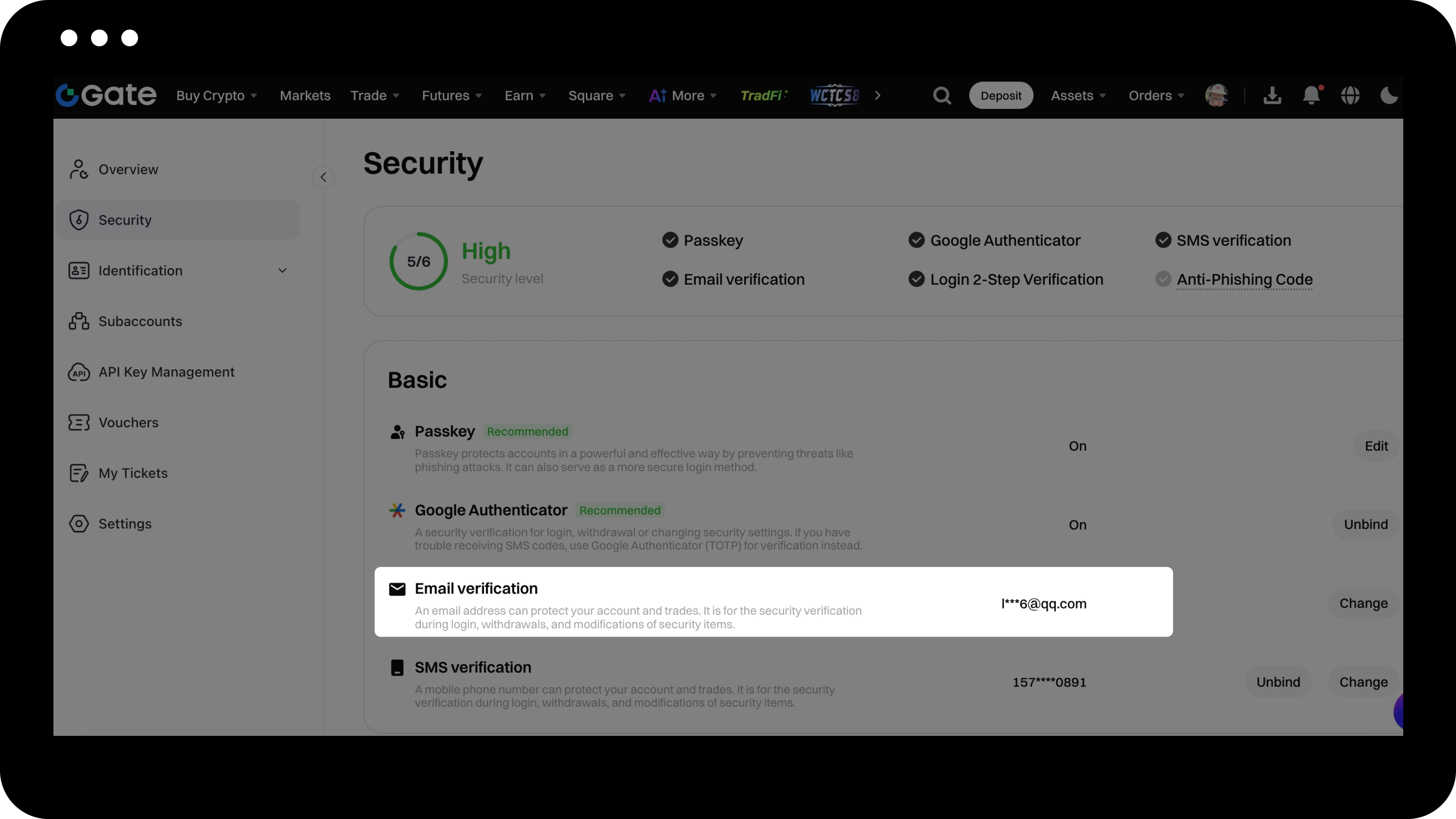
- Click your profile icon in the upper right corner > Security > Email Verification > Change.
- Follow the on-screen instructions to complete the new email binding process.
Important Notes
- Once your email is bound, it will be used to receive account security notifications and important operation verification codes.
- When changing your email, make sure your new email can receive verification codes normally.
- When resetting your email, please ensure the information you provide is accurate and valid to facilitate a smooth review process.
- To keep your account secure, we recommend updating your binding information regularly and ensuring your email remains active.
Frequently Asked Questions
Q1: What should I do if I don't receive the email verification code?
A: Please check your spam or junk mail folder, or try using a different email address. If the issue persists, contact customer support for assistance.
Q2: Can one email be linked to multiple Gate accounts?
A: No. Each email can only be linked to one Gate account to ensure account security.
Q3: How long does it take to change my email?
A: If your original email is still accessible, the change can be completed instantly.
Q4: How long does it take to reset my email?
A: Security reset reviews are usually completed within 24 hours. The result will be sent to your new email address, so please check your inbox.
