Applicable Instructions
This article applies to: Gate Web platform
Preparation before operation: Make sure you are logged into your Gate account and able to receive either email verification codes or Google Authenticator codes
Estimated time required: 3–5 minutes
Objective
This guide will walk you through how to bind and unbind your phone number on the Gate Web platform.
1. Bind Your Phone Number
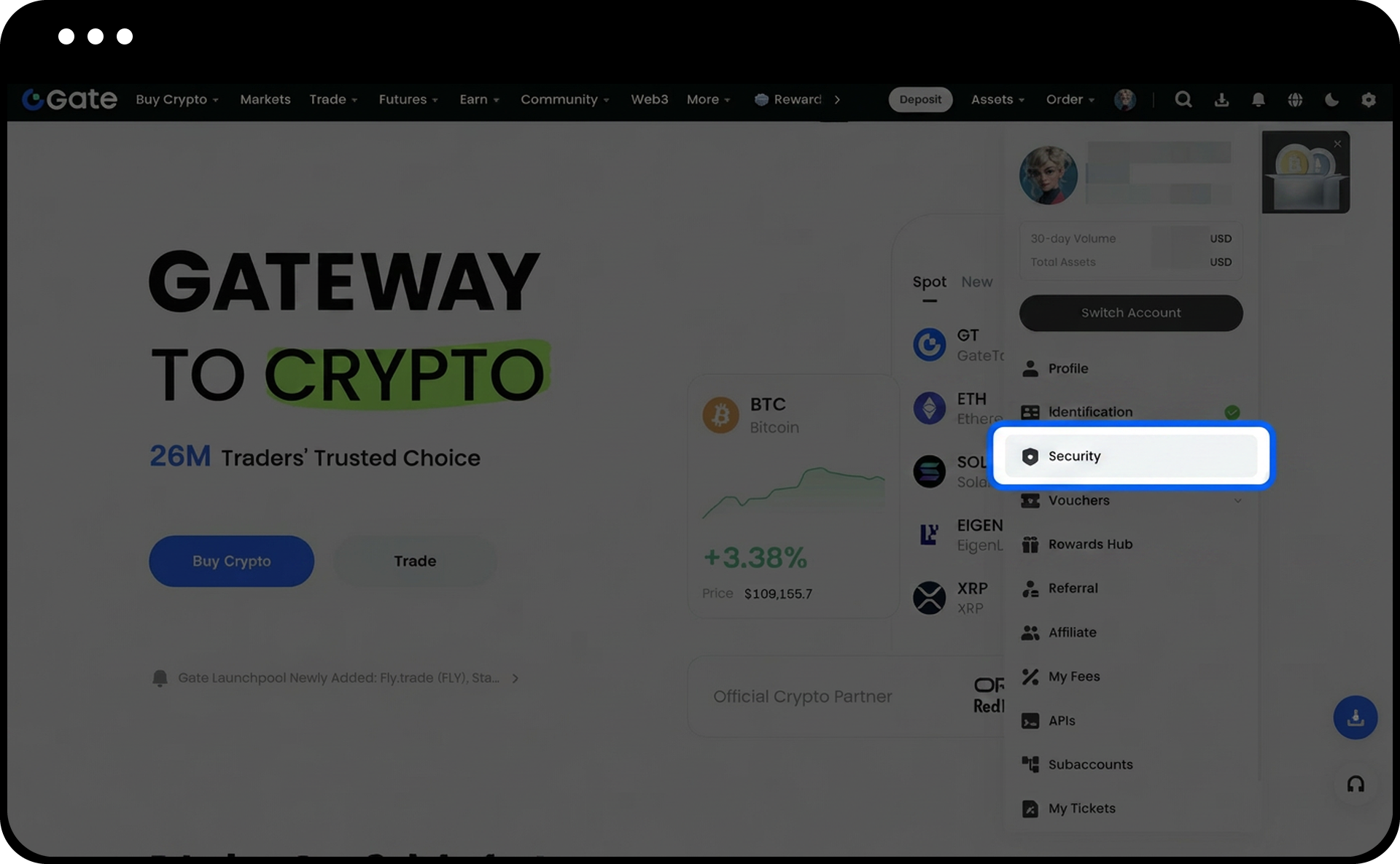
1.After logging into your Gate account, click the “avatar” icon in the upper right corner of the page, then select “Security” from the dropdown menu.
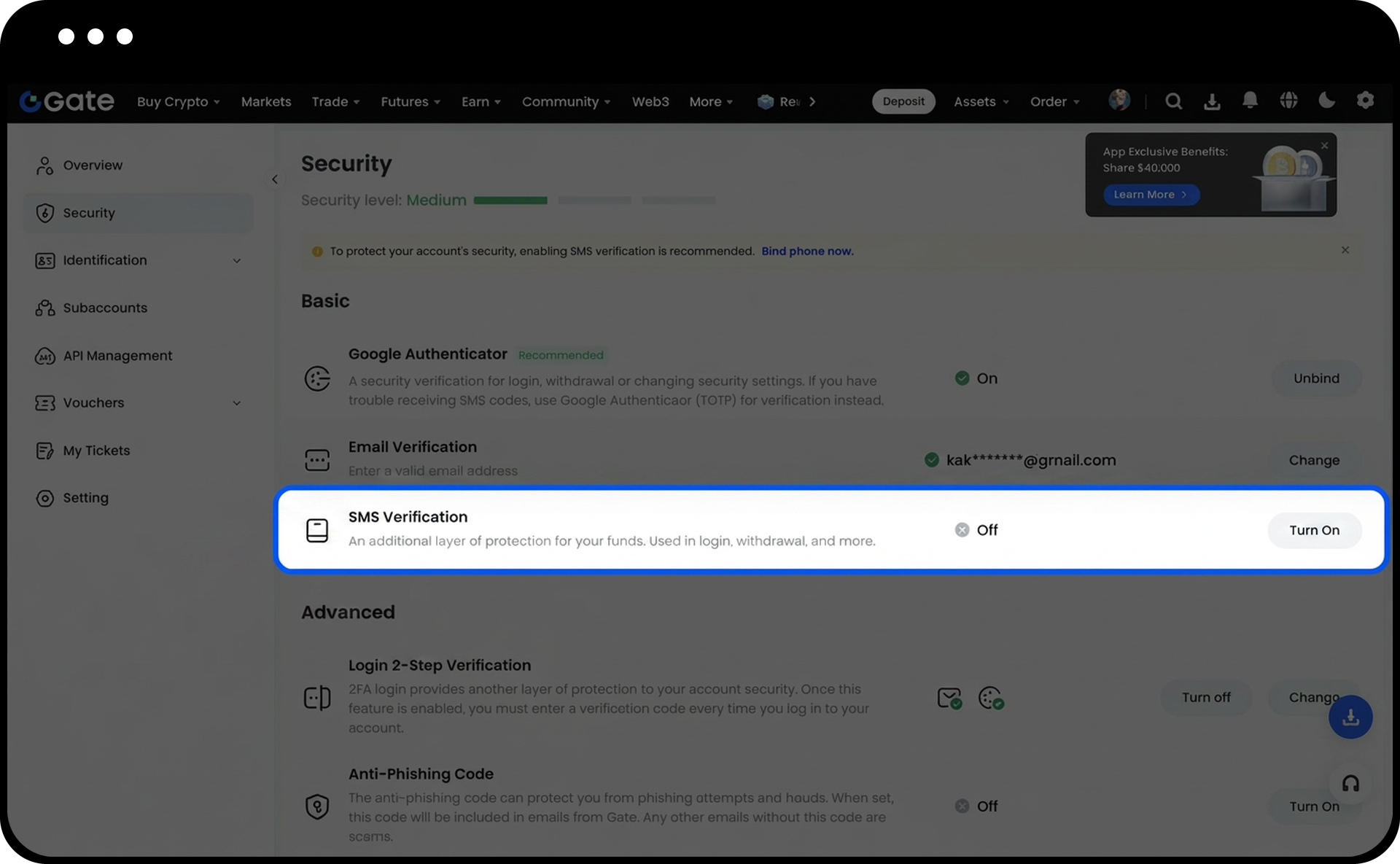
2.In the "Basic Security Items" section, locate "SMS Verification" and click "Turn On" on the right.
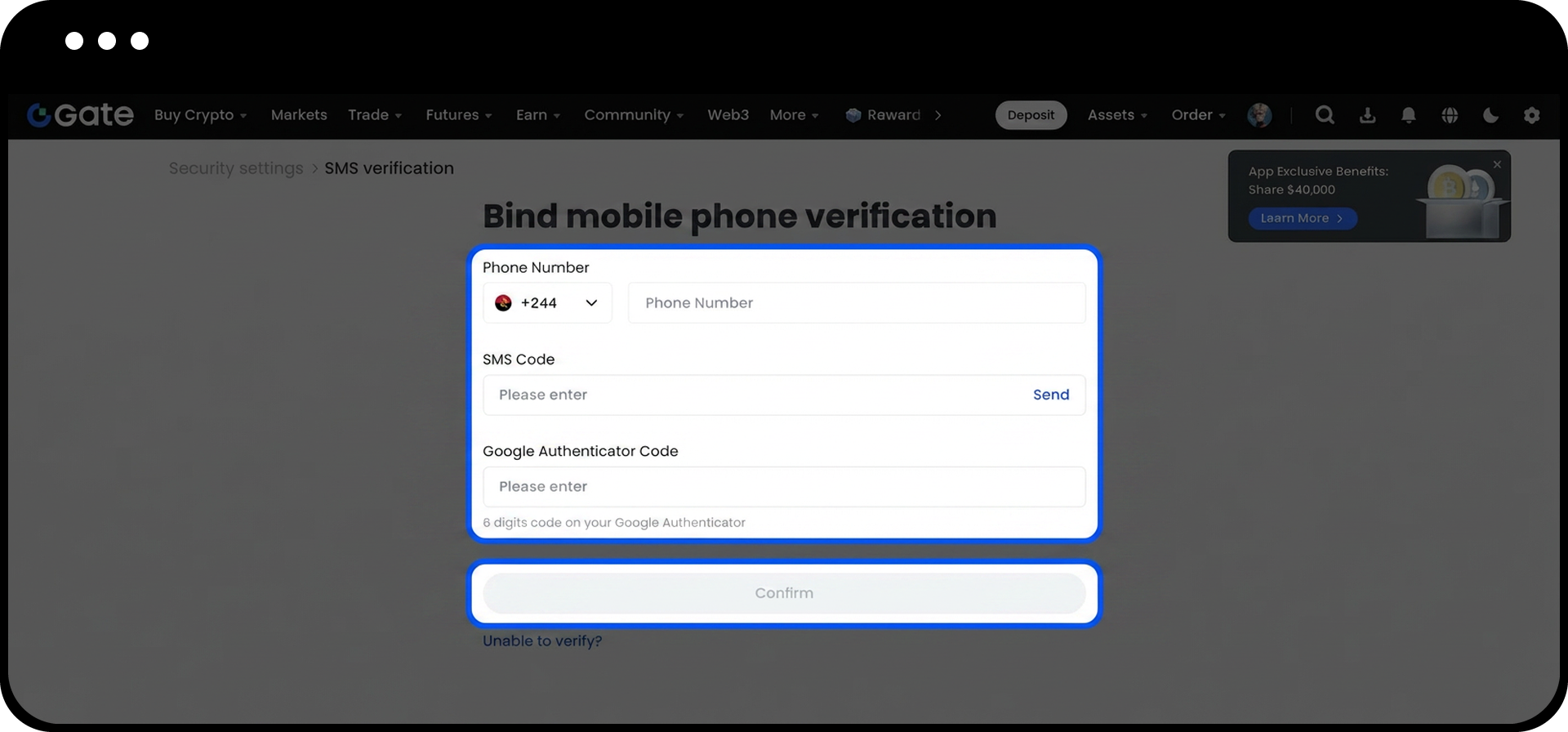
3.Fill in the required information as prompted on the page. Once you’ve confirmed everything is correct, click “Confirm” to complete the binding process.
2. Unbind Your Phone Number (If You Can Receive Verification Codes)
If your current phone number can still receive verification codes, follow these steps to unbind:
1.Log into your Gate account, click the “avatar” in the upper right corner, and go to “Security.”
2.In the “Basic Security Items” section, find “SMS Verification” and click “Unbind” on the right.
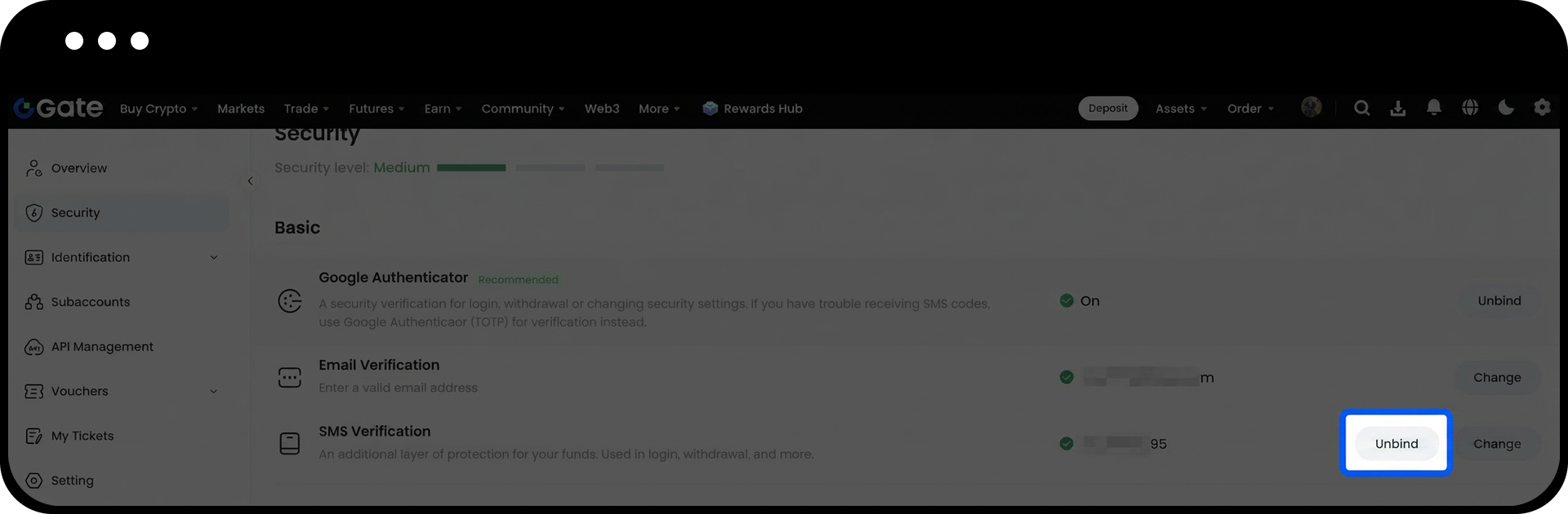
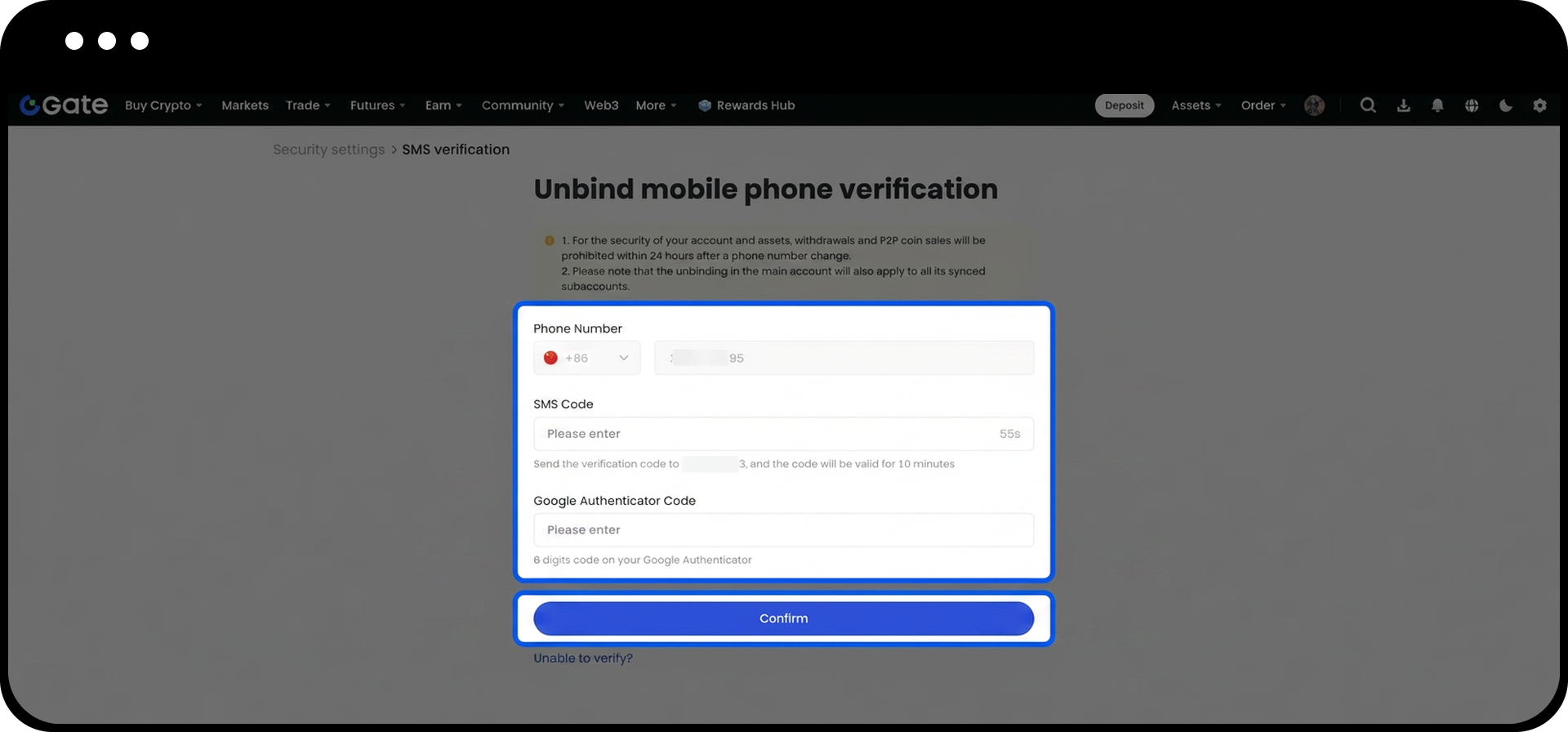
3.Complete the security verification as prompted on the page. Once confirmed, click “Confirm” to finish unbinding.
Frequently Asked Questions
Q1: Why am I not receiving SMS verification codes when binding my phone number?
A: Please check the following:
- Is the phone number entered correctly?
- Is your phone receiving a normal signal?
- Is your phone security software blocking the messages? If you still can't resolve the issue, contact Gate customer support for help.
Q2: Can I bind a new phone number immediately after unbinding?
A: Yes. Once your phone number is successfully unbound, you can immediately follow the binding process to add a new phone number—no waiting required.
Q3: How long does it take to review a phone number reset request?
A: Security reset requests are typically reviewed within 24 hours. The result will be sent via email, so please check both your inbox and spam folder.
