Applicable Scope
This guide applies to Gate App
Before you start: Ensure you have a valid government-issued ID document and a stable internet connection
Estimated time: 10 m
Objective
This guide will walk you through how to complete KYC identity verification on Gate App.
Steps
Step 1: Access the KYC Verification Page
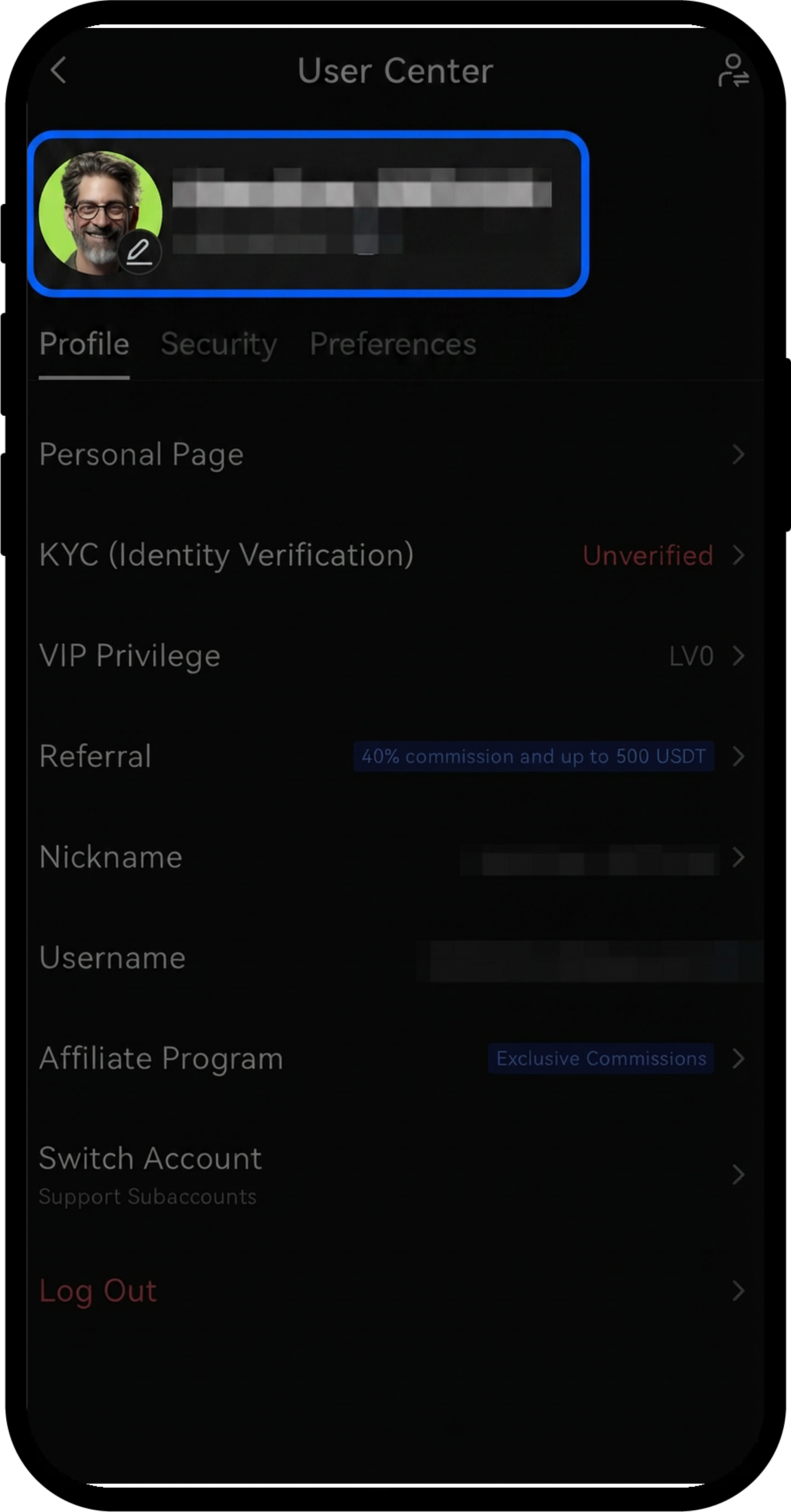
- Log in to your Gate account in the app.
- Tap the profile icon in the upper-left corner.
- Navigate to [Profile] - [KYC (Identity Verification)] - [Verify Now].
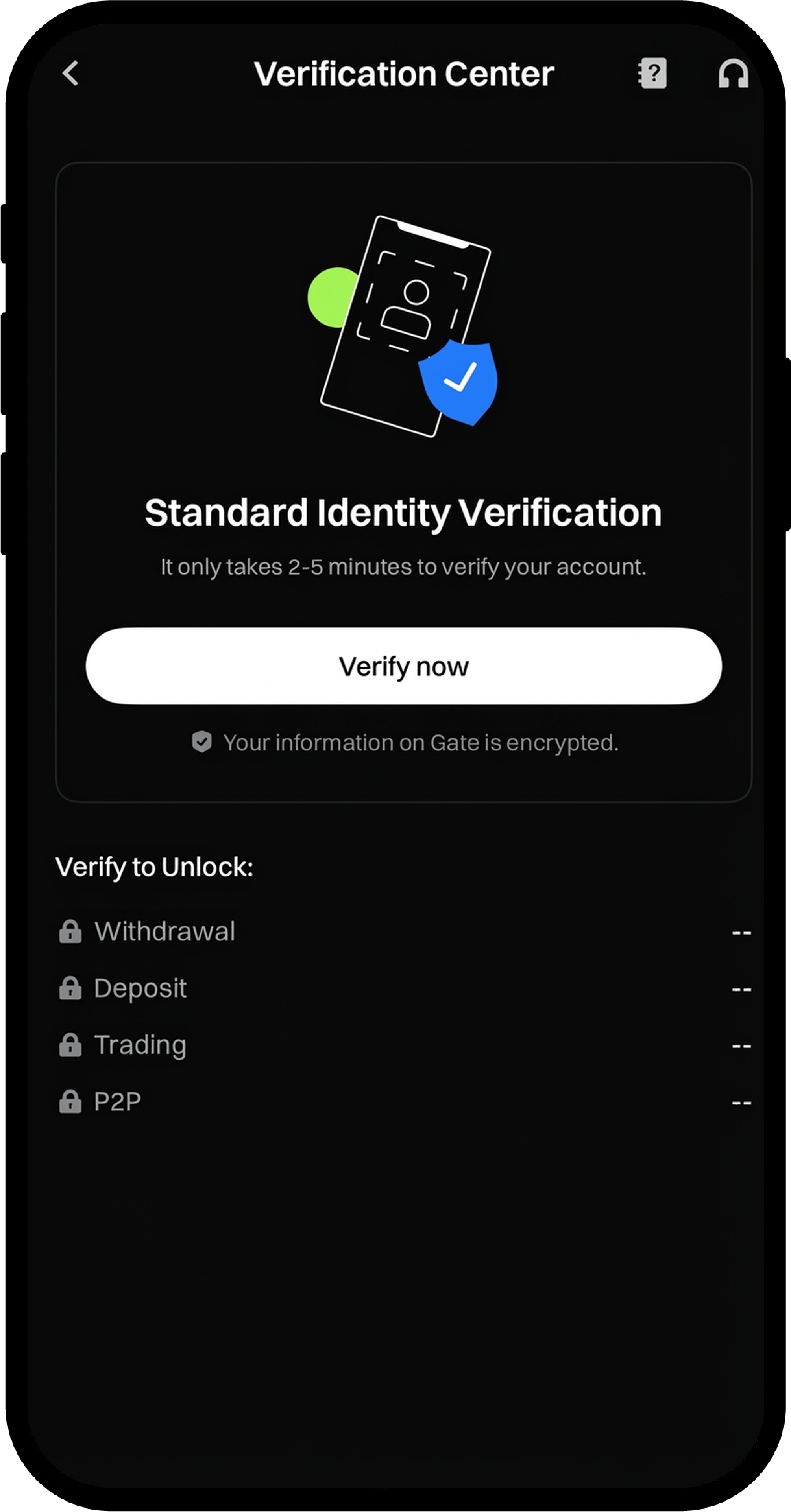
Step 2: Complete Basic Information Verification
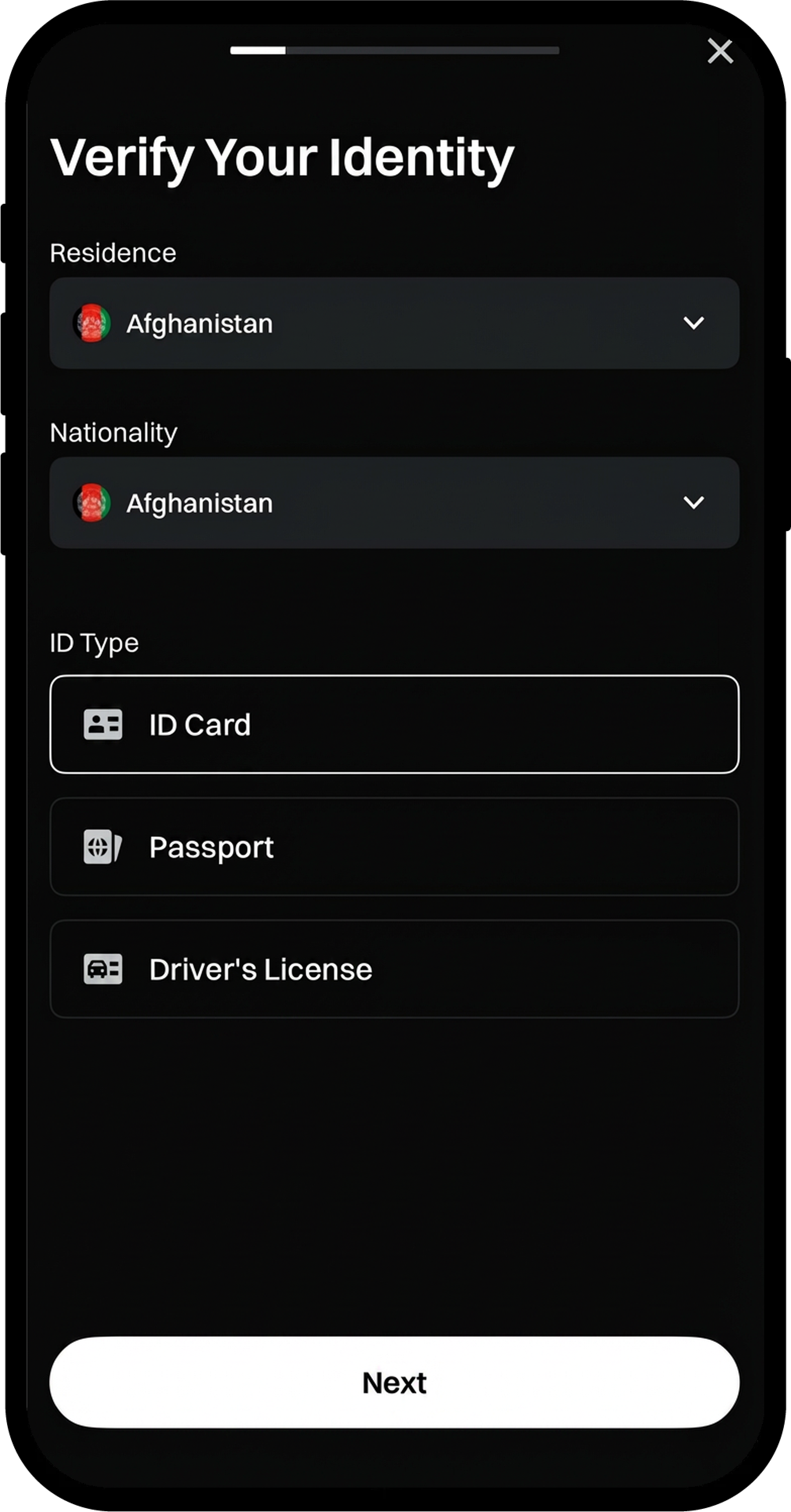
- Follow the on-screen prompts and enter your details, including:
- Residence
- Nationality
- ID Type
- Click [Next] to proceed.
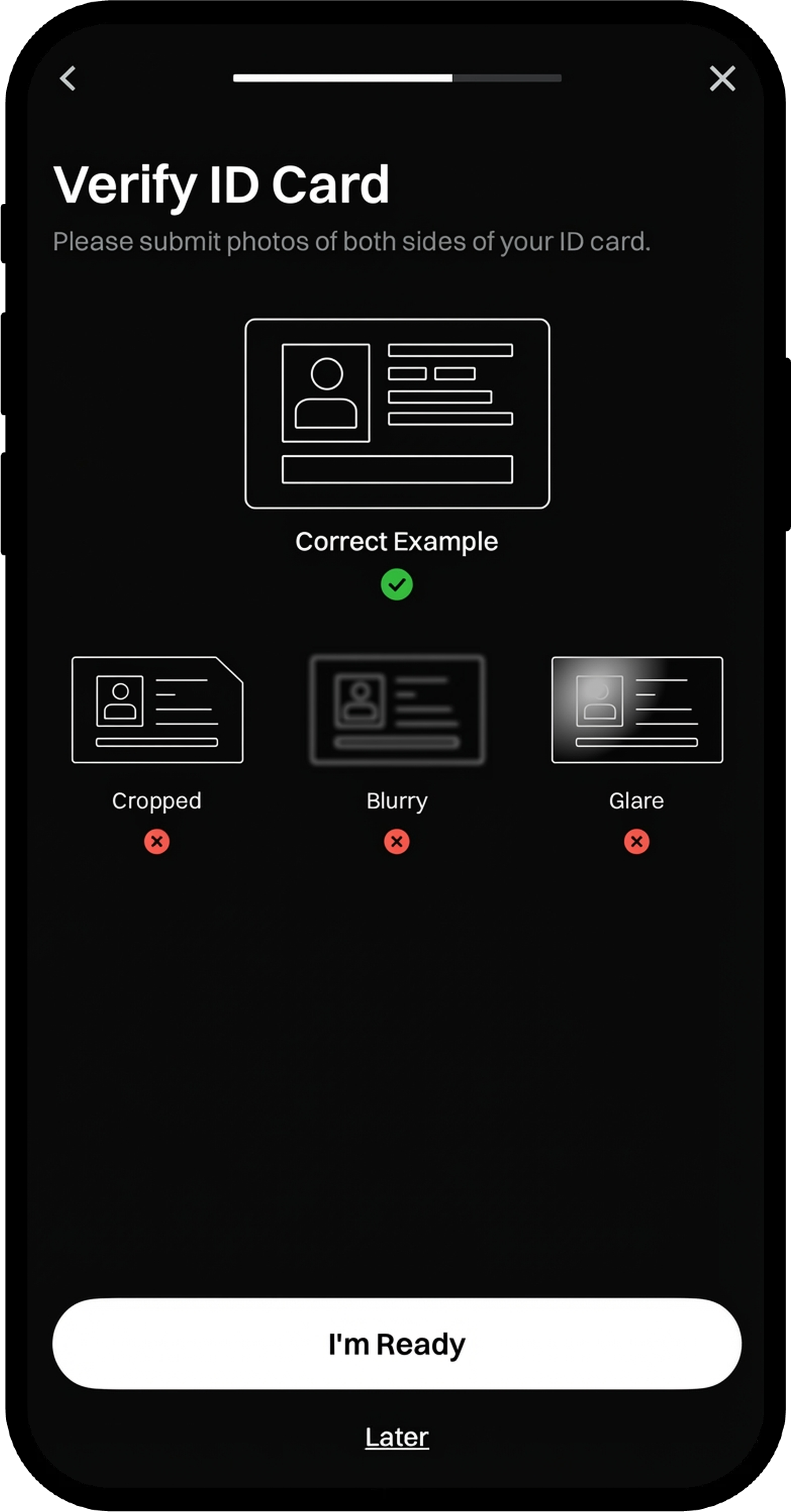
- Click [I'm Ready] to continue to the document upload process.
Step 3: Upload ID Document and Complete Face Recognition
- You will be automatically redirected to the Document Upload page.
- Upload your ID document according to the on-screen instructions.
- Complete the Face Recognition process as prompted.
- Review the recognized information (Full Name, ID Number) to ensure accuracy.
- If everything is correct, click [Next]. If modifications are needed, edit the information before proceeding.
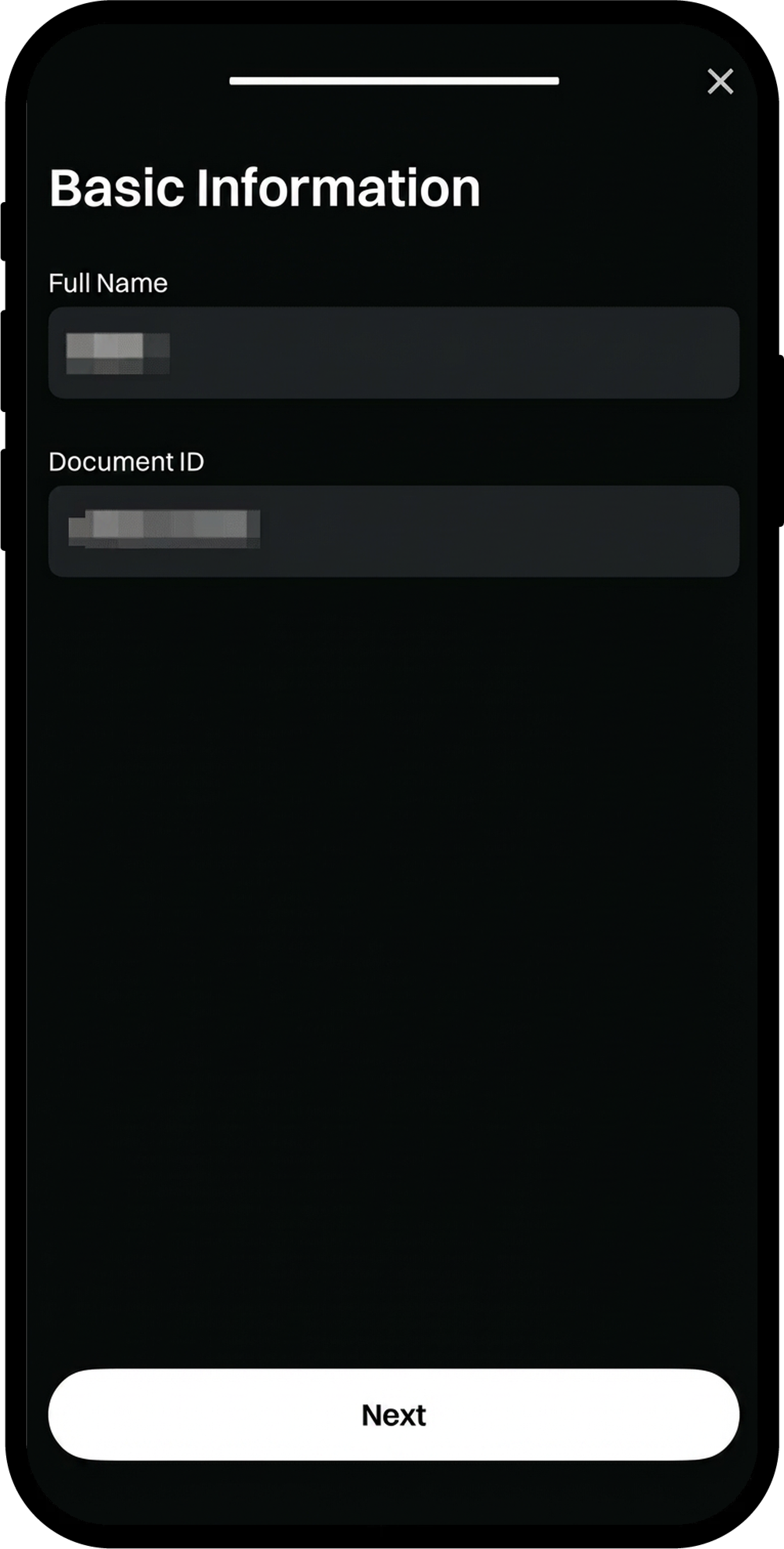
Step 4: Complete Address Verification
- After your identity verification is approved, tap [Verify Now] under the Address Verification section.
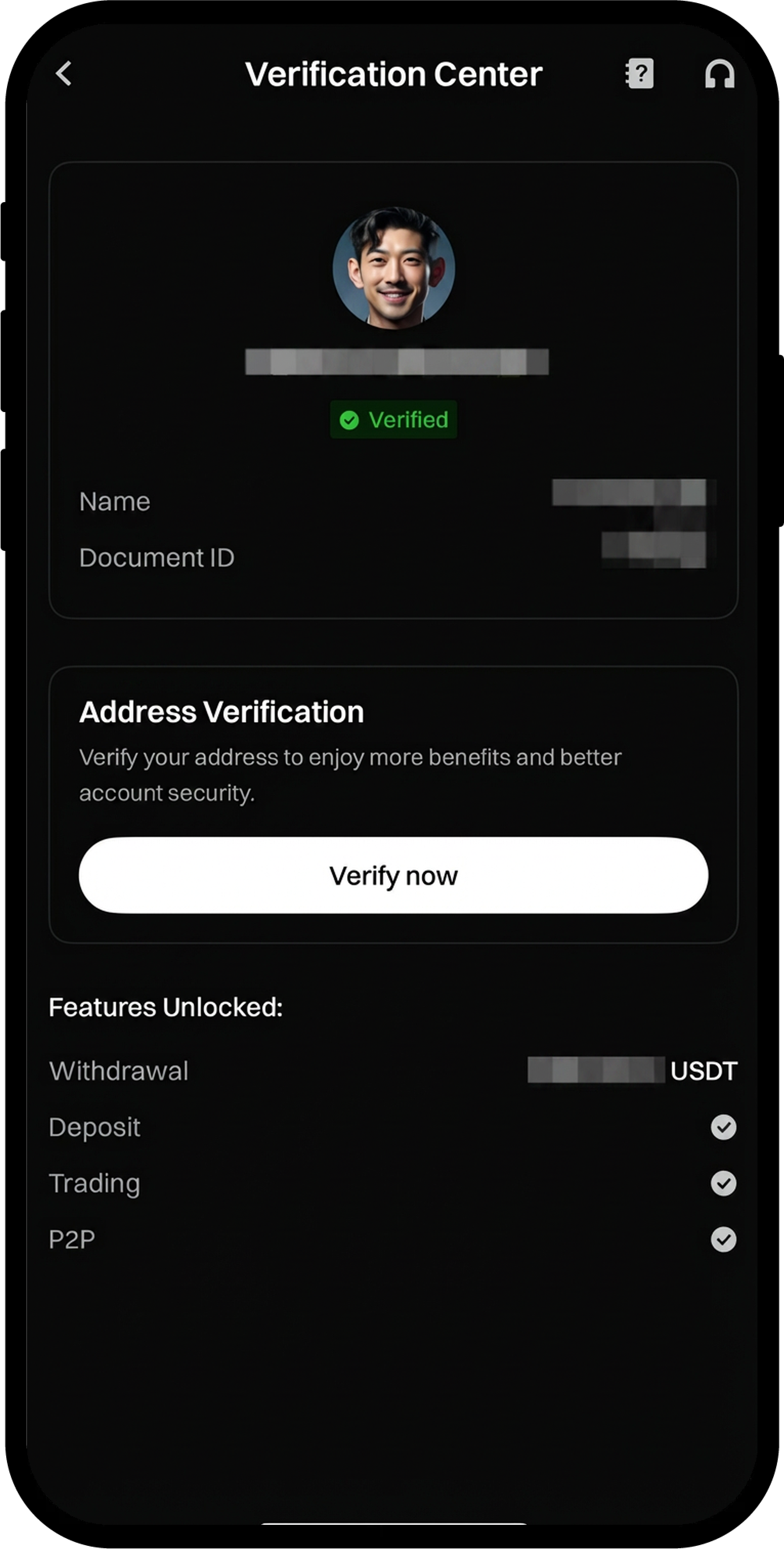
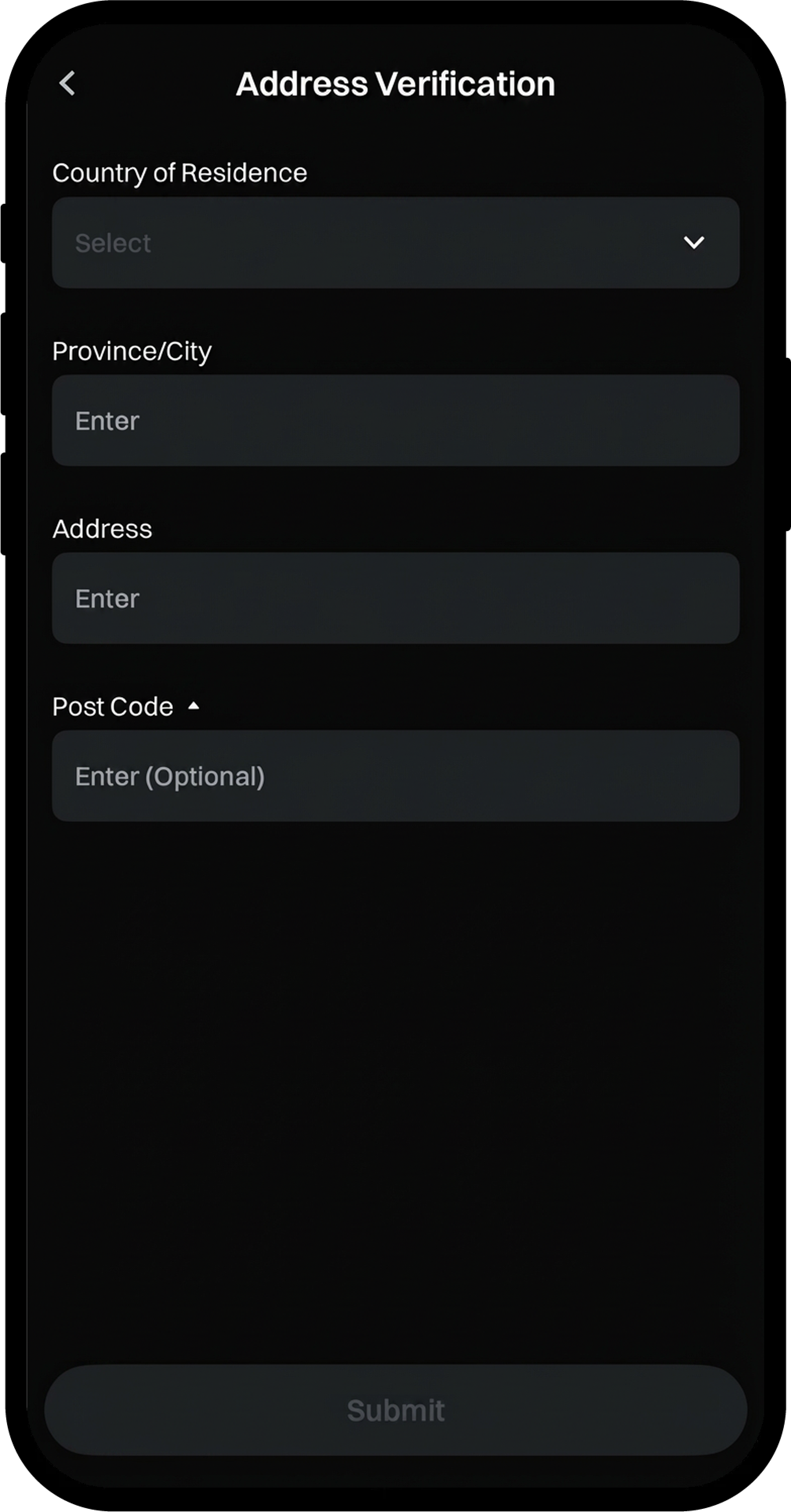
- Fill in the required address details according to the on-screen instructions.
- Confirm all information is accurate, then click [Submit].
- Wait for the verification process to be completed.
Notes
- KYC identity verification is mandatory for all Gate users to deposit and withdraw cryptocurrencies, trade fiat currencies, and participate in Startup subscriptions.
- The basic information you provide must exactly match your ID document.
- Ensure your ID document is valid and not expired.
- The verification process helps ensure asset security and regulatory compliance while reducing fraud, money laundering, and other illegal activities.
FAQ
Q1: What documents are accepted for identity verification?
A: Gate accepts valid government-issued ID documents such as passports, national ID cards, and driver's licenses. The specific accepted documents may vary by region.
Q2: How long does the verification process take?
A: The verification process typically takes a few minutes to complete, but in some cases, manual review may be required, which could take up to 24-48 hours.
Q3: What should I do if my verification is rejected?
A: If your verification is rejected, you will receive a notification with the reason. Common reasons include blurry photos, expired documents, or mismatched information. Please resubmit with corrected documents or information according to the feedback provided.
Q4: Can I trade before completing KYC verification?
A: Without completing KYC verification, your account will have limited functionality. You will not be able to deposit or withdraw cryptocurrencies, trade fiat currencies, or participate in certain platform activities.
