Applicable Instructions
This guide applies to: Gate Web
Preparation required: A valid email address or mobile phone number
Estimated time: 3 minutes
Objective
This article will walk you through how to register and log in to your account on Gate Web.
Registration Steps
Step 1: Access the Registration Page
-
Open your browser and visit the official Gate website
-
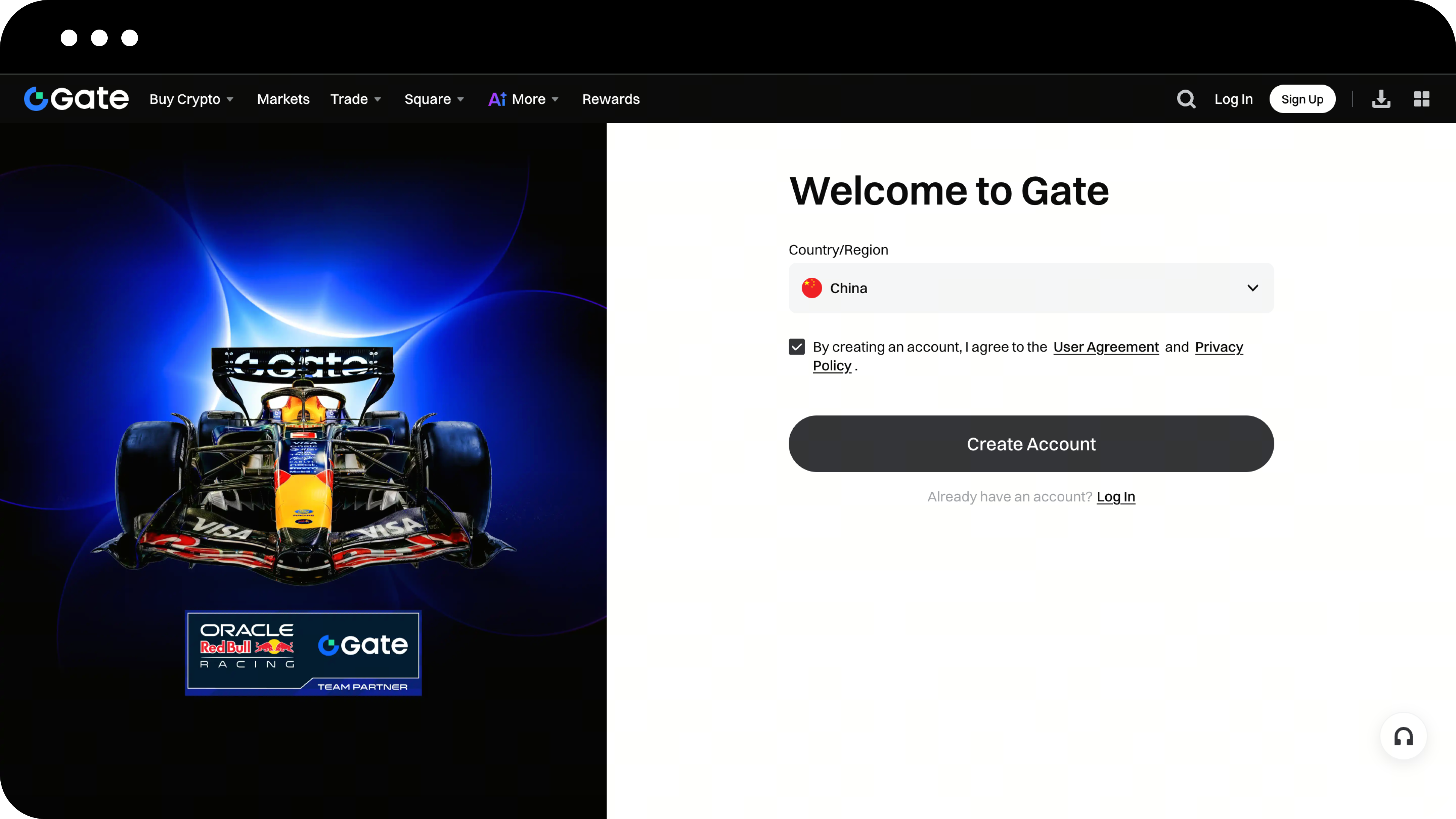
Click the Register button in the upper right corner of the page to enter the registration page

Step 2: Select Your Country/Region of Residence
-
On the registration page, follow the prompts to select your "Country/Region of Residence"
-
Check the box to accept the User Agreement and Privacy Policy
-
Click the button to start creating your account
Step 3: Create Your Account
-
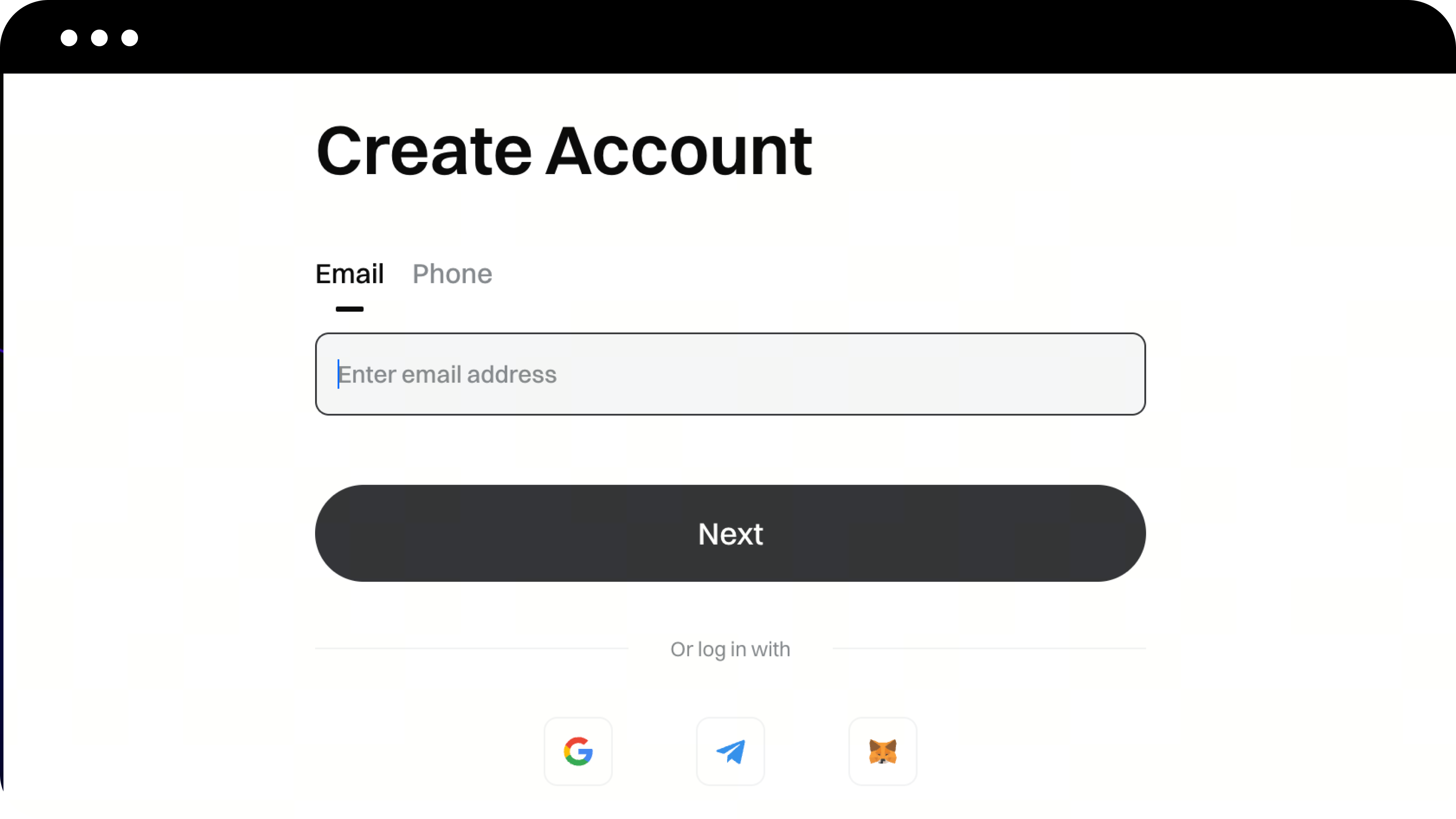
On the account creation page, choose your registration method (email or phone number)
-
Enter your email address or phone number
-
Click Next
Step 4: Enter the Verification Code
-
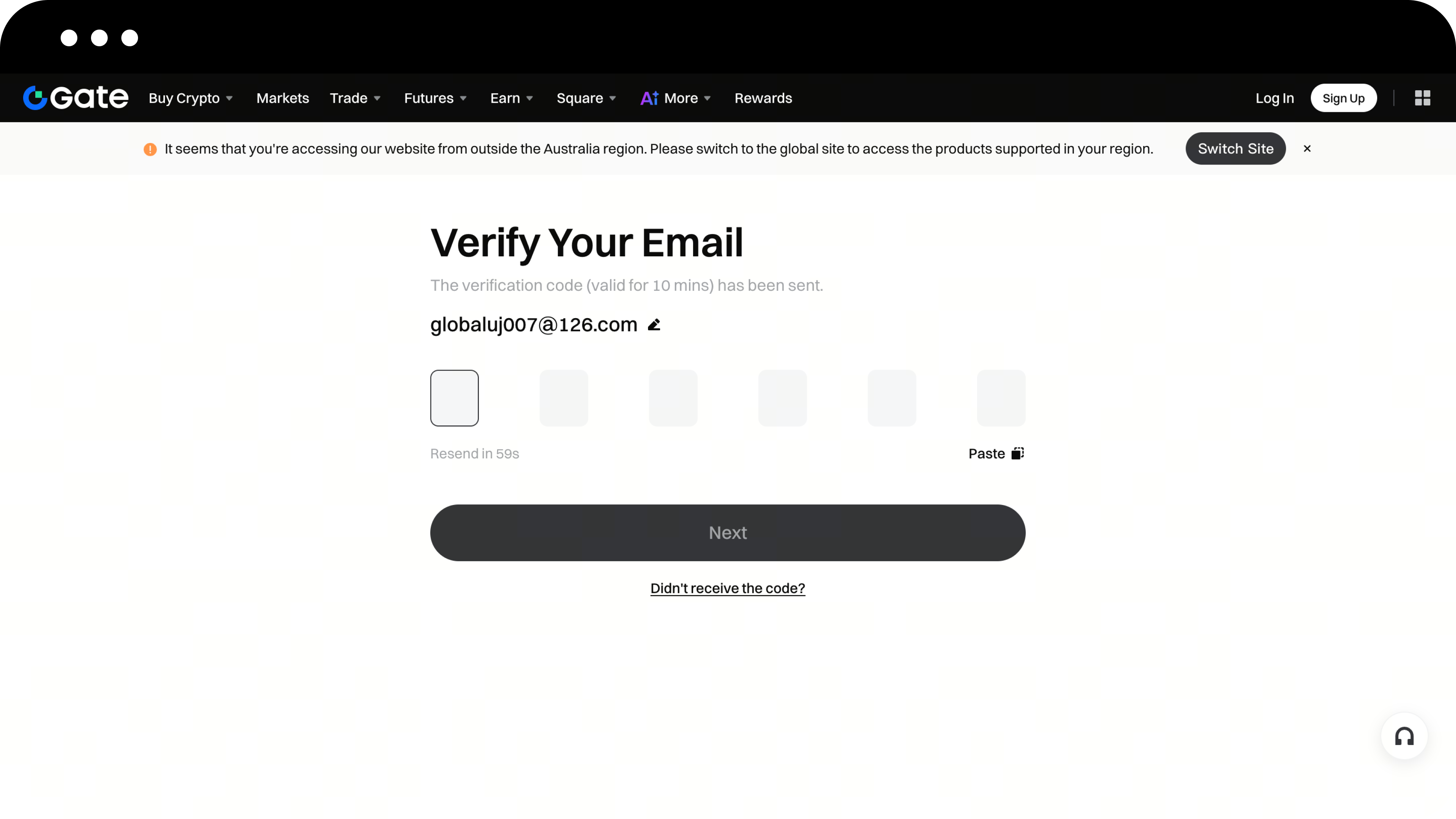
The system will send a verification code to your email or phone. Please check your inbox or messages
-
On the email/phone verification page, enter your verification code
-
Click Next
Step 5: Set Your Login Password
-
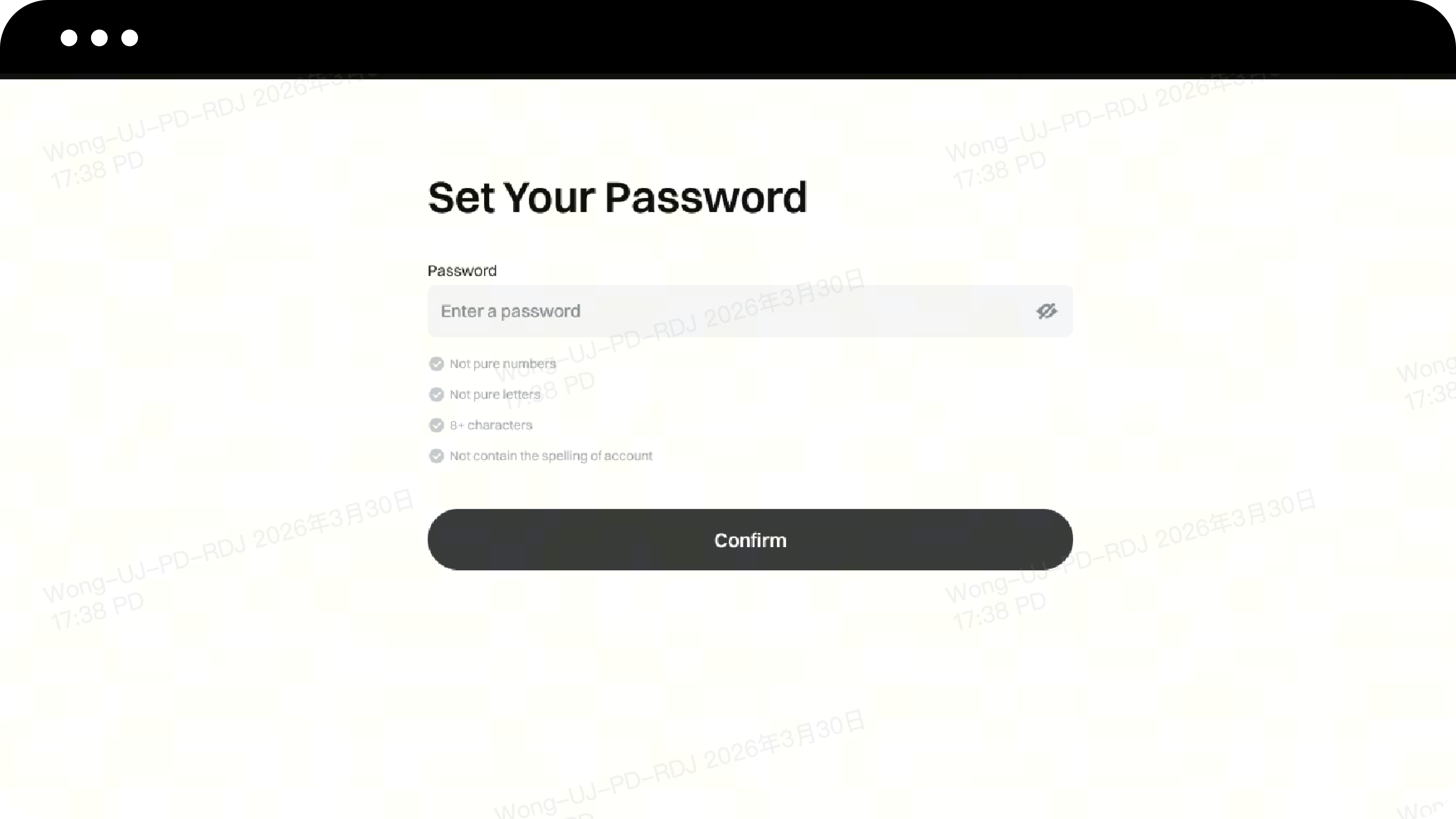
Set your login password as required
-
Click the Confirm button to complete your account registration
Login Steps
Method 1: Login with Account and Password
-
Enter the email/phone number/username you used during registration
-
Enter your password, then click Next
-
Verify your email or phone number and click Confirm
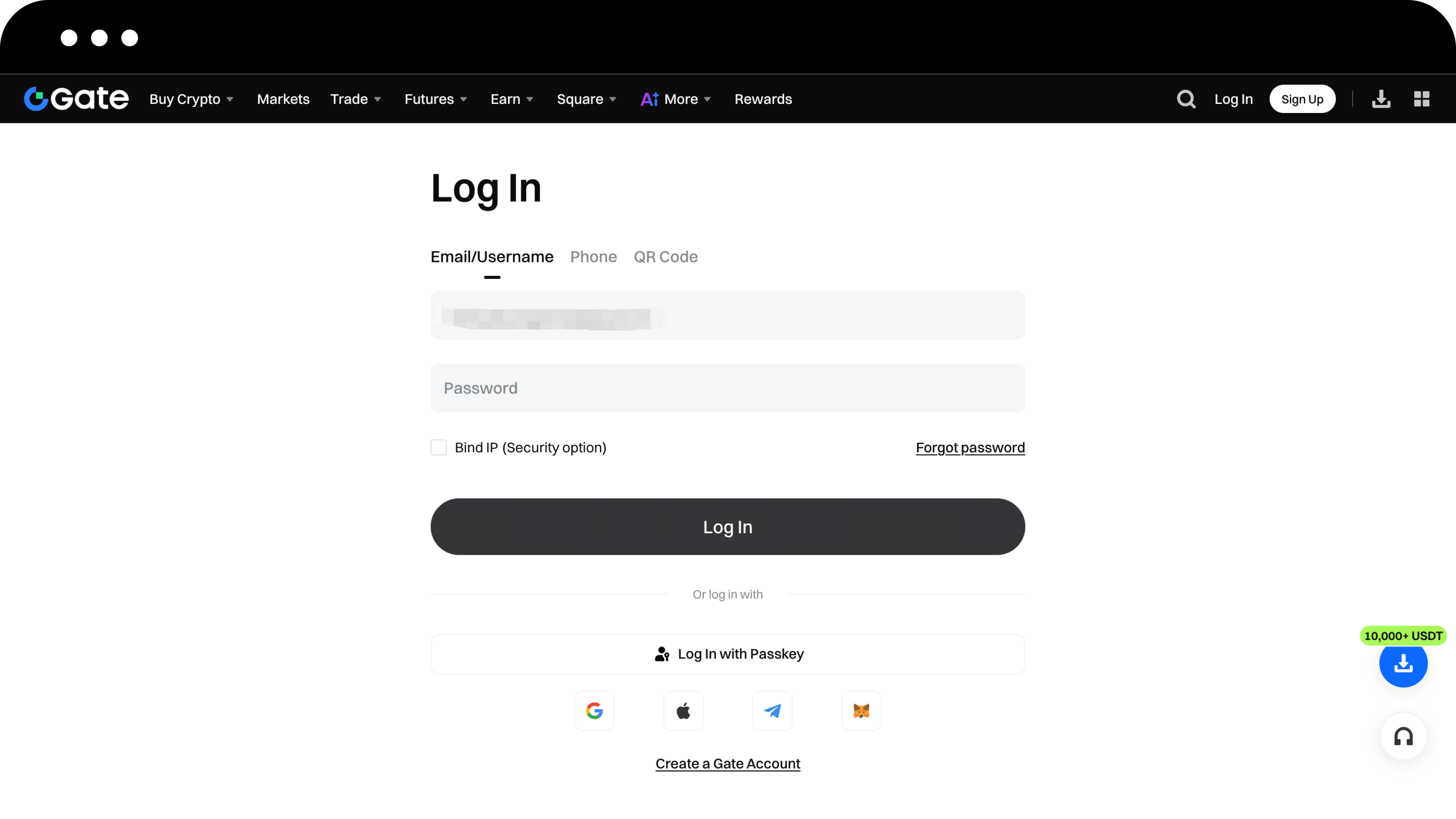
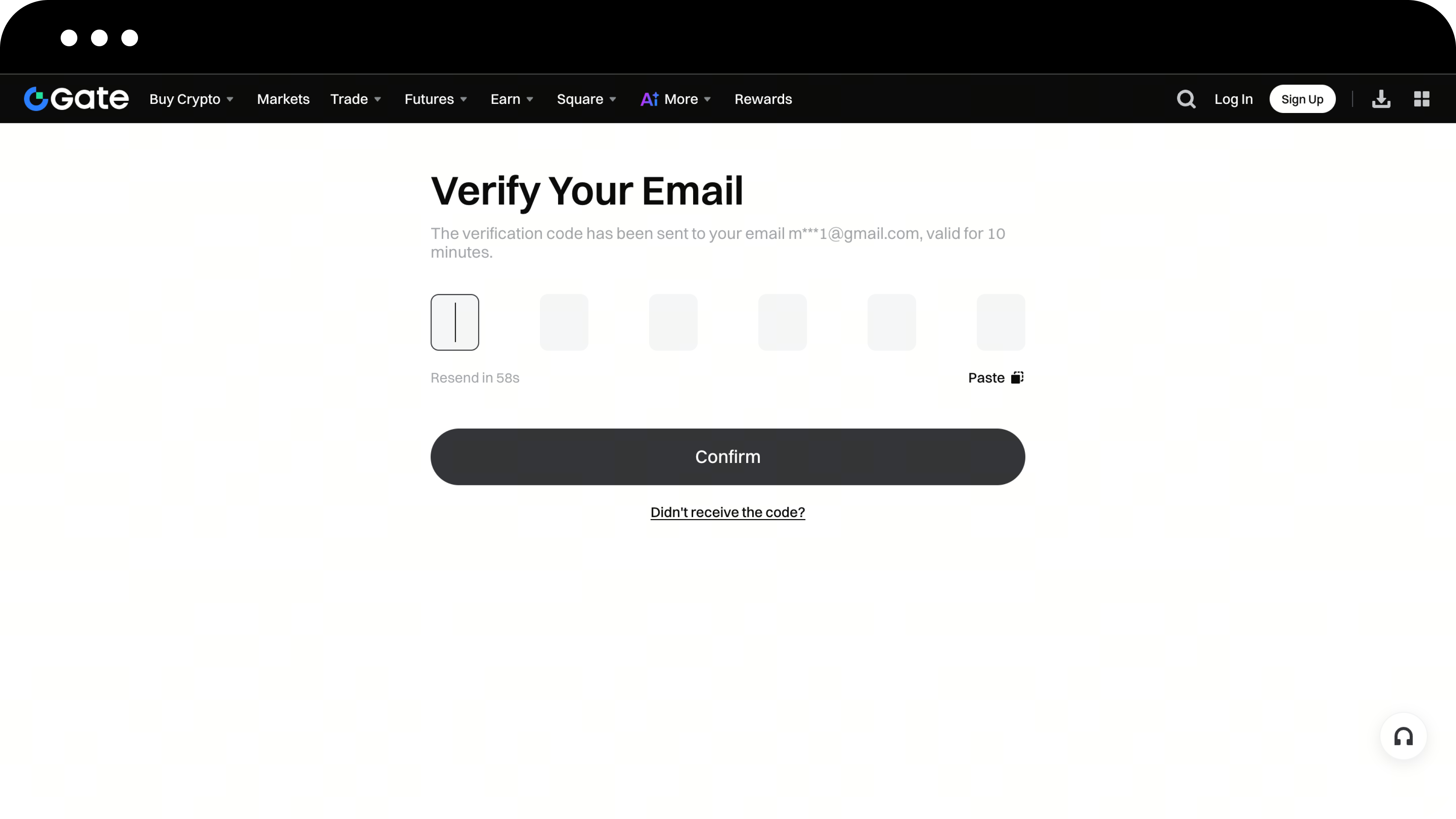
Method 2: Login via App QR Code Scan
-
On the login page, click Scan to Login
-
Open the Gate App that is already logged in with your account
-
Use the app to scan the QR code on the page to complete login
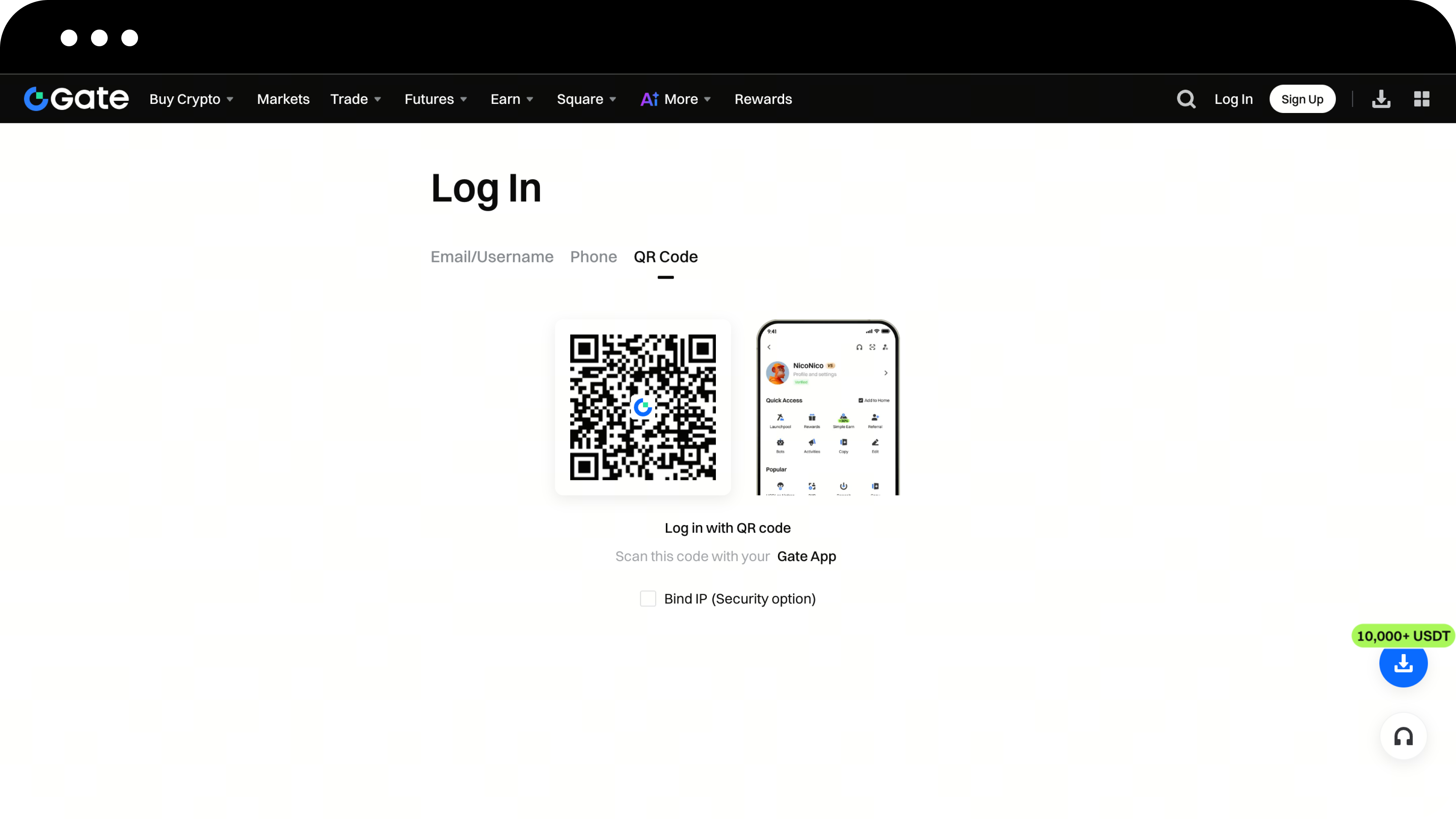
Important Notes
-
To keep your account secure, it’s recommended to enable Two-Factor Authentication (2FA) right after your first login
-
Safeguard your login password and avoid sharing it with others
-
For instructions on setting up 2FA, refer to [How to Bind or Unbind an Authenticator]
Frequently Asked Questions
Q1: What should I do if I don't receive the verification code?
A: Please check your email’s spam folder or make sure your phone number is correct. If you still haven’t received it, click the Resend button.
Q2: What if I forgot my password?
A: On the login page, click Forgot Password and follow the prompts to reset your password via email or phone number.
Q3: Can I register multiple accounts with one email address?
A: No. Each email address or phone number can only be used to register one Gate account.
