The relevant services hereunder are provided by the third-party partner Alchemy Pay.
Welcome to this tutorial! We’ll guide you through purchasing cryptocurrency with a credit or debit card via Gate Connect in just a few simple steps.
Step 1: Before buying cryptocurrency, make sure you’ve registered a Gate account and completed identity verification.
Click to enter the Buy Crypto page.
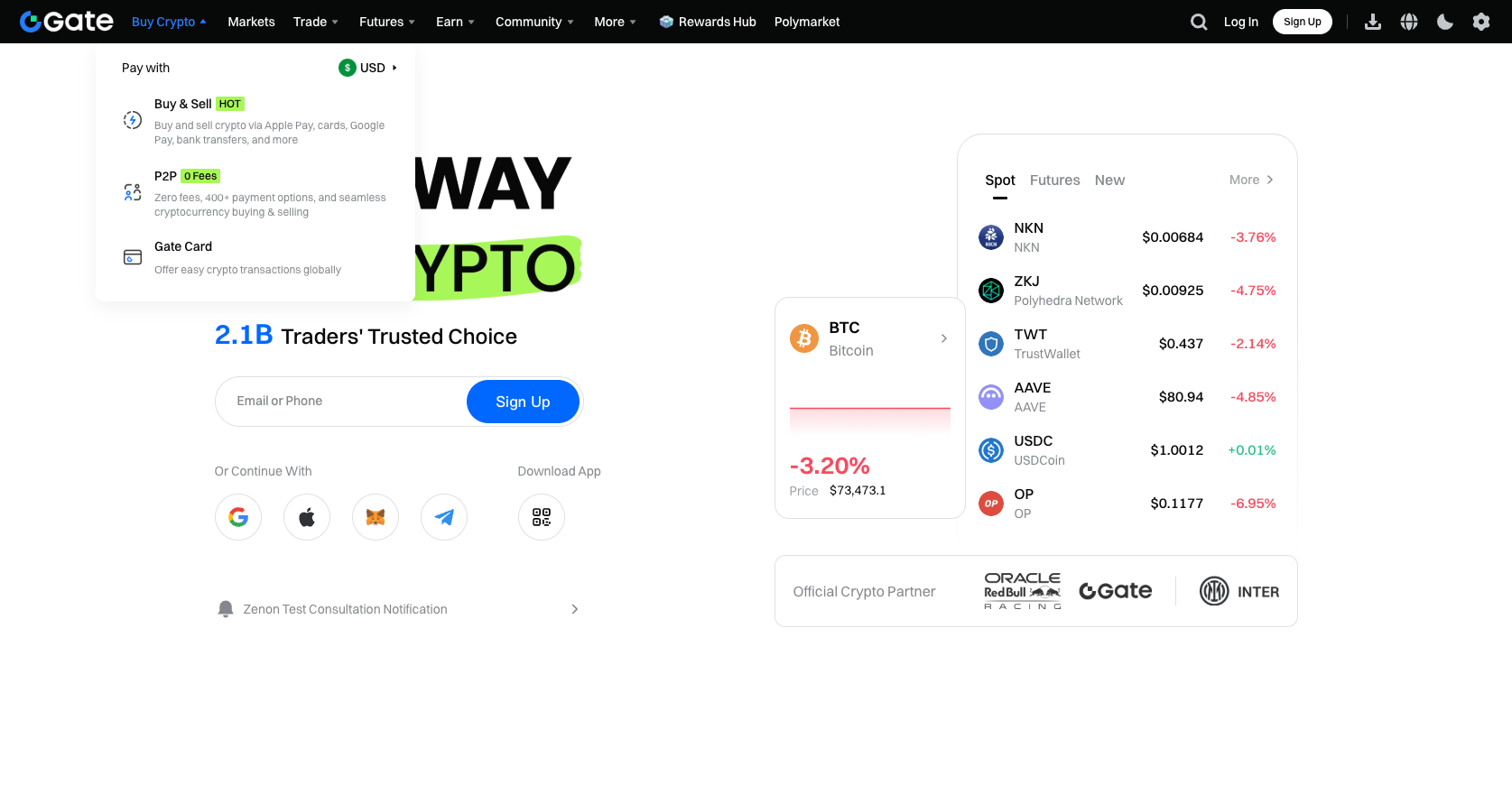
Step 2: Enter the amount you wish to purchase, select your fiat currency and the cryptocurrency.
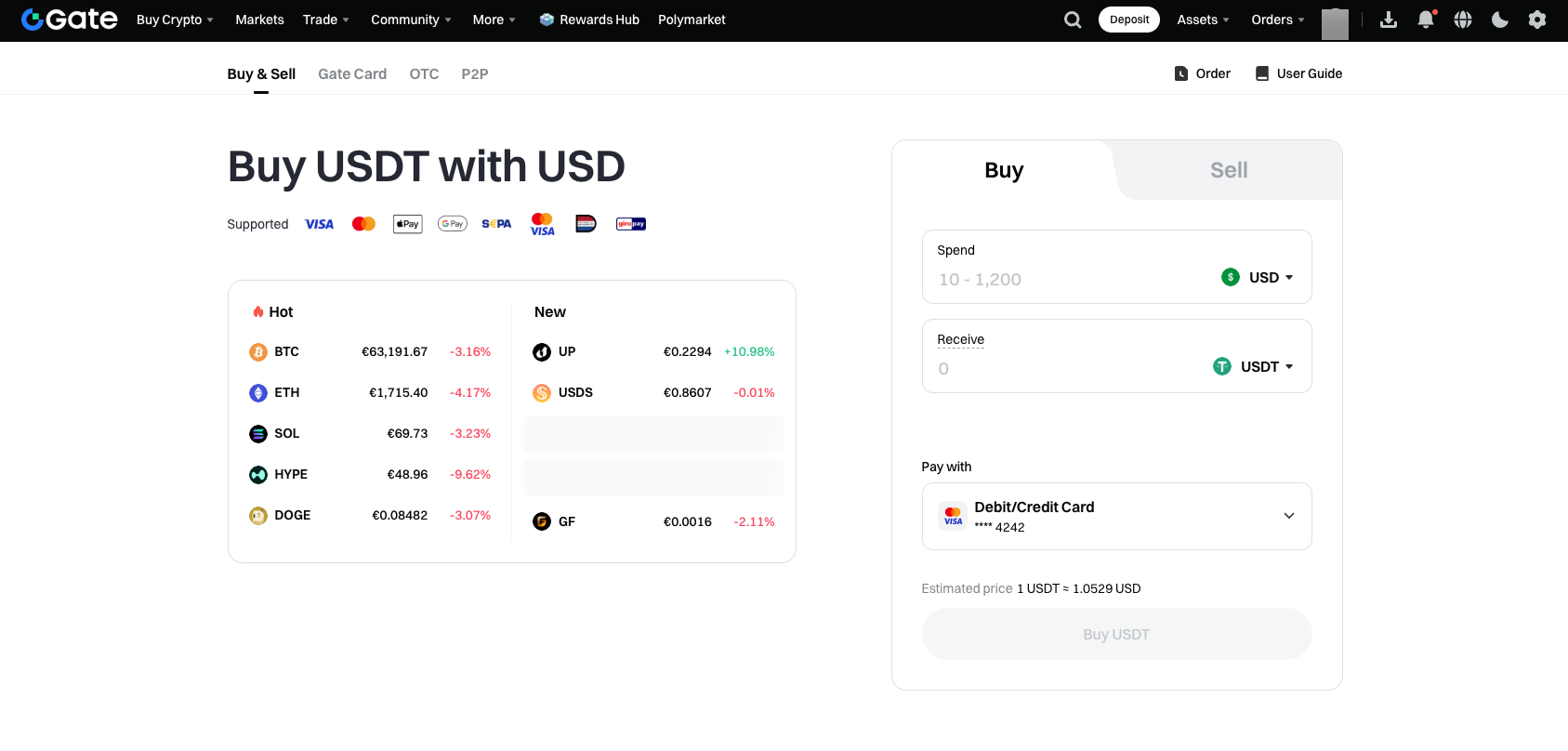
[Payment Channel] Choose the Debit/Credit Card channel under Gate Connect that you want to use.
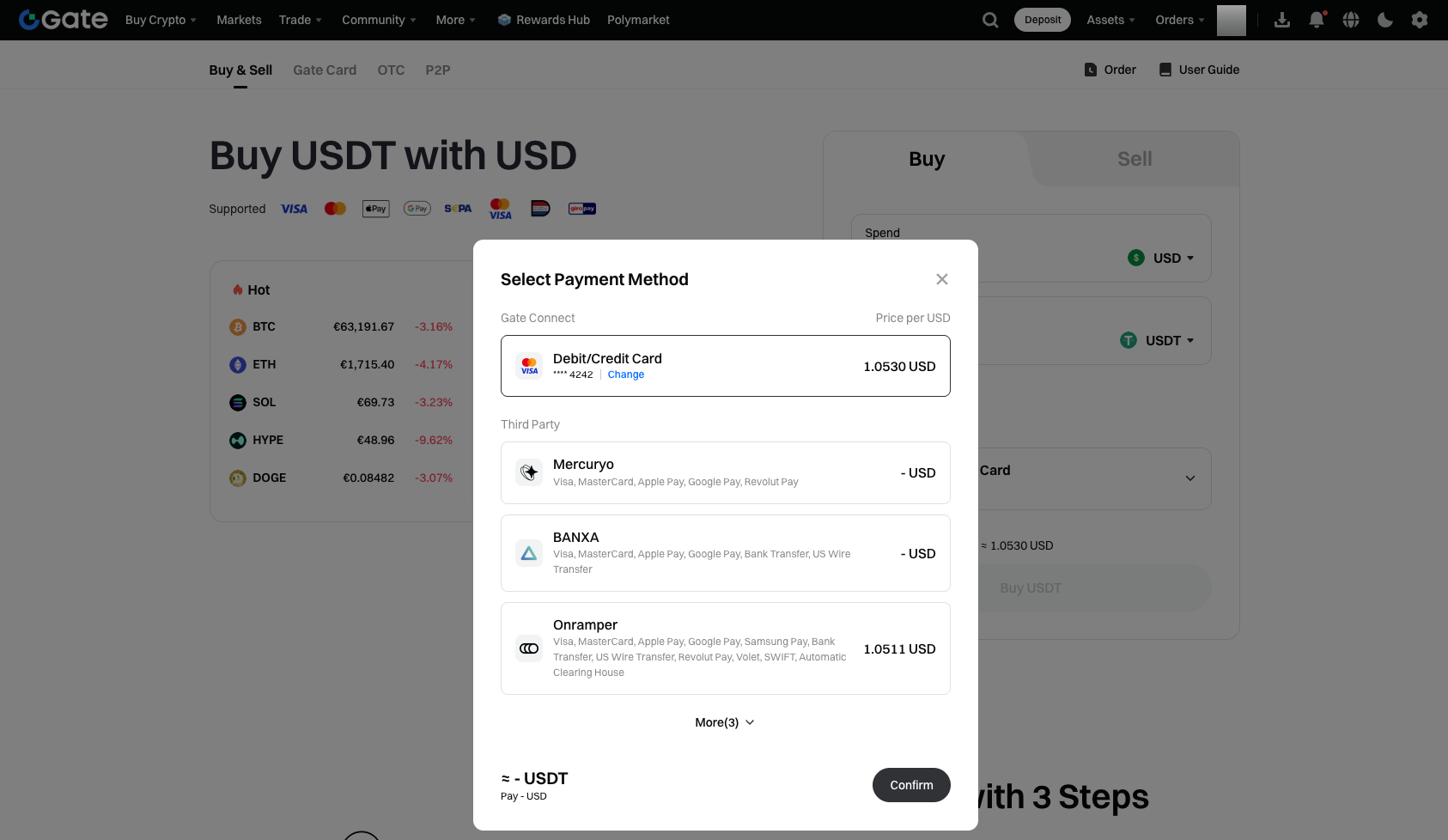
Step 3: After clicking “Confirm,” the system will redirect you to the payment page. You can select or add a payment card. To switch cards, click “Manage Card.” Once you’ve confirmed your card details, click “Buy” to submit your order.
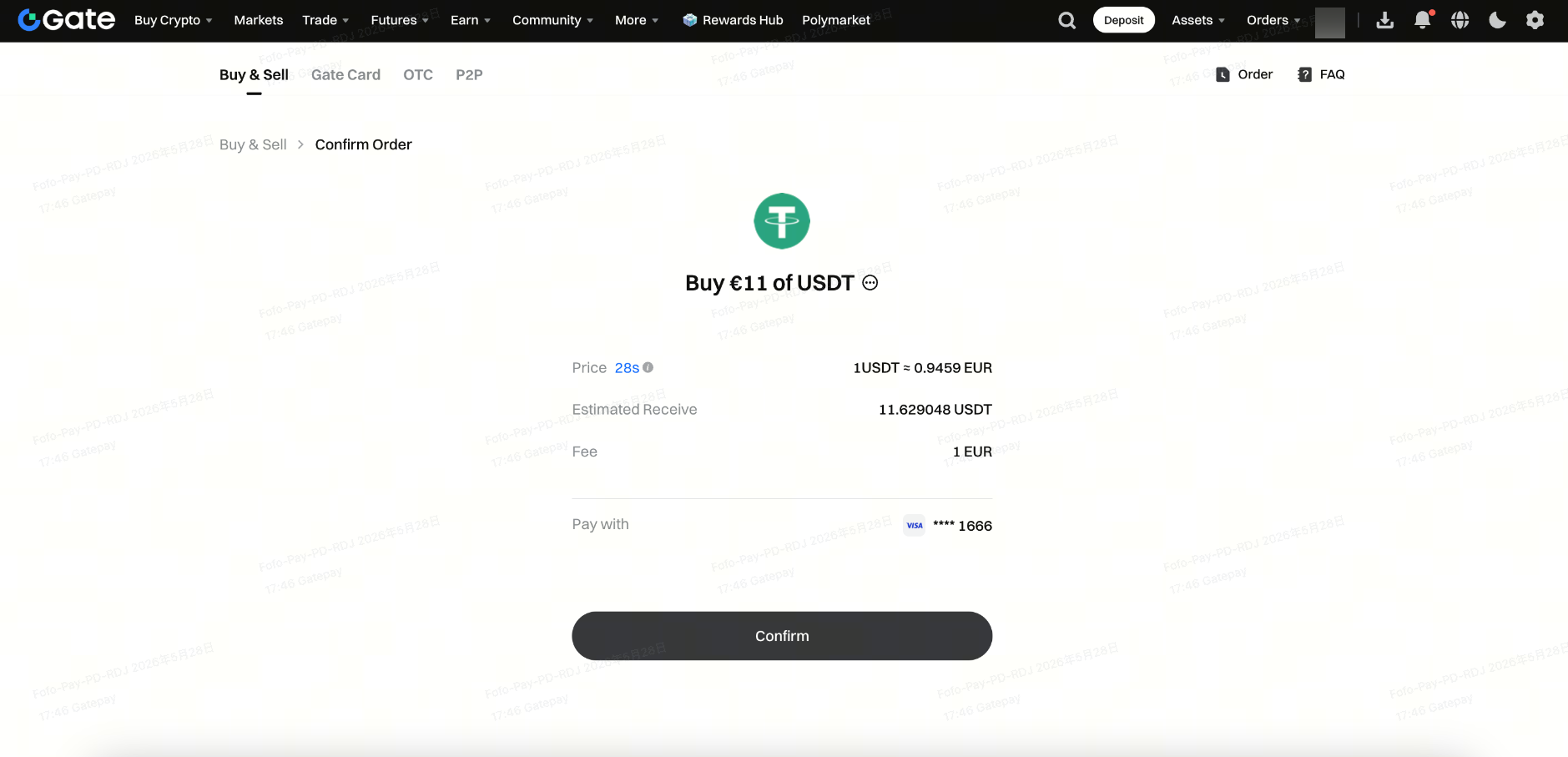
Step 4: Follow the payment instructions and enter the correct verification information to complete your payment. Once successful, the page will display the “Estimated Amount to be Credited” and “Estimated Arrival Time.” Please wait patiently for 5-10 minutes; your cryptocurrency will be automatically credited to your spot account. You can also click “Order History” to check your order status and details.
Start buying cryptocurrency instantly with Gate Connect.
If you have any questions, feel free to contact Gate customer support at: support@gate.com.
