In order to improve user experience and solve the problem that deposits take too long due to blockchain congestion or other reasons, Gate has launched the "self-help acceleration" feature. If you had made a deposit and waited for a longer time than usual before it was complete or cannot find the deposit record, you may use the "self-help acceleration" feature to accelerate the process.
You can check your balance to see whether the deposit is successfully credited about 5-30 minutes after submitting the acceleration request. If it is still not, you may choose to keep waiting 60 minutes or submit a ticket to seek help from our customer service agents.
Instructions on how to submit a ticket
How to use the self-help acceleration feature
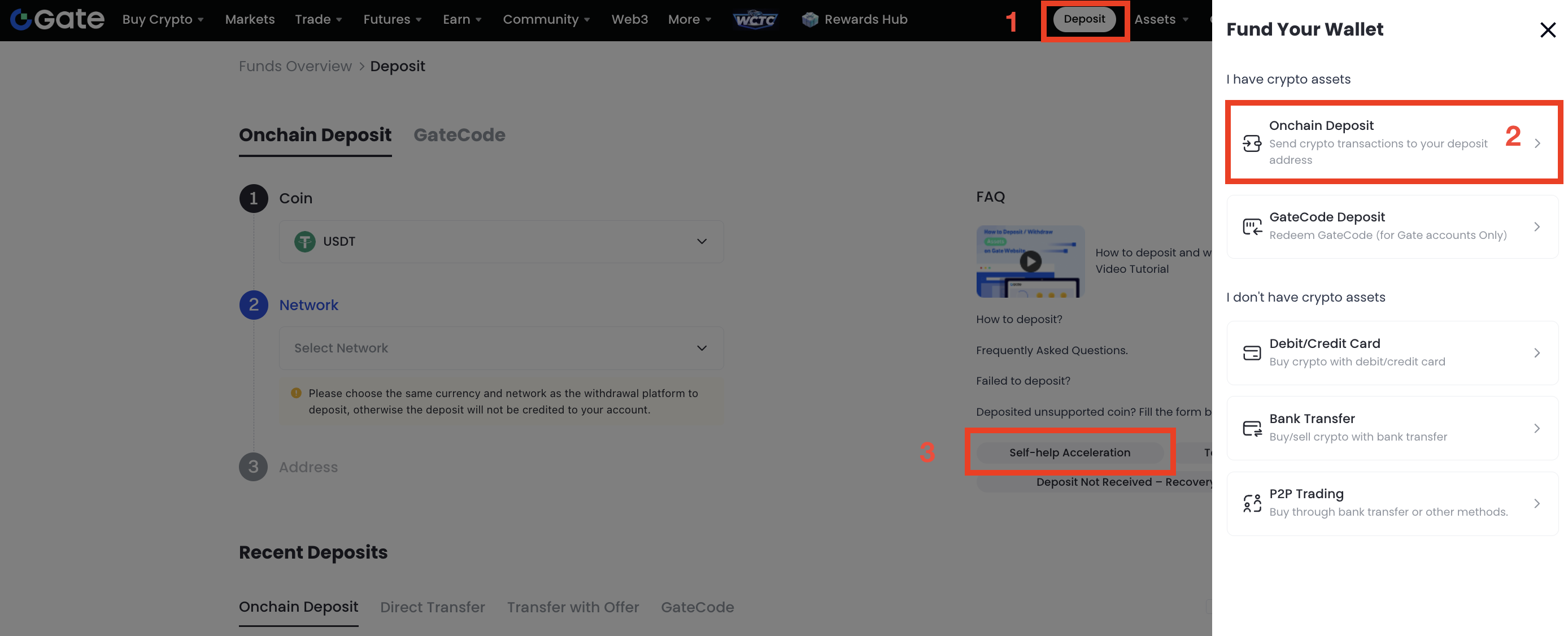
- Log in to your Gate account, then click "Deposit" (at the top right of the page) -"Onchain Deposit"-"Self-help Acceleration".
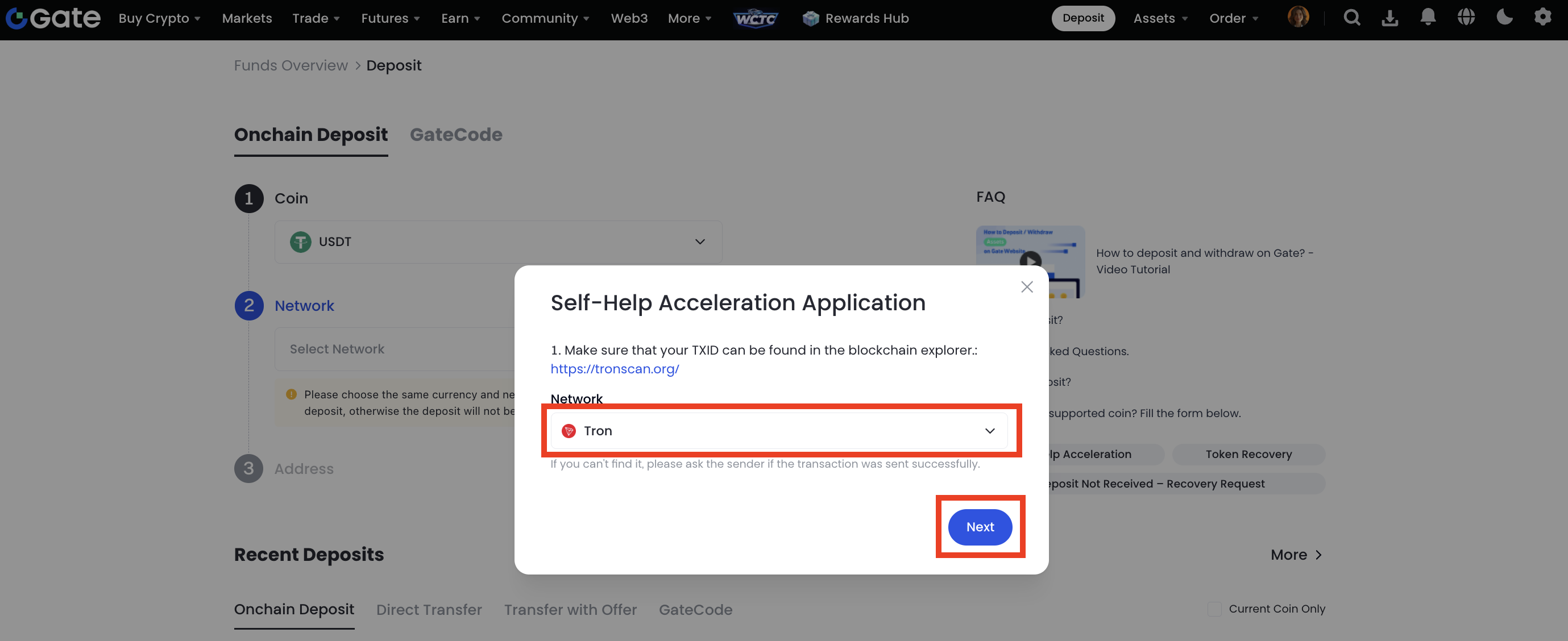
- Select a corresponding network from the drop-down list, then click "Next".
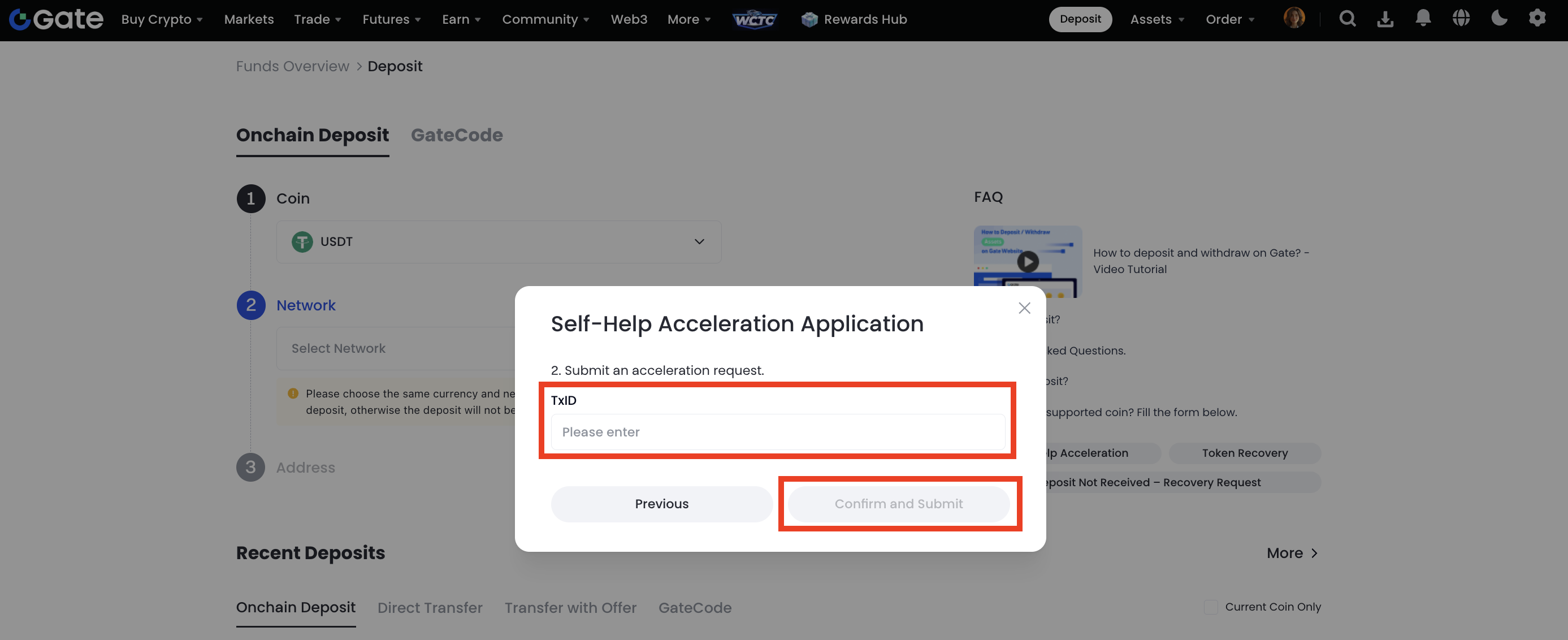
- Enter the correct TxID and submit the request.